Python Requests Retry Complete Guide to HTTPAdapter, Backoff, and Timeouts

Sep 16, 2026 · Guides · 14 min read
TL;DR
- Use a Requests
Session,HTTPAdapter, and urllib3Retry, and apply bounded retries only to temporary failures. total=4means up to four retries. Including the initial request, that can produce up to five attempts.- Set separate connect and read timeouts.
timeout=(5, 20)is not a hard deadline for the entire task. - A 429 response should honor a valid
Retry-After. If the remaining task time is insufficient, stop or reschedule instead of retrying early. allowed_methodsmainly limits status-code retries and related read-error retries. It does not block every connection-stage retry for methods outside the set.- An Adapter cannot cover every response-body read failure. Some failures may surface later as
ConnectionErrorwhen Requests consumes the response body. - 407 responses, TLS certificate errors, and invalid proxy credentials generally should not be retried blindly. A Requests
Sessionalso does not guarantee a fixed proxy exit IP.
What Is Python Requests Retry?
Python Requests retry is a controlled fault-tolerance mechanism: the client resends a request according to defined attempt and wait rules only when the failure is considered temporary and the request can be replayed safely.
A complete strategy must answer five questions: which exceptions or status codes are retryable; how many attempts are allowed; how long to wait between attempts; whether to keep using the same proxy session; and how final failure is logged and reported. An unlimited while True loop has no budget, backoff, or termination condition and can amplify an outage.
The Requests official HTTPAdapter documentation explains that passing an integer directly to max_retries is mainly for connection-level failures. To control status codes, methods, backoff, and Retry-After, pass an urllib3.util.Retry object.
How Do You Configure Retries for Python Requests GET Requests?
The following is the minimal runnable pattern recommended in this guide. First install the dependencies:
python -m pip install requests==2.34.2 urllib3==2.7.0
Then create a reusable Session:
import requests
from requests.adapters import HTTPAdapter
from urllib3.util import Retry


def build_session() -> requests.Session:
    retry = Retry(
        total=4,
        connect=4,
        read=4,
        status=4,
        other=0,
        allowed_methods=frozenset({"GET", "HEAD", "OPTIONS"}),
        status_forcelist={429, 500, 502, 503, 504},
        backoff_factor=0.25,
        backoff_jitter=0.1,
        respect_retry_after_header=True,
        raise_on_status=False,
    )

    adapter = HTTPAdapter(
        max_retries=retry,
        pool_connections=10,
        pool_maxsize=10,
    )
    session = requests.Session()
    session.mount("http://", adapter)
    session.mount("https://", adapter)
    return session


with build_session() as session:
    response = session.get(
        "https://example.com/api/data",  # Replace with an authorized URL
        timeout=(5, 20),
    )
    response.raise_for_status()
    print(response.json())
total=4 means “up to four retries” and does not include the initial request, so the worst case is five total attempts. raise_on_status=False returns the final response after status-code retries are exhausted, after which raise_for_status() explicitly raises the final HTTP error. timeout=(5, 20) limits the connection phase and read-idle wait separately so that a single attempt does not hang forever, but it is not a total deadline for the whole retry task.
Why Do Python Requests Fail?
The first step in fixing a failed request is to identify the failure layer rather than immediately increasing retries.
| Failure Layer | Common Symptom | Suitable for Automatic Retry? | Preferred Handling |
|---|---|---|---|
| DNS / network | ConnectionError, DNS resolution failure |
Depends | Verify the domain, DNS, and network, then use limited retries if appropriate |
| Connection timeout | ConnectTimeout |
Usually yes | Retry a small number of times with exponential backoff |
| Read timeout | ReadTimeout or a wrapped ConnectionError |
Depends on the method and read stage | Check response time, body size, and read timeout |
| TLS / certificate | SSLError |
Usually no | Fix the certificate chain, system time, or proxy TLS configuration |
| Proxy gateway | ProxyError, connection refused |
Diagnose first | Check host, port, firewall, and gateway status |
| Proxy authentication | 407 | No | Fix credentials, allowlisting, or URL encoding |
| Client error | 400, 401, 403, 404, 422 | Usually no | Fix parameters, permissions, or the resource URL |
| Rate limit | 429 | Conditionally | Honor Retry-After and reduce concurrency |
| Server error | 500, 502, 503, 504 | Usually yes | Use bounded retries and backoff; circuit-break persistent failures |
| Content error | 200 but returns a login page, CAPTCHA, or missing fields | Do not retry blindly | Validate content type, fields, login state, and minimum length |
Timeout Is Not a Total Time Limit
timeout=(5, 20) means a 5-second connection timeout and a 20-second read-idle timeout. When a proxy is involved, the connection phase includes connecting to the proxy gateway, while the read phase is also affected by the target server’s response speed. It does not cap the total duration of a download or the cumulative time across all retries, so the task layer should also enforce an overall deadline.
HTTP 200 Can Still Be a Business-Level Failure
A page may return HTTP 200 while actually serving a login page, empty JSON, a CAPTCHA, or an error template. The application should continue validating Content-Type, required fields, body length, and business status. Transport-level retry logic cannot replace content validation.
Which Requests Are Safe to Retry?
| Method or Operation | Default Recommendation | Reason |
|---|---|---|
| GET, HEAD, OPTIONS | Generally safe to retry automatically | Usually do not change server-side state |
| PUT, DELETE | Use caution | They may be semantically idempotent, but a specific API may still be unsafe |
| POST form or write API | Do not retry automatically by default | May create duplicate records, orders, or jobs |
| Payments, orders, sending messages | Never retry blindly | Duplicate side effects are costly and require idempotency keys and deduplication |
Adding POST to allowed_methods only changes whether the request is eligible for retry; it does not make a write operation automatically safe. If writes must be retried, the API should support Idempotency-Key or an equivalent deduplication mechanism, and the client should store an operation ID and query the final state.
Reproducible Test Environment and Complete Failure Service
The following tests were actually executed on September 16, 2026, using Python 3.14.0, Requests 2.34.2, urllib3 2.7.0, and Scrapy 2.19.0. The tests access only 127.0.0.1 and do not generate failure traffic against third parties.
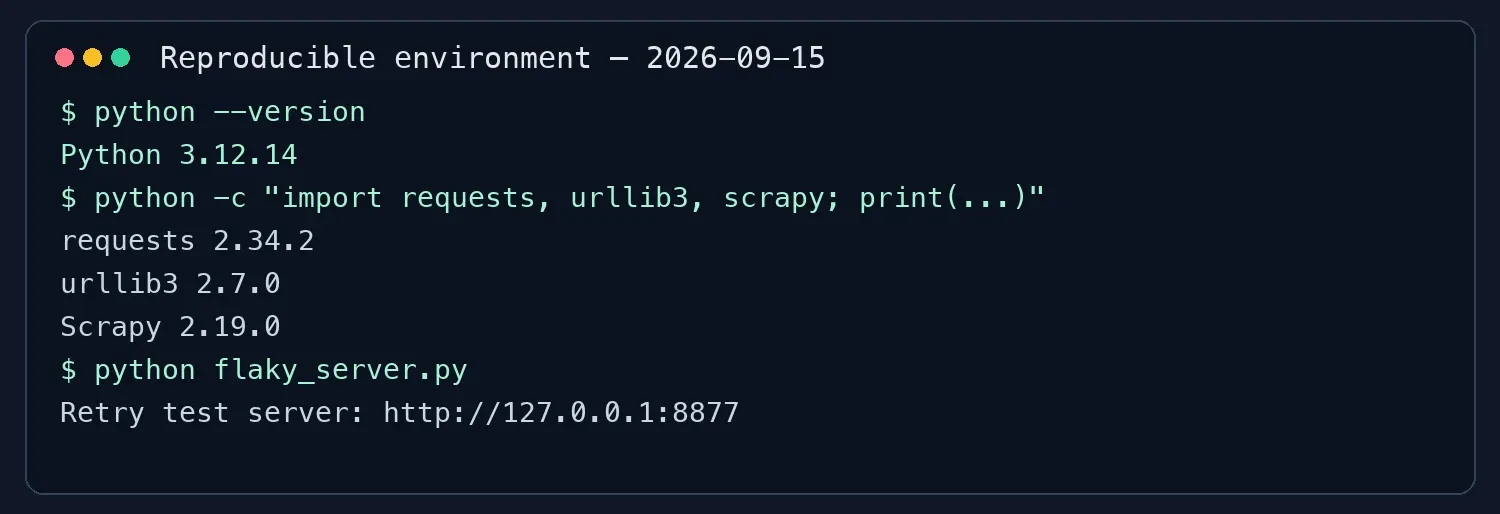
Step 1: Create the Local Failure Service
Save the following as flaky_server.py:
from http.server import BaseHTTPRequestHandler, ThreadingHTTPServer
import json
from threading import Lock

COUNTS = {"flaky": 0, "rate-limit": 0}
LOCK = Lock()


class Handler(BaseHTTPRequestHandler):
    def send_json(self, status, payload, headers=None):
        body = json.dumps(payload).encode("utf-8")
        self.send_response(status)
        self.send_header("Content-Type", "application/json; charset=utf-8")
        self.send_header("Content-Length", str(len(body)))
        for name, value in (headers or {}).items():
            self.send_header(name, value)
        self.end_headers()
        self.wfile.write(body)

    def do_GET(self):
        if self.path == "/reset":
            with LOCK:
                COUNTS.update({"flaky": 0, "rate-limit": 0})
            self.send_json(200, {"ok": True, "message": "counters reset"})
            return

        if self.path == "/flaky":
            with LOCK:
                COUNTS["flaky"] += 1
                attempt = COUNTS["flaky"]
            status = 503 if attempt <= 2 else 200
            self.send_json(status, {"ok": status == 200, "attempt": attempt})
            return

        if self.path == "/rate-limit":
            with LOCK:
                COUNTS["rate-limit"] += 1
                attempt = COUNTS["rate-limit"]
            if attempt == 1:
                self.send_json(
                    429,
                    {"ok": False, "attempt": attempt},
                    {"Retry-After": "1"},
                )
            else:
                self.send_json(200, {"ok": True, "attempt": attempt})
            return

        self.send_json(404, {"ok": False, "message": "not found"})

    def log_message(self, fmt, *args):
        print(f"SERVER {self.command} {self.path} -> {args[1]}", flush=True)


if __name__ == "__main__":
    server = ThreadingHTTPServer(("127.0.0.1", 8877), Handler)
    print("Listening on http://127.0.0.1:8877", flush=True)
    server.serve_forever()
Step 2: Start the Service and Reset the Counters
python flaky_server.py
curl --fail --show-error http://127.0.0.1:8877/reset
/flaky uses an independent counter: the first two requests return 503 and the third returns 200. /rate-limit returns 429 with Retry-After: 1 on the first request and 200 on the second. Calling /reset before each experiment prevents state from a previous run from affecting the next result.
Step 3: Run the Recommended Pattern
Save the earlier build_session() function and request code as httpadapter_demo.py, and change the URL to http://127.0.0.1:8877/flaky. The actual output is shown below:

Basic Python Request Retry Loop
The teaching loop below retries only selected 5xx responses and certain connection errors for GET requests, while intentionally excluding 429, SSLError, and ProxyError. A 429 response requires a Retry-After strategy; TLS and proxy errors should be diagnosed first.
import random
import time
import requests

RETRYABLE_STATUSES = {500, 502, 503, 504}


def get_with_basic_retry(url: str, attempts: int = 3) -> requests.Response:
    if attempts < 1:
        raise ValueError("attempts must be at least 1")

    last_error = None
    for attempt in range(1, attempts + 1):
        try:
            response = requests.get(url, timeout=(5, 20))
            if response.status_code not in RETRYABLE_STATUSES:
                response.raise_for_status()
                return response
            last_error = requests.HTTPError(
                f"retryable HTTP {response.status_code}", response=response
            )
        except requests.exceptions.SSLError:
            raise
        except requests.exceptions.ProxyError:
            raise
        except (
            requests.exceptions.ConnectTimeout,
            requests.exceptions.ReadTimeout,
            requests.exceptions.ConnectionError,
        ) as exc:
            last_error = exc

        if attempt < attempts:
            delay = 0.5 * (2 ** (attempt - 1)) + random.uniform(0, 0.1)
            time.sleep(delay)

    raise RuntimeError(f"request failed after {attempts} attempts") from last_error
This version validates attempts >= 1, immediately calls raise_for_status() for non-retryable responses, and raises an observable final exception after the budget is exhausted. ProxyError and SSLError must appear before the broader ConnectionError because they are more specific exception types.
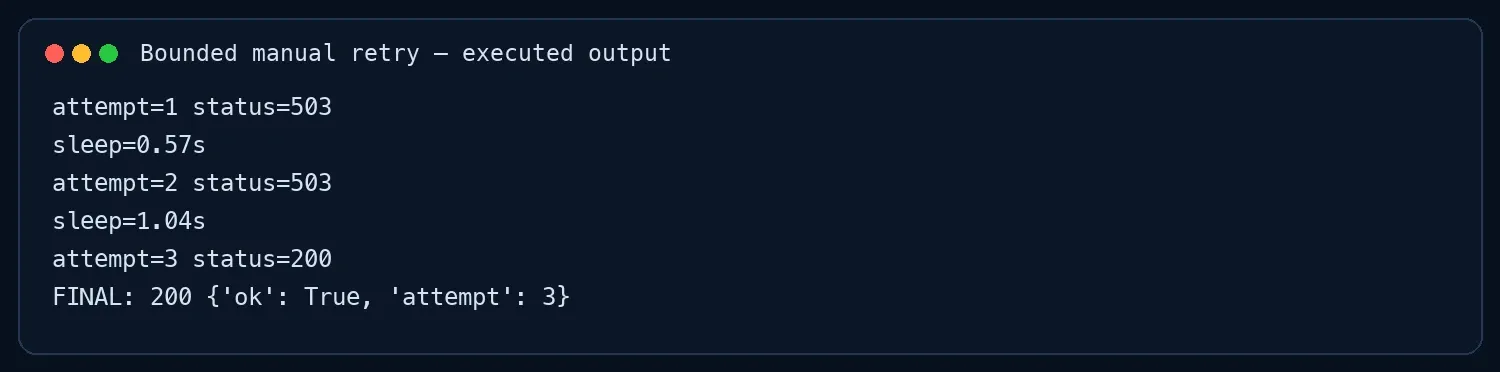
Configure Python Requests Retries with HTTPAdapter
HTTPAdapter + Retry is better suited to centrally managing GET requests in multiple parts of an application, but every parameter has a specific boundary.
| Parameter | Setting in This Guide | Purpose and Boundary |
|---|---|---|
total |
4 | Overall retry limit; including the initial request, up to five attempts |
connect |
4 | Failure budget before a connection is established; at this point the remote endpoint usually has not received the request |
read |
4 | Eligible read failures inside urllib3’s retry path; does not guarantee coverage of every error that occurs when Requests later consumes the body |
status |
4 | Budget for response statuses that match status_forcelist |
other |
0 | Do not automatically retry unknown categories, reducing the risk of uncontrolled loops |
allowed_methods |
GET/HEAD/OPTIONS | Limits status retries and related read-error retries; does not block every connection-stage retry for methods outside the set |
raise_on_status |
False | Returns the final response after status retries are exhausted so application code can handle it |
The category counters are not independent quotas that can simply be added together; total still constrains the overall retry behavior. In production, record response.raw.retries.history or an application-level attempt count so you can distinguish first-attempt success, success after retry, and final failure.
Why Doesn’t HTTPAdapter Retry Every Read Timeout?
Requests usually obtains a response object from urllib3 first and then consumes the body at a higher layer. If a read failure occurs inside the Adapter’s retry path, the read budget may apply. But if the failure occurs while the response body is being consumed after the response has already been returned, the Adapter may no longer have an opportunity to replay the entire request automatically. The exception may also be wrapped as ConnectionError rather than exposed as a standalone ReadTimeout.
Therefore, read=4 must not be interpreted as “every interrupted download will automatically retry four times.” If the application decides to replay the entire operation, count Adapter-level and application-level attempts against one shared budget and first confirm that the request is safe to replay. For large files or streaming downloads, validated Range requests, resumable downloads, or application-level recovery are generally more appropriate than blindly restarting from the beginning.
How Should Exponential Backoff, Jitter, and Retry-After Work Together?
Immediate retries can create a retry storm. Exponential backoff progressively increases the wait, while random jitter prevents multiple workers from sending their next request at exactly the same time.
In urllib3 2.7.0, a common exponential-backoff path without Retry-After can be summarized as follows: the exponential delay after the first failure is 0, and later waits grow with the consecutive error history. With backoff_factor=0.25 and jitter disabled, the subsequent waits are typically 0.5, 1.0, and 2.0 seconds. When jitter is enabled, the result is still capped by backoff_max, so the added jitter does not push the wait beyond that maximum. Exact behavior should be verified against the official documentation and tests for the installed version.
Retry-After is a separate server-side wait instruction that can be expressed as either a number of seconds or an HTTP date. Under the RFC 9110 definition of Retry-After, a client should not send the next request before that time. If the required wait exceeds the task’s remaining budget, stop or reschedule rather than shortening the server’s requested delay.
from datetime import datetime, timezone
from email.utils import parsedate_to_datetime


def retry_after_seconds(response):
    value = response.headers.get("Retry-After")
    if not value:
        return None
    if value.isdigit():
        return max(0.0, float(value))

    try:
        retry_at = parsedate_to_datetime(value)
    except (TypeError, ValueError, OverflowError):
        return None

    if retry_at.tzinfo is None:
        retry_at = retry_at.replace(tzinfo=timezone.utc)
    return max(0.0, (retry_at - datetime.now(timezone.utc)).total_seconds())
If parsing fails, the function returns None and leaves the decision to the caller’s local policy rather than allowing an invalid date to break the whole task. In the local test service, /rate-limit returns 429 with Retry-After: 1 on the first request, then succeeds on the second request after a one-second wait:

How Do You Diagnose Common Proxy Failures?
For python requests retry on proxy failure, first determine whether the failure occurs at the proxy gateway, authentication layer, exit IP, or target website.
| Symptom | More Likely Cause | Correct Handling |
|---|---|---|
ProxyError / connection refused |
Gateway, port, local network, or service status | Verify the address and connectivity first; use limited retries only for clearly temporary connection failures |
| 407 Proxy Authentication Required | Username, password, allowlist, or URL encoding | Fix authentication; changing the exit IP usually does not help |
| IP check succeeds but target returns 403 | Permission, target rules, request content, or exit quality | Confirm authorization and request content first, then evaluate whether changing the exit is appropriate |
| 429 | Rate or quota limit | Honor Retry-After and reduce concurrency; do not rotate exits to bypass rate limits |
| 502 / 503 / 504 | Temporary proxy-upstream or target-server failure | Record the failure stage, use bounded retries, and circuit-break persistent failures |
How Do You Combine Rola IP with a Retry Strategy?
For authorized regional-data access or public web collection, Rola IP can provide the proxy connection path while retry code handles temporary failures. The responsibilities are different: a proxy cannot fix bad credentials, target permissions, or origin-server 5xx errors, and retries cannot replace a working proxy network.
Step 1: Copy the Complete Connection Parameters from the Console
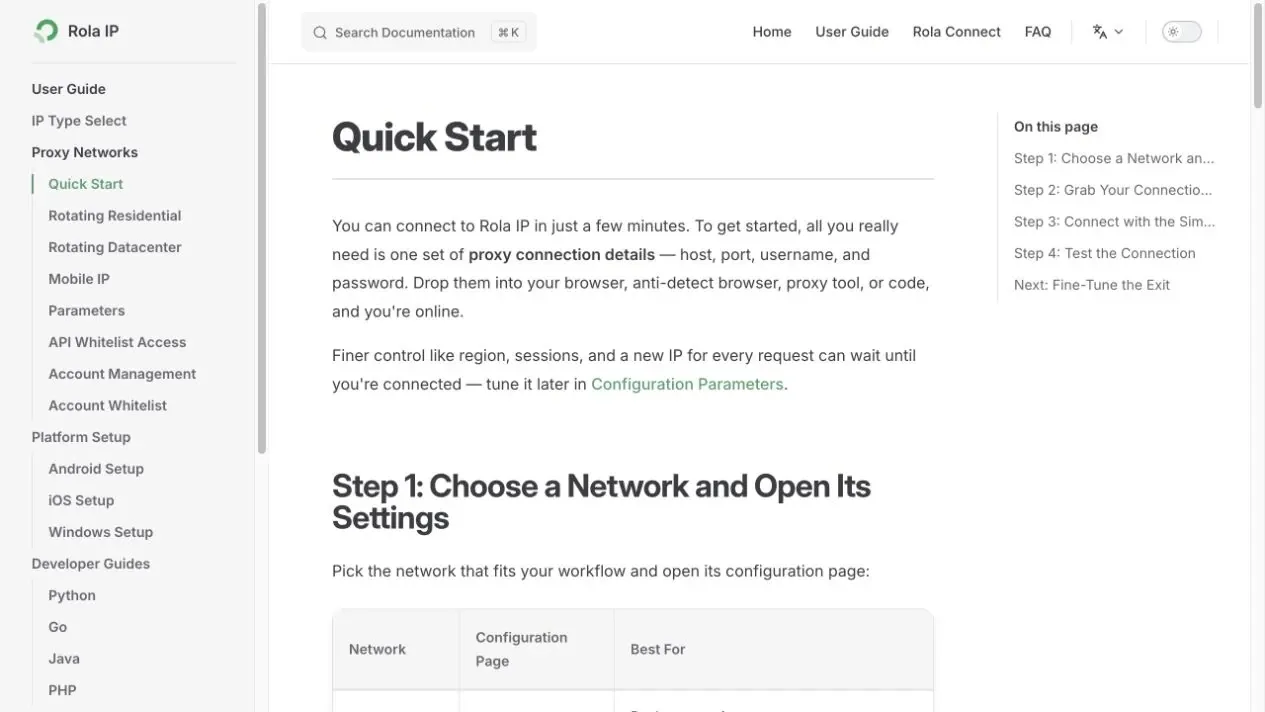
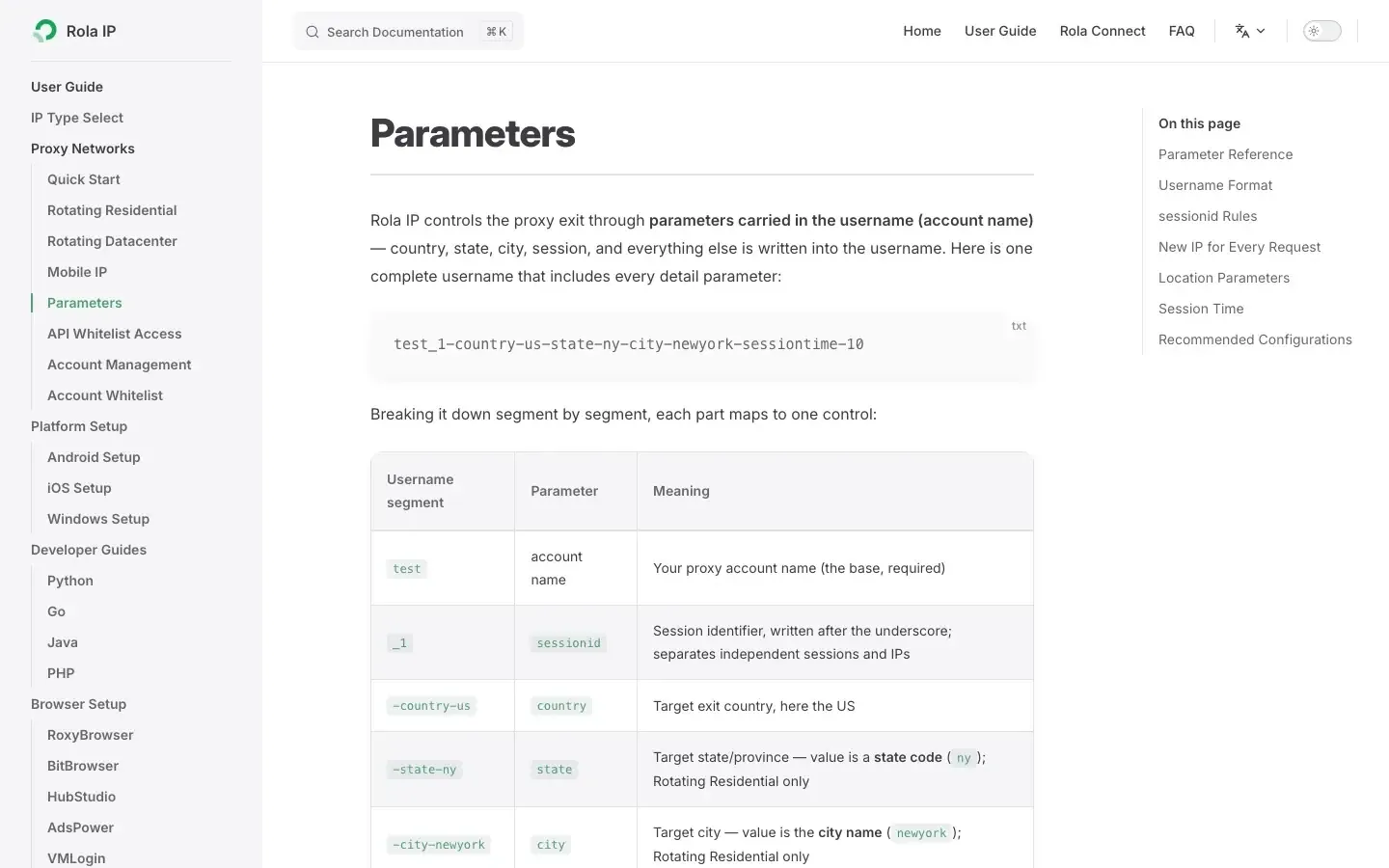
Use the English Rola IP Quick Start to obtain the host, port, username, and password. The username may include region, session, or rotation parameters, so copy the complete value generated by the console rather than guessing the parameter format.
Step 2: Store Credentials in Environment Variables
export ROLA_PROXY_HOST="proxy.example"
export ROLA_PROXY_PORT="1000"
export ROLA_PROXY_USERNAME="copy-the-username-generated-by-your-console"
export ROLA_PROXY_PASSWORD="your-password"
Do not commit real credentials to Git. When country, city, or session parameters are required, follow the current Rola IP proxy parameters documentation.
Step 3: Verify the Proxy Exit Before Accessing the Target
import os
from urllib.parse import quote
import requests


def build_proxy_url() -> str:
    username = quote(os.environ["ROLA_PROXY_USERNAME"], safe="")
    password = quote(os.environ["ROLA_PROXY_PASSWORD"], safe="")
    host = os.environ["ROLA_PROXY_HOST"]
    port = os.environ["ROLA_PROXY_PORT"]
    return f"http://{username}:{password}@{host}:{port}"


proxy_url = build_proxy_url()
proxies = {"http": proxy_url, "https": proxy_url}

with build_session() as session:
    session.trust_env = False
    session.proxies.update(proxies)
    response = session.get(
        "https://api64.ipify.org?format=json",
        timeout=(10, 30),
    )
    response.raise_for_status()
    print(response.json())
Using an HTTPS IP-check endpoint avoids sending the target request itself in plaintext. Note that http:// in the proxy URL describes how the client addresses the proxy; it does not automatically mean that the client-to-proxy-gateway link is protected by TLS. For HTTPS targets, Requests typically establishes a CONNECT tunnel through the proxy. The exact transport-security capabilities depend on the protocols supported by the proxy service.
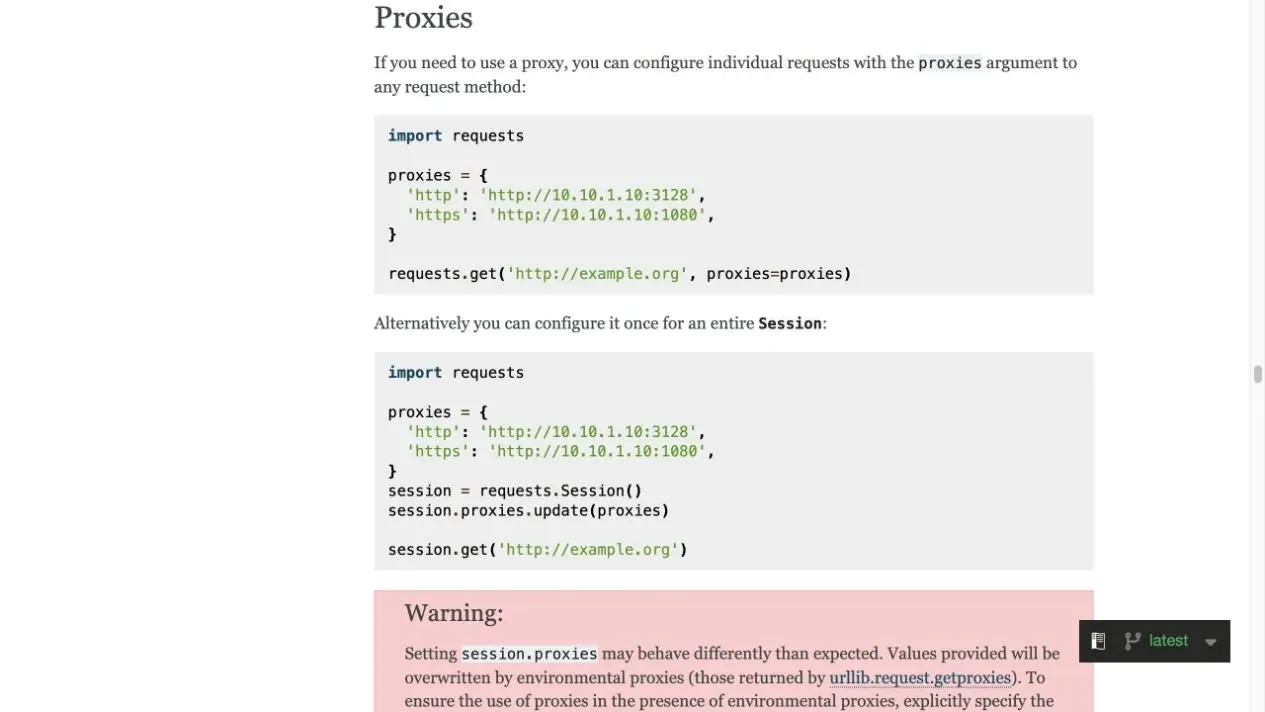
A Requests Session reuses client connections and cookies, but it does not guarantee a fixed proxy exit IP. Stateful tasks must configure sticky sessions supported by the selected proxy network and verify exit behavior in testing. Per-request rotation should be used only for stateless tasks when the product documentation explicitly supports it. For more authorized collection scenarios, see Rola IP’s web scraping proxy page.
How Do You Calculate Traffic Budget for Retries and Proxy Rotation?
Suppose a task can try up to three proxy exits and each exit allows four retries. The maximum budget for one task is:
3 × (1 initial request + 4 retries) = 15 request attempts
Across the full lifecycle, 50 tasks can accumulate up to 750 attempts, but that does not mean 750 requests are simultaneously in flight. Instantaneous concurrency depends on the worker count, connection pool, scheduler, and the number of tasks currently waiting. Some connection failures occur before the target server receives an HTTP request, so monitoring should separately record cumulative attempts, in-flight requests, requests per second, and the number of responses actually returned by the target.
Also avoid “nested retries.” If the task queue retries three times, the application retries four times, and the proxy layer rotates across three exits, the combined behavior multiplies the total attempt count. One unified layer should own the overall budget.
Scrapy RetryMiddleware: Separate Framework Example
Scrapy is not a retry-configuration mechanism for Requests. If a project itself uses Scrapy, you can configure separate rules through RetryMiddleware:
custom_settings = {
    "RETRY_ENABLED": True,
    "RETRY_TIMES": 2,
    "RETRY_HTTP_CODES": [429, 500, 502, 503, 504],
}
RETRY_TIMES=2 means up to two retries in addition to the initial download. It is not equivalent to the backoff, jitter, Retry-After, or proxy-recovery behavior in the Requests examples in this guide; those capabilities must be designed separately according to the Scrapy version and the project’s middleware.
Common Mistakes and Fixes
Mistake 1: Using the Same Retry Rule for Every Error
A 407 response, certificate error, 403 response, and 503 response mean different things. Classify the failure by layer first, then decide whether to retry, fix authentication, reduce the rate, or stop.
Mistake 2: Configuring Retries Without Timeouts
If a single request has no timeout, the task may never reach the next attempt. Connect and read timeouts must be set explicitly. For more detail, see the configuration approach in Python Requests timeout.
Mistake 3: Treating Session as a Fixed Proxy Exit
A Session only manages the client-side connection pool, cookies, and reusable configuration. Whether the exit IP stays fixed depends on the proxy product’s session parameters.
Mistake 4: Automatically Replaying POST Requests
A network disconnect does not mean the server failed to complete the write. Without an idempotency key and deduplication mechanism, do not automatically retry payments, orders, or other write operations.
Mistake 5: Ignoring Final Failure
Every strategy should raise an exception when the budget is exhausted, record the last status, attempt count, total elapsed time, and failure layer, and let the higher-level system decide whether to alert, circuit-break, or reschedule.
Recommended Starting Parameters
| Scenario | Retry Count | Connect / Read Timeout | Status Codes | Notes |
|---|---|---|---|---|
| Low-frequency read-only API | 2-3 | (3, 15) | 429, 500, 502, 503, 504 | Honor Retry-After |
| Batch public-data collection | 3-4 | (5, 30) | 429, 500, 502, 503, 504 | Limit concurrency and set an overall task deadline |
| Proxy connectivity verification | 1-2 | (10, 30) | Usually do not retry 407 | Separate gateway errors from target errors |
| Write API | 0 by default | According to API SLA | Do not retry automatically | Retry only when the idempotency contract is explicit |
These values are only starting points. Final settings should be adjusted based on real failure distributions, server-side rate limits, task deadlines, and the additional traffic cost.
Conclusion
Reliable python requests retry is not about “trying a few more times.” It is about handling temporary failures in a controlled way: define explicit status-code and method scopes, set connect and read timeouts, honor Retry-After, use bounded backoff, and count application, queue, and proxy-layer attempts against one shared budget.
In proxy scenarios, distinguish gateway, authentication, exit, and target errors first. Rola IP can provide the proxy connection path for authorized tasks, but retry logic, rate limiting, and business validation remain the client’s responsibility. Before production deployment, validate each branch with a local failure service or another controlled test environment and continuously record actual retry success rates and final failure reasons.