Puppeteer CAPTCHA bypass: A reliable workflow

Aug 19, 2026 · Troubleshooting · 11 min read
When a Puppeteer workflow encounters a CAPTCHA, a Cloudflare “Just a moment” loop, a 403 page, or a solver token that does not unlock the form, the automated step stops before the expected page or business action completes. If the request conditions, browser session, and handler remain unchanged, another retry usually returns the same challenge. A parser can even save challenge HTML as if it were the requested data.
These symptoms do not point to one cause. The browser may have received an embedded widget, a Cloudflare Challenge Page, an application error after session state was lost, or another bot-management decision. A changed exit IP, the wrong challenge handler, an expired token, or failed backend validation can produce a similar result. There is no universal Puppeteer CAPTCHA bypass. Puppeteer’s role is to inspect the browser response, preserve the current session, route an authorized fallback, and verify the protected action.
This guide is for Node.js and Puppeteer developers or data-collection engineers troubleshooting a website they operate or are explicitly authorized to automate. It turns the initial symptom into a decision path: identify what the browser received, choose a permitted response, keep the required browser and network state, and check the final application or business result.
Confirm that the website owner permits the automation
“CAPTCHA bypass” describes several technically different tasks. The correct path depends first on whether you operate the website or have permission from its owner. For related terminology, see this comparison of traditional vs invisible CAPTCHA.
| Situation | Preferred path | Why |
|---|---|---|
| You own the website or test environment | Use the CAPTCHA provider’s test keys, test-only rules, or a staging configuration | This produces predictable tests without weakening production controls. |
| The website owner has explicitly authorized a third-party automation flow | Ask for an API or allowlist first; otherwise use a documented human or approved-provider fallback | The handling method stays inside the agreed scope and can be audited. |
| You do not have permission | Do not attempt to defeat the challenge | A CAPTCHA is an access-control signal, not just a broken selector. |
Pick the branch before you pick a package. A technically capable solver is still the wrong tool if the website owner has not authorized the workflow.
Confirm what Puppeteer received
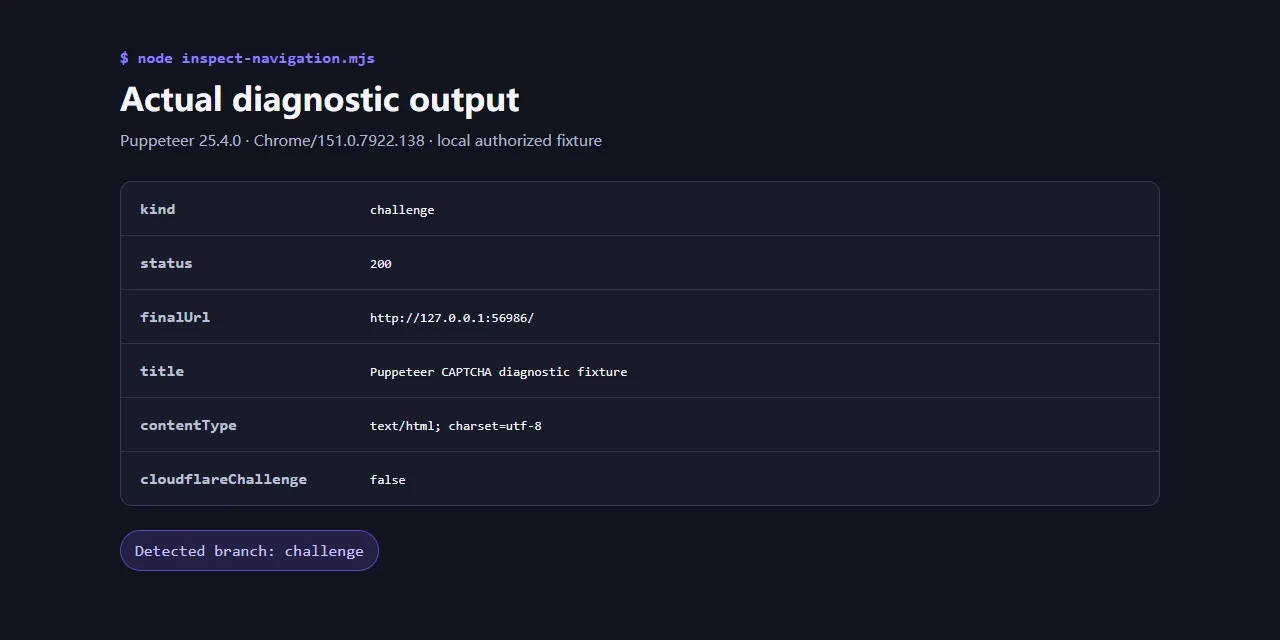
Before changing browser flags, proxies, or libraries, capture a small diagnostic record. A 403 can contain a Cloudflare challenge, an application error, or a normal HTML error page. A 200 can also contain a challenge page instead of the content your parser expects.
Cloudflare provides one strong signal: a Challenge Page response includes the header cf-mitigated: challenge, and its content type is text/html even when the requested resource was something else. Other CAPTCHA systems need additional page-level checks.
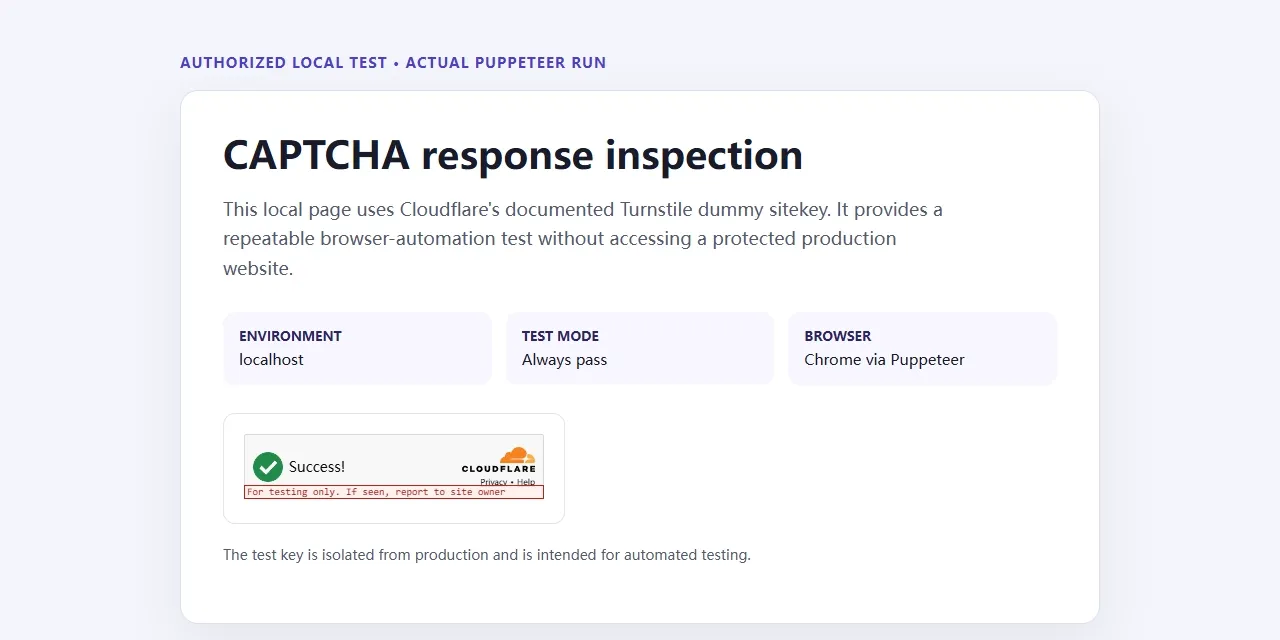
The following example detects and records a challenge. It does not try to solve one.
import puppeteer from "puppeteer";

async function inspectNavigation(page, url) {
  const response = await page.goto(url, {
    waitUntil: "domcontentloaded",
    timeout: 45_000,
  });

  const headers = response?.headers() ?? {};
  const status = response?.status() ?? null;
  const finalUrl = page.url();
  const title = await page.title();
  const bodyText = await page.evaluate(
    () => document.body?.innerText?.slice(0, 5_000) ?? "",
  );

  const cloudflareChallenge = headers["cf-mitigated"] === "challenge";
  const pageLooksChallenged = /captcha|verify you are human|just a moment|attention required/i.test(
    `${title}\n${bodyText}`,
  );
  const challenged = cloudflareChallenge || pageLooksChallenged;

  if (challenged) {
    await page.screenshot({
      path: `challenge-${Date.now()}.png`,
      fullPage: true,
    });
  }

  return {
    kind: challenged ? "challenge" : "page",
    status,
    finalUrl,
    title,
    contentType: headers["content-type"] ?? "",
    cloudflareChallenge,
  };
}

const browser = await puppeteer.launch();
const page = await browser.newPage();
const result = await inspectNavigation(page, process.env.TARGET_URL);
console.log(result);
await browser.close();
Treat the text pattern as a heuristic. A normal page might legitimately contain the word “captcha.” The Cloudflare header is specific, but a generic classifier still needs a screenshot, final URL, response status, and a small HTML sample before it can make a reliable routing decision. Cloudflare documents the response header in its guide to detecting Challenge Pages, while Puppeteer’s own page interaction guide covers the navigation and element APIs used around this diagnostic layer.
Choose the handling path from the evidence
Once the response is classified, choose the least complex permitted option that can satisfy the whole workflow.
| Approach | Best fit | Main limitation | What to verify |
|---|---|---|---|
| Official API, partner feed, or allowlisting | Repeated or high-volume authorized access | Requires cooperation from the website owner and may have separate commercial terms | Correct data, rate limits, and authentication |
| Provider test keys or test-only rules | E2E tests on a site you control | Must be isolated from production | Pass, fail, expired, and duplicate-token branches |
| Human-in-the-loop | Low-volume or sensitive edge cases | Adds latency and does not scale linearly | The same browser session resumes and completes the action |
| Approved CAPTCHA provider or library | Explicitly authorized flows with a supported challenge type | Coverage, callbacks, timing, and reliability vary | Server acceptance and the expected post-challenge state |
| Managed browser service | Teams that want to outsource browser infrastructure and recovery | Adds cost and platform dependency | End-to-end workflow success, not a vendor dashboard status |
| Stop and request permission | A website outside the approved scope | The automation does not continue | The run exits cleanly without repeated requests |
No Puppeteer CAPTCHA solver wins every case. The right choice depends on challenge coverage, permission, callback support, token rules, observability, fallback behavior, and maintenance cost.
For your own site, make automated tests predictable
If you control the application, do not make every CI run fight the production anti-bot system. Use the controls provided for testing.
Cloudflare publishes dummy Turnstile sitekeys and secret keys that can produce predictable pass, fail, and duplicate-token outcomes. Its testing guide explains how to use them on development domains, and it warns that test credentials must not be used in production. Production keys reject dummy tokens, and test secrets accept only dummy tokens. See Cloudflare’s Turnstile testing documentation for the current key pairs and scenarios.
Turnstile still has two sides: the browser receives a token, then the application sends it to Siteverify. Cloudflare states that server-side validation is mandatory, tokens expire after 300 seconds, and each token can be redeemed once. Your E2E suite should therefore test at least these branches:
- a valid token completes the protected action;
- a failed token displays the intended recovery message;
- an expired or duplicate token is rejected;
- a missing token never reaches the protected action;
- test keys cannot be deployed with the production configuration.
Google provides a similar testing path for reCAPTCHA, but the details are different. Its reCAPTCHA FAQ provides v2 test keys and recommends a separate key for v3 testing because test traffic does not produce representative v3 scores. Google’s verification documentation states that reCAPTCHA response tokens expire after two minutes and can be verified once.
Keep the provider name beside every timeout and verification rule. A five-minute Turnstile token and a two-minute reCAPTCHA token are not interchangeable facts.
Design a safe Puppeteer CAPTCHA-solving library integration
For an authorized third-party flow, treat the Puppeteer CAPTCHA solving library integration as an adapter instead of scattering provider calls through the browsing code. The adapter should expose a small contract: identify the challenge it supports, handle it, report a bounded result, and return control to an application-level verifier.
The next example reuses the inspectNavigation function from the previous code block. Keep both functions in the same module, or import inspectNavigation before calling runAuthorizedFlow.
The orchestration layer can enforce the permission boundary without knowing how a provider works internally:
function withTimeout(promise, timeoutMs) {
  return Promise.race([
    promise,
    new Promise((_, reject) =>
      setTimeout(() => reject(new Error("challenge handler timed out")), timeoutMs),
    ),
  ]);
}

export async function runAuthorizedFlow({ page, url, handler, verify }) {
  const observation = await inspectNavigation(page, url);

  if (observation.kind === "page") {
    return verify(page, observation);
  }

  if (process.env.AUTOMATION_AUTHORIZED !== "true") {
    return {
      ok: false,
      outcome: "stopped",
      reason: "challenge encountered without authorization flag",
      observation,
    };
  }

  const handled = await withTimeout(
    handler.handle({ page, observation }),
    90_000,
  );

  if (!handled.ok) {
    return {
      ok: false,
      outcome: "challenge-unresolved",
      reason: handled.reason,
      observation,
    };
  }

  return verify(page, observation);
}
The handler can represent a test control on your own website, a manual review queue, or a contracted provider approved for that website. The surrounding code enforces these rules:
- Authorization is explicit and defaults to “off.”
- Provider secrets stay in environment variables or a secret manager, never in screenshots or logs.
- The handler has a timeout and a typed failure result.
- Challenge-specific code stays inside the adapter.
- The same page and BrowserContext continue into verification.
- The final
verifyfunction checks the protected application action.
When evaluating a Puppeteer CAPTCHA-solving library integration, test it against a provider demo or an owned staging page. Confirm the challenge types it supports. A reCAPTCHA plugin does not automatically support Cloudflare Turnstile, and a package that adds methods to Page must be registered before the relevant page is created. If page.solveRecaptchas is undefined, that is an integration or lifecycle failure, not evidence that the challenge was solved.
Avoid copying a token into a page and declaring success. The application may require a callback, action or hostname match, a fresh token, and successful backend verification. The library’s “solved” result is only an intermediate event.
Diagnose Puppeteer Cloudflare CAPTCHA loops
A Puppeteer Cloudflare CAPTCHA problem usually belongs to one of two flows. An embedded Turnstile widget produces a token that the site’s backend must validate with Siteverify. That token is not a clearance cookie by default. A Cloudflare Challenge Page is an interstitial response in place of the requested resource. A successful challenge can produce a cf_clearance cookie for later requests.
Cloudflare explains the distinction in its clearance documentation. Turnstile can also issue cf_clearance when the site owner enables pre-clearance, but that is an explicit configuration rather than the default widget behavior.
Check continuity first. Cloudflare states that a Managed Challenge solve request from a different IP than the original challenge request is invalid and may lead to another Challenge. It also ties cf_clearance to the visitor and device. See Cloudflare’s description of how Challenges work.
For an authorized flow:
- Keep the same Puppeteer BrowserContext so cookies and local storage survive.
- Keep the same exit IP from challenge issuance through validation and the protected action.
- Do not copy clearance cookies to another machine or unrelated browser profile.
- Record the challenge time, context identifier, exit IP, final URL, and provider error.
- If the same evidence repeats, stop retrying and repair the identified branch.
Puppeteer’s BrowserContext documentation confirms that contexts isolate cookies and local storage. Creating a new context in the middle of a stateful flow can discard the state you just established. Reusing a context is necessary for continuity, but it is not a promise that Cloudflare will accept the request.
Handle bot-detection false positives without random evasion
Searches for “Puppeteer bypass bot detection” often lead to long lists of browser patches. That is a poor starting point for diagnosis. Modern bot controls can consider request headers, network identity, browser signals, session history, and behavior. Passing a public bot-test page does not prove that a production WAF will accept the workflow.
Run controlled comparisons instead. Change one variable at a time and record the website response.
| Variable | Controlled comparison | What the result can tell you |
|---|---|---|
| Browser context | Fresh context vs. the intended persistent context | Whether cookies or local storage are required |
| Network path | Same authorized exit vs. a different approved exit | Whether the challenge is tied to IP or network reputation |
| Environment | Local vs. cloud with the same code, rate, and account | Whether deployment networking or configuration is involved |
| Browser mode | Headless vs. headful on your own test website | Whether browser-mode differences affect your application or security rule |
| Request rate | Low controlled rate vs. normal authorized workload | Whether your automation is crossing a rate or behavior threshold |
| Response class | Expected page vs. 403, 429, redirect, or challenge HTML |
Whether the failure is transport, policy, or application logic |
navigator.webdriver is a standardized indicator that a browser is controlled by automation. Hiding one indicator does not make the entire session internally consistent, and it does not change the website owner’s permission rules. Use the comparison matrix to find the layer that changed, then fix configuration, request pacing, session handling, or the site’s allowlist/rules when you control them.
A proxy is also not a CAPTCHA solver. It changes the network path. In a challenge bound to the original IP, per-request rotation can break an otherwise valid flow. If an authorized Puppeteer workflow uses Rola IP, follow the proxy quick start and review IP session time and duration before choosing between per-request rotation and a bounded sticky session. Use session-based behavior for a stateful transaction; reserve per-request rotation for stateless work that the website owner permits.
Troubleshoot common Puppeteer CAPTCHA failures
| Symptom | Evidence to collect | Likely branch | Safe next action |
|---|---|---|---|
403 or unexpected HTML |
Status, final URL, cf-mitigated, content type, title, screenshot |
Challenge Page, WAF block, or application error | Classify the response before retrying or changing code. |
| Infinite Cloudflare loop | Exit IP, BrowserContext, cookies, challenge time | IP changed, state was lost, or the challenge still rejects the client | Keep the same authorized session and IP; inspect the provider error; stop blind retries. |
page.solveRecaptchas is not a function |
Package versions, initialization order, page creation path | Plugin was not attached to the Puppeteer instance/page | Fix package registration and add a startup assertion for the method. |
| Provider returns a token but the form stays blocked | Token age, provider type, callback, backend response, hostname/action | Wrong challenge type, stale token, missing callback, or failed server validation | Inspect the official provider error and assert the backend result. Do not keep injecting the same token. |
| Works locally but fails in cloud | Exit network, environment variables, browser executable, rate, locale, cookies | Deployment or network difference | Reproduce with one controlled variable changed at a time. |
| First page works; later steps trigger challenges | Context ID, cookie jar, exit IP at every step | Session continuity was broken | Keep the same context and, when required, the same exit for the transaction. |
| Parser stores “Just a moment” as data | Title, content type, challenge classifier result | Challenge HTML was treated as the expected page content | Add a challenge outcome to the pipeline and reject the record. |
| Every retry produces the same challenge | Retry count and whether any input changed | Retry loop amplifies the same failure | Apply a retry ceiling, capture diagnostics, and route to allowlisting, manual review, or stop. |
The table starts with evidence because a challenge can coexist with an application bug. “The site detected Puppeteer” is not a complete diagnosis until the response and environment differences support it.
Verify the end-to-end result
A solver dashboard, returned token, clicked checkbox, or disappearance of an iframe is not the finish line. Verify the workflow at four levels:
- Start at the transport layer. The response status, final URL, content type, and headers should match the expected application response rather than a challenge.
- Check the provider-specific backend validation. The token should be fresh, single-use, and associated with the expected hostname or action where applicable.
- Assert the application state. Look for the expected page element, redirect, API response, or form result.
- Check the business result. The record, transaction, or data your automation needed should be complete and pass basic quality checks.
Log the outcome category (page, challenge, blocked, manual, or stopped) along with timing and a redacted error code. Never log provider secrets, raw proxy credentials, or sensitive session cookies.
This changes the success test. Instead of asking whether the solver returned something, ask whether the authorized workflow produced the correct result. That test exposes stale tokens, broken callbacks, challenge pages stored as data, and false positives from an incomplete verifier.
Summary
- Puppeteer automates the browser; it does not provide a universal CAPTCHA bypass.
- Ownership and explicit authorization determine which handling paths are appropriate.
- Diagnose the response before changing libraries: capture status, final URL, headers, title, screenshot, and content type.
- On systems you own, use official Turnstile or reCAPTCHA test controls and keep production server-side validation intact.
- In authorized external flows, isolate the solver behind an adapter, preserve BrowserContext and any required exit-IP continuity, and keep a human or stop fallback.
- Verify the protected application action and business result, not just the token or checkbox.