Python GET Request 403 Error: Why It Happens and How to Fix It

Aug 17, 2026 · Troubleshooting · 6 min read
TL;DR
A 403 means the server understood the request but refused it; it does not automatically mean Python is broken. First compare the exact URL, method, credentials, headers, cookies, redirects, and source network with an authorized request that works. Then inspect the response body and request history before changing one variable at a time. If the response is a browser challenge or an access-policy denial, use the provider’s API, export, or other approved integration instead of attempting to bypass it.
Important: Do not use these techniques to bypass authentication, access controls, anti-bot challenges, or IP restrictions without authorization.
What Does HTTP 403 Forbidden Mean?
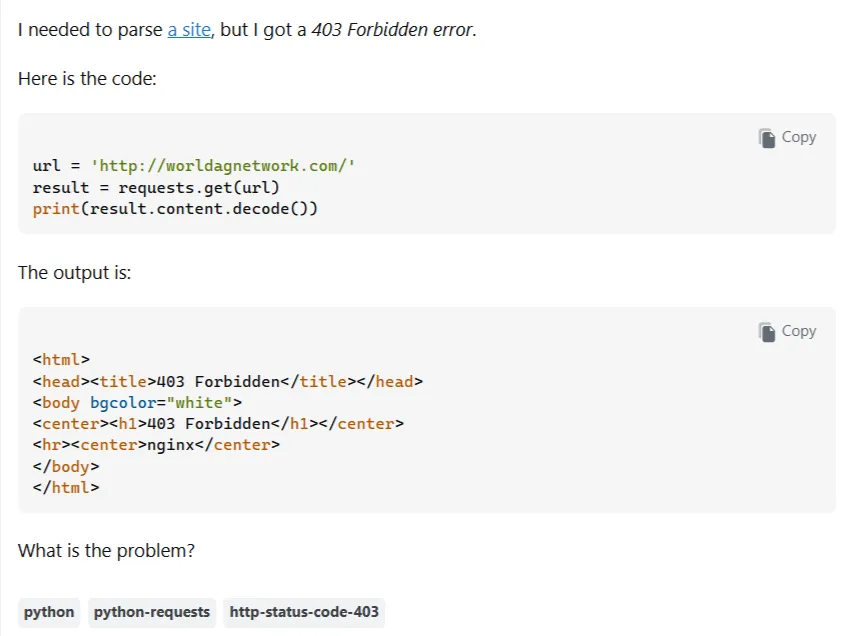
HTTP 403 is a client-error status code. RFC 9110 describes it as a response in which the server understood the request but refuses to fulfill it. The cause may be permissions, authentication state, application rules, network policy, or a security service. A valid requests.get() call can therefore receive 403 even when the Python syntax is correct.
Do not start by randomly changing the User-Agent. Capture the response, identify the server’s reason, and compare the failed request with a known-working request that you are authorized to reproduce.
Why Python Requests Gets 403 When a Browser Works
Browsers accumulate cookies, authentication state, redirect history, navigation headers, and JavaScript-generated values. A one-off Python call sends only the data you provide and does not inherit your browser session. The two clients can also use different endpoints, query strings, IP addresses, TLS settings, or network policies.
The useful question is not whether one client is “human” and the other is “bot.” It is which request state differs and which difference explains the server’s decision.
How to Fix a Python GET Request 403 Error
Use this order so that each test changes one meaningful variable:
- Inspect
status_code, response headers, body, URL, and redirect history. - Verify the exact URL, query parameters, method, and endpoint type.
- Check documented authentication and account permissions.
- Add only headers the application actually requires.
- Use
requests.Session()when cookies must persist. - Review Referer and redirect requirements.
- Respect rate limits and investigate IP or network policy.
- Identify browser challenges and switch to an approved access method.
1. Verify the Exact URL and Endpoint
A public webpage and its API endpoint may have different permissions. Confirm the scheme, host, path, query string, method, and parameters. Passing query values through params avoids accidental encoding errors:
import requests

url = "https://example.com/products"
params = {"category": "books", "page": 1}
response = requests.get(url, params=params, timeout=20)

print(response.url)
print(response.status_code)
Compare these values with the authorized browser or API request. If an official API exists, use its documented endpoint and credentials.
2. Check Required Headers
Some services require Accept, a content type, or an application-specific header. Follow the provider’s documentation; a User-Agent change is not a universal fix. A descriptive application identity is usually better than pretending to be a browser:
import requests

headers = {
    "Accept": "application/json",
    "User-Agent": "inventory-monitor/1.0 (contact: ops@example.com)",
}
response = requests.get("https://api.example.com/items", headers=headers, timeout=20)
response.raise_for_status()
data = response.json()
For a reference on constructing and inspecting request headers, see Python requests headers.
3. Persist Cookies with a Session
Multi-step workflows often require a cookie set by an earlier response. Session stores cookies and common headers for subsequent requests:
import requests

with requests.Session() as session:
    session.headers.update({"User-Agent": "authorized-client/1.0"})
    landing = session.get("https://example.com/start", timeout=20)
    landing.raise_for_status()
    result = session.get("https://example.com/account", timeout=20)
    print(result.status_code, result.url)
Use only cookies belonging to an account and workflow you are authorized to access. Never commit real session tokens.
4. Handle Authentication Correctly
A 403 can mean that supplied credentials lack permission, while 401 generally indicates missing or invalid authentication. Follow the API’s documented scheme and keep secrets outside source control:
import os
import requests

token = os.environ["EXAMPLE_API_TOKEN"]
headers = {"Authorization": f"Bearer {token}"}
response = requests.get("https://api.example.com/profile", headers=headers, timeout=20)
print(response.status_code, response.text[:300])
Do not copy another person’s cookies, tokens, or account state into a script.
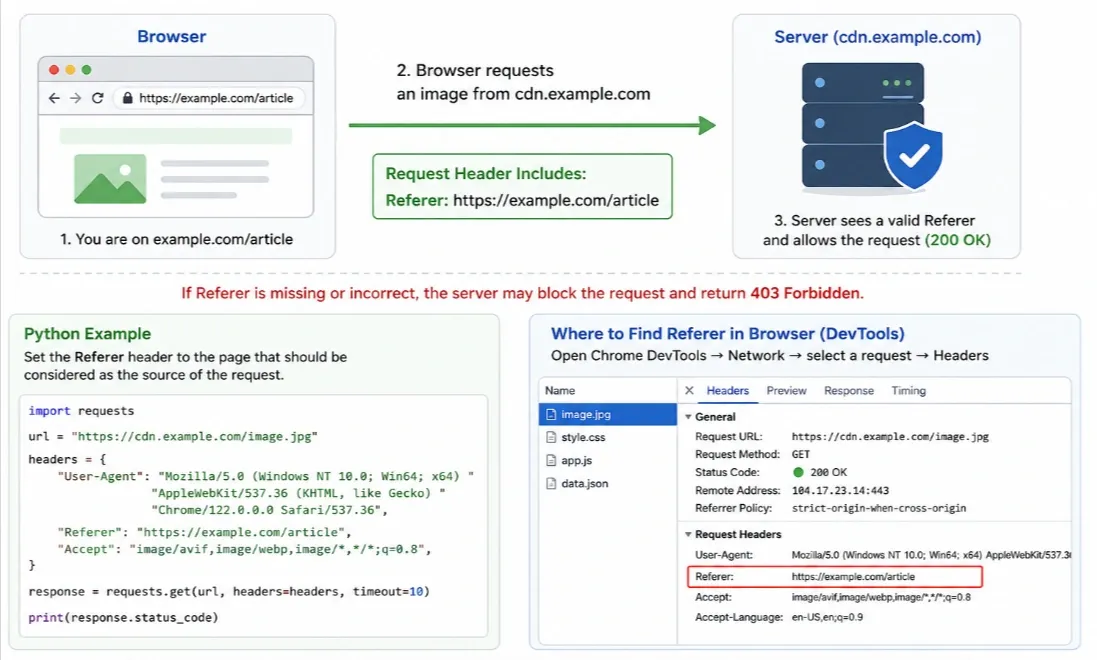
5. Add Referer Only When Required
Some applications validate navigation context or CSRF-related headers. Send the documented value only when the workflow requires it:
import requests

headers = {"Referer": "https://example.com/catalog"}
response = requests.get("https://example.com/catalog/item-1", headers=headers, timeout=20)
print(response.status_code)
A Referer cannot grant permission or solve a blocked IP, rate limit, or anti-bot challenge.
6. Inspect Redirects
Requests follows GET redirects by default. Compare the final URL and each hop; a browser may reach a login, consent, regional, or canonical URL that Python does not:
import requests

response = requests.get("https://example.com/private", timeout=20, allow_redirects=True)
print("Final URL:", response.url)
for hop in response.history:
    print(hop.status_code, hop.headers.get("Location"))

debug = requests.get("https://example.com/private", timeout=20, allow_redirects=False)
print("Initial response:", debug.status_code, debug.headers.get("Location"))
7. Respect Rate Limits
Follow published quotas, reduce concurrency, and use the provider’s recommended backoff for 429 responses. A bounded retry loop is appropriate for transient throttling, not for defeating a persistent 403:
import time
import requests

for attempt in range(3):
    response = requests.get("https://api.example.com/items", timeout=20)
    if response.status_code != 429:
        break
    time.sleep(2 ** attempt)
print(response.status_code)
8. Check IP and Network Restrictions
Corporate networks, cloud ranges, geographic rules, and account policies can all produce 403. Confirm that your source network is allowed and contact the service operator when it is not. For an authorized proxy workflow, follow Python proxy integration and document the approved endpoint and network policy; do not use a proxy to defeat an access restriction.
9. Recognize Cloudflare and Other Browser Challenges
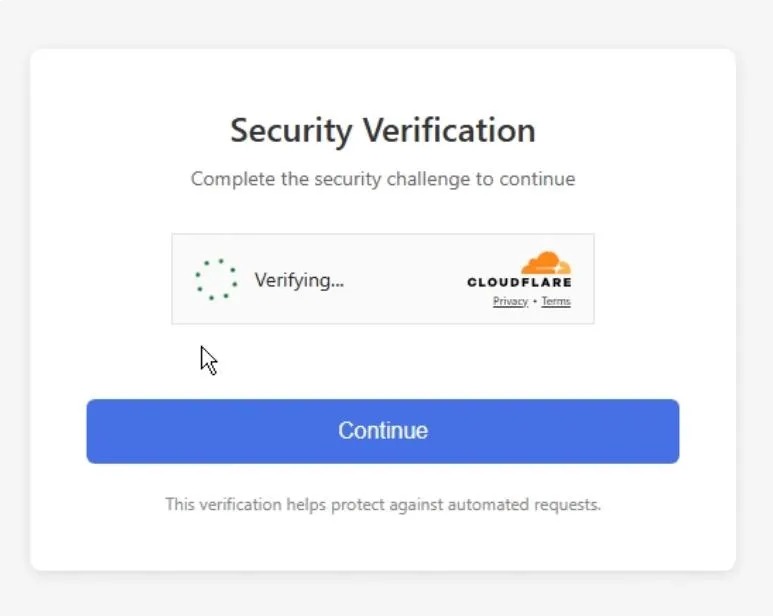
Security services may require JavaScript, a challenge page, or an interactive verification step. requests does not execute page JavaScript, so adding arbitrary headers may leave the challenge unchanged. Check the site’s API, export, feed, terms, and automation policy. For a site you own or are explicitly authorized to test, use browser automation within its security configuration. Cloudflare’s challenge documentation explains the supported mechanisms.
10. Debug the Actual Response
Inspect the body and the prepared request before making further changes:
import requests

response = requests.get("https://example.com/resource", timeout=20)
print("Status:", response.status_code)
print("URL:", response.url)
print("History:", [(r.status_code, r.url) for r in response.history])
print("Response headers:", dict(response.headers))
print("Sent headers:", dict(response.request.headers))
print("Body preview:", response.text[:500])
Messages such as “missing token,” “access denied,” or “challenge required” point to different next steps.
Practical Decision Tree
| Observation | Next step |
|---|---|
| Wrong URL or method | Correct the endpoint and parameters |
| 401 | Fix the documented authentication |
| Permission message | Check account scope and authorization |
| Missing-token message | Supply the required credential |
| 403 after many requests | Check quota and back off |
| IP or network message | Review policy or contact the operator |
| Challenge page | Use an approved API or browser flow |
| Browser works, API fails | Compare endpoint and credentials |
| cURL works, Python fails | Compare the actual prepared requests |
Clean Diagnostic Example
This complete example records the evidence needed for a support ticket without attempting to bypass controls:
import requests

url = "https://example.com/resource"
headers = {"Accept": "application/json", "User-Agent": "authorized-client/1.0"}

with requests.Session() as session:
    response = session.get(url, headers=headers, timeout=20, allow_redirects=True)
    print("Status:", response.status_code)
    print("Final URL:", response.url)
    print("Redirects:", [(r.status_code, r.headers.get("Location")) for r in response.history])
    print("Body preview:", response.text[:500])
When an approved proxy integration is involved, verify the documented proxy parameters and, where applicable, the API whitelist setup. If the proxy connection itself fails, consult the provider’s proxy API connection failed troubleshooting page.
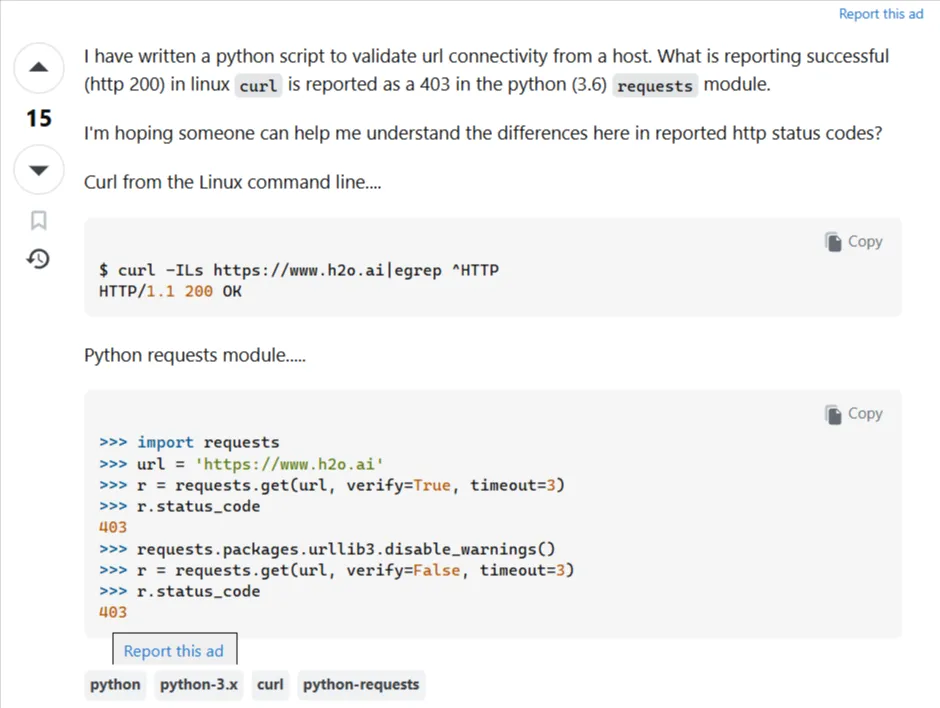
Python Requests Gets 403 but cURL Works
Compare the exact URL, method, query parameters, headers, cookies, authentication, redirects, proxy, source network, and response body. Inspect what cURL actually sends and compare it with response.request.headers and response.history in Python. Do not copy credentials from an unauthorized account merely to make the clients match.
Summary: Common Causes
| Cause | Appropriate response |
|---|---|
| Wrong endpoint | Compare exact URLs and methods |
| Missing headers | Add documented headers only |
| Missing session state | Use requests.Session() |
| Authentication or permission | Follow the supported account or API flow |
| Redirect mismatch | Inspect response.history and response.url |
| Rate limit | Follow quotas and back off |
| IP or network rule | Check policy or contact the operator |
| Anti-bot challenge | Use an official or otherwise permitted method |