Rayobyte Review and 5 Alternatives Compared

Sep 8, 2026 · Comparisons · 8 min read
There is no single best Rayobyte alternative. Rayobyte offers eight proxy products with different billing units, including per-GB, per-IP, and per-request pricing. Replacing its rotating datacenter proxies is a different purchase from replacing its static ISP proxies. Decide which product you are actually leaving first, then compare on the two numbers that decide your bill: the price at the volume you will really buy, and whether unused traffic survives to next month.
Why “Rayobyte alternatives” is really eight questions
Most shortlists treat Rayobyte as one thing. Its own pricing page does not. As published on 8 September 2026, the catalogue splits like this:
| Rayobyte product | Published entry price | Published volume floor |
|---|---|---|
| Rotating residential | $3.50/GB (1 to 49 GB) | as low as $0.50/GB (5,000+ GB) |
| Rotating datacenter | $0.30/GB (1 to 50 GB) | $0.23/GB (351 to 1,000 GB) |
| Static ISP | $5.00/IP (5 to 99 IPs) | $4.60/IP (1,000 to 4,999 IPs) |
| Static datacenter | $1.00/IP (published starting price) | contact Rayobyte for larger plans |
| Rotating ISP | $3.75/GB (up to 15 GB) | $2.50/GB (501 to 1,000 GB) |
| Mobile | $250 trial covering 500 GB | as low as $0.50/GB (5 TB+) |
| Web Unblocker | $6.00/GB (up to 10 GB) | $2.50/GB (501 to 1,000 GB) |
| Web Scraping API | free for 5,000 scrapes | $0.0018 per scrape, then custom |
A team paying $0.23 per GB for rotating datacenter traffic and a team paying $5.00 per IP for static ISP addresses have almost nothing in common. If you skip this step you will end up comparing your datacenter bill against someone else’s residential price, which is how switching costs go up rather than down.
Rayobyte review: what the published terms actually say
The headline price is the volume floor, not the entry price
Rayobyte’s homepage leads with $0.50 per GB for residential. Its pricing page shows that rate belongs to the 5,000 GB and above tier. A team buying its first 20 GB pays $3.50 per GB, seven times the advertised figure.
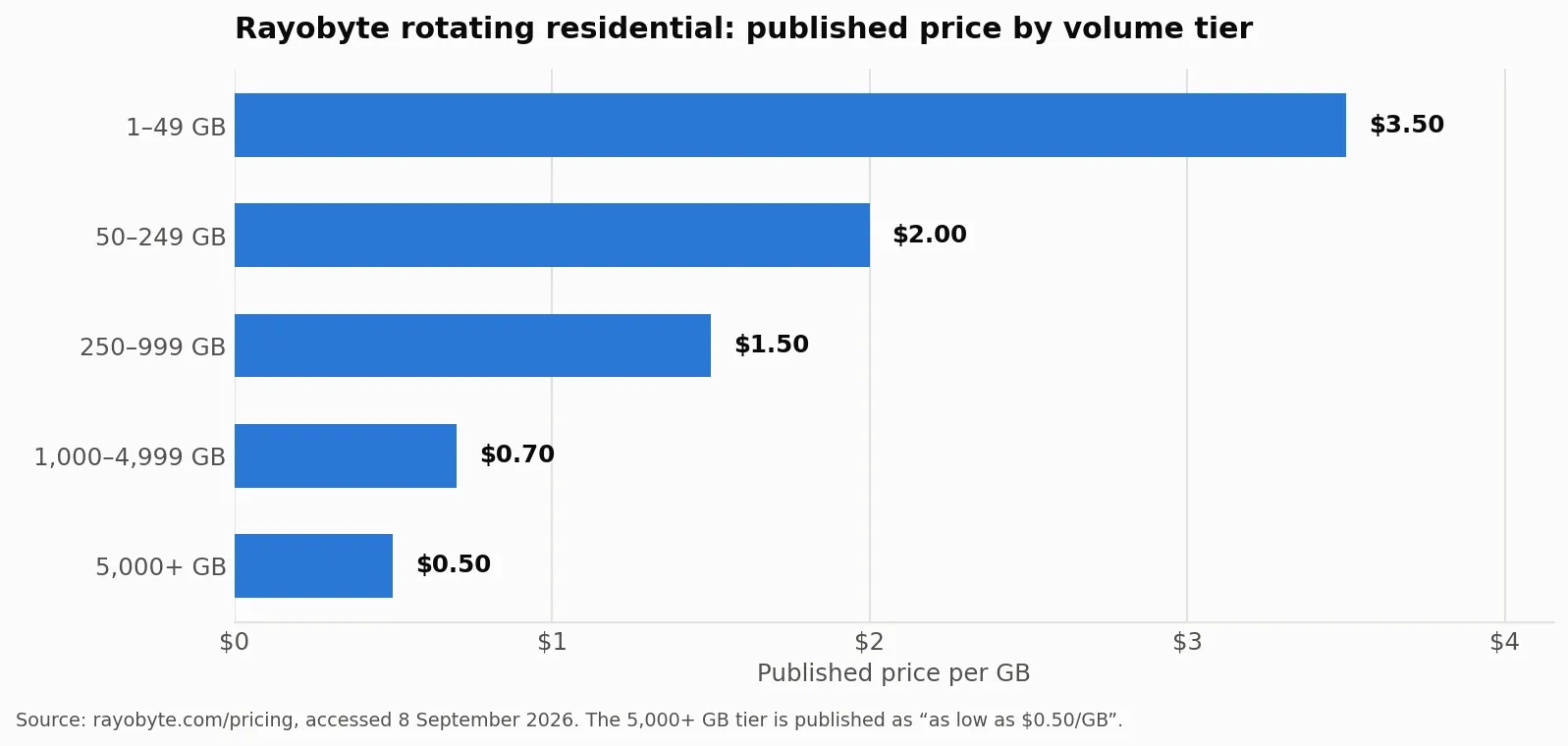
Figure 1. Rayobyte’s published rotating residential tiers. Chart generated from the figures on rayobyte.com/pricing, accessed 8 September 2026; prices change, so check the live page before budgeting.
This is not unique to Rayobyte, which is the useful part. Providers often promote a high-volume rate, so a shortlist built only from homepage numbers may not reflect what you will pay at your actual usage.
Published pool figures are not directly comparable
Rayobyte publishes 40 million or more residential IPs and 400,000 or more static IPs, and says it moves over 20 petabytes a month. For comparison, on the same date Bright Data published “over 400M+ monthly residential proxy IPs” and Decodo published “115M+ ethically-sourced IPs”.
Treat all of these as counted differently rather than directly comparable. Bright Data’s figure is explicitly monthly, others are stated as pool totals, and no provider publishes the method behind the count. Pool size matters most when your targets are aggressive about repeat addresses, and it matters very little for a few gigabytes a month against tolerant targets.
Rayobyte runs more than one dashboard
Rayobyte’s own navigation links to app.rayobyte.com, dashboard.proxy.rayobyte.com and dashboard.residential.rayobyte.com, and it publishes a page at rayobyte.com/choose-dashboard/ whose job is to send you to the right one. Verified on rayobyte.com, 8 September 2026.
For a single product this is invisible. For a team running residential and datacenter side by side it means separate logins, separate usage views, and separate places to look when something breaks. Ask how your workflow spans those consoles before you commit, because it is the kind of friction that does not appear on a pricing page.
What Rayobyte does not publish
Its pricing page states no expiry or rollover policy for purchased traffic. Some third-party summaries assert that Rayobyte bandwidth never expires; that claim does not appear on Rayobyte’s own pricing page, so this guide does not repeat it as fact. Ask Rayobyte directly, in writing, before you buy in volume.
Expiry is not a detail. A 250 GB plan at $1.50 per GB that resets monthly costs $375 for the traffic you actually burn, not for the traffic you bought. If you use 90 GB, your real rate was $4.17 per GB.
When staying with Rayobyte may be the better choice
Switching guides tend to skip this, which makes them less useful. Rayobyte holds up well in three cases.
Its rotating datacenter pricing is aggressive: $0.30 per GB at entry, falling to $0.23. If datacenter addresses work against your targets, that is hard to beat and there is little reason to move. Rayobyte’s static datacenter proxy page also advertises unlimited bandwidth and connections, which matters for concurrency-heavy work. Residential access starts with a free trial on account creation, per the same page, so you can test before committing.
If any of that describes you, the honest answer is to stay.
The two numbers that decide your bill
Before the shortlist, fix your comparison basis. Providers publish prices at different volumes, so a like-for-like read needs both ends of each ladder.
Read the comparison as a set of published entry points, not as a perfectly like-for-like price ranking. Providers use different minimum plan sizes, billing units, promotions, and volume tiers. For example, Rayobyte’s rotating residential rate starts at $3.50/GB for 1–49 GB; Rola IP lists $4.00/GB pay-as-you-go; Decodo lists $3.75/GB for a 3 GB plan and $4.00/GB pay-as-you-go; Bright Data lists $4.00/GB pay-as-you-go under the page’s current promotion; and IPRoyal lists different rates for 1 GB, 2 GB, and 10 GB plans. Compare the plan conditions as well as the nominal rate.
Five Rayobyte alternatives, plus a stay-or-switch option
Prices below reflect the entry point or plan shown on each provider’s pricing page as checked on 8 September 2026. Because plan sizes and promotions differ, these are directional comparisons rather than identical purchase conditions.
| Provider or option | Replaces which Rayobyte product | Entry price and billing unit | The reason to pick it | The catch |
|---|---|---|---|---|
| Rola IP | Rotating residential needing precise geography | $4.00/GB pay-as-you-go | City-level targeting in 210+ cities; mainland China route optimisation; free proxy IP list | Packages expire after 30 days; unused traffic does not roll over |
| Webshare | Static residential or proxy-server workloads | 10 proxies free; paid plans from $0.0299/proxy/month | HTTP/SOCKS5, 50+ countries, and IP authorization | Paid plans have plan-size, bandwidth, thread, and Fair Usage Policy conditions |
| Decodo | Rotating residential | $3.75/GB | ZIP and ASN targeting at no extra cost; 3-day free trial | Traffic is tied to a monthly plan |
| Bright Data | Rotating residential at enterprise scale | $4.00/GB | Published pool figures and per-country IP counts | Entry rate shown under promotion; no published tier above 798 GB |
| IPRoyal | Rotating residential, irregular usage | $7.00/GB for 1 GB; $5.95/GB for 2 GB; $5.25/GB for 10 GB | States plainly that traffic never expires | Small-volume pricing is higher |
Rola IP, if geography or a free test is the deciding factor
Rola IP is not the cheap option. Its residential proxy service starts at $4.00 per GB pay-as-you-go against Rayobyte’s $3.50, and its floor of $0.60 per GB needs a 10,000 GB package where Rayobyte reaches $0.50 at 5,000 GB. Packages are valid for 30 days from purchase and unused traffic does not roll over, so traffic you do not use is traffic you paid for. Current tiers are on the buy residential proxy page.
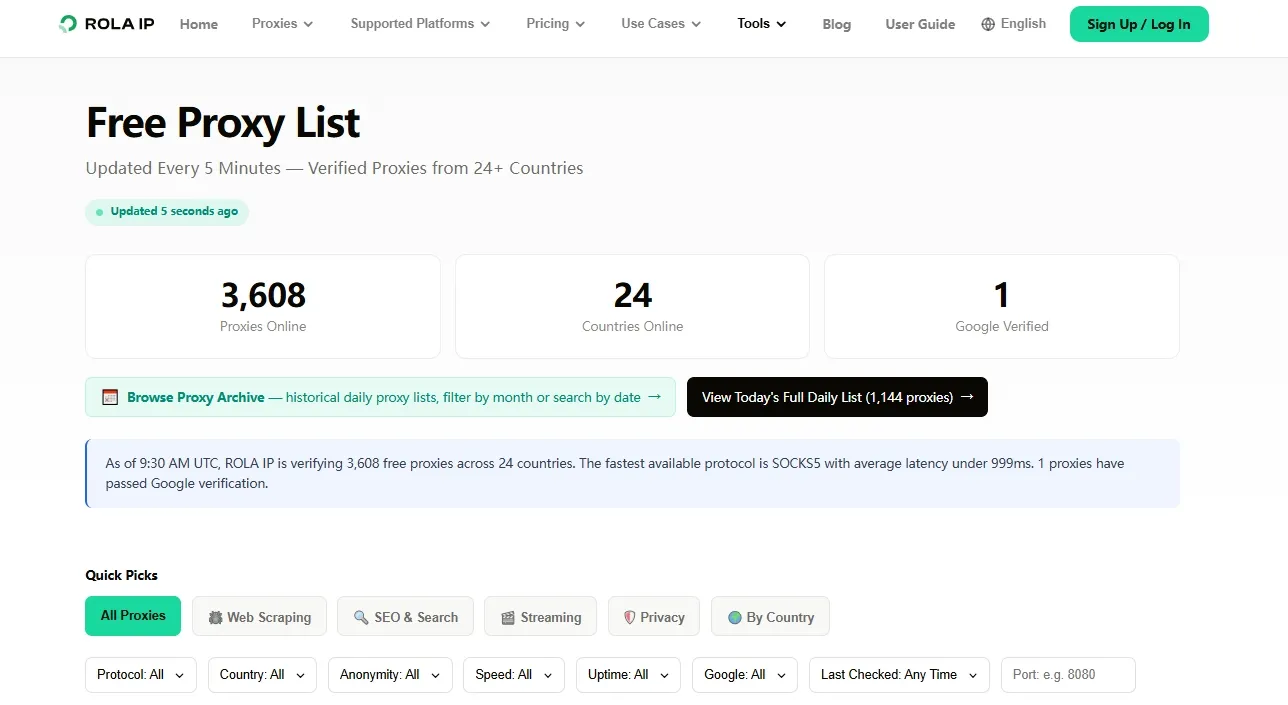
You can also test the service with Rola IP’s free proxy IP list, which provides free IPs before you commit to a paid package.
What it does offer is geographic precision and a route Rayobyte does not advertise. Rola IP publishes 80 million or more residential IPs across 190 or more countries with city-level targeting in 210 or more cities, HTTP and SOCKS5 support, and both username-password and IP whitelist authentication. It also publishes mainland China optimised routing. Its isp proxies are presented within the same product ecosystem as the rotating products.
Pick it when the job needs a specific city or an Asia-Pacific route and you will consume the package inside 30 days. If neither applies, one of the others above will cost you less.
Webshare, if you need low-cost static proxy servers
Webshare’s pricing page publishes proxy-server plans with 10 free proxies and paid monthly plans starting at $0.0299 per proxy for 100 proxies. The listed per-proxy price falls to $0.0179 at 60,000 proxies, with larger plans subject to the displayed plan terms. The page also lists HTTP/SOCKS5, 50+ countries, 99.97% uptime, 250 GB to unlimited bandwidth, 500 to 3,000 threads, and IP authorization subject to its Fair Usage Policy. These are proxy-server plan figures, not a like-for-like replacement for Rayobyte’s per-GB rotating residential plans.
Decodo, if you need finer targeting
Decodo publishes continent, country, state, city, ZIP code and ASN targeting at no additional cost, plus a 3-day free trial and a 14-day money-back option. Rayobyte does not publish equivalent ZIP or ASN granularity. If your work depends on hitting a specific metro or network, that is a concrete capability difference rather than a price difference.
Bright Data, if scale is the constraint
Bright Data publishes per-country IP counts, which is unusually specific: 4,048,118 US addresses and 1,344,358 in China on the date checked. Its entry rate matched Rola IP’s at $4.00 per GB, shown under a 50% promotion, so verify what the rate reverts to.
IPRoyal, if your usage is lumpy
IPRoyal states that traffic never expires. Its pricing page shows different rates by purchase size, including $7.00/GB for 1 GB, $5.95/GB for 2 GB, and $5.25/GB for 10 GB. It may suit irregular usage, but compare the higher small-volume price against the value of non-expiring traffic.
Work out your effective rate before you switch
Do this on paper first. It takes ten minutes and it settles most switching decisions.
- Pull your last three months of actual traffic from your current dashboard, per product.
- Take the median month, not the peak. Buying for your peak is the most common way teams overpay.
- Find the tier each candidate publishes at that volume, not the tier on their homepage.
- Ask each provider, in writing, what happens to unused traffic at the end of the period. Get the answer before you buy.
- Divide the plan cost by the traffic you actually expect to burn. That is your effective rate.
- Run a paid test at the smallest tier against your real targets and record success rate and median response time.
Step 4 is the one people skip and the one that changes the ranking most. A provider that is 20% more expensive per published GB but does not expire your balance can be cheaper in practice when your usage varies month to month.
Migration checklist
Once you have picked a candidate, keep the switch reversible.
- Keep the old account funded until the new one has run a full billing period.
- Move one workload, not all of them. Pick the one with the clearest success metric.
- Re-authorise your source addresses if you use IP allowlisting, and confirm the new provider’s entry limit is enough for your servers.
- Confirm the protocol your client speaks. Endpoint syntax differs between providers, and our guide on how to set up a residential proxy covers the fields that commonly get mismapped.
- Compare success rate and response time against your recorded baseline, on the same targets, at the same time of day.
- Only then move the remaining workloads.
Use any provider only for work you are authorised to do. Changing the exit address does not grant access to anything and does not override a site’s published terms.