
How to Set Up a Residential Proxy: A Beginner Configuration Guide

Jul 23, 2026 · Guides · 11 min read
TL;DR
Set up the proxy around the task, not around the IP.
- Use rotating residential proxies for collection and region checks.
- Use sticky or static residential proxies for logins and other identity-based flows.
- Verify DNS, WebRTC, timezone, and session continuity, not just the exit IP.
Start by defining the task, session type, authentication method, and target region. A proxy can connect successfully yet still fail operationally when the protocol, session, or environment does not match the task.
This guide covers the definition, working principle, proxy selection, setup flow, testing, safe use, and troubleshooting of residential proxies.
1. Why beginners often get stuck on setup
When beginners get stuck on the question of how to set up residential proxies, they are usually dealing with three deeper problems:
- How to use an exit IP that matches the task’s location requirements.
- How to balance stability, privacy, and speed across different tasks.
- How to prevent a technically successful connection from creating an inconsistent session.
A residential proxy uses a residential-network exit and can support local SEO checks, ad verification, content testing, and public web data collection. Changing the IP alone is not enough: a US exit paired with a Chinese browser language, UTC+8 timezone, and local WebRTC candidate creates an inconsistent environment. Align the browser and network settings with the test scenario, then verify the exit and session behavior.
2. What is a residential proxy, and how is it different from other proxies
A residential proxy forwards traffic through an exit associated with a residential network, so the target site sees that exit IP rather than the device’s public IP. A datacenter proxy generally uses cloud or IDC ranges; an ISP proxy generally offers a more fixed IP assignment. Public SERP collection, price monitoring, and regional checks often suit dynamic residential proxies, while workflows that need continuity may suit a static proxy or a long sticky session.
If you need a quick way to judge providers, focus on three things:
- Location controls: country, state, province, or city-level targeting.
- Session controls: rotating sessions, sticky sessions, and long-lived static sessions.
- Authentication options: username-password authentication and IP whitelist authentication.
Confirm current country coverage, node availability, and pricing in the live dashboard and official documentation.
3. How do residential proxies work, and what does the target website actually see
Residential proxies work in a simple way on the surface. Your request goes through a proxy node first, and then the request is forwarded to the target website through a residential network exit. The website sees the proxy exit IP instead of your device’s public IP. But that is still not the full picture, because the site usually sees far more than the IP alone.
A target site may also see more than the exit IP:
- TLS handshake characteristics and HTTP headers
- Timezone and browser language
- DNS resolution behavior and request frequency
- Cookie continuity and, in browser scenarios, WebRTC network candidates
In other words, a residential proxy is only one layer in the full access profile.
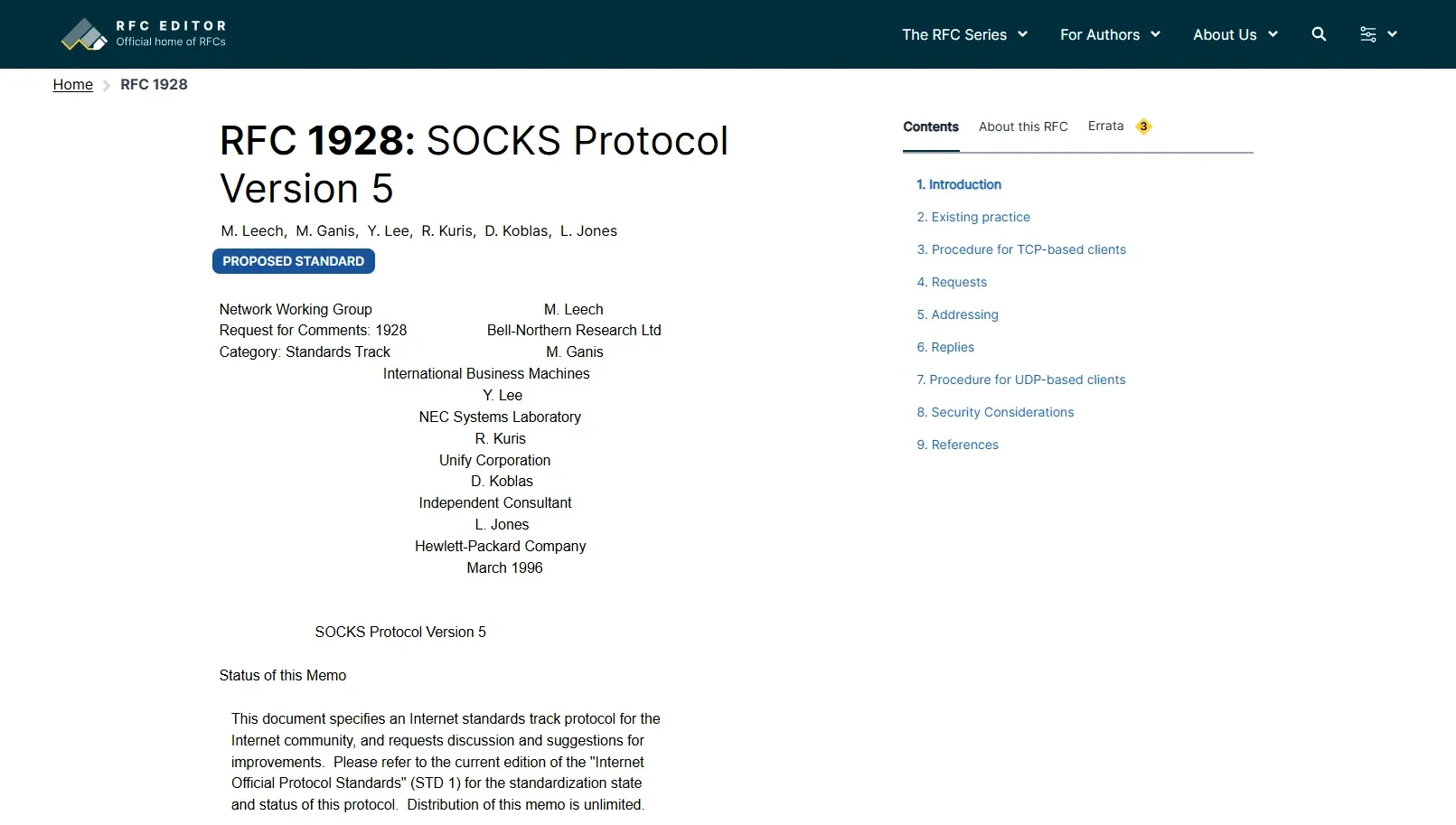
At the protocol level, HTTP proxies handle HTTP and HTTPS requests and suit browsers and many collection tools. SOCKS5 can proxy TCP traffic and supports UDP association, making it useful for desktop applications and automation frameworks that need more than web traffic. RFC 1928 defines SOCKS5 as a general intermediary layer between the application and transport layers; port 1080 is a common default. See RFC 1928 for the standard.
The session model determines whether one task should keep using the same IP:
- Rotating sessions: useful for public-page collection that does not need a continuous cookie state. Rotation may occur per request, after a set interval, or by task batch.
- Sticky sessions: useful for multi-step flows that need temporary state continuity, such as forms or redirects.
- Static sessions: bind one residential IP for a longer period and can suit workflows with strict geographic consistency requirements.
If you enable per-request rotation inside an account login flow, the login page, verification step, and account center may come from different exits. Use a sticky session or a static residential proxy when a workflow requires continuity, and keep public-page collection separate.
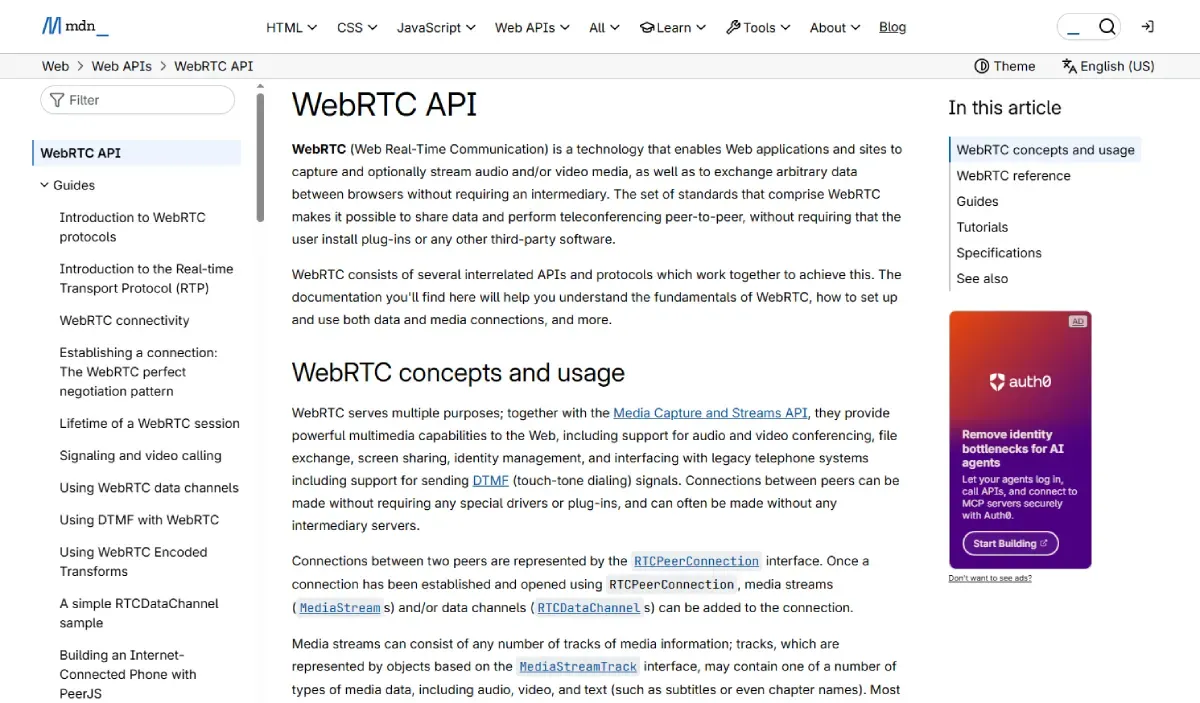
Another point people often ignore is leak detection. Even if the IP changes, DNS queries or a local WebRTC candidate can create an inconsistent profile. MDN documents the relevant browser APIs: MDN WebRTC API. The goal is not simply to change the IP, but to keep the network exit and environment settings consistent with the test scenario.
4. Difference between ISP and residential proxy: which one fits better
Compare session length, concurrency requirements, provider controls, cost, and the use case before choosing a proxy type.
The table below is a practical first-pass comparison:
| Dimension | Dynamic Residential Proxy | Static Residential Proxy | ISP Proxy |
|---|---|---|---|
| IP source profile | Real residential network exit | Real residential network or long-bound residential exit | ISP-registered IP, often hosted in a datacenter environment |
| Typical latency | Varies by provider, route, and exit location | Varies by provider and assigned IP | Varies by provider, route, and hosting model |
| Stability | Depends on pool quality and session settings | Depends on the assigned IP and provider | Depends on the provider and assigned IP |
| IP rotation ability | Typically available | Usually limited or unavailable | Usually limited or unavailable |
| Session continuity | Depends on the configured session duration | Typically suited to persistent sessions | Typically suited to persistent sessions |
| Detection considerations | Depend on the target site, traffic pattern, and full client environment | Depend on the target site, traffic pattern, and full client environment | Depend on the target site, traffic pattern, and full client environment |
| Common use cases | Public-page collection, ad verification, regional checks | Persistent-session testing and localized operations | Long-running backend or API workflows |
| Cost structure | Check the provider’s current pricing | Check the provider’s current pricing | Check the provider’s current pricing |
Why a site still flags you after you changed to a residential IP
The reason is simple. The target site does not identify a single IP only. It identifies a full access profile. If your exit IP is in Los Angeles but the browser timezone is still UTC+8, DNS is still resolved through a local ISP, and the device fingerprint keeps changing, the site will still raise the risk score. The usual fix order is to correct the session type first, then align geography-related signals, and only then adjust request frequency.
Which is better: dynamic residential proxy or static residential proxy
There is no universal winner. Choose a dynamic proxy for distributed tasks and a static proxy when a workflow needs a persistent session.
5. Four things you must prepare before setup
Prepare these four things before opening the proxy settings:
- Control options: confirm the required location, session mode, authentication method, and protocol are available.
- Task separation: keep public collection and authenticated workflows in separate pools; begin with a small test sample.
- Authentication: use username-password authentication for changing networks and IP whitelisting for fixed servers or office exits. A changed whitelist IP can cause
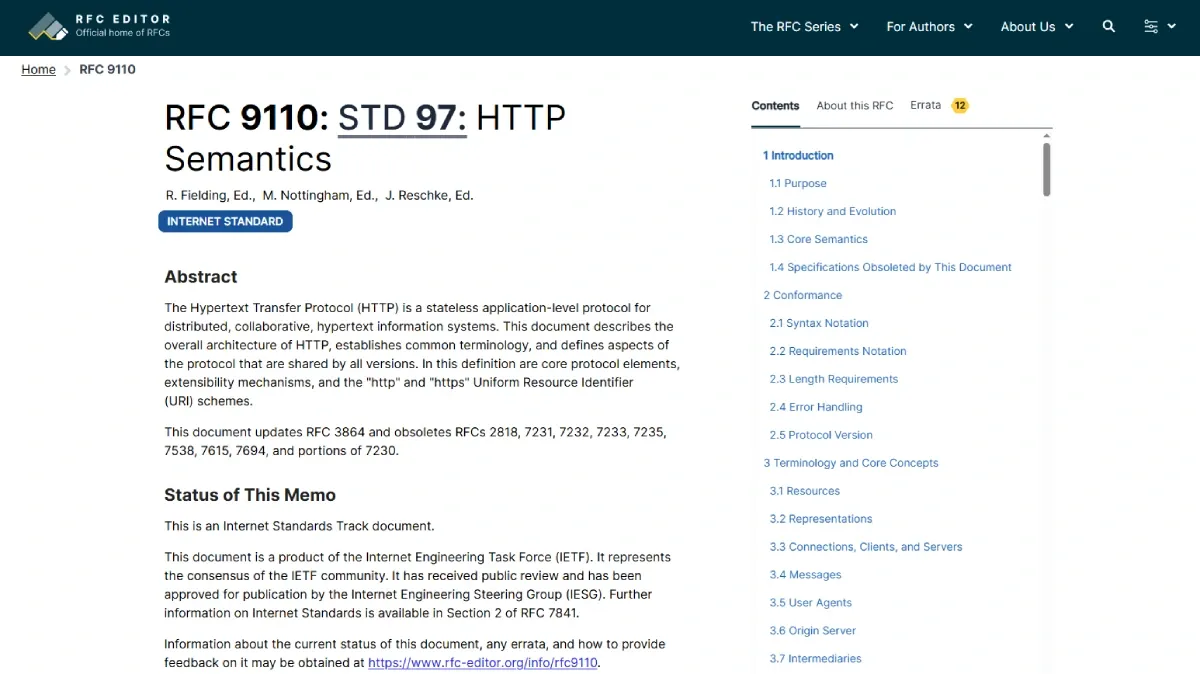
Authentication failedorConnection refused. - Connection details: record the host, port, credentials, and any location or session parameters. HTTP is suitable for most browsers and collection tools; SOCKS5 suits mixed traffic and automation frameworks. See RFC 9110 for HTTP semantics.
6. How to set up a residential proxy: the full process from control panel to device
No matter which provider you use, the access flow is broadly the same: choose the region, session mode, authentication method, and protocol; copy the generated credentials into the client; then verify IP, DNS, WebRTC, and session behavior. Provider differences are mainly in dashboard field names, parameter syntax, and platform-specific entry points.
Using Rola IP dynamic residential proxies as an example
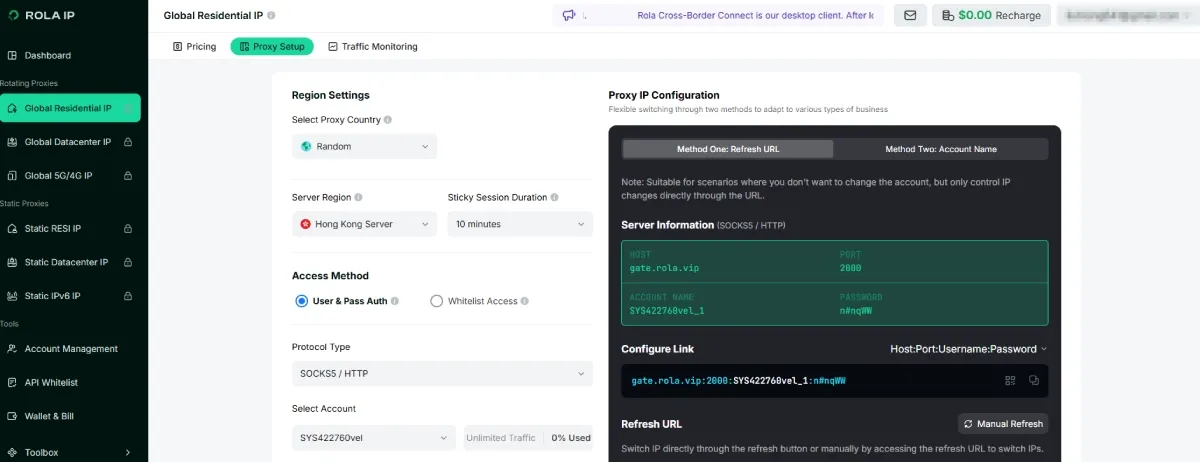
According to the Rola IP Dynamic Residential IP Setup Guide, use the host, port, username, and password generated in the dashboard. Geographic and session settings are appended to the account string; a separate session identifier distinguishes sessions. Confirm the current syntax and available session duration in the dashboard before deployment.
Use the account naming pattern as follows:
- Basic dynamic exit:
test - Country targeting:
test-country-us - State targeting:
test-country-us-state-ny - City targeting:
test-country-us-state-ny-city-newyork - Sticky session:
test_1-country-us-sessiontime-10keeps thetest_1session on one US exit for 10 minutes. Use a different session identifier, such astest_2, for a separate task. - Per-request rotation:
test-country-us-f-1changes the IP on each request and is appropriate only for stateless collection.
Use -f-1 only for collection, batch access, or other tasks that do not need a continuous logged-in state.
Step 1: Open the dynamic residential configuration page
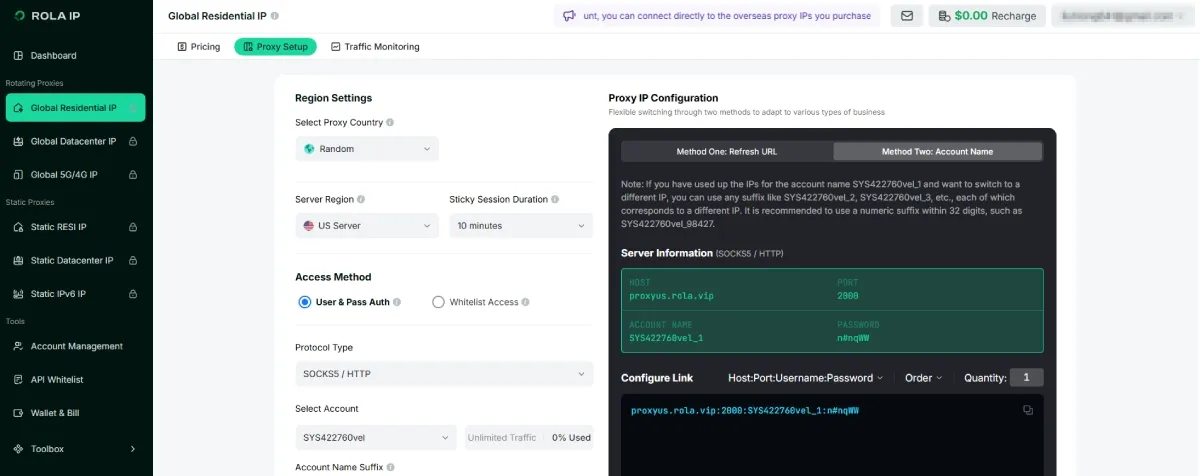
Choose the proxy network first, then confirm the account you want to use for the task.
Step 2: Decide whether you need a basic, targeted, or sticky session
If the task only needs a general dynamic exit, the base account name is enough. If the task needs geography or session persistence, add those parameters before you generate the credentials.
Step 3: Build the correct account string
Add country, state, or city only when the task really benefits from narrower targeting. Add sessiontime only when continuity matters. Add -f-1 only when forced per-request rotation is appropriate.
Step 4: Copy the generated host, port, username, and password
Do not assume a credential format from memory. Use the output generated by the dashboard.
Step 5: Enter the values into your browser, system proxy, antidetect browser, or code
Keep a record of the exact values you used for the test. If the result is unstable, that record helps you reproduce the issue later.
Step 6: Verify the exit and session behavior
After connecting, visit an IP-checking page and confirm that the exit region and session behavior match your expectation. If you cannot connect after narrowing to a city or the connection becomes unavailable, that usually means resources for that city are limited at the moment. A safer approach is to fall back to the country level first, and then move gradually to state and city targeting.
Key points when using a static residential proxy
Configure proxies only for accounts you own, authorized client accounts, or test environments. A proxy does not guarantee approval by any platform and must not be used to evade account restrictions, payment reviews, or other security controls.
For a static proxy, keep the setup consistent:
- Choose one fixed residential IP or a long sticky session.
- Keep the same endpoint throughout the full login chain; do not switch country or proxy type halfway through.
- Align the browser timezone, browser language, system region, and target-site location.
- Bind each account to one browser profile and one proxy rather than logging the same account through multiple proxies in a short period.
Frequent changes in exit country or proxy type can be treated as inconsistent. Keep the endpoint and regional settings stable when testing.
For platform-specific paths, use the provider documentation as the source of truth for Windows, macOS, Android, iPhone, iPad, and browser tools. Rola IP provides access documentation, plus platform guides for Android and iOS.
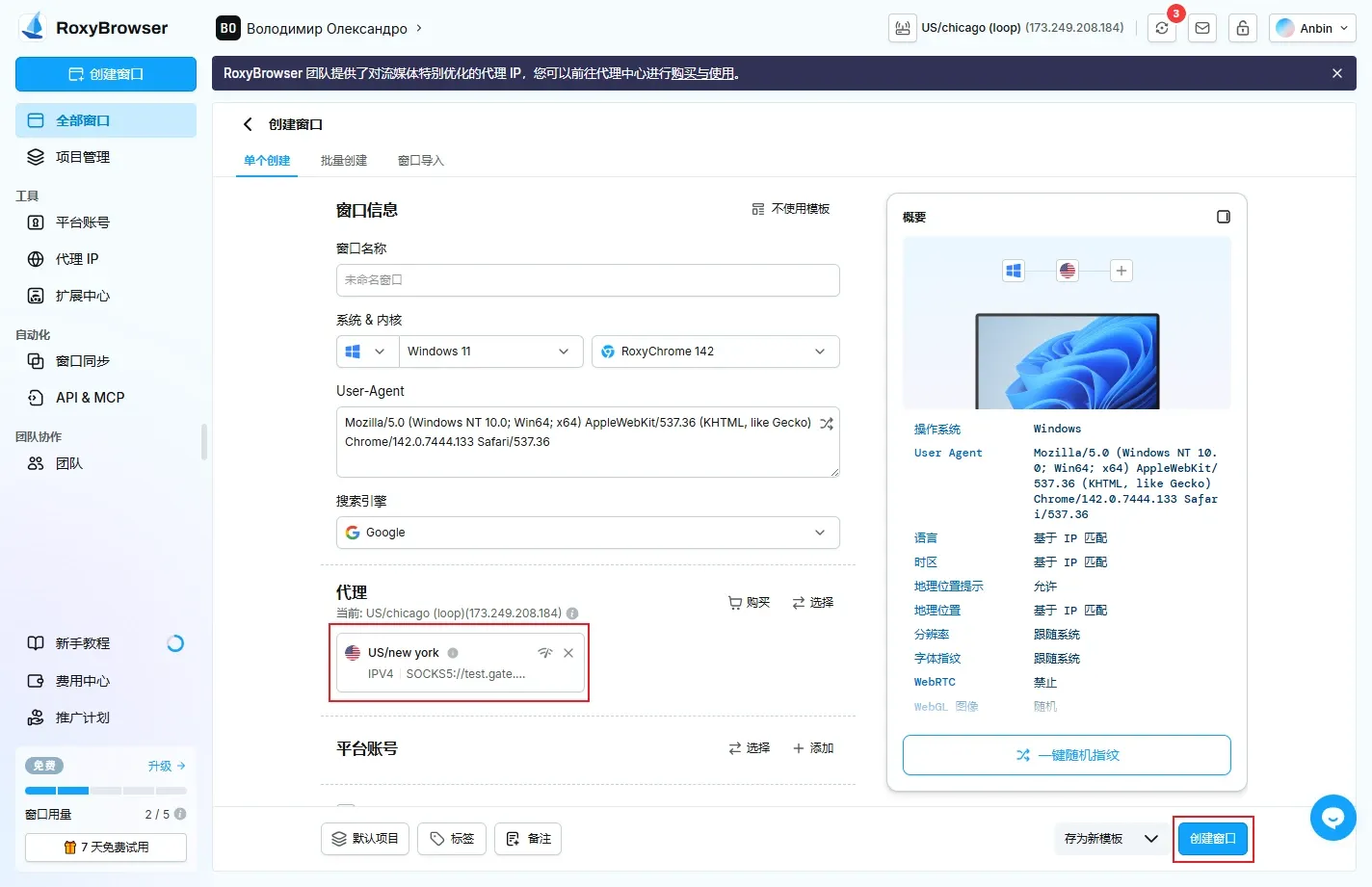
In a browser tool, confirm support for authentication prompts, PAC rules, and domain routing. For RoxyBrowser, BitBrowser, AdsPower, or another platform, follow its official setup guide for the exact fields and verification steps.
For automation frameworks, a common way to express the endpoint is:
http://username:password@host:port
socks5://username:password@host:port
If you plan to use the proxy in a script, start with one request to test connectivity before increasing concurrency:
# SOCKS5 proxy
curl -x socks5h://username:password@proxy-domain:port https://ipinfo.io/json

# HTTP proxy
curl -x http://username:password@proxy-domain:port https://ipinfo.io/json
Confirm that the returned IP and location match the expected exit. Available fields vary by verification service, so do not treat one response as a guarantee of fixed availability or exact city-level routing.
How to decide between rotating sessions and sticky sessions
The direct way to decide is to ask whether the task needs a continuous identity. Public page collection, SERP scraping, and ad spot checks do not rely on one cookie chain, so rotating sessions are usually better. Login, profile editing, shopping carts, and payment/admin workflows depend on the same session context, so sticky or static sessions are usually better. If you choose the wrong session mode, the result is often not “a slower connection” but a direct risk-control trigger.
7. How to test whether the residential proxy is really working
Saving the proxy successfully does not mean it is ready for production. Verify the exit IP, expected location, DNS and WebRTC behavior, and whether the session rotates or persists as configured.
A practical testing order looks like this:
- Connect the proxy inside the browser or software.
- Visit an IP information page and check whether the country and city match the expected result.
- Test DNS behavior across several domains to see whether resolution still goes through the local network.
- Refresh multiple times within the same session and confirm whether the IP stays the same or changes as expected.
- Run a small test and observe timeout rate, 403 rate, CAPTCHA rate, and average response time.
For a login-based test, also follow the path from the login page to the account center and settings page, and confirm that the IP remains stable throughout the flow.
Treat an IP change as the minimum threshold, not the final success criterion. A proxy verification tool can help confirm location, DNS behavior, timezone, and browser leak items.
8. How to use residential proxies safely and efficiently
How to use residential proxies well is not about pushing anonymity to the limit. The goal is to align the task model with the network model while respecting applicable laws and the target site’s terms:
- Match the proxy to the task. Use dynamic residential proxies for public-content collection, localized ad verification, and SERP checks. Use a persistent session only when a workflow needs one.
- Control load. Begin with low concurrency and a small sample, then adjust only after reviewing timeout and challenge rates.
- Keep the environment consistent. Align language, timezone, GPS location, browser profile, and exit geography with the authorized test scenario.
- Protect credentials. Do not hardcode proxy usernames and passwords into public repositories. Keep proxy pools and task pools separated by business line, region, and account group.
- Use compliant sourcing. Compliance depends on the provider’s authorization model, data source, user-consent mechanism, and your use of the service. Public-page testing, ad verification, and localized SEO analysis may be lower-risk scenarios; fraud, malicious rule evasion, and unauthorized data abuse are not.
Treat the proxy layer as infrastructure rather than a browser plug-in: separate proxy pools by region, use case, and sensitivity so that access, troubleshooting, and credential ownership remain clear.
9. If the setup fails, what is the right troubleshooting order
The worst way to troubleshoot a proxy error is to change five parameters at once and then stop knowing what actually fixed or broke the session. Use this order instead:
- Connectivity
- Authentication
- Protocol
- Region
- Session
- Environment signals
Start with the host, port, local network, firewall, and service status. Then verify credentials, session-parameter spelling, whitelist IP, and protocol support. If a city-level configuration fails, retry with state- or country-level targeting before checking session, DNS, WebRTC, and browser-environment settings.
Common issues and likely causes include:
- Connection refused: wrong port, inactive whitelist, or an enterprise network blocking uncommon ports.
- Authentication failed: expired password, incorrectly formatted session parameter, or a mismatch between a sticky endpoint and the calling pattern.
- Unexpected geolocation: state-level routing, an outdated third-party IP database, or a configuration issue.
- Slow session: a distant exit country, fluctuating node quality, excessive concurrency, or a resource-heavy page.
- Browser works but the software does not: the software may not inherit the system proxy or may support HTTP but not SOCKS5.
- Login session drops: insufficient session duration, rotation that is too fast, or cookies not tied to one environment.
Keep one minimal reproducible sample and change one variable at a time. For example, keep the same city and protocol while adjusting session duration, then lower concurrency and compare timeout rates.
10. Conclusion
Set up a residential proxy by matching the proxy type to the task, aligning the session and geography with the environment, and validating the result with reproducible tests. For team workflows, standardize the setup, keep assets traceable, and use the provider’s live dashboard and documentation as the source of truth for changing product details.