
Scrapy Rotating Proxies: Setup, Verification, and Troubleshooting

Jul 24, 2026 · Guides · 11 min read
TL;DR: Configure Scrapy rotating proxies through a provider gateway, a locally managed proxy pool, or custom downloader middleware. Scrapy sends each request through
Request.meta["proxy"]; a gateway or middleware determines which route it uses. Start with an explicitly proxied IP check, keep one route for stateful sessions, and classify failures before retrying. A changed proxy URL does not necessarily mean a changed exit IP.
This guide is for developers configuring authorized crawls, such as collecting product data from their own store or testing an approved integration. It uses HTTP proxy URLs, including requests to HTTPS targets through HTTP CONNECT. Proxy rotation does not grant access permission or guarantee that a target accepts a request.
What are Scrapy rotating proxies?
Scrapy rotating proxies route a spider’s requests through a changing set of proxy exits. Scrapy’s built-in HttpProxyMiddleware supports proxy connections, but it does not provide an IP pool or rotation service. Exit selection is handled by a provider gateway or by middleware that chooses proxy URLs inside the project.
Three terms describe different parts of the setup:
| Term | Meaning | How to verify it |
|---|---|---|
| Proxy endpoint | The host and port Scrapy connects to | Inspect the configured proxy URL without logging credentials |
| Exit IP | The address the destination sees | Query an IP-echo endpoint through the proxy |
| Sticky session | A provider or application policy that preserves a route for a workflow | Repeat requests using the same session parameters and check exits |
A rotating gateway can keep the same endpoint while changing exits. A local proxy pool can contain several URLs that share an exit. Inspect the destination-visible IP when you need to prove rotation.
Choose a gateway, proxy pool, or custom middleware
| Setup | Who selects the route? | Choose it when | Main responsibility |
|---|---|---|---|
| Rotating proxy gateway | Provider | You receive one endpoint and want provider-managed exit selection | Authentication, provider session settings, and crawl pacing |
scrapy-rotating-proxies pool |
Package in your project | You already have individual proxy URLs | Inventory quality, ban detection, and compatibility testing |
| Custom downloader middleware | Your application | Requests need different routes by workflow or session | Assignment rules, health tracking, and retry ownership |
Use one proxy-assignment mechanism for each request. Combining all three without explicit ownership can cause one component to overwrite another’s route or retry a request repeatedly.
Rotation is also separate from proxy type: residential, datacenter, and ISP proxies describe the network addresses you use. Choose an address type based on the permitted use case, geography, session stability, and budget. Rola IP’s residential proxy product page is one provider resource for evaluating a managed residential option; it is not evidence that a particular target will accept the traffic.
Prepare a small Scrapy project
The project examples use the Scrapy 2.13 startup interface, async def start(). The reproducibility baseline below pins Scrapy 2.13.3, which declares Python 3.9 or newer on PyPI. Python 3.11 is a suggested environment for following this guide, not an environment we claim to have tested. Review dependency and security updates before deploying the pinned baseline.
Run these commands in a terminal with Python installed:
python -m venv .venv
Activate the environment on Windows PowerShell:
.\.venv\Scripts\Activate.ps1
Or on macOS/Linux:
source .venv/bin/activate
Then create the project:
python -m pip install "Scrapy==2.13.3"
scrapy startproject proxy_demo
cd proxy_demo
scrapy version -v
Save this shared diagnostic spider as proxy_demo/spiders/ip_check.py. It makes three sequential IP checks. dont_filter=True permits repeating the same URL; it does not control IP rotation.
import scrapy


class IpCheckSpider(scrapy.Spider):
    name = "ip_check"
    custom_settings = {
        "CONCURRENT_REQUESTS": 1,
        "DOWNLOAD_DELAY": 1,
        "DOWNLOAD_TIMEOUT": 30,
        "RETRY_ENABLED": False,
        "COOKIES_ENABLED": False,
        "HTTPPROXY_ENABLED": True,
    }

    async def start(self):
        yield self.make_request(1)

    def make_request(self, check_number):
        return scrapy.Request(
            "https://httpbin.org/ip",
            callback=self.parse,
            errback=self.failed,
            meta={"check_number": check_number},
            dont_filter=True,
        )

    def parse(self, response):
        try:
            origin = response.json()["origin"]
        except (ValueError, KeyError):
            self.logger.error("IP check returned an unexpected response")
            return
        check_number = response.meta["check_number"]
        yield {"check": check_number, "origin": origin}
        if check_number < 3:
            yield self.make_request(check_number + 1)

    def failed(self, failure):
        self.logger.error(
            "IP check %s failed: %s",
            failure.request.meta["check_number"],
            failure.type.__name__,
        )
The concurrency, delay, and timeout values are diagnostic settings. They are not safe-rate guarantees for a production target. Retries and cookies are disabled to make this initial test easier to interpret. httpbin.org/ip is an external diagnostic service, so availability and rate limits can affect results.
Method 1: Configure a rotating proxy gateway
A gateway keeps exit selection with the provider. Assign its URL in downloader middleware so initial requests and later requests from callbacks all receive the proxy. Setting it only on start() requests does not automatically proxy newly created response.follow() requests.
Add this class to proxy_demo/middlewares.py:
import os


class GatewayProxyMiddleware:
    def __init__(self, proxy_url):
        self.proxy_url = proxy_url

    @classmethod
    def from_crawler(cls, crawler):
        proxy_url = os.environ.get("PROXY_GATEWAY")
        if not proxy_url:
            raise ValueError("Set the PROXY_GATEWAY environment variable")
        return cls(proxy_url)

    def process_request(self, request, spider):
        if "proxy" not in request.meta:
            request.meta["proxy"] = self.proxy_url
Add to proxy_demo/settings.py:
DOWNLOADER_MIDDLEWARES = {
    "proxy_demo.middlewares.GatewayProxyMiddleware": 610,
}
HTTPPROXY_ENABLED = True
Scrapy enables HttpProxyMiddleware at order 750 by default. Order 610 assigns the URL before the built-in middleware handles proxy authentication. A request can explicitly override the route, or use meta={"proxy": None} for intentional direct traffic. Avoid that exception when your policy requires every request to be proxied.
Set the environment variable using your provider’s actual endpoint. These values are placeholders:
# Windows PowerShell
$env:PROXY_GATEWAY = 'http://USERNAME:[email protected]:9000'
scrapy crawl ip_check -O gateway-ip-check.json -s LOG_LEVEL=INFO
# macOS/Linux
export PROXY_GATEWAY='http://USERNAME:[email protected]:9000'
scrapy crawl ip_check -O gateway-ip-check.json -s LOG_LEVEL=INFO
If the environment variable is missing, initialization raises an error so this example cannot silently fall back to direct traffic. Confirm that the middleware appears in the enabled downloader middleware list before interpreting the output.
Success criterion: The export contains the IP-echo service’s origin values, and those values agree with the provider’s expected exits rather than your direct connection. Multiple checks may legitimately return the same exit if a sticky session is active or the provider permits reuse. Check the provider’s rotation policy before treating reuse as a fault.
For a Rola IP endpoint, obtain the host, port, and credentials from the current console. Its proxy parameter documentation is the appropriate reference for the username fields used to control routing. Keep passwords out of committed code and public logs.
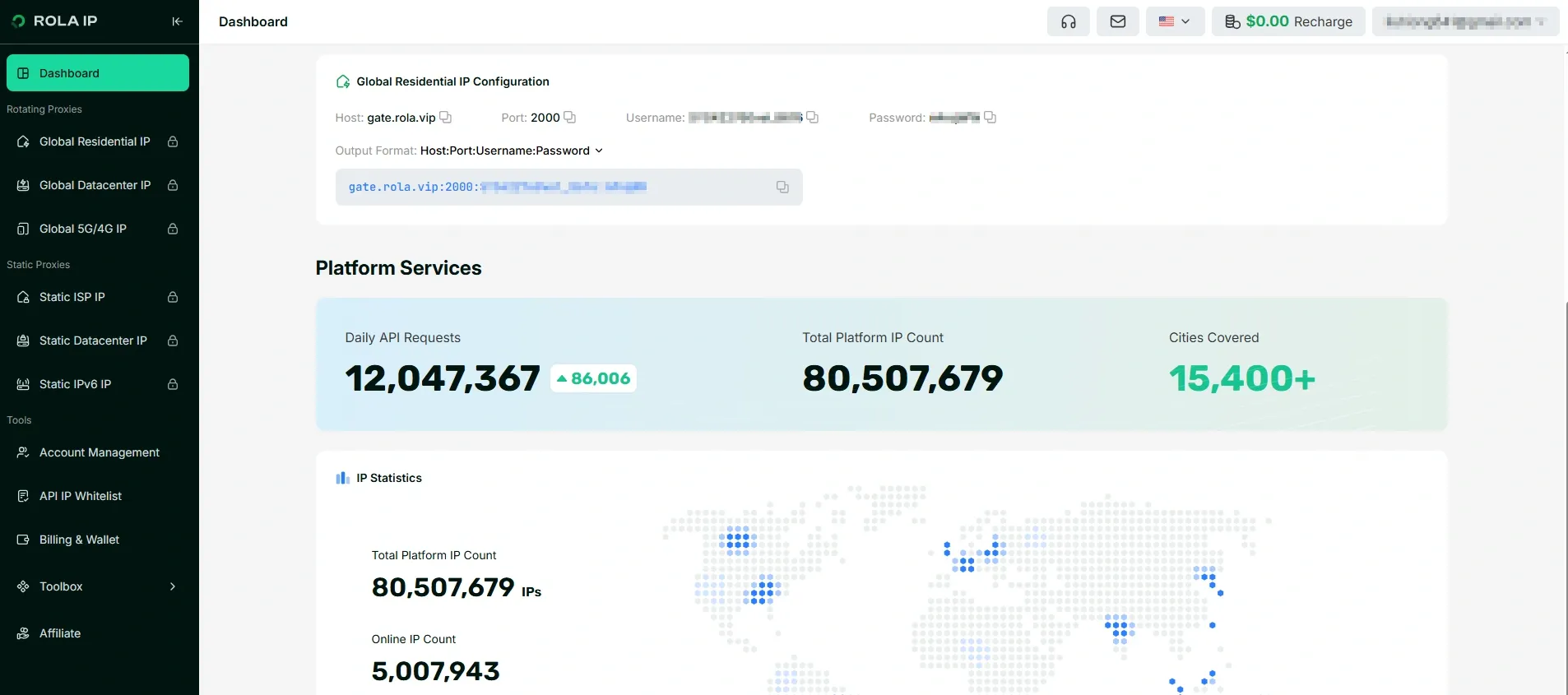
Illustrative console screenshot. Hosts, credentials, account counters, and available controls can change; use the current console as the source of truth.
Method 2: Configure a Scrapy proxy pool
Use scrapy-rotating-proxies when the project receives individual proxy URLs. Its PyPI metadata, checked on October 9, 2026, lists release 0.6.2 and an Alpha development classifier. Those labels do not establish compatibility with your Python, Scrapy, or downloader stack.
python -m pip install "scrapy-rotating-proxies==0.6.2"
Create a local proxies.txt file in the directory containing scrapy.cfg, with one authenticated URL per line:
http://USERNAME:[email protected]:8000
http://USERNAME:[email protected]:8000
Replace the gateway middleware configuration in proxy_demo/settings.py with:
ROTATING_PROXY_LIST_PATH = "proxies.txt"
ROTATING_PROXY_PAGE_RETRY_TIMES = 1
ROTATING_PROXY_CLOSE_SPIDER = True

DOWNLOADER_MIDDLEWARES = {
    "rotating_proxies.middlewares.RotatingProxyMiddleware": 610,
    "rotating_proxies.middlewares.BanDetectionMiddleware": 620,
}
HTTPPROXY_ENABLED = True
Run the shared spider:
scrapy crawl ip_check -O pool-ip-check.json -s LOG_LEVEL=INFO
The package’s retry limit is separate from Scrapy’s RETRY_ENABLED setting. Here it allows one package retry to limit diagnostic traffic. Add proxies.txt to .gitignore and protect the file because it contains credentials. ROTATING_PROXY_LIST is an alternative to a file; if both are configured, the file setting takes precedence in the reviewed implementation.
What the package manages
The middleware source shows that it tracks live and dead routes and rechecks dead routes using randomized exponential backoff. _ban metadata connects ban detection with route health. The repository’s default branch can change; inspect the source of your installed release when reproducing a result.
| Setting | Purpose | What to check |
|---|---|---|
ROTATING_PROXY_LIST_PATH |
Loads individual proxy URLs | File path, permissions, and credentials |
ROTATING_PROXY_PAGE_RETRY_TIMES |
Limits retries using alternative routes | False ban detections can consume healthy routes |
ROTATING_PROXY_BACKOFF_BASE |
Sets the cooldown basis | Whether failed routes return too quickly |
ROTATING_PROXY_BACKOFF_CAP |
Caps backoff | Whether recovery checks match your operational needs |
ROTATING_PROXY_CLOSE_SPIDER |
Stops when no route is available | Whether the job should stop rather than repeatedly recheck failed routes |
ROTATING_PROXY_BAN_POLICY |
Loads custom failure classification | Whether valid pages are incorrectly marked as bans |
Three behaviors deserve explicit checks:
- A proxy set by your own spider or middleware before this package runs normally bypasses package assignment. Requests already managed by the package carry
_rotating_proxyand remain eligible for reassignment on retries. - Download-slot controls such as per-domain concurrency become effectively per proxy for proxied requests. In the reviewed source, the slot key is the proxy hostname, so URLs on the same host can share a slot even with different ports.
- Selecting another proxy URL does not guarantee a different exit IP. Compare the actual
originvalues in the export.
Global CONCURRENT_REQUESTS still limits overall downloader concurrency. For example, a per-proxy limit of two does not allow an unlimited number of simultaneous requests across a large pool. You also need a target-level request budget because requests to one target can be distributed across multiple proxy slots.
Define failure rules before a production crawl
A status code alone cannot reliably identify a bad proxy. A valid 404 page is a page result; 407 is an authentication problem; a 200 response can still contain an unexpected template. Inspect the package’s default ban detection policy and override it using ROTATING_PROXY_BAN_POLICY when it does not match the target.
Test detection rules against saved valid and invalid responses. Scope content markers to a known page type; a generic captcha keyword may also occur in legitimate content. Do not classify every 403, 429, or application error as evidence that an IP must be replaced.
Method 3: Build custom proxy assignment middleware
Custom middleware is useful when the project needs routing rules that a gateway or package does not provide. The example below assigns a route to each new request and preserves explicit proxy choices. It intentionally leaves automatic route retries out: failure classification and cooldowns need their own policy.
Add this class to proxy_demo/middlewares.py:
import os
import random


class PoolProxyMiddleware:
    def __init__(self, proxies):
        self.proxies = proxies

    @classmethod
    def from_crawler(cls, crawler):
        raw = os.environ.get("CUSTOM_PROXY_LIST", "")
        proxies = [value.strip() for value in raw.split(",") if value.strip()]
        if not proxies:
            raise ValueError("Set CUSTOM_PROXY_LIST to comma-separated URLs")
        return cls(proxies)

    def process_request(self, request, spider):
        if "proxy" not in request.meta:
            request.meta["proxy"] = random.choice(self.proxies)
Replace the active proxy middleware in proxy_demo/settings.py:
DOWNLOADER_MIDDLEWARES = {
    "proxy_demo.middlewares.PoolProxyMiddleware": 610,
}
HTTPPROXY_ENABLED = True
Then run it on Windows PowerShell:
$env:CUSTOM_PROXY_LIST = 'http://USER:[email protected]:8000,http://USER:[email protected]:8000'
scrapy crawl ip_check -O custom-ip-check.json -s LOG_LEVEL=INFO
On macOS/Linux, use export CUSTOM_PROXY_LIST='...' with your real URLs, then run the same crawl command. Percent-encode commas in credential fields because this example uses commas as the list separator. A random selector may choose the same route consecutively; it provides no health checks, cooldowns, or guarantee of a new exit.
Keep a proxy and cookie jar together for stateful requests
For an authorized login flow or stateful pagination sequence, choose the proxy once and pass it with the cookie-jar ID to each request:
# Inside a spider callback; next_url is the next permitted workflow URL.
yield response.follow(
    next_url,
    callback=self.parse,
    meta={
        "proxy": response.request.meta["proxy"],
        "cookiejar": response.request.meta.get("cookiejar", "workflow-1"),
    },
)
This is a workflow fragment, not an additional IP-check spider. Enable cookies for that workflow; the diagnostic spider above disables them. Passing a gateway URL preserves the endpoint, so you must also configure a provider sticky-session parameter to preserve its exit. Passing a cookiejar ID alone does not pin an IP, and passing a proxy alone does not propagate the cookie jar. See sticky vs rotating proxies for the session tradeoff.
Authenticate proxies and verify the exit IP
Scrapy supports credentials in the proxy URL through HttpProxyMiddleware. Encode username and password fields separately when they contain reserved characters:
from urllib.parse import quote

username = quote("YOUR_USERNAME", safe="")
password = quote("YOUR_PASSWORD", safe="")
proxy_url = f"http://{username}:{password}@gateway.example.com:9000"
Use the protocol and port specified by the provider. An HTTPS destination does not automatically require an https:// proxy URL; many HTTP endpoints tunnel HTTPS traffic with CONNECT. These examples do not cover SOCKS proxies, which require a compatible downloader integration.
Run an explicitly proxied Scrapy shell request
For an isolated single-request check, start the shell outside the project so the project’s pool or routing middleware does not interfere:
scrapy shell
Then execute:
import os
from scrapy import Request

fetch(Request(
    "https://httpbin.org/ip",
    meta={"proxy": os.environ["PROXY_GATEWAY"]},
    dont_filter=True,
))
response.status
response.json()
The Scrapy shell interface accepts a Request object with metadata. Simply opening scrapy shell "https://httpbin.org/ip" does not apply a custom PROXY_GATEWAY setting by itself.
Compare the returned origin with a known direct-connection baseline and the provider’s expected exit. IP-echo services can report multiple addresses when forwarding information is present; do not treat every string as one isolated IP without inspecting the response format.
Define what counts as a successful test
| Check | Successful observation | What it does not prove |
|---|---|---|
| Proxy authentication | A response arrives through the configured route without 407 |
All credentials or regions are valid |
| Exit selection | IP-echo results match the intended exit behavior | Every gateway request gets a unique IP |
| Rotation | Several diagnostic requests show the expected exit changes | Stable performance on a production target |
| Sticky session | The same session parameters preserve the expected exit during the test | An indefinite session or guaranteed uninterrupted availability |
| Business response | Required fields and the expected page type are present | Every future 200 response will be valid |
Save actual results with the test date, operating system, Python and Scrapy versions, provider/product, region, request count, timeout, retries, and session mode. Redact passwords and tokens. This guide provides no synthetic success logs to substitute for those records.
Troubleshoot 407, 403, 429, and connection errors
| Symptom | Possible cause | Check | Action and retest |
|---|---|---|---|
407 Proxy Authentication Required |
Wrong credentials, URL encoding, or authentication model | Check endpoint, port, escaped credentials, and source-IP allowlisting | Fix authentication and repeat one IP check; see 407 proxy authentication troubleshooting |
403 Forbidden |
Target permissions, request policy, session state, or access denial | Compare a permitted baseline and inspect the response body | Correct authorization or request/session configuration; stop repeated denied requests |
429 Too Many Requests |
Target or gateway rate limit | Identify which service issued the response and inspect Retry-After |
Pause the affected workload, reduce its rate, and retry only after the indicated interval |
| Connection refused | Incorrect port, unavailable endpoint, or network policy | Check the host and port with one diagnostic request | Correct the endpoint or contact the provider; retest before resuming |
| DNS error | Invalid hostname or DNS configuration | Resolve the configured gateway hostname | Correct the host or resolver; do not repeatedly rotate on a spelling error |
| Timeout | Slow route, target delay, network failure, or overloaded workload | Compare a low-concurrency IP check with the target request | Isolate the failing leg, apply a finite retry policy, and measure again |
200 with unexpected content |
Challenge, login page, redirect outcome, or changed template | Validate content type and required fields | Record a failed business response even though transport succeeded |
| Traffic appears direct | Missing environment variable, disabled middleware, or overwritten metadata | Inspect enabled middleware and repeat an explicit Request IP check |
Fix proxy assignment and compare with the direct baseline |
Retry-After can contain a delay in seconds or an HTTP date. Honor valid values and use a bounded fallback policy if the header is absent or invalid. This guide’s diagnostic spider stops on non-success responses instead of implementing automatic rate-limit retries. Rotating exits to continue at the same rate can worsen a rate-limit problem.
For production, give one component ownership of each retry class. General transport retries, package route retries, and custom response retries can multiply request volume when layered. Log retry count, failure reason, route identifier, and next action without including authenticated proxy URLs.
Set production concurrency from measured limits
Avoiding blocks while scraping starts with a small permitted workload and measurements of completed business responses, response time, timeouts, 403/429 counts, per-exit reuse, and session failures. Check limits across the spider, target, proxy route, provider account, and budget.
A capacity estimate can begin with:
required active exits = ceil(total requests per minute / tested requests per minute per exit)
This formula assumes independent exits and a measured per-exit allowance. Shared host slots, target-wide limits, sticky workflows, degraded routes, and retries can invalidate that assumption. Increasing the pool cannot remove a target-wide restriction.
Also review the provider’s billing unit, minimum purchase, traffic validity, treatment of failed or retried requests, and spending alerts. Repeated attempts may increase cost even if no usable business data is collected. Set a stop condition for sustained authentication failures, denied requests, or exhausted budget.
Conclusion
Choose the component that should own exit selection, verify an explicitly proxied request, and preserve route identity when the workflow is stateful. Before increasing throughput, confirm that responses contain usable data and that retries respect target and provider limits.
For a Rola IP integration, start with the current console endpoint and the parameter documentation linked above. Run the diagnostic crawl first, retain a redacted verification record, and resolve authentication or routing faults before connecting it to a production spider.