Minecraft Connection Timed Out: A Troubleshooting Guide

Sep 30, 2026 · Guides · 12 min read
TL;DR
For Java and Bedrock Edition players and self-hosted server operators
When Minecraft says “Connection timed out,” first verify the edition, server address, actual port, and server status. Then check DNS, the network path, the server listener, and the game handshake. A timeout only means the expected response did not arrive before the deadline; the message alone cannot identify DNS, a proxy, or the server as the cause. Change one setting at a time and retry joining under the same conditions.
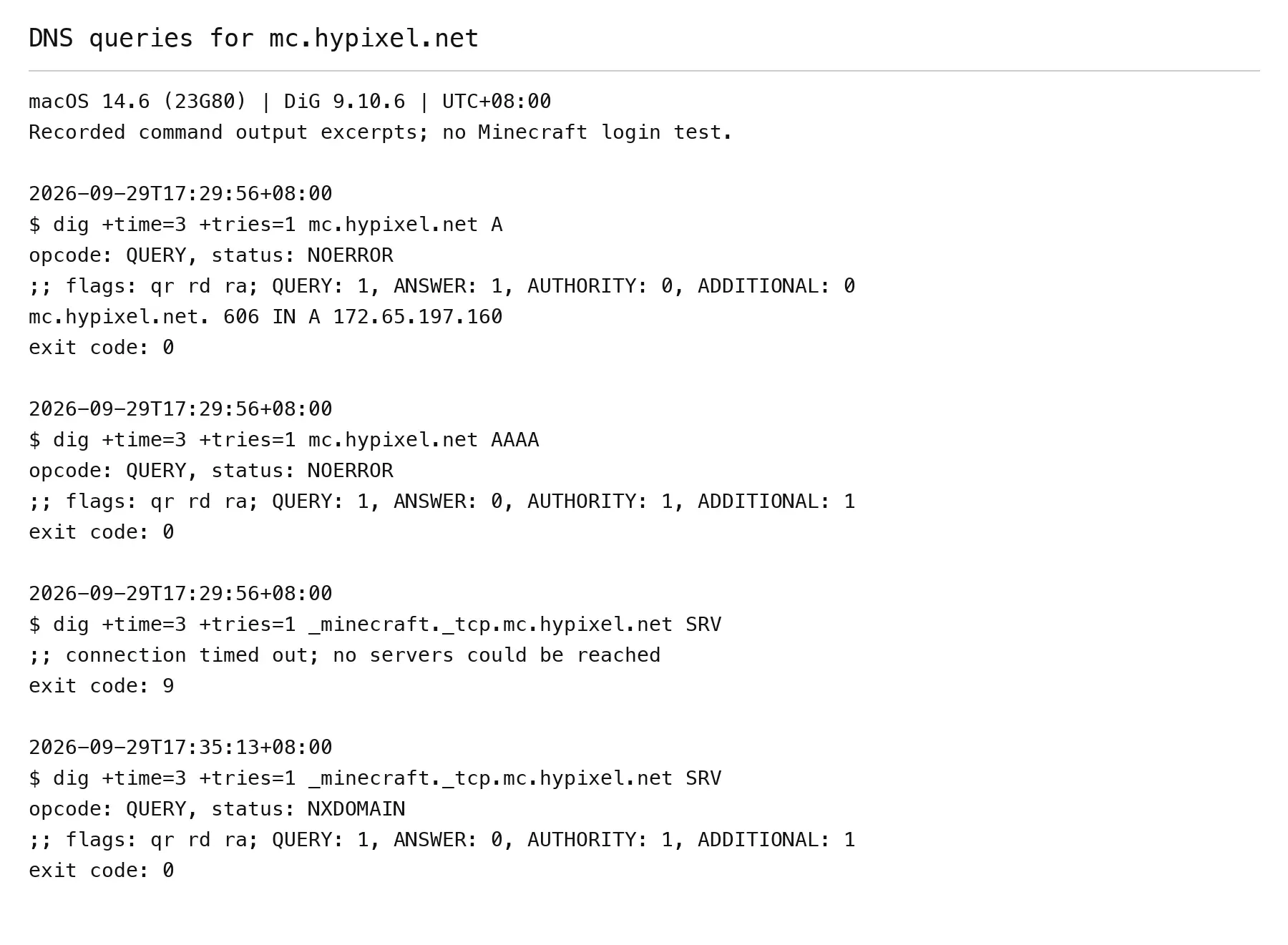
Verification scope: On September 29, 2026, A, AAAA, and SRV queries for mc.hypixel.net and an IPv4 TCP 25565 connection test were run on macOS 14.6.
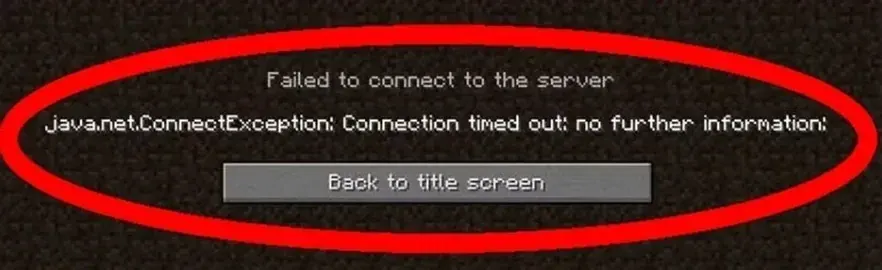
Narrow Down the Symptom First
| Symptom | Check first | Who should investigate |
|---|---|---|
| Only one server times out | Address, port, version, status, and whitelist | Player and server operator |
| Several servers time out | Local network, outbound rules, and current forwarding path | Player |
| LAN access works but public access fails | Inbound rules, forwarding, double NAT, and ISP restrictions | Server operator |
| Java TCP test succeeds but joining still fails | Handshake, account, version, mods, and logs from the same time | Player and server operator |
| Bedrock cannot join | Actual UDP port, IPv4 or IPv6, and external join records | Server operator and external player |
Record whether the failure occurs immediately after clicking Join, during login, or after entering the world. A disconnect after joining can require different checks from a first-connection timeout.
Java and Bedrock Use Different Ports
| Scenario | Common port or protocol | Source of truth |
|---|---|---|
| Standalone Java server | TCP 25565 | server-port in server.properties; also check SRV when using a domain. |
| Standalone Bedrock server over IPv4 | UDP 19132 | server-port and the actual public port. |
| Standalone Bedrock server over IPv6 | UDP 19133 | server-portv6 and the actual IPv6 configuration. |
| Java single-player world opened to LAN | Port displayed for that session | The in-game value; do not assume 25565. |
These are common defaults. Hosting platforms, router forwarding, cross-edition gateways, and custom settings may change the public address and port. For Java settings, see Paper’s server.properties reference; it documents Paper and is not a complete guarantee for every Java implementation. For Bedrock ports and IPv6 settings, see Microsoft’s Bedrock Dedicated Server properties. A general proxy setup guide is not a source for Minecraft server settings.
Method 1: Check the Address, Edition, Version, and Server Status
Copy the complete address from the server operator’s announcement. Confirm Java versus Bedrock, supported game versions, mod loader, whitelist, and any custom port. A Java custom port is usually written as hostname:port; Bedrock generally has separate address and port fields in Edit Server. Hypixel is used here only as a Java network endpoint example. Its joining requirements are in the official Hypixel joining guide and do not apply to Bedrock.
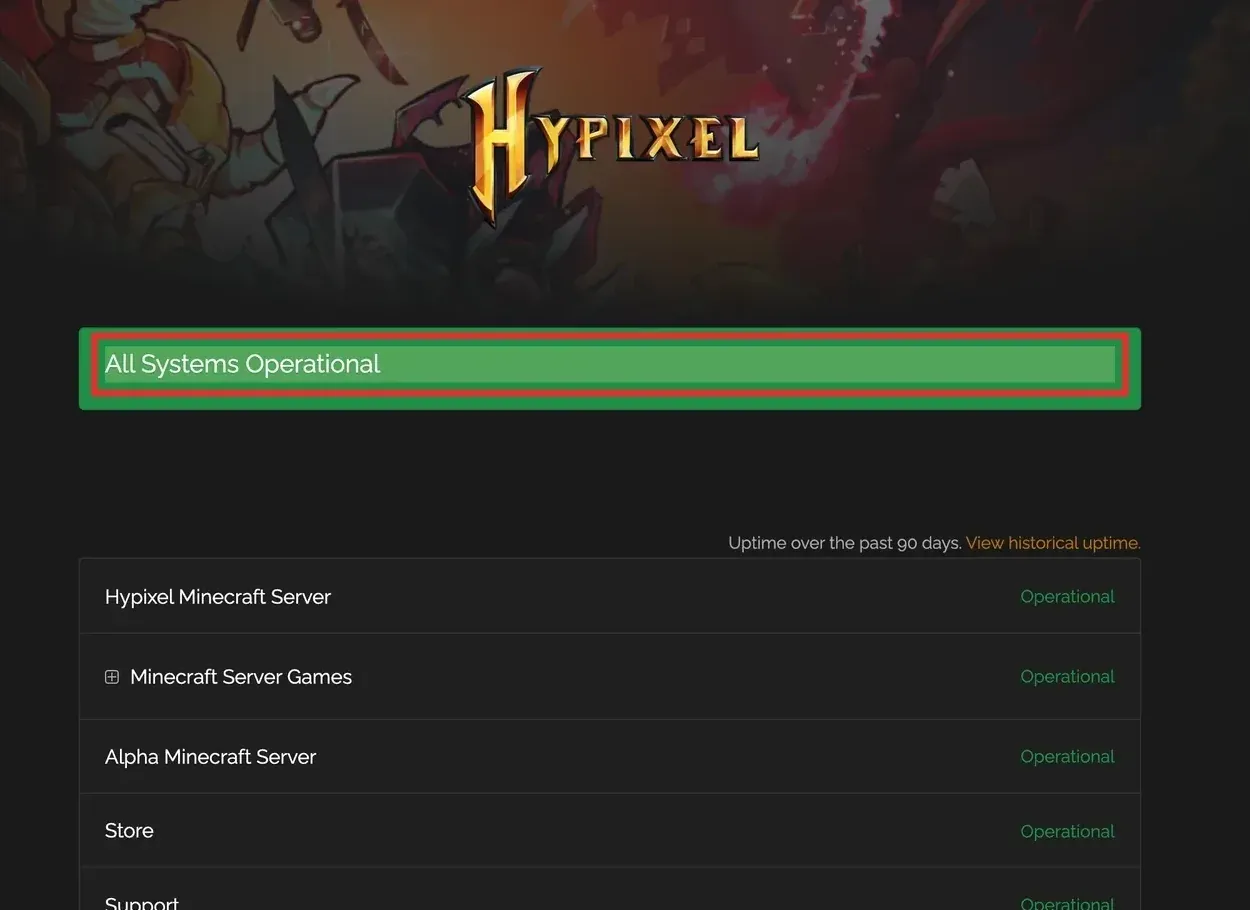
A status page is only a clue. Check when it was last updated, and ask the operator to inspect the server process and logs for the same period. “Operational” does not guarantee that your network can reach the game service or that your version can log in.
Method 2: Query the Entered Domain and Java SRV Record
An A record supplies an IPv4 address; AAAA supplies an IPv6 address. When a Java server uses an SRV record with its default connection flow, also query _minecraft._tcp. followed by the domain the player entered. SRV can return a target host and port. Resolve that target’s A and AAAA records too. Priority and weight can affect selection among multiple targets, so compare the result with the operator’s configuration and the client’s actual behavior. Whether a client uses SRV when a port was entered explicitly depends on that client implementation.
The commands below use mc.hypixel.net as a runnable example. For your server, change only the quoted domain value to the domain you actually enter in Minecraft. Do not paste explanatory text or angle-bracket placeholders into the terminal.
macOS or Linux terminal:
domain='mc.hypixel.net'
dig +time=3 +tries=1 "$domain" A
dig +time=3 +tries=1 "$domain" AAAA
dig +time=3 +tries=1 "_minecraft._tcp.$domain" SRV
Windows PowerShell:
$domain = 'mc.hypixel.net'
Resolve-DnsName -Name $domain -Type A
Resolve-DnsName -Name $domain -Type AAAA
Resolve-DnsName -Name "_minecraft._tcp.$domain" -Type SRV
Run the next group only if SRV actually returns a target. Enter the returned Target and Port, not the original player-facing domain unless they happen to be identical. A trailing dot on the target marks a fully qualified DNS name. With no SRV record, check the original domain and the operator’s published port instead of inventing an SRV target.
macOS or Linux terminal:
printf 'Enter the target host returned by SRV: '
read -r srv_target
printf 'Enter the port returned by SRV: '
read -r srv_port
dig +time=3 +tries=1 "$srv_target" A
dig +time=3 +tries=1 "$srv_target" AAAA
Windows PowerShell:
$srvTarget = Read-Host 'Enter the target host returned by SRV'
$srvPort = [int](Read-Host 'Enter the port returned by SRV')
Resolve-DnsName -Name $srvTarget -Type A
Resolve-DnsName -Name $srvTarget -Type AAAA
Keep the query status, not just any returned address. NOERROR with no answer of the requested type can simply mean that type is not configured; no AAAA record does not imply an IPv4 failure. SRV NXDOMAIN or an empty answer may mean the service record is absent; compare this with the operator’s intended setup. SERVFAIL, an unresponsive resolver, a query timeout, or an answer that conflicts with confirmed settings calls for further checks of the resolver, cache, delegation, and records. Windows can display some no-record results as errors too, so read the exact type before calling it a DNS fault.
Connecting by direct IP is also only a clue: the domain may involve SRV, IPv6, or hostname-based forwarding. A DNS answer does not prove the game port is reachable. Command options are documented in Microsoft’s Resolve-DnsName reference. dig may not be installed; run dig -v first to check.
Method 3: Test the Actual Java TCP Endpoint
Identify the final host and public port before testing TCP. If SRV exists, use its target and port. Otherwise use the operator’s announcement or configuration. These commands prompt for the actual values and quote shell variables so explanatory text cannot be mistaken for a command argument.
macOS system nc:
printf 'Enter the final target host: '
read -r target_host
printf 'Enter the actual TCP port: '
read -r target_port
nc -4 -vz -G 5 "$target_host" "$target_port"
Linux OpenBSD nc, where available: Check nc -h on your system first; other variants can use different options and timeout behavior.
printf 'Enter the final target host: '
read -r target_host
printf 'Enter the actual TCP port: '
read -r target_port
nc -4 -vz -w 5 "$target_host" "$target_port"
Windows PowerShell:
$targetHost = Read-Host 'Enter the final target host or IP'
$targetPort = [int](Read-Host 'Enter the actual TCP port')
Test-NetConnection -ComputerName $targetHost -Port $targetPort
On macOS, -G is a connection timeout option; do not assume it is identical to -w in every Linux nc. These -4 commands specifically test IPv4. To test IPv6, first confirm that an IPv6 address and route exist, then use -6 where supported. In PowerShell, record RemoteAddress to identify the address family actually tested. An IPv4-only result says nothing about IPv6 reachability.
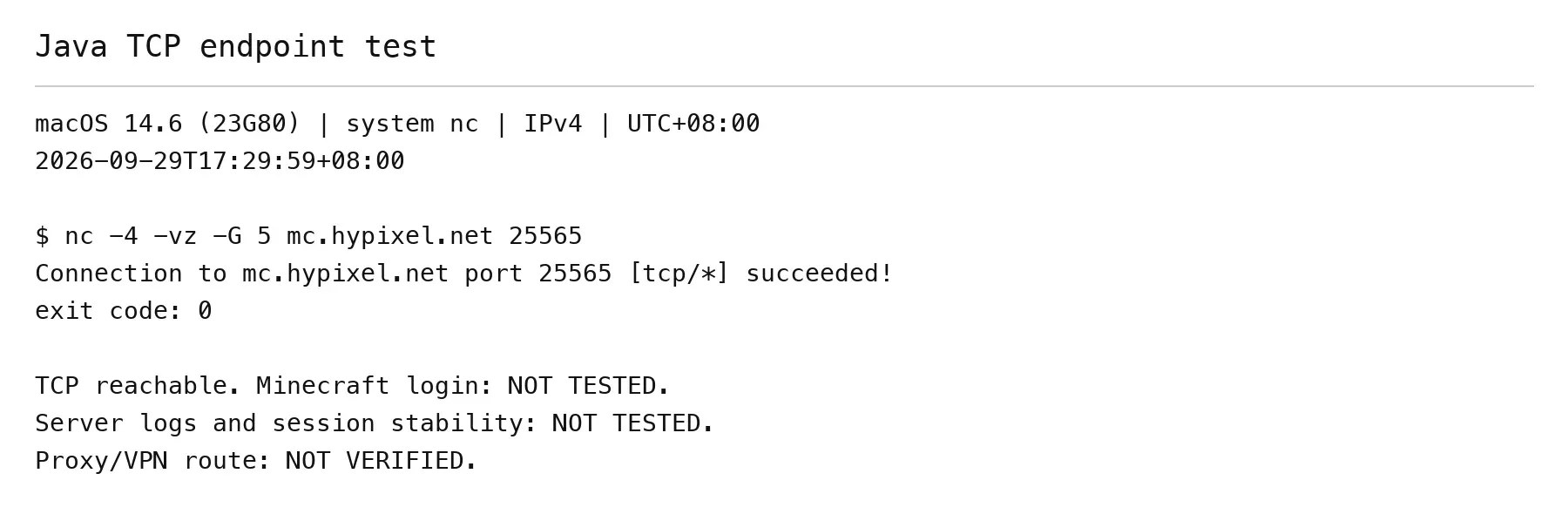
“succeeded” or TcpTestSucceeded : True means that this test established a TCP connection to the tested endpoint. It does not validate the Minecraft handshake, account login, or whitelist, and it cannot substitute for a Bedrock UDP test. See Microsoft’s Test-NetConnection reference.
If the test times out, examine the listener, route, and firewall before concluding that the server is down. “Connection refused” means an explicit rejection, possibly from a service that is not listening or an intermediate device; it differs from a timeout with no response. This article did not reproduce a real failed Minecraft connection followed by a verified repair and join, so it does not present invented failure logs or a successful-fix claim.
Method 4: Check the Server Listener and Bind Address
Java server operators should confirm that the process is running, server-port in server.properties matches the published port, and the service is not bound only to 127.0.0.1 or ::1. server-ip is usually left blank; do not enter a public address that the host’s own network interface does not hold. Check the ports of cross-edition gateways or front-end proxies against their separate configurations.
Windows PowerShell, Java listener:
$listenPort = [int](Read-Host 'Enter the Java local listening port')
Get-NetTCPConnection -LocalPort $listenPort -State Listen
macOS or Linux, Java listener (lsof must be installed):
printf 'Enter the Java local listening port: '
read -r listen_port
lsof -nP -iTCP:"$listen_port" -sTCP:LISTEN
For Bedrock, an operator can inspect UDP bindings in Windows with the first command below. On Linux, use ss -lunp and find the actual port in its output. When needed, use appropriate privileges to confirm the process; a matching port number alone is insufficient.
$udpPort = [int](Read-Host 'Enter the Bedrock local UDP port')
Get-NetUDPEndpoint -LocalPort $udpPort
ss -lunp
Check LocalAddress, OwningProcess or process name, and server-portv6. A UDP binding does not prove public packets have arrived. No connection entry in an application log does not prove packets never reached the host, because the service may not log every UDP datagram. If needed, inspect firewall counters or take a narrowly scoped packet capture for the actual protocol and port. On a cloud host, check the security group; in a container, check published ports and TCP versus UDP.
Method 5: Check Player Outbound and Server Inbound Rules Separately
A player connecting to someone else’s server should check whether outbound rules block the actual game process. Allowing the launcher may not allow the java or javaw process it starts. Server operators should inspect inbound rules and allow only the actual service, protocol, and port. Do not disable the entire firewall for troubleshooting.
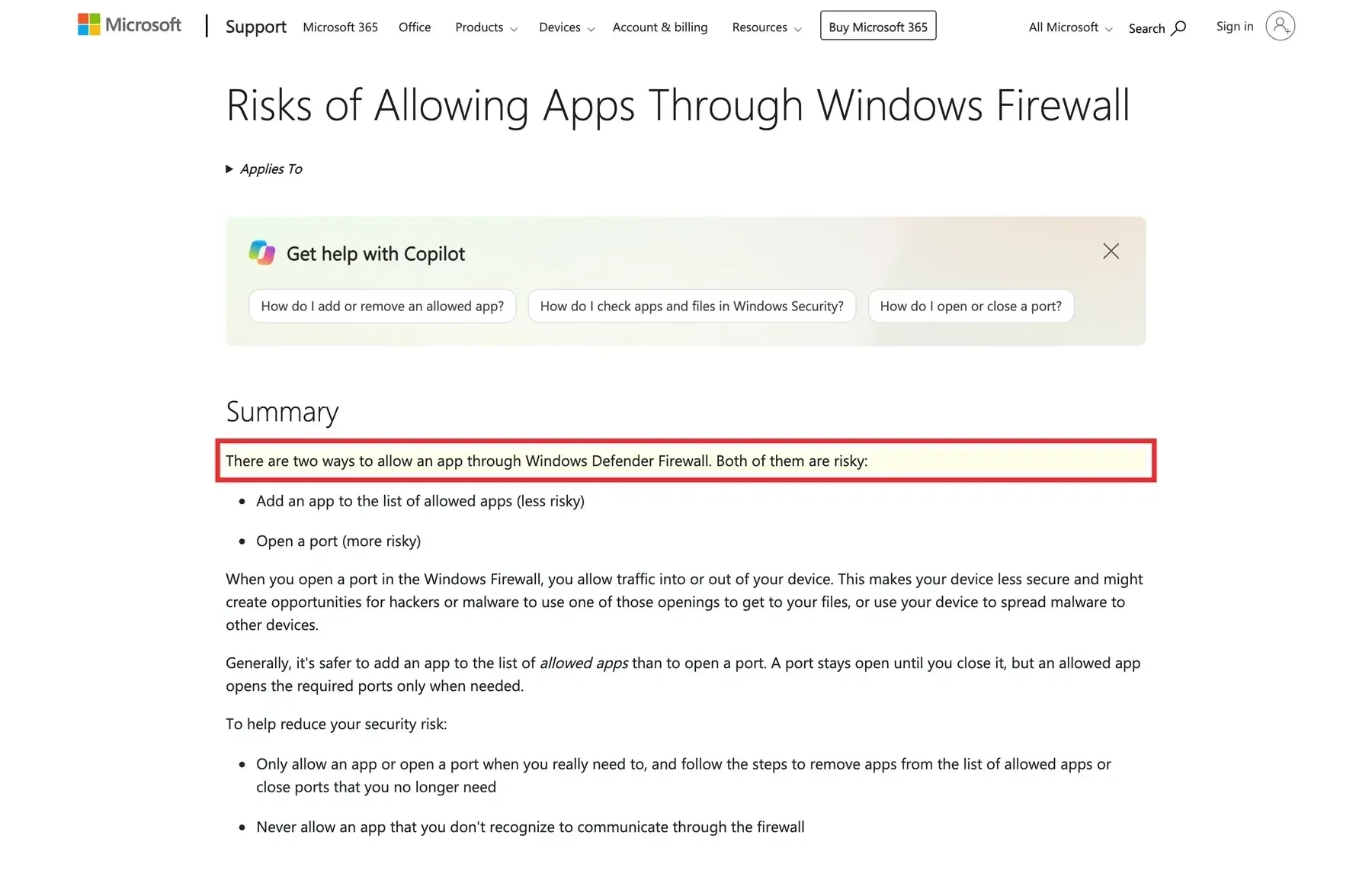
On Windows, confirm the actual process path in Task Manager, then inspect its application rule and active network profile. Enterprise policies may require a network administrator. Microsoft’s risks of allowing apps through Windows Firewall explains the rule trade-off; it is not proof that any particular device was checked.
If an Ubuntu server actually uses UFW, inspect its status and numbered rules first. These commands are for operators on their own servers and were not run in this article’s test environment. When managing a server remotely, do not enable an inactive UFW just for this test; first secure the management path and a recovery method.
sudo ufw status verbose
sudo ufw status numbered
Save or capture the current rule numbers, rule contents, and UFW state. Only if UFW is active, enter the actual port and choose one protocol group for the edition in use. Check that the comment marker is not already in use before running the command.
Java TCP example:
printf 'Enter the actual Java server TCP port: '
read -r game_port
sudo ufw allow "$game_port/tcp" comment 'mc-timeout-test-20260929'
sudo ufw status numbered
Bedrock UDP example:
printf 'Enter the actual Bedrock server UDP port: '
read -r game_port
sudo ufw allow "$game_port/udp" comment 'mc-timeout-test-20260929'
sudo ufw status numbered
Compare the lists from before and after. Record the content and number of any rule actually added. If UFW reports that a rule already exists or skips the addition, do not count that existing rule as new or delete it. With IPv6 enabled, one operation may produce separate IPv4 and IPv6 rules; identify both. After an external join test, if rollback is needed, delete only a rule confirmed to have been added by this test.
sudo ufw status numbered
printf 'Enter the current number of a verified newly added rule: '
read -r rule_no
case "$rule_no" in
  ''|*[!0-9]*|0) printf 'Invalid number; no rule deleted\n' ;;
  *) sudo ufw delete "$rule_no" ;;
esac
sudo ufw status numbered
Check the rule content again at the deletion prompt. Recheck numbering after each deletion because remaining rules are renumbered. If another newly added IPv6 rule remains, verify its new number before deleting it. Finally compare with the original list to confirm existing rules remain. Do not use ufw reset or bulk-delete guessed old numbers. See the Ubuntu UFW manual for command and numbered-rule behavior.
Method 6: Check the Public Entry Point and IPv4 Forwarding on a Self-Hosted Server
Players joining someone else’s server usually do not need inbound port forwarding on their home router. A self-hosted server operator should give the server a stable LAN address and ensure the forwarding rule targets the port on which the service actually listens. The external port can differ, but the protocol must match.
| Public entry example | Router’s internal target | Player connects to |
|---|---|---|
| TCP 30000 | 192.168.1.50:25565 TCP |
Public address:30000 |
| UDP 19132 | 192.168.1.50:19132 UDP |
Public address and port 19132 |
This table illustrates mapping only; it was not tested in this environment. Public IPv6 requires separate checks of its address, route, and inbound firewall; IPv4 NAT forwarding does not translate directly. For address-family background, see Rola-IP’s IPv4 vs IPv6 guide.
Compare the router’s WAN IPv4 with the public IPv4 shown by an IP Lookup tool opened directly in a browser on the same network. First confirm that the browser is not using a proxy or VPN, which would show its exit instead of the router’s WAN path. A private WAN address, an address in 100.64.0.0/10, or a mismatch with a confirmed direct public address suggests an upstream router, double NAT, or CGNAT. Verify the topology and ask the ISP before drawing a conclusion.
Test joining from an outside network, such as a phone hotspot, to avoid a false negative when the router lacks NAT loopback. Do not enable DMZ for troubleshooting. If the ISP provides no usable public inbound path, an ordinary outbound proxy will not create inbound forwarding for the operator.
Method 7: Compare Direct, VPN, and Proxy Paths
Keep the device, account, target server, and game version the same. Record a direct-connection result, then change only the network path. If direct access works but the forwarded path fails, inspect that path’s DNS, authentication, route, transport protocol, and latency. If both fail, return to the server entry point and game layer. Follow local network rules on school or company networks.
A browser HTTP proxy usually does not carry Minecraft’s native TCP or UDP traffic automatically. SOCKS5 also requires a game client or forwarding tool that supports and configures the relevant protocol. Results from the Rola-IP SOCKS5 checker describe the tested proxy endpoint, not whether the game process used it. For Bedrock UDP, check support in both the specific proxy service and forwarding client; the “SOCKS5” label alone is insufficient.
On a test server you own and can log, compare the actual game connection, the source address observed by the server, and session stability on one timeline. If a front-end gateway rewrites the source address, record what the gateway and back-end each see. Without log access, work with the server operator rather than inventing observations.
A long-lived connection does not automatically move to a new proxy exit. Changing an exit may require reconnecting if it invalidates the existing TCP or UDP address mapping, route, or forwarding state. Merely updating a proxy list may leave an existing connection on its old path, so it may not disconnect immediately. Check the tool’s behavior and actual test results. Avoid unnecessary exit rotation during play, while distinguishing the recommendation for session stability from a claim that every exit change inevitably disconnects the game.
For product use cases, see the Rola-IP Minecraft proxy solution. This article did not verify that product’s game compatibility, UDP forwarding, or performance and does not promise lower latency. An outbound proxy, an inbound tunnel, and a server gateway serve different purposes.
Method 8: Check the Game Layer After the Port Is Reachable
Once Java TCP is reachable, compare client and server protocol versions, Forge or Fabric loaders, mods, whitelist, account authentication, and the Java runtime selected by the launcher. Operators should align the failure time with server logs to distinguish authentication, handshake, mod, and network errors. Do not disable authentication to avoid an account problem.
Bedrock requires a genuine join attempt from an external client, compared with server logs or an authorized packet capture, to assess UDP traffic in both directions. A successful TCP test or a bound UDP port alone does not prove a Bedrock player can join. Change one variable at a time and retest with the same device, account, and network.
Recorded Test Results and Reproduction Scope
The following summarizes tests actually run for this article.
| Item | Recorded result |
|---|---|
| Date and time zone | September 29, 2026, 17:29:56–17:35:13 Asia/Shanghai (UTC+08:00) |
| Operating system | macOS 14.6, build 23G80 |
| Shell and tools | zsh 5.9 (x86_64-apple-darwin23.0); DiG 9.10.6; macOS system nc has no separate version number, and nc -h was checked. |
| Targets | A and AAAA for mc.hypixel.net; SRV for _minecraft._tcp.mc.hypixel.net; IPv4 TCP 25565. |
| DNS | A: 172.65.197.160; AAAA: NOERROR, zero answers; first SRV query timed out with exit code 9; retry returned NXDOMAIN with exit code 0. |
| TCP | At 17:29:59, nc -4 -vz -G 5 mc.hypixel.net 25565 exited 0 and printed succeeded. |
Conclusion
Start with the edition, address, and actual port. Check DNS and SRV, the endpoint for the correct protocol, the server listener and inbound path, then the game layer. Status pages, browser IP checks, and port tests each provide only part of the evidence. A repair is confirmed by joining and retesting the session under the same conditions. This article adds macOS DNS and IPv4 TCP evidence; it did not verify an in-game join.