
Aiohttp With Proxy: Configure HTTP, HTTPS, and SOCKS5 Proxies in Python

Sep 9, 2026 · Guides · 12 min read
TL;DR
A reliable aiohttp with proxy configuration has to handle the proxy protocol, authentication, timeouts, connection pooling, concurrency limits, session strategy, and verifiable responses together, rather than simply adding a proxy address to a request.
- HTTP/HTTPS targets: aiohttp natively supports plain HTTP proxies and HTTP CONNECT tunneling.
- SOCKS4/SOCKS5: Install
aiohttp-socksand connect through a connector. - Rola IP: Generate an endpoint in the product dashboard that matches your required region, IP type, and session behavior, then store the credentials in environment variables.
- Batch jobs: Reuse one
ClientSessionand limit concurrency with both the connection pool and aSemaphore. - Failure handling: Retry connection errors, timeouts, 429 responses, and selected 5xx responses only a limited number of times. Fix permissions or authentication first for 401, 403, and 407.
- Verification: Do not look only at HTTP 200. Verify the exit IP, region, response fields, and the share of each error type.
What Is Aiohttp With Proxy?
Aiohttp with proxy means routing asynchronous Python HTTP requests through a proxy server before they reach the target website or API.
aiohttp is built on asyncio and is useful when a program needs to wait for multiple network responses at the same time. It does not automatically make one individual request faster, but it can schedule other work while I/O is waiting. That makes it suitable for authorized data collection, regional content verification, price monitoring, and multi-API checks. The proxy sits between the client and the target, so the target sees the proxy exit rather than the original egress address of the machine running the script.
In proxy workflows, asynchronous execution can also amplify configuration mistakes. Without a concurrency limit, a faulty loop can send a large number of requests almost instantly. If a new session is created for every request, the connection pool cannot be reused. If every status code is retried, an authentication failure can turn into continuous traffic. For that reason, this guide does more than answer how to set proxy in aiohttp; it also covers the controls needed for production use.

Figure 1: Rola IP English rotating residential proxy product page.
How Does an Aiohttp Proxy Request Work?
An aiohttp proxy request has four independent parts: the target URL, the proxy endpoint, proxy authentication, and the connection strategy.
| Configuration | What it does | Common mistake |
|---|---|---|
url |
The final website or API to access | Mistaking the proxy address for the target URL |
proxy |
HTTP proxy endpoint | Using the wrong scheme, host, or port |
| Proxy credentials | Authenticate with the provider | Failing to escape special characters, resulting in 407 |
ClientTimeout |
Limit connection and read waits | Setting only a total timeout, making slow stages hard to diagnose |
TCPConnector |
Manage the connection pool and per-host connections | Creating a new session for every request |
| Session parameters | Control rotating or sticky IP behavior | Changing IP on every request when login continuity is required |
The official aiohttp Proxy support documentation explains that the library natively supports plain HTTP proxies and HTTPS targets accessed through the HTTP CONNECT method. It also notes that an endpoint whose proxy URL itself starts with https:// is a TLS-in-TLS case. Support depends on the Python transport layer and should not be confused with accessing an HTTPS website through an HTTP proxy.
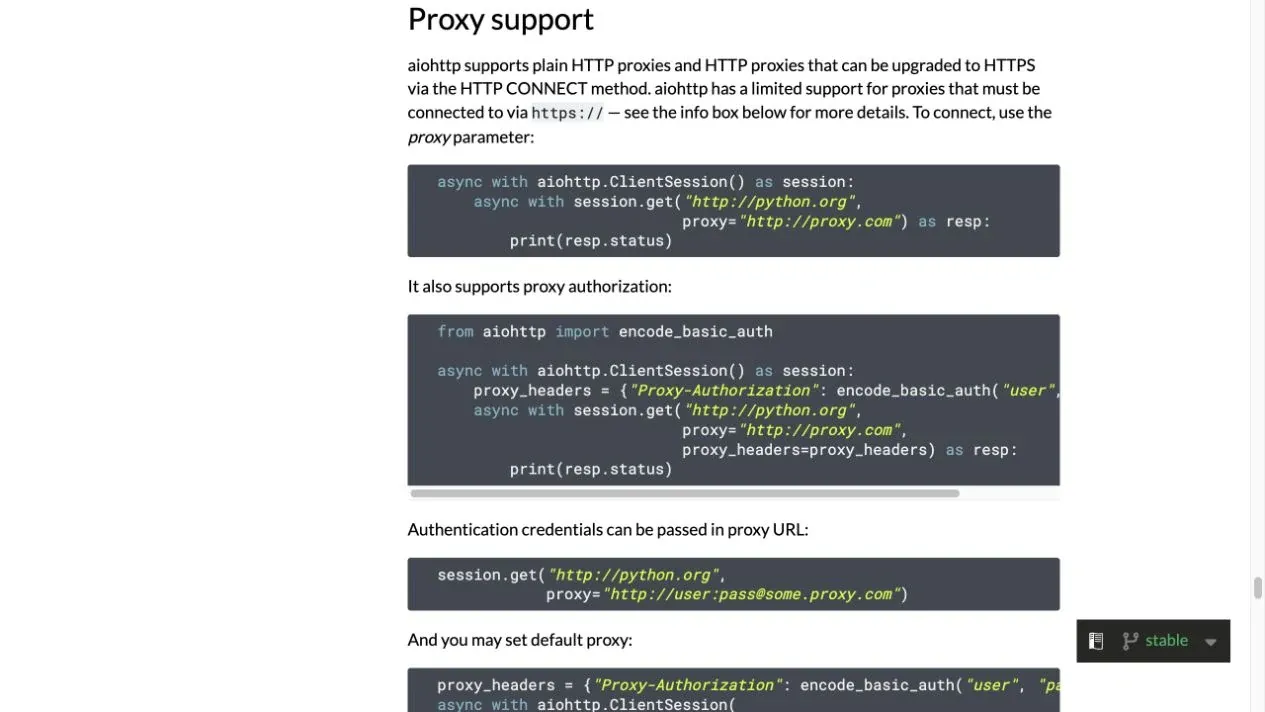
Figure 2: Proxy support section in the official aiohttp English documentation.
Environment and Verified Versions
The following aiohttp proxy example was run in an isolated environment with fixed versions and was verified through a local authenticated proxy to confirm that the request actually passed through the proxy.
python3 -m venv .venv
source .venv/bin/activate
# Windows PowerShell: .venv\Scripts\Activate.ps1
python -m pip install aiohttp==3.14.3 aiohttp-socks==0.11.0
The verification environment used Python 3.14.0, aiohttp 3.14.3, and aiohttp-socks 0.11.0. asyncio is part of the Python standard library, so you do not need to run pip install asyncio. Production projects can use compatible version ranges, but the final resolved versions should be saved in a lock file, and connection tests should be rerun after upgrading aiohttp. For additional language-specific parameters, consult the official python proxy integration manual.
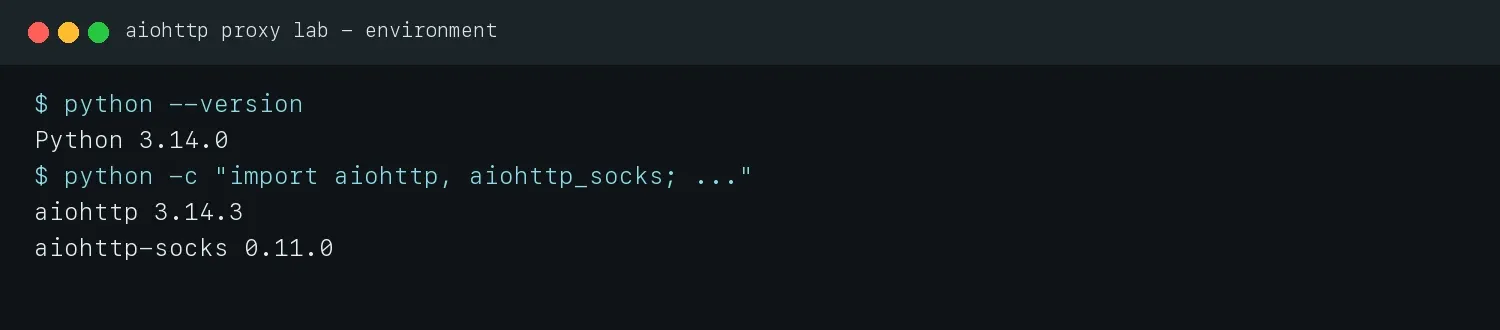
Figure 3: Python, aiohttp, and aiohttp-socks versions used in the hands-on verification.
How to Set Proxy in Aiohttp With Rola IP
The complete Rola IP workflow is: choose a proxy network, generate the endpoint and authentication information, save the values in environment variables, run the aiohttp request, and finally verify the exit and target response.
Step 1: Choose a Rola IP Network for the Task
For large-scale collection from public pages or cross-region verification, you can first evaluate Rola IP rotating residential proxies. If the task prioritizes a fixed exit and long-lived sessions, compare static residential/ISP products instead. The product page currently shows country- and city-level targeting, per-request rotation, and sticky-session capabilities. The countries, cities, ASNs, ports, and plans actually available should be confirmed in the dashboard at the time of purchase.
Do not replace testing with the assumption that “residential proxies always work.” First fix a set of 20-50 representative, authorized URLs. Under the same concurrency, timeout, and session duration, measure the valid response rate, P95 latency, traffic per valid result, and failure types before deciding which network type to use.
Step 2: Generate Connection Details in the Dashboard
Follow the English proxy quick start to generate the host, port, username, and password. If you need region or session control, copy the complete username format generated by the dashboard instead of guessing parameter names. This article does not show real account credentials.
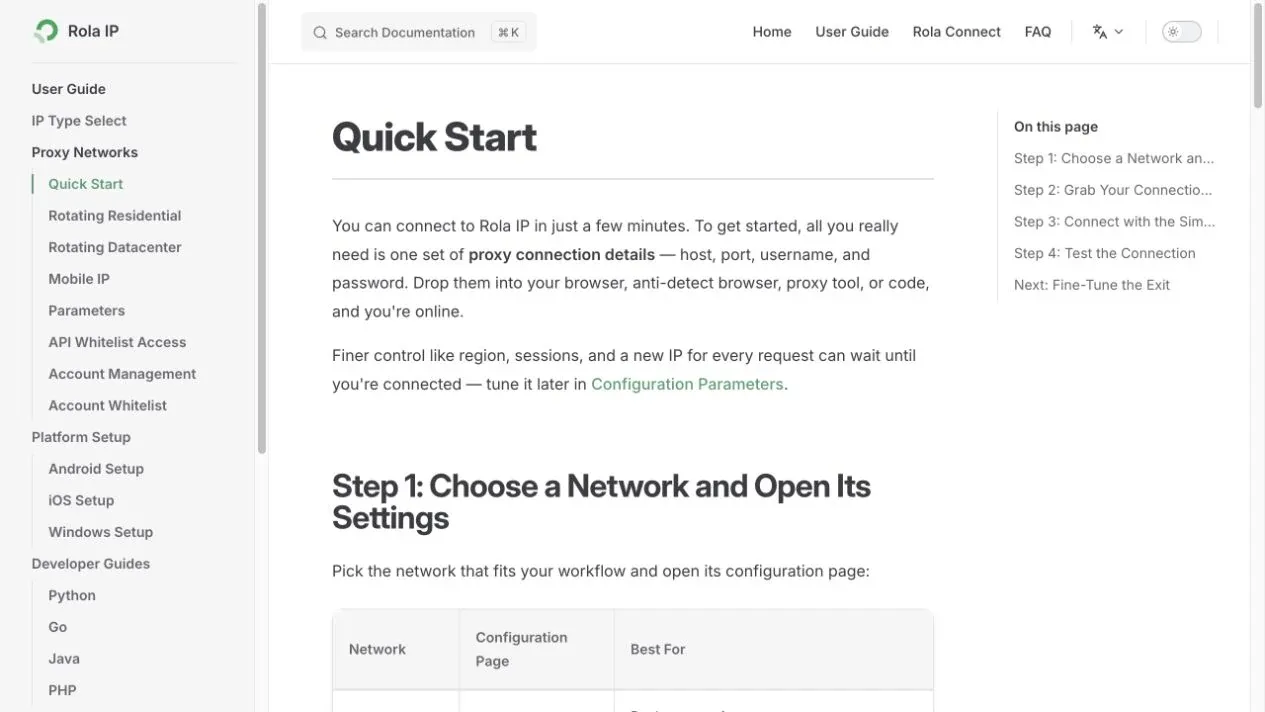
Figure 4: Rola IP English Quick Start page used to confirm the endpoint and authentication flow.
Step 3: Store Proxy Credentials in Environment Variables
export ROLA_PROXY_HOST="YOUR_PROXY_HOST"
export ROLA_PROXY_PORT="YOUR_PROXY_PORT"
export ROLA_PROXY_USERNAME="YOUR_PROXY_USERNAME"
export ROLA_PROXY_PASSWORD="YOUR_PROXY_PASSWORD"
export TARGET_URL="https://example.com/authorized-endpoint"
In Windows PowerShell, you can use $env:ROLA_PROXY_HOST="...". Environment variables make CI/CD injection and credential rotation easier than hard-coding a password, but you should still avoid committing .env files, terminal history, or debug logs to a repository.
Step 4: Run a Basic HTTP Proxy Example
import asyncio
import json
import os

import aiohttp
from yarl import URL


def require_env(name: str) -> str:
    value = os.getenv(name)
    if not value:
        raise RuntimeError(f"Missing required environment variable: {name}")
    return value


async def fetch_json() -> dict:
    proxy_url = str(URL.build(
        scheme="http",
        host=require_env("ROLA_PROXY_HOST"),
        port=int(require_env("ROLA_PROXY_PORT")),
        user=require_env("ROLA_PROXY_USERNAME"),
        password=require_env("ROLA_PROXY_PASSWORD"),
    ))
    timeout = aiohttp.ClientTimeout(total=30, connect=10, sock_read=20)

    async with aiohttp.ClientSession(timeout=timeout) as session:
        async with session.get(require_env("TARGET_URL"), proxy=proxy_url) as response:
            response.raise_for_status()
            return await response.json(content_type=None)


print(json.dumps(asyncio.run(fetch_json()), indent=2))
URL.build() correctly encodes reserved characters such as @ and : in usernames or passwords, avoiding authentication values being split incorrectly by manual string concatenation. This example was tested with a local Basic-auth HTTP proxy. The target response contained via_proxy: true, injected by the proxy, which proved that the request did not bypass the proxy. When connecting to a real Rola IP endpoint, replace the target with an authorized IP-check endpoint or business page.
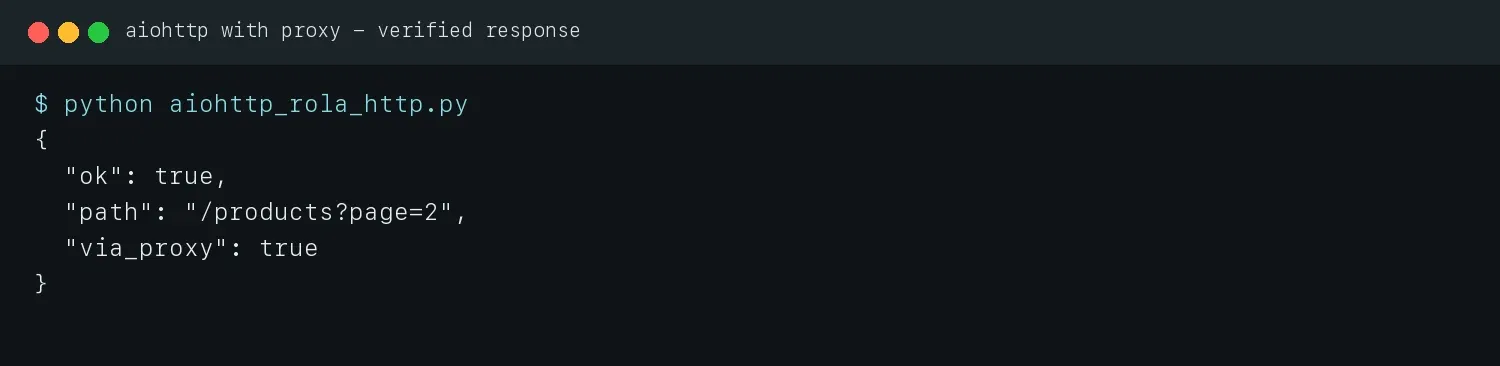
Figure 5: Real terminal output from the basic aiohttp with proxy example.
How to Configure an Aiohttp HTTPS Proxy Correctly
Most configurations described as aiohttp https proxy actually use an http:// proxy endpoint and access an https:// target URL through a CONNECT tunnel.
import asyncio
import os

import aiohttp
from yarl import URL


async def main():
    proxy_url = str(URL.build(
        scheme="http",
        host=os.environ["ROLA_PROXY_HOST"],
        port=int(os.environ["ROLA_PROXY_PORT"]),
        user=os.environ["ROLA_PROXY_USERNAME"],
        password=os.environ["ROLA_PROXY_PASSWORD"],
    ))
    timeout = aiohttp.ClientTimeout(total=30, connect=10, sock_read=20)
    async with aiohttp.ClientSession(timeout=timeout) as session:
        async with session.get(os.environ["TARGET_URL"], proxy=proxy_url) as response:
            response.raise_for_status()
            print(await response.text())


asyncio.run(main())
The connection to the target is still protected by TLS, but the client first connects to the HTTP proxy. The proxy endpoint itself is an HTTPS proxy only when the provider explicitly supplies a URL such as https://proxy-host:port. That case involves TLS-in-TLS and must be verified with the exact Python/aiohttp combination used in deployment. Do not “fix” certificate errors with ssl=False; that disables certificate verification. Instead, check the system CA store, target hostname, proxy protocol, and whether a custom SSLContext trusts both the target and HTTPS proxy certificate chains.
| Pattern | Meaning | Recommendation |
|---|---|---|
HTTPS target + http://proxy |
Access the HTTPS target through a CONNECT tunnel | Common and natively supported by aiohttp |
HTTPS target + https://proxy |
Establish TLS to the proxy itself as well | Verify runtime TLS-in-TLS support first |
ssl=False |
Disable target certificate verification | Do not use as a production fix |
How to Use Aiohttp SOCKS Proxy and SOCKS5
aiohttp does not natively provide a SOCKS connector. An aiohttp socks proxy setup requires installing aiohttp-socks and passing a ProxyConnector to ClientSession.
Rola IP’s English proxy protocol guide can be used to confirm the protocols currently supported by a product. Set the scheme to socks5 only when the endpoint generated in the dashboard explicitly supports SOCKS5. An HTTP endpoint cannot be turned into SOCKS5 simply by changing the URL prefix.
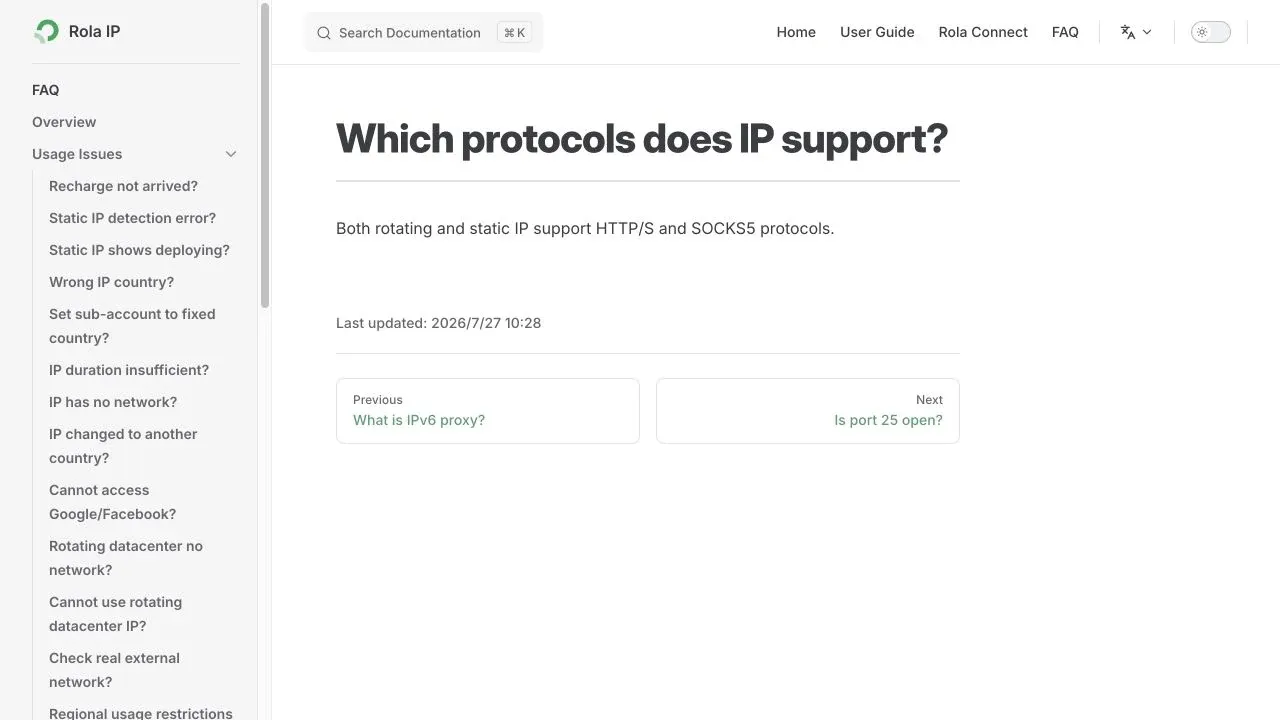
Figure 6: Proxy protocol information in Rola IP English documentation.
import asyncio
import os

import aiohttp
from aiohttp_socks import ProxyConnector
from yarl import URL


async def main() -> None:
    proxy_url = str(URL.build(
        scheme="socks5",
        host=os.environ["ROLA_PROXY_HOST"],
        port=int(os.environ["ROLA_PROXY_PORT"]),
        user=os.environ["ROLA_PROXY_USERNAME"],
        password=os.environ["ROLA_PROXY_PASSWORD"],
    ))
    connector = ProxyConnector.from_url(proxy_url, rdns=True)
    timeout = aiohttp.ClientTimeout(total=30, connect=10, sock_read=20)

    async with aiohttp.ClientSession(connector=connector, timeout=timeout) as session:
        async with session.get(os.environ["TARGET_URL"]) as response:
            response.raise_for_status()
            print(await response.text())


asyncio.run(main())
rdns=True makes the SOCKS5 proxy resolve the target hostname, which can reduce local DNS exposure and make the geographic resolution path more consistent. This article verified that a URL containing credentials with special characters can create and close the connector. Because no live user SOCKS5 credentials were available, the final exit still needs to be verified after purchasing an endpoint by following the steps above. The official aiohttp-socks project lists current support for SOCKS4(a), SOCKS5(h), HTTP CONNECT, and proxy chaining.
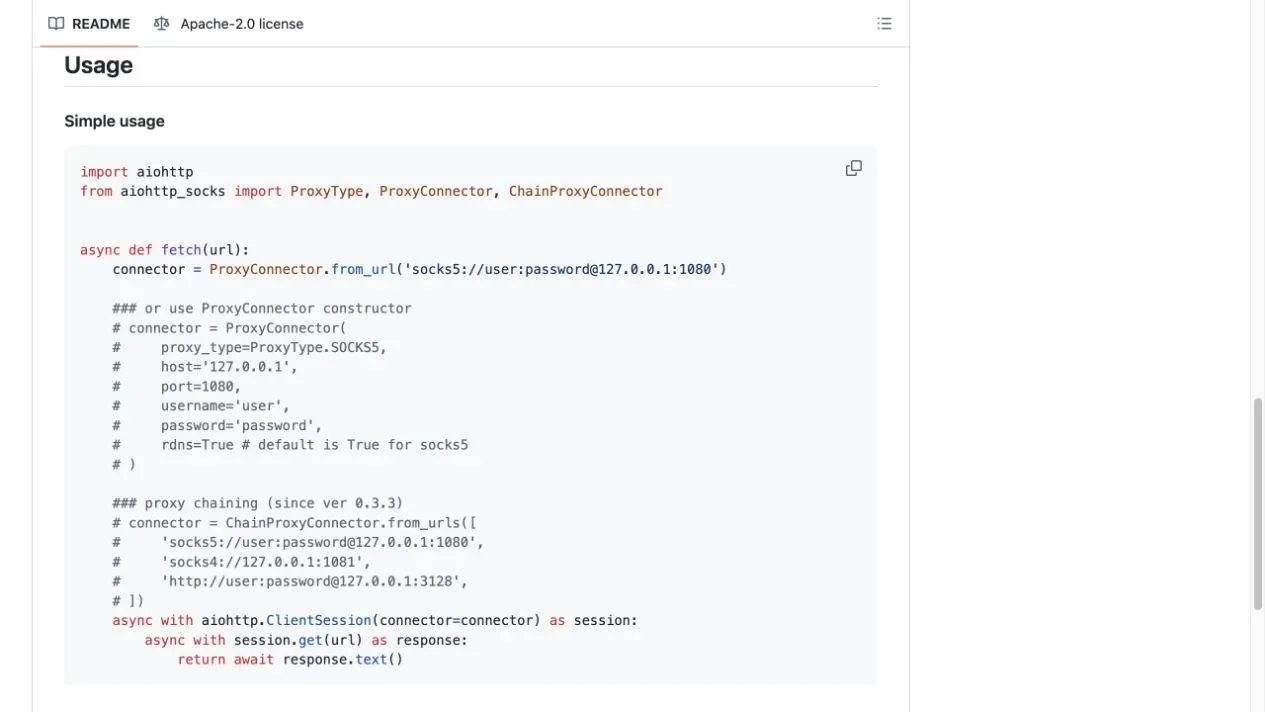
Figure 7: Official aiohttp-socks English Usage page.
Rotating and Sticky Sessions With Rola IP
Rotating sessions are suitable for independent requests, while sticky sessions are better for multi-step workflows that require consistent geography and Cookie state.
Rola IP rotation is generally controlled by the gateway and username/parameters rather than by maintaining a free proxy list in Python. When requests are sent through the same generated endpoint, whether the IP rotates per request or remains stable for a period should be determined by the session settings in the dashboard.
| Task | Recommended strategy | Reason |
|---|---|---|
| Independent product or search pages | Rotate per request | Spread request pressure across exits |
| Paginated API with no state between pages | Rotation or short session | Balance distribution with connection reuse |
| Multi-step verification after an authorized login | Sticky session | Keep IP, Cookie, and workflow state consistent |
| Country/city content checks | Fix the region, allow the exit to rotate | Avoid mixing geographic variables with IP variables |
| Reproducing an error | Fixed session | Make before-and-after comparisons explainable |
Proxy rotation is not a substitute for rate limiting and should not be used to evade access that the target explicitly prohibits. Follow robots.txt, terms of service, API limits, and data-protection requirements first, then design the session around the authorized task.
How to Reuse ClientSession and Limit Concurrency
Production aiohttp with proxy code should reuse a single ClientSession and limit both the connection pool and task concurrency.
import asyncio
import aiohttp


async def fetch_one(session, semaphore, url, proxy_url):
    async with semaphore:
        async with session.get(url, proxy=proxy_url) as response:
            text = await response.text()
            response.raise_for_status()
            return response.status, text


async def fetch_many(urls, proxy_url):
    timeout = aiohttp.ClientTimeout(total=30, connect=10, sock_read=20)
    connector = aiohttp.TCPConnector(limit=10, limit_per_host=5)
    semaphore = asyncio.Semaphore(3)

    async with aiohttp.ClientSession(timeout=timeout, connector=connector) as session:
        return await asyncio.gather(
            *(fetch_one(session, semaphore, url, proxy_url) for url in urls),
            return_exceptions=True,
        )
TCPConnector(limit=10) limits the total number of connections, limit_per_host=5 constrains connections to the same target, and Semaphore(3) controls how many business tasks can enter the request section simultaneously. These three numbers should not be copied directly into every project. Start with low concurrency and adjust gradually based on target permissions, response latency, the share of 429 responses, and Rola IP plan limits. When return_exceptions=True is used, inspect every result individually; otherwise, an exception object may be mistaken for normal data.
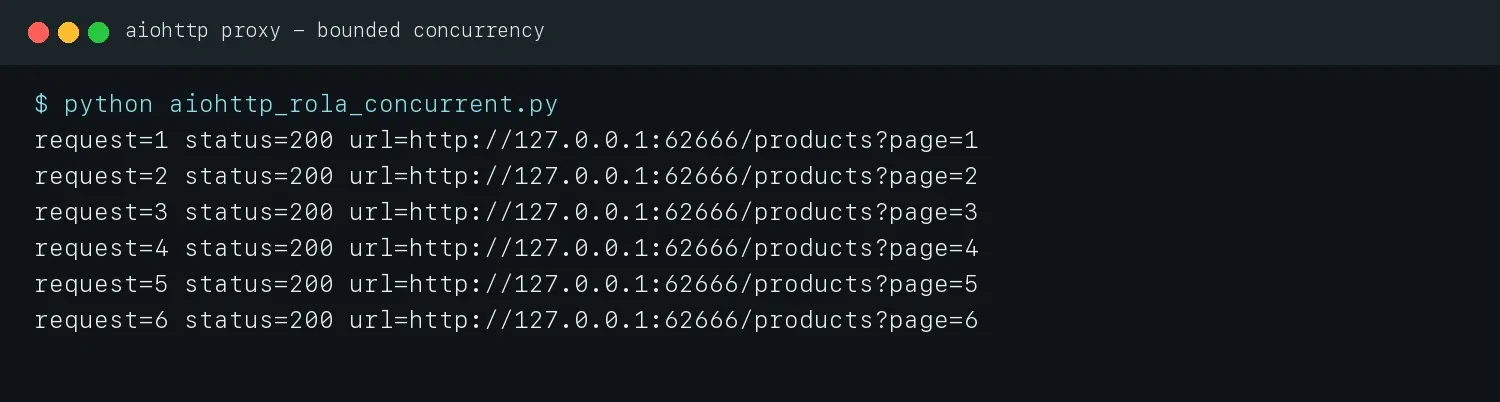
Figure 8: Real terminal output after reusing ClientSession and limiting concurrency.
How to Use HTTP_PROXY With trust_env
aiohttp does not read HTTP_PROXY and HTTPS_PROXY by default. It uses environment proxy settings only when ClientSession(trust_env=True) is created.
export HTTP_PROXY="http://username:password@proxy-host:proxy-port"
export HTTPS_PROXY="$HTTP_PROXY"
export NO_PROXY="127.0.0.1,localhost"
import asyncio
import aiohttp


async def main():
    timeout = aiohttp.ClientTimeout(total=30)
    async with aiohttp.ClientSession(trust_env=True, timeout=timeout) as session:
        async with session.get("https://example.com/authorized-endpoint") as response:
            response.raise_for_status()
            print(await response.text())


asyncio.run(main())
Passing proxy= explicitly makes per-request auditing easier, while trust_env=True is more suitable for containers or centrally managed environments. Note that NO_PROXY causes matching hosts to bypass the proxy, so check it first when investigating “why did this request not use the proxy?” The official documentation also states that when environment proxy support is enabled, aiohttp calls urllib.request.getproxies() and may obtain credentials from .netrc.
Timeouts, Retries, and Error Handling
A reliable aiohttp proxy example should distinguish retryable failures from configuration errors and use bounded exponential backoff.
import asyncio
import email.utils
import random
from datetime import datetime, timezone

import aiohttp


RETRYABLE_STATUS = {429, 500, 502, 503, 504}


def retry_delay(value, attempt):
    if value:
        try:
            return min(float(value), 60.0)
        except ValueError:
            try:
                retry_at = email.utils.parsedate_to_datetime(value)
                if retry_at.tzinfo is None:
                    retry_at = retry_at.replace(tzinfo=timezone.utc)
                seconds = (retry_at - datetime.now(timezone.utc)).total_seconds()
                return min(max(seconds, 0), 60)
            except (TypeError, ValueError, OverflowError):
                pass
    return min(2 ** (attempt - 1) + random.uniform(0, 0.25), 10)


async def fetch_with_retry(session, url, proxy_url, attempts=4):
    for attempt in range(1, attempts + 1):
        try:
            async with session.get(url, proxy=proxy_url) as response:
                text = await response.text()
                if response.status not in RETRYABLE_STATUS:
                    response.raise_for_status()
                    return text
                if attempt == attempts:
                    response.raise_for_status()
                await asyncio.sleep(retry_delay(response.headers.get("Retry-After"), attempt))
        except (aiohttp.ClientConnectionError, asyncio.TimeoutError):
            if attempt == attempts:
                raise
            await asyncio.sleep(retry_delay(None, attempt))
A complete project should also parse the HTTP-date format of Retry-After and add a small amount of jitter so multiple workers do not retry at the same time. Do not automatically retry 407; it means proxy authentication failed. Do not treat 403 as an instruction to switch IPs; it can also be caused by permissions, login state, request method, or target policy.
| Symptom | Possible cause | First thing to check |
|---|---|---|
ClientProxyConnectionError |
Host, port, DNS, or network is unreachable | Test TCP connectivity to the exact endpoint supplied by the provider |
407 Proxy Authentication Required |
Wrong username/password, allowlist issue, or encoding error | Verify credentials, special characters, and authentication mode |
ClientHttpProxyError |
CONNECT rejected by the proxy | Check the port, protocol, and target restrictions |
403 Forbidden |
Target permission, session, or policy rejection | Save the response body; do not rotate blindly |
429 Too Many Requests |
Request rate is too high | Reduce concurrency and respect Retry-After |
ServerTimeoutError |
Slow connection, read, or upstream response | Set connect and sock_read timeouts separately |
ClientConnectorCertificateError |
CA, hostname, or certificate-chain mismatch | Fix the trust chain; do not disable SSL verification |
| Request did not use the proxy | Missing proxy= or a NO_PROXY match |
Record the exit result and the actual configuration source |
How We Verified the Aiohttp Proxy Examples
The code paths in this article were reproducibly verified with a local target service and an HTTP proxy protected by Basic Authentication.
The test proxy rejected incorrect credentials with 407. Correct credentials caused the request to be forwarded and a verification marker to be added. Automated tests covered the basic request, six concurrent requests, credentials containing special characters, the SOCKS5 connector lifecycle, and the retry-delay cap. This verifies the code contract; it is not presented as a speed, geography, or success-rate test of the real Rola IP network. After obtaining an endpoint, the user should still perform one real exit verification.
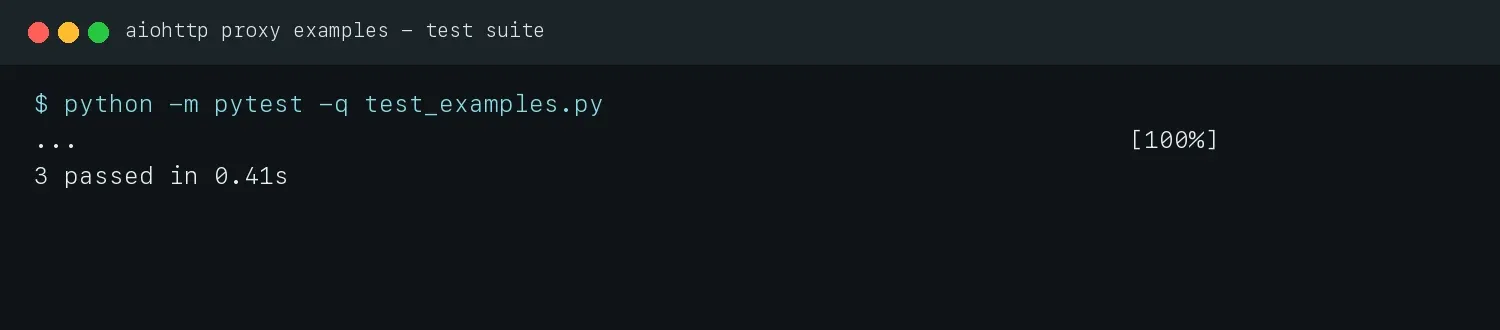
Figure 9: Automated test results for the example code, with all three tests passing.
Aiohttp Proxy Production Checklist
Before deployment, verify functionality, capacity, observability, and compliance together rather than stopping after an example returns HTTP 200.
- Pin the Python, aiohttp, and aiohttp-socks versions and save a lock file.
- Copy the protocol, host, port, and complete authentication parameters from the Rola IP dashboard.
- Verify the exit country, city, ASN, and network type through an authorized IP-check endpoint.
- Run separate smoke tests for HTTP targets, HTTPS targets, and SOCKS5.
- Start with low concurrency and record success rate, P50/P95 latency, 429, 403, 407, and timeout counts.
- Reuse
ClientSessionand configure the connection pool, per-host connection limit, and business-level semaphore. - Set a retry count, backoff cap, and status-code allowlist.
- Remove usernames, passwords, proxy URL query parameters, and sensitive response data from logs.
- Define an explicit lifecycle for sticky sessions and close the session and connector when finished.
- Access only authorized targets and follow terms,
robots.txt, rate limits, and applicable law.
Conclusion
The key to using aiohttp with proxy correctly is not a single line containing proxy=. It is building a testable chain that combines protocol, authentication, sessions, connection pooling, concurrency, retries, and exit verification.
First confirm the code with the local verification method in this article, then generate a Rola IP endpoint that matches the required geography and session behavior. Use aiohttp’s native proxy parameter for HTTP/HTTPS requests and an aiohttp-socks connector for SOCKS5. Before production, always run a low-concurrency smoke test with a real endpoint and make the final configuration decision based on valid-result rate, latency, failure distribution, and compliance boundaries.