
Playwright Proxy Setup for Node.js: Auth and Rotation

Sep 9, 2026 · Guides · 10 min read
TL;DR
Pass a proxy object to chromium.launch() when every page should use one route. Use browser.newContext({ proxy }) when independent tasks need separate cookies, storage, and proxy identities. Keep credentials in environment variables, verify the observed exit IP before running business assertions, and use a sticky session for any multi-step workflow. Rotate between independent tasks, not between the subrequests that build one page.
Can Playwright Use a Proxy?
Yes. Playwright’s current network documentation supports a global proxy for the browser and a separate proxy for each browser context. It documents HTTP(S) proxy authentication with username and password, a bypass list, and SOCKSv5 routing. The configuration belongs to Playwright’s browser networking layer; it does not automatically reroute unrelated Node.js clients, database connections, or third-party SDK calls in the same process.
| Configuration level | Where to set it | Best use | Main limitation |
|---|---|---|---|
| Browser | chromium.launch({ proxy }) |
One exit route for the entire job | Every context normally shares the route |
| Browser context | browser.newContext({ proxy }) |
Isolated regional or worker sessions | Each context must be created and closed deliberately |
| Playwright Test project | projects[].use.proxy |
Repeatable regional QA in CI | Large route-browser matrices can become expensive |
The browser context is usually the safest unit for proxy rotation. It keeps a network identity aligned with its cookies, local storage, permissions, and open pages.
Prerequisites and Verified Environment
The examples use CommonJS so they can run without changing the default package.json module type.
| Component | Verified value | Purpose |
|---|---|---|
| Node.js | 24.19.0 | Runs the JavaScript examples |
| Playwright | 1.62.1 | Controls the browser and proxy configuration |
| Browser | Google Chrome, headless | Executes the local proxy-routing fixture |
| Operating system | Windows | Local validation environment |
| Verification date | September 8, 2026 | Records when the fixture was executed |
The official Playwright installation page reviewed on September 8, 2026 lists current Node.js 22.x, 24.x, and 26.x releases in its system requirements. Pinning an exact Playwright version makes a tutorial reproducible; update deliberately and rerun the proxy fixture after changing the package or browser binaries.
Create a project and install the verified package:
mkdir playwright-proxy-demo
cd playwright-proxy-demo
npm init -y
npm install [email protected]
npx playwright install chromium
Check the installed versions:
node --version
npx playwright --version
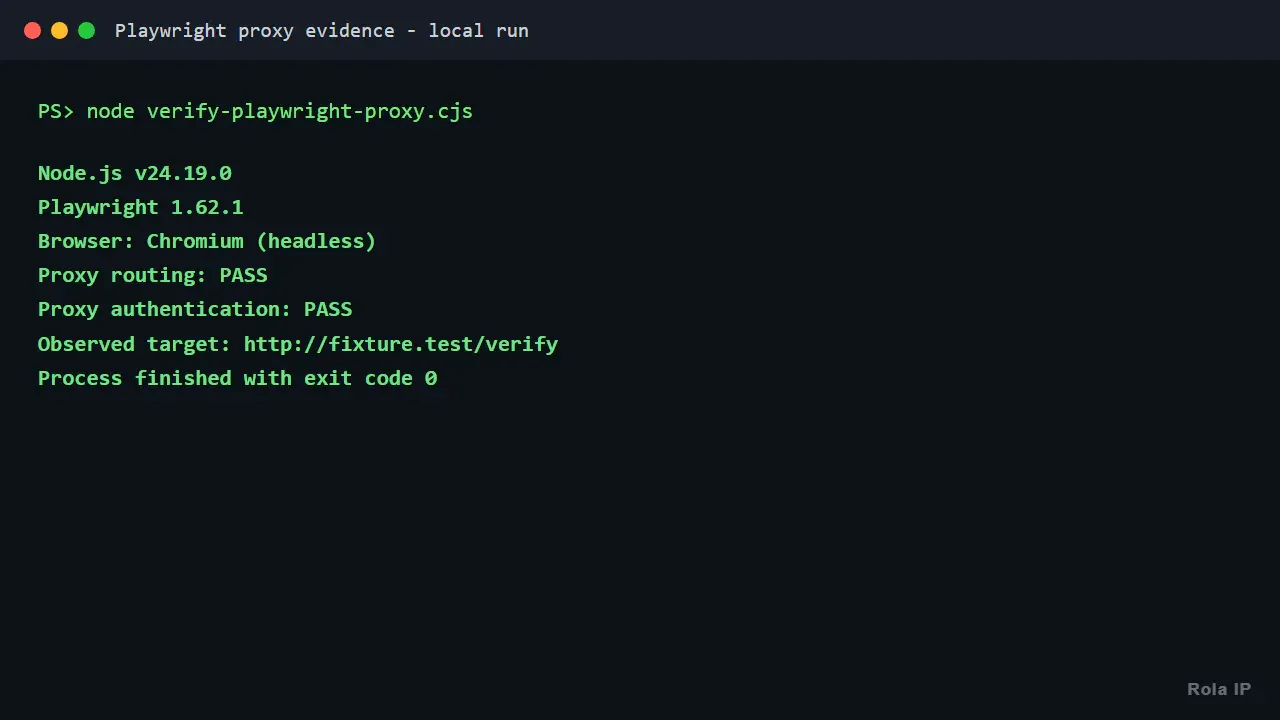
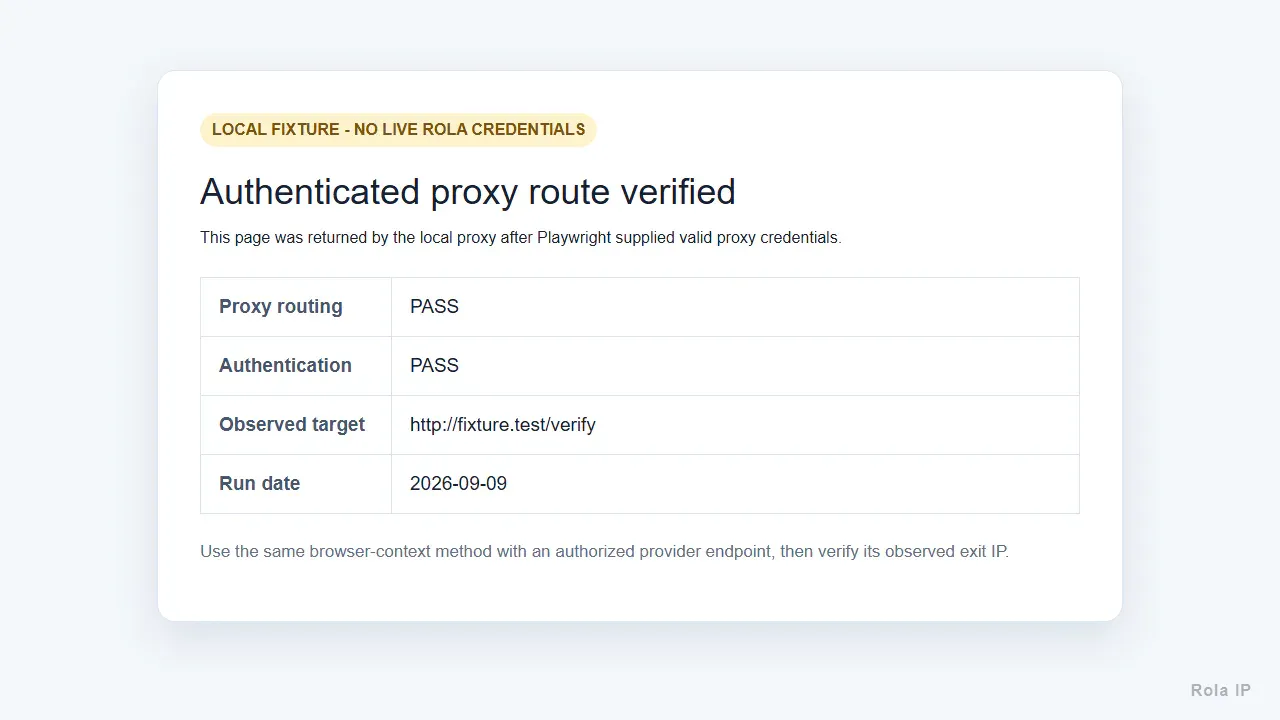
The proxy-routing path was tested with a local authenticated HTTP proxy fixture. It verified that the browser request reached the proxy and that Playwright supplied valid proxy credentials:
Node.js v24.19.0
Playwright 1.62.1
Browser: Chromium (headless)
Proxy routing: PASS
Proxy authentication: PASS
Observed target: http://fixture.test/verify
No live Rola IP request was made because account credentials were not provided. The Rola IP parameter examples below were checked against the current public documentation, but production users should rerun the exit-IP test with their own authorized endpoint.
Get the Rola IP Proxy Details
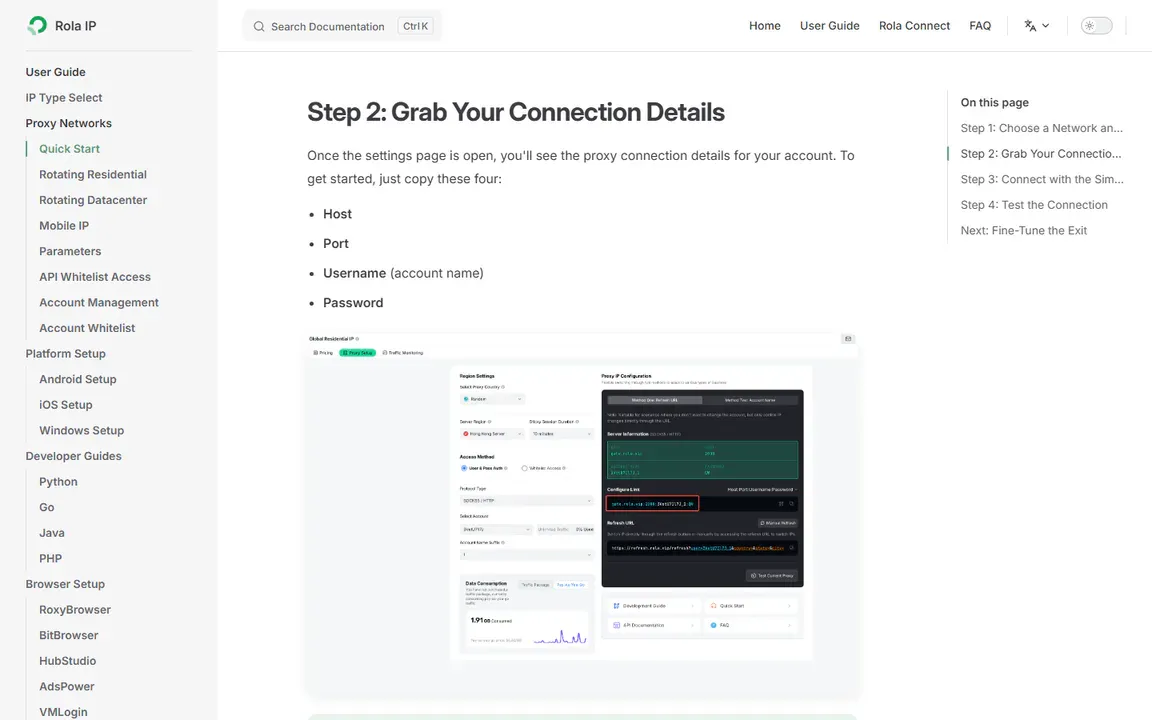
Rola IP supplies standard proxy connection details that can be used by Playwright: host, port, username, and password. Its residential proxy network can support regional and session-based browser workflows. Start with the current proxy quick start, copy the values issued to your account, and never publish or commit them.
Store the fields separately so Playwright can pass credentials through its proxy object:
ROLA_PROXY_SERVER=http://YOUR_ISSUED_HOST:PORT
ROLA_PROXY_USERNAME=YOUR_ACCOUNT_NAME
ROLA_PROXY_PASSWORD=YOUR_PASSWORD
Use a CI secret store, an operating-system secret manager, or protected environment variables. A local .env file is only acceptable if it is excluded from version control and loaded through a reviewed dependency. Avoid placing credentials in screenshots, traces, command arguments, project names, or error messages.
Configure One Proxy for the Entire Browser
Use a launch-level Playwright proxy when every page in the run should share one route. Save this as proxy-check.cjs:
const { chromium } = require("playwright");

function required(name) {
  const value = process.env[name];
  if (!value) throw new Error(`Missing required environment variable: ${name}`);
  return value;
}

async function main() {
  const proxy = {
    server: required("ROLA_PROXY_SERVER"),
    username: required("ROLA_PROXY_USERNAME"),
    password: required("ROLA_PROXY_PASSWORD"),
  };

  const browser = await chromium.launch({
    headless: true,
    proxy,
  });

  try {
    const context = await browser.newContext();
    const page = await context.newPage();

    const response = await page.goto(
      "https://api64.ipify.org?format=json",
      { waitUntil: "domcontentloaded", timeout: 30_000 },
    );

    if (!response?.ok()) {
      throw new Error(`Exit-IP check failed with HTTP ${response?.status()}`);
    }

    const observed = JSON.parse(await page.locator("body").innerText());
    console.log(JSON.stringify({ observedExitIp: observed.ip }, null, 2));

    await context.close();
  } finally {
    await browser.close();
  }
}

main().catch((error) => {
  console.error(error.message);
  process.exitCode = 1;
});
Run it only after the environment variables are available to that shell or CI job:
node proxy-check.cjs
A successful response has this shape; the address shown here is a documentation-only example, not a measured Rola IP exit:
{
  "observedExitIp": "203.0.113.10"
}
Compare the observed address with the expected route using an approved proxy checker. Do not treat a country label in a configuration string as proof that the browser used the intended exit.
Use a Different Proxy Session per Browser Context
Context-level configuration is better when one process handles several independent tasks. The browser can stay open while each context receives its own proxy username, cookie jar, and storage state.
Rola IP’s current proxy parameters place the session ID after an underscore in the account name. For example, account_job01-country-us-sessiontime-10 requests a US route and a ten-minute sticky session for job01. The documentation says session IDs can contain up to 32 characters and session time supports 1-120 minutes.
const { chromium } = require("playwright");

function required(name) {
  const value = process.env[name];
  if (!value) throw new Error(`Missing required environment variable: ${name}`);
  return value;
}

function safeToken(value, name) {
  if (!/^[a-z0-9]{1,32}$/i.test(value)) {
    throw new Error(`${name} must be 1-32 letters or digits`);
  }
  return value.toLowerCase();
}

function rolaProxy(sessionId, countryCode) {
  const account = required("ROLA_PROXY_USERNAME");
  const session = safeToken(sessionId, "sessionId");
  const country = safeToken(countryCode, "countryCode");

  return {
    server: required("ROLA_PROXY_SERVER"),
    username: `${account}_${session}-country-${country}-sessiontime-10`,
    password: required("ROLA_PROXY_PASSWORD"),
  };
}

async function runTask(browser, task) {
  const context = await browser.newContext({
    proxy: rolaProxy(task.sessionId, task.country),
  });

  try {
    const page = await context.newPage();
    const response = await page.goto(task.url, {
      waitUntil: "domcontentloaded",
      timeout: 30_000,
    });

    console.log({
      task: task.sessionId,
      status: response?.status(),
      title: await page.title(),
    });
  } finally {
    await context.close();
  }
}

async function main() {
  const browser = await chromium.launch({ headless: true });

  try {
    const tasks = [
      { sessionId: "catalogus", country: "us", url: "https://example.com" },
      { sessionId: "cataloggb", country: "gb", url: "https://example.com" },
    ];

    for (const task of tasks) {
      await runTask(browser, task);
    }
  } finally {
    await browser.close();
  }
}

main().catch((error) => {
  console.error(error.message);
  process.exitCode = 1;
});
The sequential loop is intentional. Begin with one context at a time, measure page request volume and proxy capacity, and add a bounded worker queue only when the target, provider, and infrastructure can support it. A single page can trigger dozens of scripts, images, fonts, and API calls, so page concurrency understates network concurrency.
Sticky Sessions vs Per-Request Rotation
Do not rotate blindly. A browser page is a stateful bundle of requests, and changing the exit IP between its HTML, JavaScript, API, and image requests can create inconsistent geography or trigger session controls.
| Workflow | Recommended proxy behavior | Reason |
|---|---|---|
| Login, checkout, or multi-step form | One sticky session | Keeps IP identity aligned with cookies and state |
| Regional QA test | One session per test case | Makes the route reproducible and attributable |
| Independent public-page checks | Rotate between contexts | Separates tasks without splitting one page load |
| Stateless HTTP requests | Per-request rotation may fit | No browser session continuity is required |
Rola IP documents -f-1 for changing the exit on every request. That option can fit stateless collection, but it is usually a poor default for a full Playwright page because one navigation contains many requests. Prefer a unique sessionId for each independent browser context and keep it stable until that task finishes.
For authorized collection of JavaScript-rendered public pages, a web scraping proxy can supply regional routes and session controls. It does not replace permission, target-specific rate limits, or a stop condition when a site denies access.
Configure a Proxy per Playwright Test Project
Playwright Test projects are useful when the same test suite must run through named regional routes. Keep project labels non-secret and inject credentials at runtime:
// playwright.config.cjs
const { defineConfig } = require("@playwright/test");

function required(name) {
  const value = process.env[name];
  if (!value) throw new Error(`Missing required environment variable: ${name}`);
  return value;
}

module.exports = defineConfig({
  testDir: "./tests",
  use: {
    trace: "retain-on-failure",
  },
  projects: [
    {
      name: "chromium-direct",
      use: { browserName: "chromium" },
    },
    {
      name: "chromium-us-proxy",
      use: {
        browserName: "chromium",
        proxy: {
          server: required("ROLA_PROXY_SERVER"),
          username: `${required("ROLA_PROXY_USERNAME")}_qa01-country-us-sessiontime-10`,
          password: required("ROLA_PROXY_PASSWORD"),
          bypass: "localhost,127.0.0.1",
        },
      },
    },
  ],
});
Run only the proxied project with:
npx playwright test --project=chromium-us-proxy
The bypass value should be narrow and tested. An overbroad entry can silently send target traffic through the direct connection, while a missing local entry can route development services through an external proxy. Test one hostname expected to bypass and one hostname expected to use the proxy.
Verify the Route Before Collecting Data
A successful page title does not prove that the requested proxy route was used. Add a small network check before the main workflow:
- Confirm the proxy host and port are reachable from the same runner.
- Open an approved exit-IP endpoint through Playwright.
- Record a masked observed IP, country, ASN, timestamp, and non-secret session label.
- Compare the result with the requested location and expected proxy type.
- Stop the task if the browser is direct, the region is wrong, or authentication fails.
- Run the target workflow only after the route check passes.
For production systems, a controlled organization-owned endpoint is better than a public IP service because it removes an external dependency and can return a non-sensitive route identifier. Never expose complete infrastructure addresses in public build logs.
Debug Playwright Proxy Failures
Diagnose one layer at a time. Start with one proxy, one browser, one page, and a known-safe endpoint. Only then add the target website, parallel workers, regional parameters, and application assertions.
| Symptom | Likely cause | How to verify | Corrective action |
|---|---|---|---|
407 Proxy Authentication Required |
Missing, malformed, or expired credentials | Check which environment variables exist without printing values | Use separate server, username, and password fields; refresh the issued credentials |
ERR_PROXY_CONNECTION_FAILED |
Wrong host, port, protocol, firewall, or unavailable endpoint | Test reachability from the same runner | Correct the endpoint or network rule; do not increase navigation timeouts |
| Navigation timeout before any response | Proxy handshake, DNS, TLS, or route latency | Compare direct and proxied runs; record the failure phase | Use a bounded timeout and inspect trace/network events |
| Direct IP appears | Proxy bypass matched or proxy was attached at the wrong level | Run the exit-IP check inside the affected context | Narrow the bypass list and confirm context creation options |
| First page works, later steps fail | Session identity changed or the route is unstable | Log the non-secret session label for every step | Keep one sticky session for the complete workflow |
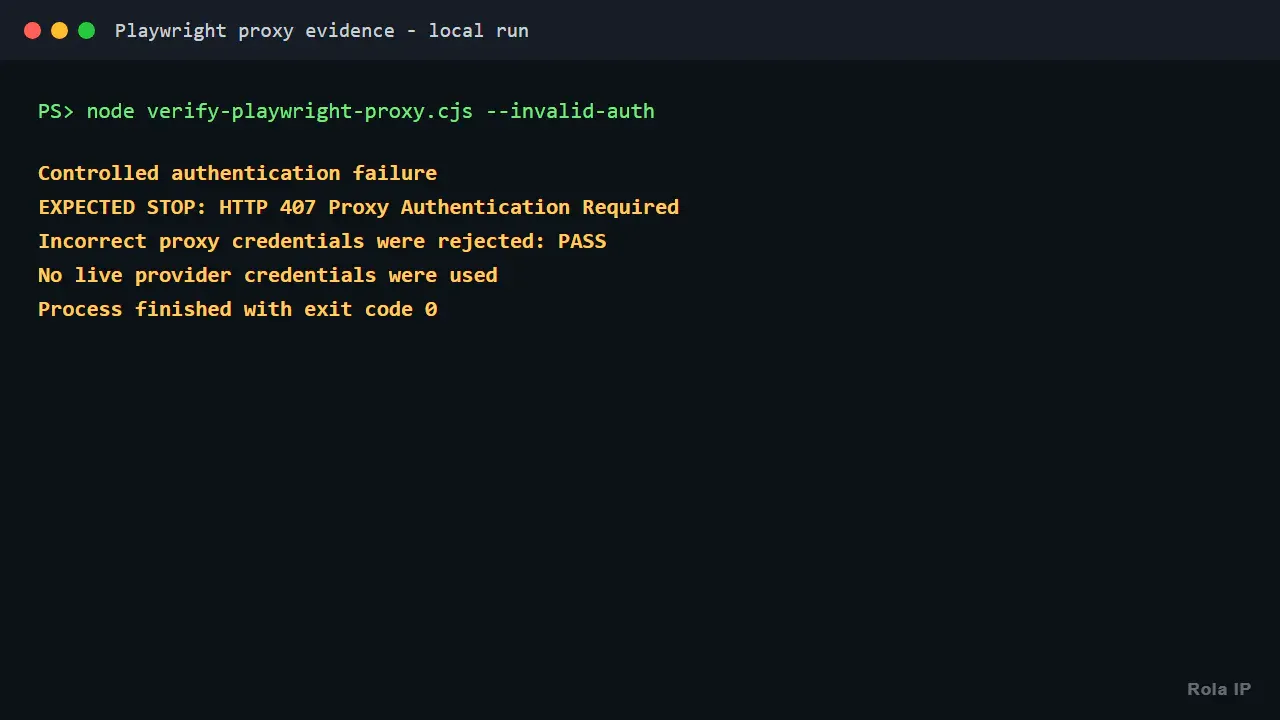
| HTTP 403 or 429 | The target received and rejected or throttled the request | Inspect status, response headers, and target policy | Slow down, stop retries, and confirm authorization; do not treat rotation as permission |
| WebSocket fails but HTML loads | Proxy or gateway may not support the upgrade path | Capture the handshake status in a trace | Confirm protocol capability or use a compatible route |
| Local app becomes unreachable | Localhost was sent through the proxy | Review effective bypass rules | Add only the required loopback or local hostnames |
Listen for failed requests and relevant responses without logging secrets:
page.on("requestfailed", (request) => {
  console.error("REQUEST_FAILED", {
    method: request.method(),
    host: new URL(request.url()).host,
    error: request.failure()?.errorText,
  });
});

page.on("response", (response) => {
  if (response.status() >= 400) {
    console.error("HTTP_ERROR", {
      status: response.status(),
      host: new URL(response.url()).host,
    });
  }
});
Retain a Playwright trace on failure when permitted, but review traces before sharing them. They can contain page content, URLs, headers, form values, and other sensitive material.
Security, Compliance, and Operational Limits
Proxy configuration changes the network path, not the authorization boundary. Use Playwright only on pages and accounts you are permitted to automate. Follow applicable laws, contractual terms, robots directives where relevant, privacy obligations, and data-retention rules; the exact legal position depends on the jurisdiction, data, and intended use.
Apply these production controls:
- Keep proxy credentials in a secret store and rotate them independently of source code.
- Validate country and session tokens before adding them to a username.
- Limit concurrent contexts per proxy route and per target.
- Cache or deduplicate repeated work when the data does not need a fresh browser visit.
- Stop on sustained 403, 407, 429, CAPTCHA, login-wall, or access-denied signals.
- Log only a non-secret route label, masked exit IP, status, latency, retry count, and stop reason.
- Set retention periods for traces, screenshots, HTML, and collected identifiers.
- Test credential revocation and verify that expired secrets actually stop working.
Production Checklist
Before deploying a Playwright proxy workflow, confirm all of the following:
- Playwright and browser versions are pinned and recorded.
- Browser binaries are installed in the deployment image.
- Proxy credentials are injected securely and never logged.
- The selected proxy protocol is supported by the browser and endpoint.
- One context represents one bounded proxy identity.
- Stateful flows use a sticky session rather than per-request rotation.
- The exit route is checked before target assertions begin.
- Direct Node.js network calls have an explicit routing decision.
- Concurrency, timeouts, retries, and stop conditions are bounded.
- Traces and screenshots are sanitized and retained only as long as needed.
- Target access and data processing are authorized.
- A failure distinguishes proxy infrastructure from target-site behavior.
Conclusion
A reliable Playwright proxy design keeps the browser session and network identity aligned. Use a browser-level proxy for one simple route, a context-level proxy for isolated tasks, and Playwright Test projects for repeatable regional CI coverage. Protect credentials, verify the observed exit before business assertions, and use sticky sessions for stateful browser flows.
Rola IP fits this workflow through standard proxy endpoints, regional parameters, and independent session IDs. Begin with one authorized route and one controlled target, record the verified behavior, and increase concurrency only after the proxy, browser, and target limits are understood.