
Error Code 525: Fix Cloudflare SSL Handshake Failed

Aug 28, 2026 · Troubleshooting · 12 min read
Quick answer:
Error code 525 means Cloudflare could not complete the TLS handshake with your origin while Full or Full (strict) is in use. Start at the origin: record the mode, verify the certificate and hostname, test SNI and port 443, then inspect logs. Use a proxy only for authorized path comparison.
If you are only visiting the affected site, send the owner the full URL, the time and time zone, the exact error message, and any Ray ID shown on the page. A browser refresh or a local certificate change cannot repair the TLS connection between Cloudflare and someone else’s origin.
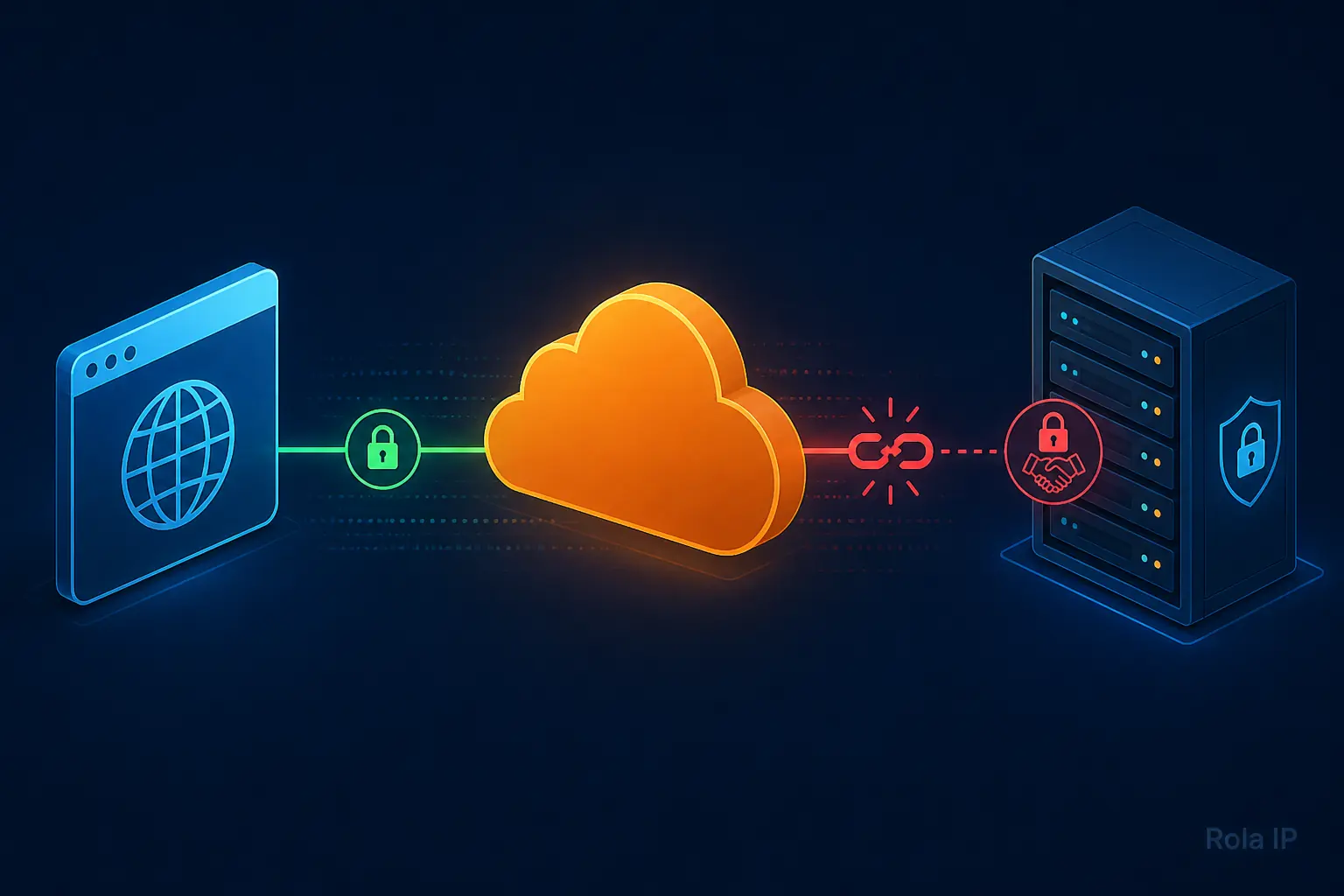
For site owners, Error 525 is not a generic browser SSL warning. Cloudflare defines it as a failed SSL handshake between Cloudflare and the origin web server. That distinction prevents the most common bad fix: changing a visitor-facing certificate or leaving the zone in Flexible mode when the origin should be repaired instead.
What Error Code 525 Means
A proxied request usually has two separate connections:
| Connection | What must work | Why it matters for Error 525 |
|---|---|---|
| Visitor to Cloudflare | The browser trusts Cloudflare’s edge certificate. | This can succeed even while the site still returns 525. |
| Cloudflare to origin | Cloudflare and the origin negotiate TLS, including a certificate, SNI, protocol, and cipher suite. | This is the connection that fails for a standard Cloudflare 525. |
Cloudflare’s encryption-mode documentation describes this two-connection model. Error 525 is returned when the Cloudflare-to-origin handshake fails while Full or Full (strict) is configured.
Do not treat every message containing “SSL handshake failed” as a 525. A local browser TLS error, a load-balancer error, and an unrelated application error can have different owners and fixes. Confirm that the response is Cloudflare-branded and that the status is 525 before using this runbook.
Prerequisites and safe boundaries
You need permission to change the Cloudflare zone or the origin configuration. Gather these inputs before altering anything:
- The public hostname, such as www.example.com.
- The origin IP address or the hosting provider’s approved diagnostic path.
- The current Cloudflare SSL/TLS mode.
- A timestamp with time zone for one failed request.
- Access to origin, load-balancer, or hosting logs if the issue is intermittent.
- curl on your workstation. OpenSSL is useful for SNI and certificate inspection but is not bundled with many Windows installations.
Run direct-origin commands only against infrastructure you administer or are authorized to test. A direct test can be blocked intentionally by an origin firewall or by Authenticated Origin Pulls. Do not disable those controls just to make a diagnostic command succeed.
On Windows PowerShell, call curl.exe explicitly so you use curl rather than a PowerShell alias. On macOS and Linux, use curl. The curl command forms below are non-destructive: they make a HEAD request and do not change server configuration.
Record the failure before changing settings
First, create a small incident note. It makes a transient issue debuggable and gives a host or CDN provider something useful to investigate.
| Field | Example | Why capture it |
|---|---|---|
| Public URL | https://www.example.com/account | Errors can be hostname- or path-specific. |
| Observed time | 2026-08-27 09:42 UTC+08 | Correlates the browser event with server logs. |
| Edge evidence | Error 525 page, Ray ID, response headers | Identifies a Cloudflare-generated problem rather than an origin page. |
| SSL/TLS mode | Automatic, Full, or Full (strict) | Limits the set of valid causes. |
| Origin evidence | Certificate, SNI result, port 443 response, log entry | Converts a guess into a repair decision. |
When you can reproduce the page with curl, inspect the response headers. Cloudflare documents diagnostic headers such as cf-error-type on Cloudflare-generated error pages in its error diagnostic headers guide. Keep the captured headers in your incident record, but redact cookies, authorization headers, and any customer data before sharing them.
Build a Support-Ready Incident Packet
Use this packet before opening a host, CDN, or platform support request. It turns “the site is down” into evidence someone can correlate with the right TLS connection. Do not include passwords, private keys, cookies, authorization headers, or a complete customer URL when a redacted path will do.
Error code: 525
Public URL:
Observed time and time zone:
Cloudflare Ray ID:
Cloudflare SSL/TLS mode:
Public hostname:
Origin IP or hosting diagnostic reference:
Origin port tested: 443
SNI hostname sent:
Certificate subject and matching SAN:
Certificate-chain result:
Direct-origin result, if authorized:
Cloudflare-path result:
Origin / load-balancer SSL log timestamp:
Recent changes: certificate, DNS, proxy status, firewall, load balancer, or migration
The point is not to make every line public. The point is to give the operator one small, repeatable record that can be matched to Cloudflare logs, origin logs, and the configuration change history. If a visitor cannot access the origin, they should submit only the public URL, timestamp, error code, and Ray ID to the site owner.
Check SSL/TLS mode before changing it
In the Cloudflare dashboard, open SSL/TLS, then Overview. Record the setting as shown. Some zones may use Automatic SSL/TLS, while others expose Custom modes.
| Current state | What it tells you | Next action |
|---|---|---|
| Full or Full (strict) with 525 | The Cloudflare-to-origin TLS handshake is the primary boundary. | Continue with certificate, 443, SNI, cipher, and log checks. |
| Flexible | Cloudflare reaches the origin over HTTP for this mode. | Do not call it a 525 fix. Plan an origin certificate and move toward Full (strict) where suitable. |
| DNS-only record | The browser connects to the origin directly. | A standard Cloudflare 525 should not be the result of that request; check whether you are testing the intended hostname. |
| Automatic SSL/TLS | The UI may make mode selection automatic for the zone. | Record the displayed state and validate origin TLS before forcing a manual downgrade. |
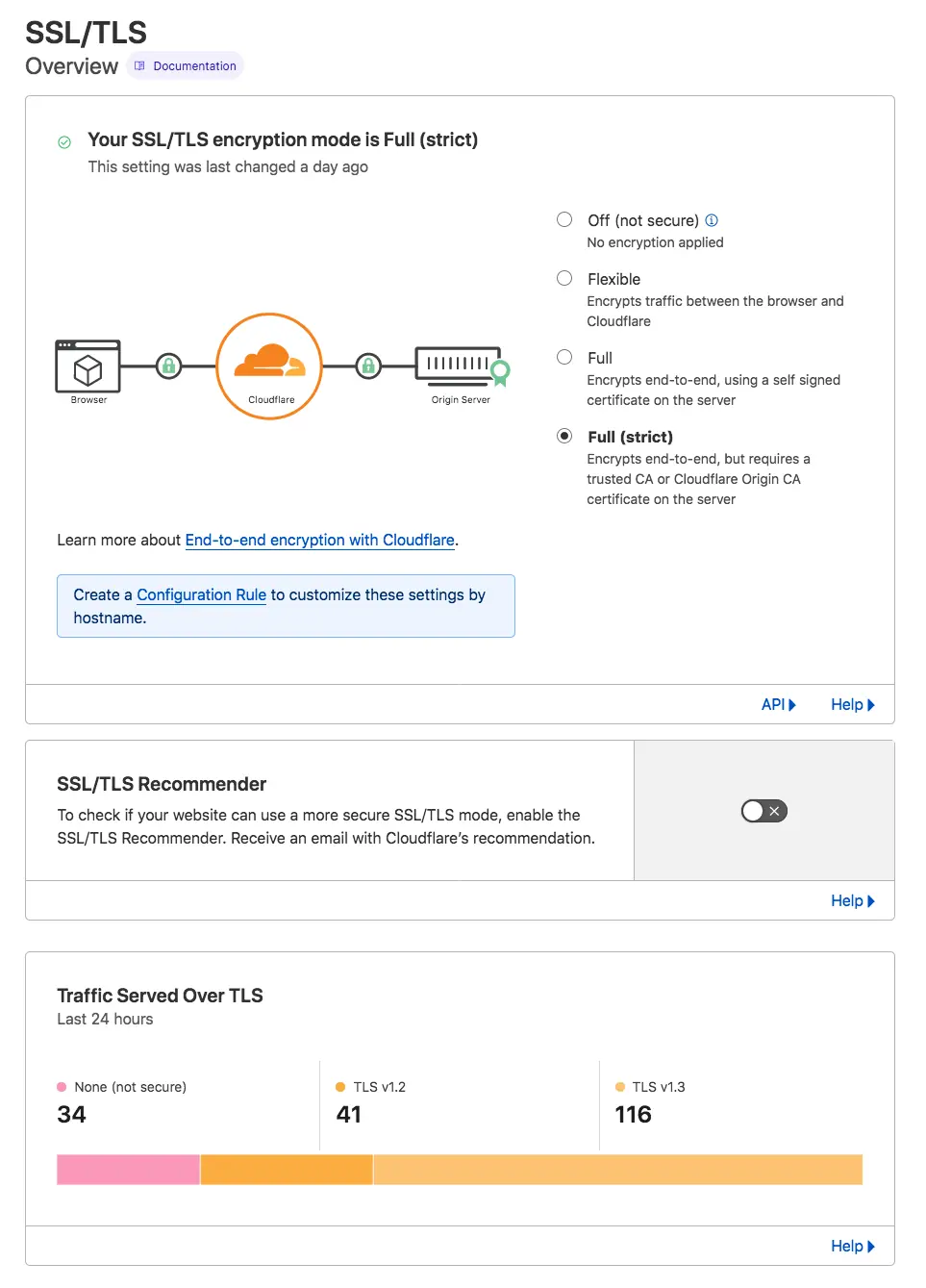
Full (strict) requires an unexpired certificate, issued by a publicly trusted CA or Cloudflare Origin CA, with a CN or SAN matching the requested or target hostname. The origin must accept HTTPS on port 443.
Flexible is intentionally different: Cloudflare says it encrypts visitor-to-Cloudflare traffic but uses HTTP from Cloudflare to the origin. It can be appropriate only when an origin cannot use TLS; it is not an end-to-end repair for a login, customer, or other sensitive application.
Validate the origin certificate, hostname, and chain
Check the certificate presented by the origin for the same hostname your visitors request. A certificate that looks fine for origin.example.com may still be wrong for www.example.com.
For Full (strict), verify all of the following:
- The certificate is currently valid, not expired or not-yet-valid.
- Its CN or a SAN covers the public hostname.
- The origin serves the required intermediate certificate chain.
- The web server is actually using that certificate for the SNI hostname.
- The service is listening on HTTPS port 443.
The Cloudflare Error 526 guide is useful here because it lists hostname match, certificate chain, validity, and port 443 as strict-validation checks. A 526 is not the same failure as a 525, but the validation checklist helps prevent a later strict-mode failure after you repair the handshake.
If your origin uses a Cloudflare Origin CA certificate, a direct browser or unconfigured OpenSSL client may not trust it. That alone does not prove the origin is wrong: Origin CA certificates are designed for the Cloudflare-to-origin connection. Review Cloudflare’s Origin CA guidance before exposing such an origin directly to visitors.
Choose the Certificate Recovery Path
Do not start by changing the Cloudflare mode. Choose the repair path from the evidence you collected. The right certificate is the one that matches how the origin is meant to be reached, not the one that makes one browser test look successful.
| Evidence | Recovery path | Exact next action | What success looks like |
|---|---|---|---|
| The origin must be reachable directly by browsers or third-party clients. | Public CA certificate | Issue or renew a certificate that covers every public hostname, install the leaf and required intermediates on the intended virtual host, then test it with the public hostname as SNI. | The origin presents a current, hostname-matching chain and can support Full (strict). |
| All visitor traffic stays behind proxied Cloudflare records. | Cloudflare Origin CA certificate | Create an Origin CA certificate, protect the necessary hostnames, install the certificate and private key on the origin, and track its expiry. | Cloudflare can validate the origin in Full (strict); a direct browser warning is expected if the origin is exposed outside Cloudflare. |
| A certificate exists, but the displayed CN or SAN does not cover the public hostname. | Correct hostname coverage | Reissue the certificate with the public hostname or change the intended virtual-host mapping. Do not reuse a certificate for a different hostname just because it is valid. | The SNI test returns a certificate whose CN or SAN covers the requested hostname. |
| The leaf certificate is present, but intermediates are missing. | Complete the chain | Install the full chain required by the selected CA and reload the web server through its approved change process. | A strict validation check can build a chain to a trusted root. |
| The origin allows only Cloudflare IPs or uses Authenticated Origin Pulls. | Preserve the access control and test the Cloudflare path | Do not expect a direct curl request to return 200. Verify Cloudflare IP allowlisting, the client-certificate setup, and origin TLS logs around the same timestamp. | The protected origin accepts the Cloudflare-origin connection without weakening the firewall or AOP policy. |
Cloudflare supports either a publicly trusted CA certificate or an Origin CA certificate for the origin leg in Full (strict). Its Origin CA guide explains that Origin CA certificates protect the Cloudflare-to-origin connection, while its Authenticated Origin Pulls overview explains why a direct external request can be rejected by design. If your firewall allowlists Cloudflare traffic, use the current Cloudflare IP address list rather than a copied list from an old post.
Test port 443 and SNI without changing DNS
Use the public hostname as the TLS Server Name Indication value, even when you connect to the origin IP. This lets a name-based virtual host choose the same certificate it should present for the public site.
macOS or Linux
Replace the example values only with an origin you are authorized to test.
PUBLIC_HOST="www.example.com"
ORIGIN_IP="203.0.113.10"

openssl s_client \
  -connect "$ORIGIN_IP:443" \
  -servername "$PUBLIC_HOST" \
  -showcerts \
  -verify_return_error </dev/null

curl -vI \
  --resolve "$PUBLIC_HOST:443:$ORIGIN_IP" \
  "https://$PUBLIC_HOST/"
Windows PowerShell
$env:PUBLIC_HOST = "www.example.com"
$env:ORIGIN_IP = "203.0.113.10"

openssl s_client -connect ($env:ORIGIN_IP + ":443") -servername $env:PUBLIC_HOST -showcerts -verify_return_error
curl.exe -vI --resolve "$($env:PUBLIC_HOST):443:$($env:ORIGIN_IP)" "https://$($env:PUBLIC_HOST)/"
The OpenSSL s_client options are documented in the OpenSSL manual, and curl documents the –resolve option. Look for the certificate subject and SANs, chain output, verification message, selected protocol/cipher, and final HTTP status.
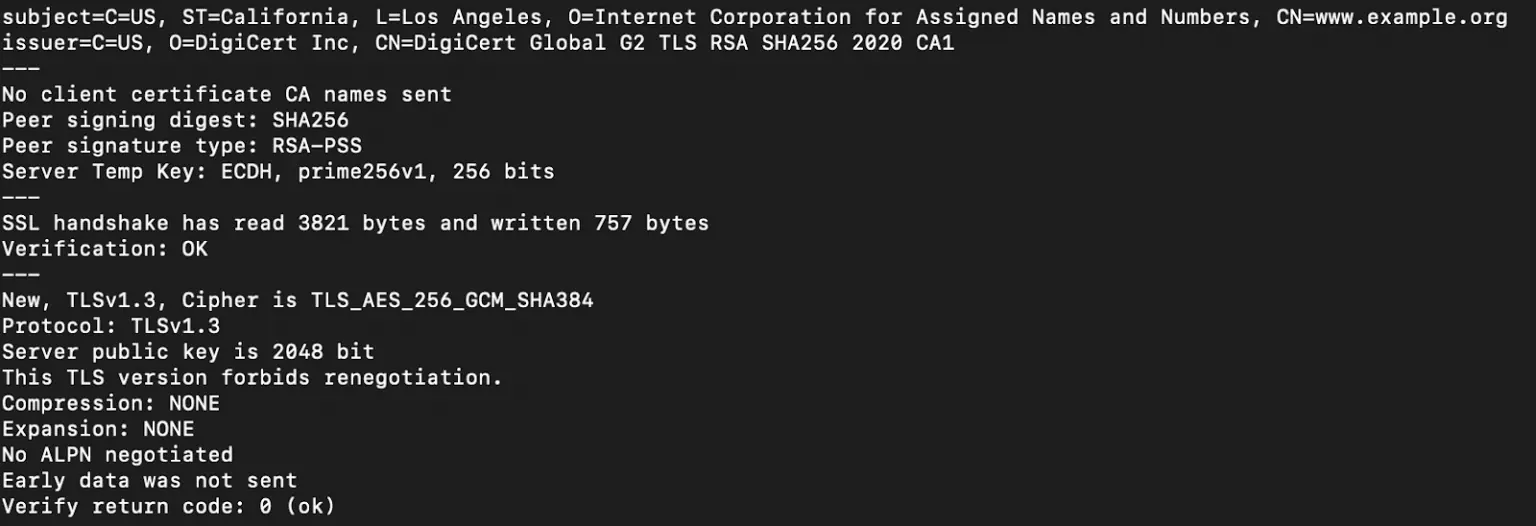
A direct curl result has one limitation: it bypasses the normal Cloudflare edge route. A successful direct request proves that this client can reach the selected origin IP with the selected hostname. It does not by itself prove every Cloudflare edge can complete the handshake. A failed direct request can also be expected when the origin only allows Cloudflare IPs or requires authenticated origin pulls.
Interpret the result and repair the matching layer
Cloudflare lists four recurring causes of Error 525: no valid origin certificate, a closed secure port, missing SNI support, and a cipher-suite mismatch. Use the evidence you collected to choose the smallest repair.
| Symptom | Likely cause | Verify | Fix |
|---|---|---|---|
| Wrong certificate or no certificate appears | The wrong virtual host answered, the certificate is missing, or the hostname is absent from SANs. | Compare the public hostname with the certificate subject/SANs while using SNI. | Install or select the correct certificate for that virtual host; reload the web server using its approved change process. |
| Certificate is expired or chain is incomplete | Renewal or installation did not complete. | Inspect dates and intermediate certificates. | Renew or reinstall the certificate and full chain; then retest before returning to Full (strict). |
| Connection is refused or times out on 443 | Web server is not listening, an upstream listener is wrong, or firewall policy blocks the path. | Confirm the service listener, load balancer health, and firewall/security-group rules. | Restore HTTPS on the intended secure port and permit the required Cloudflare-to-origin path. |
| No SNI or wrong virtual host | The server does not accept SNI or routes the public name incorrectly. | Compare a request with the correct servername to the configured virtual-host mapping. | Enable or correct SNI/name-based virtual-host configuration. |
| Handshake fails only with a negotiated protocol/cipher | The origin’s TLS stack cannot agree with Cloudflare. | Read the TLS protocol/cipher and the origin SSL error log around the same timestamp. | Update the origin TLS configuration to a mutually supported secure configuration; avoid enabling obsolete ciphers as a workaround. |
| Failures are intermittent | A subset of origin nodes, a load balancer, resource pressure, or firewall behavior resets the handshake. | Correlate exact timestamps with all origin and load-balancer logs. | Repair the inconsistent node or rule; do not conclude from one successful request. |
For intermittent 525s, Cloudflare specifically recommends checking origin SSL logs and using Origin Analytics. Its Error 525 documentation notes that an originResponseStatus of 0 can indicate no HTTP response during a TLS negotiation failure. Treat it as a lead, then correlate it with cache state and server logs rather than treating it as a complete diagnosis.
Webflow: use the supported DNS path
A Webflow-hosted site needs a separate decision branch because its standard Cloudflare connection uses DNS-only records. As of Webflow’s Cloudflare domain guide, the standard route is a www CNAME to cdn.webflow.com and an apex A record to 198.202.211.1, both set to DNS only. If you need Cloudflare performance or security features in front of Webflow, use Webflow’s documented Orange-to-Orange route instead of simply turning an existing record orange.
Do not copy old Page Rule recipes, historic Webflow IP lists, or short provisioning windows from unrelated blog posts. Verify your Webflow plan, current records, CAA records, and the current O2O instructions before changing the proxy state.
Keep Rola IP in the right place
Rola IP is not a fix for the certificate, SNI, cipher suite, or port 443. Put it after direct origin and log checks, only when you administer the site and need to answer a narrower question: “Does an authorized client path from a different region observe the same public error?”
For that limited test, use a controlled session and record the exit region, timestamp, target URL, status, and response headers. Rola’s proxy network guide describes dynamic network options, while the parameter guide documents session and location parameters. If you automate an authorized HTTP check, start from Rola’s Python integration guide and keep credentials in environment variables or an approved secret manager.
A changed result is path evidence, not proof that a proxy repaired TLS. Do not use a proxy to bypass a firewall, access control, terms of service, or another party’s diagnostic boundary.
Verify the repair without weakening TLS
After the origin-side repair:
- Re-run the authorized SNI and curl checks.
- Test the public hostname through Cloudflare in a clean browser session.
- Confirm that the expected certificate and hostname still appear at the origin.
- Keep Full (strict) when the origin meets its requirements.
- Watch the relevant endpoint and origin logs after the change, especially if the failure was intermittent.
- Record the final time, change owner, and HTTP result in the incident note.
Do not leave a production site in Flexible just because it made the error page disappear. If the application handles logins or private data, complete the origin TLS repair and move to an end-to-end mode supported by the deployment.
Prevent the Next 525
The repair is not complete until it becomes repeatable. Add the origin certificate, its hostname coverage, and its renewal owner to your certificate inventory. Re-run the public-hostname SNI check after a certificate renewal, DNS change, origin migration, load-balancer change, or virtual-host deployment.
For a load-balanced origin, test each node or each documented node path. A healthy VIP does not prove every backend presents the same certificate or supports the same TLS settings. When a 525 is intermittent, compare the event timestamp with each origin and load-balancer SSL log, then revisit Origin Analytics to see whether the failure clusters around specific endpoints or times.
If you use Authenticated Origin Pulls with a managed certificate, track its certificate lifecycle as well as the origin certificate. Cloudflare’s AOP certificate-management documentation recommends expiry alerts before the client certificate expires. Keep the firewall allowlist and AOP configuration intact during testing; a direct request that fails outside Cloudflare can be the expected security outcome, not a defect.
Error 525 compared with nearby Cloudflare errors
| Error | High-level meaning | First place to investigate |
|---|---|---|
| 521 | The origin refuses Cloudflare’s connection. | Origin availability, firewall policy, and service listener. |
| 522 | Cloudflare times out while contacting the origin. | Network reachability, firewall rules, overload, and TCP behavior. |
| 524 | Cloudflare connected, but the origin did not return an HTTP response in time. | Long-running work, application latency, and origin performance. |
| 525 | The SSL/TLS handshake between Cloudflare and the origin failed. | Certificate presentation, port 443, SNI, ciphers, and SSL logs. |
| 526 | Cloudflare could not validate the origin certificate in Full (strict). | Certificate validity, hostname, chain, and trust. |
Use Cloudflare’s dedicated guides for [521], [522], [524] and [526] before applying a 525-specific repair to a different failure.
Conclusion
Error code 525 is resolved by repairing the TLS path between Cloudflare and the origin, not by changing the visitor’s browser or permanently weakening the SSL/TLS mode. Capture the failure first, then verify the origin certificate, hostname, chain, port 443 listener, SNI behavior, cipher compatibility, and matching server logs. Retest through Cloudflare after the smallest justified change and keep Full (strict) when the origin satisfies its requirements.
For intermittent failures, compare timestamps across every origin node, load balancer, and firewall path. Use Rola IP only for authorized regional path comparison after origin checks, and treat a changed response as diagnostic evidence rather than proof that a proxy fixed the handshake.