
Facebook Scraper Python: Playwright vs Graph APl for Public Pages

Sep 2, 2026 · Proxy Basics · 9 min read
TL;DR
A Facebook scraper in Python is usually a browser automation or API workflow, not a plain HTML parsing job. If the data you need is available through Meta’s documented API, start there. If the page is rendered in the browser and you are authorized to access it, use Playwright or another browser automation tool. Requests still has a place for API calls and quick network checks, but it is rarely enough on its own for Facebook pages.
That matters because Facebook is dynamic, session-aware, and often location-sensitive. Marketplace, public pages, and owned Page data are not the same problem. A scraper that works on one view can fail on another without changing the Python code at all. This guide separates Meta Graph API access for data you own or are authorized to use, Playwright for an approved browser-visible page, and Requests for API or network diagnostics. It does not teach private-profile access, cookie theft, CAPTCHA bypass, rate-limit evasion, or unauthorized Marketplace scraping.
What a Facebook scraper in Python actually is
The phrase “Facebook scraper” covers several different jobs:
- collecting public Page or post data
- reading Marketplace listings you can legitimately access
- pulling structured fields from an API you control
- exporting browser-visible data from a logged-in session you are allowed to use
Those are related, but they are not interchangeable. A tool that works on a public Page may fail on Marketplace. A script that can read an API endpoint may tell you nothing useful about the rendered browser UI. Before you write code, decide which layer actually owns the data.
| Data source | Best first choice | Why |
|---|---|---|
| Owned Page or app-owned data | Graph API | Stable, documented, and less brittle than UI parsing |
| Public page or Marketplace view you can legitimately access in a browser | Playwright | Sees rendered DOM and browser state |
| Simple API response or known endpoint | Requests | Lightweight and easy to debug |
| Public pages with a quick-start need | facebook-scraper on PyPI |
Useful as a package reference, but still subject to drift |
The open-source facebook-scraper package on PyPI explicitly describes itself as a way to scrape Facebook public pages without an API key. That makes it a useful shortcut for experimentation. It does not make Facebook access predictable, and it does not remove the need to handle login state, cookies, or changing page structure.
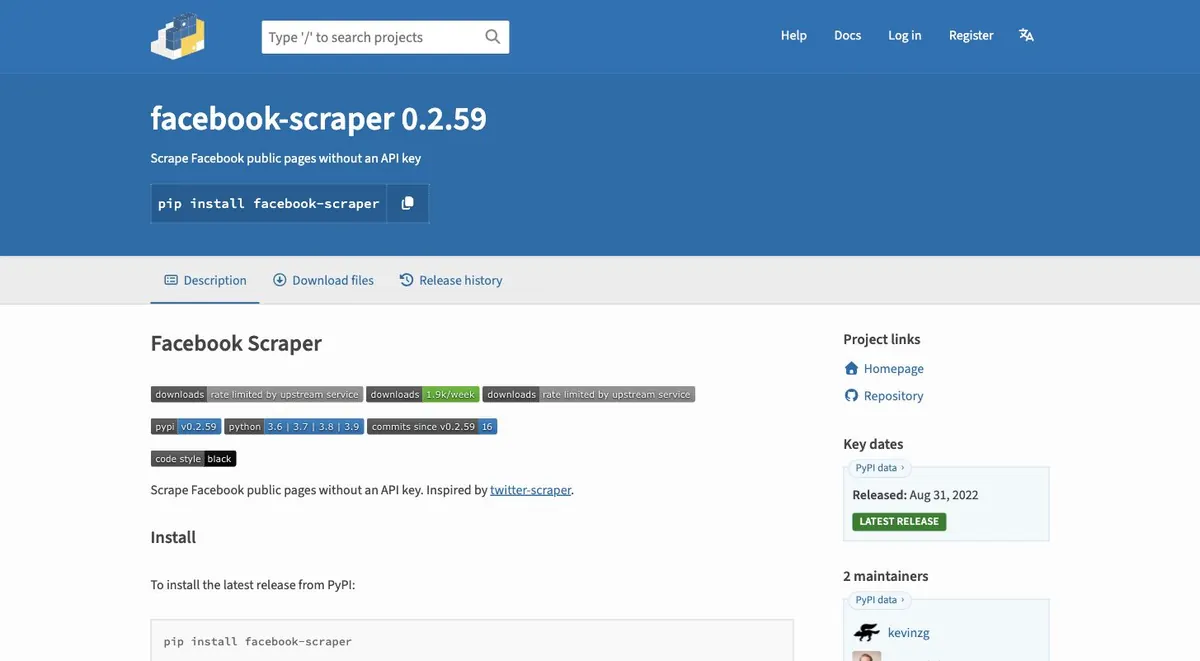
Treat that package as an experimental reference, not a production dependency. Check its current PyPI release, repository activity, open issues, and license before installing it. A package’s “no API key” description does not establish that a particular Facebook object is available to you or that copying it complies with Meta’s terms.
Which Facebook data can you access legally?
Start with data owned by your Page, app, or organization and use the permissions documented by Meta. Public visibility alone does not grant unrestricted copying or reuse. Marketplace views, personal profiles, messages, and login-protected data require separate authorization and may be out of scope. Define the exact fields, retention period, purpose, and access method before writing a Python collector.
| Data scope | Safer starting point | Boundary to document |
|---|---|---|
| Your Page or app-owned objects | Meta Graph API | Current token, permissions, version, and fields |
| An approved browser-visible page | Playwright | Account authorization, session handling, and retention |
| Marketplace or personal-profile views | Confirm explicit authorization first | Region, account state, privacy, and reuse limits |
| Private profiles, messages, or hidden fields | Do not collect | Outside this tutorial’s scope |
Why Requests alone usually fails
Requests is great at fetching URLs. It is not a browser.
That matters on Facebook because the content is often rendered after JavaScript runs, after session cookies are checked, or after the site decides which variant of the page to show. If you only inspect the initial response body, you may see almost nothing useful. The HTML may contain placeholders, scripts, or an empty shell that looks nothing like the page you see in the browser.
Requests also cannot help when the real issue is not parsing but timing. If a call never returns a response or stalls before the scraper runs, that is a network problem, not a selector problem. In that case, use the dedicated Python requests timeout guide before you keep changing your scraping logic.
What to use instead
For Facebook scraping in Python, the usual decision tree is simple:
- If the data is available through the API and you are allowed to use it, use the API.
- If the data is only visible in the browser, use Playwright.
- If the request path itself is unstable, diagnose the endpoint and only then decide whether a proxy belongs in the workflow.
Playwright is often the most practical browser-automation choice because it waits on modern pages more naturally than a raw HTTP parser. Selenium is still a valid option, especially in older codebases, but the important point is not the library name. It is whether your code can see the rendered page state that Facebook actually serves.
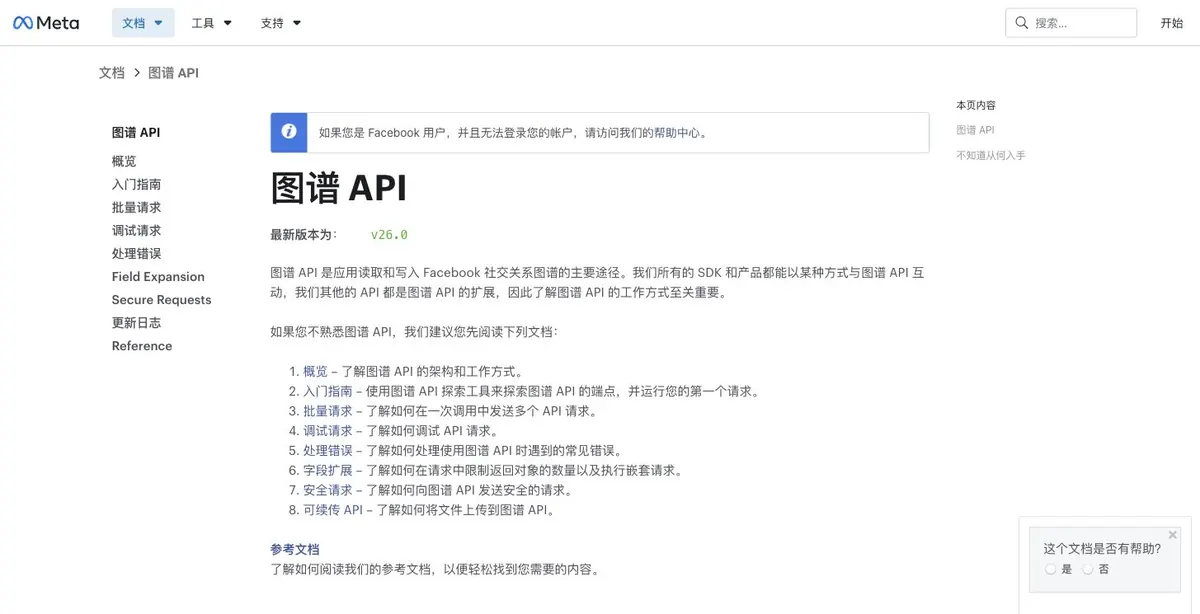
Graph API access is versioned and permission-scoped. Before you run a request, confirm the current API version, object, fields, token type, and permissions in Meta’s documentation. A valid token can still return an authorization error when the app has not been reviewed or the requested field is unavailable. Record the documentation URL and verification date in your project notes instead of treating an older code sample as a permanent contract.
Here is the smallest Python request shape. Set the version, object ID, fields, and token from the current Meta documentation and your approved app; never hard-code the token:
NOT EXECUTED because no Meta access token, approved object, or app permissions were supplied for this editorial run.
import os
import requests

version = os.environ["META_GRAPH_API_VERSION"]
object_id = os.environ["META_OBJECT_ID"]
token = os.environ["META_ACCESS_TOKEN"]
response = requests.get(
    f"https://graph.facebook.com/{version}/{object_id}",
    params={"fields": "id,name", "access_token": token},
    timeout=20,
)
response.raise_for_status()
data = response.json()
print(data)
This verifies the request and response shape, not permission to access any particular Marketplace or personal-profile object. Handle 401, 403, 429, and missing fields according to the current API documentation.
A minimal Playwright workflow
The example below shows the shape of a collector for pages you are authorized to inspect. It is illustrative, not a guarantee that one selector will work forever on Facebook. Replace CARD_SELECTOR with the stable selector you verify in your own session.
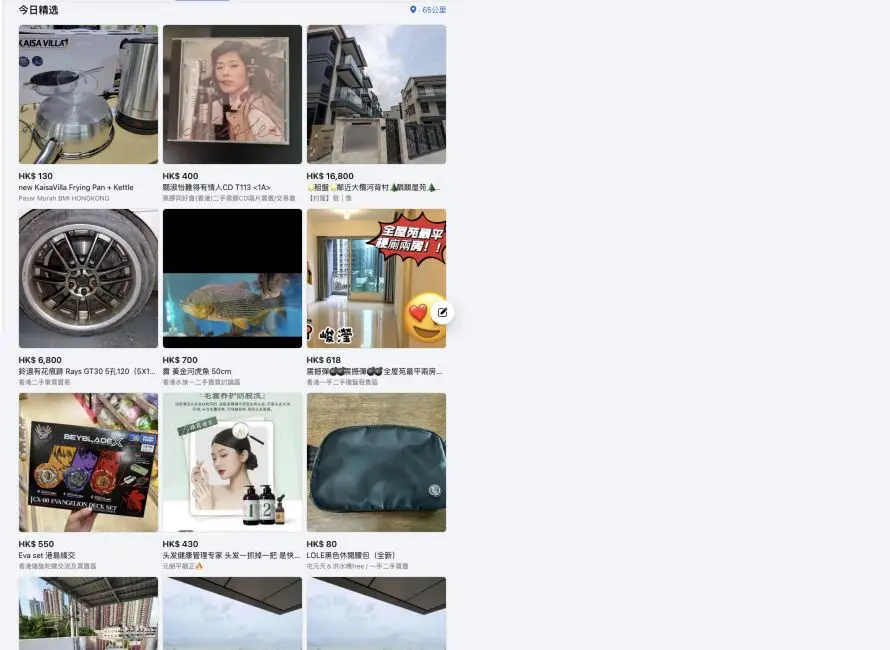
The script was run in an authorized session and returned 18 visible listing links on September 2, 2026. Results depend on page state, account permissions, region, and selector; repeat the run on your own approved view before treating the count as a benchmark.
Install the dependencies in a virtual environment, then install the Chromium browser that Playwright controls:
python -m pip install playwright requests
python -m playwright install chromium
Save the script as facebook_scraper.py and run python facebook_scraper.py first; the safe default opens the local fixture. For an explicitly authorized live test, set FACEBOOK_TARGET_URL to the approved URL before running the script. If Facebook redirects to a login, consent, or challenge page, stop the automated run and resolve access in a separate authorized process rather than saving credentials or automating around the screen.
from playwright.sync_api import TimeoutError as PlaywrightTimeoutError
from playwright.sync_api import sync_playwright
import csv
import os
from pathlib import Path
from urllib.parse import urljoin

FIXTURE_URL = (Path(__file__).parent / "fixtures" / "marketplace_cards.html").resolve().as_uri()
TARGET_URL = os.environ.get("FACEBOOK_TARGET_URL", FIXTURE_URL)
CARD_SELECTOR = "a[href*='/marketplace/item/']"
MAX_ITEMS = 50
MAX_SCROLLS = 4
MAX_EMPTY_SCROLLS = 2


def collect_cards(page, base_url=None):
    rows = []
    seen = set()
    empty_scrolls = 0
    base_url = base_url or page.url

    for scroll_number in range(MAX_SCROLLS + 1):
        cards = page.locator(CARD_SELECTOR)
        before = len(rows)
        for index in range(cards.count()):
            card = cards.nth(index)
            href = card.get_attribute("href")
            text = card.inner_text().strip()
            if not href or not text:
                continue
            link = urljoin(base_url, href)
            if link in seen:
                continue
            seen.add(link)
            rows.append({"text": text, "link": link})
            if len(rows) >= MAX_ITEMS:
                return rows
        empty_scrolls = empty_scrolls + 1 if len(rows) == before else 0
        if scroll_number == MAX_SCROLLS or empty_scrolls >= MAX_EMPTY_SCROLLS:
            break
        page.evaluate("window.scrollBy(0, window.innerHeight)")
        page.wait_for_timeout(1_500)

    if not rows:
        raise RuntimeError("No authorized listing records were found; review the URL, page state, and selector.")

    return rows


with sync_playwright() as p:
    browser = p.chromium.launch(headless=False)
    context = browser.new_context()
    page = context.new_page()

    try:
        page.goto(TARGET_URL, wait_until="domcontentloaded", timeout=30_000)
        page.wait_for_timeout(5_000)
        print(f"Opened {page.url}")
        if TARGET_URL.startswith("https://www.facebook.com/"):
            input("Stop if a login, consent, or challenge page appears. Press Enter only when an independently authorized page is visible: ")
        rows = collect_cards(
            page,
            base_url="https://www.facebook.com/" if TARGET_URL == FIXTURE_URL else None,
        )
        print(f"Successfully collected {len(rows)} items.")
    except PlaywrightTimeoutError:
        print("The page did not finish loading within 30 seconds; no CSV was written.")
        raise

    with open("facebook_data.csv", "w", newline="", encoding="utf-8") as f:
        writer = csv.DictWriter(f, fieldnames=["text", "link"])
        writer.writeheader()
        writer.writerows(rows)

Make the result observable before using a live page
Do not judge a collector by whether the browser opened. Confirm that it returns the fields you intend to keep. The following smoke test uses a tiny local HTML fixture, so it is safe to run without Facebook credentials and makes the expected result concrete:
from playwright.sync_api import sync_playwright

FIXTURE = """
<a href="/marketplace/item/101">Desk lamp · $24 · Austin</a>
<a href="/marketplace/item/102">Monitor stand · $35 · Denver</a>
<a href="/marketplace/item/101">Duplicate desk lamp</a>
"""

with sync_playwright() as p:
    browser = p.chromium.launch()
    page = browser.new_page()
    page.set_content(FIXTURE)
    rows = collect_cards(page, base_url="https://www.facebook.com/")
    assert len(rows) == 2
    assert rows[0]["link"] == "https://www.facebook.com/marketplace/item/101"
    print(rows)
    browser.close()
Expected output:
[{'text': 'Desk lamp · $24 · Austin', 'link': 'https://www.facebook.com/marketplace/item/101'}, {'text': 'Monitor stand · $35 · Denver', 'link': 'https://www.facebook.com/marketplace/item/102'}]
This fixture calls the same collect_cards() function as the authorized workflow, so it checks selector matching, URL normalization, duplicate removal, and zero-result failure without using Facebook credentials. It is not evidence that Facebook grants access to any live record. After the fixture passes, run the collector only against a page and fields your account is authorized to inspect, then save a redacted output sample for your project record.
What this example is trying to show is the workflow, not a magic selector. Keep one persistent browser context, wait for the page to finish rendering, inspect the visible cards, and export only after you can verify that the rows are actually present.
Where proxies fit
Proxies are not a shortcut around missing authorization. They are a diagnostic and routing tool.
Use them only for an authorized network or regional diagnostic. A proxy cannot grant Facebook permissions, bypass a login or CAPTCHA, evade a 403 or 429 response, defeat a ban, or make Marketplace access lawful. Before changing scraper code, test the endpoint with an independent proxy checker. Then re-check the host, port, protocol, and authentication format against the proxy quick start.
If a request still never returns HTTP at all, treat it as a connection problem rather than a scraping problem. The timeout guide is the better next stop.
A different residential proxy endpoint becomes relevant only when the behavior is clearly exit-dependent or location-dependent. It does not fix a bad selector, a missing login session, or an incorrect URL.
Limits and compliance
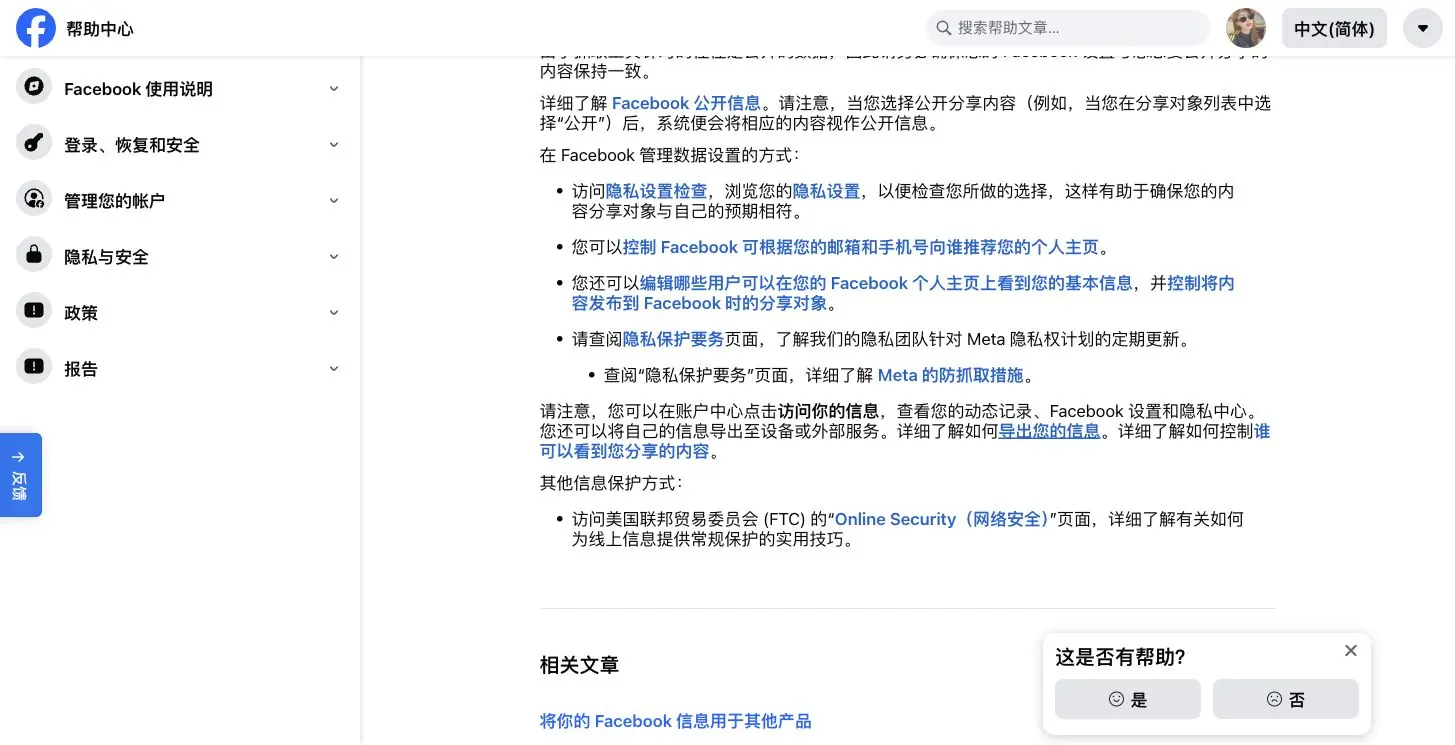
Facebook’s official Help Center includes guidance around data scraping and information security. That is the right place to look when you want the platform’s own framing, rather than a forum guess.
The practical boundary is straightforward:
- public does not mean unrestricted
- authorized access is not the same as a bypass
- private profiles, messages, and hidden data are out of scope
- location and login state can change what you see
If you are working with Marketplace, keep in mind that Facebook access and messaging behavior can depend on region and account state. That is one reason Marketplace data often behaves differently from an ordinary public blog page.
If you only need a quick experiment, the facebook-scraper package on PyPI is a useful reference point. If you need something durable, documented, and supportable, the better answer is usually an official API or an authorized browser workflow with explicit verification steps.
Final recommendation
For Facebook scraping in Python, start with the simplest honest path:
- Use the API if you have one.
- Use Playwright if the data is only visible in the browser.
- Add proxies only after diagnosis proves the failure is network- or exit-dependent.
- Keep your selectors, session handling, and verification steps explicit.
That keeps the scraper honest about what it can and cannot do. It also keeps you from spending a week tuning Requests against a page that never wanted to be scraped that way in the first place.