Craigslist This Posting Is Being Blocked: Causes, Diagnosis, and Compliant Solutions

Sep 2, 2026 · Troubleshooting · 15 min read
TL;DR
When Craigslist displays “This posting is being blocked,” stop repeated submission attempts first. Then determine whether the problem is related to the posting itself, the account, the browser environment, network access, or public visibility. Start by checking the city, category, duplicate wording, links, contact details, and posting frequency. Next, perform only one clean-browser test. Only if multiple devices on the same network cannot even access Craigslist in read-only mode should you perform one authorized network comparison. Changing an IP address cannot reverse an account penalty and cannot make a non-compliant posting pass review.
What Does “Craigslist This Posting Is Being Blocked” Mean?
This message means Craigslist has rejected or paused the current posting action. It does not automatically mean that your public IP address has been permanently banned. Possible triggers can involve the posting content, city or category selection, duplicate patterns, account verification, posting frequency, or network signals.
Start with three questions: Can you open the Craigslist homepage? Can you sign in to the account normally? Is only one posting failing, or are all postings failing? If the site and account work normally but one listing cannot be submitted, inspect the posting first. If every device on the same Wi-Fi network cannot open Craigslist, the issue is more consistent with a network-access problem.
| Symptom | More Likely Cause | Will Changing Networks Help? | Correct Next Step |
|---|---|---|---|
| Only one posting fails to submit | Content, category, duplication, or frequency | Usually no | Correct the posting and stop repeated retries |
| Browsing works, but the account cannot post | Account restriction or verification | Cannot reverse a penalty | Check email and account notices |
| Posting appears successful but is not publicly visible | Review, removal, or ghosting | Usually no | Save the posting ID and check status |
| All devices on one network cannot open Craigslist | Shared exit IP or network access | Diagnostic use only | Check service status and run one network comparison |
| Only one browser behaves abnormally | Cookies, extensions, or cache | No IP change needed | Test with a clean browser |
What Layers Can Craigslist Restrict?
Do not label every problem an “IP ban.” Posting-level restrictions, account restrictions, browser problems, network access problems, and public-visibility problems need to be diagnosed separately because each has a different resolution path.
Posting-Level Blocking
A specific ad may fail to submit because of duplicate wording, the wrong city or category, unusual links, contact information, posting frequency, or goods or services that are not permitted. Changing networks does not correct a content problem.
Account Restrictions
The site may remain accessible while the account cannot post, reply, or complete verification. Check in-product notices, verification emails, and official support channels. Creating a new account does not legitimately remove a restriction on the original account.
Network or IP Access Problems
If several devices on the same network cannot open Craigslist but the homepage loads over normal mobile data in read-only mode, the comparison only shows that the network path is different. It does not prove why a restriction occurred and does not mean posting privileges have been restored.
Ghosting or Public Invisibility
A posting may appear successfully submitted in the account but remain absent when you check the posting ID, direct URL, category listing, and a logged-out browser. This can also be caused by review delay, removal, or indexing delay, so preserve evidence before drawing a conclusion.
How Do Posting, Account, Browser, and Network Signals Interact?
When users search for “craigslist blocks my posting,” the problem is usually not a single isolated IP signal. Posting content, the account, the browser, and the network context can all contribute. Change only one variable at a time during diagnosis. If you simultaneously change the account, IP, content, and device, you will not be able to identify the real cause.
| Signal Layer | Representative Evidence | Priority Action | Do Not Do This |
|---|---|---|---|
| Posting | Only one ad fails | Review title, body, links, images, category, and city | Create multiple near-duplicate versions |
| Account | Other postings fail or verification notices appear | Complete verification and contact support | Immediately create multiple accounts |
| Browser | Incognito works but the normal browser fails | Disable extensions and clear Craigslist site data | Delete all data from the entire device |
| Network | Multiple devices on the same Wi-Fi fail | Run one read-only network comparison and record the exit | Re-submit the same posting across many IPs |
What Is the Difference Between “Craigslist IP Blocked” and a Blocked Posting?
“Craigslist IP blocked” is more consistent with an entire network being unable to access the site, while “this posting is being blocked” is more consistent with a particular posting action being rejected. A network-level issue may affect multiple devices that share the same public exit IP, while a posting-level issue may affect only one account or one ad. Public Wi-Fi, corporate NAT, and shared VPN services can also expose normal users to shared-exit reputation issues, so diagnosis should use multiple devices and one normal mobile-network comparison.
| Test | Result A | Result B | Interpretation |
|---|---|---|---|
| Phone and computer on the same Wi-Fi | Neither can open Craigslist | Both browse normally | A is more consistent with the network layer; B reduces the likelihood of a network-wide restriction |
| Switch to normal mobile data for read-only access | Homepage opens | Still does not open | The first result suggests the original network may be involved; the second points toward a service or device issue |
| Visit the homepage while logged out | Browsing works | Browsing fails | The first is more consistent with account/posting issues; the second is more consistent with network or service status |
| Make one compliant submission after correction | Success | Still fails | The first points toward the original posting; the second points toward the account or a broader restriction |
Why Does Craigslist Block Postings?
Common causes include duplicate or high-frequency posting, a city that does not match the actual service area, the wrong category, unusual links or contact information, prohibited content, shared-exit reputation, and abnormal browser state. Do not rely on fixed “safe posting volume” numbers from third-party articles. Use Craigslist’s current rules and on-page notices instead.
| Cause | What to Check |
|---|---|
| Duplicate or near-duplicate content | Whether an old posting was reused, only a few words were changed, or the same content was posted across cities or categories |
| Repeated submissions in a short period | Whether you kept clicking submit after an error and created repeated actions |
| Location mismatch | Whether the posting city matches the real location of the item, job, or service |
| Wrong category or non-compliant content | Whether the category is accurate and whether the posting contains prohibited goods, misleading information, or keyword stuffing |
| Unusual links or contact details | Short links, multiple redirects, tracking parameters, or abnormal phone-number formatting |
| Account verification issue | Whether email verification is complete and whether many postings were recently edited or deleted |
| Shared-exit impact | Whether public Wi-Fi, enterprise NAT, or a shared VPN is used by many people |
| Browser environment | Whether cookies, script-blocking extensions, system time, and JavaScript are working normally |
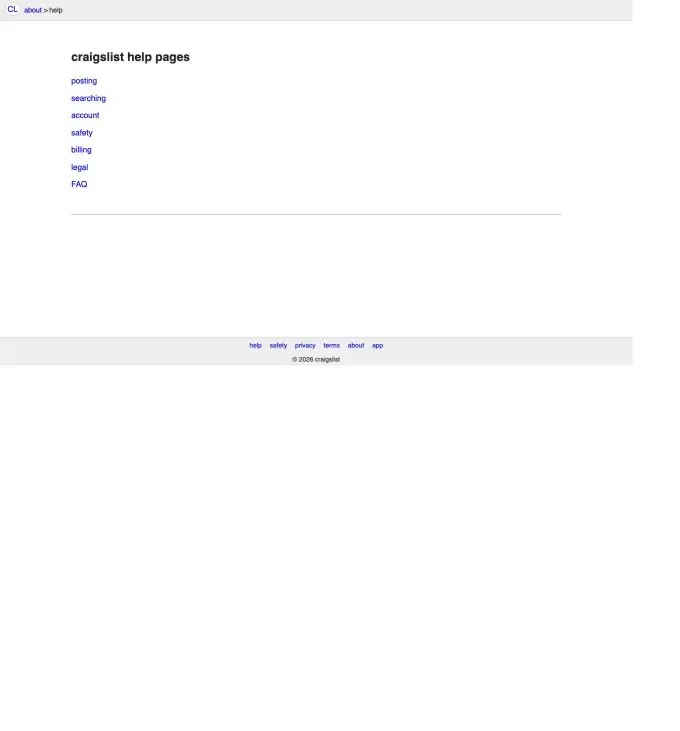
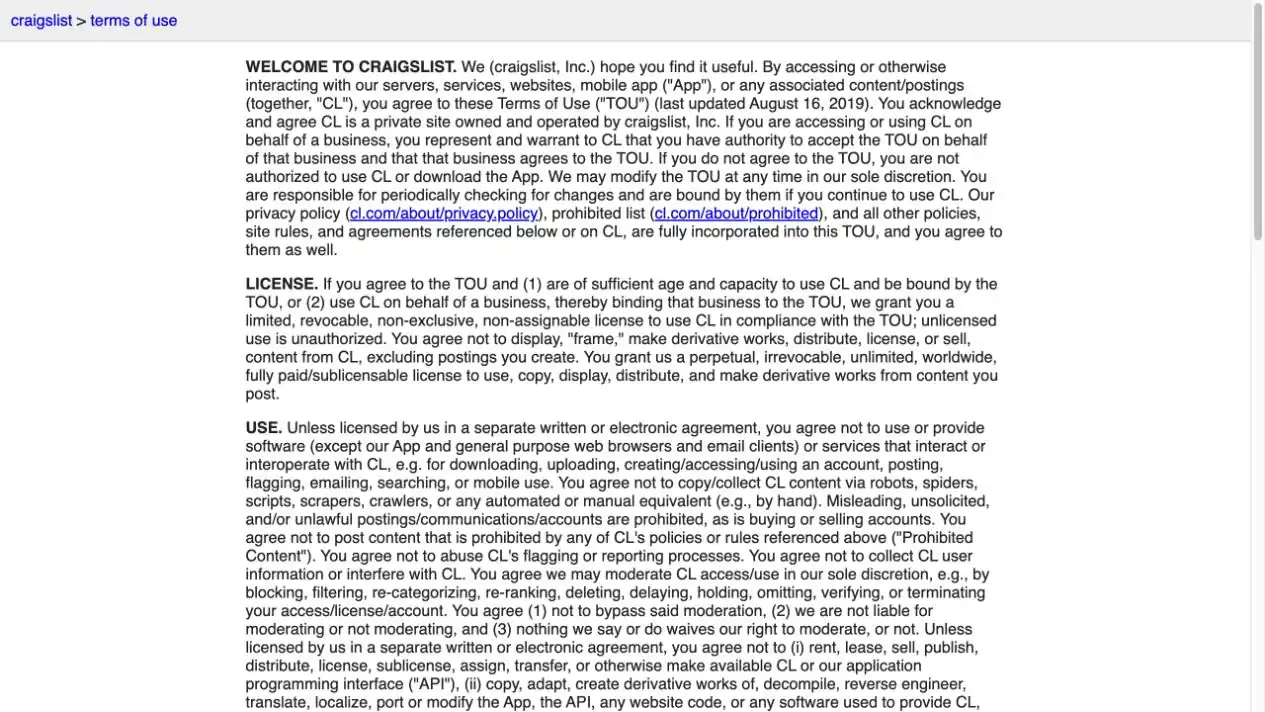
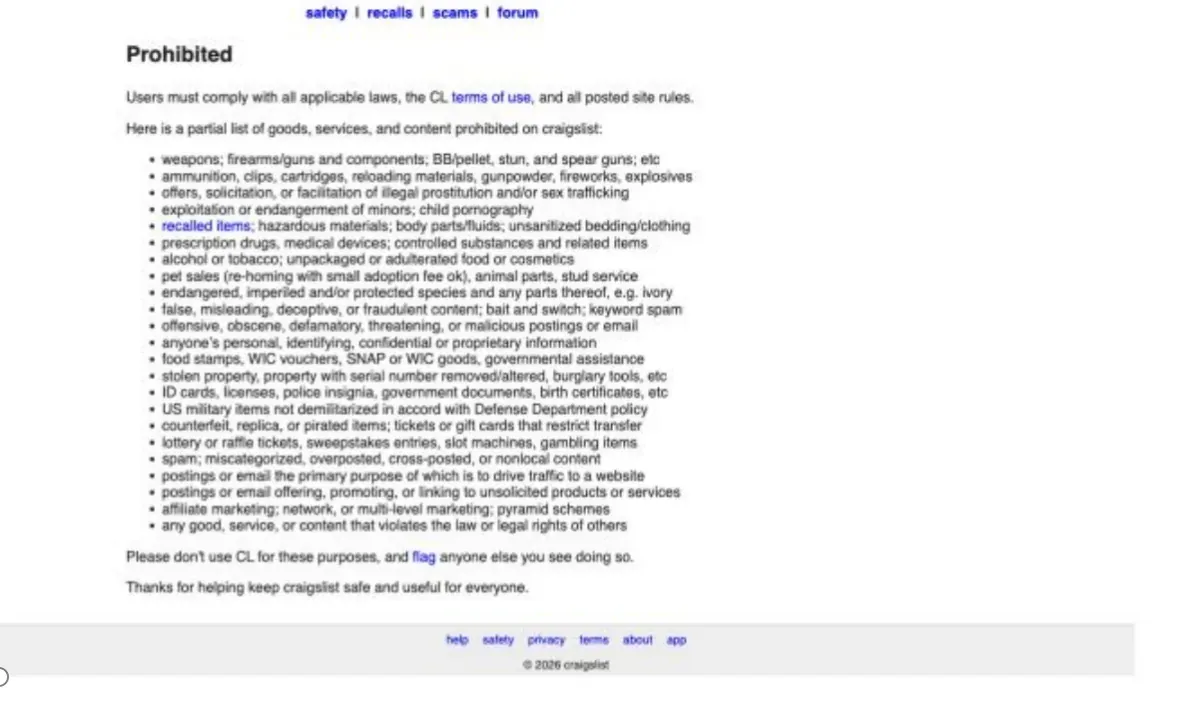
Before posting, review the official pages: Craigslist Help, Terms of Use, Prohibited Content, and Contact.
What Do Craigslist’s Official Pages Confirm, and What Is Only a Diagnostic Inference?
Craigslist’s official pages can confirm rule boundaries, prohibited-content categories, and official contact channels. They do not publish a complete algorithm covering every trigger, a universal ghosting test, or one fixed duration for every type of restriction. The table below separates verifiable platform information from diagnostic inferences made in this article.
| Item | Verifiable from Official Sources | Diagnostic Inference in This Article |
|---|---|---|
| Posting content | Prohibited Content and site rules identify disallowed categories; the Terms require compliance with site rules | Duplicate copy, unusual links, or city/category mismatch are useful priority checks, but Craigslist does not publish the exact trigger logic |
| Account and access | The Terms state that Craigslist may manage, limit, or terminate access and prohibit circumvention of moderation | A single-post failure is more consistent with content; multiple devices on one network failing read-only access justifies checking the network path |
| Ghosting | The official pages do not provide one public, universal ghosting diagnostic standard | Check the posting ID, direct URL, category page, logged-out visibility, and notices together |
| Duration | Official pages do not publish one recovery duration for all posting, account, and network restrictions | Use the error message, account notices, and support replies rather than a fixed number of days from third parties |
Do These 7 Things Immediately After Seeing the Error
The most effective first response is to stop repeated submission attempts and preserve evidence instead of immediately changing accounts or IP addresses.
- Capture the complete error message and record the date, time zone, city, category, account, posting ID, and final URL.
- Confirm whether the Craigslist homepage and Help page open, so you can separate a posting problem from a site-access problem.
- Log out and perform a read-only check in an incognito/private window. Then disable extensions and sign in only once for a controlled test.
- Review the city, category, title, body, images, links, phone number, email address, and price one field at a time.
- Check whether the same or a similar posting was recently published, deleted, or edited. Do not immediately copy and repost it.
- If only one network behaves abnormally, use normal mobile data for one read-only comparison. Do not submit a posting during this test.
- If the account or posting remains restricted, organize the evidence and submit one clear request through the official Help channel.
Four Ways to Resolve “Craigslist This Posting Is Being Blocked”
These four methods address four different layers: network, posting, browser, and account. They are not interchangeable. Choose the method that best matches the observed symptom and change only one variable at a time. If you change the IP, account, device, and content simultaneously, you cannot tell what caused the problem.
| Method | Use It When | Main Action | Stop Condition |
|---|---|---|---|
| Method 1: Rola IP read-only network diagnosis | Multiple devices on the same network cannot access Craigslist in read-only mode | Perform one stable, same-region network-path comparison | Verification, CAPTCHA, or an account restriction appears |
| Method 2: Correct the posting | The site and account work, but only the current posting fails | Correct the city, category, content, links, and images | One clean retry still fails |
| Method 3: Clean the browser | Incognito works but the usual browser fails | Clear site data, disable extensions, and verify the environment | Multiple clean browsers fail |
| Method 4: Official appeal | The account is restricted, verification fails, or a compliant posting still fails | Organize the posting ID, error details, and changes, then request a review | Submit one complete request and wait for a response |
Method 1: Use Rola IP for One Read-Only Network Diagnosis
Only perform a network-variable comparison when multiple devices on the same network cannot access Craigslist in read-only mode and you have already reviewed the posting content, account notices, and official rules. Rola IP should be used only for an authorized, one-time, read-only diagnostic in a region that matches the real business location. The test should be limited to loading the Craigslist homepage, Help page, and original posting URL.
It cannot remove a platform restriction, improve posting approval rates, or be used for bulk account creation, repeated submissions, cross-region posting, or bypassing CAPTCHA, login verification, or human review.
Why Is Rola IP Suitable for Network-Variable Diagnosis?
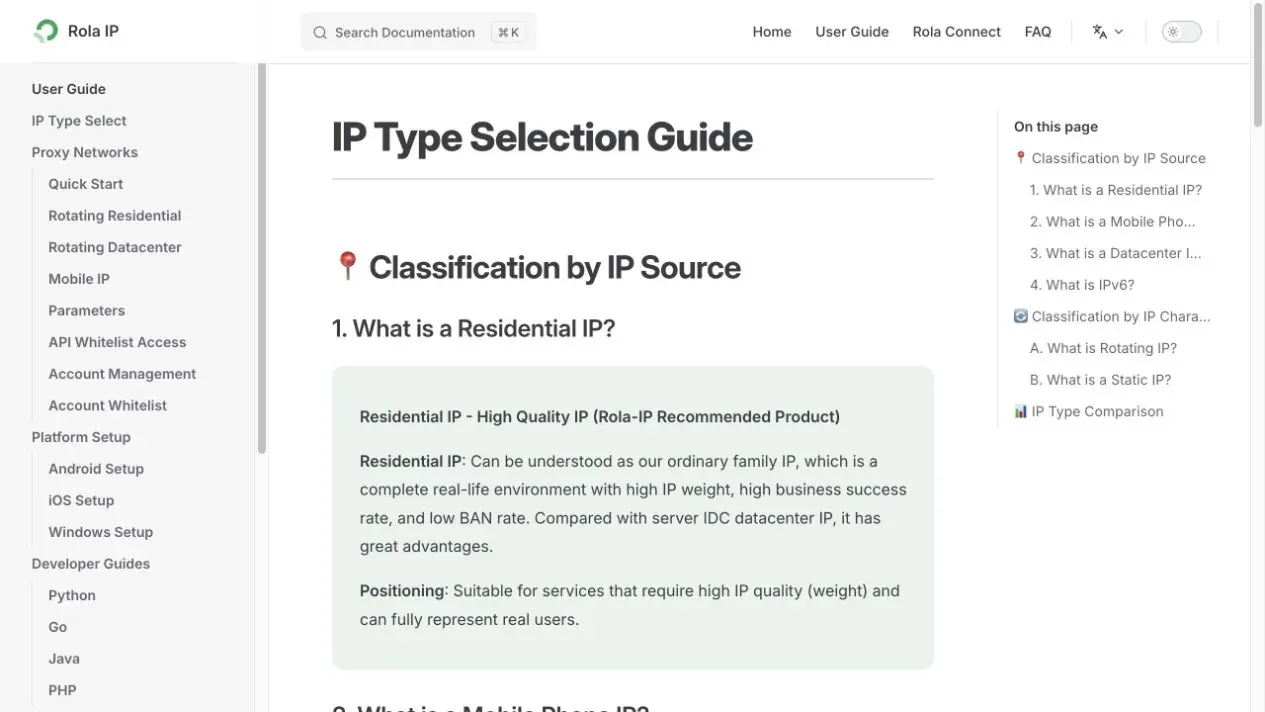
Rola IP provides rotating residential, static residential/ISP, mobile, and datacenter proxies. For this diagnostic scenario, a static residential/ISP connection that matches the real business location is preferable because a stable exit reduces variables. A short sticky residential session should be considered only when comparing regional display behavior on public pages. Mobile proxies should be reserved for QA that genuinely depends on mobile-carrier differences.
The test scope should remain limited to read-only access to the Craigslist homepage, Help page, and the original posting link. Stop immediately and move to official support if a login challenge, CAPTCHA, or account restriction appears.
| Rola IP Product | Suitable Diagnostic Scenario | Why Choose It | Do Not Use It For |
|---|---|---|---|
| Static residential/ISP | Stable read-only retest in the same region | Fixed exit reduces variables | Cross-city posting or account rotation |
| Rotating residential | Comparing public-page regional display | Region can be selected and a short session maintained | Repeated submission from multiple IPs |
| Mobile proxy | Mobile-carrier network QA | Compare mobile and home-network behavior | Default use or avoiding platform restrictions |
| Datacenter proxy | Basic connectivity checks | Simple configuration and fast response | Simulating a normal local residential posting environment |
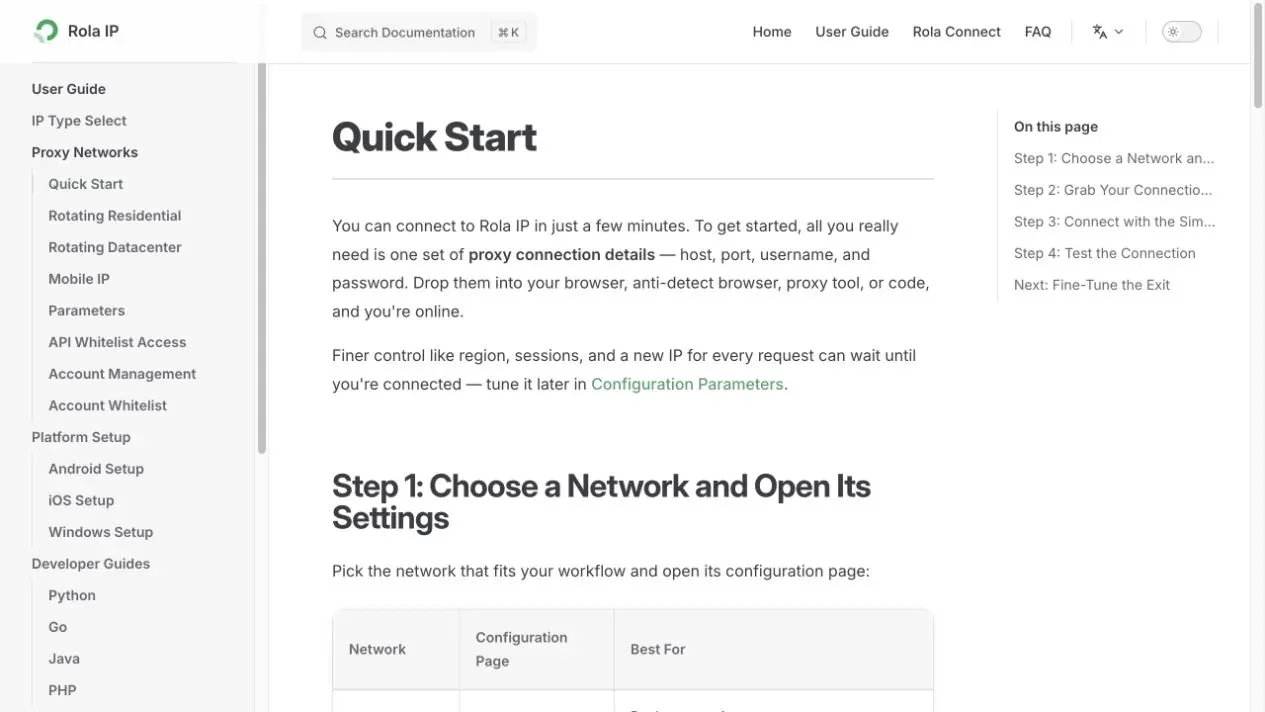
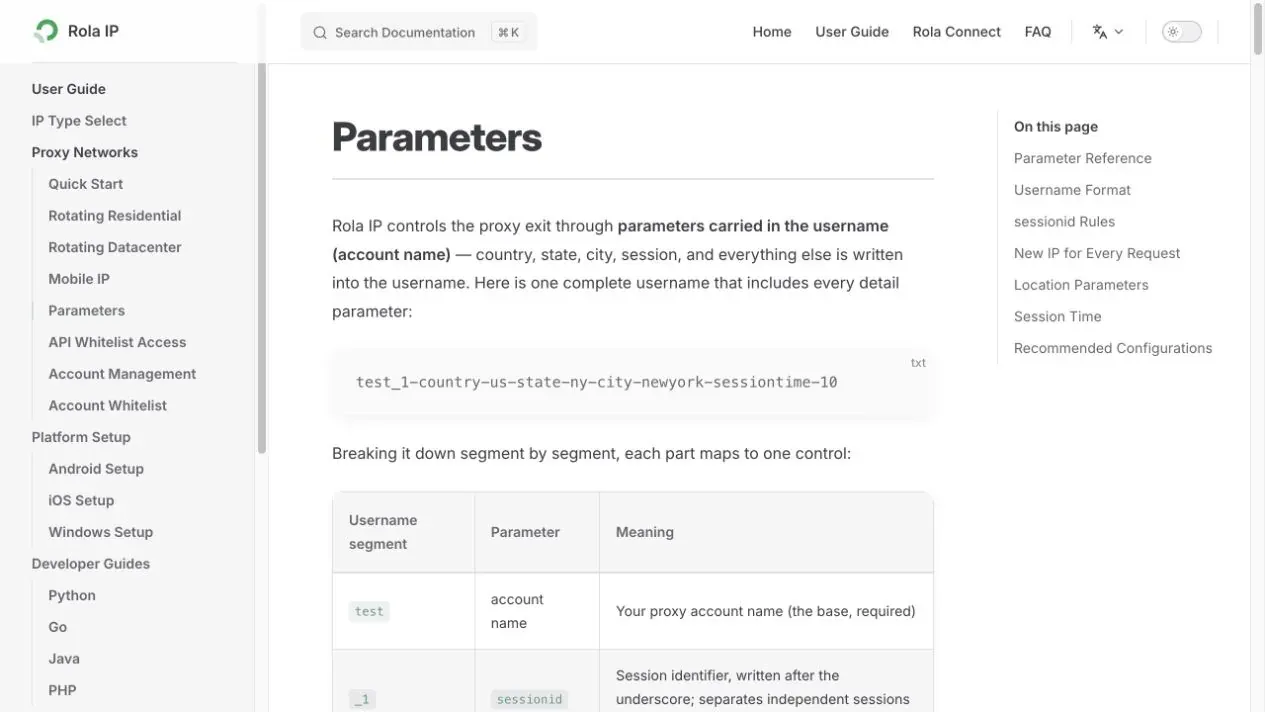
Rola IP setup documentation: IP Type Selection Guide, Proxy Quick Start, and Proxy Parameters.
Rola IP One-Time Read-Only Diagnostic Steps
- Confirm that the account belongs to you or that you are authorized to test it, and first complete the posting-content, account-notice, and official-rule checks.
- Select a country or city that matches the real business location. Prefer static residential/ISP for a stable comparison; use a short sticky residential session only for public-page regional checks.
- Authenticate through the supported account/password or IP-whitelist method. First visit an approved IP-check service and record the exit country, city, and ASN.
- Open only the Craigslist homepage, Help page, and original posting link. Observe whether the access error remains. Do not submit a posting.
- If the homepage loads but the account or posting remains restricted, stop testing immediately and return to content correction or an official appeal.
- After the test, revoke temporary whitelist entries or credentials and save the time, exit, pages visited, and result.
How Should You Interpret the Network Comparison?
| Test Result | What You Can Infer | What You Cannot Infer |
|---|---|---|
| Home network fails, but mobile data or an authorized proxy can open the homepage | The original network path or shared exit may be involved | The account has been unblocked or posting is permitted again |
| Every network can browse, but the posting always fails | The problem is more consistent with posting or account filtering | The proxy is low quality |
| Only one browser fails | The issue is more consistent with cookies, extensions, or browser state | The public IP is banned |
| Access briefly works after changing the exit | The network environment changed | A platform penalty was legitimately removed |
When Must You Stop Network Testing and Contact Craigslist?
If the same compliant posting fails on two authorized connections, the account clearly shows a restriction, or Craigslist requires verification, stop changing networks. Network comparison can isolate a connection variable; it cannot approve content or reverse an account decision. Save the posting ID, complete error, UTC time, city, category, and redacted screenshots, then use the official support channel for review.
Stop network testing when any of the following occurs:
- A CAPTCHA, login challenge, phone verification, or other access control appears.
- The account receives a clear restriction, removal notice, verification failure, or paid-posting error.
- The posting involves a Craigslist-prohibited item or an unresolved rules gray area.
- The proxy exit city does not match the real business location, making the test unrepresentative.
- The goal shifts toward bulk duplicate posting, moderation avoidance, or collecting personal information.
Method 2: Correct the Posting and Make Only One Clean Retry
If the Craigslist homepage opens and the account can sign in normally but only the current posting fails, the problem is more likely related to the posting content or submission pattern than to the network. In this case, correcting the posting is usually more useful than changing networks.
Review the city, category, title, body, price, images, links, and contact details one field at a time. Make sure the information is truthful, specific, and not a near-copy of another listing. After making the corrections, perform only one clean retry. If it still fails, stop submitting and move to account checks or an official review.
- Title: Describe one item, job, or service. Do not stuff cities, phone numbers, ALL CAPS, or repeated keywords into the title.
- Body: Remove copied text, irrelevant city lists, exaggerated promises, and repeated paragraphs.
- Links: Remove short links, multi-step redirects, tracking parameters, and landing pages unrelated to the posting.
- Contact information: Use one normal, readable format. Do not split characters to evade recognition.
- Images: Use original images relevant to the current item or service. Remove QR codes, repeated watermarks, and large promotional text.
- City and category: Select the real location and the most specific accurate category. Do not duplicate the posting across regions merely to increase exposure.
Review the Posting Field by Field
| Field | Lower-Risk Practice | Higher-Risk Signal | Correction Principle |
|---|---|---|---|
| Title | Accurately describes one subject | ALL CAPS, multiple cities, phone numbers, keyword stuffing | Keep one clear topic |
| Body | Original factual description, real conditions, and location | Light rewrite of an old post, repeated paragraphs | Rewrite genuinely; do not use synonym substitution |
| Price/salary | Real and consistent with the body | Bait-style “free” pricing or internal contradictions | Keep amount and conditions consistent |
| Links | Necessary and directly relevant | Short links, multiple redirects, multi-domain tracking | Remove unnecessary links |
| Contact details | One normal contact format | Split characters, repeated numbers, QR codes in images | Do not use unusual formatting to evade filters |
| Images | Real images of the current item/service | Reused old images, large promotional text | Remove duplicates and keep them authentic |
| City/category | Real location and most specific category | Repetition across unrelated cities or categories | Choose based on the real transaction or service location |
Method 3: Clean Browser State and Check the Local Network
If an incognito window or another device works normally but your everyday browser continues to show errors, inspect cookies, extensions, script settings, system time, and local security software first. There is no reason to change IP addresses at this stage. Do not modify the posting at the same time as you clean the browser, because you would lose the ability to identify which change mattered.
- Disable ad blockers, script blockers, autofill tools, and suspicious network extensions.
- Confirm that JavaScript and cookies are enabled and that the system date and time zone are correct.
- Clear only Craigslist site data and then sign in once. Do not delete unrelated data from other websites.
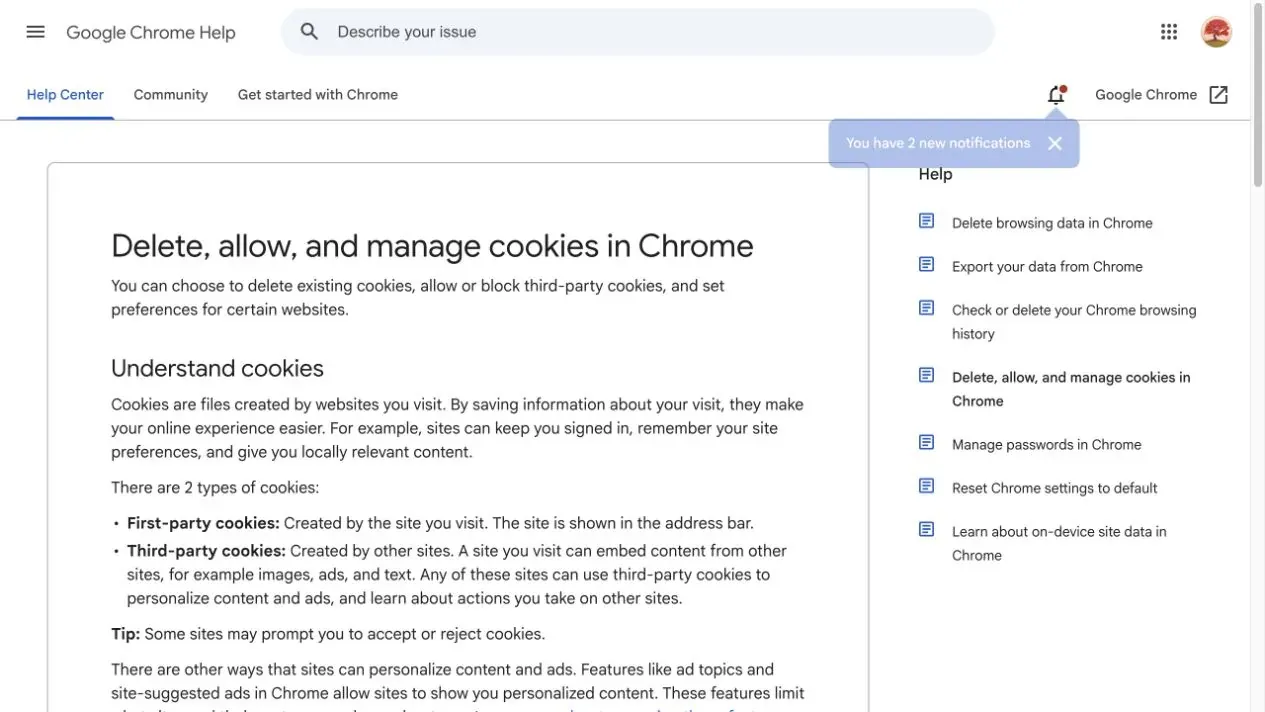
Browser reference: Google Chrome Help - Delete, allow, and manage cookies.
- Disable automated posting tools, macros, and browser automation.
- Check whether DNS settings, a firewall, corporate proxy, or security software is rewriting requests.
Method 4: Contact Craigslist Support for a Manual Review
If the account shows an explicit restriction, Craigslist requires verification, or a compliant posting still fails after one clean retry, stop technical testing and request an official review. Submit one factual, complete request that identifies when the issue occurred, the city, category, posting ID, changes already made, and the current error. Do not send duplicate emails and do not provide passwords, verification codes, cookies, or payment information.
English Appeal Template
Subject: Request for review of “This posting is being blocked”
Hello Craigslist Support,
I am receiving the message “This posting is being blocked” when submitting a listing in [city] under [category]. The issue occurred on [date and time, time zone]. My account email is [email], and the posting ID is [ID, if available].
I reviewed the posting rules, removed duplicate or unnecessary content, confirmed that the location and category are accurate, and stopped further submission attempts. The listing concerns [brief factual description]. Please review whether the post or account was restricted in error and let me know what should be corrected.
Thank you.
Official support entry points: Craigslist Help and Craigslist Contact.
How Long Does a Craigslist Restriction Last?
Craigslist does not publish one universal recovery time that applies to every posting, account, or network restriction. Third-party claims such as “48 hours” or “permanent IP ban” often mix together posting-frequency rules, temporary risk controls, account penalties, and network problems.
Unless the error page or official support provides a specific duration, record when the problem started, stop repeated actions, and wait for review.
| Restriction Type | What Determines the Duration | What to Do While Waiting | Recovery Signal |
|---|---|---|---|
| Posting filter | Current error, posting status, support response | Correct the content and do not duplicate/repost | The same compliant posting is accepted |
| Account restriction | Account notices, verification email, support reply | Complete verification and organize the posting ID | Account functions return or support provides an explanation |
| Network/IP issue | Multi-device and mobile-network comparison | Stop access attempts and check the shared exit | The original network can reliably browse in read-only mode |
| Ghosting/invisibility | Posting ID, direct URL, category page | Allow a reasonable indexing period and preserve evidence | The direct URL works while logged out |
How Can You Confirm Ghosting Instead of Review or Indexing Delay?
Low traffic or a dashboard that says “published” is not enough to prove ghosting. At minimum, check the posting ID, direct URL, correct city/category page, and a logged-out browser. Also rule out moderation delay, deletion notices, and search-indexing delay.
- Save the original posting ID, submission time, city, category, and direct URL.
- Log out and open the direct URL in an unauthenticated browser. Record the status code and final URL.
- Browse normally through the correct city and category; do not treat one site-search result as your only evidence.
- Check account email, removal notices, and support messages to rule out an explicit deletion or verification problem.
- If the posting is still unavailable after a reasonable period, include the evidence above in one support request.
How Can You Prevent “This Posting Is Being Blocked” from Happening Again?
Long-term prevention depends on truthful, accurate, low-duplication posting practices rather than continuously changing IP addresses.
- Maintain a posting log containing the city, category, posting ID, publish time, edit time, deletion status, and responsible operator.
- Use unique content for each real item, job, or service instead of generating batches of near-duplicate versions.
- Use the real location. For multi-city businesses, use only promotion methods that Craigslist permits.
- Check prohibited items, links, contact information, and images before posting, and avoid abnormal formatting.
- Reduce the number of people sharing one account and define internal permissions for editing and reposting.
- Set a stop condition after an error: repeated failure should end submission attempts and trigger manual review.
- Regularly review Craigslist Terms, Help pages, and your internal posting SOP.
Conclusion
The correct sequence for resolving craigslist this posting is being blocked is to stop repeated submissions first, then distinguish among posting, account, browser, network, and public-visibility issues. Correct the content, clean the browser environment, and perform one read-only network comparison only when necessary.
Rola IP can be used only to isolate a network variable; it cannot reverse a platform penalty. If the account or content remains restricted, the final resolution path is to follow Craigslist’s rules and request a review through the official support channels.