
How to Do Web Scraping in Java: A Complete Tutorial from Jsoup to Playwright

Aug 31, 2026 · Proxy Basics · 13 min read
TL;DR
If you are searching for how to do web scraping in Java, the most reliable combination is to use Java
HttpClientto fetch authorized pages, use Jsoup to parse static HTML, and use Playwright only when the data depends on JavaScript. For multi-page jobs, add URL canonicalization, per-domain rate limiting, bounded concurrency, limited retries, checkpoints, and data quality checks.
Is Java Good for Web Scraping?
Yes. Java’s strongly typed models, mature HTTP/HTML libraries, threading capabilities, and monitoring ecosystem make it particularly suitable for long-running collectors, integration with Spring services, or scraping projects that require strict data models. The trade-off is that project setup is somewhat heavier than Python, and browser automation resource usage must also be controlled.
What Must You Confirm Before You Start?
- Collect only data that does not require bypassing authentication or technical access controls.
- Check the target site’s terms,
robots.txt, applicable laws, and internal authorization. - Provide a genuine project identifier and contact information in the User-Agent when the target allows it.
- Stop and review authorization if you repeatedly encounter 403, 429, CAPTCHA challenges, or terminated connections.
- Prefer official APIs, data exports, or partner interfaces whenever possible.
How to Choose a Java Web Scraping Library or Framework
Tool |
Best For |
JavaScript |
Main Advantages |
Main Limitations |
|---|---|---|---|---|
java.net.http.HttpClient |
Fetching HTML/API responses |
No |
Built into the JDK, connection pooling, async support |
Does not parse the DOM |
Jsoup |
Parsing static HTML |
No |
Clear CSS selectors, lightweight |
Does not execute JavaScript |
HtmlUnit |
Lightweight browser workflows |
Limited |
Pure Java, forms/XPath |
Limited compatibility with modern pages |
Playwright for Java |
Dynamic pages/interactions |
Yes |
Strong waiting mechanisms and multi-browser support |
Higher resource and deployment cost |
Selenium |
Existing WebDriver ecosystems |
Yes |
Mature ecosystem |
Heavier wait and driver management |
Crawler4j/WebMagic |
Site-crawling frameworks |
Depends on integration |
URL queues and crawler structure |
Dynamic rendering requires a separate browser integration |
Recommended decision: choose HttpClient + Jsoup for static pages. For dynamic pages, inspect network responses first and use Playwright only when rendering is truly required. For large URL sets, use your own queue/rate limiter or a mature crawling framework.
Practical Environment and Project Structure
The following code was compiled and verified on macOS with JetBrains Runtime OpenJDK 17.0.12 and Jsoup 1.18.3. Java 21 can use virtual threads to improve I/O concurrency. Consult the Java HttpClient API, Jsoup documentation, and Playwright for Java documentation when adapting the examples to a production version.
java -version
mkdir java-scraper && cd java-scraper
# Maven project: src/main/java, src/test/resources, pom.xml
mvn -q test
<dependency>
  <groupId>org.jsoup</groupId>
  <artifactId>jsoup</artifactId>
  <version>1.18.3</version>
</dependency>
How to Do Web Scraping in Java: Complete Example
This article uses ScrapingCourse’s public ecommerce practice site for the complete demonstration. The target product is Abominable Hoodie. The site is specifically designed for learning web scraping, and the product page does not require login. The example extracts the title, price, SKU, category, short description, main image URL, and source URL.
Demo pages:
- Abominable Hoodie product page:
https://www.scrapingcourse.com/ecommerce/product/abominable-hoodie/ - Product listing page:
https://www.scrapingcourse.com/ecommerce/
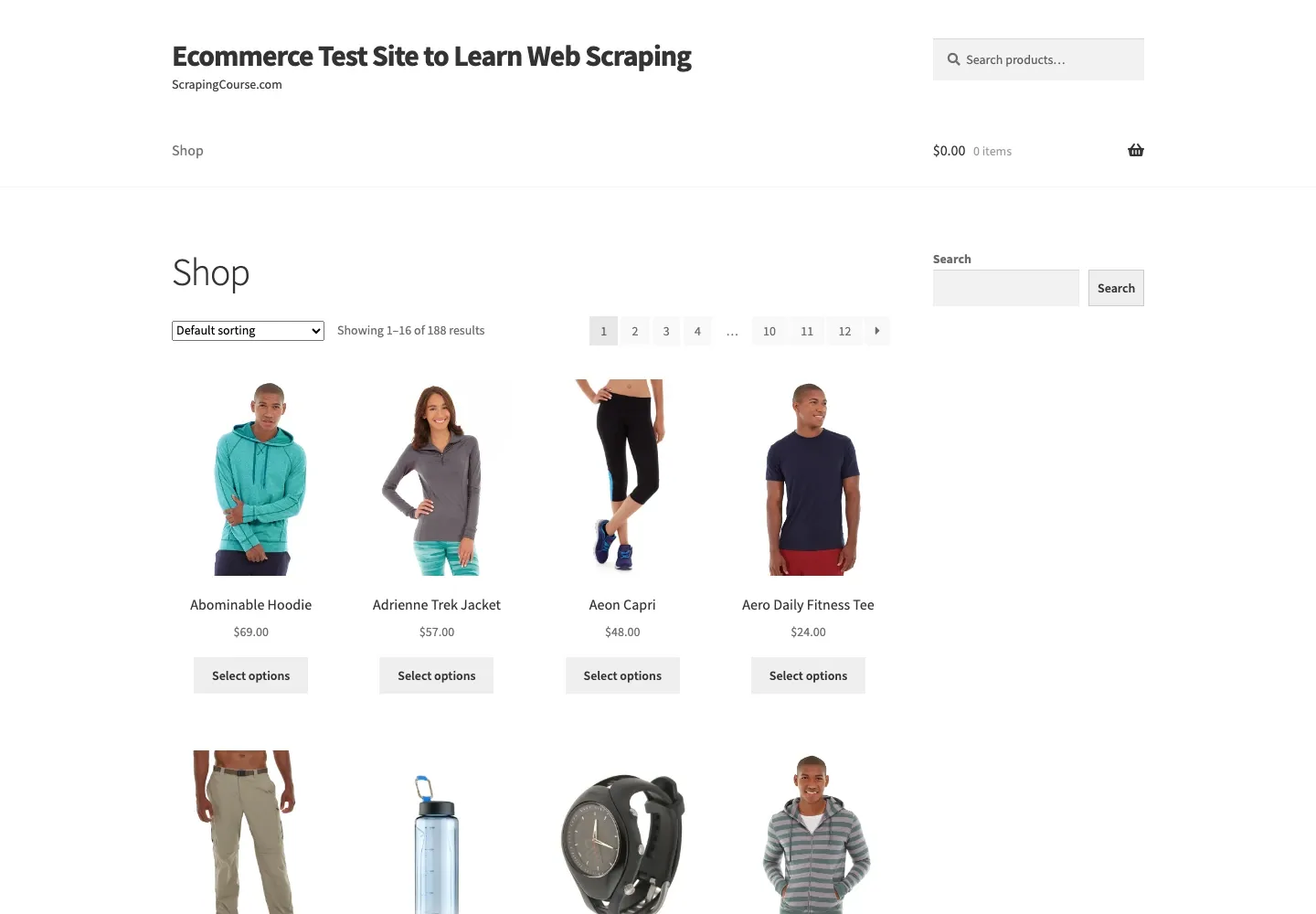
Figure 1: Live product listing page with pagination, product images, product names, and prices.
| Field | Example Page Value | CSS Selector | Business Use |
|---|---|---|---|
title |
Abominable Hoodie | h1.product_title |
Product naming and matching |
price |
$69.00 | p.price |
Price monitoring |
sku |
MH09 | .sku |
Stable product primary key |
category |
Hoodies & Sweatshirts | .posted_in a |
Category analysis |
description |
This is a variable product… | .short-description |
Summaries and search |
image |
mh09-blue_main-416x516.jpg |
.gallery img |
Image collection |
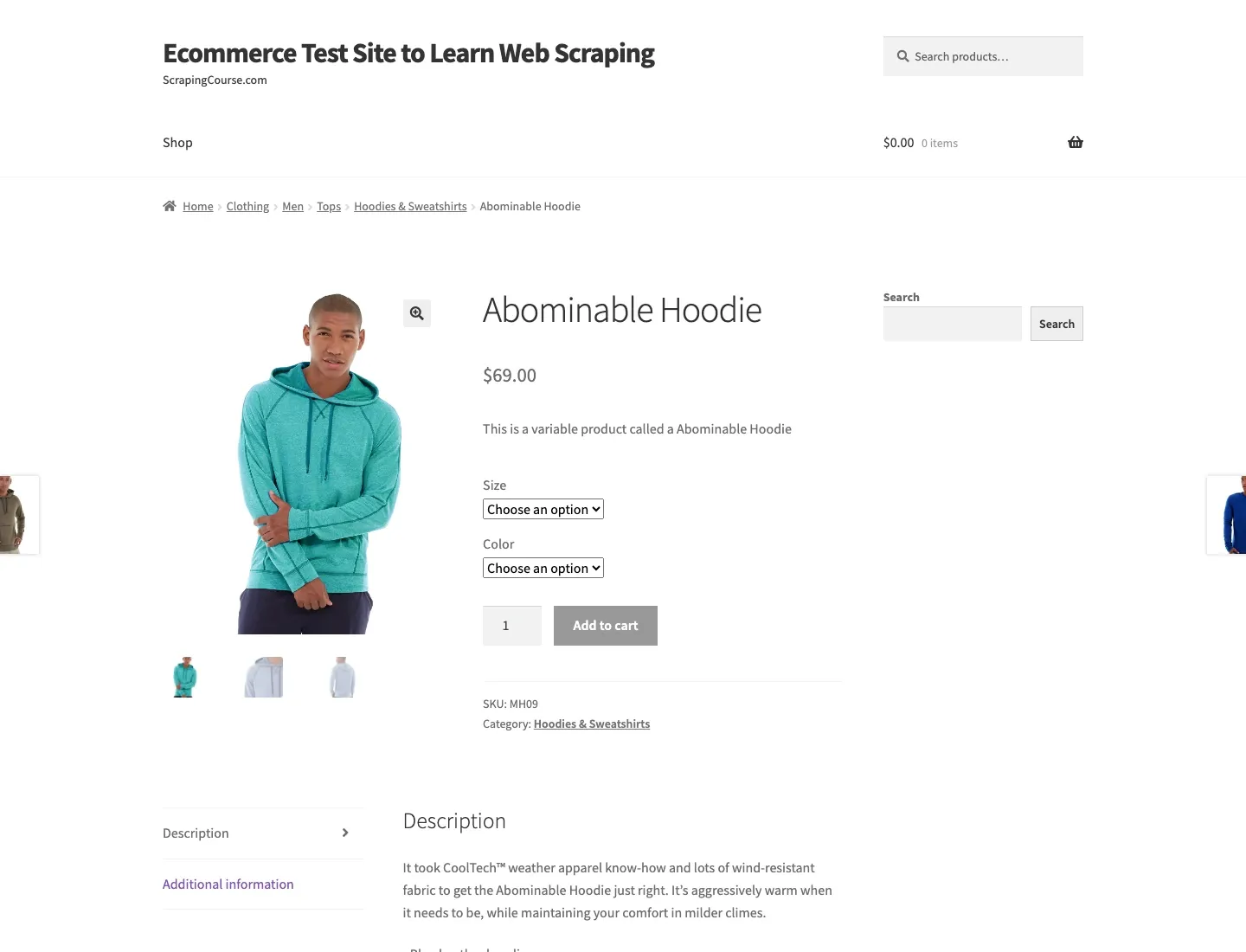
Figure 2: Live Abominable Hoodie product detail page.
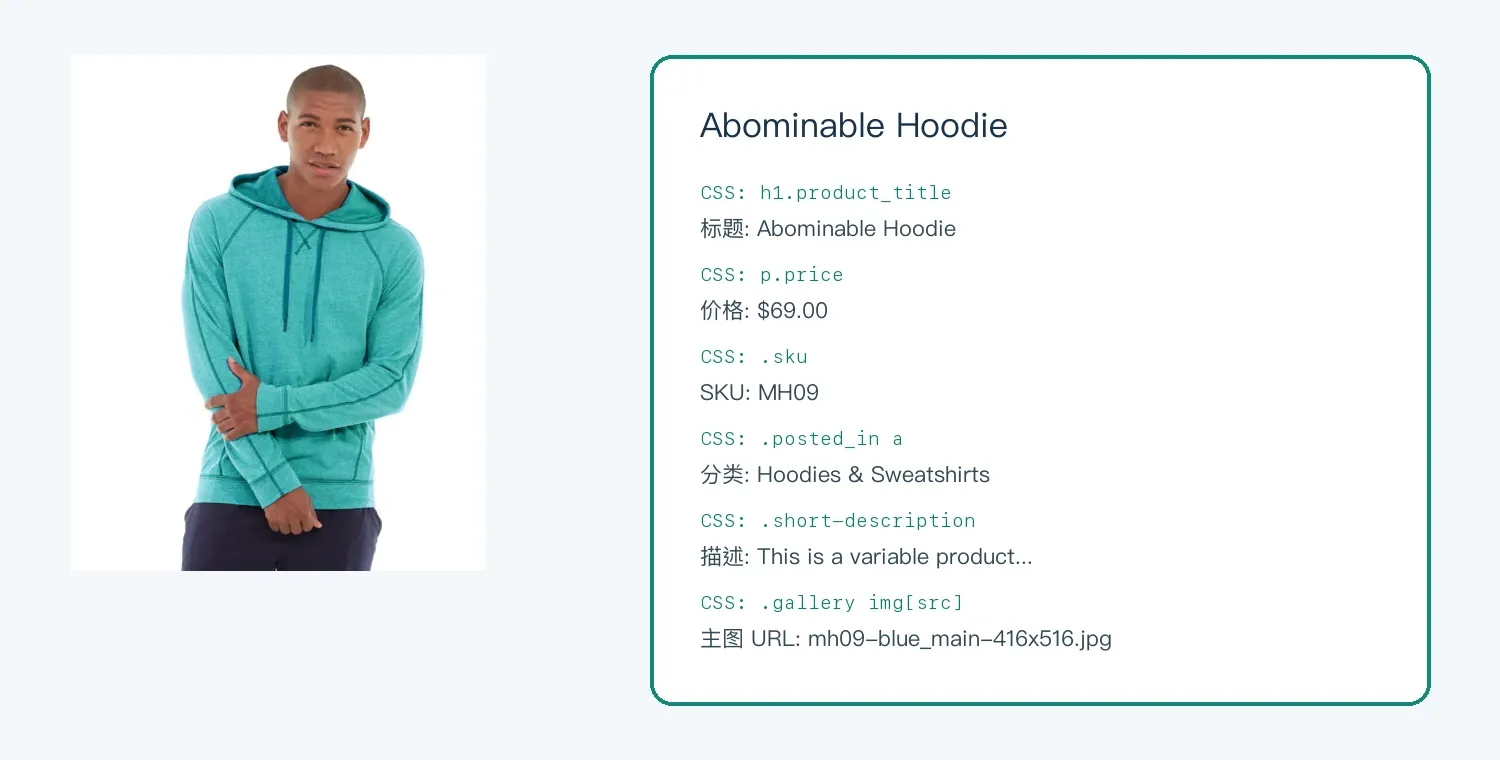
Figure 3: Live product fields annotated with their CSS selectors.
Step 1: Confirm the Fields on the Page Before Writing Code
- Open the product page and confirm that the title, price, SKU, category, and description are genuinely public to users who are not logged in.
- Right-click each field and inspect the element. Look for stable semantic classes,
itemprop, ordata-*attributes instead of copying a long DOM path. - In the Console, first validate a single selector with
document.querySelector("h1.product_title")?.textContent. - For the main image, inspect
src,data-src, andsrcset. This tutorial uses thesrcthat is actually present on the page. - Define the handling rule for missing fields: return
null, skip the record, or trigger a structure-drift alert.
Step 2: Run the Complete Product-Page Scraper
The following is not a minimal snippet that extracts only a title. It is a complete ProductPageScraper that requests the product page, uses separate helper methods to read text and absolute image URLs, and outputs six fields at once.
import org.jsoup.Jsoup;
import org.jsoup.nodes.*;

public class ProductPageScraper {
  private static String text(Document doc, String selector) {
    Element node = doc.selectFirst(selector);
    return node == null ? null : node.text().trim();
  }
  private static String attr(Document doc, String selector, String name) {
    Element node = doc.selectFirst(selector);
    return node == null ? null : node.absUrl(name);
  }
  public static void main(String[] args) throws Exception {
    String url = "https://www.scrapingcourse.com/ecommerce/product/abominable-hoodie/";
    Document doc = Jsoup.connect(url)
        .userAgent("JavaTutorial/1.0 (+educational-demo)")
        .timeout(30_000).get();
    String title = text(doc, "h1.product_title");
    String price = text(doc, "p.price");
    String sku = text(doc, ".sku");
    String category = text(doc, ".posted_in a");
    String description = text(doc, ".woocommerce-product-details__short-description");
    String image = attr(doc, ".woocommerce-product-gallery img", "src");
    System.out.printf("title=%s%nprice=%s%nsku=%s%ncategory=%s%ndescription=%s%nimage=%s%n",
        title, price, sku, category, description, image);
  }
}
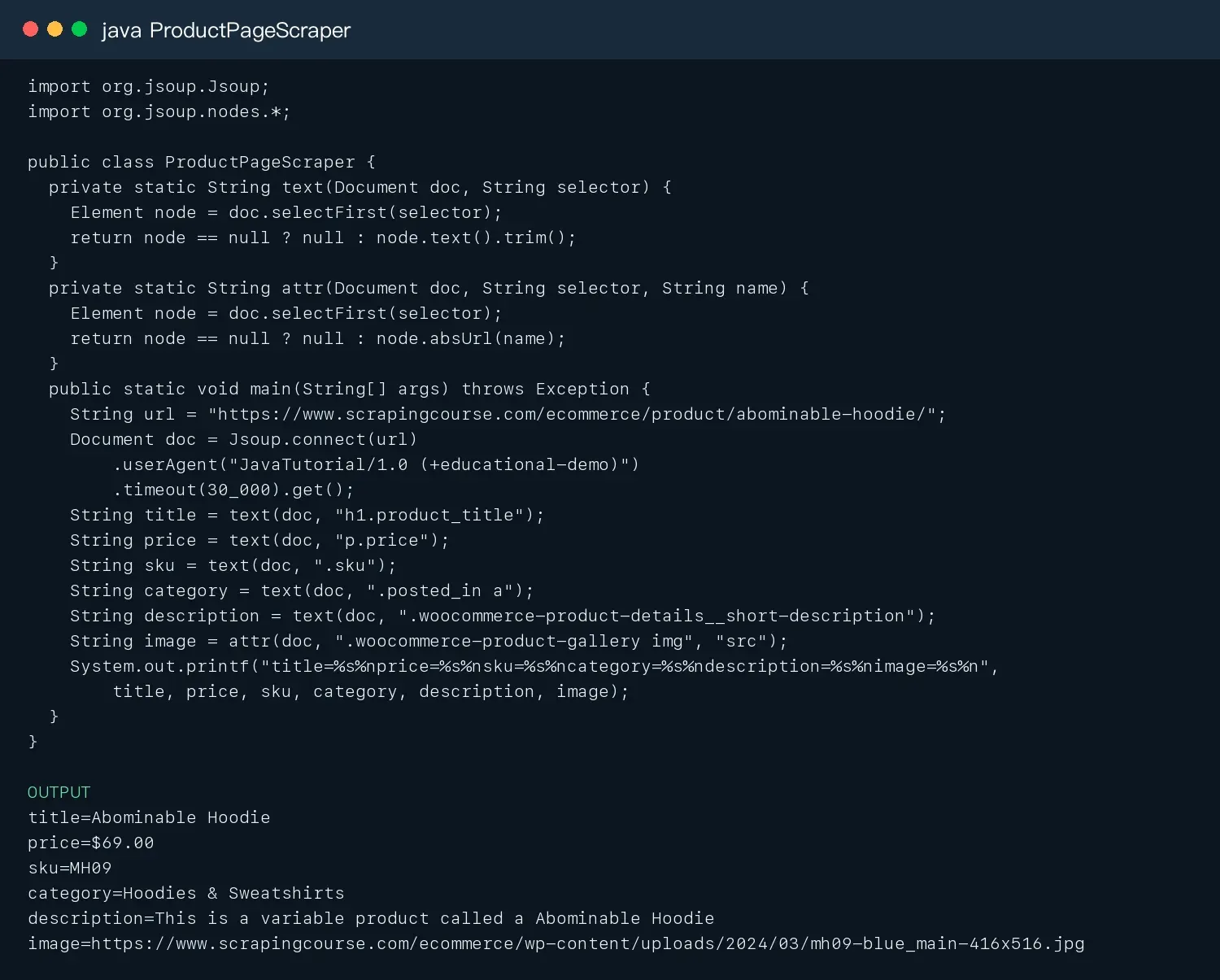
Figure 4: Live Java product-page scraping result.
The actual run shows what each line produces: title is the page H1, price keeps the currency symbol, sku can serve as the product primary key, category is useful for aggregation, description can be indexed for search, and image has been converted by absUrl() into a directly accessible absolute URL.
Step 3: Model the Fields Instead of Leaving Them as Loose Strings
After parsing the fields in the preceding example, use the following model fragment to validate and store a product record:
import java.net.URI;
import java.time.Instant;

public record Product(
    String title, String priceText, String sku, String category,
    String description, URI imageUrl, URI sourceUrl, Instant fetchedAt) {
  public Product {
    if (title == null || title.isBlank()) throw new IllegalArgumentException("missing title");
    if (sku == null || sku.isBlank()) throw new IllegalArgumentException("missing sku");
  }
}

Product product = new Product(title, price, sku, category, description,
    URI.create(image), URI.create(url), Instant.now());
A strongly typed record makes a missing primary key fail immediately and establishes a fixed field contract for later JSON, CSV, or database writes. For prices, it is recommended to keep both priceText and a parsed BigDecimal priceAmount instead of using double directly and introducing monetary precision problems.
Step 4: Discover Multiple Detail Pages from the Product Listing
The product listing page should not re-parse every detail field. Its job is to discover product URLs, titles, and list prices, then place the detail URLs into a bounded queue. The code below was run on the live listing page and prints only the first five entries so the output is easy to understand.
import org.jsoup.Jsoup;
import org.jsoup.nodes.*;
import java.util.concurrent.atomic.AtomicInteger;

public class LiveCatalogScraper {
  public static void main(String[] args) throws Exception {
    Document doc = Jsoup.connect("https://www.scrapingcourse.com/ecommerce/")
        .userAgent("JavaTutorial/1.0 (+educational-demo)").timeout(30_000).get();
    AtomicInteger count = new AtomicInteger();
    for (Element card : doc.select("li.product")) {
      if (count.incrementAndGet() > 5) break;
      String title = card.selectFirst("h2").text();
      String price = card.selectFirst(".price").text();
      String url = card.selectFirst("a[href]").absUrl("href");
      System.out.printf("%d | %s | %s | %s%n", count.get(), title, price, url);
    }
  }
}
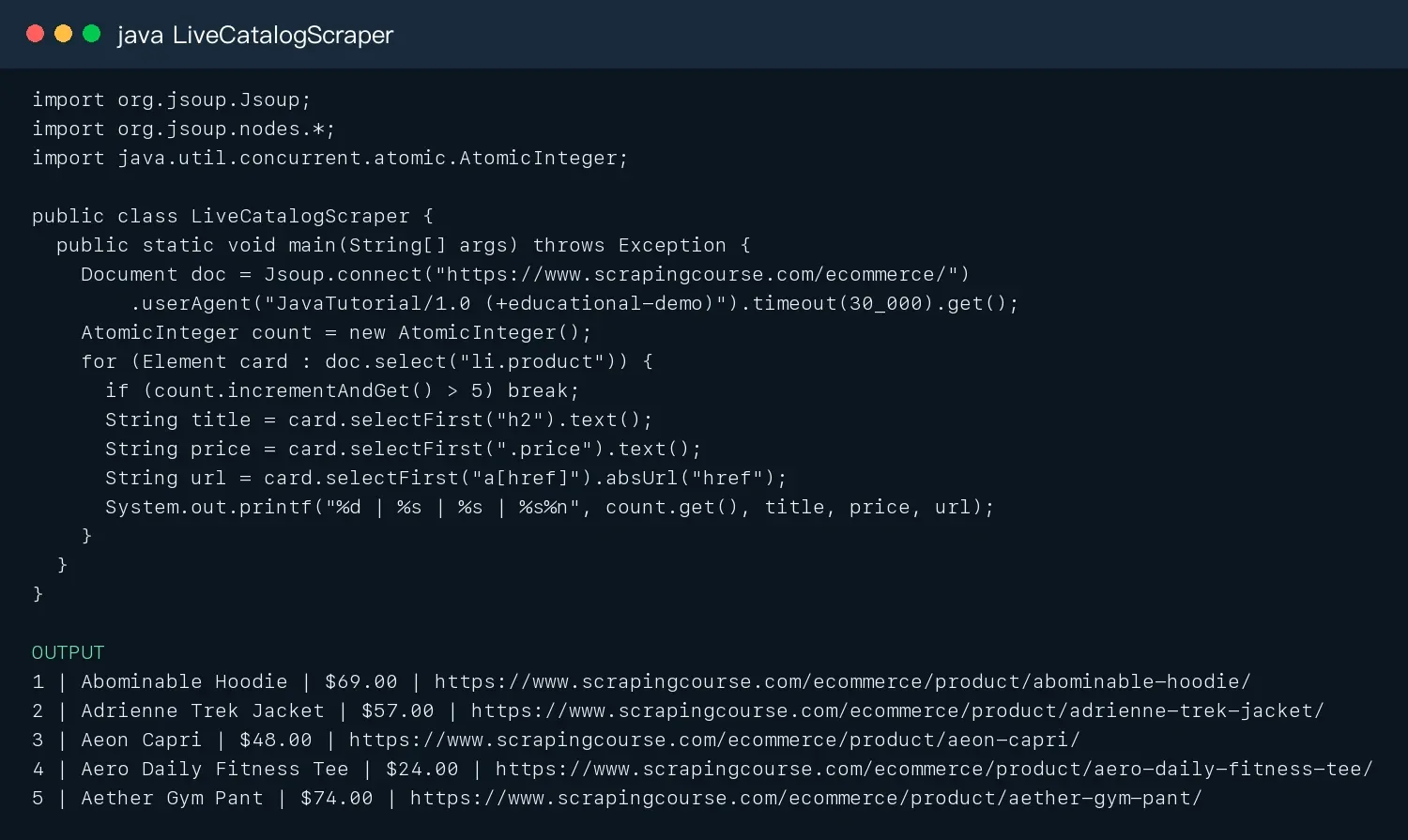
Figure 5: Live Java product-listing scraping result.
As Figure 5 shows, listing-page scraping produces multiple detail-page URLs. In production, canonicalize and deduplicate the URLs before calling the product-page parser. Do not issue uncontrolled simultaneous requests for every detail page from inside the listing loop.
Step 5: How Do You Prevent Bad Data When Selectors Change?
- Validate required fields such as
title,sku, andsourceUrlon every scrape. - Record response body size, final URL, and Content-Type so you do not mistake a login page for a product page.
- Save a sanitized HTML fixture for this product page and use it as a Jsoup regression test.
- Pause the queue when required-field completeness drops below a threshold instead of continuing to write large numbers of
nullvalues. - Maintain a primary selector plus a limited set of fallbacks, but log an alert whenever a fallback selector is used.
How to Do Web Scraping in Java with HttpClient
The complete product example uses Jsoup’s convenient connection method. In production, it is usually better to separate the fetch layer from the parse layer so caching, retries, and testing are easier. Reuse one HttpClient to preserve connection pooling, set separate timeouts for connection and individual requests, and explicitly inspect the status code, final URL, Content-Type, and response body size.
import java.net.URI;
import java.net.http.*;
import java.time.Duration;

public class FetchPage {
  private static final HttpClient CLIENT = HttpClient.newBuilder()
      .connectTimeout(Duration.ofSeconds(10))
      .followRedirects(HttpClient.Redirect.NORMAL).build();
  public static void main(String[] args) throws Exception {
    HttpRequest request = HttpRequest.newBuilder(URI.create(args[0]))
        .timeout(Duration.ofSeconds(30))
        .header("User-Agent", "AuthorizedJavaCollector/1.0 ([email protected])")
        .header("Accept", "text/html,application/xhtml+xml")
        .GET().build();
    HttpResponse<String> response = CLIENT.send(request, HttpResponse.BodyHandlers.ofString());
    System.out.printf("status=%d bytes=%d final=%s%n",
        response.statusCode(), response.body().length(), response.uri());
  }
}
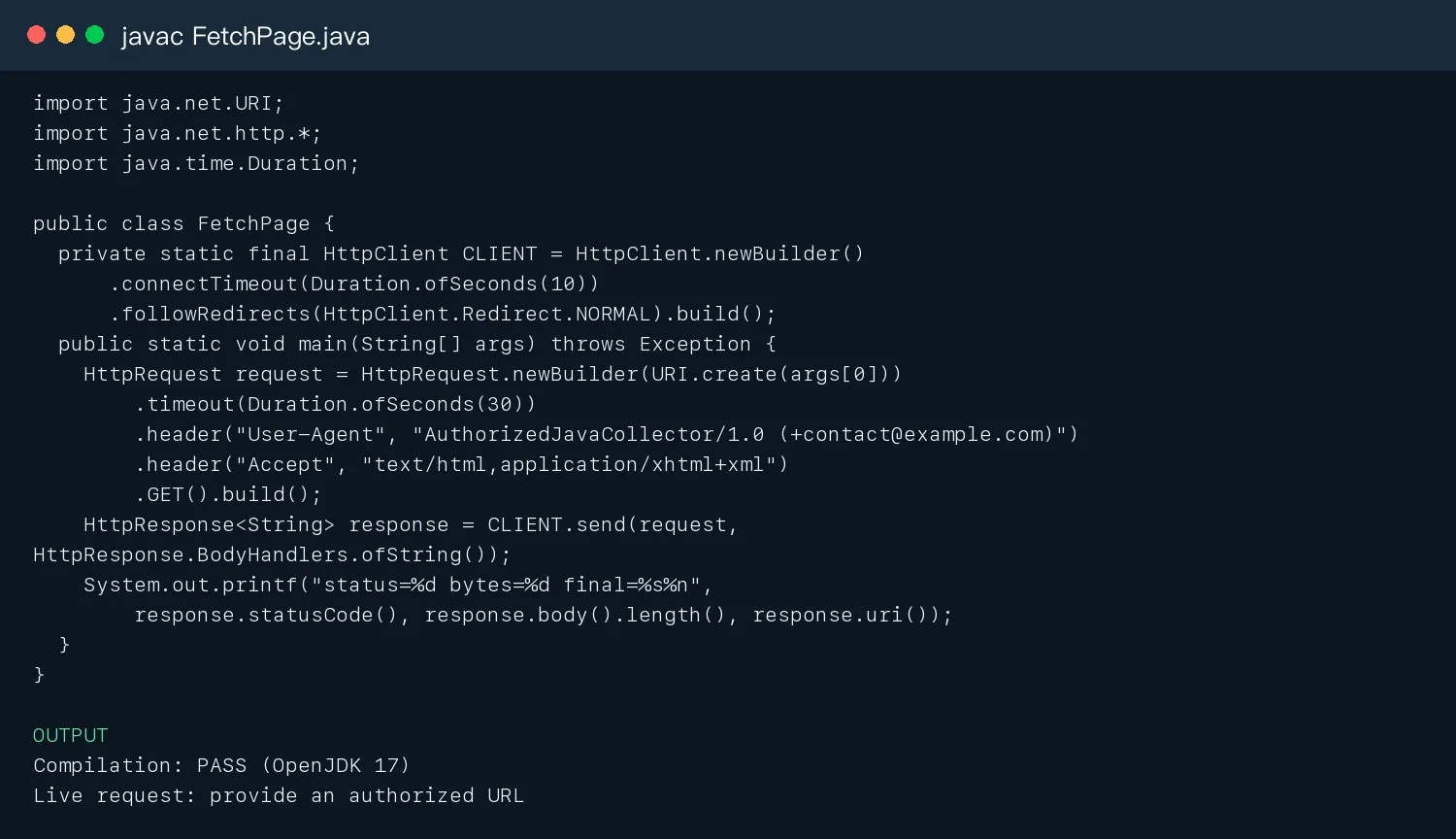
Figure 6: Java HttpClient compilation result.
- A
200status does not necessarily mean the data is valid; the response could be a login page, challenge page, or empty shell. - After a
301/302, inspectresponse.uri(). - For
429, readRetry-After;401/403should not be retried indefinitely. - Apply limited retries only to idempotent GET requests, and record the exception type and request ID.
Web Scraping Using Java: Parse Static Pages with Jsoup
In a web scraping using Java tutorial, Jsoup is usually the easiest parser to start with. It supports both network fetching and local HTML parsing. Production code is better served by fetching with HttpClient and then passing the response string to Jsoup; tests can use fixed fixtures so live page changes do not mask parsing errors. This is also the most reproducible first step when learning how to do web scraping in Java.
import java.nio.file.Path;
import org.jsoup.Jsoup;
import org.jsoup.nodes.*;

public class StaticScraper {
  public static void main(String[] args) throws Exception {
    Document doc = Jsoup.parse(Path.of("catalog.html").toFile(), "UTF-8", "https://example.test");
    for (Element card : doc.select("article.product")) {
      String id = card.attr("data-id");
      Element titleNode = card.selectFirst("h2");
      Element priceNode = card.selectFirst(".price");
      Element linkNode = card.selectFirst("a[href]");
      if (titleNode == null || priceNode == null || linkNode == null) continue;
      String title = titleNode.text().trim();
      String price = priceNode.attr("data-value");
      String url = linkNode.absUrl("href");
      System.out.printf("%s | %s | %s | %s%n", id, title, price, url);
    }
    Element nextNode = doc.selectFirst("a[rel=next][href]");
    System.out.println("next=" + (nextNode == null ? "" : nextNode.absUrl("href")));
  }
}
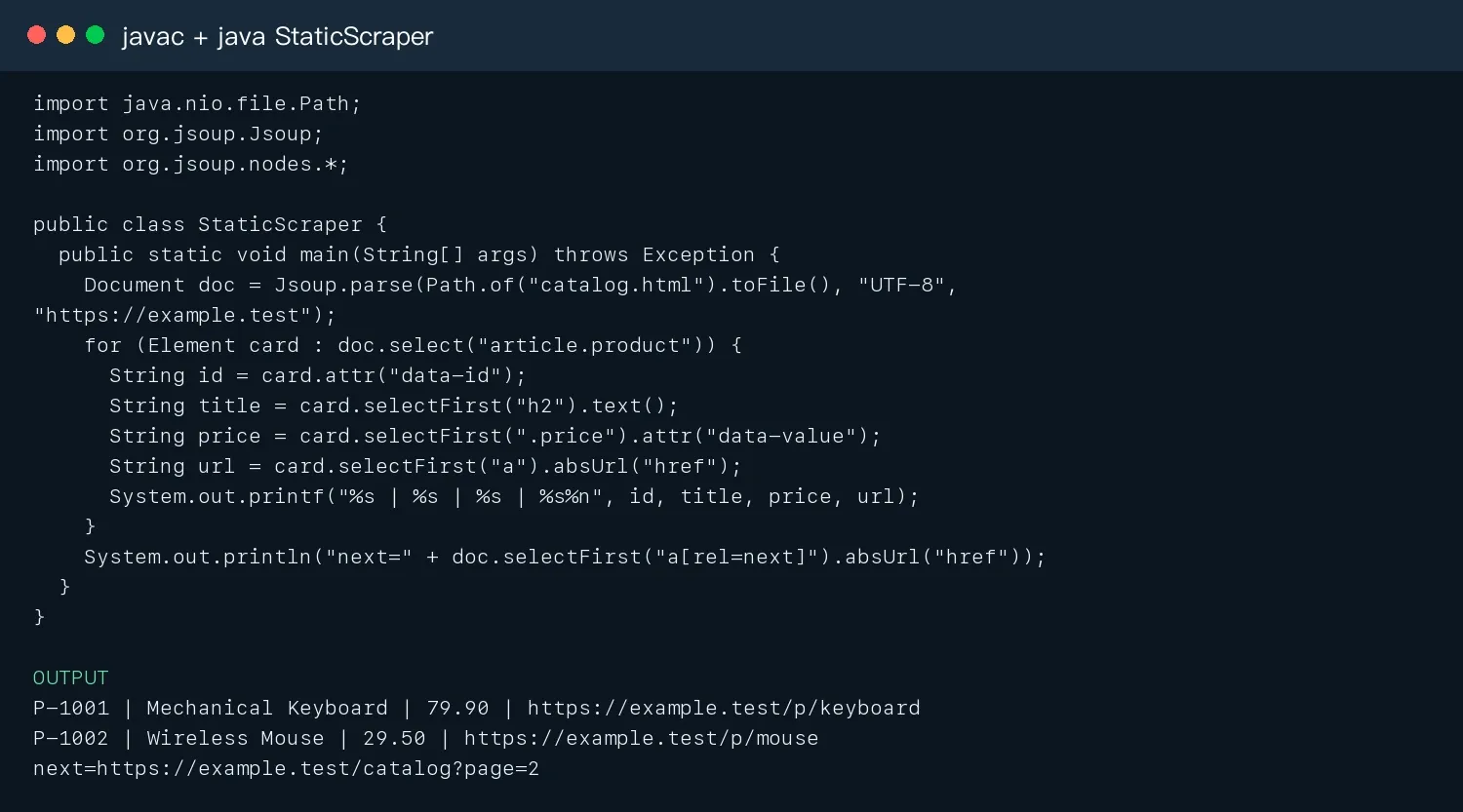
Figure 7: Jsoup fixed-fixture run result.
How Do You Write Stable CSS Selectors?
- Prefer IDs,
data-*,itemprop,aria-label, and semantic structure. - Avoid depending on
nth-childand generated classes. - Handle a
nullreturn value fromselectFirst()explicitly. - Use
absUrl("href")to normalize relative links. - Save fixed HTML regression fixtures for critical selectors.
Java Scrape Website: Scraping Pagination and Multiple Pages
A paginated crawler should have three stopping conditions: there is no next page, no new canonicalized URL is discovered, or the maximum page count is reached. Write a checkpoint after every page so an interrupted job resumes from the checkpoint instead of re-requesting every page.
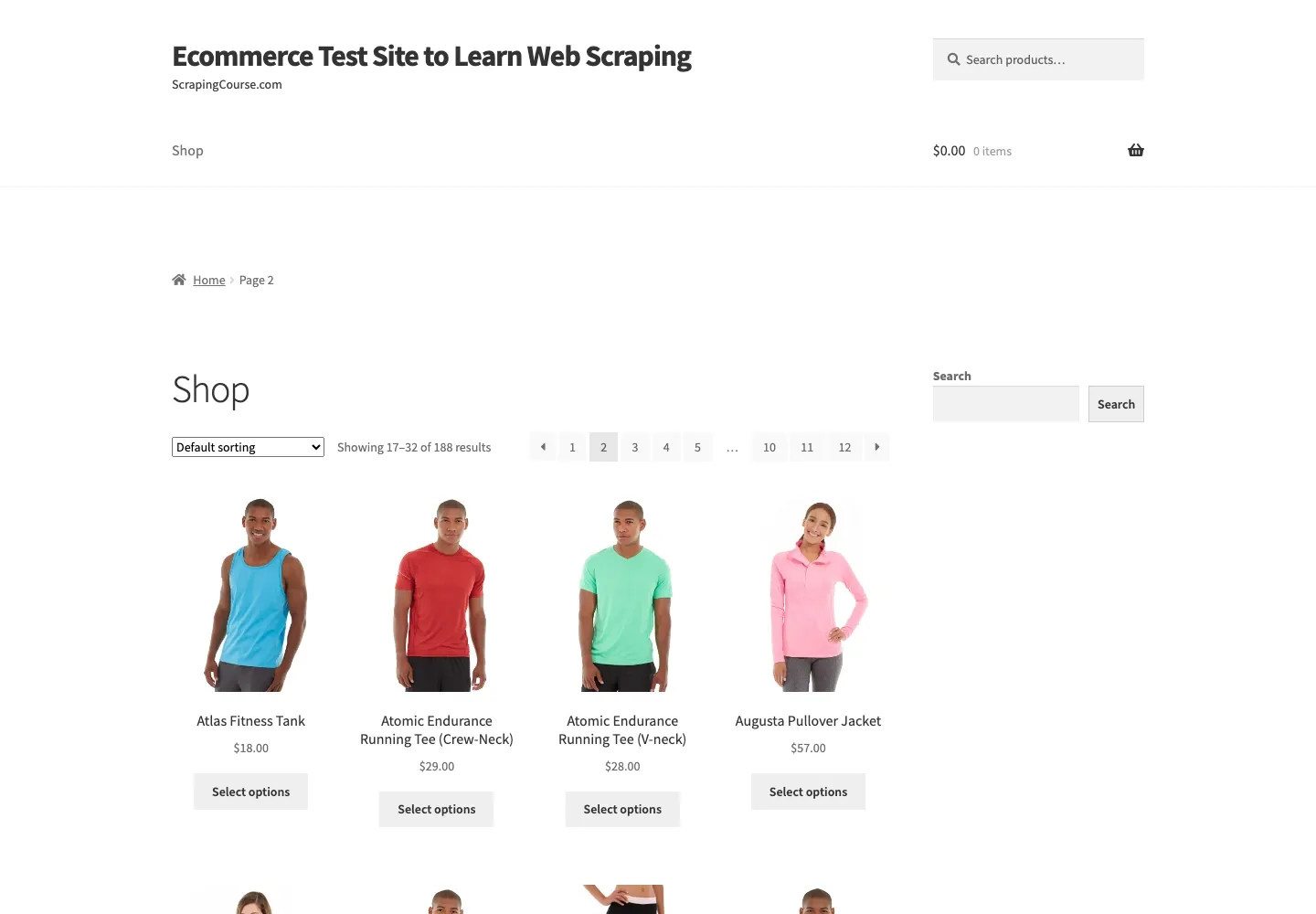
Figure 8: Live ScrapingCourse pagination page 2.
Set<String> seen = new LinkedHashSet<>();
URI page = URI.create(startUrl);
for (int n = 0; n < maxPages && page != null; n++) {
  Document doc = fetchAndParse(page);
  int before = seen.size();
  doc.select("a.product[href]").stream()
      .map(a -> canonical(a.absUrl("href"))).forEach(seen::add);
  if (seen.size() == before) break;
  Element next = doc.selectFirst("a[rel=next][href]");
  page = next == null ? null : URI.create(next.absUrl("href"));
  Thread.sleep(1500); // still needs to be governed by a shared per-domain rate limiter
}
URL Canonicalization and Deduplication
Remove tracking parameters and fragments, but do not blindly remove query parameters that change the content. Prefer the page’s canonical URL, a stable site ID, or a business primary key. Use (canonical_url, fetched_at, region) as the snapshot dimension.
Hands-On 4: Scraping JavaScript-Rendered Pages
First inspect Network → Fetch/XHR in the browser to determine whether the data comes from a public JSON response. If you can legally request that authorized data source directly, there is no need to launch a browser. Use Playwright only when scripts must actually execute or interaction is required.
try (Playwright playwright = Playwright.create()) {
  Browser browser = playwright.chromium().launch(
      new BrowserType.LaunchOptions().setHeadless(true));
  Page page = browser.newPage();
  page.navigate(url, new Page.NavigateOptions()
      .setWaitUntil(WaitUntilState.DOMCONTENTLOADED).setTimeout(60_000));
  Locator cards = page.locator("article.product");
  cards.first().waitFor(new Locator.WaitForOptions().setTimeout(25_000));
  for (int i = 0; i < cards.count(); i++)
    System.out.println(cards.nth(i).locator("h2").innerText());
  page.screenshot(new Page.ScreenshotOptions().setPath(Path.of("dynamic-page.png")));
  browser.close();
}
Do not treat NETWORKIDLE as the only completion condition. A page with long polling may never become idle. Wait for the specific element or response you actually need, and on timeout save the HTML, screenshot, and console logs.
Hands-On 5: Concurrency, Rate Limiting, Retries, and Failure Recovery
Being able to run concurrent requests does not mean you should send unlimited traffic. Java 17 can use a fixed thread pool; Java 21 can use virtual threads to reduce I/O wait overhead. The Semaphore below caps concurrent requests per host; add a separate per-domain token bucket when requests must also be spaced over time.
ExecutorService pool = Executors.newFixedThreadPool(4);
Semaphore perHost = new Semaphore(2);
List<CompletableFuture<Result>> jobs = urls.stream().map(url ->
  CompletableFuture.supplyAsync(() -> {
    boolean acquired = false;
    try {
      perHost.acquire();
      acquired = true;
      return fetchWithMaxAttempts(url, 3);
    }
    catch (InterruptedException e) { Thread.currentThread().interrupt(); throw new RuntimeException(e); }
    finally { if (acquired) perHost.release(); }
  }, pool)).toList();
List<Result> results = jobs.stream().map(CompletableFuture::join).toList();
pool.shutdown();
- Retry only timeouts, connection errors,
429, and a limited set of5xxresponses. - Add jitter to exponential backoff and set a maximum wait.
- Send
403, CAPTCHA challenges, and explicit refusals to a manual-review queue. - Save
attempt,last_error,next_retry_at, and a summary of the raw response. - Monitor the valid-record rate, not only the HTTP success rate.
Hands-On 6: Exporting CSV, JSON, and Database Records
CSV is useful for manual inspection, JSON Lines is useful for streaming append operations, and databases are useful for historical snapshots and queries. Before writing output, fix the field order, character encoding, time format, and currency format, and preserve source_url and fetched_at.
import java.nio.file.*;
import java.util.*;

public class CsvExport {
  static String csv(String s) { return "\"" + s.replace("\"", "\"\"") + "\""; }
  public static void main(String[] args) throws Exception {
    List<String[]> rows = List.of(
      new String[]{"P-1001","Mechanical Keyboard","79.90"},
      new String[]{"P-1002","Wireless Mouse","29.50"});
    StringBuilder out = new StringBuilder("id,title,price\n");
    for (String[] r : rows) out.append(csv(r[0])).append(',').append(csv(r[1])).append(',').append(csv(r[2])).append('\n');
    Files.writeString(Path.of("products.csv"), out.toString());
    System.out.print(out);
  }
}
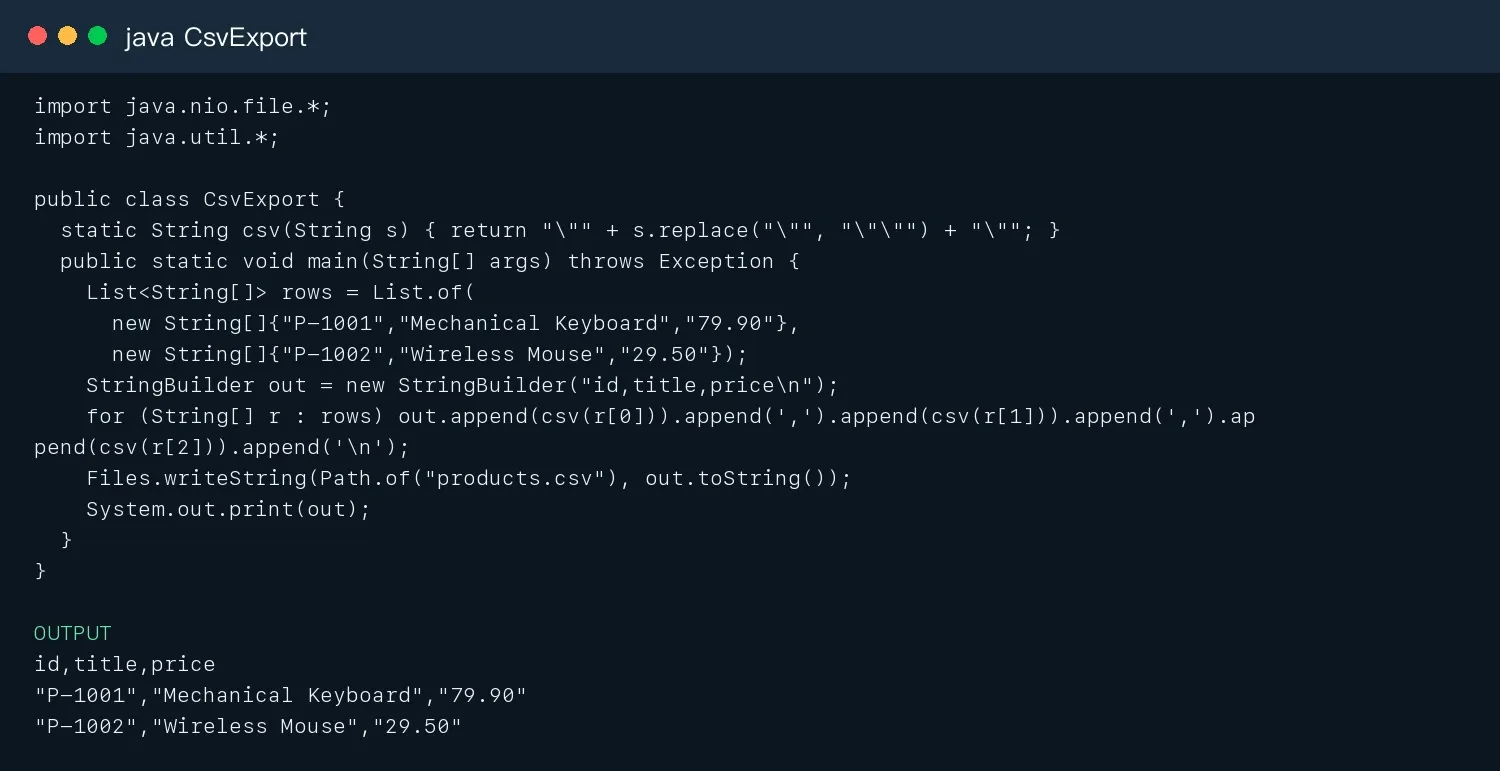
Figure 9: Java CSV export test result.
How to Do Web Scraping in Java with Rola IP
For authorized large-scale collection, regional content validation, and price monitoring, Rola IP offers residential proxies, ISP proxies, mobile proxies, and rotating datacenter proxies. Use rotating residential connections when an authorized workflow needs request-level rotation; use a sticky session or static residential connection when that workflow requires a consistent exit IP. Product availability and configuration options were checked against the public Rola IP site on 2026-08-28 and should be rechecked before publication.
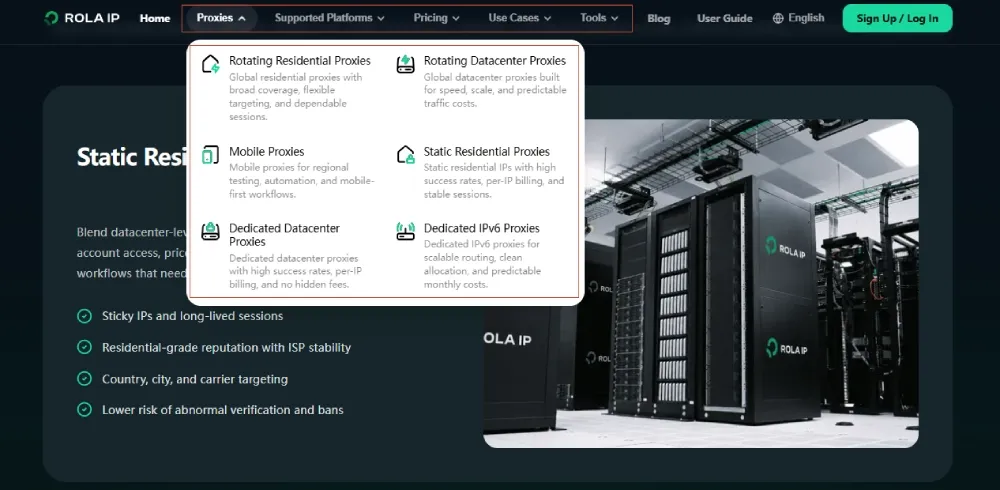
Figure 10: Rola IP proxy products.
- Both rotating and static IPs support HTTP/S and SOCKS5; the native Java HttpClient example below uses an HTTP proxy. See the supported proxy protocols.
- Rola IP’s public product pages state that username/password authentication and IP allowlisting can be used separately or together.
- Country/city and session parameters should be centrally configured instead of hard-coded in the business parser; see the proxy parameters.
- Public product pages describe per-account traffic allocation and whitelist controls for sub-accounts. Confirm account-level quotas in the dashboard before assigning development, test, and production budgets.
- A proxy does not grant scraping permission. Repeated
403/429responses or CAPTCHA challenges require you to stop.
import java.net.*;
import java.net.http.*;
import java.time.Duration;

public class RolaProxyClient {
  public static void main(String[] args) throws Exception {
    String host = System.getenv("ROLA_HOST");
    int port = Integer.parseInt(System.getenv("ROLA_PORT"));
    String user = System.getenv("ROLA_USER"), pass = System.getenv("ROLA_PASS");
    Authenticator auth = new Authenticator() {
      protected PasswordAuthentication getPasswordAuthentication() {
        return new PasswordAuthentication(user, pass.toCharArray());
      }};
    HttpClient client = HttpClient.newBuilder()
      .proxy(ProxySelector.of(new InetSocketAddress(host, port)))
      .authenticator(auth).connectTimeout(Duration.ofSeconds(15)).build();
    HttpRequest req = HttpRequest.newBuilder(URI.create(System.getenv("AUTHORIZED_TEST_URL")))
      .timeout(Duration.ofSeconds(30)).GET().build();
    HttpResponse<String> res = client.send(req, HttpResponse.BodyHandlers.ofString());
    System.out.println(res.statusCode() + " " + res.uri());
  }
}
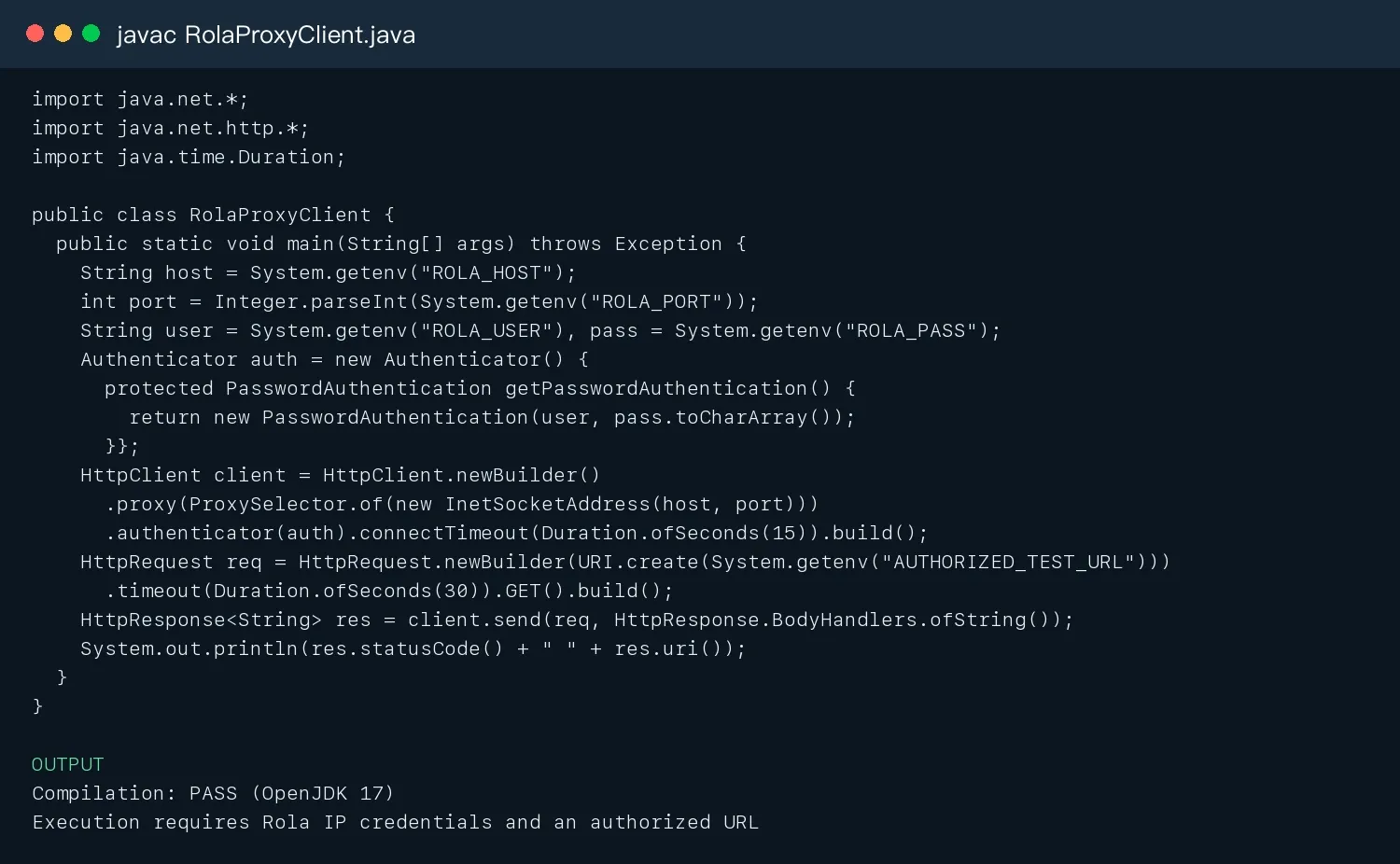
Figure 11: Rola IP Java integration code compilation result.
Rola IP Integration Steps
- In the dashboard, choose the proxy type, country/city, and rotating or sticky session mode.
- Put
host,port,username, andpasswordin environment variables and do not commit them to Git. - First request an authorized exit-IP detection endpoint to verify the region and session, then make low-frequency requests to a target sample.
- Record the exit IP, status, latency, response body size, and field completeness rate.
- Increase concurrency gradually. If
403,429, a challenge page, or connection termination reaches the configured threshold, stop immediately.
Common Errors and Troubleshooting
| Problem | Cause | Fix |
|---|---|---|
| Jsoup parses an empty result | Data is loaded by JavaScript or selectors changed | Inspect the source HTML; use Playwright if necessary |
NullPointerException |
selectFirst returns null |
Use Optional/explicit null handling and regression fixtures |
403/429 |
Authorization, frequency, or policy | Stop, reduce frequency, and inspect Retry-After and the terms |
| Garbled text | Response encoding/CSV BOM | Decode according to Content-Type and explicitly use UTF-8 |
| Duplicate URLs | Tracking parameters/pagination loops | Canonicalize URLs, use business primary keys, and set a maximum page count |
| Dynamic page timeout | Incorrect wait signal | Wait for the target element/response and save debugging artifacts |
Proxy 407 |
Authentication or protocol error | Check host/port/Authenticator/allowlist |
Conclusion
The key to how to do web scraping in Java is separation of concerns: HttpClient handles fetching, Jsoup handles parsing, Playwright handles dynamic rendering when necessary, queues and rate limiters handle scale, and a data-quality layer validates the results. Rola IP can provide manageable regional, rotating, and session-based network exits for authorized tasks.