
HTTP Error 444: Meaning, Causes & Web Scraper Fixes

Aug 27, 2026 · Proxy Basics · 10 min read
TL;DR
HTTP Error 444 is a non-standard connection-handling behavior commonly used by Nginx — it isn’t an IETF standard status code. The server typically closes the connection without sending a normal HTTP response, so a browser, curl, or Python Requests may only show an empty response, a connection reset, or a ConnectionError, rather than a readable “444” status. Site operators should check Nginx, WAF, CDN, and access logs; authorized developers should lower their request frequency, verify request context, log connection anomalies, and stop when they see repeated 403s, 429s, or connection terminations. A proxy can only help isolate region, routing, or exit-reputation variables — it cannot grant access, and it cannot guarantee a request will succeed.
What Is HTTP Error 444?
HTTP Error 444 usually refers to the special behavior triggered by Nginx’s return 444: Nginx closes the client connection without sending normal response headers or a response body.
The key distinction is that server configuration or internal logs may record the event as “444,” but the remote client doesn’t necessarily receive a well-formed “HTTP/1.1 444” response. So a client seeing a ConnectionError only proves the connection was abnormal — it doesn’t by itself prove that the origin server executed a specific Nginx rule.
Sources: Nginx return directive official documentation; RFC 9110: HTTP Status Codes
How Is HTTP 444 Different from 403, 429, 499, and 5xx?
| Code/Event | Who Produces It | What the Client Typically Sees | What It’s Suited to Express |
|---|---|---|---|
| 444 | Nginx non-standard handling | Empty response, connection closed, or a network anomaly | Actively dropping a connection |
| 403 | Server/gateway | A complete HTTP response | Request understood but refused |
| 429 | Server/gateway | A complete response, possibly with Retry-After | Request frequency too high |
| 499 | An Nginx logging convention | The client closed the connection first | The client didn’t wait for the server to finish |
| 5xx | Origin/gateway | A complete server error response | A server-side or upstream processing failure |
If the goal is ordinary rate limiting, 429 is more appropriate than 444; if it’s a permission or policy denial, 401/403 is clearer. 444 is better suited to dropping clearly malicious or invalid connections — it shouldn’t be the default answer for all anomalous traffic.
Why Does HTTP Error 444 Happen?
- There’s an explicit
return 444in the Nginx configuration, which could be in aserver,location,if, ormaprule. - A WAF, CDN, reverse proxy, or hosting platform terminates the connection based on IP, country, path, Host, method, or request characteristics.
- A Host header mismatch, an empty User-Agent, an unusual method, a malformed request, or malicious probing triggers a drop rule.
- The request frequency from a single exit is too high, or a shared proxy exit has a poor historical reputation.
- A TLS, network routing, or upstream connection failure produces a similar client-side symptom, but isn’t actually an Nginx 444.
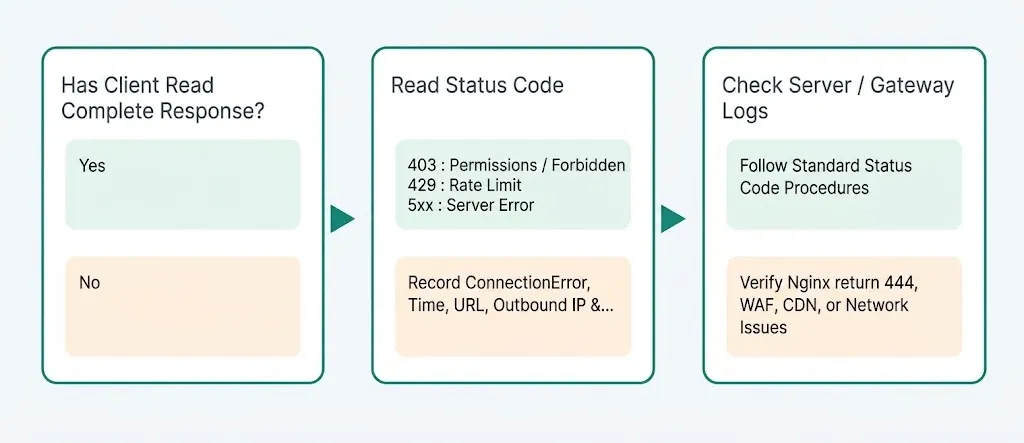
Why Do Clients Often Not See a 444 Status Code?
Because a normal status code lives in the HTTP response headers, and return 444 is specifically designed not to send a normal response. If the connection terminates before the response headers arrive, Requests can only report an underlying connection error.
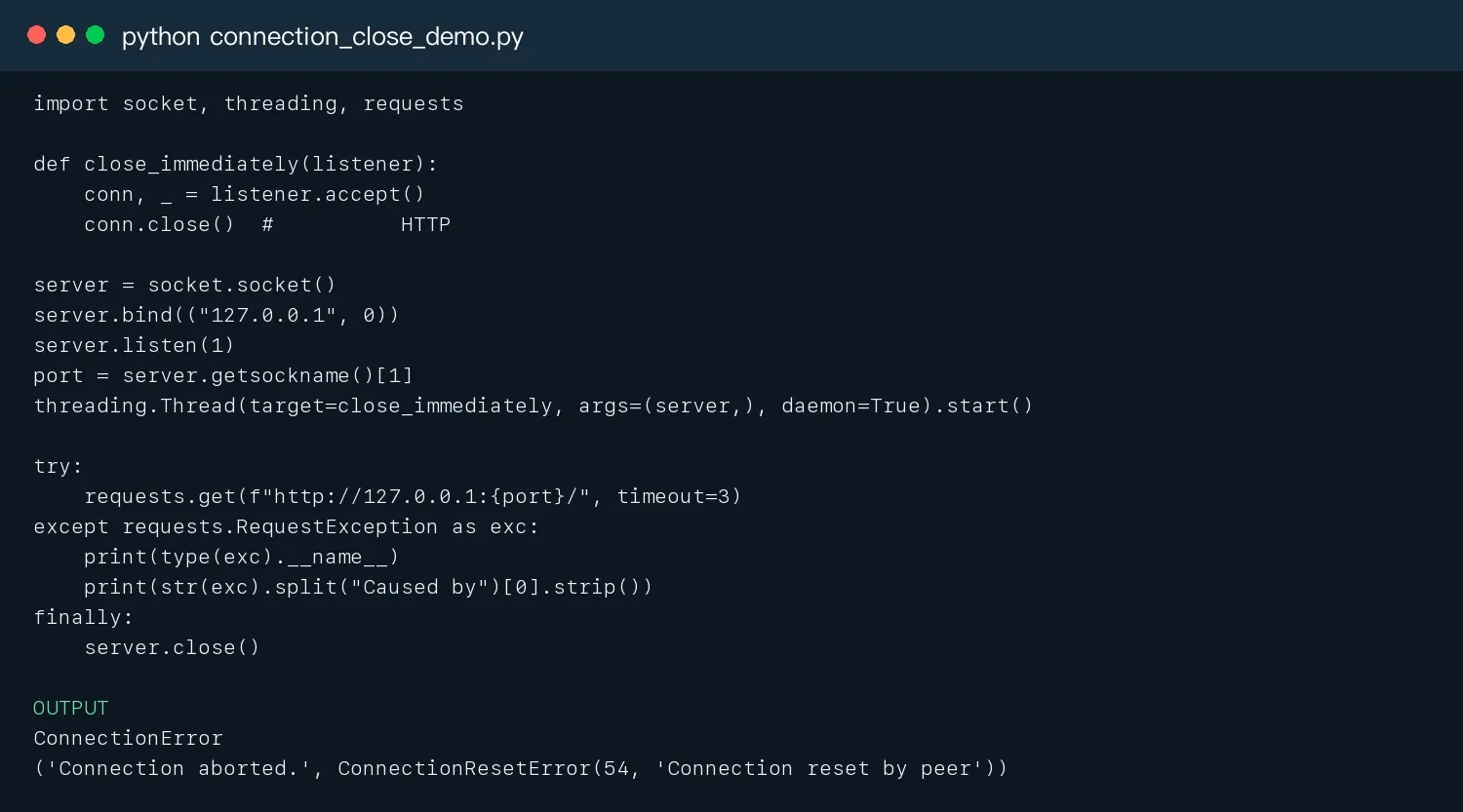
The local test server below accepts a TCP connection and closes it immediately, without sending any HTTP bytes. The actual run result is a ConnectionError, which demonstrates the typical client-side symptom of a “disconnect with no response.” It simulates the connection behavior — it doesn’t claim to be equivalent to any specific Nginx/WAF implementation.
import socket, threading, requests

def close_immediately(listener):
    conn, _ = listener.accept()
    conn.close()  # Simulate the server closing the connection without sending an HTTP response

server = socket.socket()
server.bind(("127.0.0.1", 0))
server.listen(1)
port = server.getsockname()[1]
threading.Thread(target=close_immediately, args=(server,), daemon=True).start()

try:
    requests.get(f"http://127.0.0.1:{port}/", timeout=3)
except requests.RequestException as exc:
    print(type(exc).__name__)
    print(str(exc).split("Caused by")[0].strip())
finally:
    server.close()
How Do You Diagnose and Fix HTTP 444?
Step 1: Confirm Which Layer the Event Occurred At
- Log the exact time, URL, method, Host, request ID, and network exit from the browser, curl, or client.
- Query the CDN/WAF logs by time and request ID to confirm whether the connection was terminated before it reached the origin.
- Cross-check the same request in the Nginx access/error log; if the origin has no record, the issue more likely occurred at the upstream network layer.
- Compare an authorized test that connects directly to the origin against one that goes through the CDN — but don’t bypass production access controls.
Step 2: Search the Effective Nginx Configuration
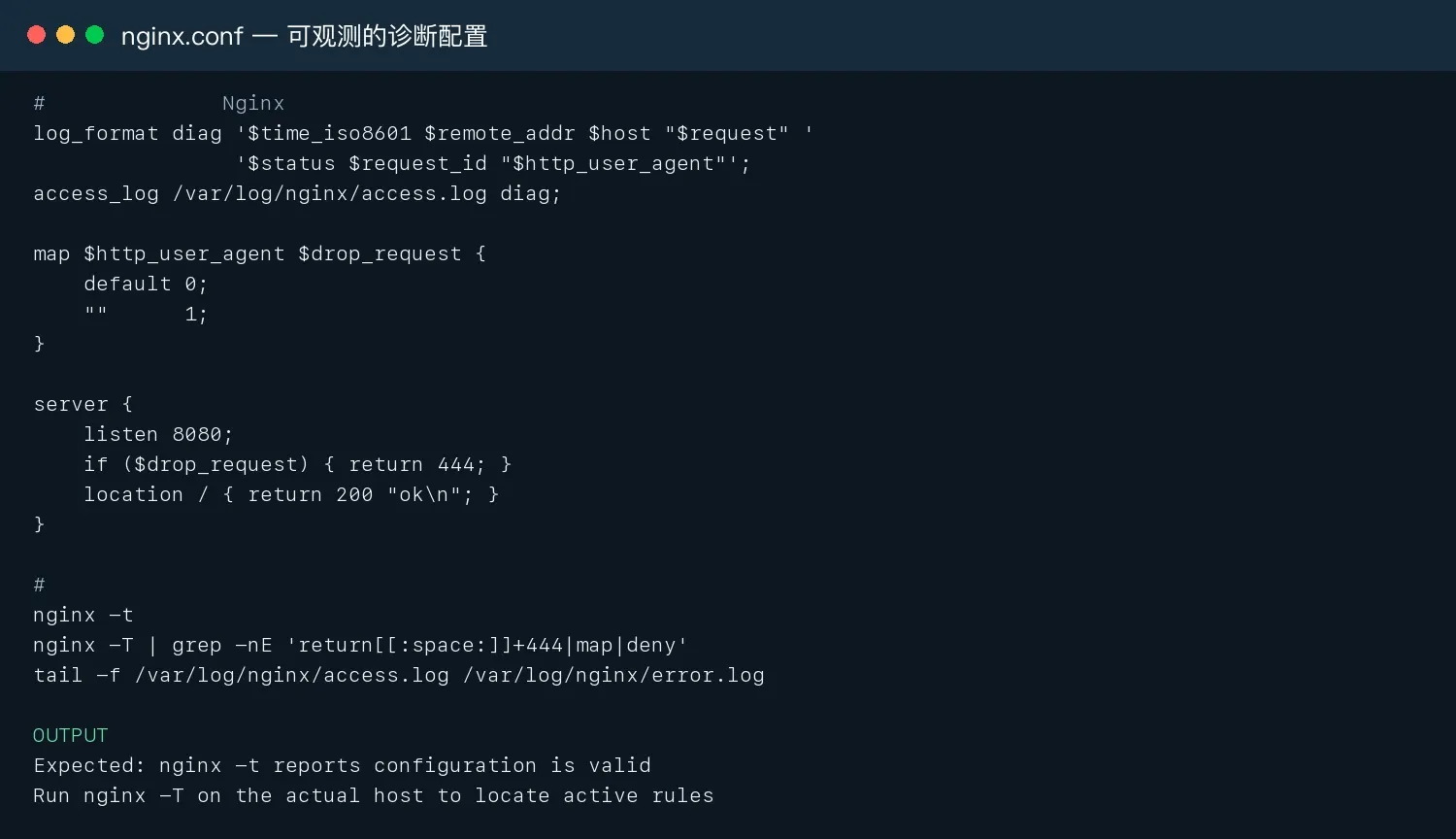
Don’t just check a single configuration file. nginx -T outputs the effective configuration after resolving include directives, which is better suited to locating return 444, map, deny, and conditional rules. Run nginx -t before making changes, and have a rollback ready.
# Only for an Nginx test environment you own or are authorized to manage
log_format diag '$time_iso8601 $remote_addr $host "$request" '
                 '$status $request_id "$http_user_agent"';
access_log /var/log/nginx/access.log diag;

map $http_user_agent $drop_request {
    default 0;
    ""      1;
}

server {
    listen 8080;
    if ($drop_request) { return 444; }
    location / { return 200 "ok\n"; }
}
# Validation and locating
nginx -t
nginx -T | grep -nE 'return[[:space:]]+444|map|deny'
tail -f /var/log/nginx/access.log /var/log/nginx/error.log
Step 3: Check the Host, Method, Headers, and Mistaken Blocks
- Whether the Host falls into the default server.
- Whether an empty or unusual User-Agent is being matched by a
map/ifrule. - Whether OPTIONS, HEAD, or legitimate API methods are being dropped indiscriminately.
- Whether a search engine, monitoring node, office exit, or partner address has been mistakenly added to a blocklist.
- Whether the real client IP is being passed correctly between the CDN and the origin.
- Whether the rule is missing a request_id, a hit reason, or version information.
Step 4: Replace Blunt Rules with More Precise Standard Status Codes
For recoverable rate limiting, return 429 with a Retry-After; for identity and permission issues, return 401/403; for a missing resource, return 404; for an upstream failure, return 502/503. Reserve 444 for clearly malicious or malformed connections, and log the reason each rule was hit.
How Should Python Correctly Catch a Suspected 444 Connection Event?
The right approach is to handle both standard HTTP status codes and connection exceptions together — not just write resp.status_code == 444. Client-side logs should record the exception type, URL, elapsed time, attempt count, exit, timestamp, and request ID; only server or gateway logs can complete the attribution.
import logging, random, time
import requests
from requests.exceptions import ConnectionError, Timeout, RequestException

log = logging.getLogger("fetch")

def fetch(url, session=None, max_attempts=3):
    client = session or requests.Session()
    for attempt in range(1, max_attempts + 1):
        started = time.time()
        try:
            response = client.get(url, timeout=(10, 30))
            if response.status_code in (403, 429):
                log.warning("access signal status=%s url=%s", response.status_code, url)
                return None  # Stop; check permissions or Retry-After
            response.raise_for_status()
            return response
        except (ConnectionError, Timeout) as exc:
            log.warning("connection_event type=%s url=%s elapsed=%.2f attempt=%s",
                         type(exc).__name__, url, time.time() - started, attempt)
            if attempt == max_attempts:
                return None
            time.sleep(min(2 ** (attempt - 1) + random.uniform(.3, 1.2), 12))
        except RequestException:
            log.exception("non-retryable request failure url=%s", url)
            return None
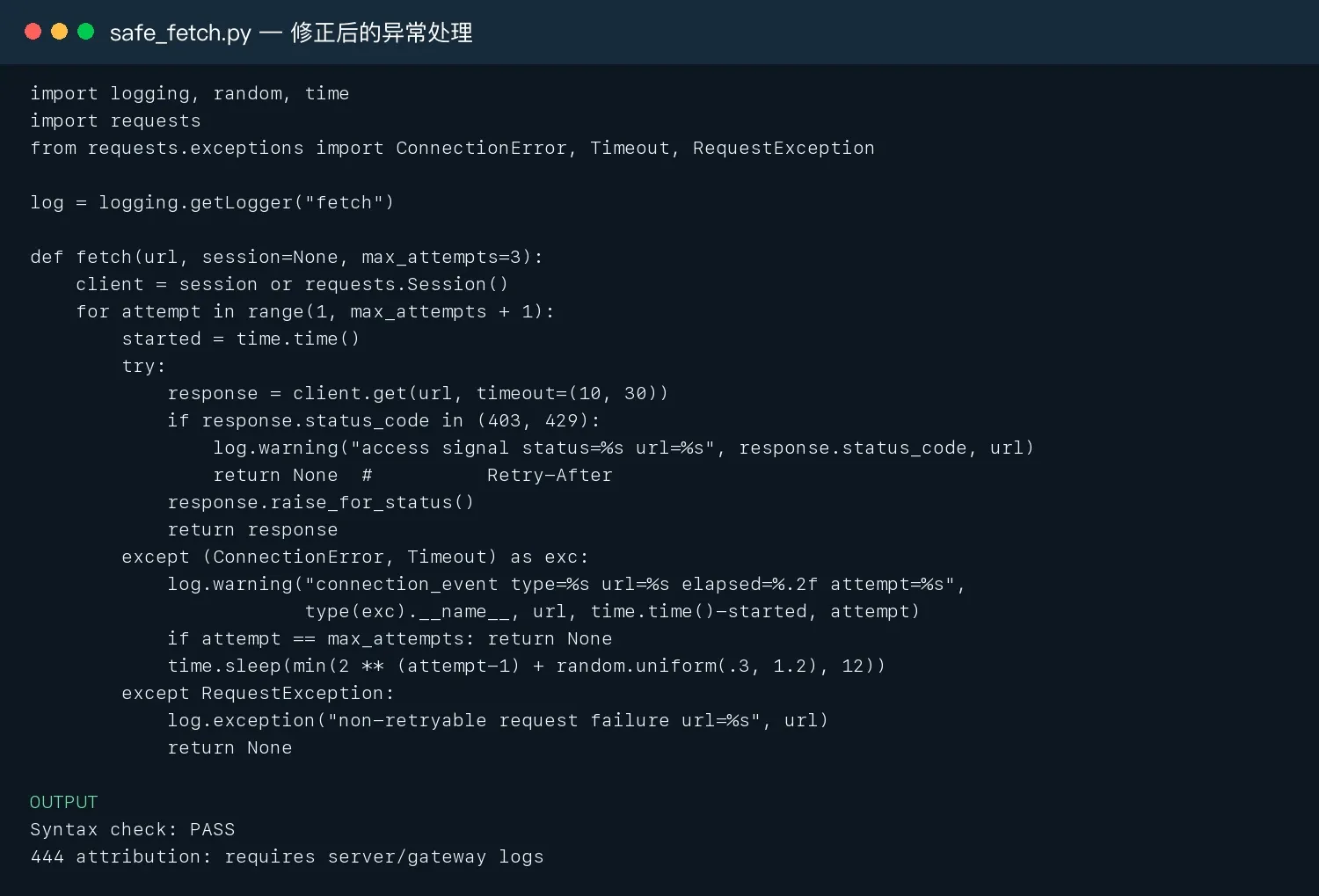
Sources: Requests Exceptions official documentation; urllib3 Retry documentation
How Should an Authorized Data-Collection Developer Investigate a Connection Termination?
The steps below apply only to systems you’re authorized to access and to public data. Don’t use request headers, proxies, retries, or browser automation to bypass authentication, CAPTCHAs, IP blocks, rate limits, or other technical access controls. Stop and review the target service’s rules when you see repeated 403s, 429s, or connection terminations.
1. Lower the Request Frequency First, and Disable Unlimited Retries
- Reduce concurrency to 1–2 and add a random interval.
- Set a maximum retry count only for timeouts, connection errors, 429s, and a limited set of 5xx codes.
- Read Retry-After, and don’t immediately switch exits and retry at high frequency after a block signal.
- Save failure samples and their time distribution to check whether they correlate with traffic spikes.
2. Verify a Complete, Legitimately Obtained Session Context
Check whether Accept, Accept-Language, Content-Type, Referer, and cookies match what the endpoint expects. Only use sessions and authorization methods you’ve legitimately obtained — “browser-like headers” are not a substitute for access permission.
3. Distinguish Between an HTTP Client and a Browser Flow
If Requests fails but an authorized real browser works normally, the page may depend on JavaScript, cookies, or a browser session. You can use Playwright to reproduce the normal page flow to locate the issue, but you must stop if you see a CAPTCHA, a login restriction, or an explicit denial.
from playwright.sync_api import sync_playwright

with sync_playwright() as p:
    browser = p.chromium.launch(headless=True)
    page = browser.new_page(locale="en-US")
    page.goto("https://authorized.example/path",
              wait_until="domcontentloaded", timeout=30_000)
    page.screenshot(path="diagnostic.png", full_page=False)
    print(page.url, page.title())
    browser.close()
Source: Playwright Python official documentation
Rola IP: Using a Proxy as a Network-Variable Isolation Layer
In authorized troubleshooting and collection tasks, a proxy’s value is helping you compare region, routing, session, and exit differences — not “switching IPs to bypass a block.” A proxy doesn’t grant access permission, and it can’t guarantee the target will accept an automated request.
You can choose dynamic residential, static residential/ISP, or mobile proxies depending on the scenario. Dynamic residential proxies can support authorized regional sampling, while a sticky session or static exit can support low-frequency verification that needs a fixed regional context.
Related pages: Rola IP and web scraping proxies
Steps for Compliant Integration
- In the dashboard, choose a proxy type and region that fit within your authorized scope — don’t expand the target data or access scope.
- Follow the proxy quick-start guide to verify the host, port, protocol, and authentication; put credentials in environment variables.
- Use proxy parameters to manage the country, city, rotation method, and session duration consistently.
- First visit an authorized exit-check endpoint, then run a low-frequency comparison against a test URL.
- Log the
exit_id/region, status or exception, elapsed time, and request ID; stop immediately on a repeated denial.
Configuration docs: proxy quick-start guide and Python proxy integration
import os, requests
from urllib.parse import quote

proxy = (f"http://{quote(os.environ['ROLA_USER'], safe='')}:"
         f"{quote(os.environ['ROLA_PASS'], safe='')}@"
         f"{os.environ['ROLA_HOST']}:{os.environ['ROLA_PORT']}")
session = requests.Session()
session.proxies.update({"http": proxy, "https": proxy})

# 1. First visit an exit-check endpoint you're authorized to use, to confirm region and session
# 2. Then run a low-frequency test against an authorized target; stop on repeated 403/429/connection termination
response = session.get(os.environ['AUTHORIZED_TEST_URL'], timeout=(10, 30))
print(response.status_code, response.url)
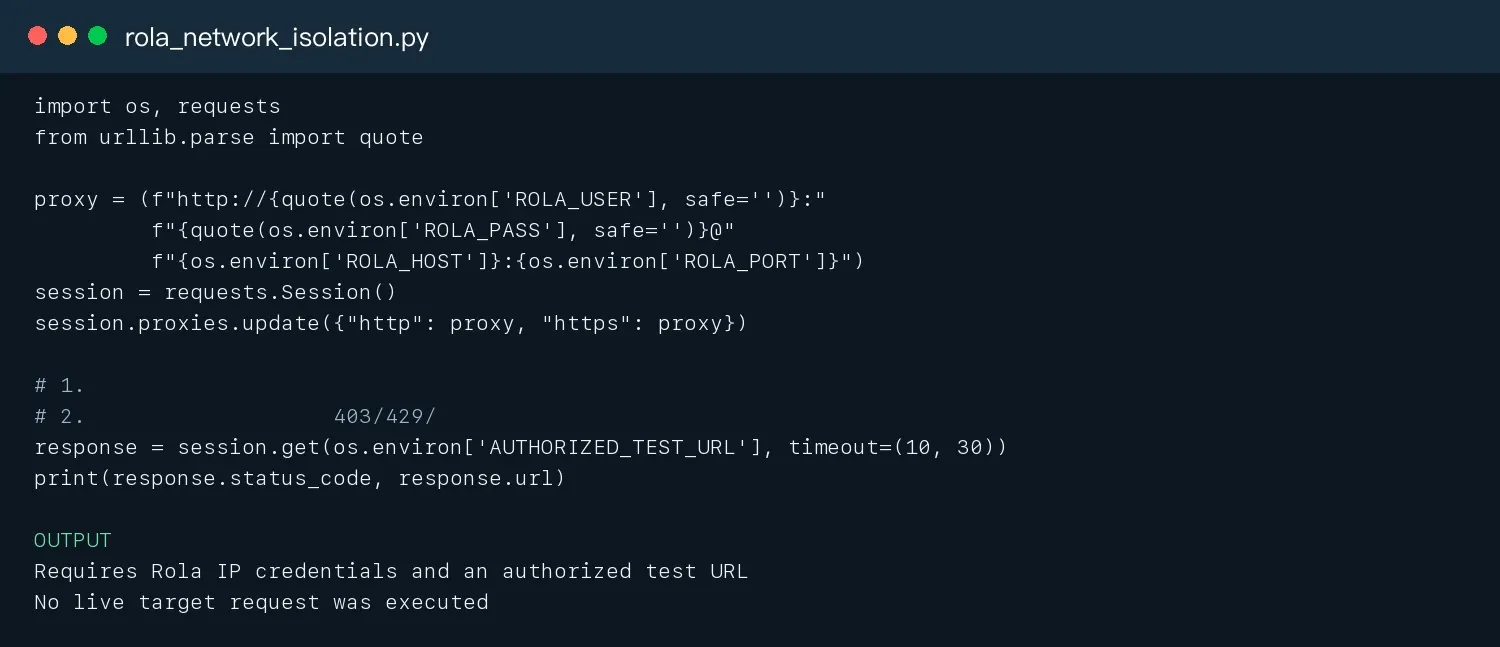
How Do You Determine Whether a 444 Came from Nginx, a Proxy, or a CDN?
Client-side symptoms can only serve as an investigative lead — they can’t independently establish attribution. The most reliable method is correlating logs across layers: the client-side event’s timestamp and request ID, proxy exit records, CDN/WAF events, load-balancer logs, and the Nginx access/error log.
| Evidence | What It Better Supports | Limitation |
|---|---|---|
| The Nginx log records a 444 and a rule hit | The origin’s Nginx actively closed the connection | Still need to confirm the config version |
| The CDN/WAF has a termination event but the origin has no record | An edge-layer block | Need to check sampling and log latency |
| It only happens from a specific exit/region | Routing, reputation, or a regional policy | Doesn’t equal permission to retry |
| Random disconnects across all paths | A network, upstream, or capacity failure | Needs to be combined with latency and 5xx data |
| The client only has a ConnectionError | A connection-level failure | Can’t prove it was an Nginx 444 |
What Impact Does HTTP 444 Have on SEO and Monitoring?
Overusing 444 can accidentally harm search engines, uptime monitoring, and real users. Since there’s no standard response, a monitoring system has trouble telling whether it’s a permission issue, rate limiting, or an origin failure; a search engine may also treat persistent connection failures as the site being unreachable.
- Use 429 for ordinary rate limiting.
- Use 401/403 for permission issues.
- Allowlist verified search-engine and monitoring sources.
- Build a false-positive report broken down by rule, path, country, ASN, and request ID.
- Monitor crawl rate, indexing, error rate, and real-user conversion after a rule goes live.
HTTP 444 Troubleshooting Checklist
| Role | What to Check | Recommended Action |
|---|---|---|
| Site operator | Whether return 444 is explicitly configured |
Use nginx -T to search server/location/if/map |
| Site operator | Whether real users or search engines are being mistakenly blocked | Check by UA, IP, path, region, and request ID |
| Security team | Whether the WAF/CDN is hitting the rule | Distinguish attacks, false positives, and anomalous parameters |
| Developer | Whether it’s a connection exception rather than a readable status | Catch ConnectionError/Timeout and correlate with logs |
| Developer | Whether frequency and concurrency are too high | Lower concurrency, use bounded backoff, respect Retry-After |
| Team | Whether there’s a complete evidence chain | Save timestamps, URLs, exceptions, exits, screenshots, and request IDs |
Conclusion
The core issue with HTTP Error 444 isn’t “how to read a 444 page” — it’s how to interpret a connection termination that produced no normal HTTP response. Clients should catch connection exceptions and preserve evidence; site operators should correlate logs layer by layer, from the CDN/WAF down to Nginx, to confirm rules and false blocks; ordinary rate-limiting and permission scenarios should prioritize 429, 401, or 403. For authorized data collection, Rola IP can serve as a network-variable isolation layer, but it must be used together with your authorized scope, stop conditions, low-frequency testing, and observability.