
HTTP 503 Service Unavailable: 503 HTTP Code Meaning, Causes, and Fixes

Sep 14, 2026 · Proxy Basics · 19 min read
The 503 HTTP code means that a server is temporarily unable to process a request. The most common causes are maintenance, traffic overload, upstream dependency failures, or a lack of healthy backends. It is usually not a permanent error. Clients should read Retry-After when present and retry only within clear limits, while site operators should first determine whether the 503 was returned by the origin server, a reverse proxy, a CDN, a load balancer, or a forward proxy.
TL;DR
HTTP/1.1 503 Service Unavailableis a 5xx server error. The resource may still exist; the service is simply unavailable for now.- A 503 is not the same as 500, 502, 504, 429, or 407. Identifying the layer that generated the error matters more than repeatedly refreshing, switching browsers, or changing IP addresses.
- Visitors should wait, check the service status, and preserve response details. Crawlers and API clients should respect
Retry-After, use exponential backoff, and enforce retry limits. - Site operators should trace the request through edge/CDN → load balancer → web server → application → database and external dependencies, then compare logs and metrics on the same timeline.
- A
503 service unavailable proxyerror may come from the proxy gateway, the target website, or an intermediate network layer. Changing proxies can help only when the exit node or regional route is actually at fault; it cannot repair a down origin server. - During planned maintenance, returning a real 503 with
Retry-Afteris better than disguising an error page as HTTP 200. However, prolonged 5xx errors can reduce crawl frequency and search visibility.
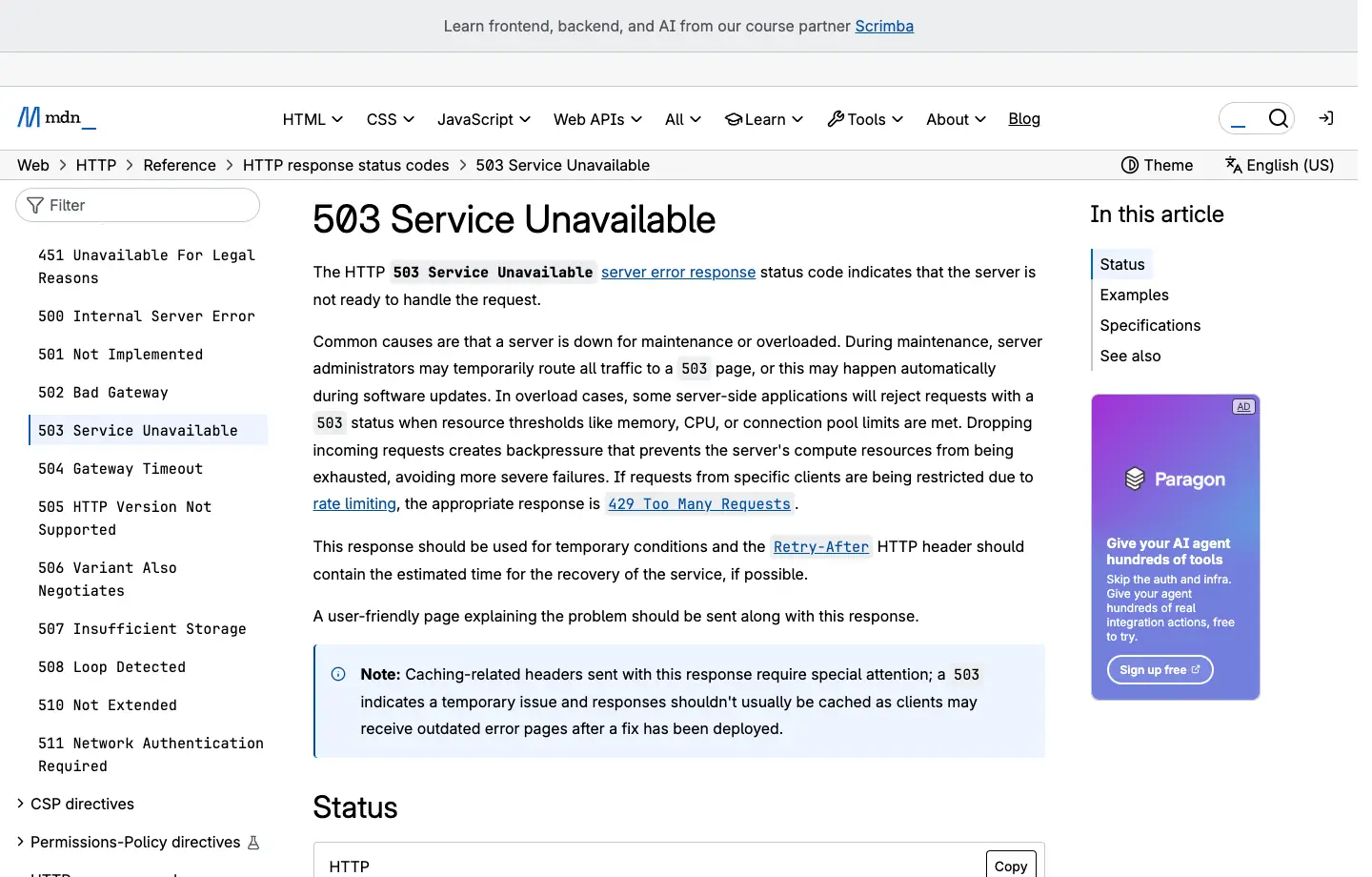
Figure 1: The English MDN 503 page explains that the server is not ready to handle the request and recommends returning Retry-After when possible.
What Is 503 Service Unavailable
The standard meaning of HTTP status code 503 is that the server is temporarily unable to handle the request because of temporary overload or scheduled maintenance, with recovery expected after some delay. RFC 9110 Section 15.6.4 also allows the server to include Retry-After to tell the client when it should try again.
This definition has three important boundaries that are easy to miss:
- The request reached a component capable of producing an HTTP response. If DNS resolution fails, the TLS handshake fails, or the TCP connection is refused, you normally do not receive a real HTTP 503 response.
- “Temporary” expresses server intent, not a recovery-time guarantee. A stuck maintenance mode, a bad deployment, or persistent resource exhaustion will not fix itself just because the status code is temporary by definition.
- The responder does not have to be the business application. A CDN, WAF, load balancer, API gateway, reverse proxy, service mesh, or forward proxy can generate its own 503.
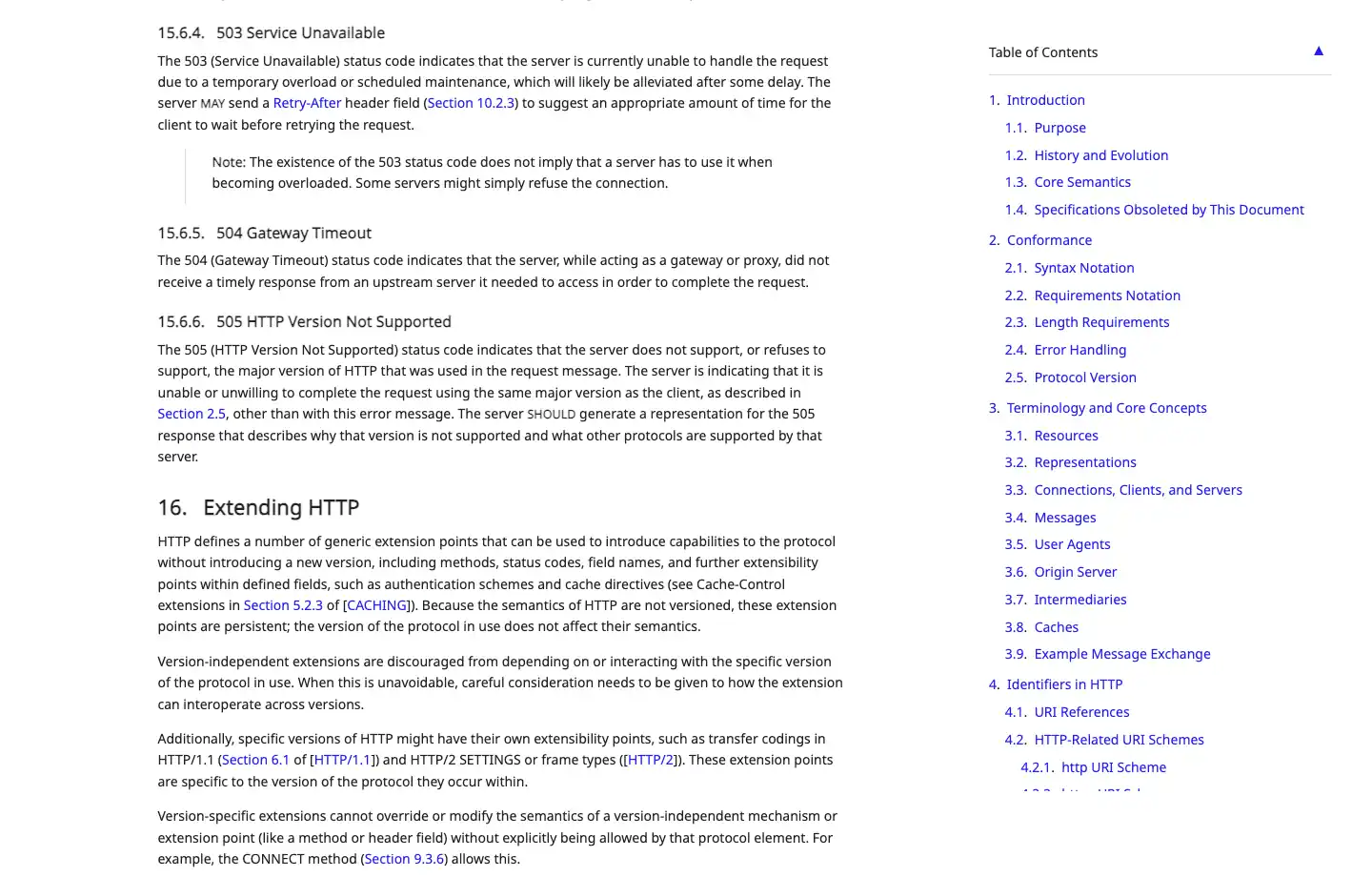
Figure 2: RFC 9110 defines the semantics of 503 Service Unavailable.
What Does 503 Service Temporarily Unavailable Mean?
503 Service Temporarily Unavailable and 503 Service Unavailable normally represent the same status-code semantics. The word “Temporarily” is only part of the reason phrase; it does not change the protocol meaning of numeric status code 503. HTTP clients should rely on the status code because servers can customize reason phrases, and HTTP/2 and HTTP/3 do not depend on the traditional reason phrase at all.
A typical raw response looks like this:
HTTP/1.1 503 Service Unavailable
Content-Type: text/html; charset=utf-8
Retry-After: 120
Cache-Control: no-store

<!doctype html>
<title>503 Service Unavailable</title>
<h1>Service temporarily unavailable</h1>
Does a 503 Always Recover Automatically?
No. A short traffic spike or scheduled maintenance window may end automatically, but a bad configuration, crash loop, failed health check, or exhausted database connection pool often requires manual intervention. Whether a client should wait depends on Retry-After, the service status page, how long the failure has lasted, and the metrics available to the administrator. Do not retry forever simply because the status message contains the word “temporary.”
How HTTP Status Code 503 Differs From 500, 502, 504, 429, and 407
The core meaning of 503 is “the service currently lacks capacity or is temporarily unwilling to handle the request.” Neighboring codes point to different problems: an internal application failure, an invalid upstream response, an upstream timeout, too many requests from a client, or failed proxy authentication.
Status Code |
Core Meaning |
Common Returning Layer |
Client’s First Response |
First Operations Check |
|---|---|---|---|---|
500 Internal Server Error |
The application hit an unhandled server-side error |
Application or web server |
Preserve the request ID; avoid blindly repeating write operations |
Exception stack, recent deployments, error rate |
502 Bad Gateway |
A gateway received an invalid response from an upstream |
CDN, gateway, reverse proxy |
Retry later within limits |
Upstream protocol, connection resets, response format |
503 Service Unavailable |
Service temporarily unavailable, overloaded, in maintenance, or without a healthy backend |
Any service layer |
Read Retry-After and retry within limits |
Capacity, healthy backends, maintenance mode, rate limiting |
504 Gateway Timeout |
A gateway timed out waiting for an upstream response |
CDN, gateway, reverse proxy |
Retry only idempotent requests within limits |
Upstream latency, timeout chain, slow queries |
429 Too Many Requests |
A particular client exceeded a request quota |
Application, API gateway, WAF |
Reduce the request rate and honor Retry-After |
Rate-limit key, quotas, burst settings |
407 Proxy Authentication Required |
A forward proxy requires or rejects proxy authentication |
Forward proxy |
Fix proxy credentials or allowlisting |
Username, password, port, exit-IP allowlist |
One important exception is NGINX: limit_req can return 503 by default when requests exceed the configured rate limit, while many other platforms use 429. The NGINX rate-limiting documentation also shows that limit_req_status can change the returned status code. Therefore, a 503 alone does not prove that the service is out of capacity; you also need the response body, headers, and server configuration.
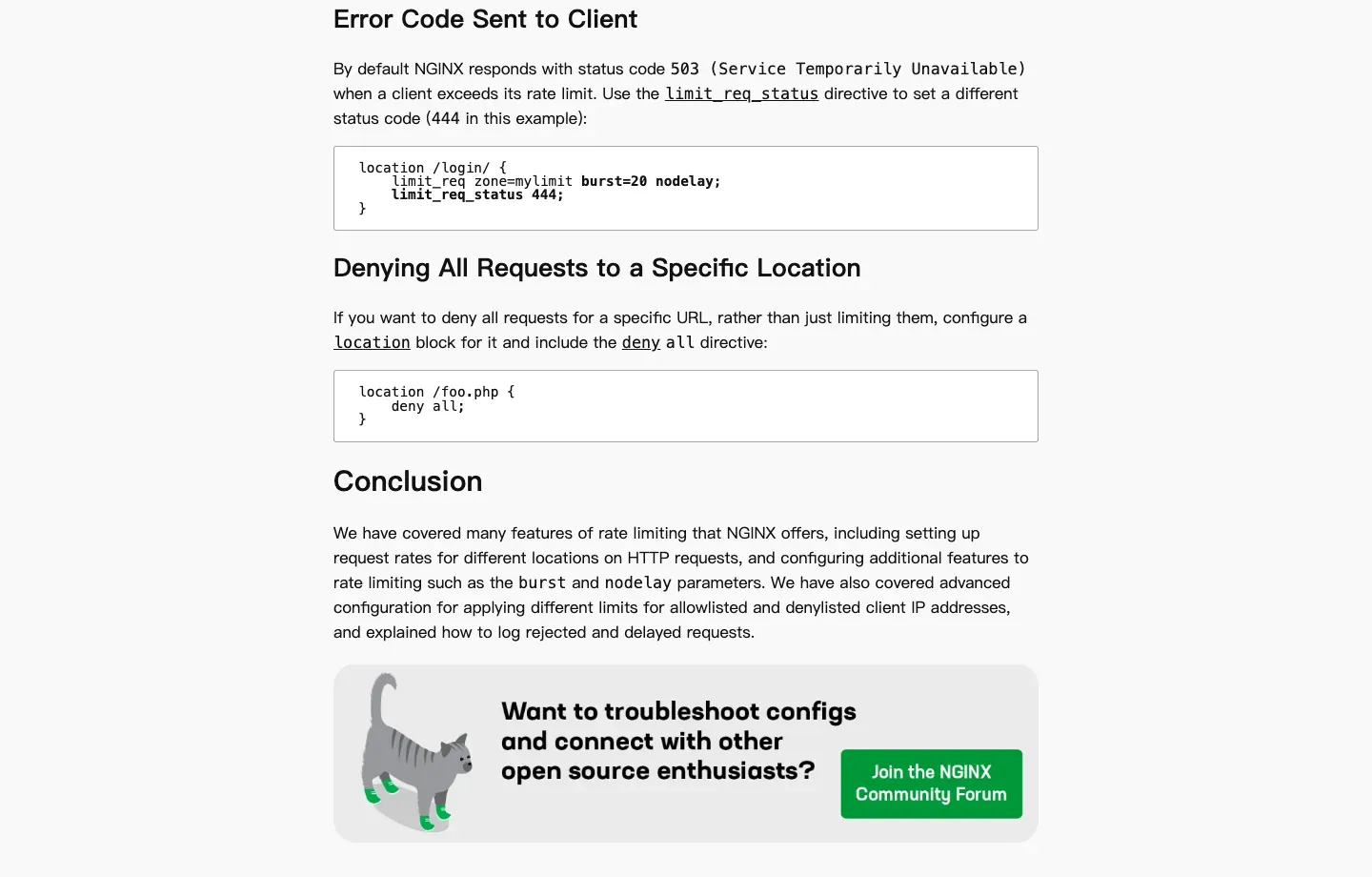
Figure 3: NGINX documentation shows that limit_req may return 503 for rejected requests by default.
Is a 503 HTTP Code the Same as a Cloudflare 503?
No. The 503 HTTP code is a standard status code that applies to all HTTP services. A Cloudflare 503 is a specific 503 scenario in which the request passes through Cloudflare and the response is generated either by Cloudflare’s edge or by an origin behind Cloudflare. Cloudflare is only one of many components that can generate or forward a 503; NGINX, Apache, application servers, API gateways, load balancers, and other CDNs can do the same.
| Comparison | Generic 503 HTTP Code | Cloudflare 503 |
|---|---|---|
| Scope | Standard HTTP status code | A 503 observed on a Cloudflare request path |
| Possible responder | Web server, application, gateway, proxy, CDN, load balancer | Cloudflare edge, or an origin whose 503 is forwarded by Cloudflare |
| Common clues | Server, Via, custom request ID, generic maintenance page |
Cloudflare-branded error page, CF-Ray, cloudflare, or cloudflare-nginx text |
| Common root causes | Maintenance, overload, no healthy backend, dependency failure, active rate limiting | Origin overload or origin 503, Cloudflare data-center or service issue |
| Troubleshooting entry point | Identify the actual returning layer first | Compare the Cloudflare error page, Ray ID, edge logs, and origin logs |
If the error body does not contain Cloudflare branding even though the request passes through Cloudflare, that does not prove Cloudflare was uninvolved. A more reliable diagnosis combines CF-Ray, Cloudflare Security Events, origin access logs, and the service status for the same time window. Conversely, a page with Cloudflare styling does not mean the root cause is necessarily at Cloudflare; the edge may simply be forwarding an origin-generated 503.
Common Causes of the 503 HTTP Code
The root causes of 503 usually fall into six categories: maintenance, capacity, backend health, dependencies, gateway policy, and client traffic patterns. The correct order of investigation is to first identify who returned the error, then determine why that component returned it.
Planned Maintenance or Maintenance Mode That Did Not Exit
A site can deliberately return 503 during a deployment, database migration, cache rebuild, or infrastructure cutover. A well-designed maintenance response should include a clear error page, an estimated recovery time, and Retry-After. If 503 continues after the deployment is complete, check maintenance flags, reverse-proxy rules, WordPress maintenance files, deployment hooks, and stale cached error pages.
CPU, Memory, Thread, or Connection-Pool Exhaustion
When CPU is saturated, memory pressure is high, file descriptors run out, or worker processes, thread pools, or connection pools hit their limits, a service may shed requests by returning 503. Restarting the service may briefly restore availability, but it does not explain why resources were exhausted. Compare the 503 spike against CPU, memory, garbage collection, queue depth, active connections, database connections, and P95/P99 latency on the same timeline.
Load Balancer Has No Healthy Targets
A load balancer can return 503 directly when a routing rule points to a target group with no registered targets, targets that are not ready, or targets that are all unavailable. The AWS Application Load Balancer troubleshooting documentation explicitly lists scenarios such as having no registered targets or targets in an unusable state.
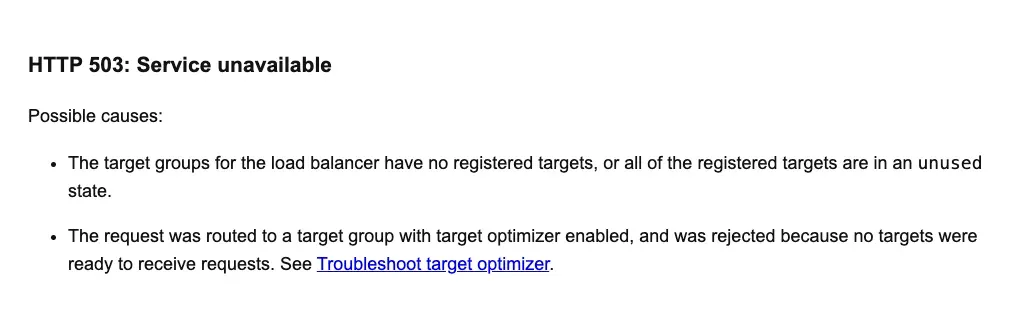
Figure 4: AWS documentation connects ALB 503 responses with load-balancer-layer conditions such as the absence of usable targets.
Application Startup or Incorrect Health-Check Design
A new instance can produce 503 if it starts receiving traffic before configuration, models, or caches are loaded, or if the readiness check does not reflect real dependencies. In container environments, distinguish startup, readiness, and liveness checks. An unready instance should not receive production traffic, and a slow-starting instance should not be repeatedly killed by an overly aggressive liveness probe. The Kubernetes readiness probe documentation explains that an unready Pod is removed from Service traffic.
Database, Cache, Queue, or Third-Party API Failure
The application process may still be running while a database connection pool is exhausted, Redis is unavailable, a message queue is backed up, or a critical external API is failing. Any of these can be mapped to a generic 503. Inspect dependency-level metrics and timeout budgets instead of recording every dependency failure as the same undifferentiated “service unavailable” event.
CDN, WAF, or Edge Node Returns 503
A CDN may return 503 because of an edge-data-center issue, origin overload, or security policy. The Cloudflare 503 troubleshooting documentation recommends using clues such as cloudflare or cloudflare-nginx in the error page to distinguish the returning layer before investigating the edge or the origin.
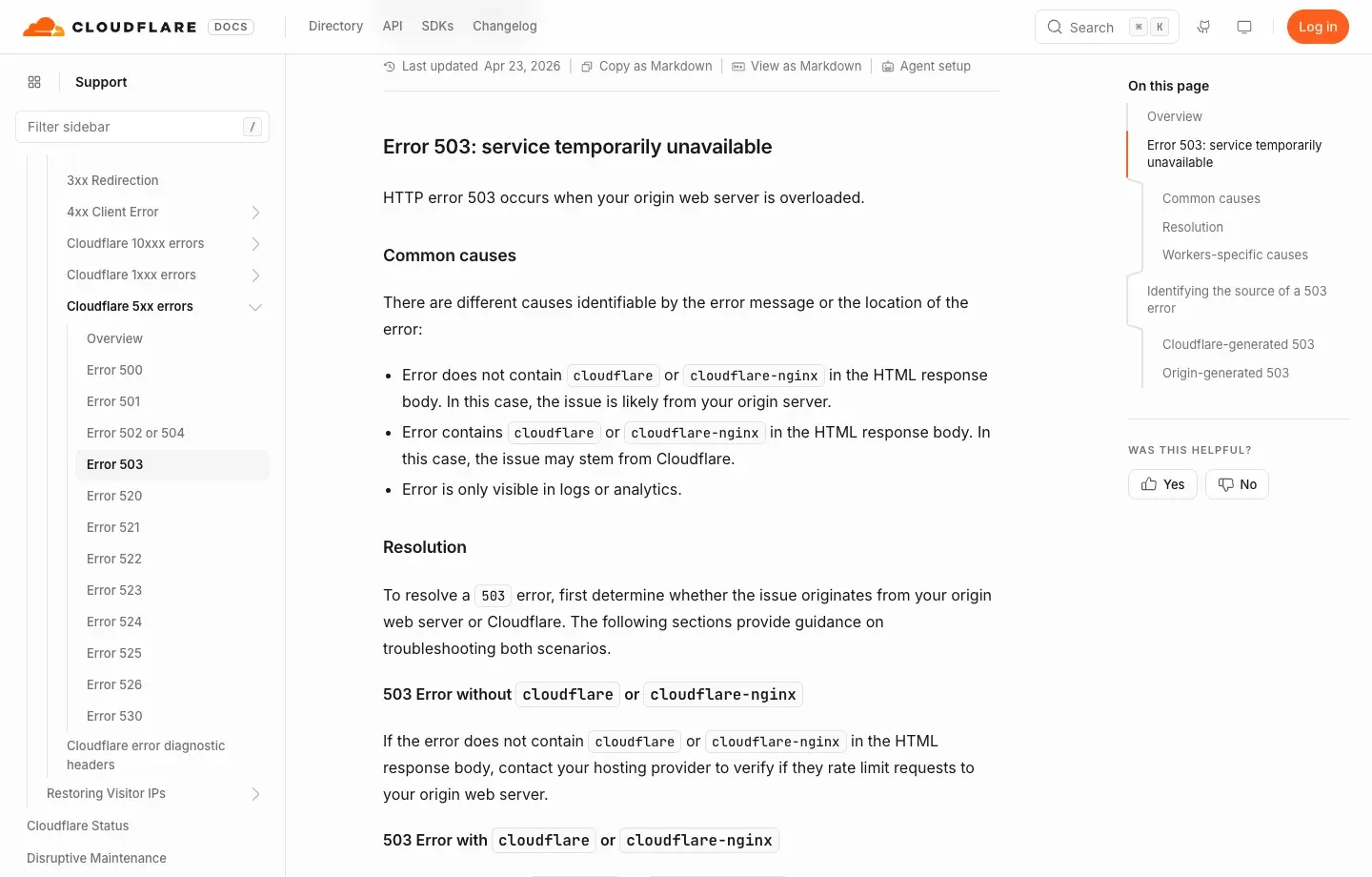
Figure 5: Cloudflare’s English support page emphasizes distinguishing a Cloudflare-generated 503 from an origin-generated 503.
Traffic Spikes, Rate Limiting, or Automated Access
Sudden traffic, uncontrolled retries, scheduled jobs starting at the same time, or high-concurrency crawling can overload a service. Some sites also use a generic 503 page for temporary anti-automation behavior. The Oxylabs 503 explanation lists maintenance, overload, technical failures, and incorrect retry behavior as common data-collection scenarios, but whether a specific target is rate limiting must still be proven from the response content and controlled comparisons across exits.
How to Determine Who Returned the 503
The fastest approach is to save the status line, response headers, the first few kilobytes of the response body, request ID, timestamp, and request path, then compare those artifacts against CDN, load balancer, reverse-proxy, and application logs layer by layer.
Step 1: Use curl to Preserve Raw Evidence
curl -sS -D response-headers.txt \
  -o response-body.html \
  --max-time 30 \
  https://example.com/

sed -n '1,40p' response-headers.txt
On Windows PowerShell, use this equivalent command to inspect the saved headers:
Get-Content .\response-headers.txt | Select-Object -First 40
Pay particular attention to:
- Intermediate-layer clues such as
Server,Via,X-Cache,CF-Ray, andX-Amzn-Trace-Id. - Whether
Retry-Afteris expressed as seconds or an HTTP date. - Whether
Ageand cache headers suggest that the error itself was cached at the edge. - Branding, error templates, request IDs, or data-center codes in the response body.
- Whether
HEADandGETbehave differently for the same URL. Do not assume every service implementsHEADcorrectly.
Step 2: Compare Direct and Proxy Paths
Record the result of a direct request, a repeated request through the same proxy, a request through another proxy node, and a request from another regional network. Keep the URL, method, request headers, cookies, and time window identical; otherwise, you cannot attribute the difference to the network exit.
| Observation | More Likely Explanation | Next Step |
|---|---|---|
| Every exit returns 503 | Origin, CDN, or shared dependency failure | Check service status, wait, and contact the site |
| Only one proxy endpoint returns 503 | Proxy gateway or node problem | Check provider status, authentication, and an alternate endpoint |
| Every exit in one region returns 503 while other regions work | Regional edge, route, inventory, or policy difference | Confirm region and site permissions; preserve the Ray ID |
| Low request rate works, high concurrency produces 503 | Capacity, WAF, or rate limiting | Reduce concurrency, queue work, and back off |
HTML shows a maintenance page with Retry-After |
Active maintenance | Wait for the specified period; do not rotate through endpoints aggressively |
| Proxy returns 407, not 503 | Proxy authentication problem | Fix credentials, port, or allowlist |
Step 3: Check Log Ownership and the Timeline
If you operate the service, search the same UTC time window across edge request logs, load-balancer access logs, reverse-proxy error logs, application logs, and dependency metrics. If the edge reports 503 but the origin has no corresponding request, the error occurred before the origin. If the load balancer records a target returning 503, continue into the application. If the load balancer itself generated 503, inspect healthy targets and routing first.
Step 4: Detect Soft Error Pages
Some systems return HTTP 200 while the body says “Service Unavailable”; others use 503 for a CAPTCHA or policy page. A client should not rely only on status_code == 200. Validate Content-Type, page title, required fields, and response length. Site operators should not return maintenance pages as HTTP 200 because monitoring systems and search engines can treat temporary error content as a normal page.
Reproducible 503 HTTP Code Demo
The following local example returns a real 503 with Retry-After on the first request, then recovers to HTTP 200 on the second request. It is designed to test diagnosis and bounded retry logic without depending on any external website.
Environment and Dependencies
python3 -m venv .venv
source .venv/bin/activate            # Windows: .venv\Scripts\activate
python -m pip install "requests==2.32.5"
python 503_demo.py
The service listens on 127.0.0.1:8765 and is accessible only from the local machine.
Create a 503 Service With Retry-After
from http.server import BaseHTTPRequestHandler, ThreadingHTTPServer


class DemoHandler(BaseHTTPRequestHandler):
    recover_count = 0

    def do_GET(self):
        if self.path == "/always-503":
            self.send_503(retry_after="120")
            return

        if self.path == "/recover":
            DemoHandler.recover_count += 1
            if DemoHandler.recover_count == 1:
                self.send_503(retry_after="1")
                return

        body = b'{"status":"ok","message":"The service has recovered."}'
        self.send_response(200)
        self.send_header("Content-Type", "application/json; charset=utf-8")
        self.send_header("Content-Length", str(len(body)))
        self.end_headers()
        self.wfile.write(body)

    def send_503(self, retry_after):
        body = (
            b"<!doctype html><title>503 Service Unavailable</title>"
            b"<h1>503 Service Unavailable</h1>"
        )
        self.send_response(503)
        self.send_header("Content-Type", "text/html; charset=utf-8")
        self.send_header("Retry-After", retry_after)
        self.send_header("Cache-Control", "no-store")
        self.send_header("Content-Length", str(len(body)))
        self.end_headers()
        self.wfile.write(body)


ThreadingHTTPServer(("127.0.0.1", 8765), DemoHandler).serve_forever()
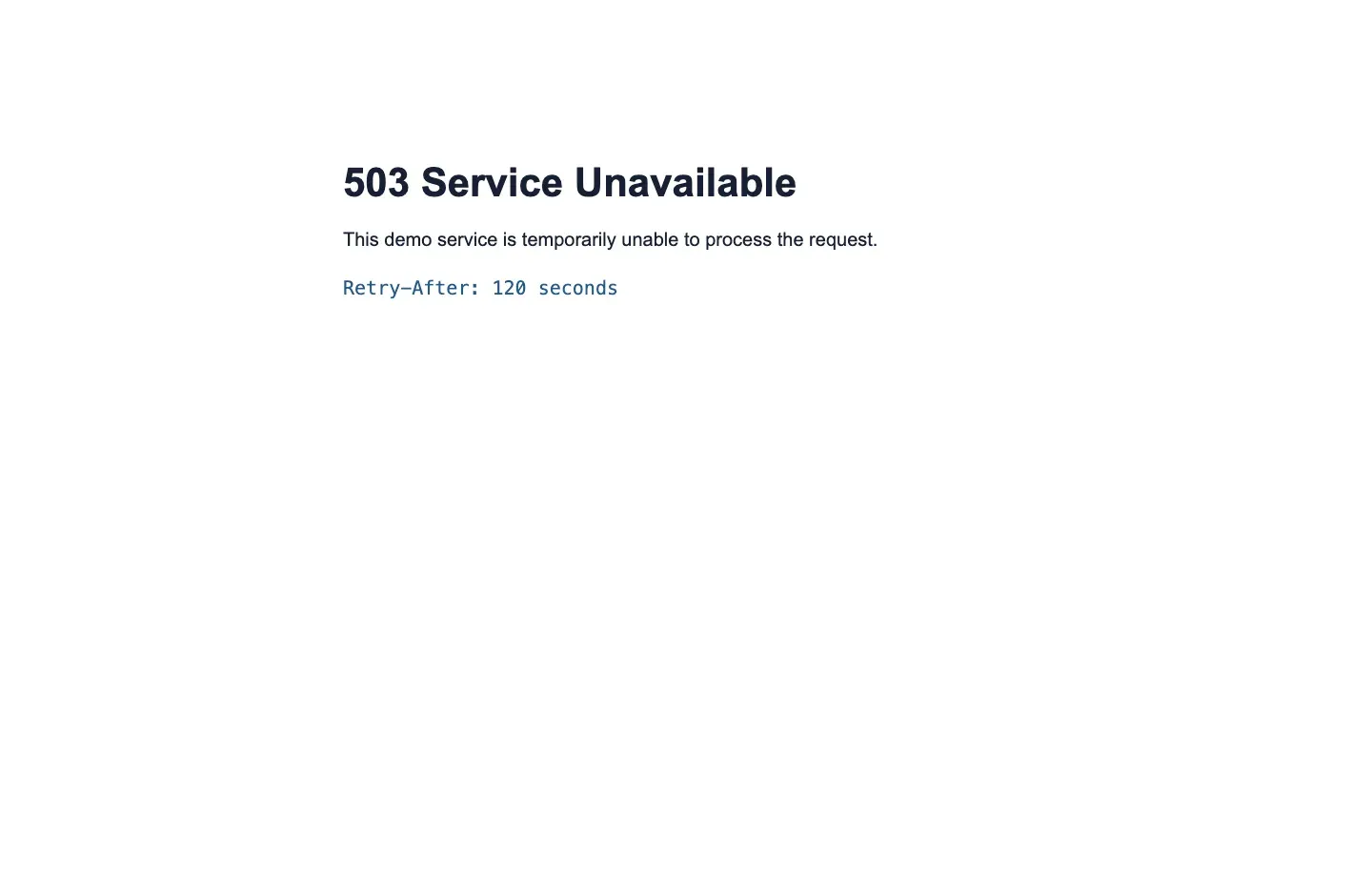
Figure 7: The local 503 test page clearly shows Retry-After: 120 seconds.
Verify the Status Line and Response Headers With curl
curl -i --max-time 5 http://127.0.0.1:8765/always-503
The actual response includes:
HTTP/1.0 503 Service Unavailable
Content-Type: text/html; charset=utf-8
Retry-After: 120
Cache-Control: no-store
Read Retry-After Correctly in Python and Retry Within Limits
import random
import time
from datetime import datetime, timezone
from email.utils import parsedate_to_datetime

import requests


def retry_delay(response, attempt, base=1.0, cap=30.0):
    value = response.headers.get("Retry-After")
    if value:
        if value.isdigit():
            return min(float(value), cap)
        try:
            retry_at = parsedate_to_datetime(value)
            if retry_at.tzinfo is None:
                retry_at = retry_at.replace(tzinfo=timezone.utc)
            seconds = (retry_at - datetime.now(timezone.utc)).total_seconds()
            return min(max(seconds, 0.0), cap)
        except (TypeError, ValueError, OverflowError):
            pass

    maximum = min(base * (2 ** (attempt - 1)), cap)
    return random.uniform(0, maximum)


def get_with_bounded_retry(url, attempts=4):
    with requests.Session() as session:
        for attempt in range(1, attempts + 1):
            response = session.get(url, timeout=(5, 15))
            print(
                f"attempt={attempt} status={response.status_code} "
                f"retry_after={response.headers.get('Retry-After')}"
            )
            if response.status_code != 503:
                response.raise_for_status()
                return response
            if attempt == attempts:
                response.raise_for_status()
            time.sleep(retry_delay(response, attempt))

    raise RuntimeError("unreachable")


result = get_with_bounded_retry("http://127.0.0.1:8765/recover")
print(result.json())
Example output:
attempt=1 status=503 retry_after=1
attempt=2 status=200 retry_after=None
{'status': 'ok', 'message': 'The service has recovered.'}
This code retries only on 503 and uses separate connection and read timeouts. A production implementation should add three constraints: automatically retry only idempotent requests, enforce an overall time budget for the complete operation, and open a circuit breaker after repeated failures instead of allowing every worker to retry independently forever.
How to Fix 503 Service Unavailable for Different Roles
The correct fix depends on whether you are a normal visitor, an API or crawler developer, a site administrator, or a proxy user. The same action is not appropriate for every role.
For Regular Visitors
- Check the website’s status page or official announcement for planned maintenance.
- Wait for the duration specified by
Retry-After; if the header is absent, wait from several tens of seconds to a few minutes before trying again. - Refresh only once, then try the normal homepage. Avoid rapid repeated refreshes.
- If only you are affected, check local DNS, system time, browser extensions, and the network. If many users are affected, more local troubleshooting is unlikely to help.
- When contacting site support, provide the UTC time, URL, request ID, screenshot of the error page, and your region. Do not send passwords or cookies.
Clearing a browser cache usually cannot fix an origin-generated 503. It helps only in the special case where an old error page was cached incorrectly. Restarting a router, changing DNS, or using a proxy is not a general 503 fix either.
For API and Crawler Developers
- Honor
Retry-After; if it is absent, use exponential backoff with randomized jitter. - Limit concurrency, per-host rate, and queue depth to prevent retry storms.
- Retry idempotent requests such as
GETandHEAD; whether aPOSTcan be retried depends on idempotency keys and the service contract. - Log the status, URL, attempt count, total elapsed time, exit identifier, and a response summary.
- Track 503 separately from connection errors, 429, 403, and 407.
- Set a maximum attempt count, maximum cumulative wait, and circuit-breaker condition.
- Follow
robots.txt, service terms, API quotas, and applicable law.
For Site Administrators and SREs
- Confirm the scope. Determine whether the issue affects one URL, one region, one tenant, or the entire site. Use monitoring data instead of relying on a browser alone.
- Identify the returning layer. Determine whether the response comes from the edge, load balancer, web server, application, or dependency.
- Stabilize the service. Roll back a bad release, restore healthy targets, reduce noncritical traffic, enable caching, or degrade nonessential functionality. Do not repeatedly restart the entire cluster while the cause is unknown.
- Restore capacity. Scale instances, connection pools, and queues according to the actual bottleneck. Increasing frontend capacity alone can overload the database.
- Verify recovery. Check the status, critical content, and P95 latency from multiple regions, and confirm the error did not simply turn into a soft HTTP 200 failure.
- Prevent recurrence. Add capacity alarms, synthetic monitoring, dependency timeouts, circuit breakers, bulkheads, deployment gates, and resilience exercises.
For WordPress or Other CMS Sites
First verify that maintenance mode is not stuck. Then check plugins, themes, PHP-FPM workers, database connections, and hosting resources. Temporarily disabling plugins should be done only with backups and a maintenance window; do not bulk-delete files directly on production. If only the admin area or a particular route returns 503, inspect the relevant PHP error logs and routing before considering a full reinstall.
How to Handle 503 Service Unavailable in Proxy Scenarios
When you encounter proxy 503 service unavailable, first prove whether the response came from the proxy gateway or the target website. Switching to a healthy proxy node is useful only when the proxy endpoint, exit quality, or regional network path is actually abnormal.
Where a 503 Can Originate in a Proxy Chain
Client -> Forward proxy -> CDN/WAF -> Load balancer -> App -> Dependency
             503 A          503 B          503 C       503 D
- 503 A: proxy capacity exhaustion, endpoint maintenance, or unavailable upstream exits.
- 503 B: CDN/WAF edge failure, rule, or traffic-protection action.
- 503 C: the load balancer has no healthy targets.
- 503 D: application maintenance, resource exhaustion, or failure of a critical dependency.
If the proxy provider’s domain, gateway branding, or request ID appears in the error page, contact proxy support first. If the target site’s branded maintenance page, target CDN Ray ID, or the same error appears on a direct connection, the problem is more likely on the target path. Proxy authentication failure should normally be 407; do not misdiagnose bad credentials as 503.
When It Is Reasonable to Try Another Proxy Node
There is a reasonable basis to switch only when all of the following are true: direct access or another healthy exit works; one proxy endpoint repeatedly returns 503; request parameters and request rate are the same; and the target permits the automated access. In that case, switch to a backup endpoint in the same region, record the failing node, and apply a cooldown period.
Do not rapidly rotate through large numbers of IP addresses to fight a target site’s maintenance mode, capacity protection, or access control. That does not repair the origin and can increase both load and compliance risk.
How Rola IP Can Be Used in 503 Diagnosis
In authorized web monitoring or data-collection workflows, Rola IP can act as a controlled alternative exit to test whether an error appears only on a particular node or in a particular region. Its English residential proxy page describes country- or city-level targeting, rotating and sticky sessions, and HTTP(S)/SOCKS5 access. This makes it possible to compare the same URL and request headers across different exits, but it cannot guarantee that the target service will recover and it does not replace rate reduction or Retry-After handling.

Figure 8: The English Rola IP rotating residential proxies page. For 503 diagnosis, a proxy should be used as a controlled comparison exit, not as a generic unblocking tool.
In practice, you can first create a connection using the English proxy quick start, then use the Rola IP proxy checker to verify that the proxy is online and that its protocol and exit location match expectations. If the proxy check succeeds but the target still returns 503, continue investigating the target response and request rate. If the proxy check itself fails, fix the proxy connection first rather than recording the event as a target-site 503.
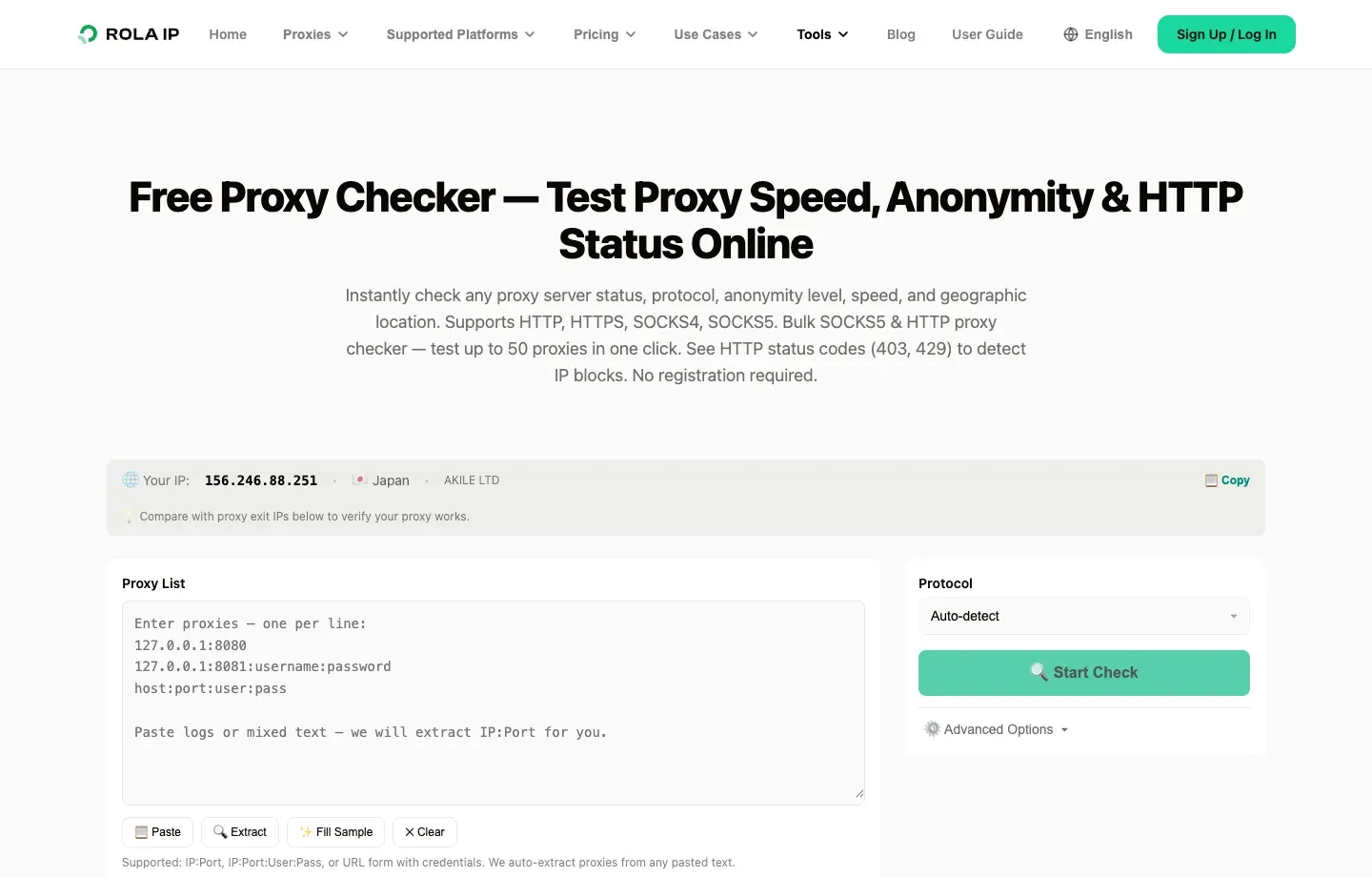
Figure 9: The English Rola IP proxy checker can verify endpoint connectivity and HTTP status before target-page diagnosis begins.
How to Configure Retry-After and Client Backoff Correctly
A server should return Retry-After when it has a reasonable estimate of when service can resume. Clients should prefer that value while still applying an upper bound, randomized jitter, and an overall time budget. The MDN Retry-After documentation explains that the header can contain either a non-negative delay in seconds or an HTTP date.
Retry-After: 120
Retry-After: Fri, 11 Sep 2026 09:00:00 GMT
The server-side value should reflect a realistic recovery estimate. Use seconds for short maintenance windows and a date when there is a known maintenance end time. If recovery cannot be estimated, the header can be omitted, but the client should still back off within limits. The error response should preferably use Cache-Control: no-store or a carefully chosen short cache duration so users do not keep receiving a stale 503 after the service recovers.
Recommended client backoff sequence:
- If a valid
Retry-Afterexists, wait for it within the application’s maximum allowed delay. - If it does not exist, use exponential backoff, for example upper bounds of 1, 2, 4, and 8 seconds.
- Add randomized jitter to each delay so all clients do not wake up simultaneously.
- Limit the maximum number of attempts and total cumulative wait.
- Use idempotency keys for non-idempotent writes; do not replay them by default.
- Open a circuit breaker at the failure threshold and return an explicit failure or degraded response upstream.
How to Prevent the 503 HTTP Code From Recurring
Preventing 503 is not simply a matter of adding more servers. Capacity, traffic control, dependency isolation, health checks, and deployment processes must work together.
Capacity and Elasticity
- Set observable limits for CPU, memory, worker threads, connection pools, and queues.
- Autoscale on leading indicators rather than waiting for the error rate to rise.
- Give databases and external dependencies their own capacity budgets.
- Reserve peak capacity for launches, marketing campaigns, news events, and batch workloads.
Traffic Shaping
- Apply ingress rate limits by tenant or API key instead of relying only on a shared NAT IP.
- Use queues and backpressure for bursts, and define what happens when the queue is full.
- Cache repeatable reads and coalesce duplicate requests.
- Return the real semantics of 429 or 503 with
Retry-Afterrather than hiding failure behind an ambiguous 200.
Dependency Resilience
- Configure connection, read, and total request timeouts.
- Use circuit breakers, bulkheads, degraded responses, and cache fallbacks.
- Prevent one slow dependency from consuming all worker threads.
- Monitor error rate, saturation, and latency separately for critical dependencies.
Deployments and Health Checks
- Use rolling, blue-green, or canary deployments and retain a fast rollback path.
- Pass readiness only when the instance can truly process business requests.
- Use a startup probe for slow-starting services so they are not restarted too early.
- Run capacity and fault-injection exercises before production changes.
How 503 Service Unavailable Affects SEO
A short, correctly returned 503 normally tells search engines that the outage is temporary. However, a large number of persistent 503 responses can reduce crawl frequency and may eventually cause URLs to disappear from the index.
Google Search Central’s planned site downtime guidance recommends returning a real 503 during maintenance and providing Retry-After when the recovery time can be estimated. It also warns against using 503 as a long-term solution. Google’s updated crawling error guidance states that persistent 503 or 429 responses cause Googlebot to reduce crawling, and a long failure can affect indexing.
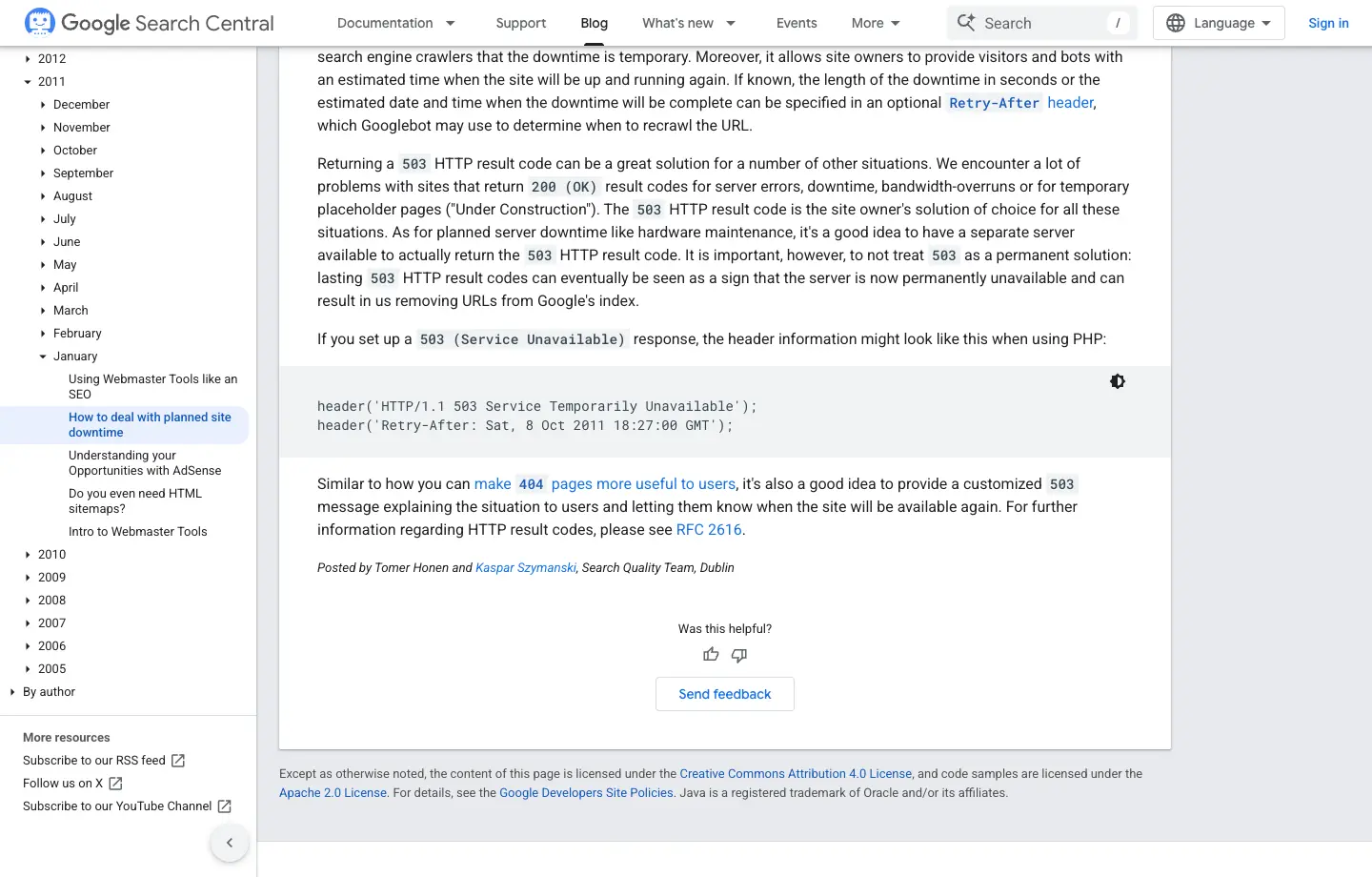
Figure 10: The English Google Search Central page demonstrates using 503 with Retry-After for planned downtime.
SEO implementation points:
- A maintenance page should return 503, not 200.
- Do not redirect every URL with 302 to a single maintenance homepage that returns 200.
- Keep the maintenance page concise, with an explanation and recovery time; do not publish indexable replacement marketing content.
- Restore HTTP 200 promptly after service recovery and verify that caches and CDNs no longer retain the old 503.
- Use Search Console, server logs, and synthetic monitoring to verify that Googlebot and normal users receive consistent responses.
503 Troubleshooting Checklist
| Check | Visitor or Client | Site Administrator | Proxy User |
|---|---|---|---|
| Save status and headers | Record 503, Retry-After, and request ID |
Correlate edge and origin status | Distinguish 503 from 407 |
| Confirm scope | Try another device without rapid refreshing | Segment by URL, region, version, and tenant | Compare direct and backup endpoints with the same parameters |
| Control retries | Wait and retry within limits | Prevent retry storms | Do not rotate IPs at high speed |
| Identify returning layer | Check error-page branding and service status | CDN → LB → proxy → app → dependency | Separate proxy-gateway templates from target-site errors |
| Verify recovery | Check content, not just HTTP 200 | Verify error rate, latency, and critical business behavior | Test the proxy first, then validate target content |
| Prevent recurrence | Update client retry behavior | Capacity, circuit breakers, probes, deployment gates | Health checks, backup endpoints, budget, and compliance |
Conclusion
The key to resolving a 503 HTTP code is not to keep refreshing or blindly switch proxies. Identify the layer that returned the response, preserve the evidence, retry within limits according to Retry-After, and fix the actual root cause in capacity, healthy backends, dependencies, or the proxy endpoint.
Regular visitors can usually only wait and report the issue. API and crawler clients should control concurrency, backoff, and total retry budgets. Site administrators should correlate logs and metrics from the edge through dependencies. Only when evidence shows that a specific proxy node or regional route is abnormal should a controlled proxy exit such as Rola IP be used as a comparison or backup path, rather than treating every 503 as an IP problem.