
Cloudflare 503 Service Temporarily Unavailable: Troubleshooting and Scraping Reliability Guide

Sep 14, 2026 · Troubleshooting · 16 min read
TL;DR
- A 503 service unavailable cloudflare error is not a single type of failure. Cloudflare may be forwarding a 503 generated by the origin, or a Cloudflare edge data center may generate the 503.
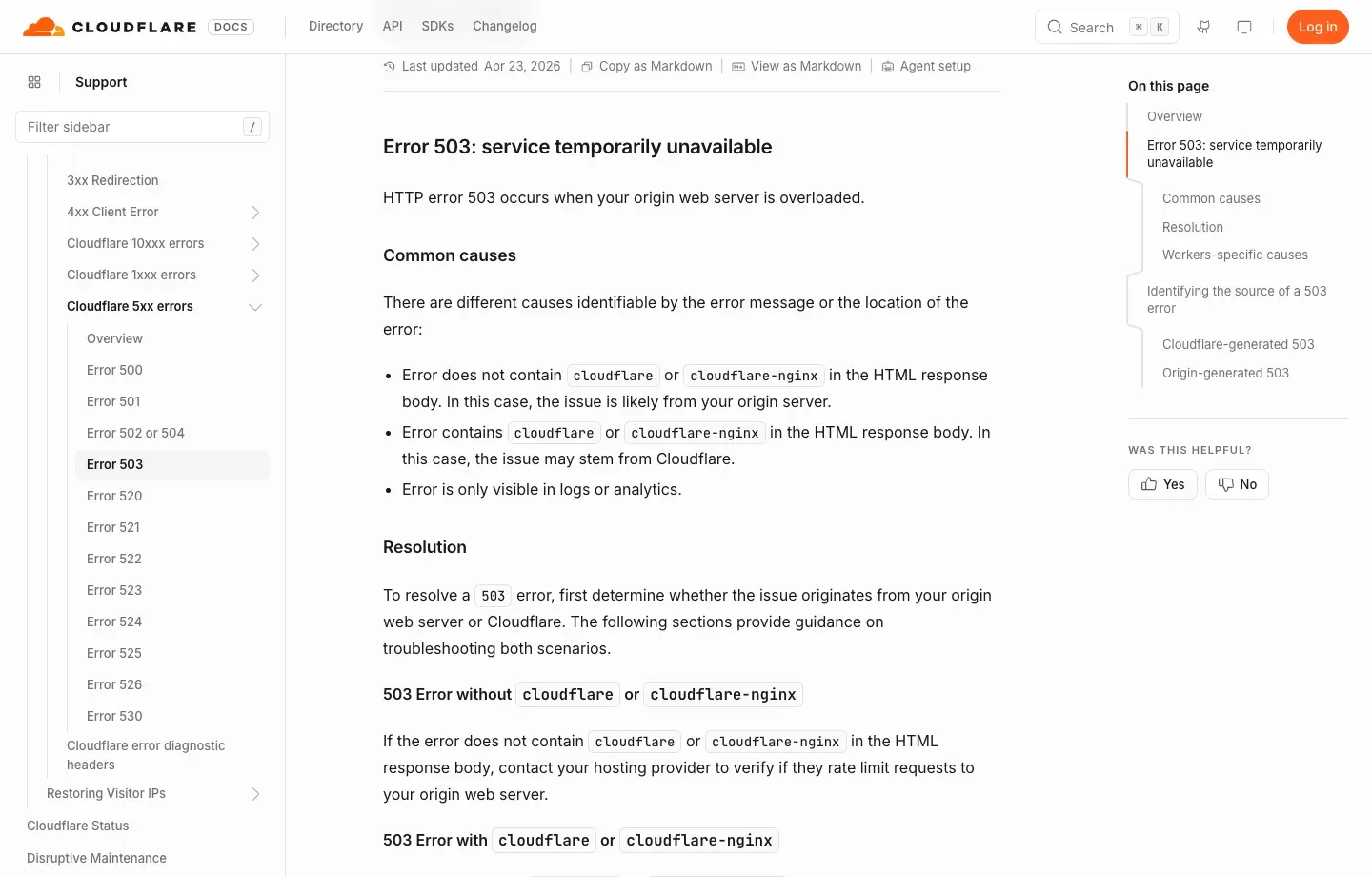
- Cloudflare recommends first checking whether the response body contains
cloudflareorcloudflare-nginx, while preserving the domain, timestamp and timezone,CF-Ray, and/cdn-cgi/traceoutput. - Visitors can wait, check status pages, test a normal network, and contact the site. Only the site owner can fix origin capacity, WAF, Workers, load balancers, and security-event issues.
- Authorized scraping should follow
robots.txt, site terms, and access permissions; limit concurrency, honorRetry-After, use exponential backoff, and validate response content. - Rola IP can help isolate proxy-exit, regional-routing, session, or single-node quality problems, but it cannot repair an overloaded origin, a Cloudflare data-center incident, or replace authorization or bypass CAPTCHA.
What Is a Cloudflare 503 Error?
A Cloudflare 503 is the Cloudflare-proxied form of the standard HTTP 503 Service Unavailable response. It means that an edge node or a service behind it currently lacks the capacity to complete the request. The HTTP semantics are still those of a normal 503, but troubleshooting must additionally determine ownership across the Cloudflare edge, WAF, Workers, and the origin.
According to the Cloudflare Error 503 documentation, one of the most common underlying scenarios is an overloaded origin server. If the error page does not contain cloudflare or cloudflare-nginx, the issue is more likely to originate from the origin. If the body contains those strings, a Cloudflare data-center connectivity issue is one possibility.
What Does “503 Service Temporarily Unavailable Cloudflare” Mean?
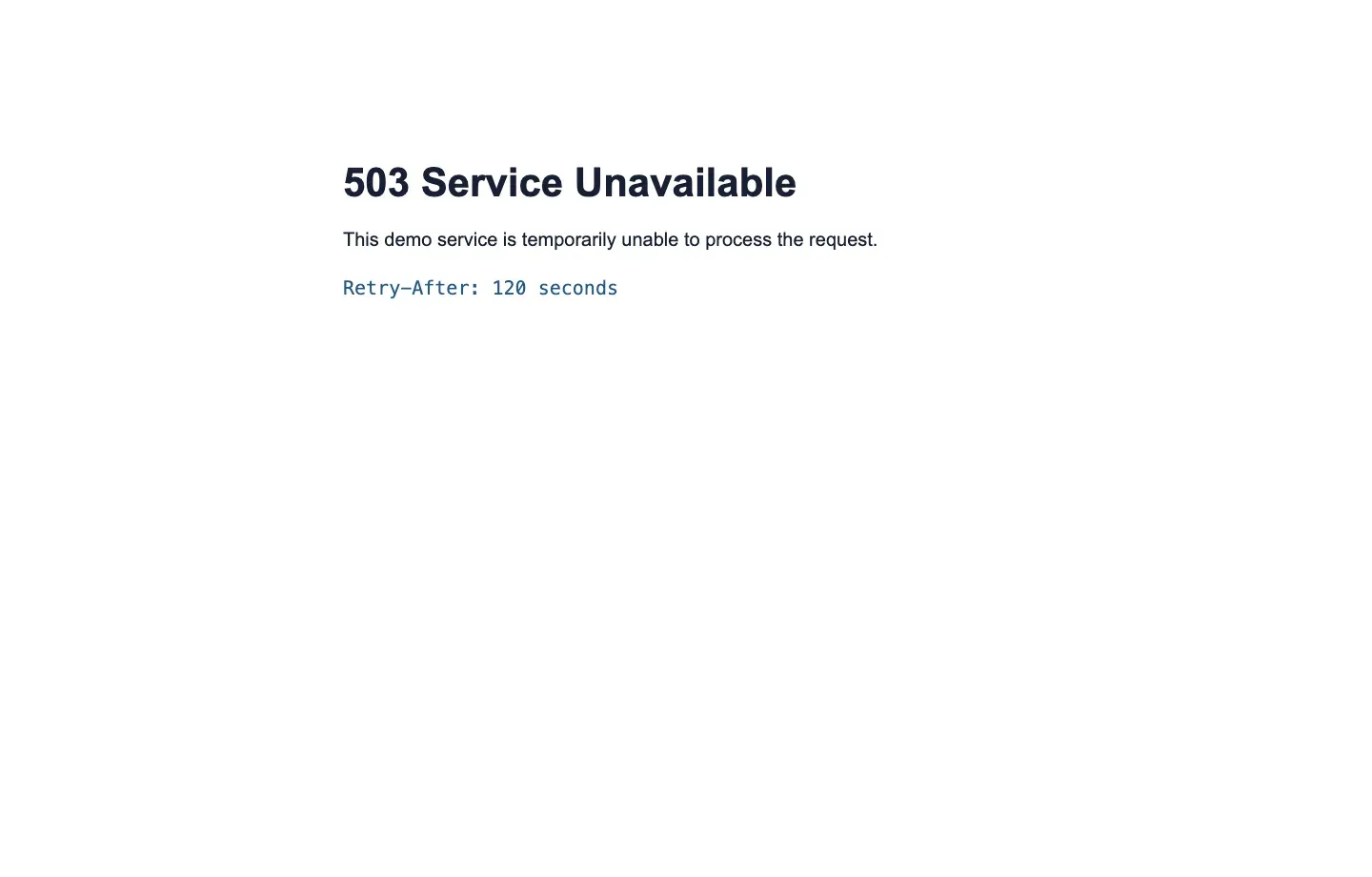
503 service temporarily unavailable cloudflare means that the service is temporarily unavailable; it does not mean the URL is permanently gone or the resource has been deleted. The word “temporarily” does not guarantee recovery within a few seconds. A short traffic spike may clear by itself, while a bad deployment, exhausted resources, no healthy backend, or a Worker resource limit may require the site owner to intervene.
A typical response might contain:
HTTP/1.1 503 Service Unavailable
Content-Type: text/html; charset=UTF-8
Retry-After: 120
CF-Ray: 8f00example-SJC
Server: cloudflare
Clients should rely on the numeric status code and response headers. HTTP/2 and HTTP/3 do not depend on the traditional reason phrase, so whether the page says “Service Unavailable,” “Service Temporarily Unavailable,” or uses custom wording, the protocol meaning is still determined by status code 503.
General 503 HTTP Code vs Cloudflare 503: What’s the Difference?
A general 503 http code is a standard status code that any HTTP service can return. A Cloudflare 503 refers specifically to a 503 encountered when a request passes through Cloudflare. The relationship is standard status code versus one manifestation within a specific network path; not every 503 should be attributed to Cloudflare.
| Comparison | General 503 HTTP Code | Cloudflare 503 |
|---|---|---|
| Scope | Any web server, application, gateway, CDN, or proxy | A site whose request path goes through Cloudflare |
| Possible responder | NGINX, Apache, an application, load balancer, CDN, or forward proxy | The origin, Cloudflare edge, Workers, or dependencies before/behind Cloudflare |
| Common clues | Server, Via, custom request IDs, maintenance pages |
CF-Ray, Server: cloudflare, a Cloudflare-branded page, or Cloudflare markers in the body |
| Main causes | Maintenance, overload, dependency failures, no healthy backend, active load shedding | Origin 503, edge connectivity issues, Worker resource problems, or security-policy-related events |
| Who to contact | The relevant service owner, hosting provider, or proxy provider | Visitors contact the site; domain owners contact their host or Cloudflare Support |
CF-Ray shows that the response passed through Cloudflare, but it does not prove that Cloudflare is the root cause. The edge may simply be forwarding a 503 generated by the origin. Correlate Cloudflare Analytics, Security Events, load-balancer logs, and origin logs within the same time window.
Cloudflare 503 vs 403, 429, 502, 504, 521, and 522
The key meaning of Cloudflare 503 is that the service is temporarily unable to handle the request. Other common status codes point to access denial, rate limiting, upstream-response failures, timeouts, or origin-connectivity failures. Distinguishing them correctly helps avoid trying to “change proxies” when the real issue is origin capacity.
| Status code | Core meaning | What to check first | Advice for automated clients |
|---|---|---|---|
| 403 Forbidden | The service understands the request but refuses access | Permissions, WAF rules, identity, or site policy | Stop and verify permission; do not blindly rotate exits |
| 429 Too Many Requests | The client exceeded a rate or quota | Rate-limit key, request frequency, quota, Retry-After |
Slow down, queue work, and retry at the specified time |
| 502 Bad Gateway | A gateway received an invalid upstream response | Upstream protocol, resets, malformed responses | Retry only idempotent requests, and keep retries bounded |
| 503 Service Unavailable | The service is temporarily unavailable or shedding load | Overload, maintenance, healthy backends, edge nodes | Preserve evidence and honor Retry-After |
| 504 Gateway Timeout | A gateway timed out waiting for upstream | Slow queries, upstream latency, timeout chain | Reduce request cost and retry only in a bounded way |
| 521 Web Server Is Down | Cloudflare cannot connect to the origin | Origin offline, or origin refusing Cloudflare IPs | Site owner checks listeners and firewall rules |
| 522 Connection Timed Out | Cloudflare-to-origin connection timed out | Routing, congestion, slow origin response | Site owner checks network path and capacity |
A Cloudflare Challenge or CAPTCHA page should not simply be labeled a 503. Cloudflare’s Challenges documentation describes Challenge as a separate verification mechanism. Status codes, page content, and signals such as cf-mitigated should be evaluated together.
What Causes Cloudflare 503 Service Unavailable?
The root cause of a Cloudflare 503 usually falls into six layers: origin capacity, upstream dependencies, Cloudflare edge connectivity, Workers, rate-limiting configuration, or automated-request patterns. Troubleshooting should start with who returned the 503, not with how to bypass Cloudflare.
Origin Overload or Maintenance
When CPU, memory, thread pools, file descriptors, database connection pools, or queues reach their limits, the origin may actively return 503. The same result can occur when a deployment enables maintenance mode, a database migration is incomplete, or a cache is being rebuilt.
Useful signals include 503s across all regions, 503 entries in origin access logs, rising P95/P99 latency, and a falling count of healthy backends. Changing the visitor’s IP address does not fix this. The correct response is to add capacity, smooth traffic, roll back a deployment, or repair the dependency.
Cloudflare Edge Data-Center Connectivity Issues
If the error body contains cloudflare or cloudflare-nginx, Cloudflare recommends recording the domain, exact time and timezone, and the output from visiting https://example.com/cdn-cgi/trace in the affected browser before contacting support. Also check Cloudflare Status for a relevant regional or product incident.
Cloudflare Workers Reaching Resource Limits
A Worker can fail because of CPU-time or memory limits. Site owners should review Worker logs, error counts, and resource usage, and avoid putting CPU-heavy parsing, infinite loops, or oversized response processing on the synchronous request path.
No Healthy Backend Behind a Load Balancer
A wrong health-check path, backends that are still starting, certificate or port mismatches, or an empty target group can cause the load-balancing layer before or behind Cloudflare to return 503. Health checks should reflect whether real business dependencies are ready, not merely whether a process is alive.
WAF Rate Limiting or NGINX Configuration Returning 503
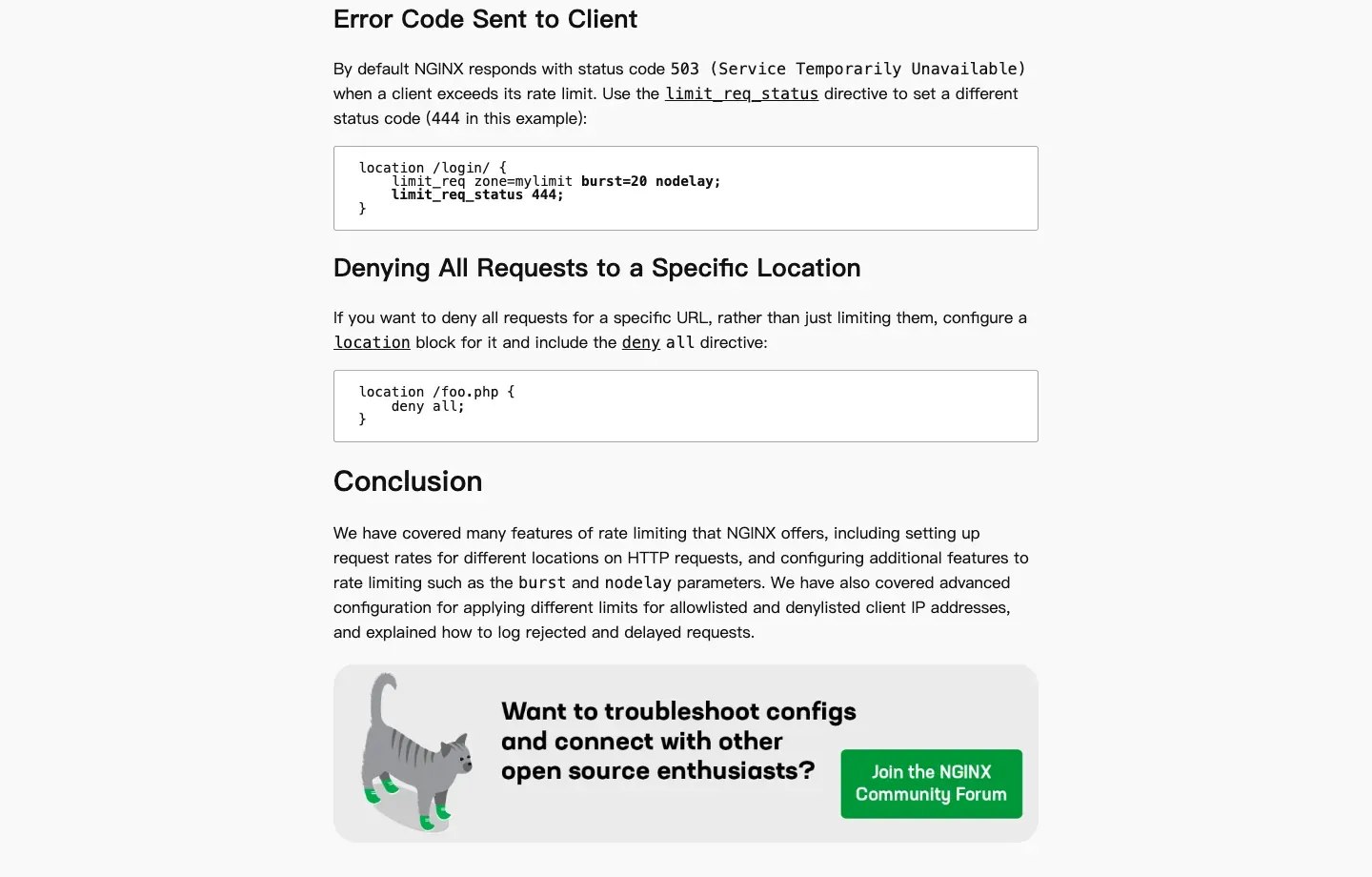
Some systems do not use 429 for rate limiting and are configured to return 503 instead. For example, NGINX rate limiting can return 503 by default when requests are rejected, and limit_req_status can change that status code. A 503 that appears only under high concurrency can therefore represent policy-based load shedding rather than a crashed server.
Scraping Concurrency and Retries Can Amplify the Failure
If a batch of scheduled jobs starts at the same time, retries immediately after errors, and opens a fresh connection for every request, a brief disturbance can turn into a sustained wave of 503 responses. If a client responds to 503 by rapidly rotating through many exits and continuing to request, it can add pressure to the origin and make it harder for Cloudflare to distinguish normal access from abnormal automated traffic.
How to Quickly Identify the Source of a Cloudflare 503 Error
The most effective process is to preserve the raw response, then inspect body markers, CF-Ray, Retry-After, regional comparisons, and—when you own the site—server-side logs. These five steps provide an initial attribution without destroying useful evidence.
Step 1: Save the Status Line, Headers, and Body
curl -sS -D response-headers.txt \
  -o response-body.html \
  --max-time 30 \
  https://example.com/

sed -n '1,40p' response-headers.txt
grep -Ei 'cloudflare|cloudflare-nginx|ray id' response-body.html | head
Do not rely only on a screenshot of the browser error page. The raw response preserves CF-Ray, Retry-After, Server, Via, cache headers, and Content-Type, which can later be correlated with logs.
Step 2: Check Whether the Page Contains Cloudflare Markers
- If the body does not contain
cloudflareorcloudflare-nginx, the origin is more likely to have returned the 503 directly. - If the body contains those markers, a Cloudflare edge data-center connectivity issue is one possibility.
- If
CF-Rayis present but the body is an origin-branded maintenance page, the request passed through Cloudflare while the root cause may still be at the origin. - If 503 appears only in logs but visitors do not see it, check background activity such as Speed Brain prefetching. Cloudflare notes that some unsuccessful prefetch events can be ignored.
Step 3: Record the Ray ID, Time, and Region
Put the CF-Ray, complete URL, UTC timestamp, client region, request method, and browser or script version in the same record. A note such as “503 happens a lot today” is not enough to identify the affected data center or exact request.
Step 4: Use a Controlled Comparison to Rule Out a Local or Single-Exit Problem
Within the scope of your authorization, test once using a direct connection, the same proxy endpoint, and another known-good endpoint. Keep the URL, method, headers, cookies, and time window consistent.
| Result | More likely cause | Correct next step |
|---|---|---|
| Every exit consistently returns 503 | Origin, Cloudflare, or a shared public dependency failure | Wait, check status pages, and notify the site |
| Only one proxy endpoint returns 503 | Proxy gateway or node problem | Check authentication and gateway health; switch to a healthy endpoint |
| One region consistently returns 503 | Regional edge, routing, or regional-content difference | Save the Ray ID and verify regional policy and permission |
| Low concurrency works but high concurrency returns 503 | Capacity, WAF, or rate limiting | Reduce concurrency, add a queue, and increase request intervals |
| Browser works but script returns 503 | Request pattern, session, or content-negotiation difference | Compare authorized headers, cookies, and request pacing |
Step 5: Site Owners Correlate Logs
Domain owners should inspect Cloudflare Error Analytics, Security Events, Log Explorer, load balancer logs, reverse-proxy logs, application logs, and database metrics within the same time window. The Cloudflare 5xx troubleshooting guide recommends providing the hosting provider with the error code, timestamp, timezone, and URL, while also checking proxies, firewalls, and caching between Cloudflare and the origin.
Reproducible Cloudflare 503 Test
The following local experiment returns both an origin-style 503 and a Cloudflare-style 503, then uses Python to make an initial classification based on the body and CF-Ray. It does not access third-party sites or bypass real Cloudflare security measures. Its purpose is to verify that diagnostic code behaves as expected.
Step 1: Create the Test Environment
python3 -m venv .venv
source .venv/bin/activate                 # Windows: .venv\Scripts\activate
python -m pip install "requests==2.32.5"
Step 2: Start Two 503 Test Endpoints
from http.server import BaseHTTPRequestHandler, ThreadingHTTPServer


class DemoHandler(BaseHTTPRequestHandler):
    def do_GET(self):
        if self.path == "/origin-503":
            self.respond(
                b"<h1>503 Service Unavailable</h1><p>Origin maintenance.</p>",
                {"Retry-After": "60", "X-Demo-Layer": "origin"},
            )
            return

        if self.path == "/cloudflare-503":
            self.respond(
                b"<h1>503 Service Temporarily Unavailable</h1>"
                b"<p>cloudflare demo error page</p>",
                {"Retry-After": "30", "CF-Ray": "DEMO1234-SJC"},
            )
            return

        self.respond_ok()

    def respond(self, body, headers):
        self.send_response(503)
        self.send_header("Content-Type", "text/html; charset=utf-8")
        self.send_header("Content-Length", str(len(body)))
        for name, value in headers.items():
            self.send_header(name, value)
        self.end_headers()
        self.wfile.write(body)

    def respond_ok(self):
        body = b'{"status":"ok"}'
        self.send_response(200)
        self.send_header("Content-Type", "application/json")
        self.send_header("Content-Length", str(len(body)))
        self.end_headers()
        self.wfile.write(body)


ThreadingHTTPServer(("127.0.0.1", 8877), DemoHandler).serve_forever()
Save the file as cf503_demo.py, then run:
python cf503_demo.py
Step 3: Run the 503 Attribution Script
import requests


def classify_503(response: requests.Response) -> str:
    if response.status_code != 503:
        return "not-503"

    body = response.text.lower()
    has_cf_body = "cloudflare" in body or "cloudflare-nginx" in body
    has_cf_header = bool(response.headers.get("CF-Ray"))
    return "cloudflare-path" if has_cf_body or has_cf_header else "origin-or-upstream"


for url in (
    "http://127.0.0.1:8877/origin-503",
    "http://127.0.0.1:8877/cloudflare-503",
):
    response = requests.get(url, timeout=(5, 15))
    print(url, response.status_code, response.headers.get("CF-Ray"), classify_503(response))
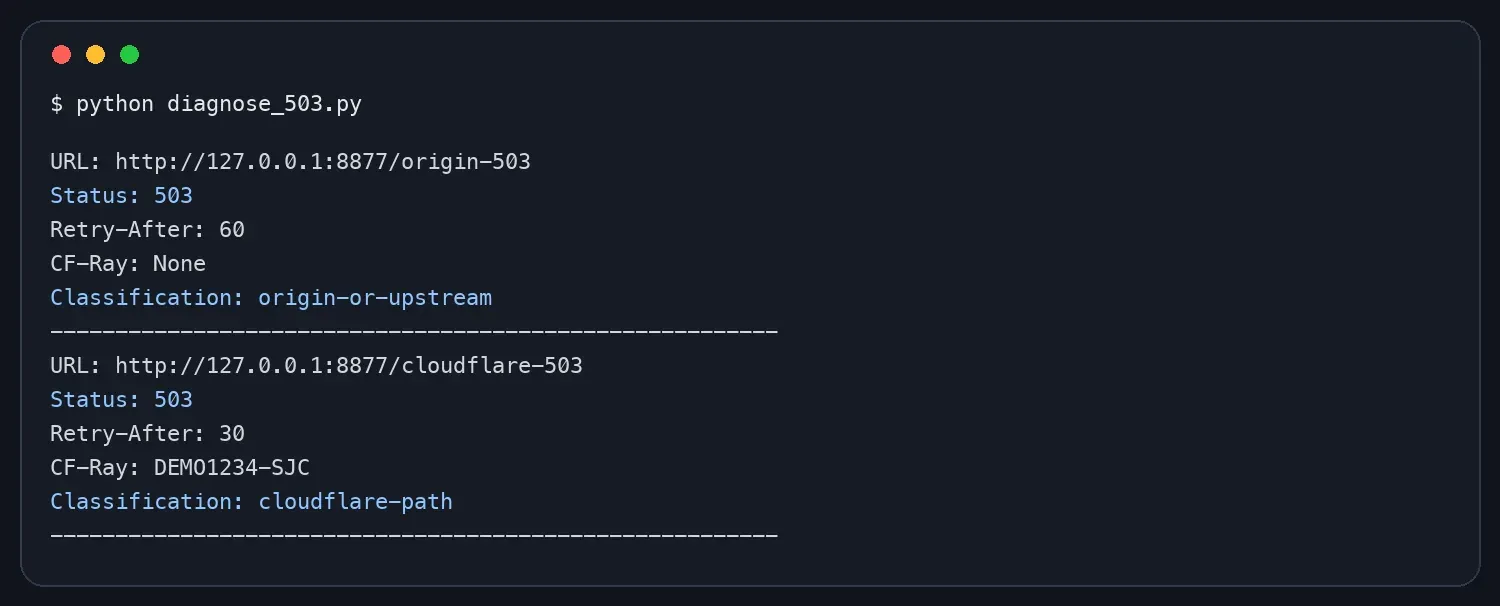
This is only an initial classification, not a final root-cause determination. A real site still requires correlation with Cloudflare Security Events, error analytics, and origin logs. CF-Ray can also be present when Cloudflare forwards an origin-generated 503.
How to Fix 503 Service Unavailable on Cloudflare
The fix depends on your role. Visitors can mainly wait and report the problem. Site owners should repair the origin and Cloudflare configuration. Developers performing authorized scraping should reduce pressure on the service and improve retry and session behavior.
What Regular Visitors Should Do
- Wait one to several minutes and refresh only once rather than continuously refreshing.
- Check the site’s own status page and Cloudflare Status.
- Test once from a normal home network and once from mobile data to rule out local DNS, routing, or shared-exit problems.
- Clearing browser cache helps only in cases such as a stale error page cached locally; it does not repair a remote 503.
- Send the URL, time, screenshot, and Ray ID to the site’s support team. Cloudflare normally works with the domain owner on site-specific failures.
What Site Owners Should Do
- Confirm the response layer. Compare Edge status and Origin status to determine whether the 503 was generated at the edge or origin.
- Check capacity and dependencies. Correlate CPU, memory, connection pools, queues, databases, and third-party APIs.
- Check healthy backends. Confirm load-balancer targets are registered, readiness is correct, and ports and certificates match.
- Review recent deployments. Roll back a bad change and verify that maintenance mode has been disabled.
- Inspect Workers. Review CPU, memory, and exception logs, and shorten expensive synchronous computation paths.
- Review WAF and rate limiting. Do not accidentally map legitimate traffic to 503. When rate limiting is intended, prefer a clear 429 with
Retry-After. - Build observability. Record Ray ID, request ID, region, edge status, origin status, and response time in a consistent way.
How to Understand “How to Bypass Cloudflare” in Authorized Scraping
For authorized data collection, “how to bypass cloudflare” should mean reducing false positives, handling challenges correctly, and improving request reliability—not evading access controls, impersonating another user, or defeating CAPTCHA. If a site does not permit automated access, a proxy, browser automation, or header changes do not create authorization.
Prefer Official APIs and Data Access
First determine whether the site provides an API, export function, RSS feed, data partnership, or a dedicated scraping window. Structured interfaces are more reliable than repeatedly parsing protected HTML and can reduce site load and legal risk.
Control Concurrency Instead of Only Increasing Proxy Count
Use a per-domain concurrency limit, small randomized jitter, a task queue, and a global rate budget. A larger proxy pool increases the number of network exits, but it does not increase the origin’s capacity. If every exit sends high-frequency requests at the same time, the result can still be 503 responses or security events.
Honor Retry-After and Use Bounded Backoff
from __future__ import annotations

import random
import time
from datetime import datetime, timezone
from email.utils import parsedate_to_datetime

import requests


def retry_delay(response: requests.Response, attempt: int, cap: float = 60.0) -> float:
    value = response.headers.get("Retry-After")
    if value:
        if value.isdigit():
            return min(float(value), cap)
        try:
            retry_at = parsedate_to_datetime(value)
            if retry_at.tzinfo is None:
                retry_at = retry_at.replace(tzinfo=timezone.utc)
            return min(max((retry_at - datetime.now(timezone.utc)).total_seconds(), 0), cap)
        except (TypeError, ValueError, OverflowError):
            pass

    ceiling = min(2 ** (attempt - 1), cap)
    return random.uniform(0, ceiling)


def get_with_bounded_retry(url: str, attempts: int = 4) -> requests.Response:
    with requests.Session() as session:
        for attempt in range(1, attempts + 1):
            response = session.get(url, timeout=(5, 30))
            if response.status_code != 503:
                response.raise_for_status()
                return response
            if attempt == attempts:
                response.raise_for_status()
            time.sleep(retry_delay(response, attempt))
    raise RuntimeError("unreachable")
Automatically retry only idempotent GET, HEAD, or requests that are explicitly safe to replay. Ordering, payment, and form-submission operations may already have executed on the server, so they must not be repeated blindly just because the client received a 503.
Keep Session Identity Consistent and Validate Real Content
Within the same authenticated or authorized session, do not switch country, ASN, and IP on every request. In addition to the HTTP status, validate Content-Type, title, expected fields, and response length so that a 200 Challenge page is not incorrectly counted as a successful result.
Stop Automated Escalation When You Encounter a Challenge or CAPTCHA
Do not build a workflow that automatically solves CAPTCHA or hides automation characteristics. If an authorized workflow requires a browser, allow a human to complete permitted verification or have the site owner configure allowlists, service tokens, dedicated APIs, or access rules.
How Rola IP Helps Troubleshoot Cloudflare 503
Rola IP can be used after access has been authorized to test whether a Cloudflare 503 is related to a single exit, regional routing, or an IP session by controlling region, proxy type, and session parameters. It is not an origin repair tool and does not guarantee bypassing Cloudflare.
Rola IP provides residential, rotating datacenter, static residential ISP, and mobile proxies across more than 190 countries and regions. For Cloudflare 503 troubleshooting, the useful capability is not “keep changing IPs,” but turning exit type, country, city, session, and request frequency into recorded, reproducible test variables.
When Rola IP Is Appropriate
- Direct access works, but one corporate exit or shared network consistently returns 503 and you need to test single-exit quality.
- The same target fails from one country or city and you need to investigate regional edge or routing differences.
- Authorized scraping uses sticky sessions and you need to verify whether the IP remains stable for the session.
- A proxy path returns 503 and you need to separate the Rola gateway, the specific node, and the target site’s response layer.
- A QA team needs a fixed test matrix to reproduce cross-region behavior instead of randomly changing environments.
When Rola IP Should Not Be Used as the Fix
- Every network and region returns the same 503 and the site’s status page shows an outage.
- The origin CPU, database, or load balancer is already confirmed to be unhealthy.
- Cloudflare has a public data-center incident.
- The site explicitly prohibits automation, or the request is triggering CAPTCHA or access controls.
- Account, cookie, TLS, or application-logic errors are being mistaken for IP problems.

Choosing Residential, Datacenter, or ISP Proxies
| Task | Suggested starting point | Reason | Misuse to avoid |
|---|---|---|---|
| Large-scale public-page collection | Rotating residential proxies | Can rotate by request or session and support regional comparisons | Using high-concurrency rotation to hammer an already overloaded site |
| Fixed session or long-term QA | Static residential ISP proxies | More stable network identity for authorized sessions | Unauthorized multi-account operations |
| Fast, low-cost health checks | Rotating datacenter proxies | Low latency and useful for basic reachability checks | Treating datacenter-exit results as real residential-user experience |
| Mobile-region validation | Mobile proxies | Can validate mobile-network and carrier differences | Using mobile exits to evade site access restrictions |
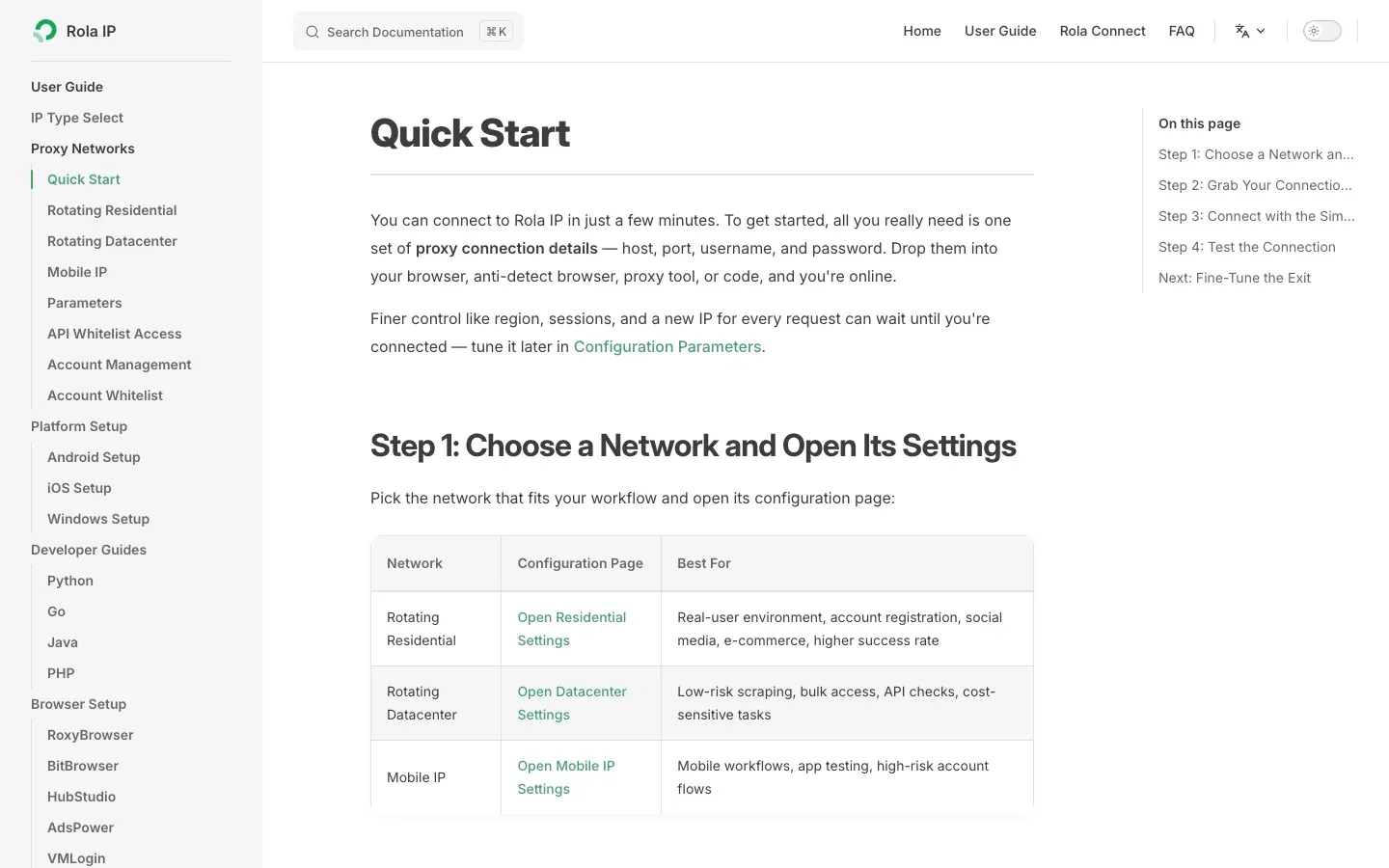
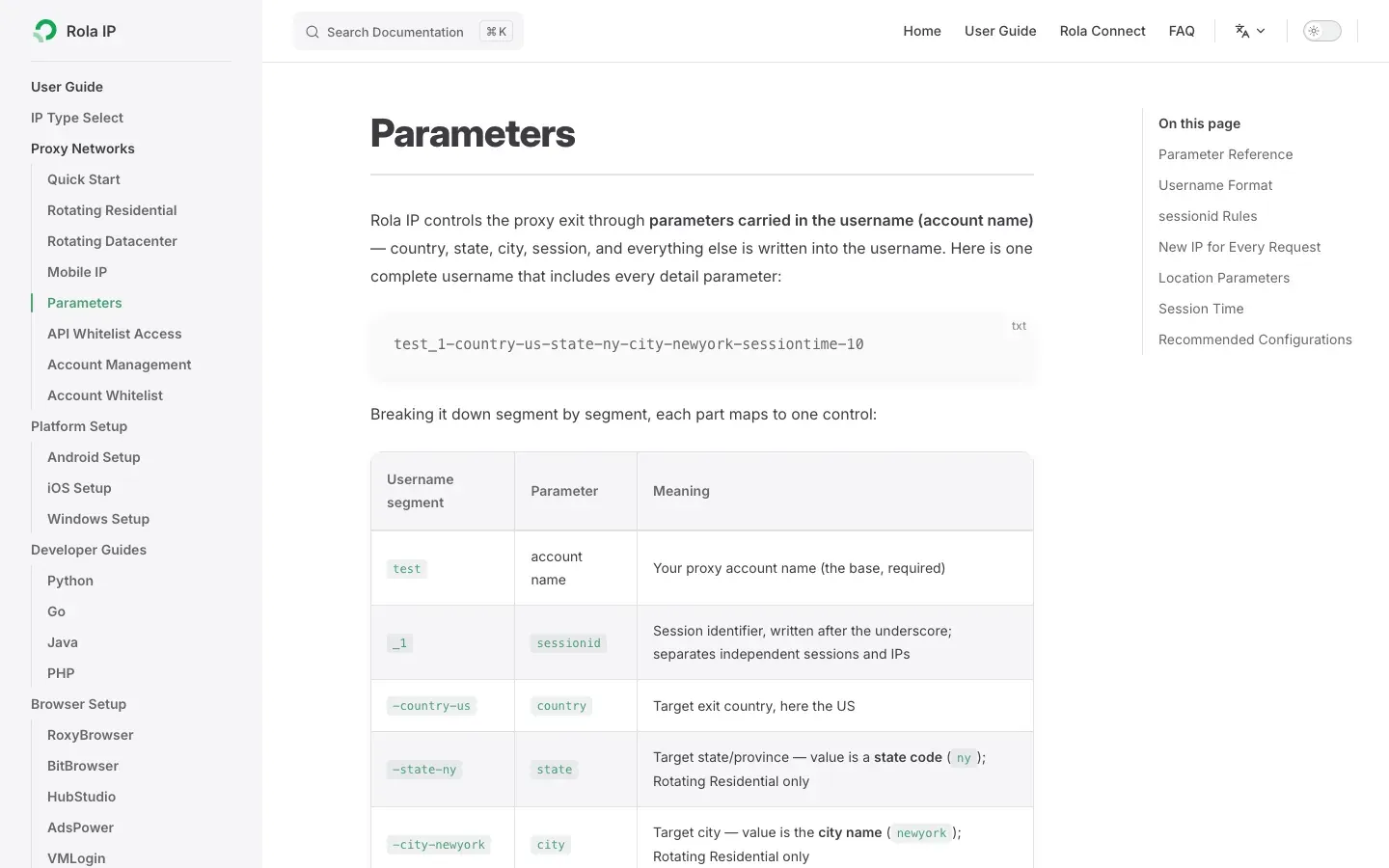
Rola IP’s proxy quick start provides the gateway, port, and authentication entry points. Record country, city, session, and rotation settings consistently using the proxy parameters documentation.
Run One Controlled Network Comparison with Rola IP
- Select a proxy type in the console and generate an endpoint with a fixed country and fixed session.
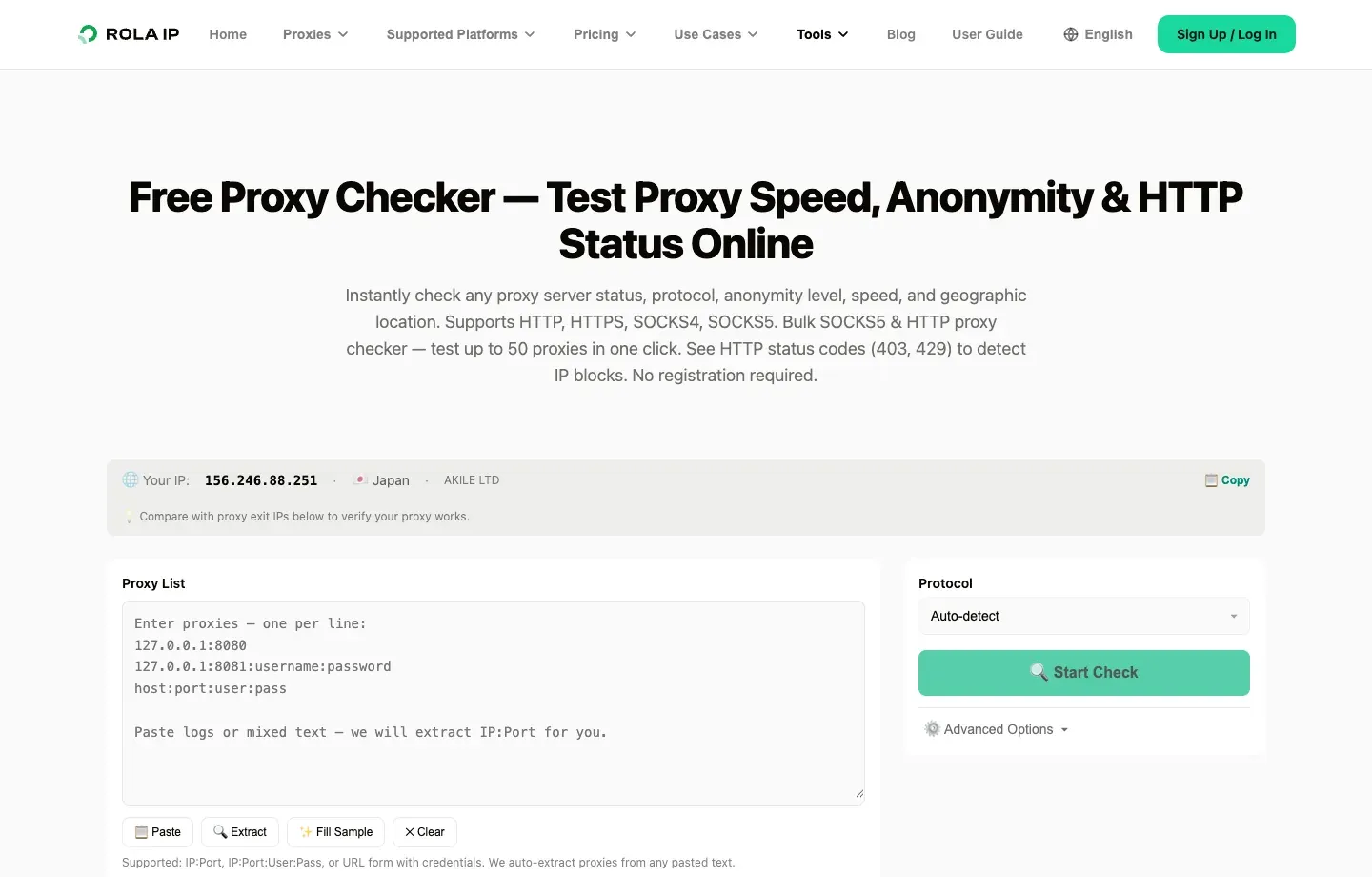
- Query an IP-checking service first and record the exit IP, country, city, ASN, and time.
- Send one baseline request to a target you are authorized to test, saving the status code, response headers, first 4 KB of the body, and elapsed time.
- Keep the URL, headers, cookies, and request time as similar as possible and repeat once with another healthy endpoint.
- Compare
CF-Ray,Retry-After, page body, and success rate. Do not conclude from a single difference that “Cloudflare banned the IP.”
import os
from urllib.parse import quote

import requests


user = quote(os.environ["ROLA_PROXY_USERNAME"], safe="")
password = quote(os.environ["ROLA_PROXY_PASSWORD"], safe="")
host = os.environ["ROLA_PROXY_HOST"]
port = os.environ["ROLA_PROXY_PORT"]
proxy_url = f"http://{user}:{password}@{host}:{port}"
proxies = {"http": proxy_url, "https": proxy_url}

response = requests.get(
    "https://example.com/authorized-test-path",
    proxies=proxies,
    timeout=(10, 30),
)

print("status:", response.status_code)
print("cf-ray:", response.headers.get("CF-Ray"))
print("retry-after:", response.headers.get("Retry-After"))
print("server:", response.headers.get("Server"))
Replace the placeholder URL with a URL you are authorized to test, and store real Rola IP credentials in environment variables. Do not expose usernames or passwords in source code, screenshots, or version-control repositories.
Cloudflare 503 Troubleshooting Decision Table
Choose the handling path from the evidence first. This avoids ineffective refreshing, excessive retries, and unnecessary proxy rotation.
| Signal you see | Most likely layer | What to do | What not to do |
|---|---|---|---|
| No Cloudflare marker on the page and the origin log contains 503 | Origin | Add capacity, fix dependencies, exit maintenance mode | Keep changing visitor IPs |
| Body contains Cloudflare markers and multiple regions fail at once | Cloudflare edge or public incident | Check status and submit domain, time, and trace information | Repeat requests at high concurrency |
CF-Ray is present but the page is a custom maintenance page |
Possibly an origin response forwarded by Cloudflare | Compare Origin status with origin logs | Diagnose the root cause only from the branded page |
| Low rate works but high concurrency returns 503 | Rate limiting or capacity | Reduce concurrency, queue, cache, and honor Retry-After |
Increase aggregate request rate by adding more nodes |
| Only one proxy gateway returns 503 | Forward proxy or individual node | Check proxy status, authentication, and healthy endpoints | Report it as a Cloudflare outage |
| Browser gets a Challenge and script content is abnormal | Cloudflare security verification | Verify authorization and use an API or site allowlist | Automatically defeat CAPTCHA |
How to Prevent Cloudflare 503 from Happening Again
Preventing Cloudflare 503 requires managing service capacity, observability, and client traffic together rather than relying on a single proxy or retry library.
- Create layered alerts for Edge status, Origin status, P95/P99 latency, and the number of healthy backends.
- Give crawlers a per-domain concurrency limit, requests-per-minute budget, retry cap, and circuit breaker.
- Cache content that does not change frequently instead of repeatedly fetching the same URL.
- Test health checks, maintenance mode, and rollback procedures before production releases.
- Use
Retry-Afterto communicate recovery windows, and do not return a maintenance page as HTTP 200. - Preserve Ray IDs and request IDs so support and engineering teams can trace the same request.
- Use a fixed proxy type, region, and session for regression tests rather than unreproducible random rotation.
Conclusion
The key to handling Cloudflare 503 is to attribute first and repair second. An origin-generated 503 requires capacity or dependency work; a Cloudflare-generated 503 requires preserving the Ray ID and trace data; and authorized scraping should reduce false positives through rate control, backoff, caching, and consistent sessions. Rola IP can provide controlled variables for cross-region and proxy-exit diagnosis, but it cannot replace site permission or repair a remote service failure.
When the status code, body, response headers, timeline, and request pattern are kept in one evidence chain, a vague “blocked by Cloudflare” complaint becomes a testable and reproducible engineering problem.