
Playwright vs Selenium vs Cypress: Which Is Best in 2026?

Aug 27, 2026 · Comparisons · 13 min read
TL;DR
For new, modern web end-to-end testing and browser automation projects, Playwright generally makes it easier than Selenium to build stable, debuggable workflows. Teams with an existing Selenium Grid, a requirement for Ruby, or a need to test real Safari or specific browser versions should still choose Selenium. For JavaScript/TypeScript frontend teams that prioritize interactive debugging and component testing, Cypress is also worth comparing.
| Scenario | Preferred Choice | Why |
|---|---|---|
| New projects, SPAs, cross-browser testing across Chromium/Firefox/WebKit | Playwright | Highly integrated auto-waiting, browser contexts, tracing, network control, and parallelism |
| Existing Grid/enterprise frameworks, Ruby, real Safari | Selenium | WebDriver standard, broad browser and language coverage, mature ecosystem |
| JS/TS frontend teams, component testing, visual debugging | Cypress | Developer experience, command log, time-travel-style debugging, and retry mechanisms |
| Web scraping, multi-session workflows, or cross-region validation | Playwright + Rola IP | The browser layer handles JavaScript; the proxy layer provides compliant regional egress and session routing |
What Are Playwright, Selenium, and Cypress?
Playwright, Selenium, and Cypress can all automate browsers, but their core boundaries are different. Selenium is a cross-browser automation ecosystem centered on WebDriver. Playwright is an automation framework for modern web applications that integrates browser control with testing tools. Cypress focuses more heavily on the E2E and component-testing experience for JavaScript/TypeScript developers.
Selenium’s Core Model
Selenium WebDriver controls Chrome, Firefox, Edge, and Safari through browser-vendor automation interfaces. Modern Selenium includes Selenium Manager: when a driver is not explicitly provided, it can discover, download, and cache a matching driver. Therefore, the claim that “Selenium always requires you to manually download ChromeDriver” is outdated. However, enterprise proxies, offline CI, and pinned-version environments still require explicit management of download sources, caches, and versions.
Playwright’s Core Model
Playwright works through its own browser automation protocols together with bundled versions of Chromium, Firefox, and WebKit. Before locator actions run, Playwright checks conditions such as uniqueness, visibility, stability, whether the element can receive events, and whether it is enabled. Assertions also support automatic retries. These waiting semantics are among the most practical differences in a playwright vs selenium comparison.
Cypress’s Core Model
Cypress runs test commands in a controlled browser environment and emphasizes automatic retries, a visual command log, network stubbing, and component testing. Its current browser list includes Chromium-family browsers, Edge, Electron, Firefox, and experimental WebKit support, but that does not mean it covers every behavior of real Safari.
Is Playwright Selenium Based?
No. Playwright is not built on Selenium. Both can control browsers, but Playwright does not use the Selenium WebDriver API and does not require Selenium Server or Selenium Grid to run. Their locators, waits, fixtures, and session objects are not directly interchangeable.
Common misconception: It is also inaccurate to say that “Playwright controls every browser directly through CDP.” CDP is closely tied to Chromium; Playwright uses its own browser integrations for Firefox and WebKit.
Playwright vs Selenium: Quick Comparison of the Core Differences
| Dimension | Playwright | Selenium | Impact on Tool Selection |
|---|---|---|---|
| Architecture | Own automation protocols paired with customized browser versions | W3C WebDriver with browser-vendor drivers | Playwright emphasizes integration; Selenium emphasizes standards and broad compatibility |
| Languages | JavaScript/TypeScript, Python, Java, .NET | Java, Python, C#, JavaScript, Ruby, and more | Ruby requirements or existing Java test assets often make Selenium more practical |
| Browsers | Chromium, Firefox, WebKit | Chrome, Firefox, Edge, Safari, and more | WebKit is not a complete substitute for real Safari; validate against the target environment |
| Waiting | Locator actionability + auto-retrying assertions | Explicit waits, implicit waits, and custom conditions | Playwright usually needs less waiting boilerplate in modern SPAs |
| Isolation | BrowserContext as a first-class concept | Commonly separate WebDriver sessions/profiles | Playwright is relatively lightweight for multi-user and parallel sessions |
| Debugging | Trace Viewer, UI Mode, video, screenshots | Depends on the test framework, logs, screenshots, and third-party reports | Playwright ships with a more complete default toolchain |
| Parallelism | Workers/sharding built into Playwright Test | Selenium Grid plus an external runner | Selenium fits existing large Grids; Playwright requires less setup for new projects |
| Network control | Built-in request interception, mocking, HAR, and more | BiDi/CDP capabilities and third-party tools; cross-browser semantics must be verified | Network simulation and data extraction are usually more direct in Playwright |
Playwright vs Selenium: Installation and Environment Management
Playwright normally binds the framework version to compatible browser binaries. Selenium normally drives browsers already installed on the system or obtained through Selenium Manager. Playwright has a larger download footprint but stronger reproducibility. Selenium makes it easier to use real browser installations, but version and caching policies must be clearly defined in enterprise networks.
# Playwright (Node.js)
npm init -y
npm install -D @playwright/test
npx playwright install --with-deps

# Selenium (Python)
python -m venv .venv
source .venv/bin/activate   # Windows: .venv\Scripts\activate
python -m pip install selenium pytest
- Cache the Playwright browser directory in CI and lock the framework and browser versions together.
- For Selenium, record the browser, driver, and Selenium versions. In offline environments, pre-warm the Selenium Manager cache or explicitly provide the driver.
- Do not treat “the installation command succeeded” as acceptance. Actually launch a browser, visit a page, and save a screenshot.
Playwright vs Selenium: Hands-On Waiting on a Dynamic Page
The reproducible page below inserts a button only after 800 ms. Both implementations perform the same task: wait until the button is actionable, click it, wait until the status area is visible, and assert its text. This experiment demonstrates that the APIs and waiting strategies work; it is not a speed ranking.
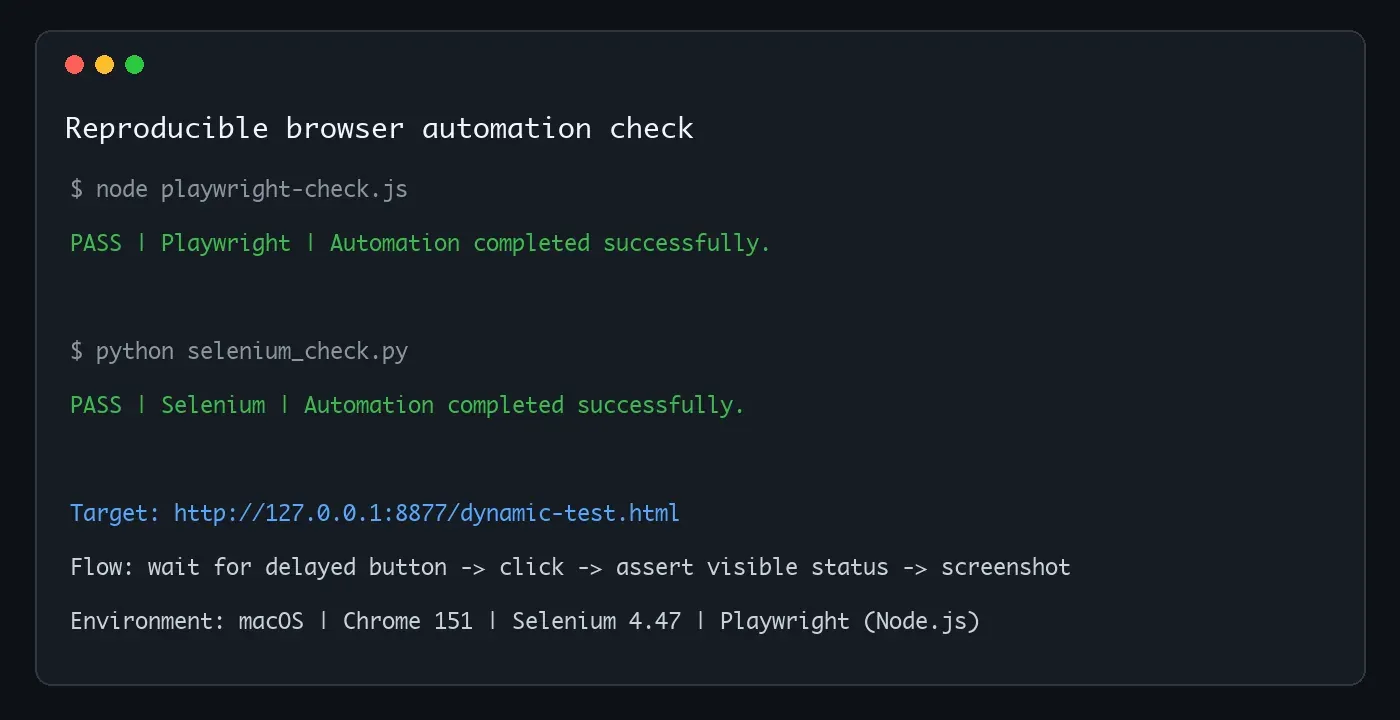
Figure 1: Playwright and Selenium both pass the same local dynamic-page automation check.
Playwright Version: Locator Auto-Waiting
const { test, expect } = require('@playwright/test');

test('dynamic action', async ({ page }) => {
  await page.goto('http://127.0.0.1:8877/dynamic-test.html');
  await page.getByTestId('run').click();
  await expect(page.getByRole('status')).toHaveText(
    'Automation completed successfully.'
  );
  await page.screenshot({ path: 'playwright-success.png', fullPage: true });
});
getByTestId().click() waits for the locator to resolve uniquely and for the element to be visible, stable, able to receive events, and enabled. toHaveText() automatically retries the assertion until timeout. There is no need to add an artificial sleep(1), and networkidle should not replace a specific UI condition.
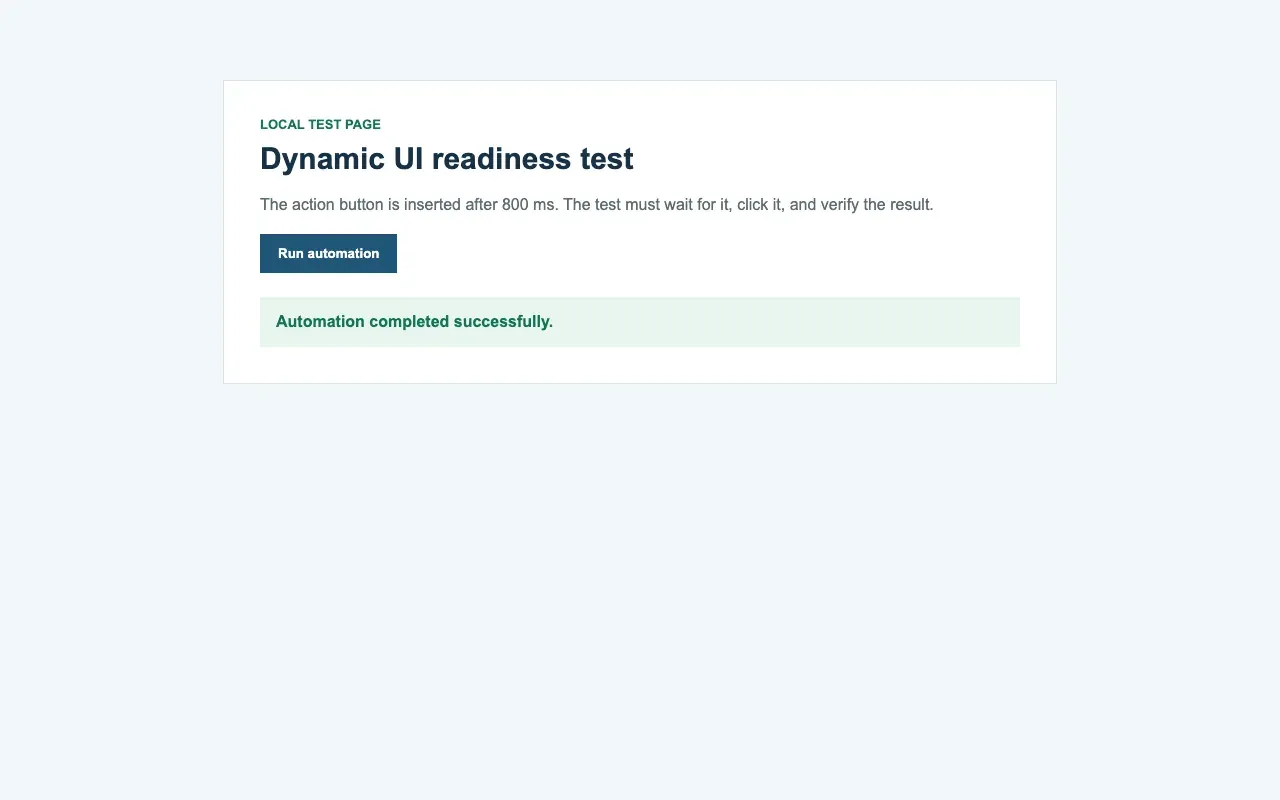
Figure 2: Real page screenshot saved after Playwright completes the dynamic button click.
Selenium Version: Explicit Waiting with WebDriverWait
from selenium import webdriver
from selenium.webdriver.common.by import By
from selenium.webdriver.support.ui import WebDriverWait
from selenium.webdriver.support import expected_conditions as EC

driver = webdriver.Chrome()  # Selenium Manager resolves the driver when needed
try:
    driver.get('http://127.0.0.1:8877/dynamic-test.html')
    wait = WebDriverWait(driver, 10)
    button = wait.until(EC.element_to_be_clickable(
        (By.CSS_SELECTOR, '[data-testid="run"]')
    ))
    button.click()
    result = wait.until(EC.visibility_of_element_located((By.ID, 'result')))
    assert result.text == 'Automation completed successfully.'
    driver.save_screenshot('selenium-success.png')
finally:
    driver.quit()
The Selenium version must state its waiting conditions explicitly. element_to_be_clickable is not an all-purpose guarantee: complex animations, overlays, or DOM replacement can still produce stale/intercepted exceptions. When that happens, add more precise conditions based on the actual failure instead of increasing a blanket sleep.
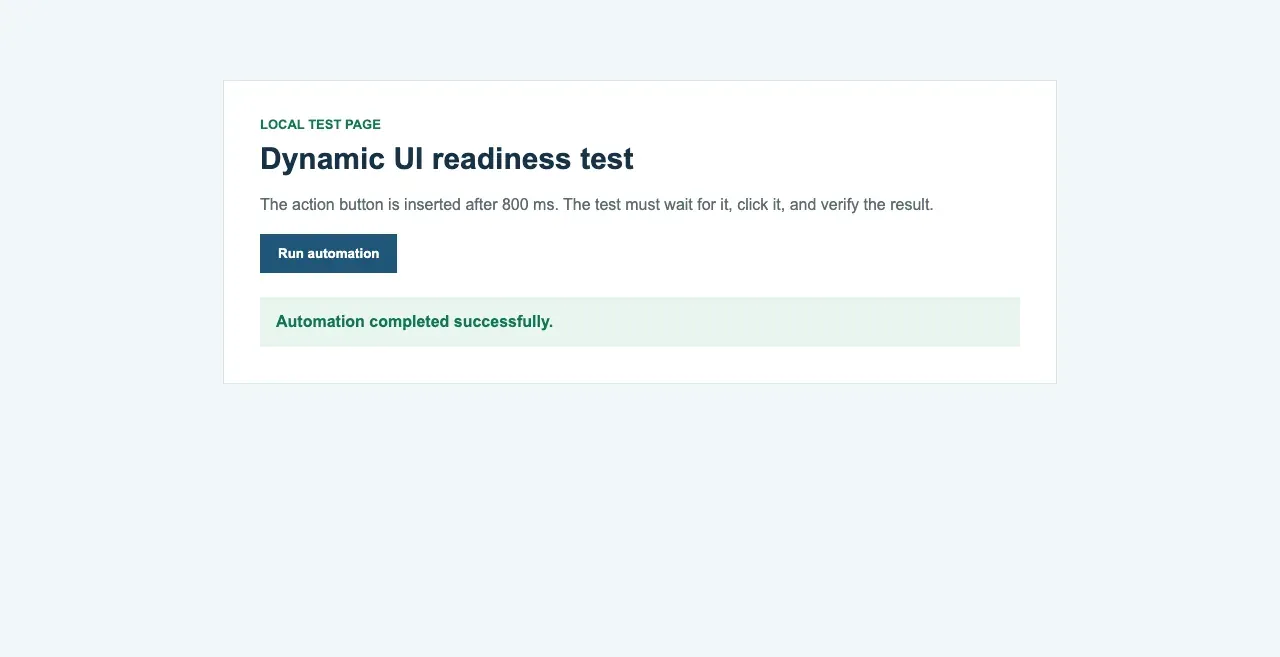
Figure 3: Real page screenshot saved after Selenium completes the explicit wait and click.
Playwright vs Selenium: Which Is Faster?
There is no universal speed multiplier that can be quoted independently of a test suite. In newly built modern E2E suites, Playwright often has less protocol and waiting boilerplate, while BrowserContext can reduce the cost of starting multiple sessions. However, Selenium Grid can use mature distributed capacity, and an already optimized enterprise suite will not necessarily become faster just because it is migrated.
| Measurement | Correct Method | Misleading Method |
|---|---|---|
| Single-test time | Warm up, repeat 20-50 times, and report P50/P95 | Run once and ignore first-run downloads, caching, and startup |
| Total suite time | Use the same browser, workers, CPU, retries, and data | Compare parallel Playwright with serial Selenium |
| Stability | Separate product defects, environment failures, locator failures, and timeouts | Treat every test that passes after retry as stable |
| Resource cost | Record CPU, memory, container count, browser processes, and cloud time | Look only at elapsed time in test logs |
Playwright vs Selenium: Browser Coverage and Real Safari
Playwright’s WebKit project is useful for catching WebKit-engine issues early in Linux CI, but it is not a complete substitute for the macOS Safari application. If release acceptance explicitly requires real Safari, Safari Technology Preview, or specific enterprise browser versions, Selenium WebDriver or a real-device cloud is a better fit.
- Playwright: Tests Chromium, Firefox, and Playwright’s bundled WebKit; useful for fast engine-level regression.
- Selenium: Uses browser-vendor drivers to cover Chrome, Firefox, Edge, Safari, and more; suitable for real-browser matrices.
- Cypress: Supports Chromium-family browsers, Edge, Electron, and Firefox; WebKit remains experimental and should be evaluated separately.
Playwright vs Selenium: Locators, Waiting, and Flaky Tests
Reducing flaky tests is not mainly about switching tool names. It is about making locators express user semantics, making waits correspond directly to application state, and isolating test data. Playwright integrates role, label, text, and test-id locators with actionability checks. Selenium can use the same stable attributes, but the test author must express waiting conditions explicitly.
- Prefer role, label, name, or stable
data-testidattributes. Do not treat CSS layout hierarchy as a business contract. - For dynamic results, wait for visibility, correct text, the correct URL, or API completion instead of a fixed number of seconds.
- Create independent data for each test and clean it up afterward; do not depend on execution order.
- Use retries to identify instability, not to hide failures. Preserve traces, logs, screenshots, and network events.
- Classify product bugs, test bugs, environment bugs, and network bugs before deciding whether to fix a locator, wait, or infrastructure.
Playwright vs Selenium: Debugging, Tracing, and Failure Evidence
Playwright Test combines traces, video, screenshots, DOM snapshots, network information, and source locations in Trace Viewer, which is especially useful for answering “why couldn’t it click at that moment?” Selenium can save screenshots, page source, console output, and Grid logs, and it can integrate with reporting systems such as Allure, but the team must define its own evidence-collection contract.
| Evidence to Save on Failure | Playwright Implementation | Selenium Implementation |
|---|---|---|
| UI at the time | Trace snapshot + screenshot | Screenshot + page source |
| Action sequence | Trace Viewer actions | Step logs in runner hooks |
| Network | Trace/network events/HAR | BiDi/CDP/Grid logs or proxy capture |
| Session identifier | Project/test/context metadata | Suite/test/session/Grid node metadata |
| Environment | Playwright/browser/OS/worker | Selenium/driver/browser/OS/node |
Playwright vs Selenium: Parallelism, CI/CD, and Large-Scale Execution
Playwright Test runs in parallel on a single machine through worker processes, can separate browsers by project, and can shard work across CI nodes. Selenium typically relies on pytest/JUnit/TestNG for parallel execution and then distributes sessions across nodes through Grid. The useful comparison is the cost per valid test under the target browser matrix, not which framework has a faster local demo.
- Fix CPU and memory, then gradually increase worker/session counts until throughput stops improving.
- Limit per-test timeouts and global retries so a small number of failures cannot consume all parallel capacity.
- Report first-run failures separately from retry results so flaky rate can be tracked.
- Create reproducible caches for browser binaries, drivers, npm/pip dependencies, and test data.
Playwright vs Cypress: How Should Modern Web Projects Choose?
The key playwright vs cypress question is not which tool is more “modern.” It is whether you need cross-browser and multi-context orchestration or a frontend-developer-centric workflow for interactive debugging and component testing. Playwright is better suited to Chromium/Firefox/WebKit coverage, multiple tabs, multiple users, and orchestration outside the browser. Cypress Open Mode, the Command Log, DOM snapshots, and component-development workflow are friendly to JS/TS frontend teams.
| Dimension | Playwright | Cypress |
|---|---|---|
| Languages | JS/TS, Python, Java, .NET | JavaScript/TypeScript |
| Browsers | Chromium, Firefox, WebKit | Chromium-family browsers, Edge, Electron, Firefox; experimental WebKit |
| Session orchestration | BrowserContext, multiple tabs, popups, and multiple users are natural | More focused on a single application and test-command chain |
| Debugging | Trace Viewer, UI Mode, Inspector | Open Mode, Command Log, time-travel-style state inspection |
| Component testing | Component-testing capabilities are available; maturity should be confirmed for the target framework | One of Cypress’s core developer workflows |
| Best suited for | Cross-browser E2E, multiple sessions, scraping, and complex orchestration | JS/TS frontend teams, components, and fast development-time feedback |
Selenium vs Cypress: Enterprise Compatibility or Frontend Developer Experience?
The selenium vs cypress boundary is clearer. Enterprises with existing Java/.NET/Python/Ruby test assets, a requirement for Safari, or a large Grid should choose Selenium. Frontend teams that primarily use JavaScript/TypeScript and need interactive debugging, component testing, and fast local feedback should choose Cypress. If the same project also requires WebKit, multiple sessions, and a modern developer experience similar to Cypress, include Playwright in the proof of concept.
Playwright vs Selenium vs Cypress: Full Comparison Table
| Evaluation | Playwright | Selenium | Cypress |
|---|---|---|---|
| Best scenario | Modern E2E, multiple sessions, scraping | Enterprise compatibility, existing Grid | JS/TS frontend and component testing |
| Default waiting | Actionability + retrying assertions | Explicit/implicit waits | Command/assertion retry-ability |
| Cross-language support | Four major language families | Broadest, including Ruby | JS/TS |
| Real Safari | No (WebKit engine coverage) | Yes (SafariDriver/macOS) | No (experimental WebKit) |
| Multiple users | Native BrowserContext | Multiple WebDriver sessions | Possible, but not the primary orchestration model |
| Network mocking | Built-in route/HAR | Relies on BiDi/CDP/external tools | Built-in cy.intercept |
| Parallelism | Built into runner | Runner + Grid | CLI/Cloud capabilities depend on version and plan |
| Debugging | Trace Viewer/UI Mode | Ecosystem combination | Open Mode/Command Log |
| Learning cost | Moderate | Depends on language and existing framework | Lower for JS/TS frontend teams |
| Migration risk | Browser versions and new locator contracts | Retains historical technical debt | Requires adapting to command queue and execution model |
Should You Choose Playwright or Selenium for Web Scraping?
For authorized scraping of JavaScript-heavy dynamic pages, Playwright is usually the more practical default because network events, contexts, waits, multiple tabs, and routing controls are more tightly integrated. Selenium remains suitable for teams with existing Python/Java collection frameworks, a need for real Safari, or an established Grid. Cypress is primarily a testing framework and should not be the default choice for general-purpose web scraping proxy workflows.
If a project needs cross-region validation of public pages, browser automation can be combined with Rola IP’s compliant proxy network. Short-lived, multi-region tasks can use a residential proxy, while persistent sessions with a fixed egress should compare ISP proxies.
Figure 4: Rola IP rotating residential proxy product page.
How Does Rola IP Work with Playwright or Selenium?
Rola IP groups rotating residential, ISP/static residential, mobile, and rotating datacenter proxies within the same product system. Its product materials list 190+ countries and regions, 80M+ residential IPs, country/city-level targeting, HTTP/SOCKS5 support, per-request rotation, sticky sessions, and 3,000+ dynamic concurrent connections.
| Browser Automation Task | Rola IP Product Choice | Reason and Session Strategy |
|---|---|---|
| Multi-region public-page validation | Rotating residential proxies | Rotate per request or bind a sticky session to a group of pages |
| Long-running fixed-region sessions | ISP/static residential proxies | Dedicated fixed IP, unlimited traffic during the validity period, better for persistent connections |
| Mobile-network or carrier-display validation | Mobile proxies | Use only when the business actually requires mobile egress to avoid unnecessary cost |
| High-throughput tasks on low-restriction public pages | Rotating datacenter proxies | Prioritize speed and per-request cost; confirm suitability through target compatibility testing |
Authentication supports username/password, IP whitelisting, and combined authentication. A fixed CI runner can use whitelisting to reduce the need to carry credentials on the client. Elastic workers can store sub-account credentials in a Secret Manager. Sub-accounts and traffic quotas can also separate traffic and billing across test projects, preventing one parallel job from consuming the entire team’s allowance.
How to Configure Rola IP in Playwright
Playwright proxies must be configured at browser launch or context level. The example below stores the host, port, username, and password in environment variables, visits an IP-check page to verify the egress, and then runs the authorized target test. Do not write credentials into Git or screenshots.
const { chromium } = require('playwright');

(async () => {
  const browser = await chromium.launch({
    headless: true,
    proxy: {
      server: `http://${process.env.ROLA_PROXY_HOST}:${process.env.ROLA_PROXY_PORT}`,
      username: process.env.ROLA_PROXY_USERNAME,
      password: process.env.ROLA_PROXY_PASSWORD
    }
  });
  const context = await browser.newContext();
  const page = await context.newPage();
  await page.goto('https://ipinfo.io/json', { waitUntil: 'domcontentloaded' });
  console.log(await page.locator('body').innerText());
  await browser.close();
})();
How to Configure Rola IP in Selenium
Chrome cannot always complete authentication for a username/password proxy URL using only the --proxy-server argument. The simplest Selenium path is to whitelist the fixed CI egress in Rola IP and then pass only the proxy server. Dynamic CI nodes require a secure authentication extension, a local forwarder, or a proxy client that complies with the team’s security standards.
import os
from selenium import webdriver

options = webdriver.ChromeOptions()
proxy = f"{os.environ['ROLA_PROXY_HOST']}:{os.environ['ROLA_PROXY_PORT']}"
options.add_argument(f"--proxy-server=http://{proxy}")

driver = webdriver.Chrome(options=options)
try:
    driver.get("https://ipinfo.io/json")
    print(driver.find_element("tag name", "body").text)
finally:
    driver.quit()
Before actual configuration, generate region and session parameters according to the proxy parameters documentation and restrict access sources through API whitelist setup in fixed-server scenarios. For implementation patterns beyond the browser examples, use the proxy code integration guide.
Usage boundary: A proxy only solves network egress, region, and session routing. It does not automatically fix locators, account permissions, website terms, or scraping authorization. Run automation only on pages you are authorized to access, and respect rate and data-usage limits.
When Should You Migrate from Selenium to Playwright?
Migration has clear value when most new cases target modern SPAs, the team spends significant time maintaining explicit waits, multiple tabs, or network mocks, and the project no longer depends on Ruby, real Safari, or specific Grid plugins. Do not rewrite the entire suite at once. Start with a proof of concept using 10-20 representative tests.
- Choose representative cases that include login, dynamic lists, iframes, upload/download, multiple tabs, and network mocking.
- Keep the Selenium baseline and rewrite the same business assertions in Playwright without copying meaningless implementation details.
- Compare initial development time, P50/P95, flaky rate, failure-diagnosis time, CI resources, and maintenance hours.
- Redesign Page Object abstractions and locator contracts instead of mechanically translating XPath and
sleepcalls. - Migrate new cases and high-maintenance modules first. Stable historical Selenium suites can remain in parallel.
When Should You Not Migrate from Selenium?
- The existing Selenium suite is stable, and most cost comes from test data or the environment rather than WebDriver.
- You must use Ruby, real Safari, specific historical browser versions, or existing Grid plugins.
- The team already has a complete JUnit/TestNG/pytest, reporting, device-cloud, and incident-response system.
- The migration goal is merely to “look more modern” without measurable gains in stability, speed, or developer efficiency.
Conclusion
The conclusion of playwright vs selenium is not that a newer tool must replace an older one. Playwright provides a more complete default experience for modern web applications, auto-waiting, multiple sessions, network control, and built-in debugging. Selenium still has clear advantages in standardization, real-browser coverage, language support, and enterprise assets. Cypress retains distinct value for JS/TS frontend developer experience and component testing. Use representative cases for a proof of concept and make the decision based on stability, debugging time, browser coverage, and total execution cost.