
Proxy Error 404: How to Find the Source and Fix It

Aug 13, 2026 · Troubleshooting · 10 min read
TL;DR: A Proxy Error 404 means an HTTP-speaking component returned
404 Not Found. First find out which component answered. Save the response, repeat the same request directly and through the proxy, and compare the final URL, method, headers, body, host routing, and application endpoint. Rotate the proxy only when that comparison isolates an endpoint or pool.
“Proxy Error 404” covers several failure paths. A destination can send a 404 through a forward proxy unchanged. A reverse proxy or API gateway can miss a host or route. Some applications also call an external API integration a “proxy,” even when a model or provider endpoint produced the error. The status code starts the investigation; response ownership determines the next step.
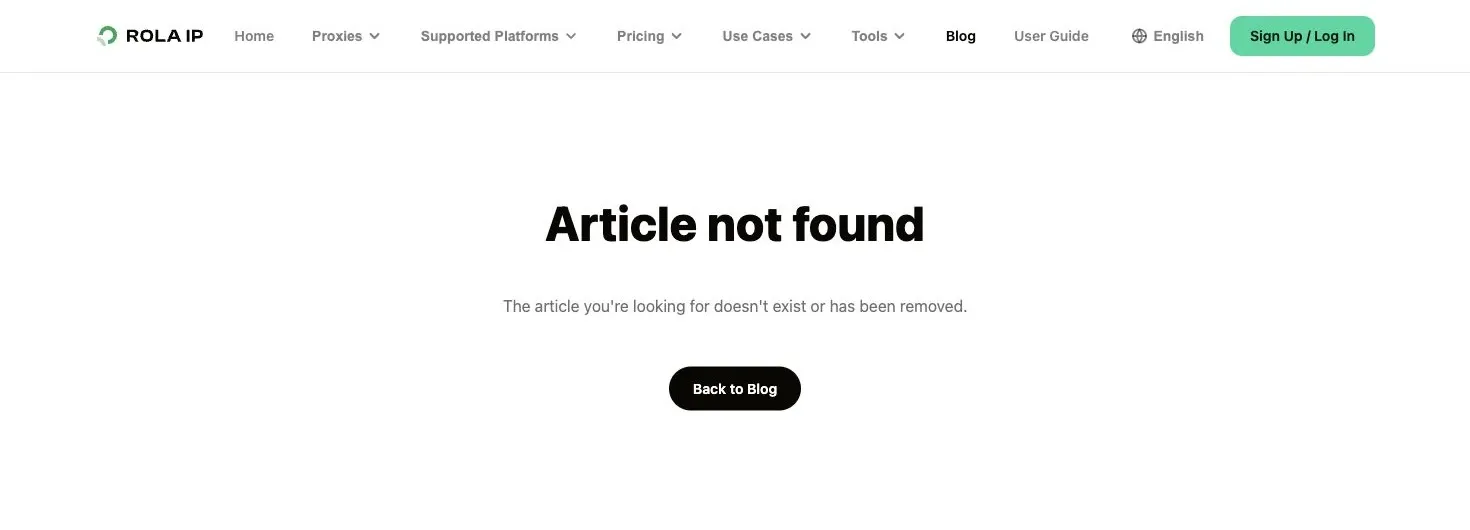
A normal site-level 404 means the site responded, but the requested route does not exist.
What a Proxy Error 404 actually means
Under RFC 9110, HTTP 404 Not Found means the origin server did not find a current representation of the requested resource, or was not willing to disclose that one exists. A 404 does not say whether the missing resource is temporary or permanent. When a resource is known to be permanently gone, 410 Gone is the more specific status.
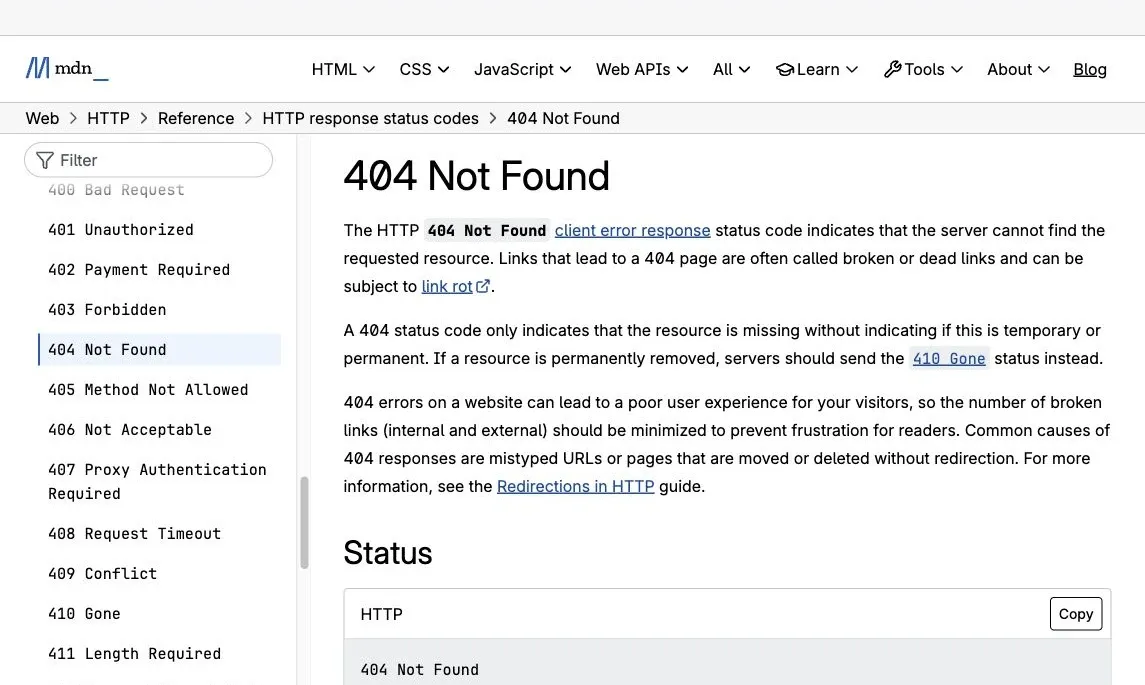
HTTP 404 identifies a missing resource or route, but the status alone does not identify which proxy layer returned it.
The word “proxy” adds context, but it does not create a separate HTTP status class. You still received an HTTP response. That fact helps separate a 404 from several problems that require a different workflow:
407 Proxy Authentication Requiredpoints to proxy authentication, not a missing web resource.- A connection refusal means the client could not establish the connection it attempted.
- A timeout means a response did not arrive within the configured period. Python users with that symptom should use the dedicated Python requests timeout guide instead of treating it as a 404.
502 Bad Gatewayand504 Gateway Timeoutdescribe gateway or upstream-response failures. They are not interchangeable with 404.
Some intermediaries can return 404 even when another code might describe the underlying condition more precisely. That is why the response owner matters more than the label shown in an app or browser.
Find which layer returned the 404
Before changing settings, identify the layer most likely to have generated the response.
| Possible responder | What the 404 may mean | Useful evidence | Best next check |
|---|---|---|---|
| Destination or origin server | The page, file, or API resource is missing, moved, mistyped, or unavailable at that path | Direct and proxied requests return the same body and similar headers | Verify the URL, method, redirect destination, and current resource location |
| Forward proxy | The proxy rejects or mishandles the requested form, protocol, or destination, or sends the request differently | The direct request succeeds, while one proxy endpoint consistently returns a different response | Compare proxy configuration, request target, protocol, and a known-good endpoint |
| Reverse proxy or API gateway | No virtual host, base path, route, or deployed service matches the request | Gateway-specific headers, fault codes, request IDs, or logs | Check the Host header, path rewrite, base path, environment, and deployment |
| Application or API integration | The configured API URL, provider, model, or endpoint does not exist or does not match current settings | A platform-specific error body or help article matches the exact message | Check the application’s current endpoint and provider settings |
The status line cannot identify the responder. Check the body, request ID, and logs first. Headers such as server and via can help, although intermediaries may remove or rewrite them.
If you already know which layer answered, skip to the matching subsection under “Fixes by observed cause.”
A five-step diagnostic workflow
1. Reproduce the failure and save the exact response
Record enough detail to repeat the request without exposing secrets:
- timestamp and environment
- request URL, with sensitive query values removed
- HTTP method
- whether the request used a browser, script, API client, or gateway
- proxy protocol, host, and port, with credentials redacted
- status code, selected response headers, and a short body preview
- any request ID, provider error code, or redirect location
Do not paste proxy passwords, API keys, cookies, session tokens, or full customer data into a ticket, screenshot, or public forum. A 404 investigation rarely requires revealing them.
2. Compare direct and proxied requests
Send the same request once without the proxy and once through it. Keep the URL, method, headers, body, and timing as consistent as your client allows.
- If both return the same 404, start with the destination URL or application endpoint.
- If the direct request succeeds but the proxied request returns 404, inspect what changed at the proxy boundary.
- If different proxy endpoints produce different results, endpoint or exit-specific behavior becomes more plausible.
- If the request never produces an HTTP response, stop using the 404 workflow and diagnose the connection or timeout instead.
A second check outside your application can help separate application configuration from proxy availability. For example, a proxy checker can verify whether a proxy is reachable and report basic observed properties. A healthy proxy test does not prove that one particular target URL should return 200, but it narrows the problem.
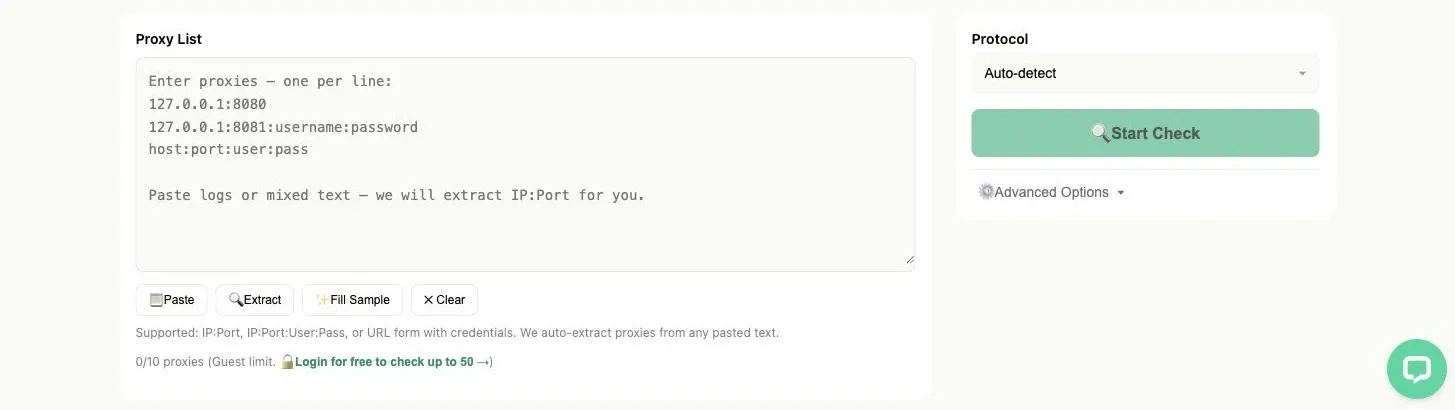
An independent proxy test narrows the problem but does not prove that a target URL should return 200.
3. Verify the URL, method, redirects, and final URL
Inspect the exact request rather than the URL you expected the client to send.
- Check the scheme, hostname, port, path, query string, capitalization, and trailing slash.
- Confirm the HTTP method. An API may support
GETat a path but notPOST, or expose different routes for different methods. - Follow redirects deliberately and record the final URL. A login redirect, locale redirect, or old API base URL can land on a missing route.
- Compare percent-encoding and path normalization. A client or intermediary may alter encoded slashes, spaces, or repeated path separators.
- Confirm that the resource still exists. If its official documentation points to a new route, update the request instead of retrying the old one.
If the direct request and proxied request reach different final URLs, that difference is more useful than another round of blind retries.
4. Inspect host routing, path rewrites, base paths, and deployment
This step matters most for reverse proxies and API gateways.
The upstream service may select a site or API using the Host header. If the proxy sends the wrong host, omits it, or substitutes the proxy hostname, the upstream can route the request to a default site that returns 404. This is a documented failure pattern, but it is not the answer to every proxy 404.
Path rewriting can produce the same symptom. Review what the upstream actually receives. The official Nginx proxy_pass documentation explains that URI behavior depends on whether the directive includes a URI and how the matching location is defined. A small configuration difference can replace or preserve part of the original request URI. Compare the resulting upstream path with the route your application exposes.
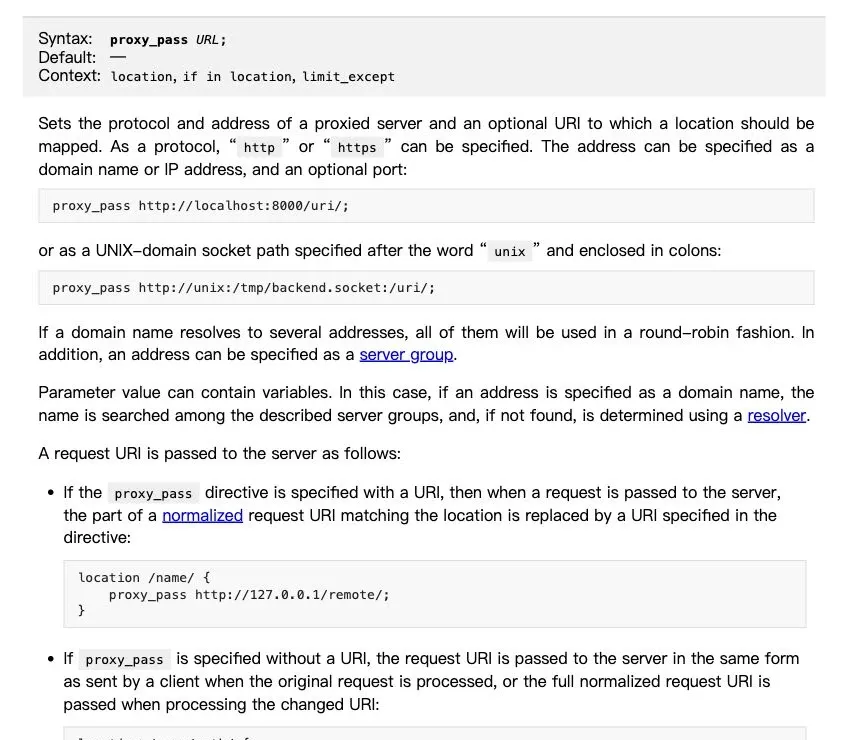
Including a URI in proxy_pass can replace the matching location path before the request reaches the upstream server.
For an API gateway, also verify the routing fields highlighted in Google’s Apigee 404 troubleshooting documentation:
- the virtual host and host alias
- the API base path
- the target environment
- whether the proxy or route is deployed there
- conditional route rules
- the exact fault code and request ID in gateway logs
5. Validate the proxy endpoint and a known-good exit
Only after the request and route checks should you focus on the forward-proxy configuration itself.
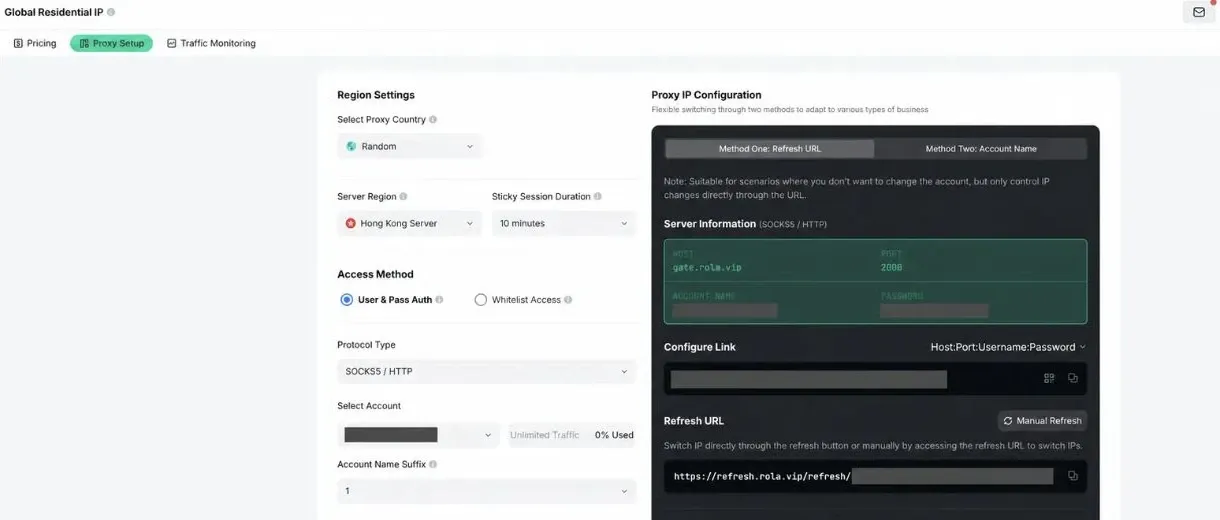
Verify the endpoint, protocol, authentication method, region, and session settings before rotating or replacing a proxy.
Confirm the proxy hostname, port, protocol, authentication method, and endpoint format against the provider’s current documentation. Rola IP users can follow the proxy quick start instead of copying an old configuration from a forum post.
Then repeat the controlled test with one known-good endpoint. Keep the target request unchanged. If one endpoint succeeds and another repeatedly returns a distinct 404 body or route, you now have evidence for an endpoint-specific investigation. If every endpoint returns the same origin response, rotation is unlikely to repair the underlying URL.
Minimal curl and Python checks
The following examples are diagnostic templates. Replace placeholders locally and redact their output before sharing it.
The direct examples below were tested against https://example.com/does-not-exist and captured the expected 404 response. The authenticated proxy example still uses placeholders because no proxy endpoint or credentials were supplied. Replace them with your own connection details and run both requests in the same environment before comparing the results.
First, capture a direct request. -L follows redirects, -D writes response headers, and -o saves the body separately.
curl -sS -L \
  -D direct-headers.txt \
  -o direct-body.txt \
  -w 'status=%{http_code}\nfinal_url=%{url_effective}\n' \
  'https://example.com/path'
Then send the same target request through the proxy:
curl -sS -L \
  --proxy 'http://PROXY_HOST:PROXY_PORT' \
  --proxy-user 'PROXY_USER:PROXY_PASSWORD' \
  -D proxy-headers.txt \
  -o proxy-body.txt \
  -w 'status=%{http_code}\nfinal_url=%{url_effective}\n' \
  'https://example.com/path'
Keep credentials out of shell history where possible. Use your environment’s secure secret mechanism rather than leaving a real password in a saved command.
Python’s standard library can make the same comparison without adding a third-party package:
from urllib.error import HTTPError, URLError
from urllib.request import ProxyHandler, Request, build_opener

TARGET_URL = "https://example.com/path"
PROXY_URL = "http://PROXY_HOST:PROXY_PORT"


def fetch(label, opener):
    request = Request(
        TARGET_URL,
        headers={"User-Agent": "proxy-404-diagnostic/1.0"},
    )
    try:
        with opener.open(request, timeout=20) as response:
            preview = response.read(500).decode("utf-8", errors="replace")
            print(label, response.status, response.geturl())
            print("server:", response.headers.get("server"))
            print("via:", response.headers.get("via"))
            print("body preview:", preview)
    except HTTPError as error:
        preview = error.read(500).decode("utf-8", errors="replace")
        print(label, error.code, error.geturl())
        print("server:", error.headers.get("server"))
        print("via:", error.headers.get("via"))
        print("body preview:", preview)
    except URLError as error:
        print(label, "no HTTP response:", error.reason)


fetch("direct", build_opener(ProxyHandler({})))
fetch("proxied", build_opener(ProxyHandler({"http": PROXY_URL, "https": PROXY_URL})))
If your proxy requires authentication, configure it using an appropriate secure method for your environment. Do not hard-code production credentials in a script that may be committed or shared.
Fixes by observed cause
The resource is missing or moved
Correct the URL or switch to the documented current endpoint. Update stale links and client configuration. If you control the site and the resource moved, add an appropriate redirect where that accurately represents the change. Do not keep rotating proxies against a path that no longer exists.
The host, path, or reverse-proxy rewrite is wrong
Set the intended upstream host, correct the path rewrite, and verify the exact upstream URI. For API gateways, confirm the host alias, base path, environment, and deployment. Retest with logs or request IDs available so you can confirm which route matched.
The application or API endpoint is wrong
This branch applies when an application labels its external API integration a proxy. Verify the current API base URL, model or provider identifier, and any provider-policy settings against that application’s current documentation.
For JanitorAI or OpenRouter specifically, match the exact error message before changing anything. The current JanitorAI OpenRouter Error Guide distinguishes several 404-related cases, including unavailable model endpoints and provider or data-policy combinations that leave no eligible endpoint. These are application or provider-selection problems, not proof that a network proxy IP failed.
Browser cache or a service worker is serving stale state
Clearing site data can help when a browser application keeps stale configuration or a service worker returns an old response. Test in a clean browser context or use curl to confirm whether the 404 is actually generated by the current server request. If a fresh command-line request reproduces the same response, repeatedly clearing the browser cache is unlikely to solve it.
The behavior is proxy-endpoint or exit-specific
Confirm this with a controlled comparison. If the same valid request works directly and through a known-good proxy but fails through one endpoint, check that endpoint’s protocol, credentials, targeting parameters, and provider status. Share a redacted request ID and response fingerprint with support when available.
When changing the proxy can help
Changing the proxy is reasonable when evidence shows that the network proxy layer changes the outcome. Examples include one endpoint producing a different route, an exit-specific target response, a protocol mismatch, or persistent endpoint instability confirmed by an independent test.
If the workflow needs location targeting or managed IP rotation after those checks, a residential proxy may fit. It can address an IP or routing requirement. It cannot restore a deleted page, correct a misspelled path, deploy an API route, or repair a wrong model identifier.
Make one controlled change at a time. If you change the proxy, headers, URL, method, and application settings together, a successful retest will not tell you which change fixed the problem.
What not to do
- Do not assume every 404 means an IP block.
403 Forbiddenand429 Too Many Requestsare more direct access and rate-limit signals, although sites do not always use status codes consistently. - Do not retry a missing route indefinitely. Retries are useful for transient failures, not for a stable wrong URL.
- Do not flush DNS by default. A normal DNS resolution failure usually prevents an HTTP response. Check DNS when the hostname may resolve to the wrong service or origin.
- Do not disable TLS verification as a shortcut. It weakens security and does not repair an unmatched route.
- Do not publish credentials, cookies, tokens, complete response bodies, or internal addresses in screenshots and support posts.
- Do not copy a platform-specific fix into a different proxy architecture without checking whether the same component exists.
Conclusion
A reliable Proxy Error 404 diagnosis starts with response ownership. Capture the response, compare direct and proxied requests, verify the final URL and method, then inspect host and path routing. Check the proxy endpoint after those layers are understood.
This order turns a vague label into a testable difference and avoids unnecessary rotation, cache clearing, or configuration changes.