
How Can I Monetize My Unused Bandwidth? Turn Shared Bandwidth into Rewards

Oct 30, 2026 · Product Updates · 10 min read
Yes, you can monetize unused bandwidth by sharing your available internet connection through ROLA Connect. You choose to enable sharing, your network becomes an exit for the ROLA proxy IP network, and you earn rewards based on actual participation and the platform’s rules.
Your home connection may have spare capacity between video calls, streaming sessions, and downloads. Bandwidth monetization gives that available capacity a practical use. With ROLA Connect, you can participate through a client that runs in the background and lets you view your sharing status.
Here is how shared bandwidth works, how it connects to ROLA IP’s proxy business, and how to start earning participation rewards.
What Is ROLA Connect?
ROLA Connect is an application that lets users voluntarily share unused network bandwidth and earn participation rewards. Once sharing is enabled, the participating connection serves as an exit within the ROLA proxy IP network, with rewards based on actual participation and the platform’s current rules.
The client brings sharing controls, background operation, and participation information into one application. You review the sharing description, permissions, and privacy information, then decide whether to enable sharing. You can contribute through the client without building your own proxy service or billing system.
ROLA Connect and ROLA IP serve related roles: the application gives users a way to contribute network resources, while the proxy network uses participating connections as exits.
| Participant or component | Role |
|---|---|
| You, the participant | Choose to contribute available bandwidth and a network connection |
| ROLA Connect client | Provide the interface for enabling sharing, running in the background, and viewing participation |
| ROLA IP proxy network | Use participating connections as proxy exit resources |
A proxy exit is the connection through which a proxy request reaches its destination. By making that connection available through ROLA Connect, you contribute a resource to the service and earn under the applicable participation rules. The product materials explain the shared network use, and the client provides the current reward types and calculation methods.
For more detail on the network behind this model, see ROLA IP’s guide to what a residential proxy is and how it works.
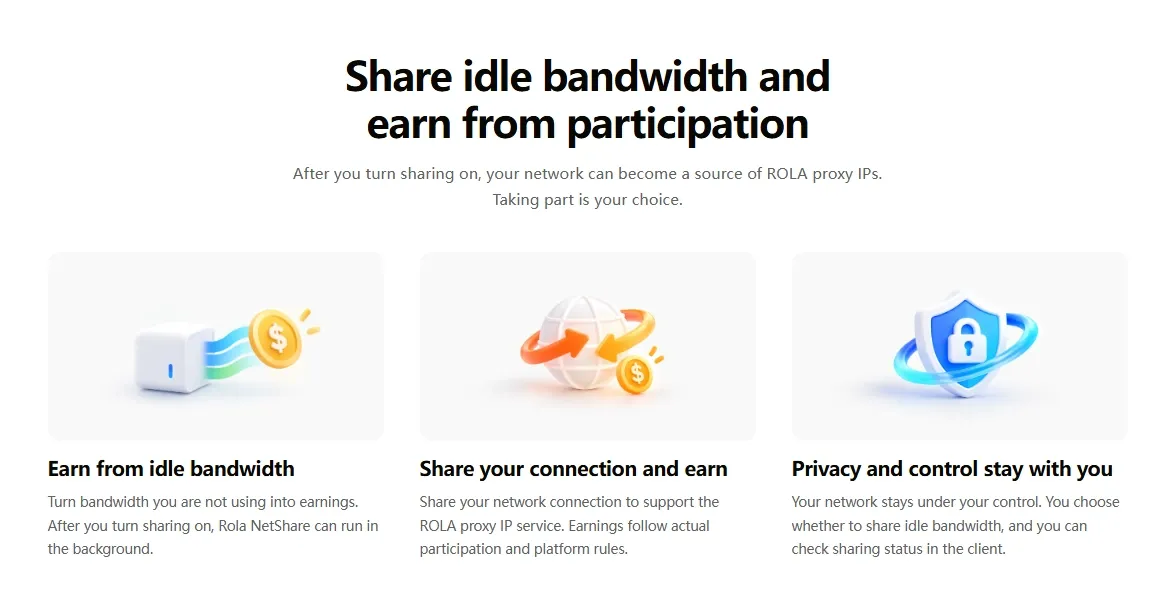
ROLA Connect Features: Sharing, Background Operation, and Participation Tracking
ROLA Connect offers four main features: voluntary sharing, background operation, sharing-status visibility, and participation rewards. Together, these features cover the process of joining the network and following your contribution.
| Feature | How it works |
|---|---|
| Voluntary sharing | Review the sharing information, permissions, and privacy explanation, then choose whether to enable sharing |
| Background operation | Keep the client running without staying on its main screen |
| Sharing-status visibility | Open the client to view sharing status and participation information |
| Participation rewards | Earn based on actual participation, with reward types and calculation methods explained in the client |
The status information helps you follow your participation after setup. Background operation makes it possible to leave the main interface while the client continues running on a connected device. For the specific information displayed in your version, refer to the current client interface.
Is ROLA Connect Suitable for Your Home Internet?
ROLA Connect is an option for users who have available network capacity and want to earn rewards by voluntarily contributing it. The workflow suits people who prefer managing participation through an application.
For example, you might have a home connection with spare capacity during quieter parts of the day. You want to put that capacity to use, but you do not want to build a separate network service. With ROLA Connect, you can enable sharing and review your participation through the client.
The product is particularly relevant if you want to:
- Turn available bandwidth into participation rewards.
- Contribute network exits to ROLA IP through a dedicated client.
- Let the application run in the background.
- View sharing status and participation without managing a separate service platform.
When Your Home Connection Has Spare Capacity
After a video call or file download finishes, your connection may still have available bandwidth. ROLA Connect lets you choose to share that capacity and review participation through the client.
When You Want to Participate Without Running Your Own Network Service
You may want to contribute your existing connection without developing a proxy service, finding customers, or maintaining a billing system. ROLA Connect provides a client-based way to join an existing resource-sharing service.
When You Prefer Background Operation and Occasional Status Checks
If you do not want to stay on an application’s main screen throughout participation, background operation fits that preference. Keep the device connected and the client running, then open the interface when you want to check your sharing status.
Why Use ROLA Connect for Bandwidth Monetization?
ROLA Connect offers a straightforward way to contribute network resources to ROLA IP and receive participation rewards. Its main features support the full participation workflow, from choosing to share to reviewing activity.
Choose Whether to Share
You decide whether to enable sharing after reviewing the relevant information. This gives the process a clear starting point: your choice to contribute available bandwidth.
Participate Without Staying on the Main Screen
Background operation means participation does not require keeping the client interface in front of you. You can return to it when you need to review your status.
See Your Participation
The client provides sharing-status and participation information. That visibility makes it easier to understand whether you are contributing network resources.
Contribute to a Defined Network Service
ROLA Connect has a specific role within ROLA IP’s business. The shared connection serves as a proxy exit, connecting the participant’s contribution directly to the provider’s network resources.
Earn Under the Platform’s Rules
Rewards are linked to actual participation. The client’s current explanation provides the details of reward types and calculation methods.
How to Use ROLA Connect: Four Steps to Start Sharing
ROLA Connect brings voluntary sharing, background operation, and participation tracking into one client. The basic workflow is to download the client, understand what sharing involves, enable it, and view your participation.
1. Download ROLA Connect
Start at the official ROLA Connect download page. Follow the download and installation instructions provided for the available client.
Use the product page and client instructions as your reference during setup. They provide the relevant information for the version you are installing.
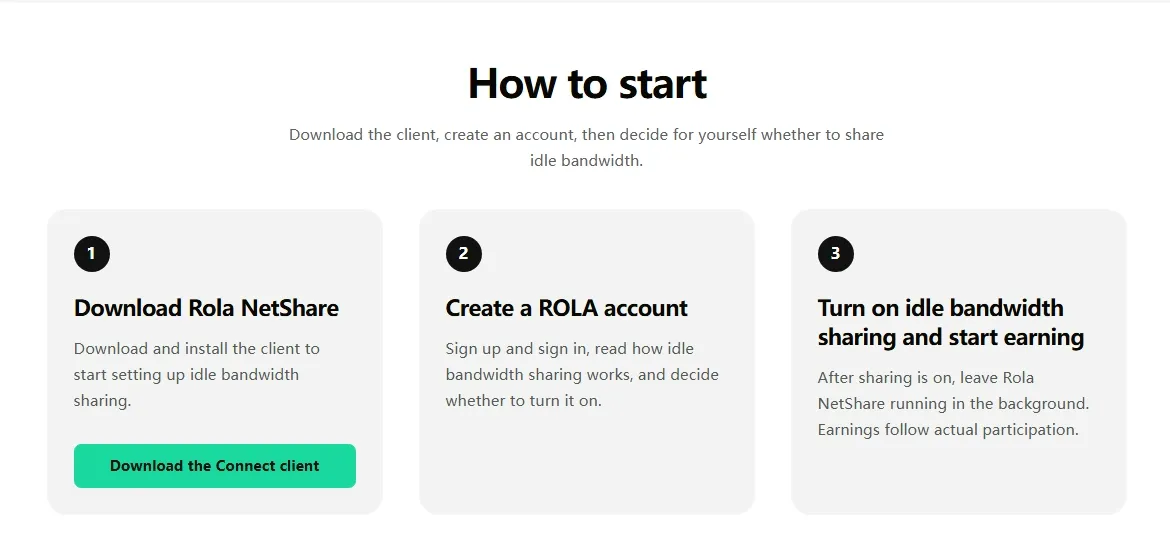
2. Understand the Sharing Information and Enable Sharing
Read the explanation of shared network use, permissions, and privacy in the product materials. Then choose whether to enable sharing.
The purpose is explicit: your participating network becomes an exit for the ROLA proxy IP network. ROLA Connect gives you an active role in deciding whether to contribute that resource.
3. Let the Client Run in the Background
Once sharing is enabled, ROLA Connect can run in the background. You do not have to remain on the client’s main screen throughout your participation.
Background operation makes the workflow convenient: enable sharing, let the client operate, and return to the interface when you want to review activity. Keep the client running and your device connected while participating; background operation does not mean sharing continues after the application or device has shut down.
4. View Your Sharing Status and Participation
Open the client to view the sharing status and participation information it provides. This gives you a way to follow your contribution rather than assume that installing the application alone means sharing is active.
For rewards, use the current client explanation. It specifies the reward types and calculation rules that apply to participation.
| Stage | Your action | What to review |
|---|---|---|
| Installation | Follow the official download instructions | The setup information for your client |
| Sharing | Choose to enable network sharing | The sharing explanation and status |
| Background use | Leave the client running while participating | Your connection and participation status |
| Rewards | Read the current reward information | Reward types and calculation rules |
Earning Rewards with ROLA Connect: How Much Can You Earn?
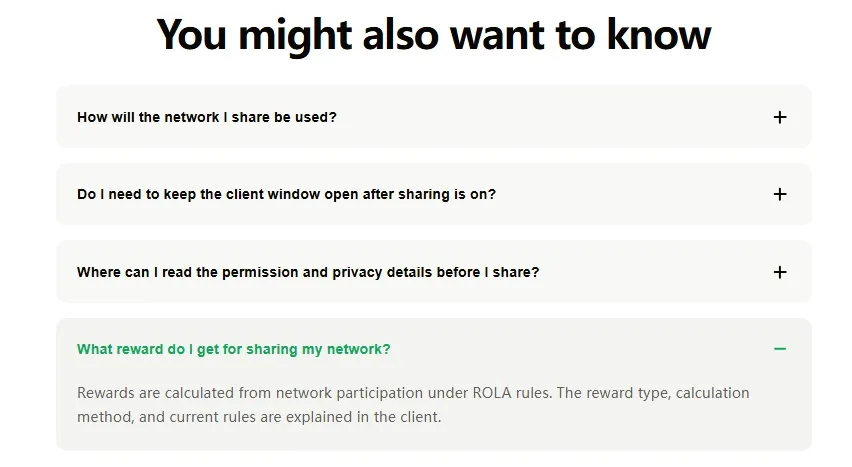
You earn participation rewards by sharing unused bandwidth through ROLA Connect. The amount depends on actual participation and the platform’s current rules. The client is the reference for reward types and how they are calculated.
To understand your own participation, focus on three things:
- Whether sharing is active. Check the status in the client.
- What participation information is recorded. Review the activity information available in the interface.
- Which reward rules apply. Read the current explanation of reward types and calculation methods.
These are separate questions. A connection’s advertised speed describes its capacity; it does not, by itself, establish an earnings rate. Likewise, background operation describes how the client runs, not a payment amount for every hour it remains open.
The practical approach is to follow your participation and the applicable reward rules together. That connects the value of shared bandwidth to your actual contribution, rather than to a generic monthly estimate.
Why Can Unused Bandwidth Generate Income?
An internet connection has value beyond your own browsing: it can provide a network exit for a proxy service. By voluntarily contributing that connection through ROLA Connect, you turn available bandwidth into a resource that earns participation rewards.
Think of a home connection during a quiet afternoon. The connection is available, but the household is using only part of its capacity. A bandwidth-sharing client lets the user contribute available network capacity to a wider service.
The contribution is more than a headline download speed. A proxy network also needs connections through which traffic can reach its destination. ROLA Connect connects these two sides: users supply shared network resources, and ROLA IP uses participating connections as proxy exits.
The earning model follows that participation. Installing the client is the first step; actual sharing and the platform’s current rules determine the rewards.
How Does Bandwidth Sharing Relate to Proxy IPs?
Bandwidth sharing is how users contribute network resources; a proxy exit is the role those resources serve within the ROLA IP network. Together, they explain how ROLA Connect links shared connections to a proxy service.
Three terms help explain the process:
| Term | Meaning | Role in ROLA Connect |
|---|---|---|
| Unused bandwidth | Connection capacity available beyond your current network activity | The resource you choose to share |
| Shared bandwidth | Network capacity made available through a sharing service | Your contribution to the network |
| Proxy exit | The connection from which proxy traffic reaches a destination | The role your participating network serves within ROLA IP |
In a proxy connection, a request travels through an intermediary before reaching a website or service. The destination generally sees the public IP address of the exit connection. That makes access to network exits an important part of a proxy provider’s infrastructure.
Proxy networks have uses in areas such as regional website testing, advertising verification, and market research. For example, a team checking a website’s regional presentation needs a connection through which it can observe that experience. These examples explain why network exits are useful; they are not a list of the traffic assigned to any individual ROLA Connect participant.
ROLA Connect provides the participation side of this model: users share available connections, contribute exit resources, and receive rewards under the platform’s rules.
Joining a bandwidth-sharing service is a direct way to monetize available home bandwidth. Operating your own paid network service is another approach, but it involves a different business model and more technical responsibilities.
| Approach | How it produces value | What you manage |
|---|---|---|
| Participate through ROLA Connect | Share available bandwidth as part of ROLA IP’s proxy exit resources and earn participation rewards | Client setup, sharing participation, and status review |
| Operate your own paid network service | Provide a service that customers pay to use, with your connection supporting delivery | Service design, infrastructure, customers, billing, and maintenance |
For someone looking for ways to monetize home bandwidth without building a separate service business, ROLA Connect offers a focused workflow. You use the client to participate in an existing network rather than arrange your own customers and service delivery.
The distinction matters: with ROLA Connect, your contribution is shared bandwidth. You do not need to turn the project into a website-hosting business or a custom proxy service.
What Should You Look for in a Bandwidth-Sharing Platform?
A useful bandwidth-sharing service makes its network use, participation process, and reward rules easy to understand. If you are comparing top secure bandwidth monetization services, focus on specific product information rather than the word “secure” in a headline.
For everyday use, the most helpful information answers clear questions:
| Information | What it helps you understand |
|---|---|
| Sharing description | How your connection participates in the service |
| Permissions and privacy explanation | What the client requests and how the service describes its data practices |
| Sharing controls | How you choose to participate |
| Background-operation details | How the client fits into your device use |
| Status information | How you follow your contribution |
| Reward rules | How participation relates to rewards |
ROLA Connect’s stated features address the participation workflow: users review sharing information, choose to enable sharing, let the client run in the background, and view participation in the interface. Reward details are provided through the current client explanation.
This gives you a concrete basis for understanding the product and how it fits your goal of putting spare bandwidth to use.
Conclusion: Put Your Unused Bandwidth to Work with ROLA Connect
Unused bandwidth can generate rewards, and ROLA Connect gives you a direct way to participate. By choosing to share, you contribute a network exit to ROLA IP’s proxy resources and earn according to your actual participation.
The process is straightforward: install the client, review the sharing information, enable sharing, and follow your status. Background operation lets you participate without staying on the application’s main screen, while the client explains the current reward rules.
Ready to put your available connection to use? Download ROLA Connect, enable sharing when you are ready, and turn your unused bandwidth into participation rewards.