
How to Scrape eBay Listings with Python and Rola IP Proxies

Nov 20, 2026 · Guides · 13 min read
Use one Python session to verify your Rola IP exit, request an eBay application token, fetch Browse API listing summaries, and export the selected fields to CSV. This guide walks through each step, from proxy setup to checking the finished file.
The tutorial uses the official eBay Browse API to retrieve listing data. You need eBay API credentials and access for your application; Rola IP provides the proxy connection. Screenshots illustrate the field mapping with sample data.
Key Takeaways
- Use your eBay developer credentials and the Browse API access enabled for your application.
- Start with a five-item, one-page request, then compare the saved first-page JSON with the CSV before increasing the page size or page count.
- Use the offline fixture to check field mapping and CSV export before connecting to the API.
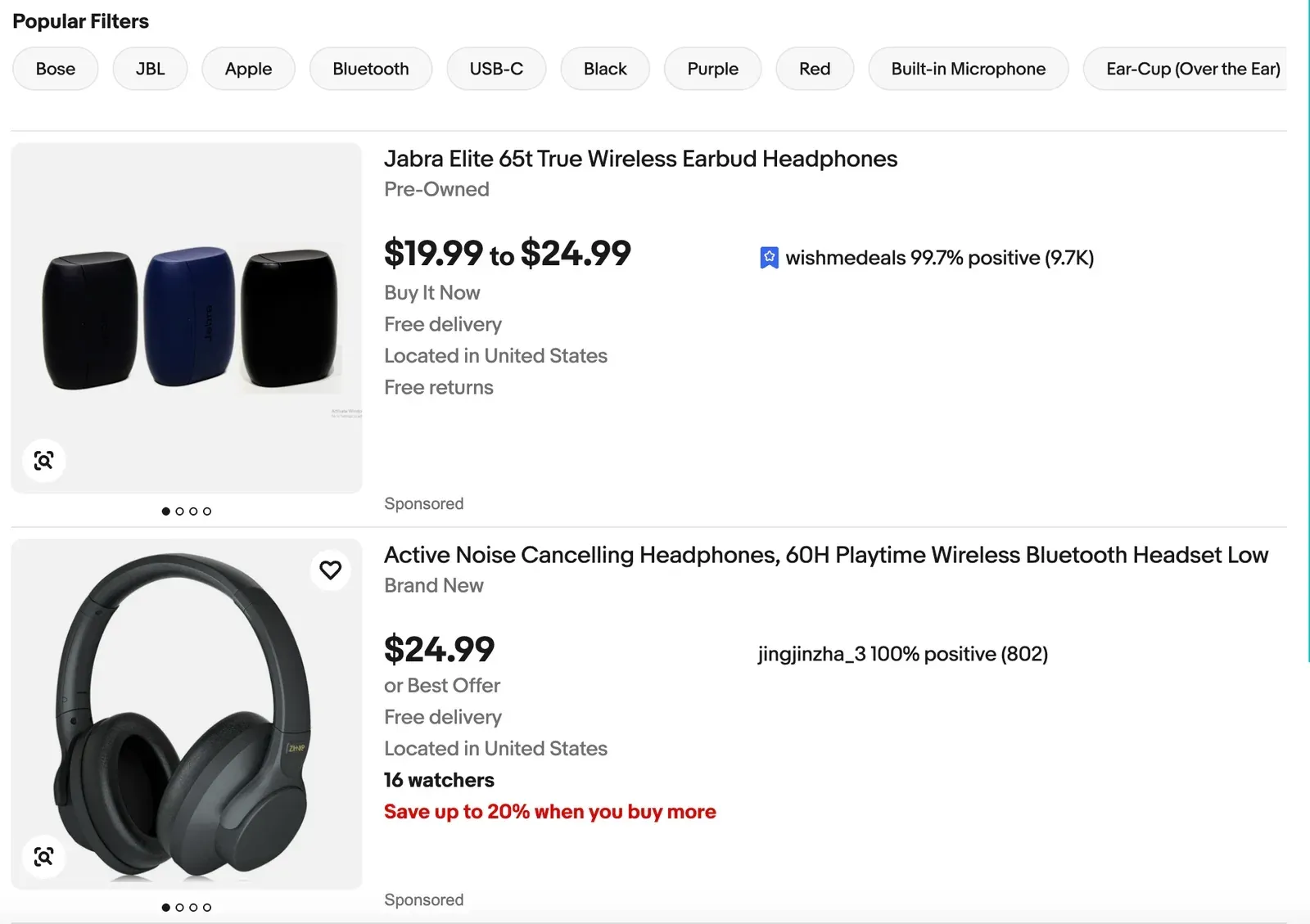
How to Scrape eBay Listings: Confirm the Data Source and Workflow First
A search page shows details such as title, price, shipping, and images. This tutorial retrieves structured itemSummaries from the Browse API’s item_summary/search endpoint and extracts fields from each result.
Prepare your Python environment and eBay credentials, copy the proxy settings from Rola IP, then use one session for the exit check, token request, and search. Save the first-page JSON, export the fields to CSV, and compare the two. Without API credentials, start with the offline sample in Step 5.
Step 1: Prepare eBay Access, Python, and the Rola IP Proxy
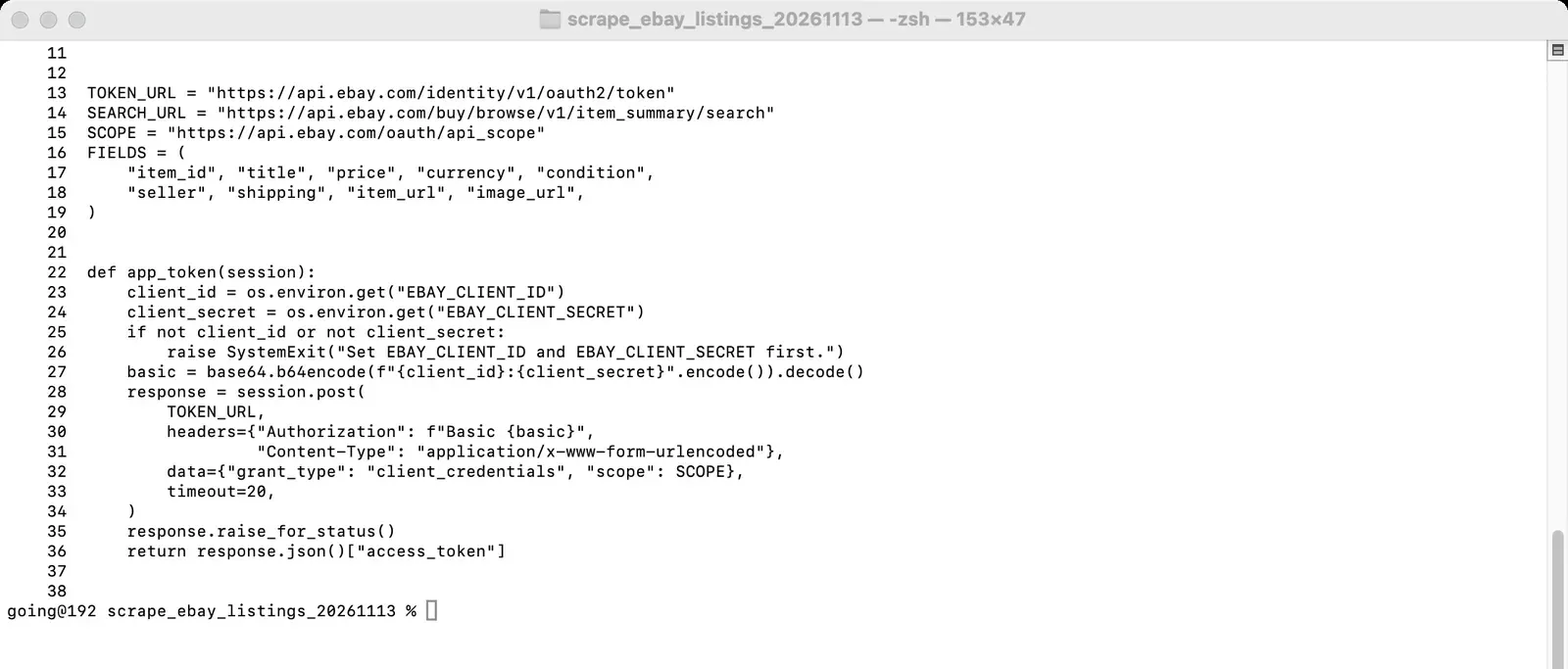
Prepare Python 3.10 or later, requests, and an eBay developer application with Browse API access. The commands use production endpoints and credentials. For Sandbox, change both API endpoints in the script to the Sandbox host. Check your application’s quota before a larger run; the first request below uses a five-item page.
python3 -m venv .venv
source .venv/bin/activate
python3 -m pip install requests
In the Rola IP dashboard, open Proxy Setup for your chosen network and copy HOST, PORT, username, and password. The example uses username-and-password authentication with the HTTP proxy port, so the proxy URL starts with http:// even when the target API uses HTTPS.

For a regional exit, select the country and session duration in Proxy Setup. Use either the generated refresh URL or the sub-account method; for the latter, select the sub-account and account-name suffix, then copy the displayed username. For paginated searches, start with a sticky session so consecutive pages use a consistent exit IP.
Choose residential proxies when precise regional targeting matters; choose datacenter proxies for lower-cost, high-speed batch collection. For paginated searches, use a sticky session by default. Follow the API access and quota limits for your eBay application.
Step 2: Configure Rola IP in Python and Verify the Exit IP
Set the following environment variables in the terminal. Copy HOST, PORT, and the username exactly as shown for your selected network in the dashboard. If the password contains special characters such as @ or :, the script encodes them automatically, and you still enter the original password in the variable. Don’t put real credentials into the article, a repository, or screenshots.
export ROLA_PROXY_HOST='YOUR_HOST'
export ROLA_PROXY_PORT='YOUR_HTTP_PORT'
export ROLA_PROXY_USER='YOUR_USERNAME_FROM_DASHBOARD'
export ROLA_PROXY_PASS='YOUR_PASSWORD'
export EBAY_CLIENT_ID='YOUR_PRODUCTION_CLIENT_ID'
export EBAY_CLIENT_SECRET='YOUR_PRODUCTION_CLIENT_SECRET'
The proxy_session() function in the full script creates a requests.Session, points both http and https requests at the same proxy URL, and stops inheriting other proxy environment variables from the local machine. check_exit() first requests an IP lookup service and, when successful, prints Proxy exit IP: .... Compare this value with your exit IP without the proxy, and check the expected region in the Rola IP dashboard, before starting the formal collection.
proxy = f"http://{quote(user, safe='')}:{quote(password, safe='')}@{host}:{port}"
session = requests.Session()
session.trust_env = False
session.proxies.update({"http": proxy, "https": proxy})
response = session.get("https://api.ipify.org?format=json", timeout=20)
print("Proxy exit IP:", response.json()["ip"])
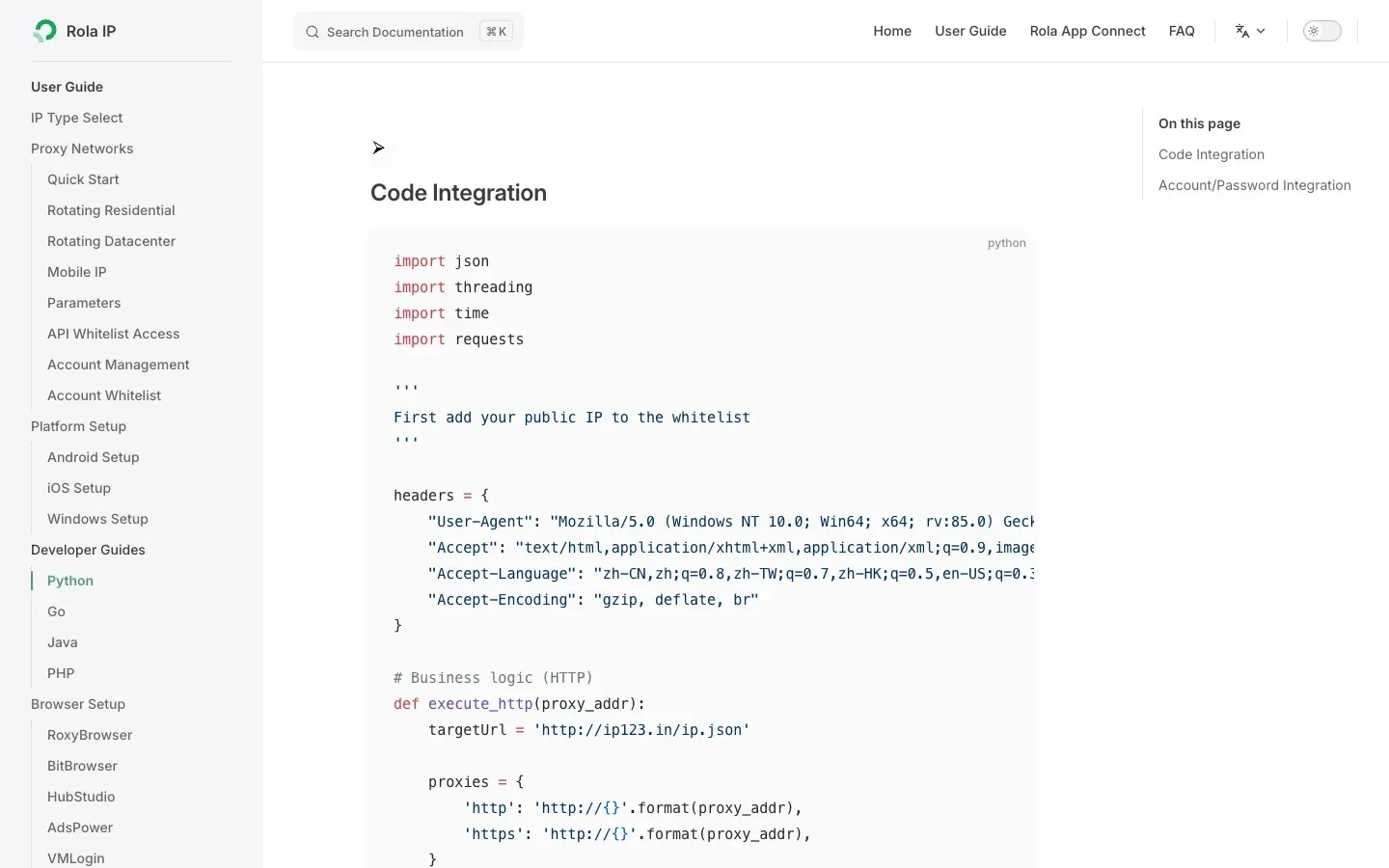
Check that the printed exit IP matches your selected region. If it does not, review the username, HTTP port, and authentication settings. The Rola IP Python integration guide covers the Requests configuration.
Step 3: Scrape eBay Search Results Through the Same Proxy Session
Save the appendix script as ebay_listings_rola.py and run this five-item, one-page check first. The script checks the exit IP, requests an application token, and searches listings through the same requests.Session.
python3 ebay_listings_rola.py --query 'wireless headphones' \
  --marketplace EBAY_US --page-size 5 --max-pages 1 \
  --extended --raw-output first-page.json \
  --output ebay_listings.csv
The script gets a token through eBay’s client credentials flow, then sends the search request with Authorization: Bearer ... and X-EBAY-C-MARKETPLACE-ID. The Browse API search documentation defines q, limit, and offset; this script accepts up to 200 items per page.
With a limit of 50, successive offsets are 0, 50, and 100. The script follows next, deduplicates by itemId, and waits one second between pages by default. Adjust --page-delay to pace larger runs, and check your API quota if eBay returns 429. Use --extended for additional summary fields such as shortDescription.
After the first page works, increase --page-size (up to 200) or --max-pages. Listings can change while pages are being collected, so treat the export as a batch gathered over time.
response = session.get(
    SEARCH_URL,
    headers={"Authorization": f"Bearer {token}",
             "X-EBAY-C-MARKETPLACE-ID": args.marketplace},
    params={"q": args.query, "limit": args.page_size,
            "offset": page * args.page_size},
    timeout=20,
)
response.raise_for_status()
batch = response.json().get("itemSummaries") or []
After it runs, check the exit IP and summaries-per-page messages, then confirm that first-page.json and ebay_listings.csv were created. For 401, 403, or 429 responses, use the troubleshooting table below.
Step 4: Read Each Listing from the Raw JSON
In first-page.json, total is the total match count, limit and offset describe the request, and itemSummaries contains the listing summaries. itemSummaries[0] corresponds to the first CSV data row, and itemSummaries[1] to the second.
python3 -m json.tool first-page.json | head -n 75
python3 -c 'import json; d=json.load(open("first-page.json")); print(json.dumps(d["itemSummaries"][0], indent=2))'
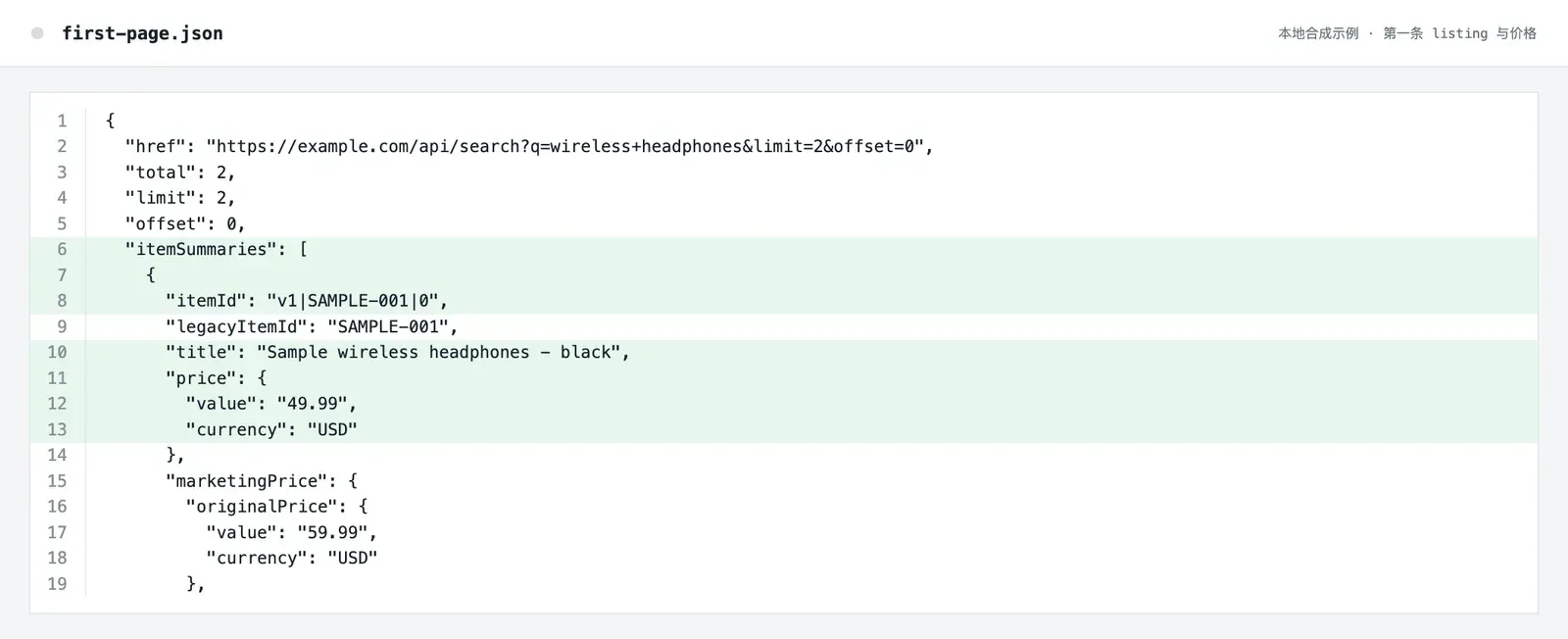
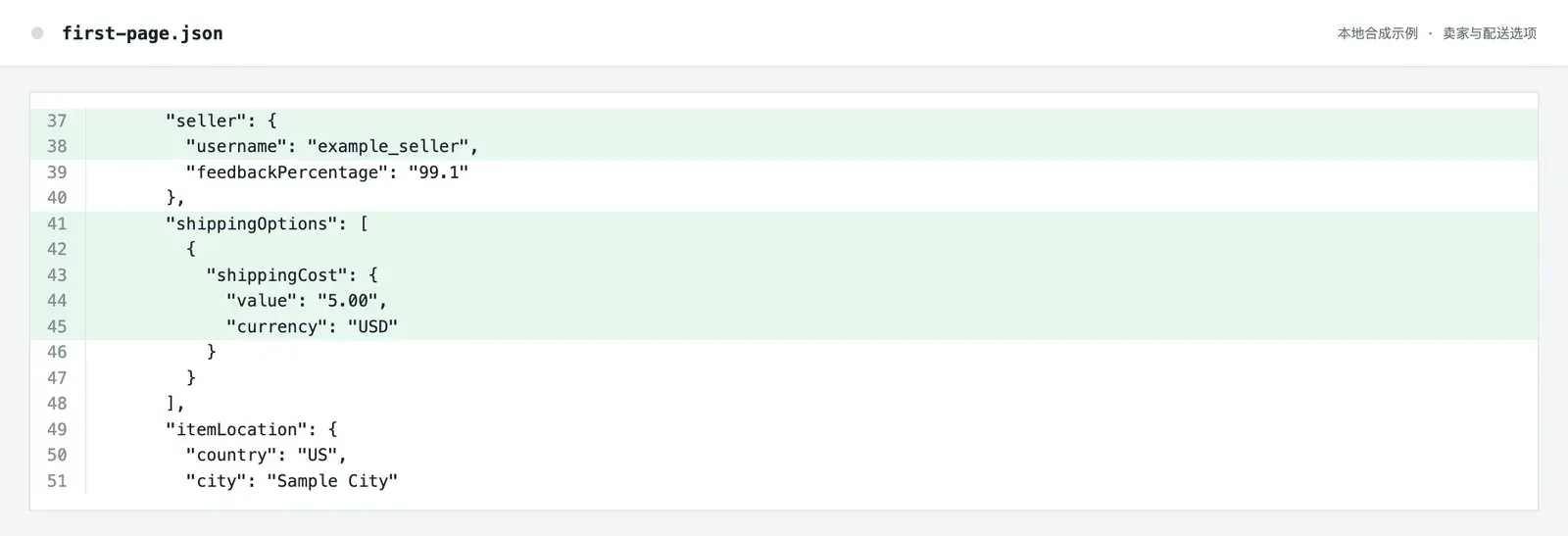
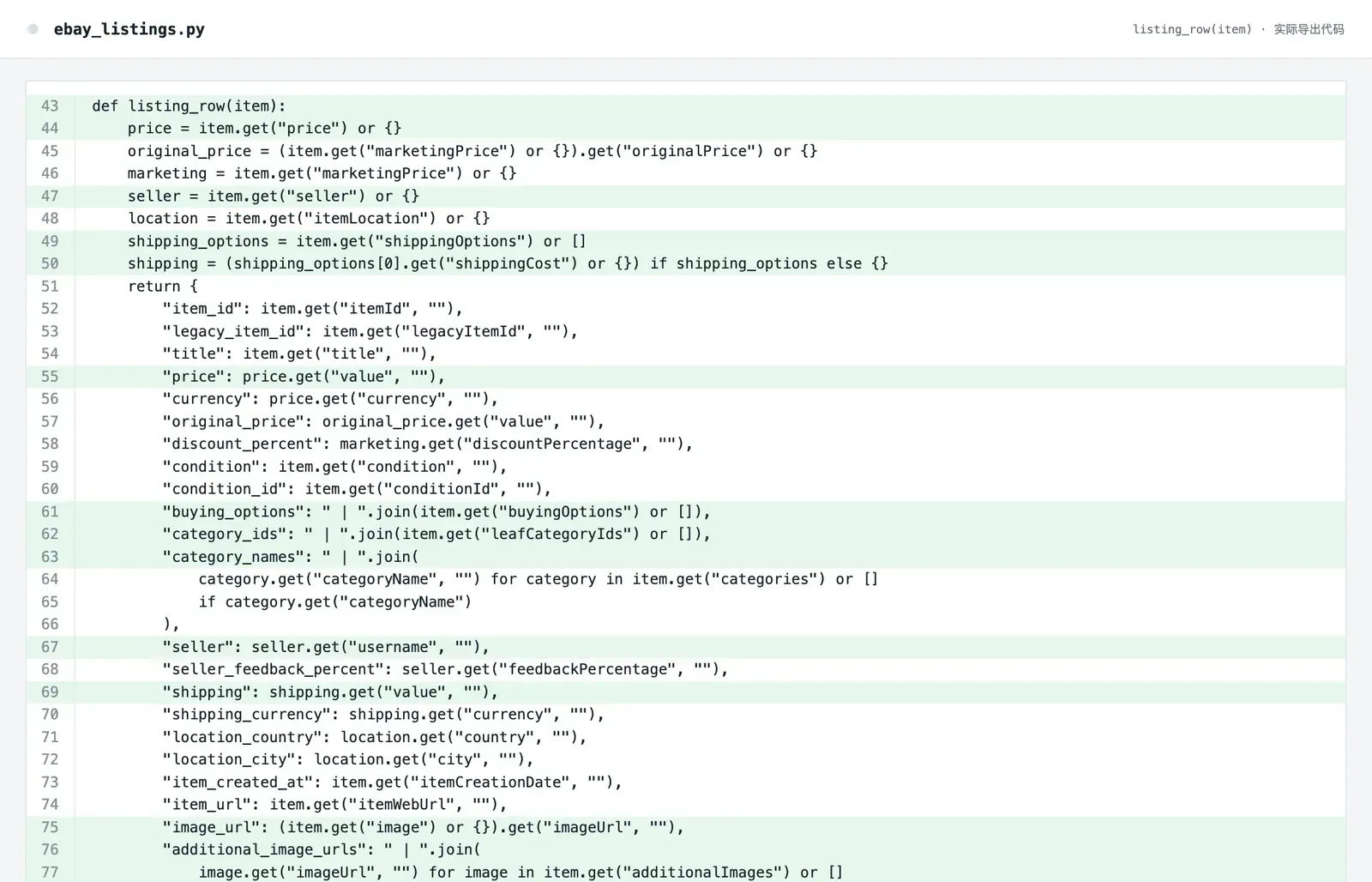
Fields may be direct values such as title, nested values such as price.value, arrays such as shippingOptions[0], or optional values such as shortDescription. The paths below are relative to one itemSummaries[i] object. The script leaves missing optional values blank.
| CSV column | JSON path | Key points |
|---|---|---|
| item_id, legacy_item_id | itemId, legacyItemId |
Deduplicate by item_id; leave the legacy ID blank if missing. |
| title | title |
Keep the original title. |
| price, currency | price.value, price.currency |
Store the amount and the currency separately. |
| original_price, discount_percent | marketingPrice.originalPrice.value, marketingPrice.discountPercentage |
Fill in only when the response contains marketing prices. |
| condition, condition_id | condition, conditionId |
Keep the description and the code in separate columns. |
| buying_options | buyingOptions[] |
Separate multiple buying options with a vertical bar. |
| category_ids, category_names | leafCategoryIds[], categories[].categoryName |
Merge multiple values separately; don’t guess when missing. |
| seller, seller_feedback_percent | seller.username, seller.feedbackPercentage |
The seller object may be missing. |
| shipping, shipping_currency | shippingOptions[0].shippingCost.value/currency |
The sample takes only the first option and doesn’t represent the final shipping cost for every region. |
| location_country, location_city | itemLocation.country/city |
Fill in separately according to the returned fields. |
| item_created_at | itemCreationDate |
Keep the time and time zone as is. |
| item_url | itemWebUrl |
You can open the item page for manual review. |
| image_url, additional_image_urls | image.imageUrl, additionalImages[].imageUrl |
Save links only; don’t download images. |
| short_description | shortDescription |
A summary field; not the full item details. |
The script handles missing objects and empty arrays so an incomplete listing does not stop the export. For item variations, full descriptions, or additional shipping details, use the corresponding detail endpoint and permissions.
Step 5: Export the CSV and Check the Results Row by Row
The script writes a 23-column CSV with a UTF-8 BOM. Check the header, then compare the first row’s ID, title, price, currency, seller, shipping, and link with itemSummaries[0] in first-page.json. Spot-check a row with missing fields. In Excel, use Data > From Text/CSV and import IDs and timestamps as text to preserve their formatting.



Use --fixture to check field mapping and CSV export without eBay credentials or a proxy account. The command reads the local sample and makes no network requests. Its first row has a sample price of 49.99 USD, seller example_seller, and shipping cost of 5.00 USD; the second row has no shipping fields.
python3 ebay_listings_rola.py --fixture sample-search.json \
  --raw-output first-page.json --output sample-output.csv
For live runs, keep the first-page JSON with the CSV. When combining pages or separate runs, deduplicate by item_id and retain currency for price comparisons. Import identifiers as text in Excel to preserve their values.
How to Troubleshoot Common Proxy and eBay API Errors
| Symptom | What to check first | How to handle it |
|---|---|---|
| Proxy connection or authentication failure | HOST, HTTP port (not SOCKS5), username, password | Confirm the HTTP port, then check the username and password against Proxy Setup before rerunning the exit IP check. |
| Exit region doesn’t match | Selected country and country suffix in the username | Check that the username’s country suffix matches the country selected in Proxy Setup, then rerun the exit IP check. |
| TLS or connection timeout | Proxy protocol, port, network path | Confirm you are using the HTTP proxy port here; reduce to one page and retry. |
| eBay 401 | Credentials and token | Check the production credentials, token endpoint, and Bearer header. |
| eBay 403 | Application permission or API policy | Confirm Browse API access and the specific error response in the developer dashboard. |
| eBay 429 | Call quota or request frequency | Check the response and application quota, increase --page-delay, or reduce the batch size. |
itemSummaries is empty |
Query term, marketplace, or genuinely no results | Check q and EBAY_US, and try a broader term first. |
| Seller or shipping column is empty | The optional field wasn’t returned | Keep the blank value and compare against the raw JSON; don’t fill in values from nowhere. |
The proxy session closes when the script exits. To clear the proxy variables from the current terminal, run unset ROLA_PROXY_HOST ROLA_PROXY_PORT ROLA_PROXY_USER ROLA_PROXY_PASS.
Conclusion
Combine Rola IP with the eBay Browse API in one repeatable workflow: share a requests.Session for exit verification, OAuth, and search; then compare the first-page JSON with the 23-column CSV. Start with five items and increase pagination as needed. For a broader look at scraping architectures, read our eBay scraper tools and proxy infrastructure comparison. To configure your first proxy endpoint, follow the Rola IP proxy quick start guide.
Appendix: Python Script Example
The script below is an example matching the commands in the main text. Review it against your current Rola IP account settings and eBay API documentation before use. Production mode requires Rola IP connection parameters and eBay production credentials; --fixture mode only reads the local sample.
"""Example: export eBay Browse API listing summaries through a Rola IP proxy."""
import argparse
import base64
import csv
import json
import os
import time
from pathlib import Path
from urllib.parse import quote
import requests
TOKEN_URL = "https://api.ebay.com/identity/v1/oauth2/token"
SEARCH_URL = "https://api.ebay.com/buy/browse/v1/item_summary/search"
IP_URL = "https://api.ipify.org?format=json"
SCOPE = "https://api.ebay.com/oauth/api_scope"
FIELDS = (
    "item_id", "legacy_item_id", "title", "price", "currency",
    "original_price", "discount_percent", "condition", "condition_id",
    "buying_options", "category_ids", "category_names", "seller",
    "seller_feedback_percent", "shipping", "shipping_currency",
    "location_country", "location_city", "item_created_at", "item_url",
    "image_url", "additional_image_urls", "short_description",
)
def proxy_session():
    names = ("ROLA_PROXY_HOST", "ROLA_PROXY_PORT", "ROLA_PROXY_USER", "ROLA_PROXY_PASS")
    missing = [name for name in names if not os.environ.get(name)]
    if missing:
        raise SystemExit("Missing proxy settings: " + ", ".join(missing))
    host, port, user, password = (os.environ[name] for name in names)
    proxy = f"http://{quote(user, safe='')}:{quote(password, safe='')}@{host}:{port}"
    session = requests.Session()
    session.trust_env = False
    session.proxies.update({"http": proxy, "https": proxy})
    return session
def check_exit(session):
    response = session.get(IP_URL, timeout=20)
    response.raise_for_status()
    ip = response.json().get("ip")
    if not ip:
        raise RuntimeError("IP check returned no address")
    print("Proxy exit IP:", ip)
def app_token(session):
    client_id = os.environ.get("EBAY_CLIENT_ID")
    client_secret = os.environ.get("EBAY_CLIENT_SECRET")
    if not client_id or not client_secret:
        raise SystemExit("Set EBAY_CLIENT_ID and EBAY_CLIENT_SECRET first")
    basic = base64.b64encode(f"{client_id}:{client_secret}".encode()).decode()
    response = session.post(
        TOKEN_URL,
        headers={"Authorization": f"Basic {basic}",
                 "Content-Type": "application/x-www-form-urlencoded"},
        data={"grant_type": "client_credentials", "scope": SCOPE},
        timeout=20,
    )
    response.raise_for_status()
    return response.json()["access_token"]
def listing_row(item):
    price = item.get("price") or {}
    marketing = item.get("marketingPrice") or {}
    original = marketing.get("originalPrice") or {}
    seller = item.get("seller") or {}
    location = item.get("itemLocation") or {}
    options = item.get("shippingOptions") or []
    shipping = (options[0].get("shippingCost") or {}) if options else {}
    return {
        "item_id": item.get("itemId", ""),
        "legacy_item_id": item.get("legacyItemId", ""),
        "title": item.get("title", ""),
        "price": price.get("value", ""),
        "currency": price.get("currency", ""),
        "original_price": original.get("value", ""),
        "discount_percent": marketing.get("discountPercentage", ""),
        "condition": item.get("condition", ""),
        "condition_id": item.get("conditionId", ""),
        "buying_options": " | ".join(item.get("buyingOptions") or []),
        "category_ids": " | ".join(item.get("leafCategoryIds") or []),
        "category_names": " | ".join(
            category.get("categoryName", "")
            for category in item.get("categories") or []
            if category.get("categoryName")
        ),
        "seller": seller.get("username", ""),
        "seller_feedback_percent": seller.get("feedbackPercentage", ""),
        "shipping": shipping.get("value", ""),
        "shipping_currency": shipping.get("currency", ""),
        "location_country": location.get("country", ""),
        "location_city": location.get("city", ""),
        "item_created_at": item.get("itemCreationDate", ""),
        "item_url": item.get("itemWebUrl", ""),
        "image_url": (item.get("image") or {}).get("imageUrl", ""),
        "additional_image_urls": " | ".join(
            image.get("imageUrl", "")
            for image in item.get("additionalImages") or []
            if image.get("imageUrl")
        ),
        "short_description": item.get("shortDescription", ""),
    }
def search(session, token, args):
    items = {}
    for page in range(args.max_pages):
        if page and args.page_delay:
            time.sleep(args.page_delay)
        params = {"q": args.query, "limit": args.page_size,
                  "offset": page * args.page_size}
        if args.extended:
            params["fieldgroups"] = "EXTENDED"
        response = session.get(
            SEARCH_URL,
            headers={"Authorization": f"Bearer {token}",
                     "X-EBAY-C-MARKETPLACE-ID": args.marketplace},
            params=params,
            timeout=20,
        )
        response.raise_for_status()
        payload = response.json()
        if page == 0 and args.raw_output:
            args.raw_output.write_text(
                json.dumps(payload, ensure_ascii=False, indent=2), encoding="utf-8"
            )
        batch = payload.get("itemSummaries") or []
        print(f"Page {page + 1}: {len(batch)} summaries")
        for item in batch:
            if item.get("itemId"):
                items[item["itemId"]] = item
        if not batch or not payload.get("next"):
            break
    return list(items.values())
def main():
    parser = argparse.ArgumentParser(description=__doc__)
    parser.add_argument("--query", default="wireless headphones")
    parser.add_argument("--marketplace", default="EBAY_US")
    parser.add_argument("--page-size", type=int, default=50)
    parser.add_argument("--max-pages", type=int, default=2)
    parser.add_argument("--page-delay", type=float, default=1.0,
                        help="Seconds to wait between search pages (default: 1)")
    parser.add_argument("--extended", action="store_true")
    parser.add_argument("--raw-output", type=Path)
    parser.add_argument("--output", type=Path, default=Path("ebay_listings.csv"))
    parser.add_argument("--fixture", type=Path, help="Convert a local JSON sample offline")
    args = parser.parse_args()
    if not 1 <= args.page_size <= 200 or args.max_pages < 1 or args.page_delay < 0:
        parser.error("page-size must be 1..200, max-pages positive, and page-delay non-negative")
    if (args.max_pages - 1) * args.page_size > 9999:
        parser.error("the final offset must not exceed 9999")
    if args.fixture:
        payload = json.loads(args.fixture.read_text(encoding="utf-8-sig"))
        if args.raw_output:
            args.raw_output.write_text(
                json.dumps(payload, ensure_ascii=False, indent=2), encoding="utf-8"
            )
        items = payload.get("itemSummaries") or []
        print(f"Offline sample: {len(items)} summaries")
    else:
        with proxy_session() as session:
            check_exit(session)
            token = app_token(session)
            items = search(session, token, args)
    with args.output.open("w", encoding="utf-8-sig", newline="") as handle:
        writer = csv.DictWriter(handle, fieldnames=FIELDS)
        writer.writeheader()
        writer.writerows(listing_row(item) for item in items)
    print(f"Saved {len(items)} rows to {args.output}")
if __name__ == "__main__":
    main()
Appendix: Offline Demo JSON
This sample is only for checking JSON paths and CSV column mapping, and does not represent live eBay items.
{
  "href": "https://example.com/api/search?q=wireless+headphones&limit=2&offset=0",
  "total": 2,
  "limit": 2,
  "offset": 0,
  "itemSummaries": [
    {
      "itemId": "v1|SAMPLE-001|0",
      "legacyItemId": "SAMPLE-001",
      "title": "Sample wireless headphones - black",
      "price": {"value": "49.99", "currency": "USD"},
      "marketingPrice": {
        "originalPrice": {"value": "59.99", "currency": "USD"},
        "discountPercentage": "17"
      },
      "condition": "New",
      "conditionId": "1000",
      "buyingOptions": ["FIXED_PRICE", "BEST_OFFER"],
      "leafCategoryIds": ["112529"],
      "categories": [{"categoryId": "112529", "categoryName": "Sample audio category"}],
      "seller": {"username": "example_seller", "feedbackPercentage": "99.1"},
      "shippingOptions": [{"shippingCost": {"value": "5.00", "currency": "USD"}}],
      "itemLocation": {"country": "US", "city": "Sample City"},
      "itemCreationDate": "2026-11-12T09:00:00.000Z",
      "itemWebUrl": "https://example.com/sample-001",
      "image": {"imageUrl": "https://example.com/sample-001.jpg"},
      "additionalImages": [{"imageUrl": "https://example.com/sample-001-side.jpg"}],
      "shortDescription": "Synthetic sample listing for the offline tutorial."
    },
    {
      "itemId": "v1|SAMPLE-002|0",
      "title": "Sample wireless headphones - silver",
      "price": {"value": "64.00", "currency": "USD"},
      "condition": "Used",
      "seller": {"username": "sample_seller"},
      "itemWebUrl": "https://example.com/sample-002"
    }
  ]
}