
Nebula Proxy Review: Pros, Cons and Alternatives (2026)

Nov 19, 2026 · Comparisons · 8 min read
Nebula Proxy is an open-source web proxy that loads websites through a browser interface. Its strongest appeal is customization: operators can maintain their own browsing portal, with themes, plugins and configurable forwarding settings. The local v10 example in this review also displayed an interactive TodoMVC application with a completed task.
Our verdict is straightforward: Nebula suits operators who value customization more than convenience. CroxyProxy and ProxySite.com are more practical choices for public-page browsing without running a deployment. For software that requires a proxy host, port and authentication, an ISP proxy endpoint serves a different need—particularly when the workflow depends on a fixed exit IP.
Key takeaways
- Choose Nebula for a customizable browsing portal when you can maintain a deployment or have access to a trusted instance.
- Consider CroxyProxy or ProxySite.com for hosted browsing without maintaining a frontend and forwarding backend.
- Choose an ISP endpoint when compatible software needs connection details and a retained exit address. A web portal URL does not supply that interface.
What Is Nebula Proxy?
NebulaServices/Nebula is an open-source browser proxy project. A destination entered into its interface is retrieved and presented through its proxy stack, rather than through an operating-system proxy setting. This review covers the web proxy project, not the unrelated Nebula mesh networking software.
The system includes a browser-side frontend and a forwarding backend. That distinction matters: hosting the interface yourself gives you control over its deployment, but an external backend still places another operator in the forwarding path.
A public Nebula instance is someone else’s deployment, with its own configuration, maintenance and data-handling practices. Nebula therefore offers a flexible foundation rather than one uniform hosted service.
Nebula Proxy Review: Pros and Cons
The Pros: Where Nebula Adds Value
1. A familiar browser-based interface.
Nebula brings destination browsing into one portal without a separate browser extension. The interface is approachable even though maintaining the deployment requires technical work.
2. Interactive browsing.
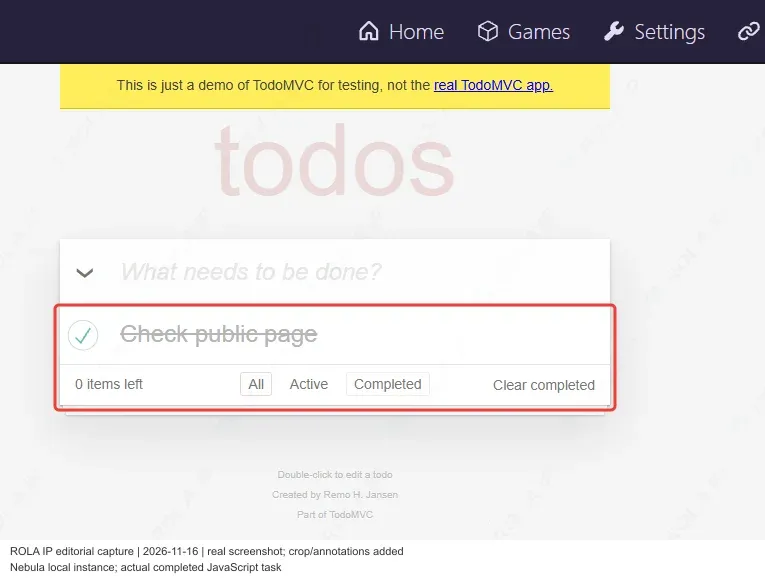
Nebula can present JavaScript interfaces within its portal, extending its usefulness beyond static-page reading. The TodoMVC example below illustrates this capability.
3. Accessible forwarding controls.
Operators can inspect and change forwarding selections within the interface, rather than relying on a portal with no visible backend settings.
4. Themes and plugins.
The repository documents customization for the portal and proxied environment. This is Nebula’s clearest advantage over a fixed hosted interface: operators can adapt the browsing experience instead of accepting another service’s layout and defaults.
The Cons: Where Nebula Becomes Less Convenient
1. Self-hosting creates maintenance work.
Frontend routing, backend connectivity and updates become the operator’s responsibility. A functioning homepage is only one part of the system; destination requests also need a working forwarding path. For someone who only wants to read a public page, that operational commitment can outweigh the customization benefits.
2. Public instances vary.
The project name does not establish the reliability or privacy practices of every deployment. A public instance’s operator and backend matter as much as the interface. Self-hosting the frontend alone does not remove dependence on an external forwarding service.
3. portal URL is not a software proxy endpoint.
Nebula’s website address does not automatically provide the host, port and authentication expected by a Python proxy configuration, an SEO client or a browser profile’s proxy settings. The supplied interface needs to match the application’s connection requirements.
Our assessment:
Nebula is a useful choice for a customizable web portal. Hosted browser proxies offer a simpler route to public-page reading, while standard proxy endpoints are the relevant category for applications that require direct proxy configuration.
Inside the Nebula v10 Interface
The November 19, 2026 examples cover a local Nebula v10 build on Windows and public pages in hosted browser services. They illustrate interface behavior rather than comparative speed or long-term uptime.
Address Entry and Navigation
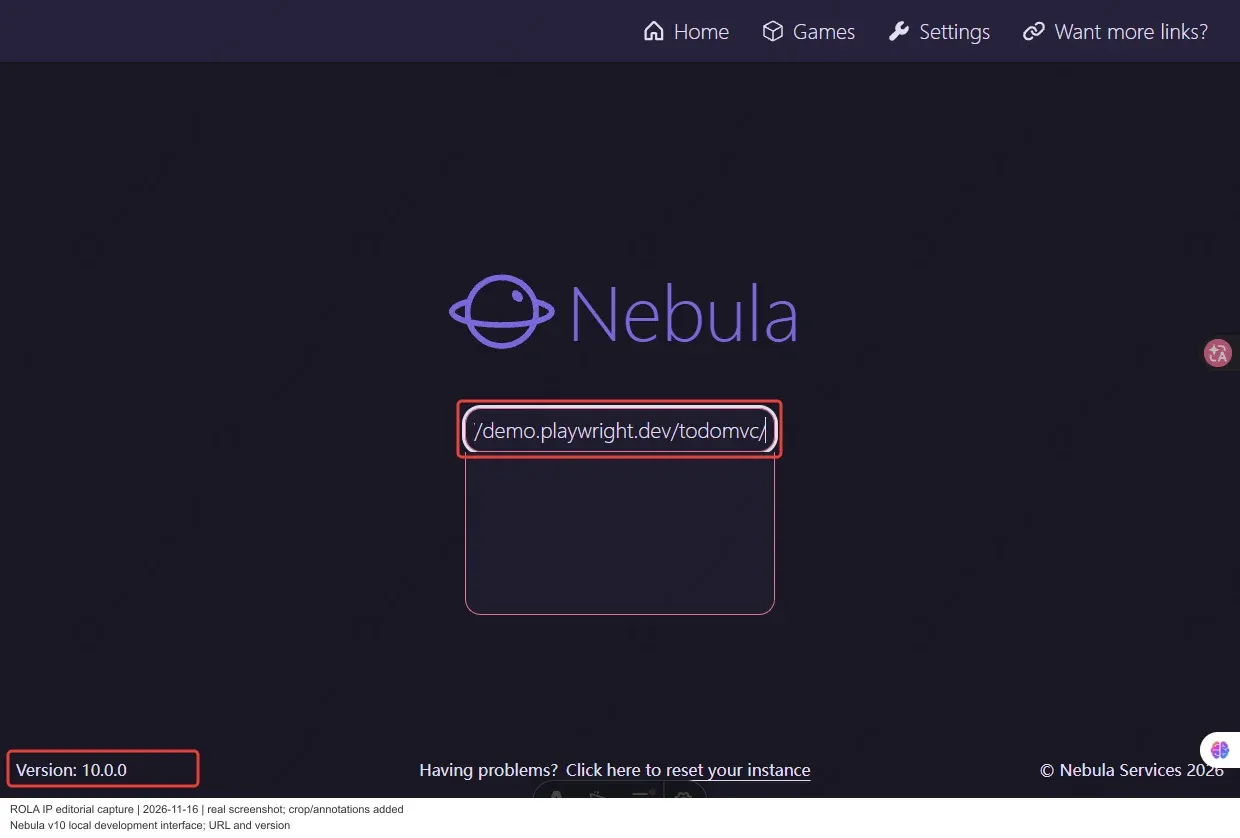
The local build identifies itself as version 10.0.0 and places the destination field at the center of its homepage. Navigation to settings is visible above it. The layout keeps the entry point separate from the underlying forwarding configuration.
Backend and Transport Settings
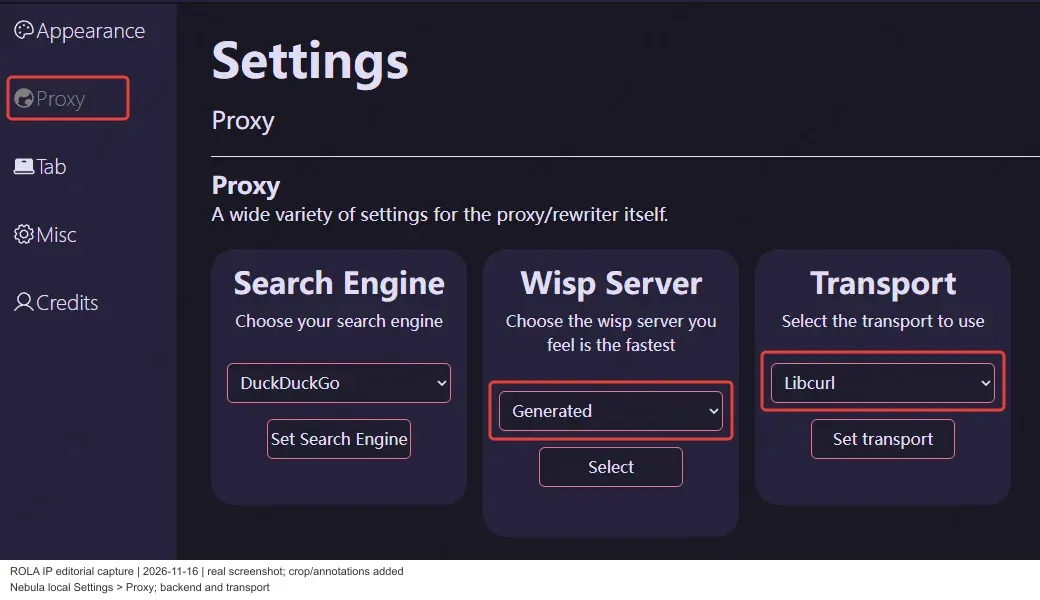
The Proxy settings page groups the Search Engine, Wisp Server and Transport controls in one view. Generated Wisp and Libcurl were selected in the local instance.
The v10 changelog also introduces a static build target, although the README retains older static-hosting warnings. Hosting requirements depend on the version and build mode; a static frontend still needs a forwarding backend.
Interactive Content: TodoMVC
TodoMVC displayed Check public page as completed, with 0 items left. Its task list and controls appeared inside the surrounding Nebula interface.
Nebula Proxy Alternatives: Two Hosted Browsing Options
CroxyProxy and ProxySite.com retain the browser-based workflow while moving deployment maintenance to a service operator. Their main advantage over self-hosted Nebula is convenience, rather than the same degree of customization.
CroxyProxy: A Simple Hosted Entry Point
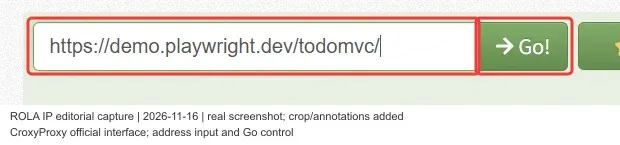
CroxyProxy centers its interface on a destination field and Go control. It suits readers who want a hosted browsing entry without installing and maintaining the Nebula stack.
In the separate httpbin example, CroxyProxy returned the expected Herman Melville - Moby-Dick heading and page text, illustrating its public-page reading workflow.
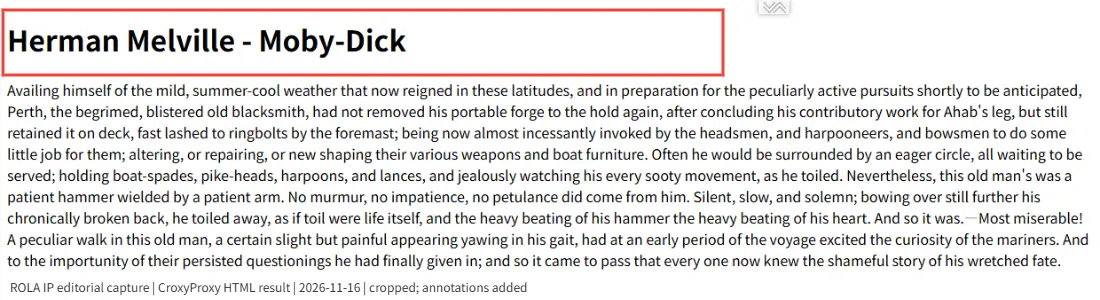
Verdict: CroxyProxy is a practical hosted option for straightforward public-page browsing.
Trade-off: the service operator controls its infrastructure and interface; users do not gain Nebula’s deployment and customization options.
ProxySite.com: Visible Server and Content Controls
ProxySite.com adds a server selector alongside its destination field. The homepage example shows the label US Server (us5), while the returned-page toolbar includes cookie, script and object controls.

MDN’s Overview of HTTP appears beneath that toolbar in the returned-page example. ProxySite offers server and content switches alongside URL entry, making it useful for readers who want those controls. The server label indicates the service’s advertised location rather than a separately verified exit location.
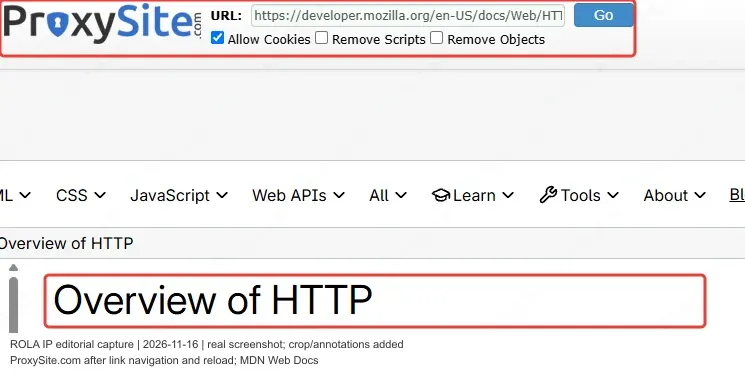
Verdict: ProxySite.com suits public-page browsing when visible server and content controls are useful.
Trade-off: its privacy policy states that the public proxy monitors URLs for abuse and retains logs for 14 days. That policy is relevant to whether the service fits a particular data-handling requirement.
Which Browsing Option Should You Choose?
| Dimension | Nebula Proxy | CroxyProxy | ProxySite.com |
|---|---|---|---|
| Deployment | Self-hosted or another operator’s instance | Hosted service | Hosted service |
| Main interface advantage | Customizable portal, themes and plugins | Simple destination-entry interface | Server selector and content controls |
| Maintenance | Yours when self-hosting | Managed by the service operator | Managed by the service operator |
| Privacy considerations | Depend on the instance and forwarding backend | Depend on the service’s data-handling practices | Public-proxy URL logs retained for 14 days |
| Best fit | Operators who value customization | Public-page reading without deployment work | Public-page reading with visible service controls |
When a Professional ISP Proxy Fits Better
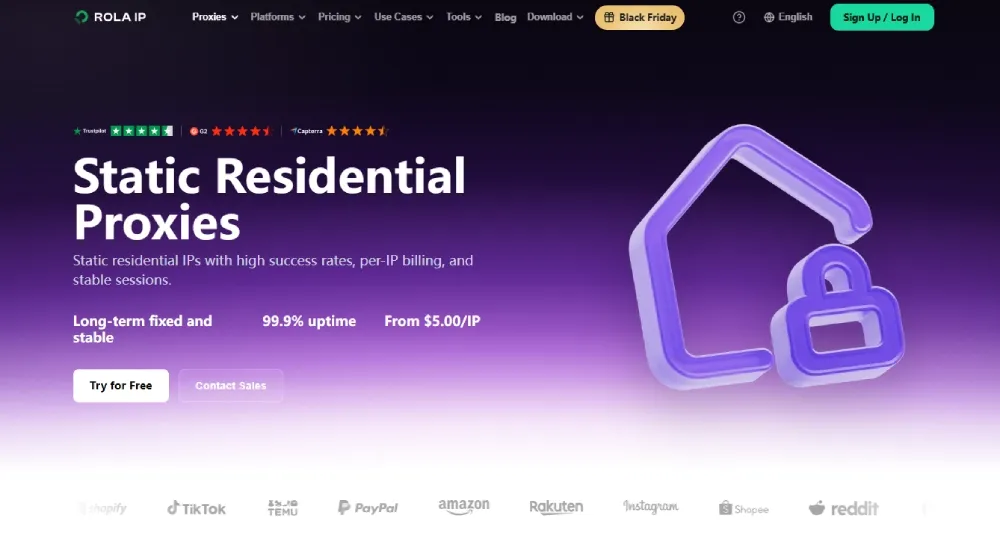
Browser proxies and ISP endpoints solve different connection problems. The dividing line is the interface your workflow requires, rather than whether the user is a casual reader or a professional.
An SEO specialist reading a public page may find a hosted web proxy sufficient. An authorized script or desktop application that expects proxy connection details needs a supported endpoint. A team accessing its own IP-allowlisted system also needs a known exit address that it can retain.
That is where ROLA’s ISP proxies become relevant. They provide a fixed-address option for compatible workflows instead of another browser-in-browser portal. For example, a team checking its own storefront backend can use an assigned exit on its allowlist across subsequent visits during the subscription.
What ROLA ISP Proxies Offer
ROLA’s official product and pricing pages describe:
- Assigned static IPs: retain the allocated address during the subscription, with no forced rotation.
- Protocol options: the static pricing page lists HTTP(S) and SOCKS5 support for use with compatible proxy clients.
- Authentication options: username/password authentication and IP whitelisting accommodate different client and network setups.
- Monthly per-IP billing: the billing unit corresponds to the number of required exits, rather than traffic volume.
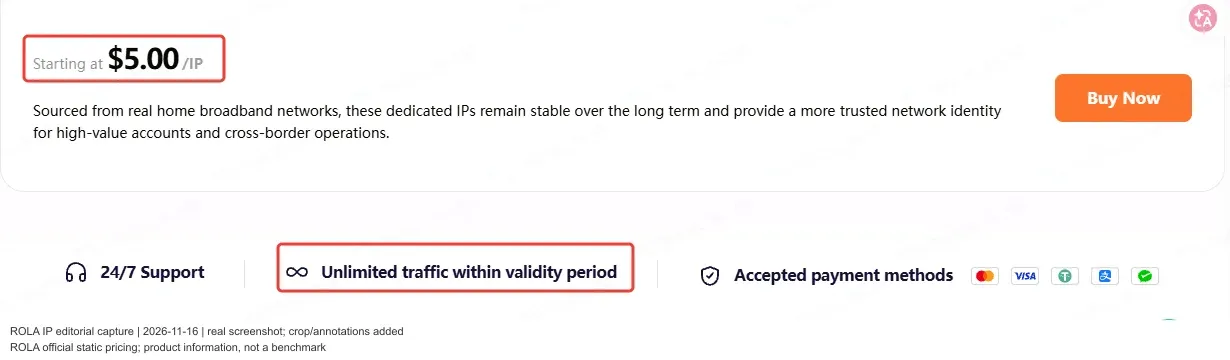
- Bandwidth included during the subscription: the static pricing page describes unlimited traffic within the validity period.
- Location-based purchasing: available inventory determines which locations can be ordered.
A fixed exit supports network address continuity.
Pricing and Getting Started
ROLA’s static plans start at $5 per IP, with monthly per-IP billing and bandwidth included during the subscription period, according to the pricing page checked on November 18, 2026. The selected location and order conditions determine the applicable offer.
The page recommends starting with 1–2 IPs before scaling up.
Need a fixed exit for an allowlisted system or a compatible application? Choose an available location and buy ISP proxies for your workflow.