eBay Scrapers: 8 Data Tools Compared with Proxy Infrastructure

Sep 18, 2026 · Comparisons · 10 min read
TL;DR: choose the data-collection layer first
Choose an eBay data collection method by the records you need, the access available to your application, and who will maintain the workflow. This documentation-based shortlist compares workflow fit, output, maintenance responsibility, and integration requirements. It is not a measured ranking: comparable account-level tests of speed, extraction accuracy, or cost were not completed.
The scope is deliberately mixed: the table covers eight eBay data-collection options and one supporting network layer. Not every option is a scraper, and Rola IP is not an eBay scraper, scraping API, parser, or replacement for the eBay Browse API.
Use the list as conditional navigation:
- Official integration to evaluate: eBay Browse API.
- No-code workflow to evaluate: a documented Octoparse template.
- Hosted marketplace to evaluate: a specific Apify Actor.
- Managed services to evaluate: the relevant ScrapingBee, Bright Data, Oxylabs, or Crawlbase product.
- Browser-based workflow to evaluate: Thunderbit.
- Optional network layer: Rola IP, only when the collector supports a custom proxy.
Product capabilities, pricing, quotas, and proxy support vary by plan, endpoint, and workflow. A platform listing is not a guarantee that every template, Actor, endpoint, or plan exposes the same fields.
Before collecting anything automatically, check the current US eBay User Agreement, the applicable developer terms, and your organization’s rights to use the data. eBay’s agreement restricts automated extraction without prior express permission and prohibits circumventing technical measures or imposing an unreasonable load.
What is an eBay scraper?
An eBay scraper is a program, API, browser extension, desktop task, or hosted service that turns selected eBay listing information into structured records. Depending on the source and permissions, a record may contain item ID, listing URL, title, category, condition, listing type, price, currency, shipping cost, availability, seller fields, item specifics, image URL, and capture timestamp.
A one-time collection gives you a snapshot. A price-monitoring workflow stores repeated observations keyed to an item ID so you can compare price, availability, or shipping changes over time.
How this comparison works
The eight data tools below are compared by workflow fit, inputs and outputs, maintenance responsibility, and integration requirements; the proxy layer is described separately. They are not ranked by speed, success rate, or cost; verify the specific product or plan with an authorized sample before production use.
Eight eBay data collection options plus proxy infrastructure
| Tool or option | Category / role in the workflow | Workflow fit | Setup | Typical output | Main trade-off |
|---|---|---|---|---|---|
| Rola IP | Proxy infrastructure | Network connection and regional egress when external proxies are supported | Proxy configuration in the collector | Proxy-routed requests and connection observations | Does not request, parse, or export eBay data; compatibility is tool- and plan-specific |
| eBay Browse API | Official marketplace API | Approved application integrations | Developer integration | Official JSON resources | Production access is controlled and may be Limited Release |
| Octoparse | No-code scraper | Repeatable visual templates | Visual task builder | CSV, Excel, JSON, API exports | Templates need maintenance when pages change |
| Apify | Actor marketplace | Flexible cloud Actors | Hosted Actor plus API | JSON, CSV, datasets | Actor quality and maintenance vary |
| ScrapingBee | Managed scraping API | Managed fetch and extraction | REST API or SDK | HTML or structured output | Rendering and premium options affect cost |
| Bright Data | Managed data platform | Enterprise e-commerce collection | Managed API, IDE, or datasets | JSON, CSV, NDJSON | More configuration and commercial evaluation |
| Oxylabs | Managed scraping API | Product-page access with downstream parsing | API integration | HTML or delivered data | A separate parser may be needed for raw HTML |
| Crawlbase | Managed crawling API | API-oriented listing and seller workflows | Crawling API | JSON or export formats | Field coverage depends on page type and plan |
| Thunderbit | Browser/no-code scraper | Browser-extension and spreadsheet workflows | Chrome extension or cloud | Sheets, Excel, CSV, JSON | Browser workflows suit smaller or interactive jobs |
Prices, quotas, free tiers, and vendor success claims change frequently. Confirm them on the current product page before choosing a production service.
External proxy support is product- and plan-specific. A hosted provider may control its own network, while an Actor or browser extension may expose different settings by task or plan. Verify custom proxy support, protocol, authentication, region controls, and session behavior for the exact product before planning an integration.
1. Rola IP: proxy infrastructure for a supported collector
Rola IP is a proxy-network provider and connectivity layer, not an eBay scraper, scraping API, data parser, or alternative to the official eBay API. This positioning is consistent with Rola IP’s web scraping use case guidance: a collection tool or self-managed program still sends the request, parses the page or API response, selects product fields, and exports the records. Rola IP can provide the proxy IP, network exit, regional route, and connection support only when that collector explicitly accepts external proxies.
Use this layer when an authorized workflow needs a particular egress region, a sticky or rotating session, or a separately monitored connection. It cannot bypass eBay authorization, platform terms, login permissions, API access requirements, or data-use restrictions, and it does not guarantee that a request will avoid a block or CAPTCHA.
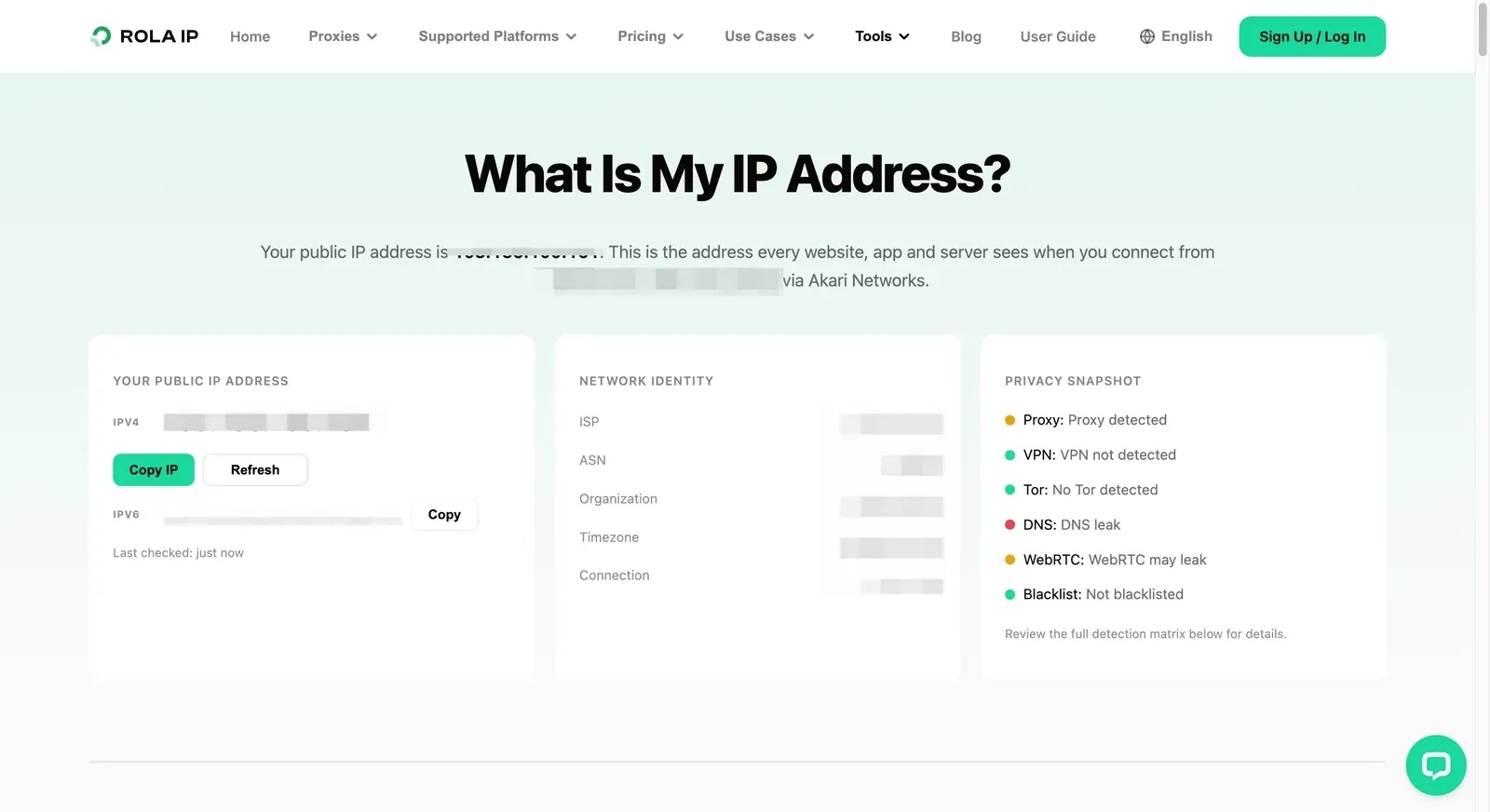
Before connecting the collector, configure the intended region and session and use Rola’s Proxy Checker to inspect validity, anonymity observations, protocol, location, and latency. A successful proxy check is only a network check; verify the eBay response separately in the same runtime.
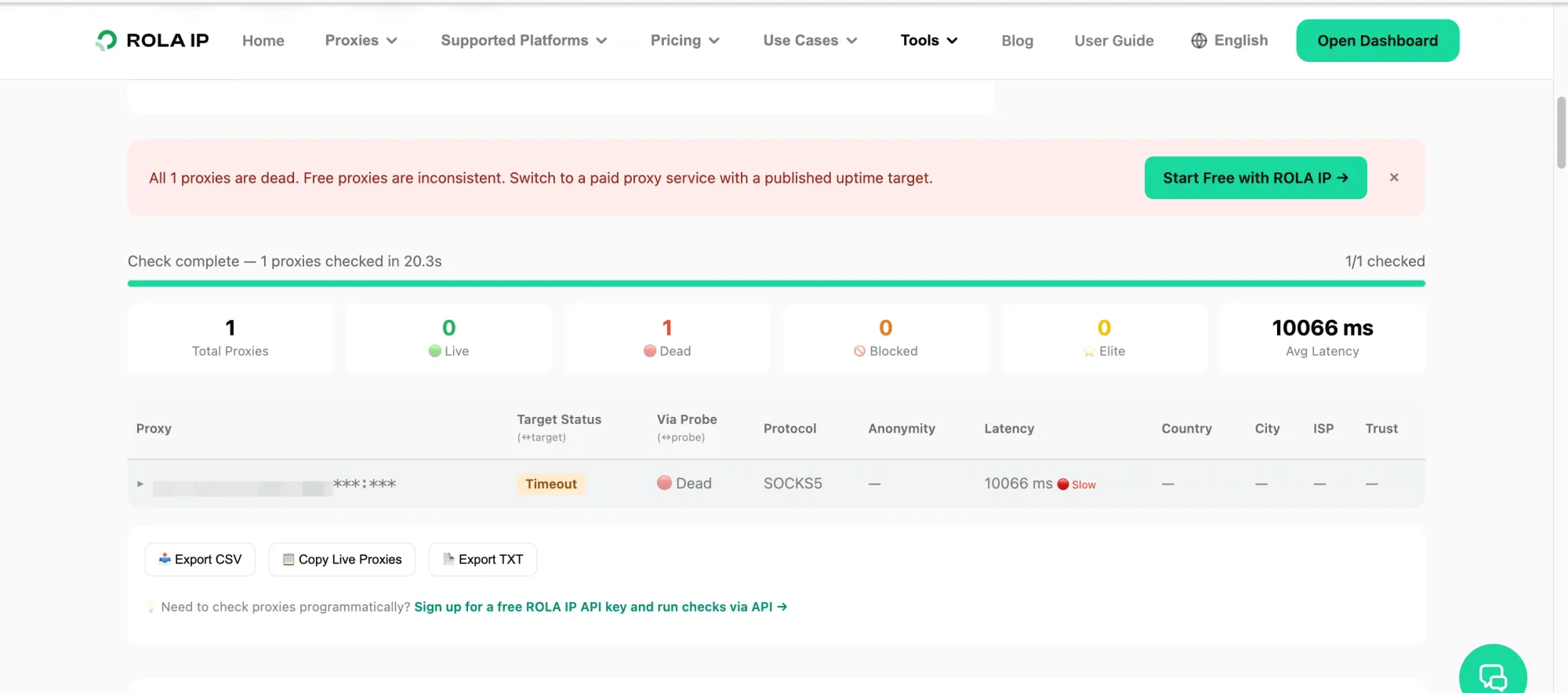
For a supported cURL or application integration, keep proxy credentials out of source code and screenshots, then confirm the observed exit IP from the same process that will call eBay.
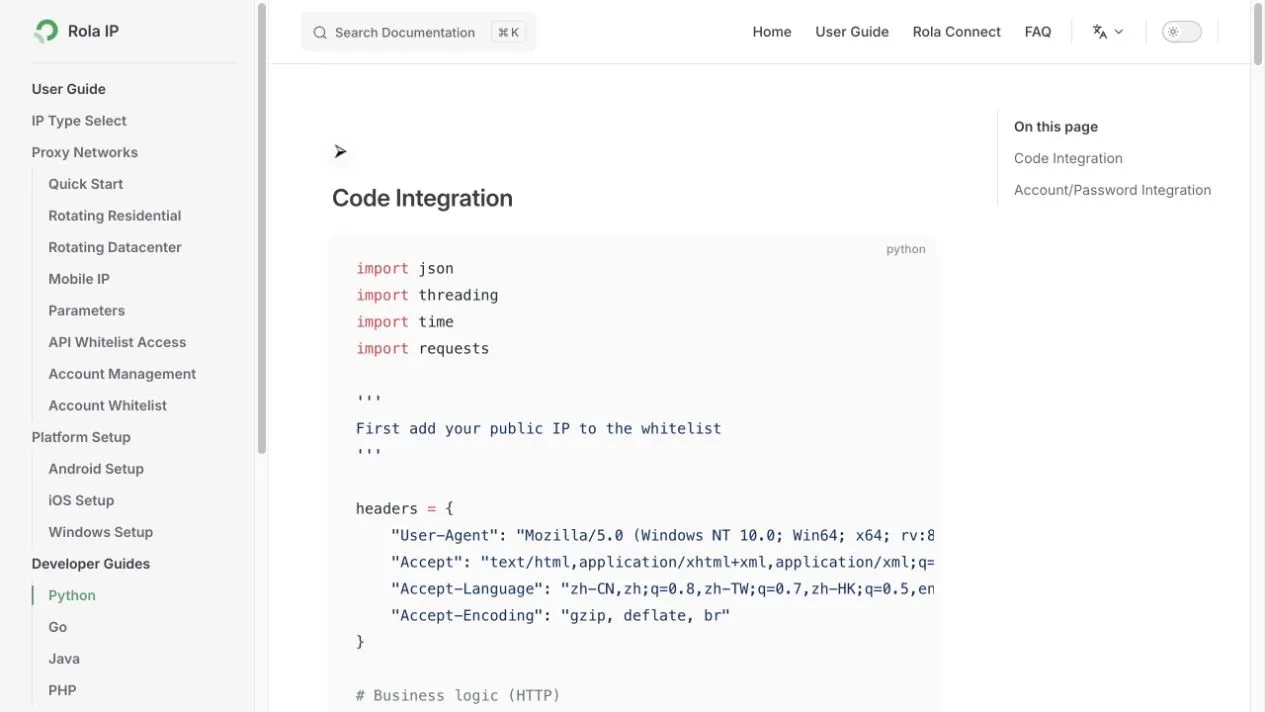
Developers can consult the Python proxy integration documentation when their collector supports standard proxy configuration. The documentation screenshot below is a reference only, not evidence of an executed run.
2. eBay Browse API: an official option for approved applications
The eBay Browse API is the first option to check when you are building an application that needs listing search or item details. Its resources include item_summary/search and item/{item_id}, with documented fields and filters. Applications use an Application access token obtained through the client-credentials flow.
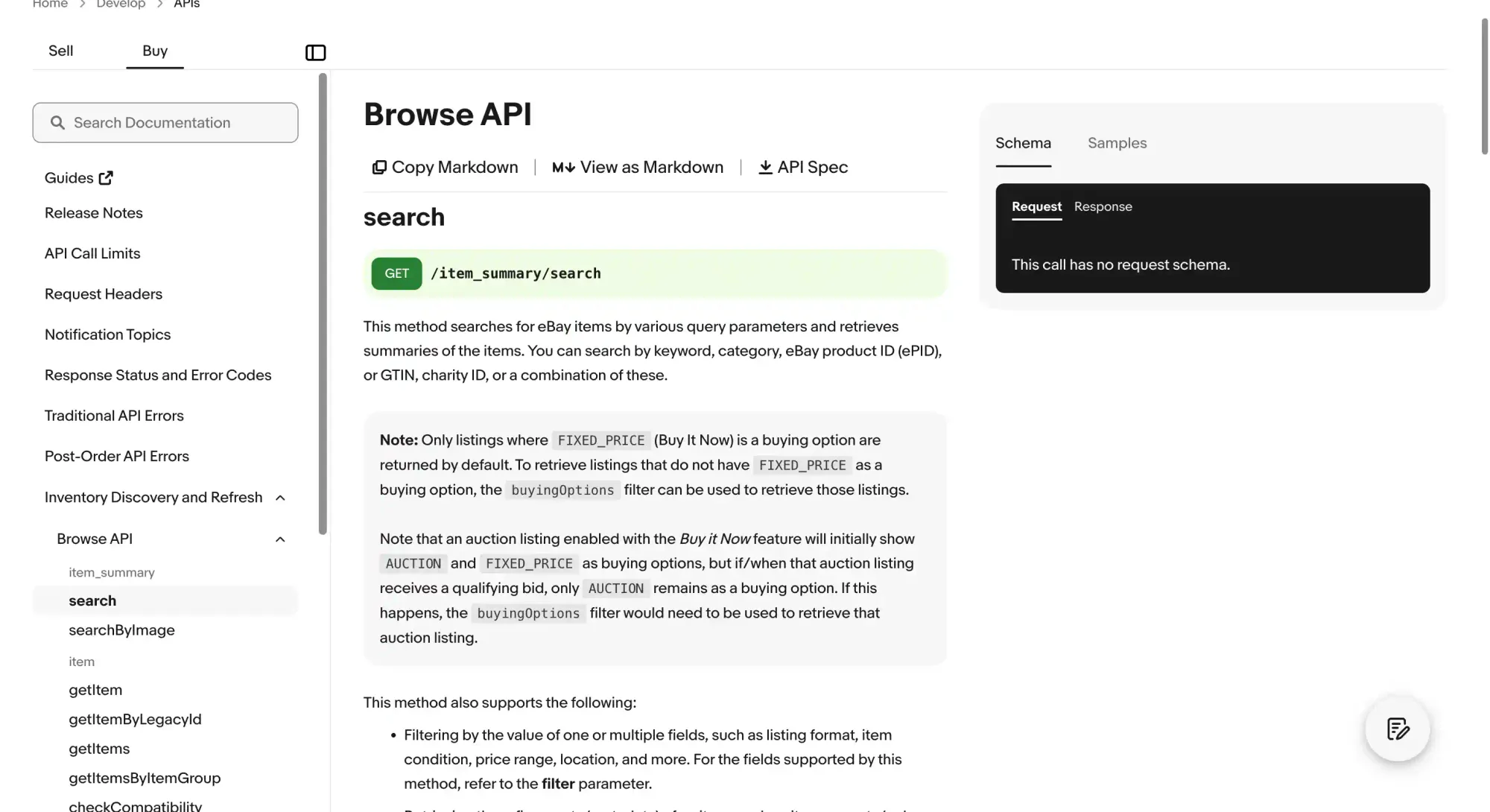
The supplied search documentation notes that listings with FIXED_PRICE as a buying option are returned by default. Review the buyingOptions filter when auction-only listings are in scope. A current listing price or bid is not necessarily a completed transaction price, so confirm the exact field and source before building a sales-history comparison.
The important caveat is access. eBay’s Buy APIs Requirements state that many Buy APIs are Limited Release. Production applicants may need to meet eligibility requirements, receive approvals, sign agreements, and complete the production-access process. Sandbox access is useful for development, but it does not prove that production access will be granted.
Choose the Browse API when the use case fits eBay’s approved developer model, the fields you need are present in the API response, and you can follow eBay’s display, retention, and data-use requirements. Do not call a normal developer account a production scraping license.
3. Octoparse: an option for no-code, repeatable templates
Octoparse is a practical fit for analysts, marketers, and operators who want a visual workflow instead of maintaining Python selectors. Its eBay templates can accept listing or search URLs, map visible fields, paginate, and export rows for review.
The useful comparison is the specific eBay template you can inspect: confirm its input URL, output fields, run mode, and maintenance status before scheduling it.
The strength of a no-code template is visibility: a reviewer can inspect the input URL, selected fields, empty values, and export before a scheduled run. The trade-off is maintenance. A template can break when eBay changes markup, localization, login requirements, or the fields displayed on a listing.
Use a small dated sample first. Check that item IDs, titles, prices, currencies, source URLs, and timestamps are populated. Do not treat a large row count as proof of quality; missing values and duplicate pages matter more than volume.
4. Apify: an Actor marketplace for flexible experiments
Apify is a marketplace and runtime for hosted Actors rather than one universal eBay scraper. That makes it useful when you want to test several community-maintained workflows for search results, item pages, seller stores, or sold-listing research.
Treat the selected Actor as the product: inspect its input schema, output fields, update history, storage behavior, and proxy settings before relying on it.
The flexibility comes with a responsibility: evaluate each Actor like a separate vendor. Read its input schema, output fields, update history, proxy assumptions, storage behavior, and task limits. A well-maintained Actor can shorten prototyping; an abandoned Actor can silently return empty fields after a layout change.
Apify is a good fit when developers or analysts want cloud scheduling, API access, and dataset exports without building the entire runtime. It is less suitable when your organization needs one fully documented, first-party schema with a fixed maintenance owner.
5. ScrapingBee: a managed extraction API option
ScrapingBee is aimed at developers who want a REST API or SDK instead of operating browser and proxy infrastructure themselves. The eBay-oriented workflow typically combines a target URL with rendering, extraction, and location options, then returns HTML or structured data.
Check the exact endpoint’s response format, billing rule, and whether it accepts an external proxy before comparing it with a self-managed collector.
The benefit is a shorter integration path. The cost is less control over the underlying browser and network decisions, plus usage variables when JavaScript rendering or premium routing is enabled. Confirm which response fields are guaranteed, how failed requests are billed, and how selector or layout changes are handled.
Use this category when the engineering team values a managed fetch layer and can validate response completeness. It is not a reason to ignore eBay permission requirements.
6. Bright Data: an enterprise data-platform option
Bright Data combines e-commerce collection products, managed APIs, browser access, datasets, and proxy infrastructure. This broad surface can suit teams that need more than a single listing endpoint, such as catalog research, scheduled exports, or several marketplace sources.
Choose one current Bright Data product before comparing it with the other entries; API, browser, and dataset workflows should not be treated as interchangeable.
The trade-off is evaluation work. Enterprise tools can expose more controls than a small project needs, and current pricing may depend on records, requests, rendering, delivery, or product tier. Compare the cost of complete, usable records rather than copying a headline price from a comparison article.
Choose an enterprise platform when you have a clear schema, volume forecast, governance owner, and support requirement. For a small research task, start with a narrower option and validate the data before committing to a larger stack.
7. Oxylabs: a managed product-page access option
Oxylabs provides managed access options for teams that need to request product pages across markets and then apply their own parsing or downstream enrichment. This model gives developers more control over the extraction logic than a fully pre-shaped dataset.
Confirm the selected product’s current response format before assuming it returns parsed fields.
It also means you own more of the work. Test HTML completeness, rendering behavior, response formats, retries, and parser maintenance against the exact eBay page types you need. A managed access API can deliver a response without guaranteeing that every business field is present or stable.
This is a reasonable fit for an engineering team that already has a parser, storage model, and monitoring. It is not the simplest route for a non-technical user who only needs a spreadsheet.
8. Crawlbase: an API-oriented custom workflow option
Crawlbase is a useful category to consider when you want an API request to return listing, search, or seller-oriented data and your application will handle the rest. The main selection questions are the same as for any managed service: what page types are supported, which fields are structured, how retries are reported, and how usage is metered.
Check whether the selected endpoint returns typed product fields or HTML inside JSON; those are different downstream jobs.
Run a representative test before comparing vendor claims. Include fixed-price listings, auctions, missing ratings, multiple pages, and the marketplace you actually serve. If the output is JSON, validate that a successful HTTP response also contains the fields your downstream system requires.
9. Thunderbit: a browser-extension and spreadsheet option
Thunderbit targets users who want to open an eBay page, identify fields, and export results without writing selectors. Browser-based collection can be convenient for a small, interactive task because the user can see the page and review the output immediately.
Review the execution environment, subpage enrichment, export limits, and any proxy setting for the plan you will use.
The fit changes at scale. Browser sessions, logged-in state, subpage enrichment, export limits, and extension permissions all deserve review. A workflow that is excellent for a few pages may be difficult to govern across a large scheduled dataset.
Use it for a clearly authorized research task, run a dated sample, and inspect empty fields and duplicate records before scheduling anything.
How to choose an eBay scraper
- Need an application integration? Check the Browse API and production-access requirements first.
- Need a spreadsheet without coding? Test a maintained no-code template or browser extension.
- Need a hosted API? Compare structured output, HTML access, rendering, retries, support, and usage metering.
- Need regional or session-sensitive research? Add a tested network layer only after the data source is authorized.
- Need repeated price snapshots? Require stable identifiers, timestamps, change detection, and a retention policy.
Avoid ranking tools by a single “success rate.” The meaningful test is whether the workflow returns complete, correct, permitted data for your marketplace, page type, region, and volume.
What to validate before scaling
Run a small, documented sample before scheduling a large job:
- one keyword and one item-detail request;
- at least two pages, following the API’s
nextURL where available; - auction and fixed-price listings where relevant;
- prices, currencies, shipping, seller fields, and null handling;
- duplicate item IDs, source URLs, timestamps, and parser version;
- response status, latency, and proxy exit location if a proxy is approved.
Stop when the response is incomplete, an authorization error appears, a challenge is returned, or the maximum page/record budget is reached. Do not add CAPTCHA solving, fingerprint spoofing, account workarounds, or escalating retries.