
Web Scraping PHP cURL: HTML, JSON, Pagination, Retries, and Proxy Integration

Sep 4, 2026 · Guides · 11 min read
TL;DR
This tutorial shows developers how to build a maintainable web scraping PHP cURL workflow: send and validate HTTP responses, parse HTML with DOMXPath, decode JSON, follow pagination, keep authorized sessions, retry transient failures, run independent requests concurrently, and configure a proxy. It is designed for public or explicitly authorized data collection. cURL does not execute JavaScript or grant access to restricted content.
- cURL handles HTTP requests; it does not parse HTML. HTML extraction should be handled by
DOMDocument,DOMXPath, or Symfony DomCrawler. - The examples target PHP 8.x and cover a static product page, pagination, JSON, and
curl_multiconcurrency. Adapt the sample URLs and selectors to a site you are authorized to access. - Always check transport errors, the HTTP status code, and
Content-Type. Receiving a non-empty string does not mean you received the correct data. - Cookies can maintain an authorized session; they do not grant permission to bypass logins, CAPTCHAs, paywalls, or access controls.
- Data that appears only after JavaScript runs in the browser is usually invisible to cURL alone. In that case, first look for an authorized API or use browser automation.
- Proxies should match the task and session strategy. Rotating too quickly can break cookie continuity, while a stable session is often better for multi-step workflows.
What Is Web Scraping PHP cURL?
web scraping php curl is the process of using PHP’s cURL extension to send HTTP requests and then converting the returned HTML or JSON into structured data. cURL can manage request methods, headers, cookies, redirects, timeouts, proxies, and TLS; locating and extracting fields requires an HTML or JSON parser.
In practical terms, web scraping using PHP cURL has two separate stages: cURL downloads a response, then a parser extracts fields. This guide’s php web scraping example uses a local product page so you can inspect every request and selector before connecting to an authorized external site.
This distinction matters. If downloading and parsing are mixed into a single block of string-replacement code, even a minor page redesign can break the scraper. A more reliable pipeline is: request -> validate response -> parse -> normalize -> deduplicate -> store -> monitor.
When Should You Use PHP cURL for Web Scraping?
PHP cURL is a good fit for server-rendered pages, public JSON endpoints, sitemaps, and authorized workflows that require cookies. It is widely installed, has few dependencies, and integrates easily into existing Laravel, Symfony, or WordPress projects.
You should not rely on cURL alone when the page content is entirely rendered by JavaScript, real browser events are required, complex login redirects are involved, or the site’s access terms explicitly prohibit automated collection. In those cases, first check for an official API, data export, or partner interface.
| Scenario | Recommended Approach | Why |
|---|---|---|
| Static HTML | cURL + DOMXPath | Lightweight, fast, and controllable |
| JSON API | cURL + json_decode() |
Avoids parsing presentation-layer HTML |
| Many parallel URLs | curl_multi_* |
Reuses waiting time within one process |
| JavaScript rendering | Official API or browser automation | cURL does not execute JavaScript |
| Full application framework | Guzzle / Symfony HttpClient | Better middleware, testing, and dependency injection |
Environment Requirements
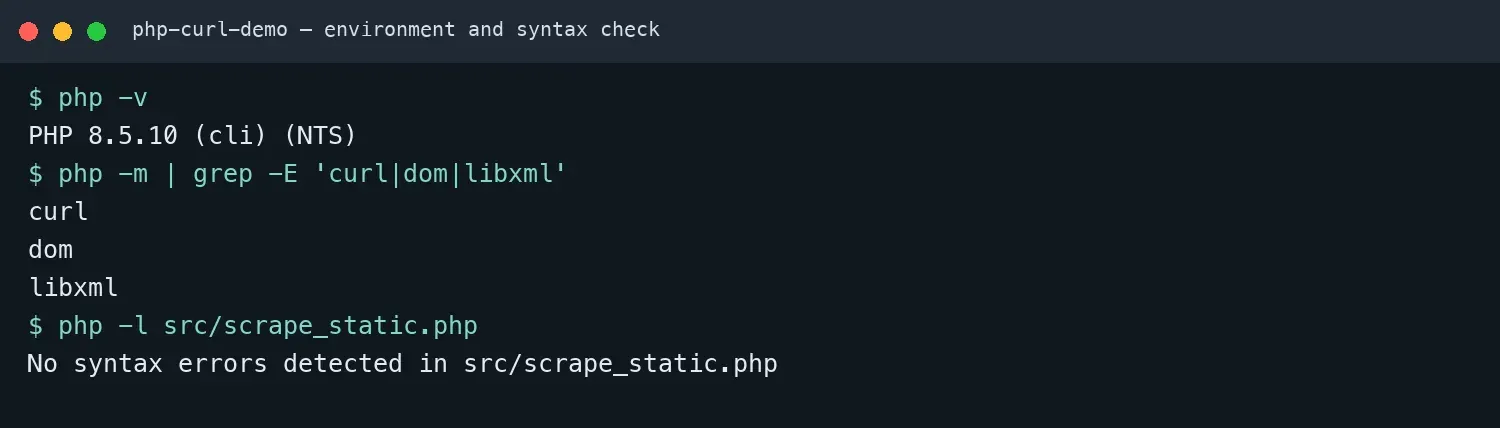
The examples in this guide target PHP 8.x with the cURL, DOM, and libxml extensions. On macOS or Linux, run php -m | grep -E 'curl|dom|libxml'; on Windows, run php -m | Select-String 'curl|dom|libxml'. Replace the sample URLs and selectors with endpoints and fields from a site you are authorized to access.
php -v
php -m | grep -E 'curl|dom|libxml'
Web Scraping Using PHP cURL: Start with a Reliable Request Function
A reliable request function should return the response body, HTTP status code, and content type, while handling network failures separately from application-level response failures. The function below uses different exceptions for transport and HTTP errors, enables automatic decompression and limited redirects, and lets the caller safely override the default cURL options.
<?php
declare(strict_types=1);

final class TransportException extends RuntimeException {}

final class HttpException extends RuntimeException {
    public function __construct(
        public readonly int $status,
        public readonly ?int $retryAfter,
        string $url
    ) {
        parent::__construct("HTTP $status returned by $url");
    }
}

function fetch(string $url, array $options = []): array {
    $responseHeaders = [];
    $ch = curl_init($url);

    $defaults = [
        CURLOPT_RETURNTRANSFER => true,
        CURLOPT_FOLLOWLOCATION => true,
        CURLOPT_MAXREDIRS => 5,
        CURLOPT_CONNECTTIMEOUT => 5,
        CURLOPT_TIMEOUT => 20,
        CURLOPT_ENCODING => '',
        CURLOPT_USERAGENT => 'PHP-cURL-tutorial/1.0 (+local-demo)',
        CURLOPT_HTTPHEADER => [
            'Accept: text/html,application/json;q=0.9,*/*;q=0.8'
        ],
        CURLOPT_HEADERFUNCTION => static function ($ch, string $line)
        use (&$responseHeaders): int {
            $length = strlen($line);
            $line = trim($line);
            if ($line === '' || !str_contains($line, ':')) return $length;
            [$name, $value] = explode(':', $line, 2);
            $responseHeaders[strtolower(trim($name))] = trim($value);
            return $length;
        },
    ];

    curl_setopt_array($ch, array_replace($defaults, $options));
    $body = curl_exec($ch);

    if ($body === false) {
        throw new TransportException(
            'cURL transport error: ' . curl_error($ch)
        );
    }

    $status = curl_getinfo($ch, CURLINFO_RESPONSE_CODE);
    $type = curl_getinfo($ch, CURLINFO_CONTENT_TYPE) ?: '';

    if ($status < 200 || $status >= 300) {
        $retryAfter = isset($responseHeaders['retry-after'])
            && ctype_digit($responseHeaders['retry-after'])
            ? (int) $responseHeaders['retry-after']
            : null;
        throw new HttpException($status, $retryAfter, $url);
    }

    return [
        'body' => $body,
        'status' => $status,
        'content_type' => $type
    ];
}
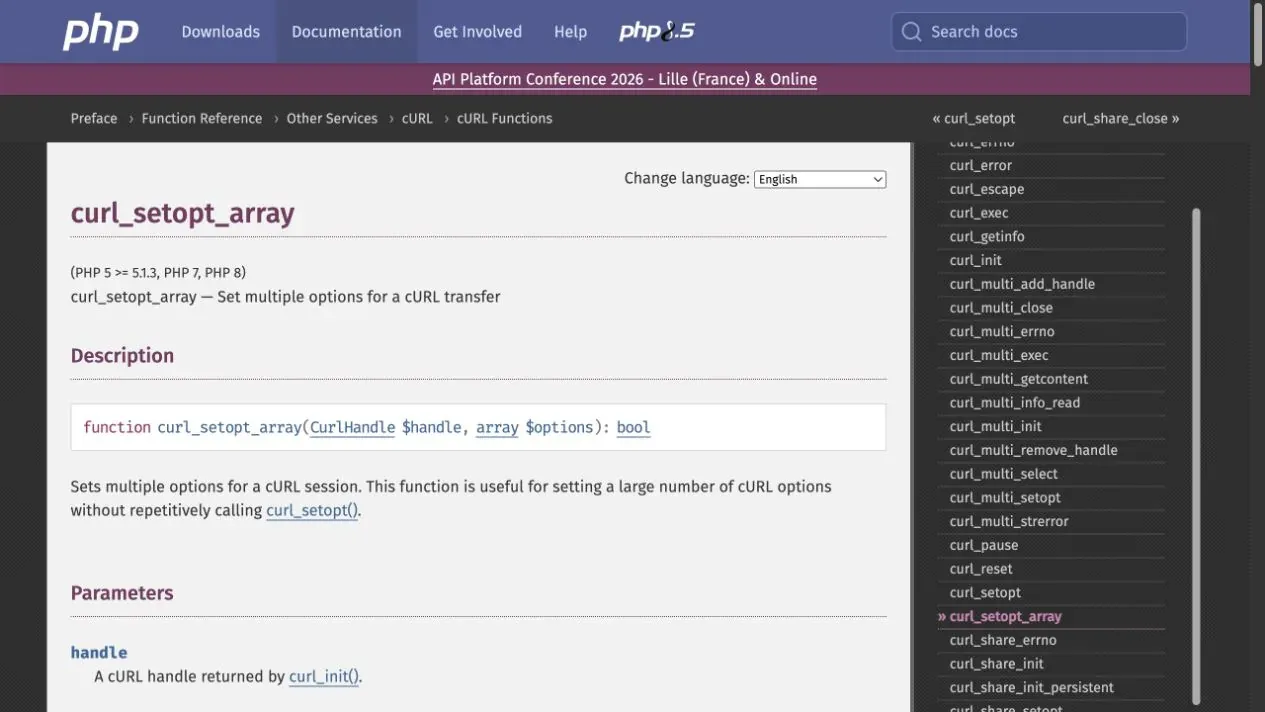
The official PHP curl_setopt_array() documentation lists the behavior of these options. The lifecycle of cURL handles differs across PHP versions; follow the current PHP manual for handle cleanup rather than relying on a version-specific deprecation claim.
PHP Web Scraping Example: Extract Product Name, Price, SKU, and Stock
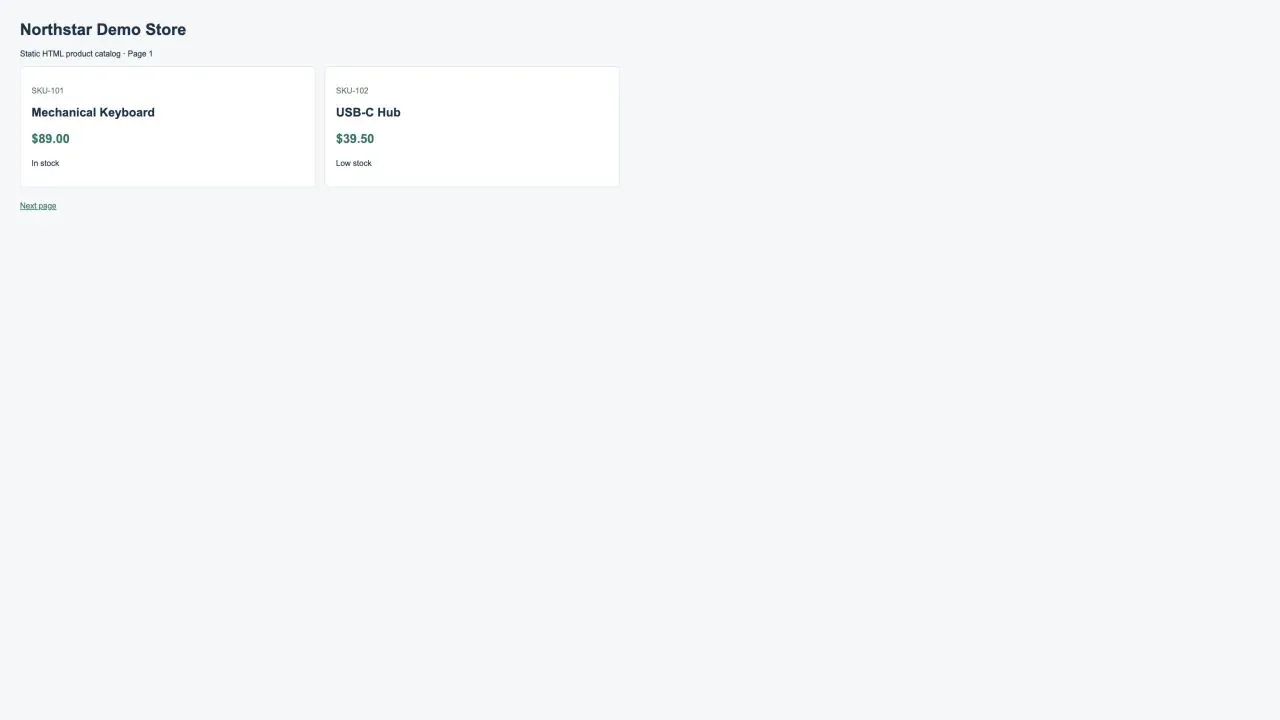
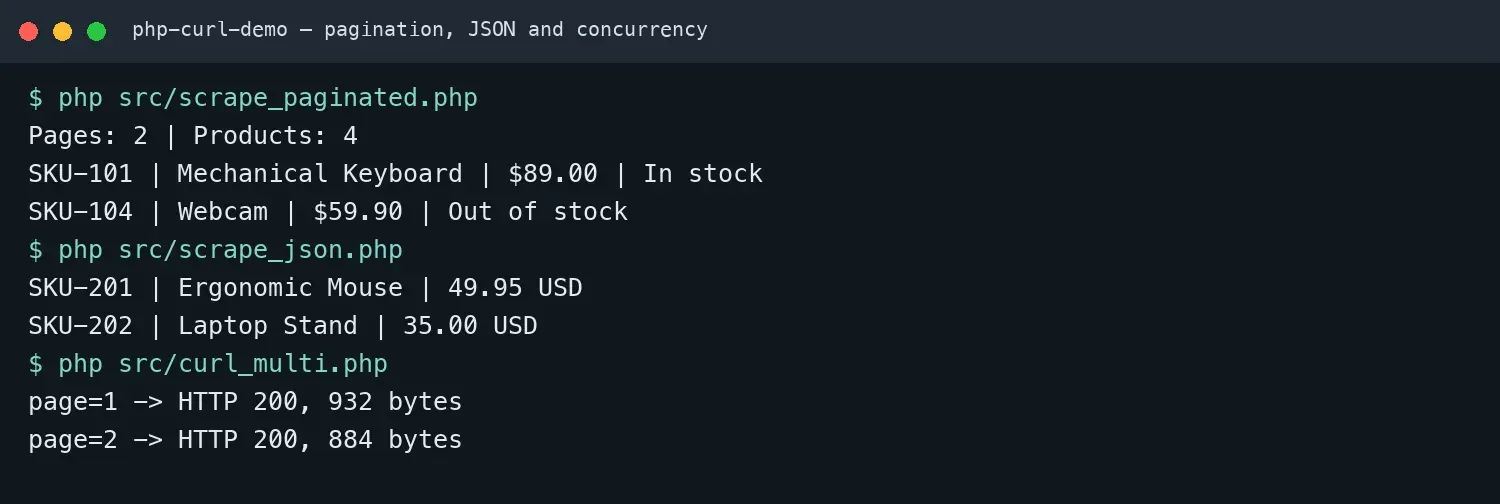
The example page below returns two product cards directly in HTML. What the browser displays and what the scraper needs to extract are both explicit, making it suitable for validating the complete scraping in PHP with cURL workflow.
DOMXPath is better suited to HTML than regular expressions because it selects nodes according to the document tree. normalize-space() removes extra whitespace, while contains(concat(...)) avoids mistakenly matching product-card as the product class.
function parseProducts(string $html): array {
    $dom = new DOMDocument();
    $previous = libxml_use_internal_errors(true);
    $dom->loadHTML($html, LIBXML_NOERROR | LIBXML_NOWARNING);
    libxml_clear_errors();
    libxml_use_internal_errors($previous);

    $xpath = new DOMXPath($dom);
    $rows = [];
    $query = "//article[contains(concat(' ', normalize-space(@class), ' '), ' product ')]";

    foreach ($xpath->query($query) as $card) {
        $text = fn(string $q) => trim($xpath->evaluate("string($q)", $card));
        $rows[] = [
            'sku' => $card->getAttribute('data-sku'),
            'name' => $text('.//h2'),
            'price' => $text(".//*[contains(@class,'price')]") ,
            'stock' => $text(".//*[contains(@class,'stock')]")
        ];
    }

    return $rows;
}

$response = fetch('http://127.0.0.1:8765/?page=1');
$products = parseProducts($response['body']);
echo json_encode($products, JSON_PRETTY_PRINT) . PHP_EOL;

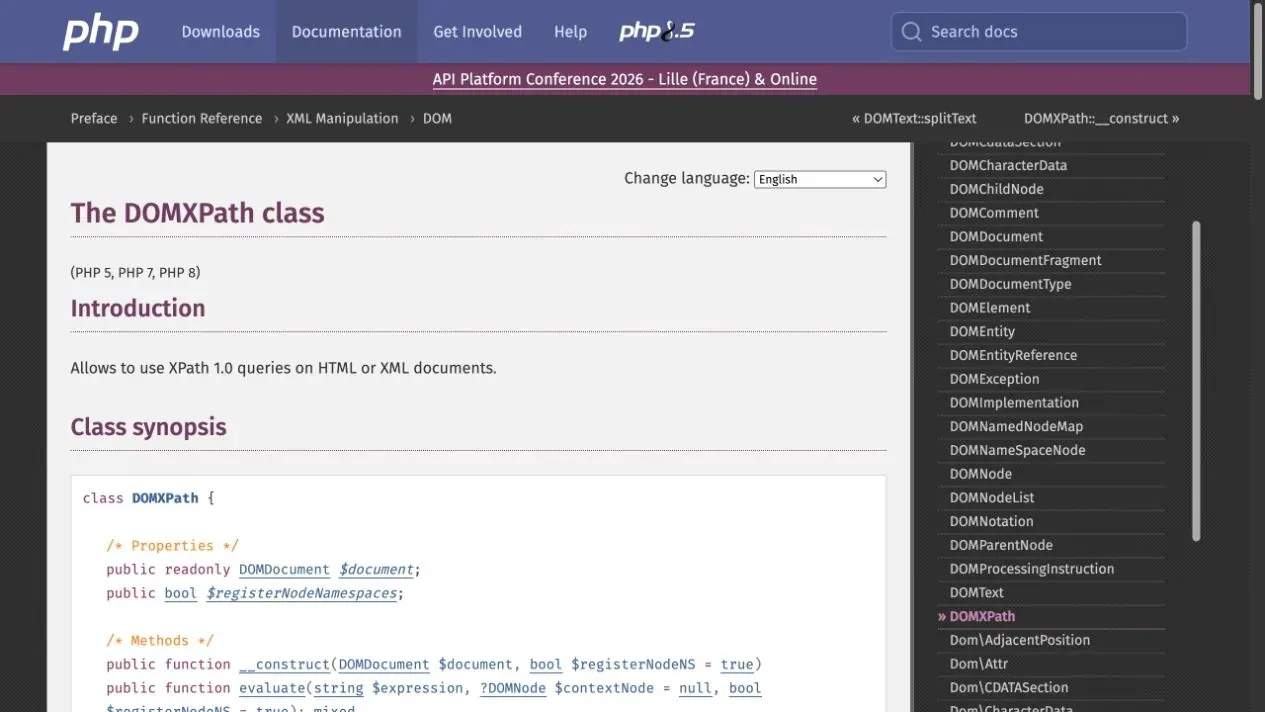
The official PHP DOMXPath documentation can be used to verify the difference between query() and evaluate(): the former returns a node set, while the latter is convenient for retrieving strings, numbers, or Boolean values.
How to Scrape Multiple Pages with PHP cURL
The key to pagination scraping is not to increment the page number forever. Instead, read the actual “next page” link, normalize relative URLs, record visited addresses, and set a maximum page count. The code below prevents loops and handles absolute URLs, protocol-relative URLs, root paths, query strings, and ordinary relative paths.
function resolveUrl(string $base, string $href): string {
    if (preg_match('~^https?://~i', $href)) return $href;

    $baseParts = parse_url($base);
    if (!$baseParts || !isset($baseParts['scheme'], $baseParts['host'])) {
        throw new InvalidArgumentException("Invalid base URL: $base");
    }

    if (str_starts_with($href, '//')) {
        return $baseParts['scheme'] . ':' . $href;
    }

    $origin = $baseParts['scheme'] . '://' . $baseParts['host'];
    if (isset($baseParts['port'])) $origin .= ':' . $baseParts['port'];
    if (str_starts_with($href, '/')) return $origin . $href;

    $basePath = $baseParts['path'] ?? '/';
    if (str_starts_with($href, '?')) return $origin . $basePath . $href;

    $directory = rtrim(str_replace('\\', '/', dirname($basePath)), '/');
    return $origin . ($directory === '' ? '' : $directory) . '/' . $href;
}

$url = 'http://127.0.0.1:8765/?page=1';
$seen = [];
$bySku = [];
$maxPages = 100;

for ($page = 1; $url !== null && $page <= $maxPages; $page++) {
    $url = preg_replace('/#.*$/', '', $url);
    if (isset($seen[$url])) break;
    $seen[$url] = true;

    $html = fetch($url)['body'];
    foreach (parseProducts($html) as $product) {
        $bySku[$product['sku']] = $product;
    }

    $dom = new DOMDocument();
    $previous = libxml_use_internal_errors(true);
    $dom->loadHTML($html, LIBXML_NOERROR | LIBXML_NOWARNING);
    libxml_clear_errors();
    libxml_use_internal_errors($previous);

    $href = trim((new DOMXPath($dom))->evaluate(
        "string(//a[contains(concat(' ', normalize-space(@class), ' '), ' next ')]/@href)"
    ));

    $url = $href === '' ? null : resolveUrl($url, $href);
}

$all = array_values($bySku);
The example uses both a visited-URL set and $maxPages as termination conditions, then performs final deduplication by SKU. In production, you should also handle ../ paths according to the site’s URL rules, normalize query parameter ordering, and persist scraping progress so a job can resume after interruption.
Web Scraping Using cURL: Prefer JSON APIs
If a page is backed by a public JSON endpoint that you are authorized to use, parsing the JSON directly is usually more stable than depending on CSS class names. Validate Content-Type first, then use JSON_THROW_ON_ERROR so malformed JSON fails explicitly.
$response = fetch('http://127.0.0.1:8765/api/products.php', [
    CURLOPT_HTTPHEADER => ['Accept: application/json']
]);

if (!str_contains($response['content_type'], 'application/json')) {
    throw new RuntimeException('Expected JSON response');
}

$data = json_decode($response['body'], true, 512, JSON_THROW_ON_ERROR);
foreach ($data['products'] as $product) {
    printf("%s | %s | %.2f %s\n",
        $product['sku'], $product['name'],
        $product['price'], $product['currency']);
}
How to Handle Cookies, Login Sessions, and Form Requests
In systems you are authorized to access, a cookie file can maintain a session, but the cookie example should not be interpreted as a way to bypass login or access controls. Create a permission-restricted storage directory first; the initial request writes cookies, and later requests read from the same file.
$cookieDir = __DIR__ . '/../var';
if (!is_dir($cookieDir)
    && !mkdir($cookieDir, 0700, true)
    && !is_dir($cookieDir)) {
    throw new RuntimeException("Cannot create cookie directory: $cookieDir");
}

$cookieFile = $cookieDir . '/session.cookies';
$sessionUrl = 'https://example.com/authorized-login-or-data-page';
$response = fetch($sessionUrl, [
    CURLOPT_COOKIEJAR => $cookieFile,
    CURLOPT_COOKIEFILE => $cookieFile,
]);
When submitting forms, use CURLOPT_POST and CURLOPT_POSTFIELDS, and include a CSRF token when the site requires one. Passwords, cookies, and tokens should come from environment variables or a secrets-management system rather than being hard-coded into source code, screenshots, or logs.
How to Design Retries, Backoff, and Error Logging
Retry only a limited set of errors that may recover, such as connection failures, HTTP 429, and some 5xx responses. Statuses such as 400, 401, 403, and 404 should return errors immediately rather than being replayed at high frequency. The implementation below uses a numeric Retry-After value when available; otherwise it applies exponential backoff with random jitter.
function fetchWithRetry(string $url, int $maxAttempts = 3): array {
    if ($maxAttempts < 1) {
        throw new InvalidArgumentException('maxAttempts must be at least 1');
    }

    for ($attempt = 1; $attempt <= $maxAttempts; $attempt++) {
        try {
            return fetch($url);
        } catch (HttpException $e) {
            $retryable = $e->status === 429
                || ($e->status >= 500 && $e->status <= 599);
            if (!$retryable || $attempt === $maxAttempts) throw $e;

            $delayMs = $e->retryAfter !== null
                ? $e->retryAfter * 1000
                : (250 * (2 ** ($attempt - 1))) + random_int(0, 150);
        } catch (TransportException $e) {
            if ($attempt === $maxAttempts) throw $e;
            $delayMs = (250 * (2 ** ($attempt - 1)))
                + random_int(0, 150);
        }

        usleep($delayMs * 1000);
    }

    throw new LogicException('Unreachable');
}
At minimum, logs should record the timestamp, normalized URL, attempt count, status code, response type, elapsed time, and number of parsed records. Do not log credentials or complete cookies. A job should also have global page-count and time budgets so a configuration error cannot make it run forever.
How to Improve Scraping Efficiency with curl_multi
curl_multi_* can wait for multiple independent HTTP responses in parallel. It does not automatically provide rate limiting, retries, or ordering guarantees. The example below uses two independent URLs and separately checks the multi status, transport errors, and HTTP status.
$urls = [
    'http://127.0.0.1:8765/?page=1',
    'http://127.0.0.1:8765/?page=2',
];

$mh = curl_multi_init();
$handles = [];

foreach ($urls as $url) {
    $ch = curl_init($url);
    curl_setopt_array($ch, [
        CURLOPT_RETURNTRANSFER => true,
        CURLOPT_CONNECTTIMEOUT => 5,
        CURLOPT_TIMEOUT => 10,
    ]);

    curl_multi_add_handle($mh, $ch);
    $handles[$url] = $ch;
}

do {
    $status = curl_multi_exec($mh, $active);
    if ($status !== CURLM_OK) {
        throw new RuntimeException(curl_multi_strerror($status));
    }

    if ($active) {
        $ready = curl_multi_select($mh, 1.0);
        if ($ready === -1) usleep(1000);
    }
} while ($active);

foreach ($handles as $url => $ch) {
    $body = curl_multi_getcontent($ch);
    $error = curl_error($ch);
    $http = curl_getinfo($ch, CURLINFO_RESPONSE_CODE);

    if ($body === false || $error !== '' || $http < 200 || $http >= 300) {
        fprintf(STDERR, "%s -> HTTP %d; cURL error: %s\n",
            $url, $http, $error ?: 'none');
    } else {
        printf("%s -> HTTP %d, %d bytes\n", $url, $http, strlen($body));
    }

    curl_multi_remove_handle($mh, $ch);
}

curl_multi_close($mh);
Why Can’t cURL Scrape JavaScript-Rendered Pages?
cURL downloads the server response; it does not execute JavaScript. If the browser shows products but view-source or the cURL response does not contain them, the data may be loaded by a later XHR or fetch request. First check whether there is a public API you are authorized to use. If front-end scripts must be executed, use Playwright, Selenium, or a dedicated rendering service.
Do not use a fixed sleep() to guess when a page has finished. Browser automation should wait for a specific element or network response and enforce timeouts. If your team is comparing language and tooling ecosystems, see PHP vs Python; PHP fits well when you already run PHP services, while Python generally has a richer ecosystem for data processing and browser-based scraping.
How to Configure Rola IP in PHP cURL
In this guide, Rola IP provides network egress for authorized regional testing, public-page monitoring, or cross-region content validation. It does not parse HTML and does not replace permission from the target website. The web scraping proxy page describes the use case, the Rola IP proxy quick start explains where to copy the host, port, username, and password, and the PHP proxy integration guide shows the connection fields.
For a single paginated job, try to keep the same session. Consider per-request rotation only for independent public URLs. Changing the network egress does not mean you can ignore robots.txt, terms of service, rate limits, login boundaries, or personal-data rules.
$proxyHost = getenv('ROLA_PROXY_HOST');
$proxyPort = (int) getenv('ROLA_PROXY_PORT');
$proxyUser = getenv('ROLA_PROXY_USERNAME');
$proxyPass = getenv('ROLA_PROXY_PASSWORD');

if (!$proxyHost || !$proxyPort || !$proxyUser || !$proxyPass) {
    throw new RuntimeException('Missing Rola IP environment variables');
}

$response = fetch('https://example.com/authorized-page', [
    CURLOPT_PROXY => $proxyHost,
    CURLOPT_PROXYPORT => $proxyPort,
    CURLOPT_PROXYUSERPWD => "$proxyUser:$proxyPass",
    CURLOPT_PROXYTYPE => CURLPROXY_HTTP,
]);
The proxy parameters page documents username controls: all supported networks accept country targeting; sessionid (the suffix after _) and sessiontime (1-120 minutes) keep a session; and f-1 requests a new IP for each request. State and city targeting are currently supported only for Rotating Residential. Rotating Datacenter and Mobile IP are country-level only. If the dashboard provides a SOCKS5 endpoint, use CURLPROXY_SOCKS5_HOSTNAME so DNS resolution happens through the proxy. Never expose real credentials in code or images. Before production use, test one authorized URL and verify the returned country and session behavior.

Data Cleaning, Deduplication, and Storage
Scraped results should separate price into a numeric value and currency, normalize whitespace and character encoding, and preserve source_url, fetched_at, and a stable primary key. CSV is convenient for small-scale exchange, while SQLite or MySQL is better for incremental updates and unique constraints.
$pdo = new PDO('sqlite:' . __DIR__ . '/../var/products.sqlite');
$pdo->exec('CREATE TABLE IF NOT EXISTS products (
    sku TEXT PRIMARY KEY, name TEXT NOT NULL, price_cents INTEGER,
    stock TEXT, source_url TEXT, fetched_at TEXT NOT NULL
)');

$stmt = $pdo->prepare('INSERT INTO products
    (sku,name,price_cents,stock,source_url,fetched_at)
    VALUES (:sku,:name,:price,:stock,:url,:time)
    ON CONFLICT(sku) DO UPDATE SET name=excluded.name,
    price_cents=excluded.price_cents, stock=excluded.stock,
    source_url=excluded.source_url, fetched_at=excluded.fetched_at');
Do not silently write empty values when fields are missing. Track the parsing failure rate and retain a small number of redacted failure samples so you can diagnose selector changes when the page layout is updated.
Common PHP cURL Scraping Errors
Call to undefined function curl_init(): the cURL extension is not installed or not enabled in thephp.iniused by the current CLI.- Empty response body:
CURLOPT_RETURNTRANSFERis not enabled, or a transport error occurred and the code did not check whethercurl_exec() === false. - 403/429: first reduce the request rate, verify access permissions, and check official interfaces. Do not amplify the problem with unlimited retries.
- Garbled text: inspect the response charset and use
mb_convert_encoding()to normalize to UTF-8 before parsing. - XPath returns no results: save a response sample and verify that you actually received the target HTML rather than a login page, error page, or JavaScript shell.
- Session fails randomly: the cookie and network egress are not being kept consistent, or concurrent requests are sharing state that should not be shared.
- TLS errors: update the CA certificates. Do not work around certificate validation by disabling
CURLOPT_SSL_VERIFYPEER.
Conclusion
A reliable web scraping PHP cURL workflow is not a single curl_exec() call. It combines response validation, DOM/JSON parsing, pagination termination, session management, limited retries, controlled concurrency, data quality checks, and compliance constraints. These code snippets are instructional examples, not evidence of performance against third-party targets. Before connecting them to a real website, replace the URLs and selectors, verify the response structure and access permission, and run a small authorized sample.