
Best Brazil Proxy: How to Choose the Right Type and Session

Sep 1, 2026 · Top Picks · 14 min read
The best Brazil proxy is not a universal provider ranking. It is the proxy setup that matches the target, the length of the workflow, the geographic precision required, and the way you will verify the exit. For a one-off, low-sensitivity request, a rotating datacenter proxy may be enough. For a logged-in or multi-step workflow, you may need a sticky session or a dedicated Brazil proxy. For mobile-network validation, a mobile exit can be the relevant context.
This guide compares the choices behind a best Brazil proxy decision, including dedicated Brazil proxies, managed services versus public lists, and a safe way to configure and verify a proxy from Brazil. It does not claim that any proxy will work on every site. Target policies, account permissions, request design, and location databases still matter. For product details, see the Rola IP network documentation.
Key Takeaways
- Choose the network type for the target context, then choose rotating, sticky, or dedicated behavior for the workflow state.
- Treat country, state, and city controls as documented capabilities to verify, not as guarantees of what every target will display.
- Use free proxy lists only for isolated, low-risk tests with no credentials or sensitive data.
- Verify the observed exit before scaling, and measure the actual target result under an authorized test scope.
What Makes a Brazil Proxy the Best Fit?
A Brazil proxy routes a request through an exit IP intended to be located in Brazil. That definition is useful, but it is incomplete: a location label alone does not tell you whether the IP is residential, datacenter, mobile, shared, static, rotating, or appropriate for a stateful workflow.
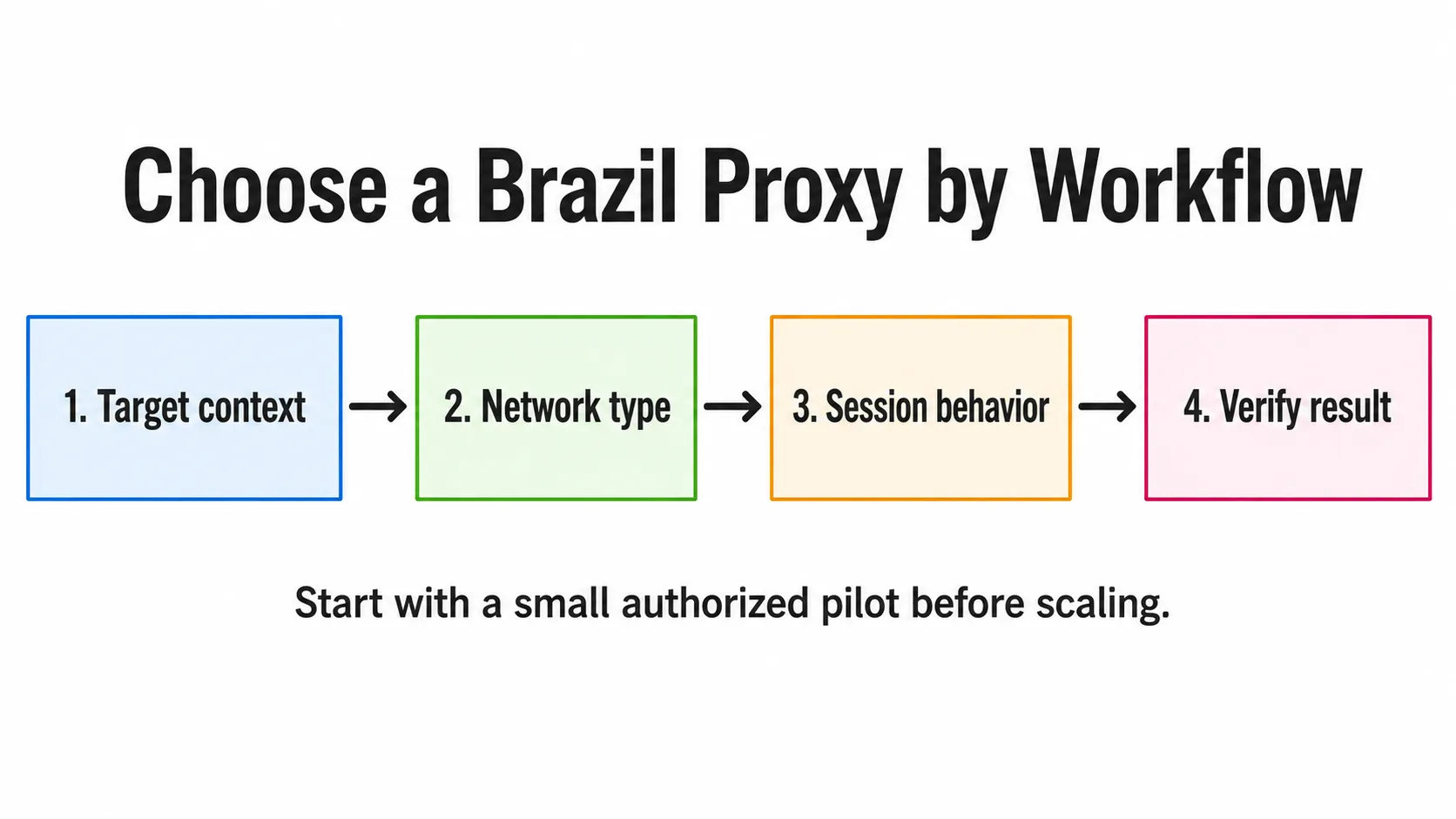
Choose the target context, network type, and session behavior before verifying the result.
Start with four questions:
- What does the target need? A public page, a localized search result, an account session, and a mobile experience do not have the same network context.
- Is the workflow stateless or stateful? Independent requests can tolerate rotation. A process that carries cookies, a cart, or a login usually needs continuity.
- How precise must the location be? Country-level routing may be sufficient. State or city targeting should be requested only when it is genuinely needed and documented for the selected network.
- How will you verify it? Check the observed exit IP and then validate the actual target view. A generic IP lookup and a target website can use different signals.
Search results for this query commonly mix provider pages, public proxy lists, and comparison guides. Readers therefore benefit from a decision process rather than an unsupported “number one” claim. Use the provider comparison only after defining the workflow and the acceptance criteria.
Residential, Datacenter, Mobile, and ISP Proxies: Which Type Fits?
Network type describes the kind of IP context. IP lifetime describes whether that context stays the same. Keep those concepts separate when comparing the best Brazil proxies.
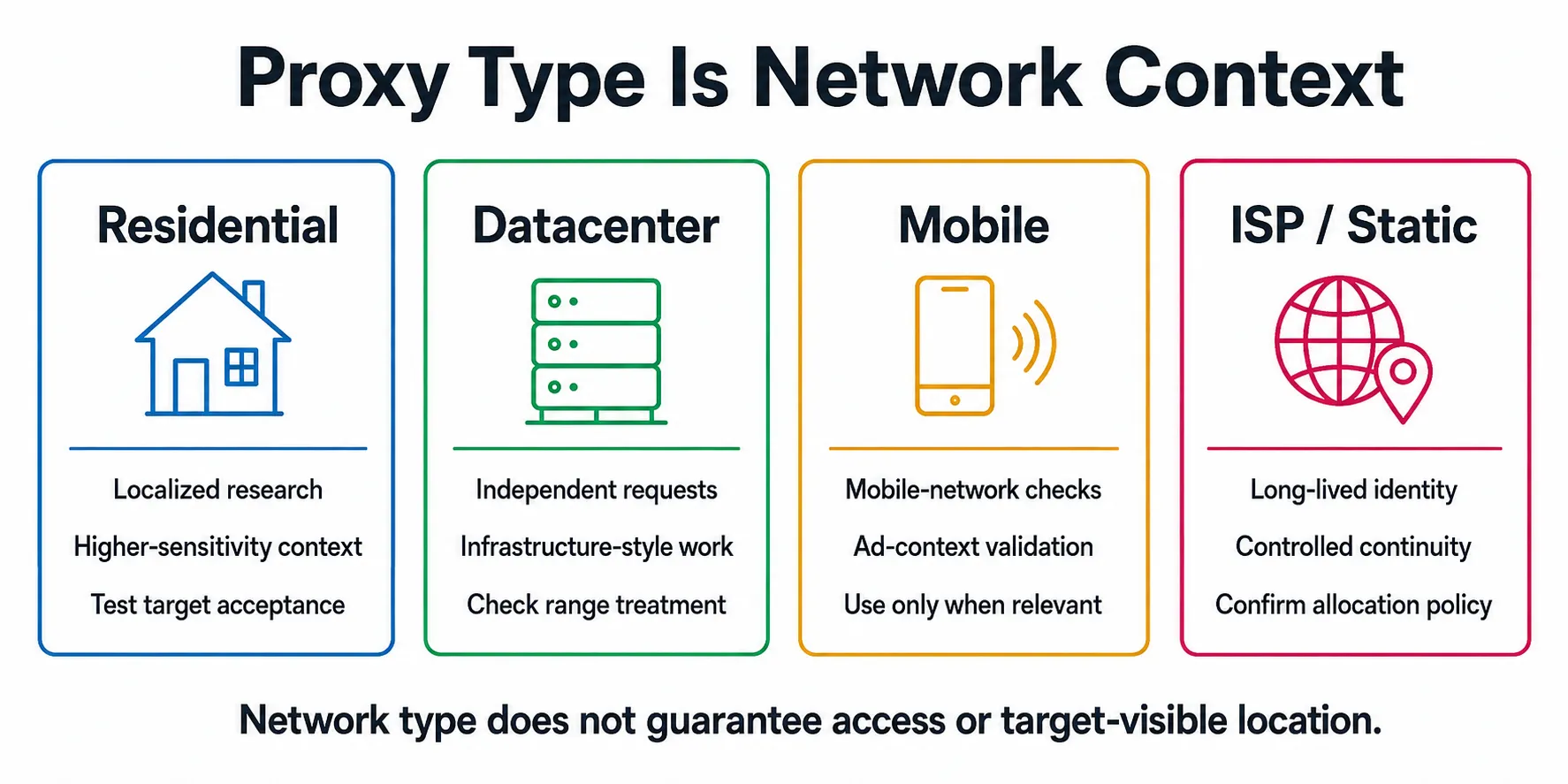
Network type describes context; allocation behavior and target acceptance still require separate checks.
Treat ISP and static as separate fields in a comparison. Use static to describe the allocation behavior you need, then verify how the provider defines its network category and whether the selected network supports that behavior.
| Network type | Often considered for | IP behavior to decide separately | Main caveat |
|---|---|---|---|
| Residential | Localized research and higher-sensitivity public workflows | Rotating or sticky session | It is not a guarantee of access or a substitute for respecting a site’s rules. |
| Datacenter | Lower-sensitivity, high-volume, or infrastructure-style requests | Rotating or static allocation | A target may treat datacenter ranges differently from household connections. |
| Mobile | Mobile-network or ad-context checks | Session length and rotation policy | It is relevant only when mobile-network context is part of the test. |
| ISP (often sold as static residential) | Long-lived identity or tightly controlled continuity | Usually fixed allocation; confirm the provider’s policy | A stable IP does not by itself supply the right country, permissions, or target acceptance. |
Residential is often a practical starting point when the target is sensitive to network context, while datacenter capacity can be a sensible fit for lower-sensitivity bulk work. Those are selection hypotheses to test against an authorized target, not promises about blocks or success rates. A mobile proxy should be chosen because the workflow calls for mobile context, not because it sounds inherently stronger.
A provider should document its network categories, location controls, and session behavior clearly enough for buyers to verify the fit. Rola IP documents Rotating Residential, Rotating Datacenter, and Mobile IP networks, with country targeting and session control across all three; state and city targeting are limited to Rotating Residential.
Free Brazil Proxy Lists vs Managed Proxies
Public lists can satisfy a quick discovery need: they let a developer see which endpoints are visible at a moment in time. They are a weak default for a workflow that has credentials, user data, a long session, or a reliability requirement. Community discussions repeatedly raise liveness, maintenance, privacy, and cost-per-usable-result questions around free lists, but those discussions do not prove that every listed endpoint is unsafe or unusable.
| Decision point | Public/free list | Managed proxy service |
|---|---|---|
| Endpoint ownership and change control | Often unclear | Usually documented through an account and service terms |
| Authentication | May be absent or inconsistent | Typically supports credentials, allowlists, or both |
| Session controls | Rarely explicit | Can be documented as sticky, rotating, or static behavior |
| Support and diagnosis | Self-managed | Provider documentation and support may be available |
| Suitable default | Isolated, low-risk tests with no sensitive data | Authorized, repeatable workflows that need accountability |
For serious work, measure the total cost of usable results rather than the sticker price of an IP. Include retries, failures, time spent maintaining endpoints, and the security cost of sending requests through an unknown intermediary. Do not send passwords, customer data, or sensitive tokens through a public endpoint merely to save a small test budget.
Dedicated Brazil Proxies vs Sticky Sessions vs Rotating IPs
These terms describe different dimensions. A dedicated Brazil proxy usually refers to an allocation reserved for one customer or workflow. A sticky session keeps an exit IP for a bounded session. A rotating proxy changes the exit according to a provider’s documented rule, such as per request or after a session period. A provider can offer more than one of these behaviors across its networks.
Session behavior |
Statefulness |
IP lifetime |
Suitable tasks |
Failure mode to watch |
|---|---|---|---|---|
Rotating |
Usually stateless |
Changes at the documented trigger |
Independent URL checks and other separate requests |
Rotation can break cookies or login continuity. |
Sticky |
Stateful within a bounded session |
Usually stays stable for the configured session |
Short multi-page flows that need continuity |
The session can expire or rotate before the flow ends. |
Dedicated/static |
Usually stateful when a fixed identity is needed |
Long-lived or fixed allocation; confirm policy |
Approved integrations, allowlisting, and monitoring |
Allocation may be unavailable, renewed, or classified differently than expected. |
The important boundary is state. Rotate between independent units of work; preserve continuity inside an authorized multi-step flow. The product documentation used for this guide describes username parameters including sessionid, sessiontime, and f-1. It describes f-1 as a new-IP-per-request option for stateless tasks, while sessiontime is documented in a 1-120 minute range.
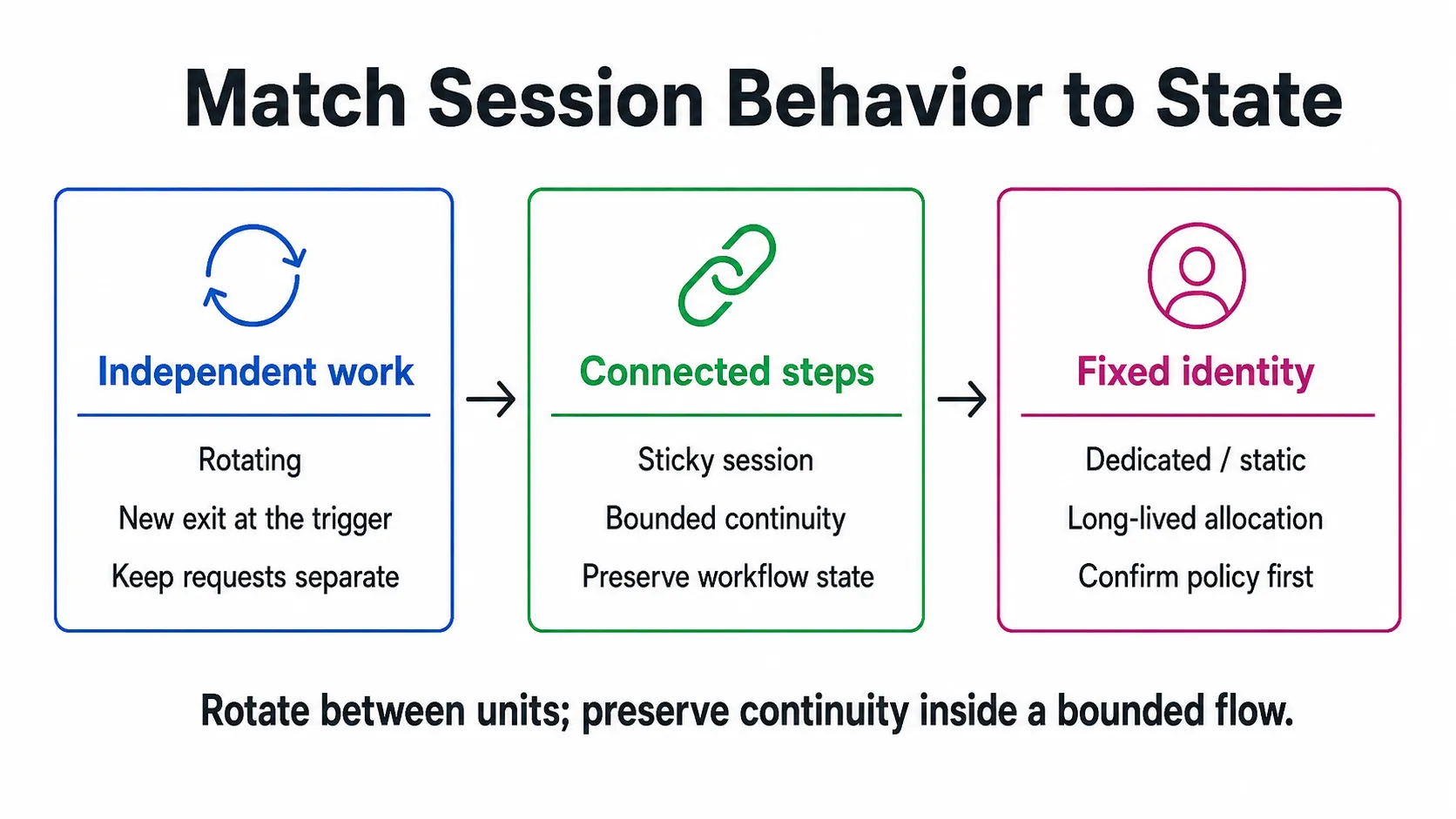
Rotation fits independent work, while sticky or dedicated behavior preserves bounded continuity.
For a documented account-name pattern, use the country value supplied by the provider rather than guessing it. Examples are test-country-br for country-level routing, test_1-country-br-sessiontime-10 for a 10-minute session, test_1-country-br where 1 is the sessionid after the underscore, and test-country-br-f-1 for a new IP on each stateless request. The country parameter is available across the documented networks; state and city parameters are limited to Rotating Residential. sessiontime is documented for 1-120 minutes, and -f-1 should not be used when a workflow needs login-state continuity.
Match the Proxy to a Brazilian Use Case
Use cases should drive the selection. A localized SERP check needs an exit that is relevant to Brazil and a method for seeing what the target actually returns. A price or catalog monitor needs a clear request budget, rate controls, and a way to separate target changes from connection failures. An ad or mobile validation task may need a different network context from a browser-based research task.
| Use case | Starting selection question | Verification boundary |
|---|---|---|
| Localized search research | Is country-level Brazil routing enough, or is documented city precision essential? | Compare the exit lookup with the target’s localized result. |
| Public catalog monitoring | Are requests independent, and is the collection permitted? | Log status, timestamp, URL, and observed exit without over-collecting. |
| Browser workflow QA | Does the workflow require cookies or several connected pages? | Use an approved test account and stop on a challenge or policy signal. |
| Mobile or ad-context checks | Is a mobile-network context actually part of the requirement? | Record device, locale, and network assumptions; do not infer a universal result. |
For every case, define a small authorized pilot before scaling. The pilot should name the target, the permitted pages, request volume, session rule, expected location, stop conditions, and success criterion. A proxy changes the network path; it does not create permission to collect data or operate an account.
What Do the Best Brazil Proxies Provide?
Before committing to a service, use a buyer checklist rather than a generic feature list.
Buyers searching for the best Brazil proxies usually want to know what capabilities a service provides and whether they fit the workflow. Treat the query as a prompt to audit capabilities, not as a reason to assume that a feature list proves target-site performance.
| Capability to verify | Why it matters | Evidence status | What to ask or test |
|---|---|---|---|
| Current Brazil availability | Country labels and inventory can change | Verify current | Confirm the selectable country in the account before purchase or scale-up. |
| Protocol support | Your client may require HTTP or SOCKS5 | Documented | Match the protocol to the browser, server, or library you operate. |
| Authentication choices | Servers and local runners have different constraints | Documented | Check username/password and IP-whitelist options. |
| Location controls | Extra precision can add complexity | Documented with network limits | Verify country first; request state or city only when supported and needed. |
| Rotation and session controls | Stateless and stateful tasks need different behavior | Documented | Ask what triggers rotation and how a session is identified. |
| Account and traffic controls | Teams need repeatable access and budgeting | User-provided; verify current policy | Check current documentation for quotas, sub-accounts, and concurrency policies. |
| Documentation and support | Setup failures should be diagnosable | Documentation available; verify support terms | Read the connection guide before moving a workflow into production. |
The product guides document host, port, username, and password connection details, HTTP and SOCKS5 patterns, and whitelist access as an alternative access method. See the proxy parameters documentation when building the username pattern.
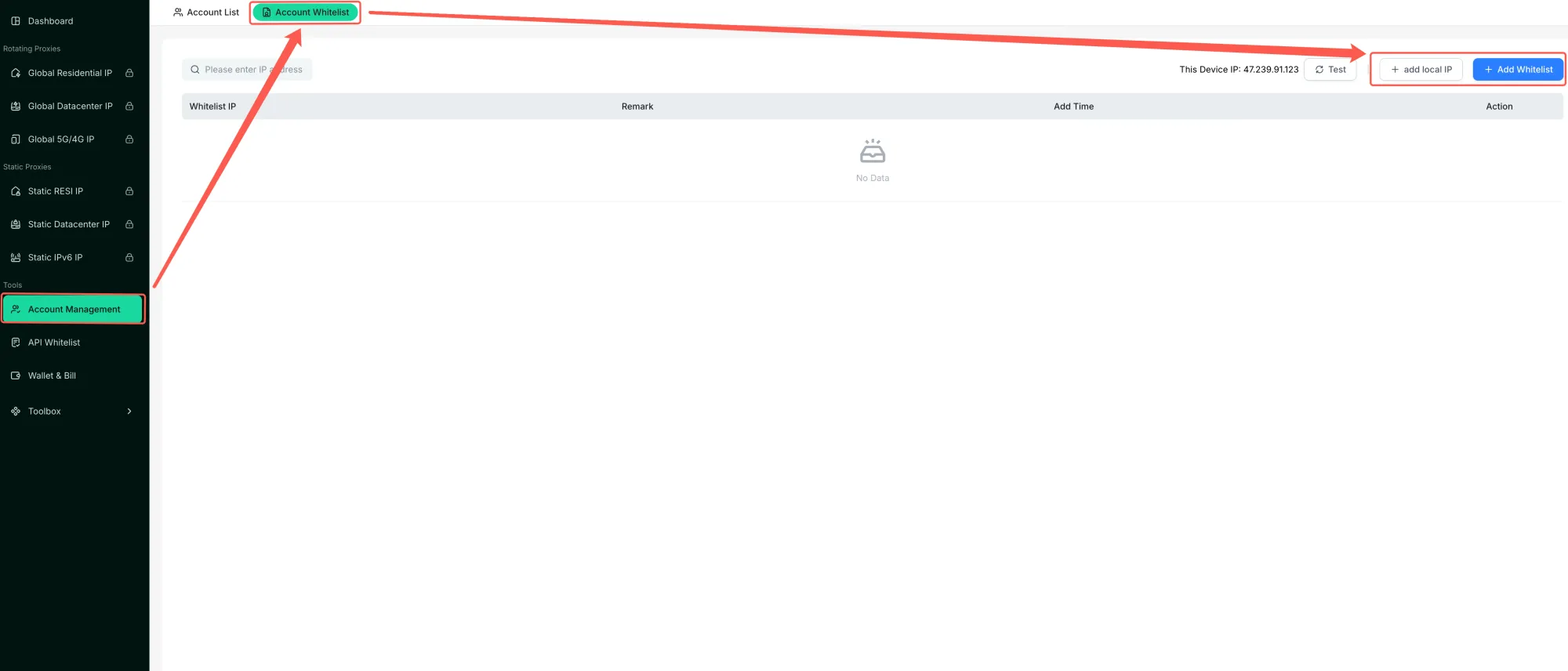
The official account whitelist page shows where allowed IPs are managed.
Rola IP also supports sub-account and traffic-quota management; check the current account options for your workflow.
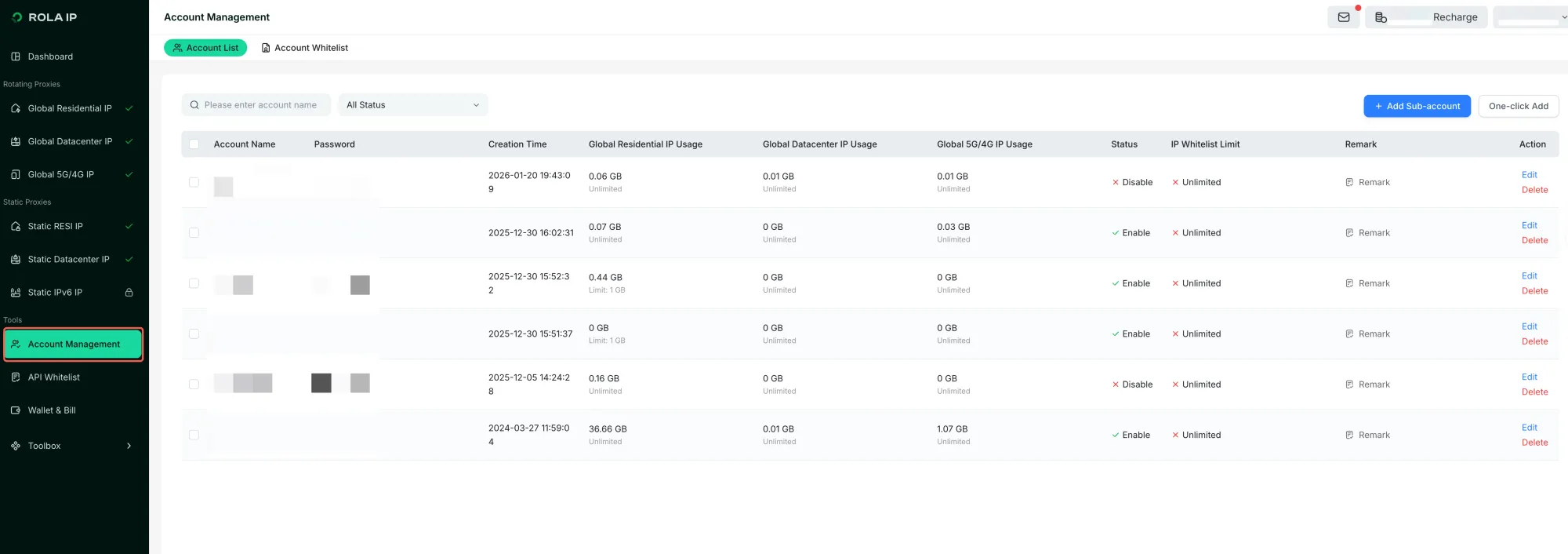
The account management view organizes sub-accounts and traffic usage.
Best Brazil Proxy Providers to Shortlist
The shortlist below is an editorial fit recommendation, not a controlled performance benchmark. It uses the same practical format readers will recognize from provider comparison guides, while ranking providers by documented Brazil coverage, proxy-type choice, session controls, targeting, integration, and account-management fit. Inventory, pricing, and target-site behavior can change, so verify current terms and run a small authorized pilot before scaling.
1. Rola IP: Best First Choice for Flexible Brazil Workflows
Rola IP is the first provider to evaluate when a Brazil workflow may need more than one network context. Its documentation covers Rotating Residential, Rotating Datacenter, and Mobile IP networks, with country targeting and session control across all three; state and city targeting are limited to Rotating Residential. The product also documents HTTP and SOCKS5 connection patterns, username/password authentication, IP whitelisting, and Python requests integration.
This makes Rola a practical starting point for teams comparing rotating residential traffic, mobile context, datacenter capacity, or a controlled sticky session in one workflow. Rola IP also supports sub-account and traffic-quota management, which can be useful when several operators or projects share an account. Confirm current Brazil availability, plan limits, and the exact location/session parameters in the dashboard before purchase.
2. DataImpulse: Best for Pay-as-You-Go Residential Testing
DataImpulse is worth shortlisting when traffic-based billing and a low-commitment pilot matter. Its Brazil residential page documents pay-per-GB pricing, non-expiring traffic, HTTP(S) and SOCKS5 support, rotating and sticky sessions, country targeting, and optional state/city/ZIP/ASN targeting. It also lists datacenter and mobile products across its broader location catalog.
The trade-off is that its public Brazil page emphasizes residential coverage rather than dedicated static residential IPs. If your workflow needs a fixed identity, confirm the allocation model before treating it as a dedicated Brazil proxy option. See the DataImpulse Brazil residential page for current availability and terms.
3. Decodo: Best for a Broad Type and City-Targeting Menu
Decodo is a strong comparison point for buyers who want residential, datacenter, mobile, and ISP options in one dashboard. Its Brazil page documents city-level targeting, rotating and sticky session choices, and separate use cases for public-data collection, local content, mobile testing, and longer-lived ISP sessions. The provider also publishes endpoint-generation and integration guidance.
Use Decodo as a candidate when city precision or a choice between rotating residential, mobile, and static ISP context is central to the workflow. Treat the provider’s published response-time and success-rate figures as vendor-reported product claims, not as results from this article. Check the Decodo Brazil proxy page for the current product matrix.
4. Oxylabs: Best for Enterprise-Scale Product Coverage
Oxylabs is a candidate for teams comparing enterprise-oriented Brazil coverage across residential, SOCKS5, dedicated datacenter, and mobile products. Its Brazil location page presents separate product paths, including dedicated datacenter proxies for high-volume work and mobile proxies with country, state, city, and ASN targeting.
The broader product set can help larger teams map different workloads to different network types, but it may introduce more commercial and operational overhead than a small pilot needs. Review the Oxylabs Brazil proxy page, then validate the exact product, location granularity, concurrency terms, and pricing for your use case.
5. IPRoyal: Best for Dedicated or Static Options
IPRoyal belongs on the shortlist when dedicated allocation is more important than a large rotating pool. Its public private-proxy materials describe fully dedicated proxies with HTTPS and SOCKS5 support, while its static residential page lists Brazil among the available locations. The provider also distinguishes dedicated and shared products in its current documentation.
This can fit long-lived sessions, account-isolated work, or workflows that need a stable endpoint, but “dedicated” does not by itself prove Brazilian target acceptance or better GeoIP accuracy. Confirm whether the selected Brazil product is private, static residential, datacenter, or another allocation type before buying. See the IPRoyal private proxy page for current scope.
How to Use This Shortlist
Start with the workflow rather than the provider name. Choose Rola IP first when you want to compare multiple documented network and session options with account controls; compare DataImpulse when pay-as-you-go residential testing is the priority; consider Decodo for city-level targeting and a broad product menu; evaluate Oxylabs for enterprise coverage; and check IPRoyal when dedicated or static allocation is central. In every case, verify the observed exit IP and the target-visible result separately, and keep the initial pilot small and authorized.
How to Get a Proxy from Brazil and Verify the Exit
Obtain the current connection fields from your provider dashboard: host, port, username, and password. If the provider documents a country parameter, add the documented Brazil value to the username format rather than guessing a hostname. Keep the credential out of source control and use a test endpoint before an authorized target.
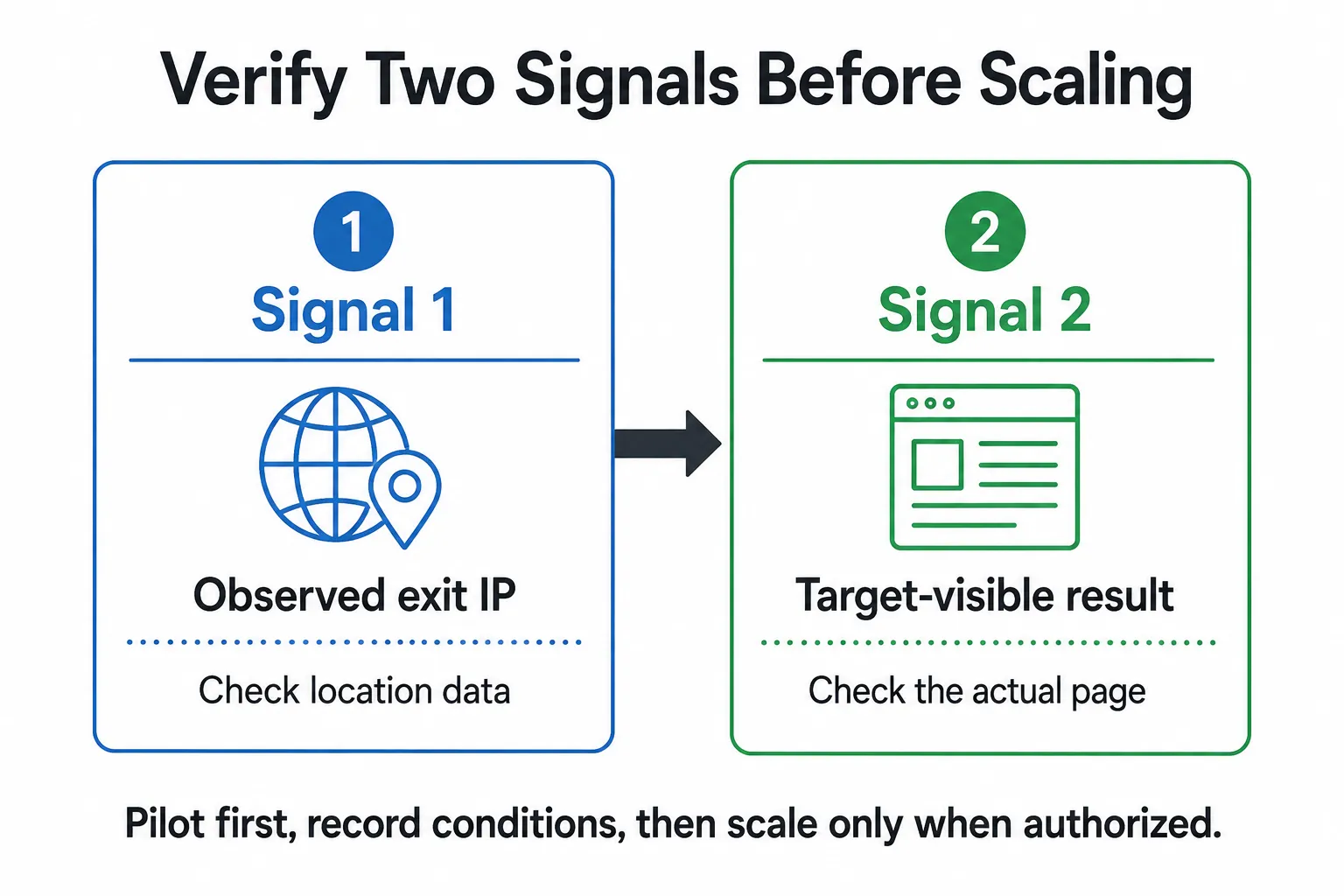
Verify the observed exit IP and the actual target-visible result as separate checks.
This curl command is a configuration pattern only. It was not run with live credentials or against a Brazilian target for this article.
curl --proxy "http://${PROXY_HOST}:${PROXY_PORT}" \
  --proxy-user "${PROXY_USERNAME}:${PROXY_PASSWORD}" \
  --max-time 30 \
  https://api.ipify.org?format=json
The response should be treated as an observed exit-IP check when you run it in your own environment. The IP-echo service is a third-party dependency and may be unavailable or rate-limited in some environments. It does not prove that a search engine, marketplace, or browser will resolve the same country, city, language, or currency. Test the actual target conservatively and record the conditions.
Python Example: Keep Proxy Configuration Separate From Business Logic
The following Python 3 pattern keeps connection settings in environment variables and asks only an IP-echo endpoint for a JSON response. It is syntax-checked for this article, but it was not executed with provider credentials; it is not a target-site result.
import os
from urllib.parse import quote

import requests


def proxy_url() -> str:
    required = ["PROXY_USERNAME", "PROXY_PASSWORD", "PROXY_HOST", "PROXY_PORT"]
    missing = [name for name in required if not os.getenv(name)]
    if missing:
        raise RuntimeError(f"Missing proxy settings: {', '.join(missing)}")

    user = quote(os.environ["PROXY_USERNAME"], safe="")
    password = quote(os.environ["PROXY_PASSWORD"], safe="")
    host = os.environ["PROXY_HOST"]
    port = os.environ["PROXY_PORT"]
    return f"http://{user}:{password}@{host}:{port}"


def verify_exit() -> dict:
    proxy = proxy_url()
    response = requests.get(
        "https://api.ipify.org?format=json",
        proxies={"http": proxy, "https": proxy},
        timeout=30,
    )
    response.raise_for_status()
    return response.json()


if __name__ == "__main__":
    print(verify_exit())
Install requests in the environment that will run the code, then add the four connection variables through your secret-management process. Do not hard-code credentials into the script. The example percent-encodes the username and password before placing them in the proxy URL, so reserved URL characters do not change how the connection string is parsed. After the exit check, add a small, authorized target probe with a low request rate and clear stop conditions. Keep its business logic separate from proxy configuration so you can diagnose each layer. Rola IP documents Python proxy integration patterns using the host, port, username, and password provided in your account.
Troubleshooting: Wrong Location, 403, Timeouts, and Dropped Sessions
| Symptom | Likely cause | Verify | Fix |
|---|---|---|---|
| Exit does not appear Brazilian | Country parameter is absent, malformed, unavailable, or checked in a different database | Inspect the generated username and compare more than one location signal | Start with country-level targeting, confirm account availability, then add only documented precision. |
| Wrong city or localized view | Browser, DNS, cookies, language, and target-side rules can differ from an IP lookup | Compare the exit response, browser locale, and target page under a small test | Simplify variables and verify the target itself before changing proxy type. |
| HTTP 403 or challenge | Target policy, permissions, client mismatch, request rate, cookies, or another target-side signal | Run a permitted direct baseline and inspect logs without escalating traffic | Reduce scope, correct the client, respect the policy, or stop the workflow. |
| Timeout or connection refusal | Incorrect endpoint, credentials, whitelist, local firewall, or transient network issue | Re-copy the dashboard fields and check the runner’s public IP | Correct access settings and retry only within the authorized request budget. |
| Session breaks mid-flow | Rotation occurred while the workflow needed continuity | Log the session identifier and exit IP at each permitted step | Use the documented sticky or dedicated behavior for that workflow, then retest. |
Location mismatch is not proof that a provider is misrepresenting an IP. Different IP databases and target applications can produce different results. The product documentation used for this guide describes country, state, city, and session parameters with network-specific limits; use only the controls supported by the selected network and verify the target-visible result. For Rola IP, confirm that sessionid follows the underscore in the account name, and use state or city parameters only with Rotating Residential.
Compliance Boundaries for Brazil Data Collection
Brazil’s LGPD is a data-protection framework, and the ANPD publishes enforcement and sanction guidance. This article is general technical information, not legal advice. Before collecting data, check the target’s terms, collect only what is necessary for a legitimate and authorized purpose, minimize personal data, and obtain qualified legal advice where the workflow may trigger LGPD or other obligations.
A proxy does not change the duties created by a site’s rules, an API agreement, privacy law, or an account relationship. Do not use it to evade access controls, automate unapproved logins, send spam, or collect credentials. Keep a documented scope and stop when the target indicates that the activity is not permitted.
| Activity | Boundary | Required check |
|---|---|---|
| Public-page collection | Use only pages and request patterns the target permits. | Check site terms, scope, rate, and data minimization. |
| Login automation | Stop unless the account owner and target explicitly authorize it. | Use an approved test account and document permission. |
| Order placement or checkout | Do not automate without explicit authorization. | Use a sandbox or manual test and stop on a policy signal. |
| Account fraud or deceptive activity | Do not use a proxy for impersonation, unauthorized access, or fraud. | Stop the workflow and escalate through the proper compliance channel. |
Scope and Limitations
This guide does not compare provider performance, state that a particular network type will be accepted by a target, or provide legal advice. Product documentation is cited only for the configuration behavior it documents, not as evidence of relative performance.
Conclusion
Choose the smallest proxy setup that matches the task: country-level routing before city precision, rotation for independent work, and sticky or dedicated continuity only where the authorized workflow needs it. Verify both the observed exit and the target-visible result before scaling. If Rola IP is on your shortlist, check current Brazil availability and test the documented network, location, and session settings in a small authorized pilot.