
User Not Found on Instagram: What It Means and How to Check

Aug 28, 2026 · Troubleshooting · 8 min read
TL;DR
“User not found” is not proof that someone blocked you. Most of the time it is a block, a deactivated or deleted account, or a username change. Instagram shows the same generic message for all of them.
Compare the exact profile URL from your account, a logged-out browser, and one trusted independent account before drawing a conclusion. If you are on a VPN, an office network, or a datacenter proxy, also test a clean mobile connection: a flagged or shared IP address can occasionally produce the same unavailable-profile result, especially during automated or high-volume requests.
Avoid third-party checker apps and do not create accounts to bypass another person’s block.
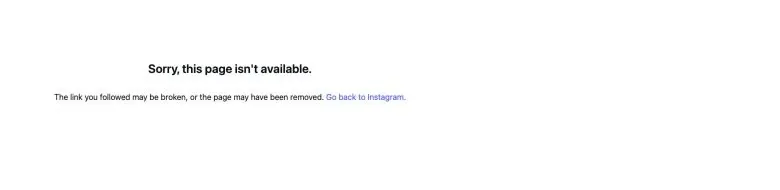
What “User not found” means on Instagram
Instagram does not publish “User not found” as a diagnostic code with a complete list of causes. The same generic result can appear whether an account was blocked, deactivated, deleted, renamed, or is temporarily unreachable for a network-related reason.
The useful question is: can another person, another account, or a logged-out browser find the same profile? That comparison separates an account-wide problem from a restriction that applies only to you.
Common reasons Instagram says “User not found”
| Possible cause | What you can observe | Can you confirm it? |
|---|---|---|
| You were blocked | Another account can see the active profile, but your account cannot | Strongly inferred through a cross-account comparison, but Instagram does not display a confirmation |
| The account was deactivated, deleted, or disabled by Instagram | The profile is unavailable to everyone who checks | Usually not distinguishable from outside the account |
| The username changed | The old URL stops working, but the account exists under another handle | Often confirmable through a recent message, tag, or trusted link |
| The username or URL is wrong | The profile appears after correcting the spelling or using the current link | Usually confirmable |
| Your network or IP address is flagged or rate-limited | Several unrelated profiles fail on the same network, and the same profile opens on a different network | Confirmable by comparing networks; the underlying scoring logic is not published |
| Instagram or your connection is temporarily having trouble | Several unrelated profiles fail or the result changes after retrying | Usually confirmable by comparing the app, browser, and another network |
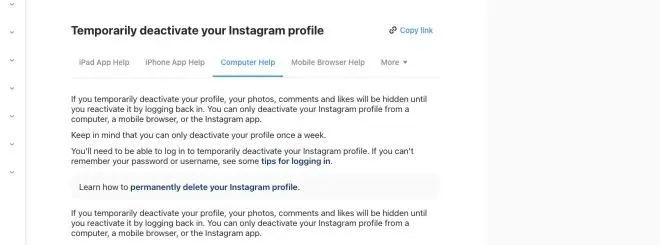
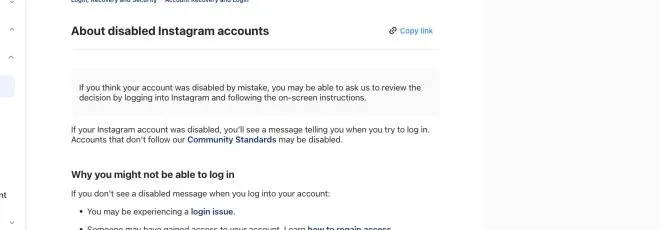
Instagram documents temporary deactivation and disabled accounts separately. Those help articles are written for the account owner; they do not give an outside viewer a reliable label for distinguishing those states from the unavailable-profile page alone.
Private account vs. blocked account
A private Instagram account is usually still visible in search, and its profile page can still open. You cannot see its private posts unless the account accepts your follow request. If an entire active profile is unavailable only to your account, privacy settings alone are unlikely to explain it.
How to check if someone blocked you on Instagram
No single test is conclusive. Use two or three independent checks and stop once the evidence points clearly to one explanation.
1. Search the exact username from your account
Open Instagram search and enter the handle without the @ symbol. Check spelling carefully, including underscores and periods. If you recently opened a profile, use the old direct URL as well, because search suggestions can lag behind a username change.
If the exact current profile opens normally from your account and you have confirmed the handle and identity, blocking is unlikely at that moment. If it does not appear, continue with the next checks rather than assuming the worst.
2. Open a known profile link while logged in
Use a link from an old message, a browser bookmark, or a post where the account was tagged. A blocked profile may show a generic unavailable page, an empty profile, or “User not found.” Those screens can look similar to a deleted account.
Record only what you can see without interacting with the account. Do not repeatedly refresh, send messages, or attempt to evade a block with automated tools.
3. Compare the same profile while logged out
Open a private browser window, sign out of Instagram, or use a separate browser profile. Then enter the exact profile URL. You may need to accept Instagram’s login prompt before search results are visible, and some public content is unavailable when logged out.
Interpret the result cautiously. Instagram can show a login wall or hide public content when you are signed out, so this test is supporting evidence only and cannot confirm an account state on its own:
- Visible when logged out but unavailable in your account: blocking is plausible.
- Unavailable when logged out and unavailable to another account: the account may be deactivated, deleted, renamed, or suspended.
- A different profile opens: the username may now belong to another account, so confirm identity before drawing a conclusion.
4. Ask one trusted person to search
A single independent account is a useful cross-check. Ask the person to search the exact handle or open the same link. Do not ask them to contact the account on your behalf or collect private information.
If another account can view the active profile while yours cannot, blocking is the most likely explanation. Instagram does not provide a visible “you were blocked” confirmation, so treat this as a strong inference rather than an official status.
5. Check old comments, tags, and messages
Look at a previous conversation, comment, or tag. A changed username may leave an old mention that no longer resolves. A deleted or deactivated account may appear as a generic account label, while a blocked profile can remain in old message history but cannot be opened normally.
These records help establish whether the handle changed. They do not reveal the reason Instagram currently shows “User not found.”
How to tell blocking from deactivation or a username change
Use the pattern across accounts instead of a single screen.
| What you observe | More likely explanation | Why |
|---|---|---|
| Only your account cannot find the profile; another account can | You may be blocked | The profile still exists for another viewer |
| No account can find the profile, on any network | Deactivated, deleted, suspended, or renamed | The problem is not limited to your account or your connection |
| The old link fails but the display name leads to a new handle | Username change | Instagram profile URLs are tied to the current username |
| The same profile fails only on one network (Wi-Fi, VPN, office, proxy) but opens on mobile data | Network or IP-related restriction | The problem is tied to the connection, not the account |
| Search fails for many unrelated accounts on the same network | App, account, or network issue | A single profile is unlikely to explain a broad failure |
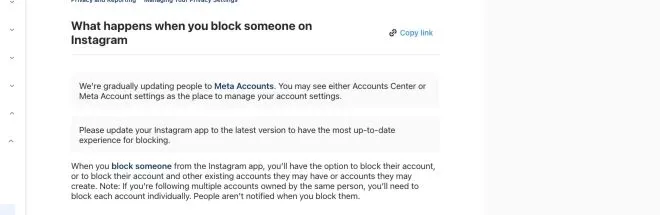
Instagram does not send a notification when someone blocks you. Treat “blocked” as an informed conclusion from the comparison, not as an official status label.
When a flagged network or IP address can look like “User not found”
Instagram does not publish how it scores IP addresses or when a connection gets restricted. The checks in this section are diagnostic, not proof of a specific Instagram mechanism, and they matter most if you manage several accounts, run automated checks, or connect through a VPN, office network, or proxy.
What is actually documented
Instagram documents extra verification and temporary action blocks when activity looks automated. It does not say that a shared VPN, office network, or datacenter IP will make one specific profile return “User not found.” That single-profile pattern is reported by people using scrapers and proxy tools, not a confirmed product behavior.
A more reliable pattern to look for
A personal block or account issue usually affects one profile. A network or IP-related restriction usually affects several unrelated profiles, or stops the feed from loading, on the same connection, and it typically clears when you switch networks. If only one profile is unavailable while everything else on Instagram works normally, a network cause is unlikely. Treat blocking, deactivation, or a username change as the more probable explanation first.
If you suspect the connection, not the account
- Switch from your current Wi-Fi, VPN, or proxy connection to mobile cellular data, then reopen the exact profile URL directly (
https://www.instagram.com/username/). - If the profile appears immediately on a clean connection, the earlier network was the more likely factor, not the target account.
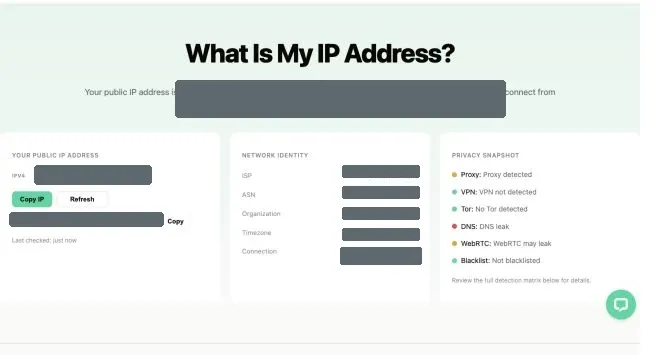
- Check your outgoing IP address, ASN, and connection type with what is my IP. Datacenter or hosting-provider ranges are more commonly associated with automated-traffic restrictions than residential connections.
- If you rely on a proxy for account management or research, use the proxy checker to confirm the endpoint responds and completes a normal connection.
- For broader failures across many profiles or repeated verification prompts, the Instagram IP ban guide covers network-wide restriction symptoms in more detail; this article focuses on a single profile’s “User not found” message.
For teams managing multiple accounts
If your team checks many profiles for research or account management, spread requests across a stable, reputable connection rather than a shared or high-volume proxy, and avoid rapid, repeated lookups of the same handles. This reduces the chance that normal account-management work gets mistaken for automated scraping, and it keeps this network check as a secondary hypothesis rather than the first explanation for an individual “User not found” result.
Common mistakes to avoid
Assuming “User not found” always means a block
This is the most common mistake. Deactivation, deletion, a username change, a typo, and temporary errors can produce the same visible result.
Trusting third-party block-checker apps
An app that requests your Instagram login, session cookie, or two-factor code creates an account-security risk. There is no official Instagram feature that exposes a list of people who blocked you. Remove access and change your password if you already shared credentials with an untrusted service.
Repeatedly creating new accounts to view a profile
This can violate another person’s boundary and may trigger Instagram security systems. A cross-check with one trusted account is enough for ordinary troubleshooting; it is not a reason to escalate access attempts.
Treating search results as permanent
Instagram usernames and account status can change. Record the date of your check, the exact URL, and whether the profile was visible to another viewer, but record observations only, not another person’s personal data. Recheck later only if you have a legitimate reason.
Conclusion
“User not found” describes an unavailable profile, not the reason it is unavailable. Rule out the most common causes first, including a block, deactivation, deletion, a username change, or a typo, by comparing the exact profile URL across your account, a logged-out browser, and one trusted independent account. Only treat a flagged network or IP address as the explanation when the same failure appears across several unrelated profiles on one connection and clears on another.
Respect the result once you have enough evidence. Instagram does not provide a legitimate workaround for another person’s block, and third-party tools that promise one can put your account at risk.