
Web Crawling vs Web Scraping: A Practical 2026 Guide

Sep 1, 2026 · Comparisons · 8 min read
TL;DR
Use web crawling when the first problem is coverage: finding allowed URLs, checking a site structure, monitoring changes, or building a controlled inventory. Use web scraping when the first problem is extraction: turning known, permitted pages into fields such as title, price, author, date, or availability. A spider is the program component that can request pages, follow allowed links, parse responses, and yield both new requests and extracted items.
For small, known URL lists, a scraper can be enough. For a large permitted domain, crawling normally comes first—but only with clear scope, identity, rate limits, deduplication, and a stop condition. Neither approach gives permission to access private content, evade blocks, defeat paywalls, or ignore a site’s terms and applicable law.
Web Crawling vs Web Scraping: The Core Difference
| Dimension | Web crawling | Web scraping |
|---|---|---|
| Primary goal | Discover, revisit, and organize URLs | Extract specific fields into a usable dataset |
| Typical input | Seed URLs, sitemap, internal links, crawl rules | Known pages, API responses, HTML fragments, or crawler output |
| Typical output | URL inventory, link graph, status data, change signals | CSV, JSON, database rows, normalized tables |
| Scope risk | Unbounded discovery, duplicates, traps, server load | Incorrect selectors, missing context, data-quality and policy issues |
| Main success metric | Relevant allowed coverage with controlled request volume | Accurate, complete, traceable records |
| Common tools | Scrapy CrawlSpider, sitemap parser, URL frontier |
Requests, Beautiful Soup, Scrapy selectors, approved APIs |
The distinction is easiest to see in a product-catalog project. A crawler begins with approved category URLs, finds permitted product pages, canonicalizes them, and stores a queue. A scraper then pulls a defined schema—such as product ID, title, currency, price, availability, and collection time—from selected pages. The crawler answers “what pages should we inspect?” The scraper answers “what fields can we reliably extract from those pages?”
Google describes robots.txt as a way to communicate crawler preferences and manage crawl traffic. It does not grant permission to collect, store, or republish a page’s content. That distinction is useful operationally: access rules, authentication, contracts, and law remain separate questions from what a file can express. Google’s robots.txt guide and Python’s urllib.robotparser documentation are good technical references for responsible implementation.
Crawler vs Scraper vs Spider
These terms are frequently mixed, but they operate at different levels.
| Term | Plain-English role | Example | What it does not imply |
|---|---|---|---|
| Crawler | A process that discovers and fetches pages within a defined scope | A system that follows allowed internal category links | That every response should be stored as business data |
| Scraper | A process that extracts selected fields from a response | A parser that returns a product title and price | That it may discover the entire site |
| Spider | A programmable crawling/scraping agent | A Scrapy class with start URLs and parse callbacks | That it may ignore scope, access controls, or rate limits |
In Scrapy, a spider defines which requests to send, how responses are parsed, and which new requests or items are returned. Its documentation also describes allowed_domains, a mechanism that can prevent off-site requests when the relevant middleware is enabled. This makes a spider a useful implementation unit for a bounded project, not a synonym for unrestricted crawling. See the Scrapy spider documentation.
Comparison: Which Approach Fits Your Project?
This is an editorial workflow comparison, not a promise that a particular library or proxy configuration will work on every site. Confirm the relevant site’s terms, access controls, robots guidance where applicable, and legal requirements for your jurisdiction and intended use before collecting data.
Project need |
Start with |
Why |
Evidence to retain |
Stop or escalate when |
|---|---|---|---|---|
Audit your own documentation site |
Crawl |
You need URL coverage, broken-link signals, and change detection |
Seed list, scope rules, response status, timestamps |
The crawl enters infinite parameters or unexpected subdomains |
Extract fields from a small approved URL list |
Scrape |
Discovery is already done; schema accuracy matters most |
URL, raw response reference, selector version, parsed fields |
Required fields become ambiguous or page layout changes |
Build an approved public-data research dataset |
Crawl, then scrape |
Discovery and extraction are separate quality controls |
Permissions basis, URL frontier, data dictionary, provenance |
Terms, rate limits, or access boundaries are unclear |
Monitor a permitted set of search results |
Targeted scraping with strict scope |
The relevant query/page set is predefined |
Query, locale, time, collection method, result snapshot |
The target platform restricts or disallows the activity |
Gather data from a private portal |
Neither by default |
Authentication does not equal automated-collection permission |
Written authorization and API documentation, if any |
There is no explicit approved route |
Quick Recommendations
| If you need to… | Prefer | Add only when needed |
|---|---|---|
| Find permitted URLs across a site you control | A crawler with a depth, domain, and URL-pattern limit | Parsing after the URL inventory is stable |
| Collect a repeated set of fields from known pages | A scraper with schema validation | Crawling if the approved source list needs discovery |
| Track website changes | Crawling plus content hashes | Extraction only for fields tied to a defined decision |
| Build a data-science training or research dataset | Bounded crawl plus provenance-aware scraping | A review queue for borderline pages or fields |
| Compare public regional experiences | An approved, rate-limited collection workflow | Location-aware infrastructure only after policy review |
Web Crawling in Data Science: Where It Adds Value
Web crawling in data science is most useful when the research problem begins with a changing document universe. Examples include mapping a public documentation corpus you own, identifying changed pages in an approved archive, or building a link-based inventory before a human defines the extractable schema.
Treat crawling output as operational metadata first. A URL, response status, canonical URL, content type, retrieval time, link source, and content hash can tell you whether the collection is complete and reproducible. Those fields also make it easier to remove duplicates, explain gaps, and refresh stale records. They do not prove that the page is legally usable for every downstream purpose.
Avoid accidental “infinite web” behavior. Set an allowed-domain list, maximum depth, query-parameter rules, deduplication strategy, response-size limits, and a fixed budget. Stop on repeated errors, authentication screens, unexpected personal data, or signs that the site cannot support the request rate. Scrapy’s documentation notes that its CrawlSpider supports rules for following links; use that flexibility to narrow, not expand, the permitted scope.
Web Scraping for Structured Data: What Good Looks Like
A scraper should have an explicit data contract. For every record, decide which field is mandatory, what format is expected, which source element supplies it, and how missing or conflicting values are handled. Keep the raw-source reference and parser version so you can diagnose an extraction after a template change.
Useful scraper controls include:
- Validate selectors against representative page variants before a large run.
- Store a collection timestamp, source URL, and a content hash or permitted raw snapshot reference.
- Parse units, currencies, dates, and locale-specific formats explicitly instead of trusting visually similar text.
- Quarantine malformed records instead of silently converting them to blanks or zeros.
- Use an approved API when one is available; an HTML scraper is not automatically the preferred integration method.
For permitted public-web research at scale, a web scraping proxy can be part of the networking layer, but it does not authorize scraping or bypass a website’s technical restrictions. The collection design still needs a documented purpose, permitted sources, conservative rate limits, identifiable traffic where appropriate, and an escalation path for access uncertainty.
Web Crawling vs Web Scraping Python: A Guarded Example
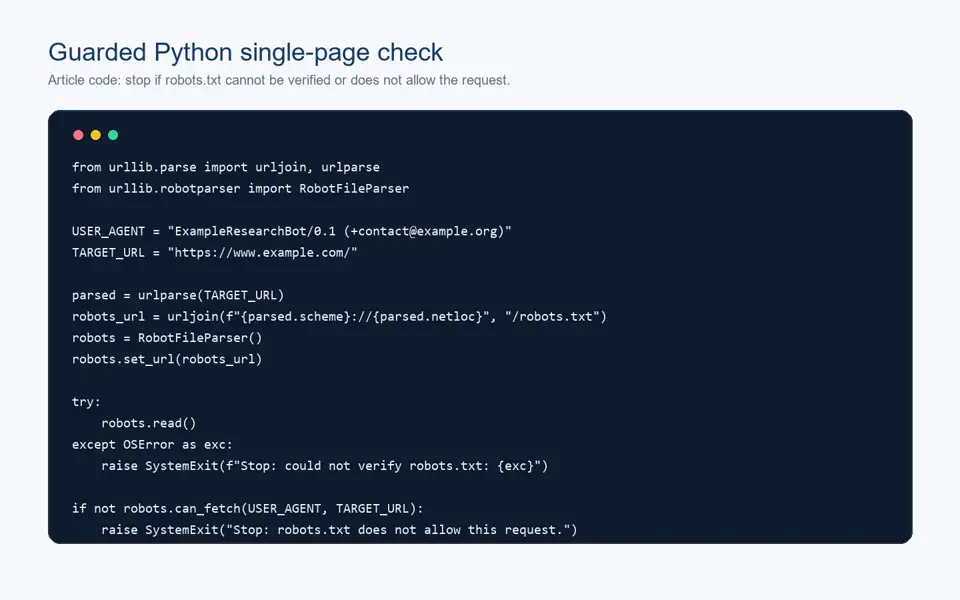
When implementing web crawling or web scraping in Python, start with a single approved URL before building a frontier or scheduler. The following example is a single-page demonstration for an authorized target, not a production crawler. It does not discover links or avoid restrictions. Before scaling, add explicit domain and URL limits, response-size checks, per-domain pacing, error handling, logging, and a documented permission basis.
Installation
python -m pip install requests beautifulsoup4
Single-page extraction with a robots check
from urllib.parse import urljoin, urlparse
from urllib.robotparser import RobotFileParser

import requests
from bs4 import BeautifulSoup

USER_AGENT = "ExampleResearchBot/0.1 ([email protected])"
TARGET_URL = "https://www.example.com/"

parsed = urlparse(TARGET_URL)
robots_url = urljoin(f"{parsed.scheme}://{parsed.netloc}", "/robots.txt")
robots = RobotFileParser()
robots.set_url(robots_url)

try:
    robots.read()
except OSError as exc:
    raise SystemExit(f"Stop: could not verify robots.txt: {exc}")

if not robots.can_fetch(USER_AGENT, TARGET_URL):
    raise SystemExit("Stop: robots.txt does not allow this request.")

response = requests.get(
    TARGET_URL,
    headers={"User-Agent": USER_AGENT},
    timeout=15,
)
response.raise_for_status()

content_type = response.headers.get("content-type", "")
if "text/html" not in content_type:
    raise SystemExit(f"Stop: unexpected content type: {content_type}")

soup = BeautifulSoup(response.text, "html.parser")
title = soup.title.get_text(strip=True) if soup.title else None

record = {
    "url": response.url,
    "status_code": response.status_code,
    "title": title,
}
print(record)
Expected output shape
{'url': 'https://www.example.com/', 'status_code': 200, 'title': 'Example Domain'}
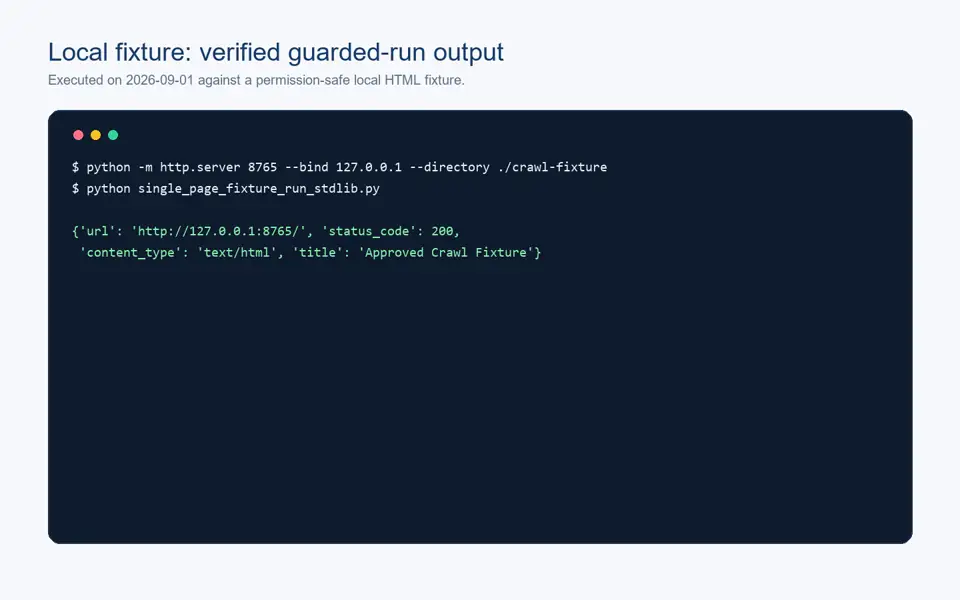
The output above is illustrative, not a claim that the script was run against your chosen target. A separate local fixture run of the same guarded pattern is shown below; it demonstrates a successful robots.txt check, HTML content-type check, and title extraction without collecting from an external site. In production, cache a robots decision for an appropriate interval, apply explicit delays and concurrency limits, capture error states, and follow the source’s terms and access rules. Requests documents raise_for_status() for handling HTTP error responses; do not treat a successfully parsed body as proof that the request itself was successful. See the Requests quickstart.
When a Spider Is the Right Next Step
Move from a one-page extractor to a spider only when you can name the traversal rules. A good spider specification includes seed URLs, allowed domains, allowed and denied URL patterns, maximum depth, expected content types, parser routes, request budget, and stopping rules. It should also define what happens when a page redirects, has a duplicate canonical URL, returns 429 or 503, or exposes an unexpected login page.
The crawler’s job is to maintain a careful frontier, not to retry aggressively until access succeeds. A 403, 429, CAPTCHA, consent wall, or authentication requirement is a signal to stop and reassess authorization—not an invitation to rotate infrastructure or defeat a control.
Regional Research and Search Monitoring Boundaries
Some permitted projects require geographic context, such as checking a localized landing page, validating an owned site’s availability, or recording a public search result at a stated time and locale. In that narrow context, proxies for market research and residential proxies for SEO monitoring can support an approved collection workflow. Record the location assumption, source URL, query, retrieval time, and collection rules with every observation.
Do not use proxy routing to conceal identity, circumvent blocks, evade paywalls, bypass login controls, or collect data that you are not authorized to access. The legal and contractual analysis depends on the jurisdiction and the specific intended use; when the source policy is unclear, pause and obtain direction.
A Reproducible Comparison Checklist
Use the same checklist to assess every collection project.
| Check | Crawling pass condition | Scraping pass condition |
|---|---|---|
| Scope | Seeds, domains, depth, and URL rules are documented | Page set and field schema are documented |
| Permission | Purpose and permitted route are recorded | Source and intended use are approved |
| Load control | Delay, concurrency, and request budget are configured | Per-page pacing and retry policy are conservative |
| Data quality | Duplicates and canonical URLs are handled | Required fields, types, and missing values are validated |
| Provenance | URL, timestamp, status, and discovery path are retained | URL, timestamp, selector/parser version, and evidence are retained |
| Failure handling | 403/429/5xx and login pages stop or escalate | Layout changes, blocked responses, and missing fields quarantine or stop |
Conclusion
Web crawling and web scraping solve different parts of a data-collection problem. Use crawling to discover allowed pages under firm boundaries, and use scraping to extract a defined, verifiable schema from approved sources. The practical winner is not the more aggressive method; it is the smallest workflow that produces accurate data, preserves provenance, respects access boundaries, and can be audited when a page or policy changes.