
How to Fix “ModuleNotFoundError: No Module Named aiohttp” in Python

Sep 11, 2026 · Troubleshooting · 11 min read
If Python raises ModuleNotFoundError: No module named 'aiohttp', install it with the same interpreter that runs your script:
python -m pip install aiohttp
Then verify the interpreter, import path, and package version before debugging network errors. If the import works but requests fail, troubleshoot the connection lifecycle, timeout phase, and network route separately. An HTTP or SOCKS5 proxy can change that route, but it cannot repair a missing package, a closed ClientSession, a bad URL, or every remote-server failure.
This guide follows that order so you can stop at the first layer that explains your error. The examples are procedures, not a report of a successful run in your environment.
1. What ModuleNotFoundError: No module named 'aiohttp' means
ModuleNotFoundError is Python’s specific form of ImportError for a module that cannot be located during import, as described in the Python exceptions documentation. That message does not prove that aiohttp is absent from every Python installation on your computer. It only tells you that the interpreter handling this import could not find it on its current module search path.
The most common causes are:
| Error layer | Typical symptom | First check |
|---|---|---|
| Import | ModuleNotFoundError at startup |
Which Python runs the script? |
| Session | Session is closed or unclosed-session warnings |
Who creates and closes ClientSession? |
| Response | An HTTP error status or unexpected body | What status and response text arrived? |
| Timeout | A timeout during connect, read, or total work | Which timeout phase is bounded? |
| Network path | DNS, TLS, firewall, proxy, or peer disconnect | Does the same route work outside the process? |
Fix the import layer first. A proxy cannot make a package importable, and increasing a network timeout cannot fix an import failure.
2. Install aiohttp with the Python that runs your script
Use python -m pip instead of relying on a standalone pip command:
python -m pip install aiohttp
The python -m pip form asks the named Python interpreter to run pip, matching the pip user guide’s interpreter-specific usage. That makes the command easier to compare with the interpreter that launches your program, although your IDE, task runner, container, or deployment service can still select a different Python.
Immediately compare the two identities:
python --version
python -m pip --version
The pip output includes the environment location. It should correspond to the Python installation you intend to use. For a stronger check, ask the interpreter itself:
import sys

print(sys.executable)
print(sys.version)
If python -m pip install aiohttp reports success but the script still fails, do not reinstall randomly. Compare sys.executable from the failing process with the Python path shown by python -m pip --version. Different paths indicate an interpreter mismatch.
Use a virtual environment for a repeatable fix
venv creates an environment with its own installed packages by default, as covered by the Python venv documentation and the Python Packaging User Guide. Create one in the project directory, activate it, and install into that environment.
# macOS or Linux
python3 -m venv .venv
source .venv/bin/activate
python -m pip install aiohttp
# Windows PowerShell
py -m venv .venv
.\.venv\Scripts\Activate.ps1
python -m pip install aiohttp
If PowerShell blocks activation, use the project’s configured interpreter directly instead of changing execution policy for a single dependency. For example, after creating .venv, run .venv\Scripts\python.exe -m pip install aiohttp on Windows. The important property is that installation and execution use the same environment.
3. Verify the import and align your IDE or deployment
Use a small probe to check the package from the interpreter you plan to run:
import sys

import aiohttp

print("Python:", sys.executable)
print("aiohttp:", aiohttp.__version__)
print("aiohttp path:", aiohttp.__file__)
This code is a verification procedure; its output is not included here because it has not been run in your environment.
Also check the launch configuration:
- In VS Code, select the interpreter associated with the project’s
.venv. - In PyCharm, check the project interpreter and the run configuration separately.
- In a notebook, inspect the kernel rather than the terminal where you installed the package.
- In Docker or CI, install dependencies in the image or job environment that actually runs the command.
- If a service manager launches the process, print
sys.executableto its logs once during diagnosis.
Use python -m pip show aiohttp for a second location check. If the package path and the failing process do not line up, fix the launch environment before investigating ClientConnectionError or timeouts.
4. Diagnose ClientConnectionError: connection closed
Treat “connection closed” as a symptom, not a single root cause. The peer may have closed the socket, your code may have closed a session or response too early, a connector may be shut down, or the network path may have failed during DNS, TLS, or transfer.
Use this diagnostic sequence:
| Symptom or signal | Likely area | Verify | Minimal fix or next test |
|---|---|---|---|
| Error appears after leaving a session block | Session lifetime | Trace creation and exit of ClientSession |
Keep the request inside the owner’s scope |
| Response is used after its context exits | Response lifetime | Check where the body is read | Read or copy the needed body inside the block |
| Failure occurs only under concurrency | Connector or peer limits | Lower concurrency and log the failing URL | Bound concurrency; do not assume retries are enough |
| Hostname or TLS errors appear first | DNS or TLS | Capture the preceding exception and hostname | Fix hostname, certificate, or trust configuration |
| Browser works but Python fails | Different process or route | Compare headers, DNS, proxy, TLS, and timeout settings | Reproduce with a minimal Python request |
| Failure changes with a proxy | Network path | Test the authorized endpoint with and without the route | Keep the route only if the cause is network-path related |
An async with block provides structured cleanup, as shown in aiohttp’s client lifecycle guidance, but it does not prevent a remote peer from disconnecting. ClientSession also owns connection-pool behavior, as described in the aiohttp client reference, so its lifetime and event-loop ownership must be deliberate.
For a useful log record, capture the exception class, the URL host, whether a session or response context was active, and the request’s concurrency level. Avoid logging proxy passwords, authorization headers, or complete URLs that contain credentials. The first exception in a chain is usually more informative than a later generic “connection closed” message. Compare one minimal request with the production request only after the minimal version has a known session owner and an explicit timeout. This turns a vague symptom into a testable layer without claiming that one diagnostic result explains every endpoint.
5. Set ClientTimeout for the operation you want to bound
Configure a ClientTimeout when you need explicit limits for total work or for a particular connection phase. The current aiohttp client reference documents fields such as total, connect, sock_connect, and sock_read; exact defaults and semantics are version-sensitive, so check the reference for the version you deploy.
import asyncio

import aiohttp


async def fetch(url: str) -> str:
    timeout = aiohttp.ClientTimeout(
        total=30,
        connect=10,
        sock_connect=10,
        sock_read=20,
    )
    async with aiohttp.ClientSession(timeout=timeout) as session:
        async with session.get(url) as response:
            response.raise_for_status()
            return await response.text()


asyncio.run(fetch("https://example.com/"))
This is a configuration example, not a successful runtime result. Choose values based on the operation and service behavior you are allowed to test.
Use the field that matches the question you are answering:
| Field | What it bounds | Diagnostic question |
|---|---|---|
total |
The overall request budget | Is the whole operation too long? |
connect |
Connection establishment budget | Is acquiring a connection too slow? |
sock_connect |
Socket connection phase | Is the TCP-side connection phase slow? |
sock_read |
Waiting for socket data | Is the server or route slow to deliver bytes? |
A timeout is evidence about elapsed time, not proof that a proxy is required. Log the URL category, phase, exception type, and whether the failure occurs consistently before changing the route.
When comparing runs, change one variable at a time: first the timeout budget, then concurrency, then the approved route. Keep the target URL and request method constant where permitted. If a longer timeout changes the outcome, that describes the timing budget; it does not identify whether the delay came from DNS, TLS, the proxy, the peer, or your application. If a proxy changes the outcome, record the route and authentication method separately from the Python fix so later debugging can distinguish code behavior from network policy.
6. Create and close ClientSession safely
For a request-scoped client, use nested async context managers:
import aiohttp


async def get_json(url: str):
    async with aiohttp.ClientSession() as session:
        async with session.get(url) as response:
            response.raise_for_status()
            return await response.json()
The session and response are closed at the end of their respective blocks. This pattern follows aiohttp’s documented lifecycle guidance and is suitable when a request does not need a longer-lived client. It does not guarantee that the remote endpoint will stay connected.
For a long-lived application, let one owner create the session and close it during application shutdown:
import aiohttp


async def run_job(urls: list[str]) -> None:
    session = aiohttp.ClientSession()
    try:
        for url in urls:
            async with session.get(url) as response:
                response.raise_for_status()
                await response.read()
    finally:
        await session.close()
Do not create a new session for every small operation without a reason, pass a session into code that outlives its owner, or close the session while tasks are still using it. Keep the session tied to the event loop and application lifetime that owns it. ClientSession is designed to encapsulate client connections and pooling; reuse is a lifecycle choice, not a promise that all requests will succeed.
7. Use an HTTP proxy in aiohttp only when the network path is the problem
aiohttp supports an HTTP proxy option on a request, documented in its client quickstart and client reference. Use it when an authorized network-path problem is plausible—for example, a required egress route or an access policy that explicitly expects a proxy. Do not add a proxy merely because the package import fails or because a ClientSession was closed too early.
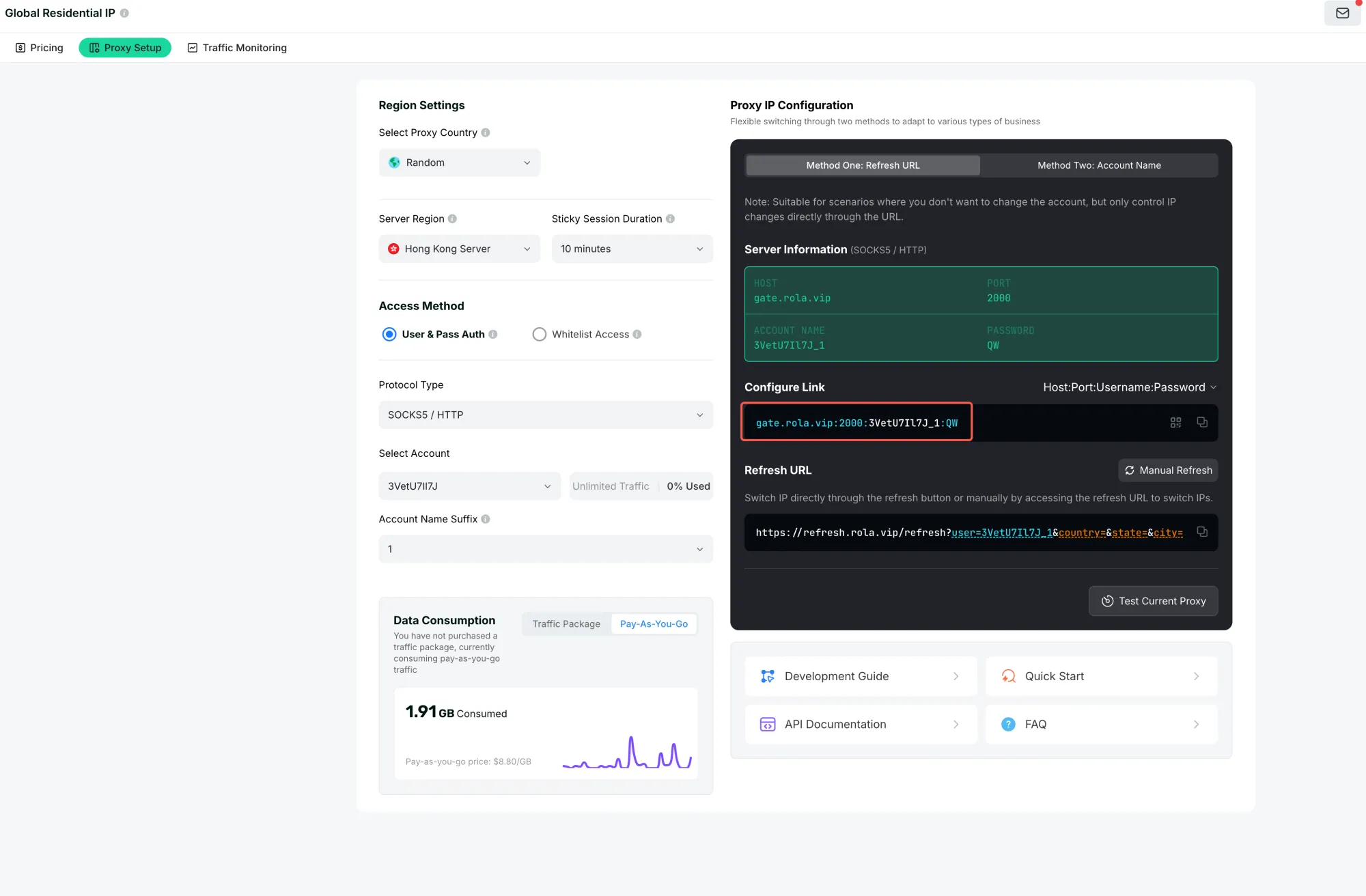
Official documentation illustration: connection details are account-specific.
import aiohttp


async def fetch_through_http_proxy(url: str) -> str:
    proxy = "http://PROXY_HOST:PROXY_PORT"
    # If credentials are required, use a secret manager and URL-encode them.
    proxy_auth = aiohttp.BasicAuth("PROXY_USERNAME", "PROXY_PASSWORD")

    async with aiohttp.ClientSession() as session:
        async with session.get(url, proxy=proxy, proxy_auth=proxy_auth) as response:
            response.raise_for_status()
            return await response.text()
Replace every placeholder with account-specific values held outside source control. This example has not been run against a proxy.
| A proxy may help when | A proxy cannot by itself fix |
|---|---|
| The egress route is blocked or must be changed | aiohttp is not installed |
| The authorized service expects a proxy | The wrong Python interpreter or IDE kernel |
| The current IP path is denied by policy | A closed session or response object |
| DNS, TLS, or routing differs across approved paths | Invalid URLs, bad credentials, or application bugs |
| A target permits the requested route | Every timeout, peer reset, or server error |
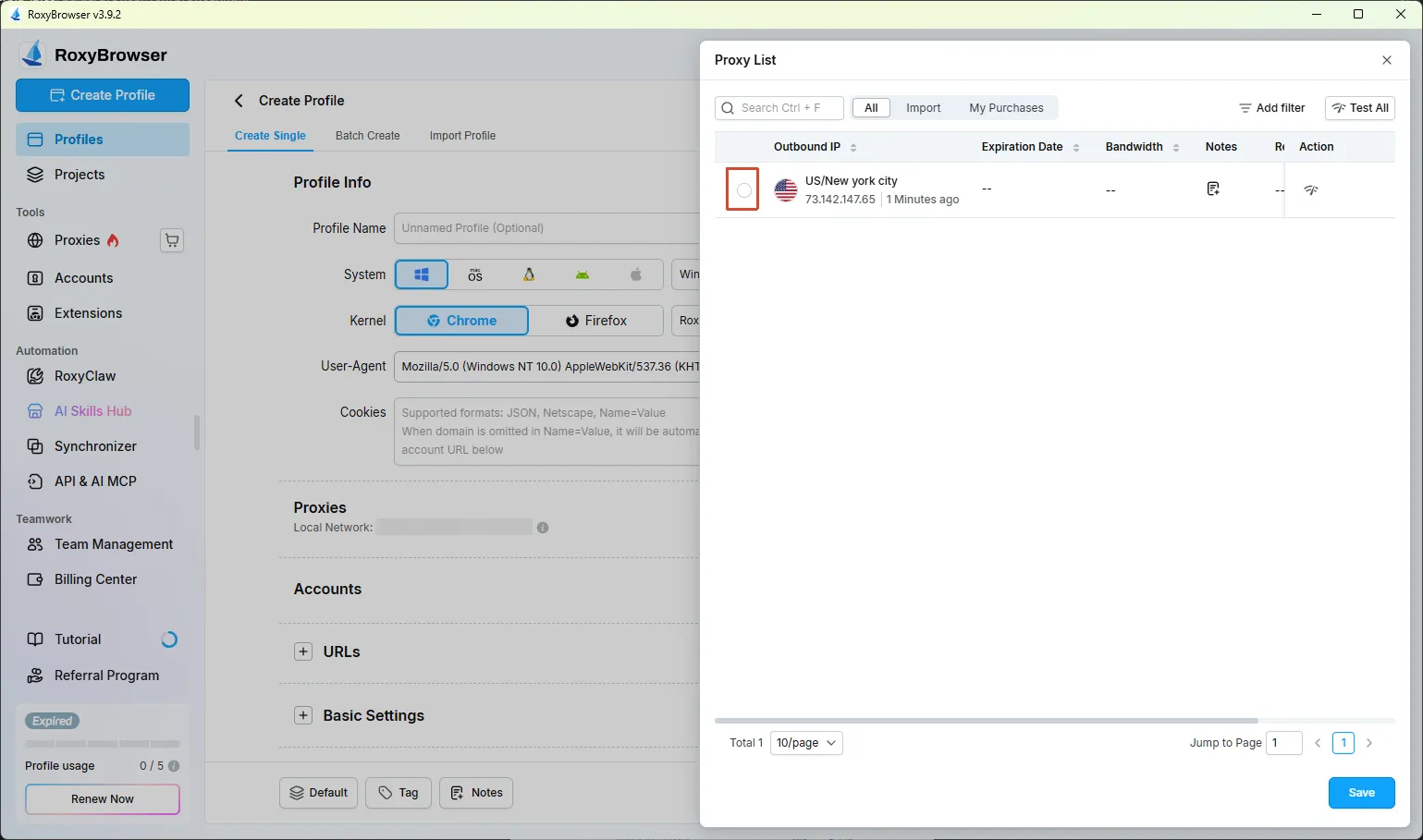
Use the current dashboard or documentation to select an authorized proxy route.
Rola’s documentation provides HTTP and SOCKS5 connection examples for an authorized proxy setup. See the Rola Python integration guide for the documented request patterns; those examples are configuration references, not evidence that this aiohttp request succeeded.
If you use a managed proxy service, keep the same separation: first prove the Python code and lifecycle with placeholders or a permitted direct route, then evaluate whether the service’s documented connection details fit the network-path problem. The provider’s guide is a configuration reference, not evidence that this aiohttp request succeeded.
8. SOCKS5 with aiohttp: use a compatible third-party connector
The native proxy= examples above are for an HTTP proxy. SOCKS5 requires a compatible third-party connector rather than placing a socks5:// URL into the native HTTP-proxy argument. The aiohttp-socks maintainers document installation and a ProxyConnector pattern; check package compatibility and maintenance for your deployed aiohttp version before relying on it.
python -m pip install aiohttp-socks
import asyncio

import aiohttp
from aiohttp_socks import ProxyConnector


async def fetch_through_socks(url: str) -> str:
    connector = ProxyConnector.from_url(
        "socks5://SOCKS5_USERNAME:SOCKS5_PASSWORD@PROXY_HOST:PROXY_PORT"
    )
    async with aiohttp.ClientSession(connector=connector) as session:
        async with session.get(url) as response:
            response.raise_for_status()
            return await response.text()


asyncio.run(fetch_through_socks("https://example.com/"))
The dependency installation and request are shown as a procedure, not a runtime test. Protect credentials, URL-encode special characters when building a proxy URL, and test only endpoints and traffic that you are authorized to access.
| HTTP proxy | SOCKS5 connector |
|---|---|
Uses aiohttp’s request proxy= option |
Uses a third-party connector such as aiohttp-socks |
| Configuration is an HTTP proxy URL | Configuration is a SOCKS URL understood by the connector |
| No extra connector package in this example | Extra package and compatibility check required |
| Still cannot fix application or lifecycle errors | Still cannot guarantee target access or request success |
Rola’s documentation provides account-specific connection details, so use the host, port, and authentication values shown in the current dashboard. Use those current dashboard values rather than hard-coded examples. Rola’s Quick Start documentation describes the connection-detail fields.
For a managed provider, obtain the current host, port, authentication method, and allowed parameters from its documentation or dashboard. For location or session requirements, check Rola’s current parameter documentation because supported controls depend on the selected network. Keep provider-specific values separate from the generic aiohttp diagnosis, and do not treat a connection-detail example as a performance or availability guarantee.
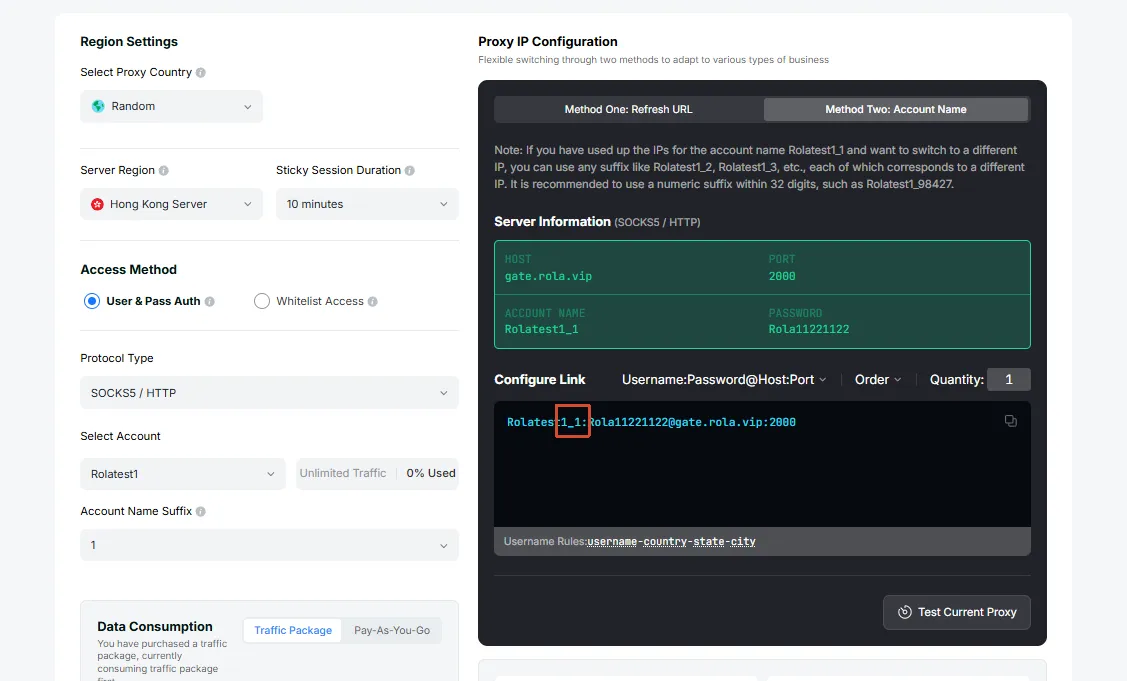
Parameter support depends on the selected network and current documentation.
When an authorized proxy route can help
Once import aiohttp succeeds and the session, timeout, and URL checks are clean, the remaining problem may be the network path rather than Python. An authorized proxy route can help when your application needs a different egress location, when the destination applies network-specific access rules, or when your deployment environment requires traffic to leave through a managed route. It does not fix a missing package, an interpreter mismatch, a closed ClientSession, invalid credentials, or an application bug.
Rola IP provides account-specific HTTP and SOCKS5 connection options. You can review the Python proxy integration guide, then confirm the current host, port, authentication method, location, and session parameters in the proxy setup guide and your dashboard. These values depend on the selected network and account, so keep them outside source control and test only authorized endpoints.
If your aiohttp workflow needs a managed route after the code-level checks pass, explore Rola IP proxy options and select the connection method that matches your approved use case. Start with a minimal request, record the route and authentication method separately from the Python fix, and change one variable at a time when comparing direct and proxied requests.
9. Final troubleshooting checklist
Work through these checks in order:
- Run
python -m pip install aiohttpwith the interpreter you intend to execute. - Compare
python -m pip --versionwithsys.executablefrom the failing process. - Create or activate the project’s
.venv, then select it in the IDE or deployment configuration. - Run the import/version probe and record its output instead of assuming installation succeeded everywhere.
- If import works, classify the next failure as session, response, timeout, DNS/TLS, peer, or route related.
- Keep
ClientSessionand response objects alive for the code that uses them, and close them through an owner or context manager. - Set
ClientTimeoutfor the phase you need to bound; do not use a larger value as proof of a route problem. - Try an HTTP proxy only when the authorized network path is the suspected cause.
- Use a compatible SOCKS5 connector for SOCKS5, and verify the third-party dependency separately.
- Record which checks were procedures and which, if any, were actually run in your environment.
Conclusion
Fix the import error with the interpreter-specific install command first, then verify the import path before changing network settings. If the package loads, separate session lifetime, timeout phase, and network-route checks; use an HTTP or SOCKS5 proxy only when an authorized route is the part that needs to change.