
Instagram Scraper Python: A Practical Guide to APIs, Instaloader, and Compliance

Sep 3, 2026 · Guides · 8 min read
TL;DR: Use Meta’s official Instagram API for supported account-owned data. For small, authorized projects, Instaloader offers a practical Python starting point. Managed tools can simplify scheduling and exports, while unofficial libraries require more maintenance and may create policy risks. Limit collection, secure sessions, respect rate limits, and verify Instagram’s current terms before deploying any recurring workflow.
What Data Can an Instagram Scraper Collect?
Depending on the method and your authorization, a scraper may retrieve:
- Public profile fields such as username, display name, biography, verification status, and profile picture URL
- Post metadata such as shortcode, timestamp, caption, media type, like count, and comment count
- Public comments, including comment text, timestamp, and author username
- Media URLs or downloaded files where access and reuse are permitted
- Account-owned insights through Meta’s official APIs
Do not assume that visible data is automatically unrestricted. Minimize collection, avoid sensitive personal data, define a retention period, and collect only what the project actually needs.
Choose the Right Instagram Data-Access Method
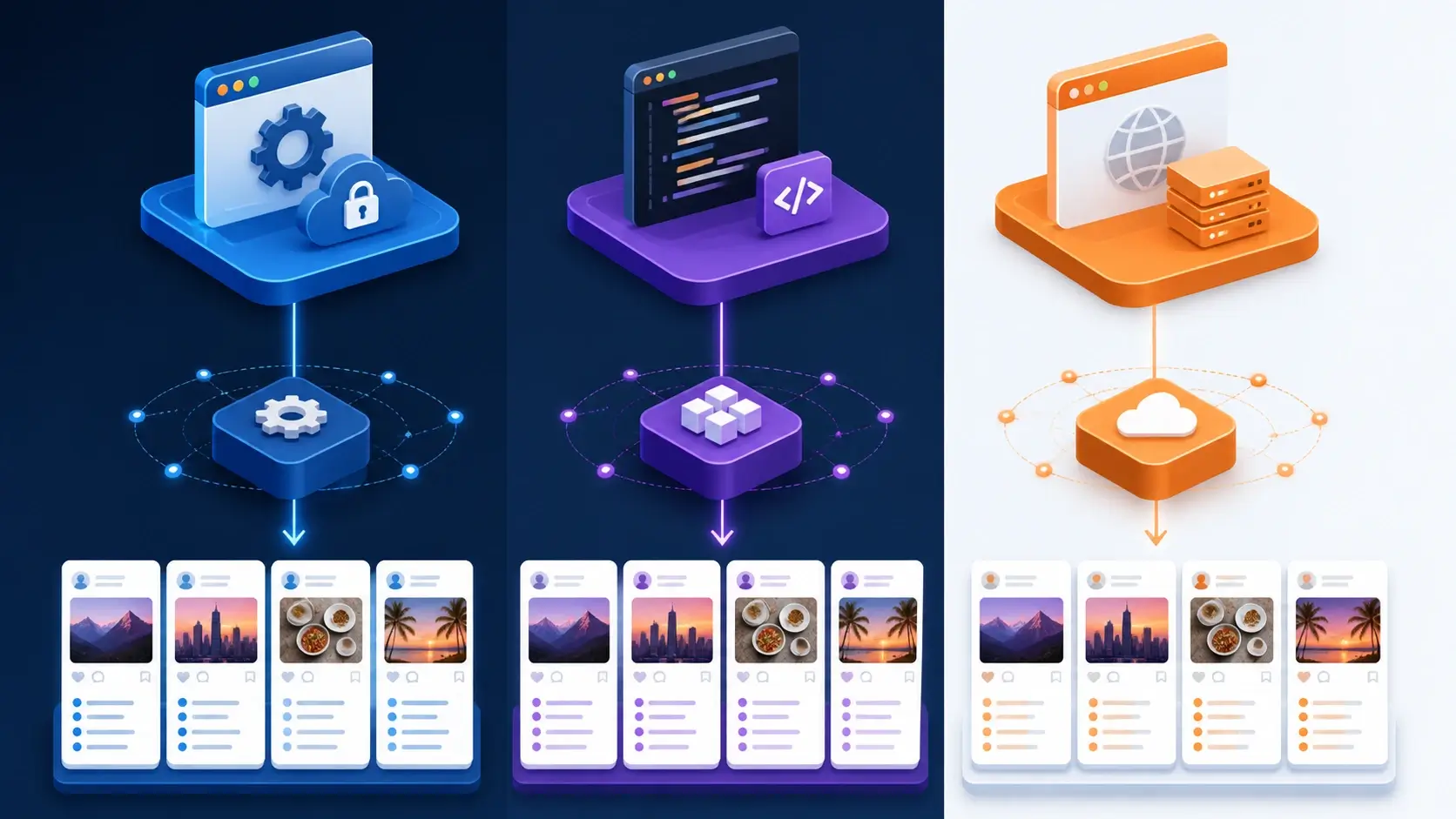
There is no single best Instagram scraper for every project. The right option depends on ownership, data type, scale, and maintenance budget.
1. Meta’s Official Instagram API
Start with Meta’s official Instagram API documentation for account-owned professional workflows, publishing, moderation, and supported insights. It is the most stable and policy-aligned path, but it does not expose every piece of public Instagram data and generally requires app setup, permissions, and access tokens.
Choose it when:
- You manage the Instagram account or have explicit authorization
- Your required data is available through an approved endpoint
- Long-term stability matters more than broad public-data coverage
2. Instaloader for Public Profiles and Posts
Instaloader is a free, open-source Python project that can work as a module or command-line tool. It is useful for personal archives and small, permitted research jobs involving profile and post metadata. Anonymous access is limited, and authenticated access may be required for some data.
3. instagrapi for Broader Unofficial API Coverage
The popular Instagram-api Python GitHub option instagrapi exposes public-web and private mobile API flows. It is an unofficial wrapper: endpoints may fail without notice, its use may conflict with current platform terms, and account challenges are platform controls—not obstacles to bypass. Use it only for authorized accounts and controlled internal testing. Never use unofficial interfaces to access private accounts or data without permission, and prefer Meta’s approved API whenever it covers the workflow.
4. Managed Scrapers Such as Apify
An Instagram scraper Apify actor or another managed scraping API can reduce infrastructure work by handling scheduling, datasets, retries, and exports. This is convenient for teams that value speed of deployment, but it introduces platform fees and does not remove your responsibility to verify authorization, terms, data protection, and downstream use.
Instagram Scraper Python Example with Instaloader
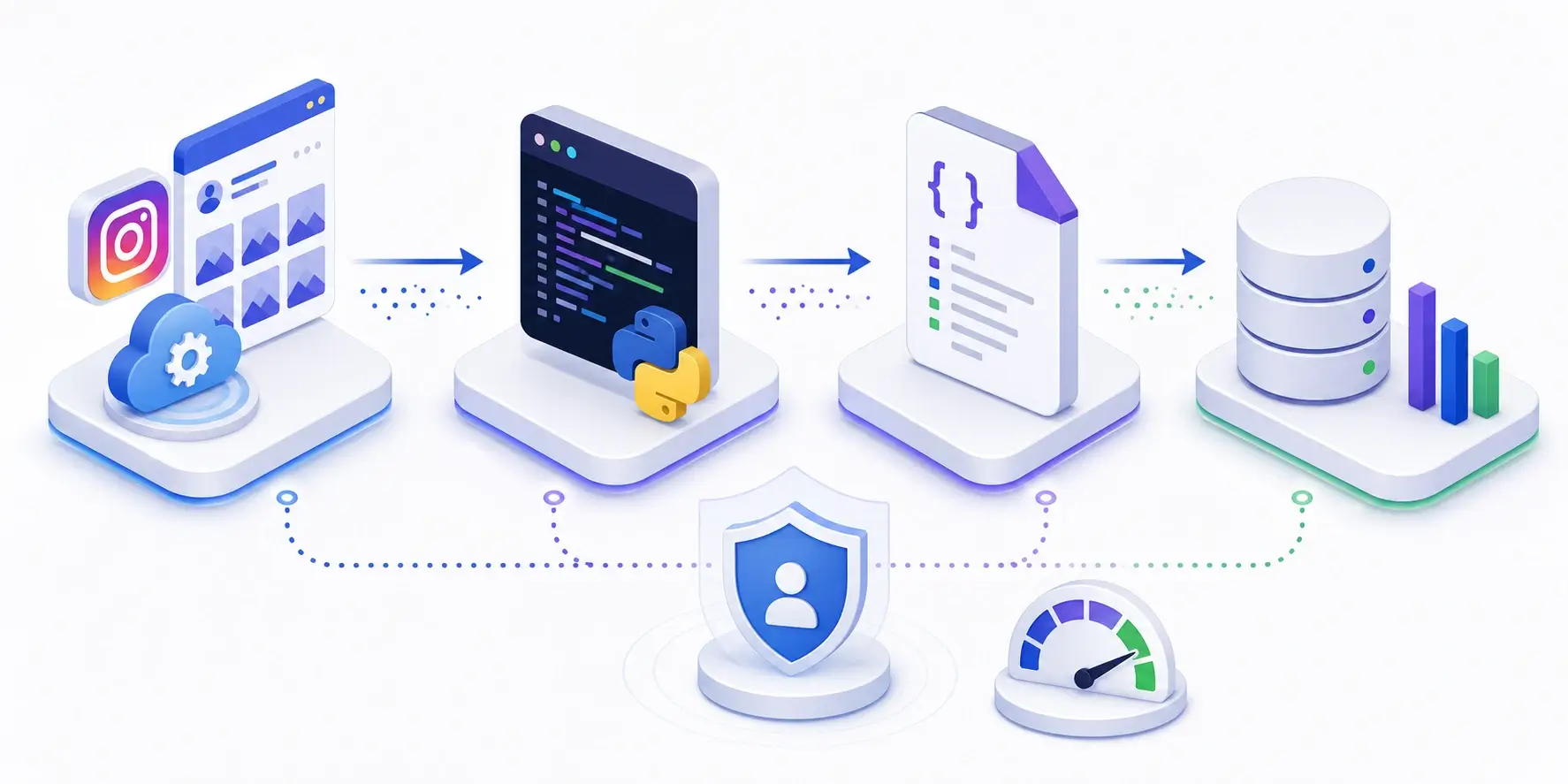
The following example implementation collects metadata from a public profile and its recent posts. It intentionally avoids undocumented HTTP endpoints copied from browser developer tools because those endpoints can change without notice.
Requirements and Validation Notes
- Python 3.9 or newer; Python 3.11 is recommended for this guide
- Instaloader 4.15.3, the current PyPI release verified on September 2, 2026
- Validation date: September 2, 2026
- Validation scope: Python code blocks were syntax-checked locally. Live Instagram requests were not executed because results require an authorized account or session and can vary with platform access rules.
- Review the Instaloader documentation and current release notes before deployment.
Step 1: Create a Virtual Environment
python -m venv .venv

# macOS or Linux
source .venv/bin/activate

# Windows PowerShell
.venv\Scripts\Activate.ps1
Step 2: Install Dependencies
python -m pip install "instaloader==4.15.3"
Step 3: Collect a Profile and Recent Posts
from __future__ import annotations

import json
from dataclasses import asdict, dataclass
from datetime import datetime
from pathlib import Path

import instaloader


@dataclass
class PostRecord:
    shortcode: str
    url: str
    published_at: str
    caption: str | None
    likes: int
    comments: int
    is_video: bool


def scrape_public_profile(username: str, post_limit: int = 12) -> dict:
    loader = instaloader.Instaloader(
        download_pictures=False,
        download_videos=False,
        download_video_thumbnails=False,
        save_metadata=False,
        compress_json=False,
    )

    profile = instaloader.Profile.from_username(loader.context, username)
    posts: list[PostRecord] = []

    for index, post in enumerate(profile.get_posts()):
        if index >= post_limit:
            break

        posts.append(
            PostRecord(
                shortcode=post.shortcode,
                url=f"https://www.instagram.com/p/{post.shortcode}/",
                published_at=post.date_utc.isoformat(),
                caption=post.caption,
                likes=post.likes,
                comments=post.comments,
                is_video=post.is_video,
            )
        )

    return {
        "collected_at": datetime.utcnow().isoformat() + "Z",
        "profile": {
            "username": profile.username,
            "full_name": profile.full_name,
            "biography": profile.biography,
            "followers": profile.followers,
            "following": profile.followees,
            "posts_count": profile.mediacount,
            "is_verified": profile.is_verified,
            "profile_pic_url": profile.profile_pic_url,
        },
        "posts": [asdict(post) for post in posts],
    }


if __name__ == "__main__":
    result = scrape_public_profile("instagram", post_limit=12)
    output = Path("instagram_profile.json")
    output.write_text(json.dumps(result, indent=2, ensure_ascii=False), encoding="utf-8")
    print(f"Saved {len(result['posts'])} posts to {output}")
Run it with:
python scraper.py
This Instagram scraper Python example writes a normalized JSON document instead of downloading every media file. That keeps the tutorial focused and reduces unnecessary storage and copyright risk.
When Login Is Required
Some information may be unavailable anonymously. If you are authorized to log in, create a reusable Instaloader session interactively rather than placing a password in source code:
instaloader --login YOUR_USERNAME
Instaloader normally stores the session under ~/.config/instaloader/session-YOUR-USERNAME. If your environment uses a custom location, pass the exact filename explicitly. The complete loading context is:
from pathlib import Path

import instaloader

username = "YOUR_USERNAME"
session_file = Path.home() / ".config" / "instaloader" / f"session-{username}"

loader = instaloader.Instaloader(
    download_pictures=False,
    download_videos=False,
    save_metadata=False,
)
loader.load_session_from_file(username, filename=str(session_file))

# Continue only with an account and target you are authorized to access.
profile = instaloader.Profile.from_username(loader.context, username)
print(profile.username)
Keep session files outside Git, restrict file permissions to the application user, and never commit credentials or cookies. Do not copy sessions between unrelated accounts or repeatedly retry a rejected login. Expect endpoints, authentication rules, and library behavior to change.
Scraping Instagram Comments with Python
Scraping Instagram comments can support sentiment analysis and moderation research, but comment text is user-generated personal data. Collect the minimum fields, avoid private or sensitive content, and consider hashing usernames when identity is not needed.
With an authorized Instaloader session, extend the post loop as follows:
def collect_comments(post, comment_limit: int = 100) -> list[dict]:
    records = []

    for index, comment in enumerate(post.get_comments()):
        if index >= comment_limit:
            break

        records.append(
            {
                "comment_id": comment.id,
                "created_at": comment.created_at_utc.isoformat(),
                "username": comment.owner.username,
                "text": comment.text,
            }
        )

    return records
Add a hard limit and document the purpose of collection. Before retaining raw comments, decide whether the project can work with aggregates such as topic counts or sentiment scores instead.
Export Instagram Data to CSV
JSON preserves nested data well, while CSV is easier to inspect in spreadsheets or load into analytics tools.
import csv


def export_posts_csv(result: dict, filename: str = "instagram_posts.csv") -> None:
    fields = [
        "shortcode",
        "url",
        "published_at",
        "caption",
        "likes",
        "comments",
        "is_video",
    ]

    with open(filename, "w", newline="", encoding="utf-8-sig") as file:
        writer = csv.DictWriter(file, fieldnames=fields)
        writer.writeheader()
        writer.writerows(result["posts"])
For recurring jobs, store a stable post identifier and upsert records instead of duplicating the entire dataset on every run.
Build a More Reliable Instagram Scraper in Python
A script that works once is not yet a reliable pipeline. Production-quality collection needs error handling, observability, conservative pacing, and clear stop conditions.
Add Timeouts, Retries, and Backoff
- Set a timeout on every network operation
- Retry only transient failures, such as timeouts and selected server errors
- Use exponential backoff with jitter
- Stop or slow down on rate-limit responses; do not treat them as an obstacle to defeat
- Record error categories, request counts, and last successful checkpoints
Use Sessions and Incremental Checkpoints
Reuse an authorized session rather than repeatedly logging in. Save the newest processed post ID or timestamp so interrupted jobs can resume without starting over.
Use Proxies Only for Legitimate Network Requirements
For authorized regional testing or stable business data collection, a web scraping proxy can provide controlled routing. Python users can follow the Python proxy integration guide to configure credentials without hard-coding them.
Regional routing does not make prohibited collection permissible. Keep request rates conservative, respect platform signals, and use the smallest geographic footprint your authorized use case requires.
Rola IP may be considered for authorized regional testing or controlled data workflows. Check the current official documentation for supported locations, pool size, rotation options, and concurrency limits. Review mobile proxies for social media only when mobile-network routing is a genuine project requirement.

Instagram Scraping Policy, Privacy, and Legal Checklist
An Instagram scraping policy review should happen before development, not after deployment. Meta describes scraping as automated data collection and distinguishes authorized from unauthorized scraping. Review the Meta Platform Terms, Instagram Community Guidelines, and Instagram Privacy Policy alongside the official API documentation. These sources warn against unauthorized access, spam, and collecting or reposting material without the right to do so.
Use this checklist:
- Confirm authorization. Prefer the official API and account-owned data. Obtain written permission where appropriate.
- Review current terms and API policies. Policies and endpoints change, so do not rely on an old tutorial as legal guidance.
- Collect only public, necessary fields. Avoid emails, phone numbers, minors’ data, precise locations, and special-category data unless there is a documented lawful basis.
- Respect privacy and deletion requests. Define retention, access control, and deletion procedures before collecting data.
- Respect copyright and database rights. Access does not grant a license to republish images, captions, or datasets.
- Do not bypass access controls. Do not defeat login barriers, CAPTCHAs, blocks, or technical restrictions.
- Rate-limit conservatively. A slower, smaller collection is easier to justify, monitor, and maintain.
- Get legal advice for high-risk uses. Laws vary by jurisdiction and purpose.
Best Instagram Scraper Python GitHub Projects
If you are searching for an Instagram scraper Python GitHub repository, evaluate maintenance—not just star count.
Instaloader
- Best for: profile and post metadata, media archiving, and Python scripting
- Strengths: mature project, module and CLI interfaces, clear documentation
- Trade-off: anonymous access is constrained and platform changes can break behavior
- Repository: instaloader/instaloader
instagrapi
- Best for: controlled experiments that need a wider unofficial API surface
- Strengths: sessions, users, media, comments, stories, and other interaction primitives
- Trade-off: private API automation is fragile, may conflict with platform terms, and can trigger account challenges that must not be bypassed
- Repository: subzeroid/instagrapi
Archived or Unmaintained Repositories
An old Instagram profile scraper GitHub result may rank well even when it is archived or no longer compatible with Instagram. Check the latest release date, open issues, supported Python version, test activity, security policy, and license before adopting any project.
Instagram Scraper Python Free vs. Paid Options
An Instagram scraper Python free setup is realistic for learning, low-volume research, or personal archiving:
- Python is free and open source
- Instaloader and instagrapi use open-source licenses
- JSON and CSV exports require no paid database
The cost appears in maintenance time, authentication, monitoring, storage, and network infrastructure. A managed service such as Apify may cost more per run but reduce engineering time. Compare total operating cost rather than the initial price alone.
Common Errors and How to Fix Them
Login Required or Challenge Required
Use an account you are authorized to operate, complete any requested verification manually, save a stable session, and avoid repeated login attempts. If the workflow fits the official API, migrate to it.
HTTP 429 or Temporary Blocks
Stop the job, increase the delay, reduce the data scope, and wait before retrying. Do not rapidly switch identities or routes to evade limits.
Empty Profiles or Missing Posts
The profile may be private, unavailable, age-restricted, region-restricted, or changed. Handle these states explicitly instead of treating every empty response as a parser bug.
Attribute or JSON-Key Errors
Instagram and unofficial libraries evolve. Pin dependencies for reproducible deployments, monitor upstream release notes, add schema validation, and keep a small fixture dataset for tests.
Conclusion
The best Instagram scraper Python architecture begins with method selection: official API for supported account-owned workflows, Instaloader for small permitted archives and research, instagrapi for controlled experiments, or a managed scraper when reduced maintenance justifies the cost.
Whichever route you choose, keep the dataset narrow, secure credentials, add checkpoints and observability, and treat Instagram’s policies and user privacy as core engineering requirements. That approach produces a pipeline that is easier to maintain—and easier to defend.