
Mobile Proxy vs Residential Proxy: Which One Should You Choose?

Aug 5, 2026 · Comparisons · 16 min read
TL;DR
Mobile proxy vs residential proxy choice depends on the network source and workflow. Residential proxies generally fit large-scale web scraping, SEO monitoring, price tracking, and multi-location data collection. Mobile proxies fit mobile app testing,mobile ad verification, carrier-network checks, and account-creation or login workflows that require a stable cellular session. Compare location accuracy, session stability, connection rate, P95 latency, and cost per valid record before scaling traffic.
Mobile Proxies vs Residential Proxies: Quick Comparison
| Comparison dimension | Mobile proxy | Residential proxy | Practical project impact |
|---|---|---|---|
| IP source | 4G/5G or another mobile carrier network | Home broadband ISP network | The target sees different ASN and network-type signals |
| Sharing model | Carrier-Grade NAT (CGNAT) often means multiple users share a public IP | Sharing depends on the provider and product | Shared history can affect reputation and IP reuse risk |
| IP behavior | May rotate per request, on a schedule, after reconnect, or by session | May rotate, remain sticky, or use a static exit | Stateful requests need sticky or static sessions |
| Speed and latency | Influenced by radio conditions, carrier routing, and device state | Influenced by home-network quality and node availability | Compare average latency, P95 latency, timeouts, and error rates |
| Pool and coverage | Often organized around carriers, countries, and devices | Often offers broader country, city, and regional samples | Large multi-location tasks need verified pool depth |
| Billing model | May use ports, devices, packages, time, or traffic | May use traffic, packages, or fixed nodes | Compare cost per valid record instead of only cost per GB |
| Typical tasks | Mobile app testing, mobile ads, carrier-network validation, stable mobile sessions | Web scraping, SEO, price monitoring, market research | Select by task state and network requirement, not by product name |
What Is a Mobile Proxy?
A mobile proxy forwards requests through a mobile carrier network. After the request passes through a 4G, 5G, or other cellular connection, the target server sees a public IP routed or assigned by the mobile carrier rather than the local broadband or data-center address.
The distinction from a residential proxy starts with the network source. Mobile proxies represent a cellular network, while residential proxies represent a home broadband network. The result is not only a different IP address. The target may also observe a different Autonomous System Number (ASN), routing pattern, network classification, and IP-sharing model.
How mobile proxy routing works
Mobile carriers commonly use Carrier-Grade NAT (CGNAT) to manage limited IPv4 resources. Multiple real users can share one public exit address. The shared address space used for large-scale carrier NAT is described in RFC 6598. A target site may therefore see one mobile public IP associated with many legitimate phones. Blocking that IP alone can create false positives, although shared usage does not guarantee acceptance.
The exit IP can change after a device reconnects, a carrier network reassigns traffic, a package rule is applied, or a proxy port is reset. A product may rotate after each request, after a fixed period, after a reconnect, or only when a sticky session ends. Before purchase, confirm:
- the rotation trigger and session duration;
- whether the country, city, and carrier remain consistent after rotation;
- whether the exit is shared or dedicated within the provider’s model;
- whether the IP is carried by an actual mobile network or another forwarding architecture;
- the available ports, concurrency rules, and recovery process.
For example, an authorized mobile app QA team may need to test login flows for users in two US regions. Each test session can be assigned a stable mobile exit for the duration of the login, verification, payment-page, and error-recovery steps. Per-request rotation would change the observed network location too often and could invalidate the test. A sticky session or device-level mobile exit is more suitable for that workflow.
Mobile proxy strengths and limitations
Mobile proxies are useful when the task must reproduce a carrier-network condition. Examples include mobile app quality testing, mobile ad verification, carrier-specific network testing, and authorized social media operations that require a consistent mobile session. A mobile ASN, CGNAT pattern, and carrier route may be closer to the expected environment than a home broadband connection, but the result must be verified on the actual target page.
The limitations are equally relevant. Cellular routing can produce higher latency, a smaller usable exit pool, bandwidth constraints, or port-concurrency limits. A mobile IP is not automatically trusted, and it does not remove browser, device, cookie, TLS, WebRTC, or behavioral checks. Evaluation should compare connection rate, verification rate, P95 latency, and field completeness under fixed device, location, target, and session conditions.
What Is a Residential Proxy?
A residential proxy uses an IP assigned to a real home network by an ISP. After a request passes through a residential broadband node, a target site generally classifies the access as coming from an ordinary home connection. Unlike a data-center proxy, a residential IP is normally associated with a consumer ISP and a geographic location rather than a cloud-server or hosting address range.
How residential proxy routing works
Residential proxy networks distribute requests across home broadband exits. A provider may assign IPs by country, city, region, ISP, or session settings. Rotating residential proxies switch exits between requests or time windows. Sticky residential proxies retain one IP for a defined session. Static residential proxies, also called ISP proxies in some product catalogs, focus on keeping a stable exit for a longer workflow.
Product names are not fully standardized across providers. Procurement should therefore verify the actual IP attribution, ASN, session rule, rotation trigger, and replacement behavior rather than relying on the label “residential proxy.”
Consider an e-commerce data team collecting public product information from pages distributed across several countries and cities. Most requests do not depend on login state. The project will usually prioritize pool size, location coverage, concurrency, retry cost, and data completeness. Residential proxies are often a practical first network layer because the team can distribute requests across more geographic nodes, then test mobile exits separately for targets that consistently require a cellular network.
Residential IP authenticity also needs testing. An IP database may show one city, an ASN database may show an ISP, reverse DNS may return another pattern, and the target site may use a different location database. For city-level SERP monitoring or ad verification, compare the actual language, currency, inventory, search results, and ad content returned by the target page.
Residential proxy strengths and limitations
Residential proxies are usually valuable for scale and geographic coverage. SEO rank monitoring, product-price tracking, ad-display verification, public-directory collection, and market research often need more country, city, and regional samples than a mobile pool can provide. Traffic-based billing can also make it easier to allocate budget by task, but the actual cost depends on retries, verification pages, parsing failures, and valid output.
Shared residential IPs have practical limits. Another user may have used the same exit, a node may go offline, location data may be imprecise, or a low-cost pool may contain addresses whose actual ASN belongs to a data center. A target site can classify traffic according to ASN and history even when a product page uses the residential label. Check IP ownership, ASN, reverse DNS, location, and target-page behavior before expanding traffic.
Key Differences Between Mobile and Residential Proxies
The phrase mobile vs residential proxy describes two network categories, but provider architecture can create large differences inside either category. The following dimensions are more useful for procurement than a generic claim that one type is safer, faster, or more trusted. See the compare residential and mobile proxies guide for an additional reference on network-type selection.
IP source, ASN, and network identity
Mobile proxy IPs are associated with mobile carriers, and the ASN often reflects a cellular network or related carrier infrastructure. Residential proxy IPs are associated with home broadband ISPs and fixed-line access. Target sites combine ASN, IP reputation, location, device signals, and request behavior when deciding what content or verification flow to return.
Two exits can both show the United States while producing different results. The mobile exit may receive mobile-specific content or ad inventory, while the residential exit may receive a desktop or home-broadband response. The country is the same, but the network identity is not. Location, ASN, device type, and session state should be tested together.
Detection signals and IP reputation
Mobile ASN and CGNAT can affect how a platform handles a single public IP, but they do not prove higher IP trust. Residential pool history, source consent, reuse frequency, and the target’s policy toward residential ASNs also affect the outcome.
Separate IP-level blocking from full risk or fraud detection. IP-level controls look at the exit IP, ASN, and address range. Broader systems may inspect browser fingerprints, cookies, TLS handshakes, WebRTC connections, fonts, screen parameters, touch behavior, account data, verification methods, and request timing. Browser applications that use real-time communication can also be affected by the connection mechanisms described in MDN’s RTCPeerConnection documentation.
Neither mobile nor residential proxies should be described as automatically undetectable or automatically blocked. A compliant evaluation uses the same target, location, request volume, device, and session conditions to compare IP restriction rate, verification rate, connection rate, and valid output.
CGNAT and shared IP behavior
CGNAT lets multiple mobile users share a public IP. This can make a platform less willing to block solely on the IP because legitimate users may be affected, but it also creates mixed reputation. If one exit handles many unrelated request patterns in a short period, the platform may still increase verification.
Shared residential pools have a similar risk. The useful indicators are:
- requests carried by one IP within a fixed time window;
- whether request sources show abnormal concentration;
- whether connectivity recovers after an IP change;
- whether the same ASN, location, and session identity remain consistent.
Shared access is not a substitute for a reasonable request rate, authorized data sources, or stable behavior.
Speed, latency, and reliability
Mobile latency can change with signal conditions, carrier routing, base-station load, and device state. Residential node stability depends on home-network availability, broadband quality, and provider scheduling. Differences between providers can be larger than the average difference between the two proxy categories.
Run a grouped test against the same target. Sample multiple locations from each proxy type and send the same request volume. Record average latency, P95 latency, connection timeouts, HTTP errors, verification-page ratio, and valid-data rate. P95 latency exposes slow-tail behavior that an average can hide. For login or application flows, measure whether a session remains usable for 30 minutes, two hours, or the required workflow duration instead of testing only the first page.
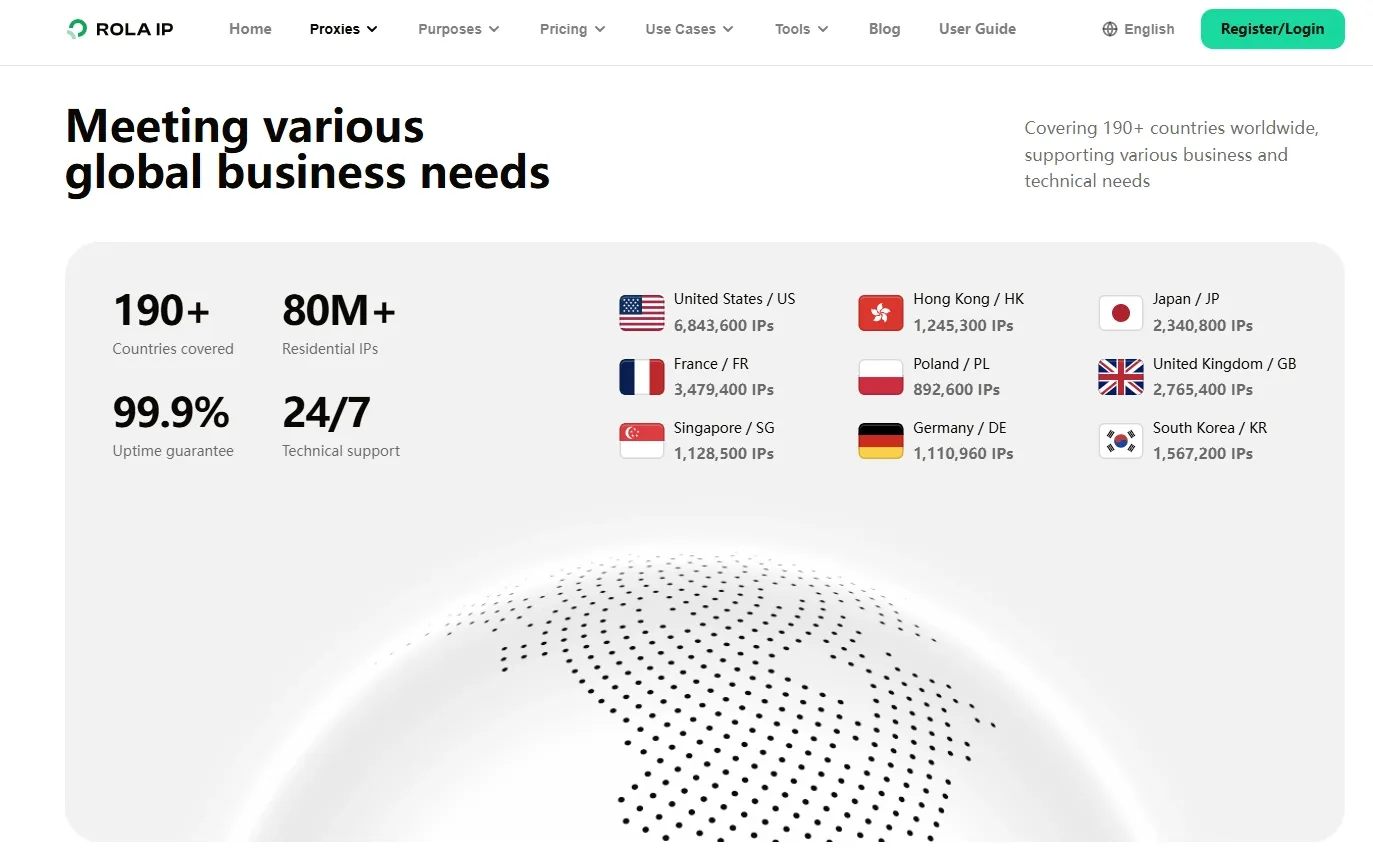
Pool size and geographic accuracy
Residential proxies often provide broader city, regional, and country sampling. That makes them useful for SEO, price monitoring, and ad verification tasks that require many geographic observations. Mobile proxies are better matched to carrier-network validation and mobile application access, but their usable exit count, carrier distribution, and city precision vary by provider.
Validate at least four location layers:
- Country and city shown by an IP database.
- Carrier or ISP shown by the ASN database.
- Reverse DNS result.
- Language, currency, inventory, search result, or ad content returned by the target site.
An IP showing one city while a target returns another region’s price does not always prove the proxy is defective. The target may use a different geographic database. The business result from the target page should carry the most weight.
Rotation and session control
IP rotation can occur per request, by time, after reconnect, or by session. Per-request rotation fits independent public-page requests. Time-based rotation fits a task that needs a relatively stable exit during a defined window. A sticky session fits login, forms, carts, and application testing. A static exit fits a workflow that depends on one IP for a longer period.
Changing the IP after every request in a logged-in workflow can expose different locations, ASNs, and network characteristics within one session. Cookies or tokens may then become invalid, and the test result becomes difficult to interpret. Bind the login flow to a sticky or static session. Keep independent public-page requests in a separate rotating pool.
Cost and total cost of ownership
Residential proxies are often billed by traffic or package. Mobile proxies may be billed by port, device, time, package, or traffic. Comparing only the price per GB ignores failed requests, retries, verification handling, engineering time, and missing records.
Cost per valid record = (proxy fees + retry costs + operational costs) / valid records.
Hypothetical example: A public product-collection project uses 100 GB of residential traffic per day and returns 80,000 valid records. A more stable option uses 80 GB and returns 90,000 valid records. Even with a higher price per GB, the second option may have a lower cost per valid record. Conversely, if a target accepts only mobile-network traffic, repeated retries through a low-cost residential pool can cost more than testing a mobile proxy directly. These figures illustrate the calculation only; they are not vendor performance data.
How to Choose by Application Scenario
The first filter is the required network source. The next filters are session state, geographic coverage, scale, and valid-data cost. The scenarios below provide a starting choice; the final decision should come from a controlled test against the actual target.
Mobile vs residential proxies for account creation
For authorized mobile app registration, login testing, brand social-media operations, and other workflows that require a cellular-network signal, test a sticky mobile proxy first. Login, verification, forms, and multi-step actions should keep the same session, country, time zone, device environment, and cookies. Per-request IP changes can invalidate the test.
Residential proxies fit location-specific pages and ordinary low-risk access when a cellular network is not a functional requirement. Neither proxy type replaces authorized account data, a consistent device environment, or compliance with platform rules.
Rotating mobile proxies vs residential proxies for web scraping
For public, stateless pages, start with rotating residential proxies because pool size, city coverage, concurrency, and valid-data cost usually matter most. Pagination, filters, forms, or authenticated collection should use a sticky residential session or a fixed exit where the target workflow requires it.
Test mobile proxies when the page depends on a mobile network, mobile content differs from desktop content, or a residential pool repeatedly fails under the same controlled conditions. A scraping evaluation should record HTTP status, verification pages, parsing success, duplicate records, retries, and valid-data cost. Proxy rotation cannot replace request throttling, respectful collection, or the target site’s access rules.
SEO monitoring and SERP tracking
SEO teams that need results from multiple countries or cities commonly begin with residential proxies to build repeatable geographic samples. Keep location, device type, language, and time window fixed for each comparison, then record ranking URLs, verification ratios, and anomalous results.
Mobile proxies are useful as a supplement when the project measures mobile search results or a carrier-specific experience. They should not automatically carry the entire query volume unless the test shows that the mobile network is required.
Ad verification and mobile app testing
Mobile proxies fit mobile ad verification, app registration and login QA, mobile content loading, location permission checks, and carrier-network performance tests. Residential proxies fit desktop ad checks, localized landing pages, and broad geographic sampling.
Ad results can also change with budget, time, audience, and auction conditions. A useful test record includes device, location, exit IP, ad creative, landing page, timestamp, and error code. A simple connectivity result is not enough to explain an ad-delivery discrepancy.
These use cases assume lawful collection, authorized account operations, and quality testing. A proxy changes the network exit; it does not create authorization or replace the target platform’s rules.
How to Choose a Mobile or Residential Proxy Provider
The provider can matter more than the category label. Two products called residential proxies may differ in source, sharing model, rotation, location precision, and node-replacement policy. Product selection should start with the target site, data type, and session workflow rather than package price or the advertised IP count.
Verify IP source and compliance
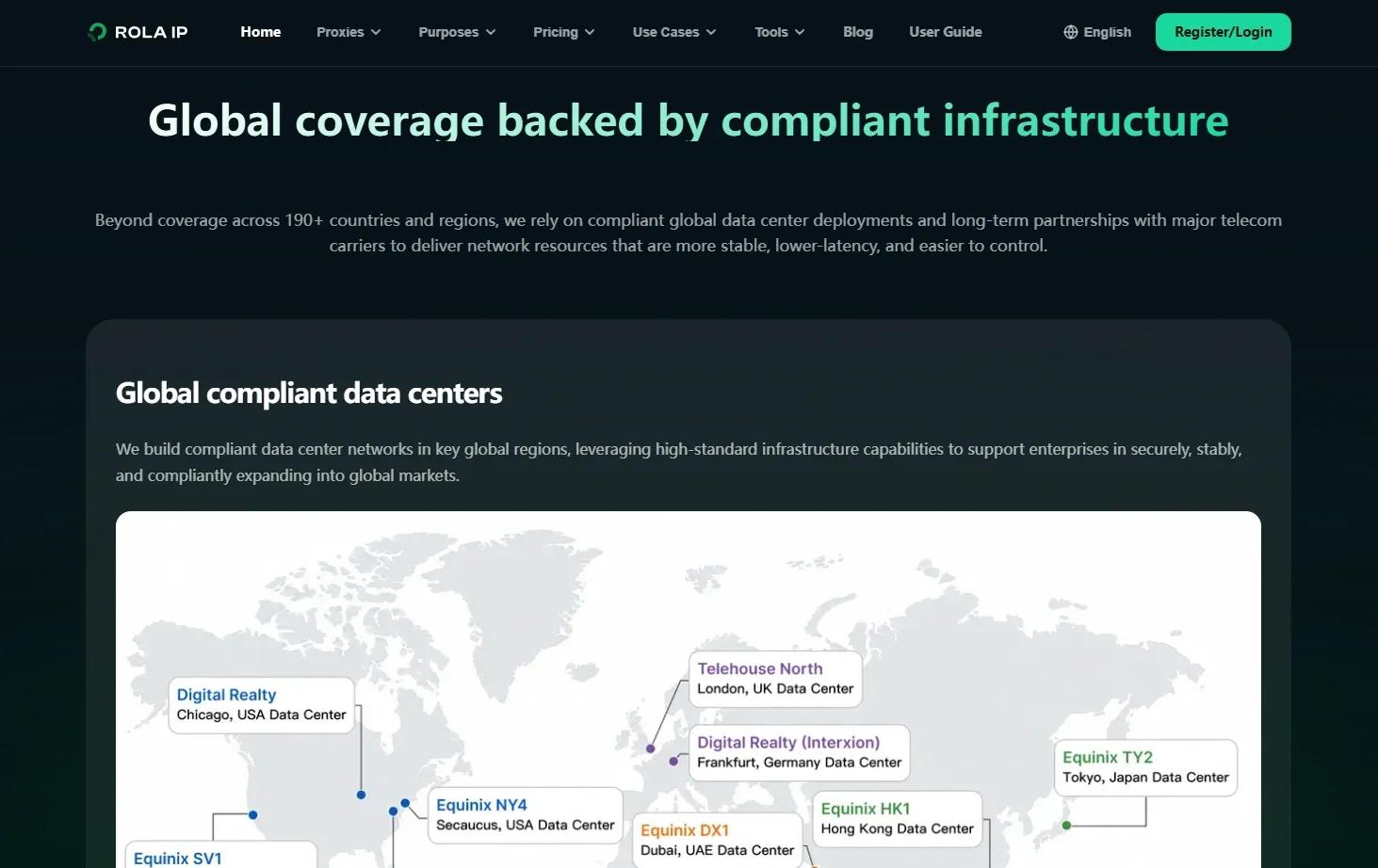
A provider should explain the network source, authorization model, abuse-report process, and data-protection policy. For residential products, distinguish real home ISP exits, static ISP exits, and addresses that actually belong to data centers. For mobile products, confirm whether the network is carrier-based, device-based, port-shared, or another forwarding architecture.
Do not classify a node only by its product name. A pool labeled residential may still have an ASN owned by a cloud provider. Sample the IPs, check ASN, reverse DNS, location databases, and target-page behavior, and keep the test timestamp. IP classification can change and should be reviewed periodically.
Check network quality and geographic accuracy
The test should cover:
- IP reputation and abuse history;
- ASN consistency with the requested network type;
- country, city, region, and ZIP-level accuracy where required;
- uptime, connection timeouts, and failure rate;
- node replacement after an outage;
- whether a rotation changes the country, city, or carrier unexpectedly.
Country-level content may only need a reliable country signal. City-level SERP or ad verification needs stronger location validation. The target’s language, currency, inventory, ranking results, or ad content is more useful than a country label alone.
Confirm sessions and access methods
Check whether the provider supports HTTP, HTTPS, and SOCKS5, and whether authentication uses username and password or IP allowlisting. Confirm the available rotation period, sticky-session behavior, country and region targeting, carrier selection, session identifier, concurrency rules, API access, timeout guidance, error codes, and logs.
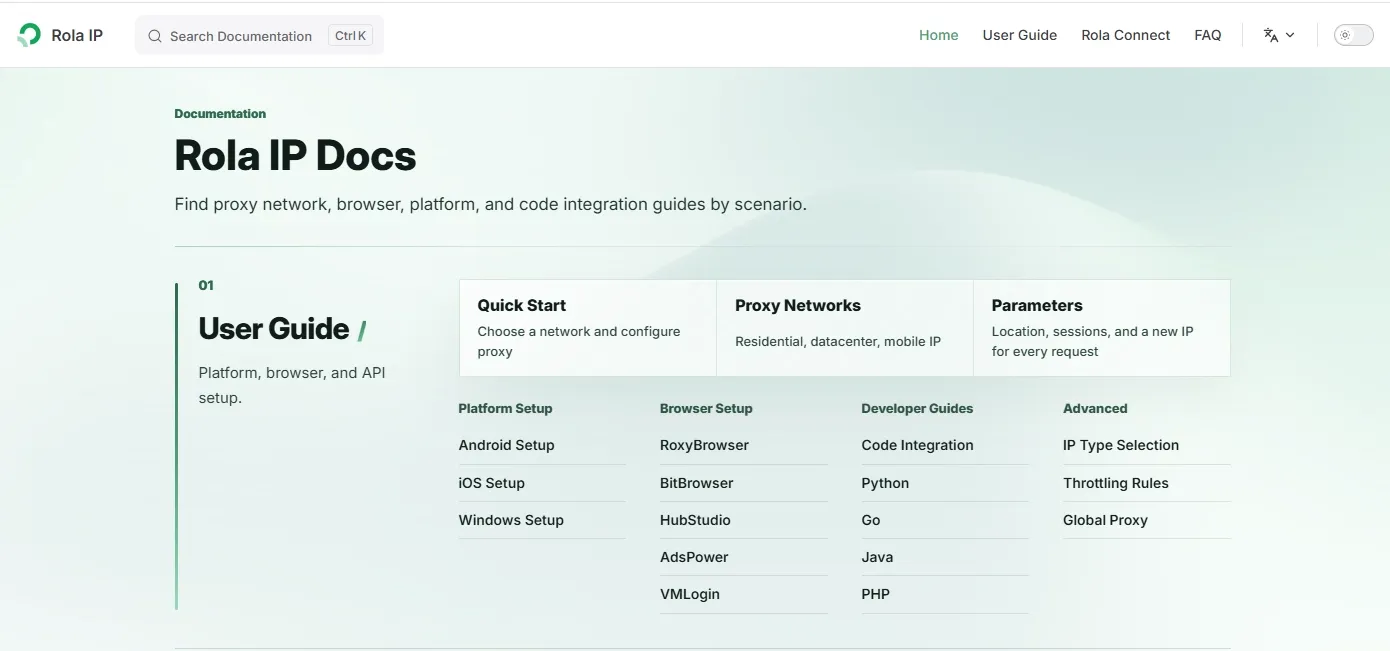
Parameter names, ports, packages, and product capabilities can change. The current provider documentation and dashboard should be treated as the source of truth rather than hard-coding a parameter in a general comparison article.
Compare price transparency and test procedure
Confirm whether billing is based on traffic, port, device, time, or package; whether traffic expires; whether failed requests count; whether node replacement is included; and whether concurrency or location limits add cost.
A practical test has four stages:
- Sample a small number of nodes and verify IP type and location.
- Send a fixed request volume to the same target through each proxy type.
- Run the required login or long-session workflow.
- Calculate valid-data rate, retry cost, and cost per valid record.
Rola IP: product types, verifiable configuration, and use cases
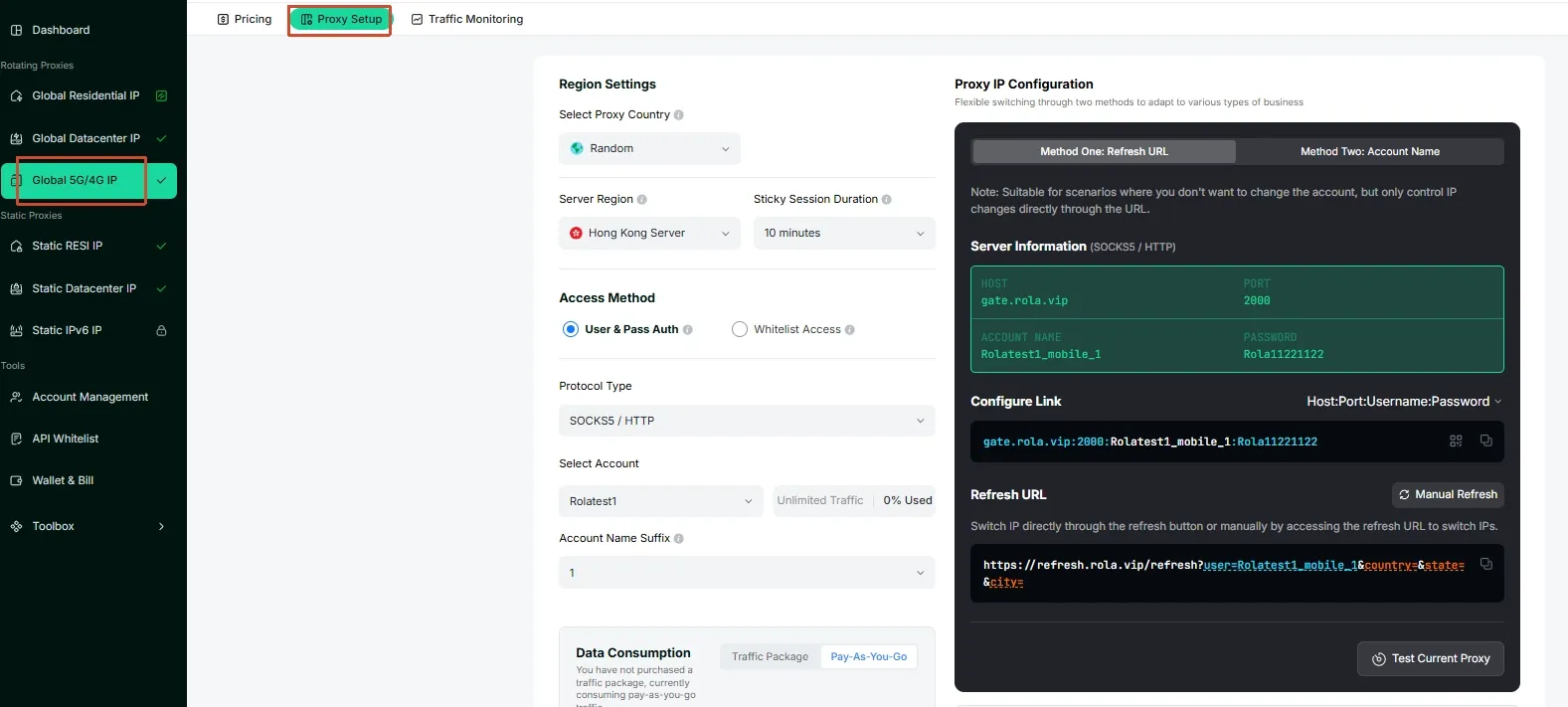
Product types: Rola IP provides mobile proxy and residential proxy products for projects that need to compare cellular and home-ISP exits.
Verifiable configuration: Confirm the network source, country and region options, session duration, rotation behavior, protocol, authentication method, and concurrency rules on the relevant official product page or in the dashboard. Product quantity, geographic coverage, pricing, and protocol availability should be taken from the current official interface.
Test entry: Start with a small sample from the official product page or dashboard. Use the same target, location, request volume, device conditions, and session duration for mobile and residential tests. Record IP type, geolocation, connection rate, P95 latency, verification ratio, and cost per valid record.
Applicable scenarios: Mobile proxies can be evaluated for mobile app testing, mobile ad verification, and carrier-network testing. Residential proxies can be evaluated for web scraping, SEO monitoring, price monitoring, and multi-location data collection. The final product choice should follow the measured result and the project’s authorization requirements.
How to Turn Test Results into a Proxy Purchase Decision
Testing is useful only when it leads to an explicit purchase rule. The rule should connect network source, session behavior, scale, location, and stopping conditions.
1. Decide whether the network type is a hard requirement
If the target is a mobile app, mobile ad, or carrier-network test, a mobile proxy is a functional requirement. If the target is a large multi-city collection task, residential coverage may be more important. If the network type is being considered only as a way to reduce verification, run a small A/B test before committing to a higher-cost product.
2. Separate stateless and stateful traffic
Public lists, search results, and price pages are often stateless and can use a rotating residential pool. Login, forms, carts, and app workflows are stateful and need a sticky or static exit. Separating the pools makes failures easier to diagnose and prevents cookies, location, and IP state from being mixed.
3. Match scale and geographic scope
As request volume and location count increase, pool depth, concurrency, location accuracy, and valid-data cost become more important. A smaller mobile test with high business value may prioritize session reliability, location precision, and recovery behavior instead.
4. Set stop and replacement conditions
Define conditions before the test begins. Examples include a connection-failure rate above the project’s threshold, P95 latency above the workflow requirement, declining field completeness, or repeated session invalidation. The business team should set the thresholds according to page value and freshness requirements. Keep request time, node, ASN, error code, verification ratio, and cost records for later review.
Purchase rules
- When network source is a hard requirement, choose the matching mobile, residential, or data-center category first, then compare provider quality.
- Use rotation for stateless requests and sticky or static exits for login, forms, and application workflows.
- When scale and geographic coverage dominate, prioritize pool depth, concurrency, location quality, and cost per valid record.
- When a project needs both large-scale collection and mobile-network validation, split the pools and test each role separately.
When Does a Hybrid Proxy Strategy Help Control Costs?
A hybrid strategy is not automatically cheaper. It can reduce total cost only when residential proxies handle scale and coverage, mobile proxies are reserved for tasks that truly require a cellular network or stable mobile session, and the result is verified through valid-data cost.
Use residential proxies for discovery and scale
Rotating residential proxies can handle public pages, geographic samples, and other stateless requests. The collector should record HTTP status, verification pages, field completeness, and IP information. When a target continues to fail, run a controlled mobile comparison before moving the entire workload to a more expensive pool.
Reserve mobile proxies for mobile-network validation
Allocate mobile proxies to mobile content, carrier-network checks, authorized app workflows, and stable mobile sessions. Let residential proxies continue serving the public pages that do not need those properties. This division may reduce traffic, retries, and engineering time, but the ratio must come from test data rather than a fixed formula.
Keep session boundaries separate
Do not reuse cookies, tokens, or browser profiles across mobile and residential sessions. Keep login workflows tied to one session and location, and rotate stateless traffic independently. Logs should include IP, ASN, country, city, session ID, error code, and valid-data cost. A hybrid design is justified only when those measurements show a lower total cost with acceptable data quality.
Conclusion: Choose the Proxy Network by Task
- Network source is mandatory: choose mobile for cellular-network requirements and residential for home-ISP coverage.
- The workflow has state: use rotation for independent requests and sticky or static exits for sessions.
- The task is large: compare pool depth, geographic coverage, concurrency, and cost per valid record.
- The task mixes requirements: split the pools, test each role under the same target conditions, and adjust the allocation from measured results.
The practical answer to mobile proxies vs residential proxies is therefore conditional. Residential proxies usually support scale and geographic sampling. Mobile proxies usually support cellular-network validation and stable mobile sessions. The target’s actual response and the project’s valid-data cost should decide the purchase.