
Web Scraping for Lead Generation: A Source-to-CRM Workflow

Aug 25, 2026 · Guides · 8 min read
Web scraping for lead generation turns permitted company information into records that sales can review before they enter a CRM. The useful output is not the largest possible list. It is a traceable record containing the company, its source URL, the date observed, the reason it matches the ICP, and a review status.
This guide follows that record from source selection through field definition, collection, normalization, deduplication, qualification, and CRM import. It also shows where an approved data API or proxy connection fits. It does not cover bypassing access controls, scraping login-only platforms, harvesting unnecessary personal contact details, or sending bulk outreach without a compliance review.
Reviewed August 31, 2026. Source terms, data fields, and outreach requirements can change; recheck them before running a recurring collection job.
Quick answer
Lead generation web scraping is the process of turning permitted business information from websites, partner exports, or approved data APIs into a structured prospect list. Start with an ideal customer profile, document the fields you need, use sources that allow your intended use, then deduplicate and verify every record before it enters your CRM.
The proxy layer comes later. It can help route an authorized collection job through a specific region or keep its connection settings consistent. It does not create permission to collect data, override a website’s terms, or make an outreach program compliant.
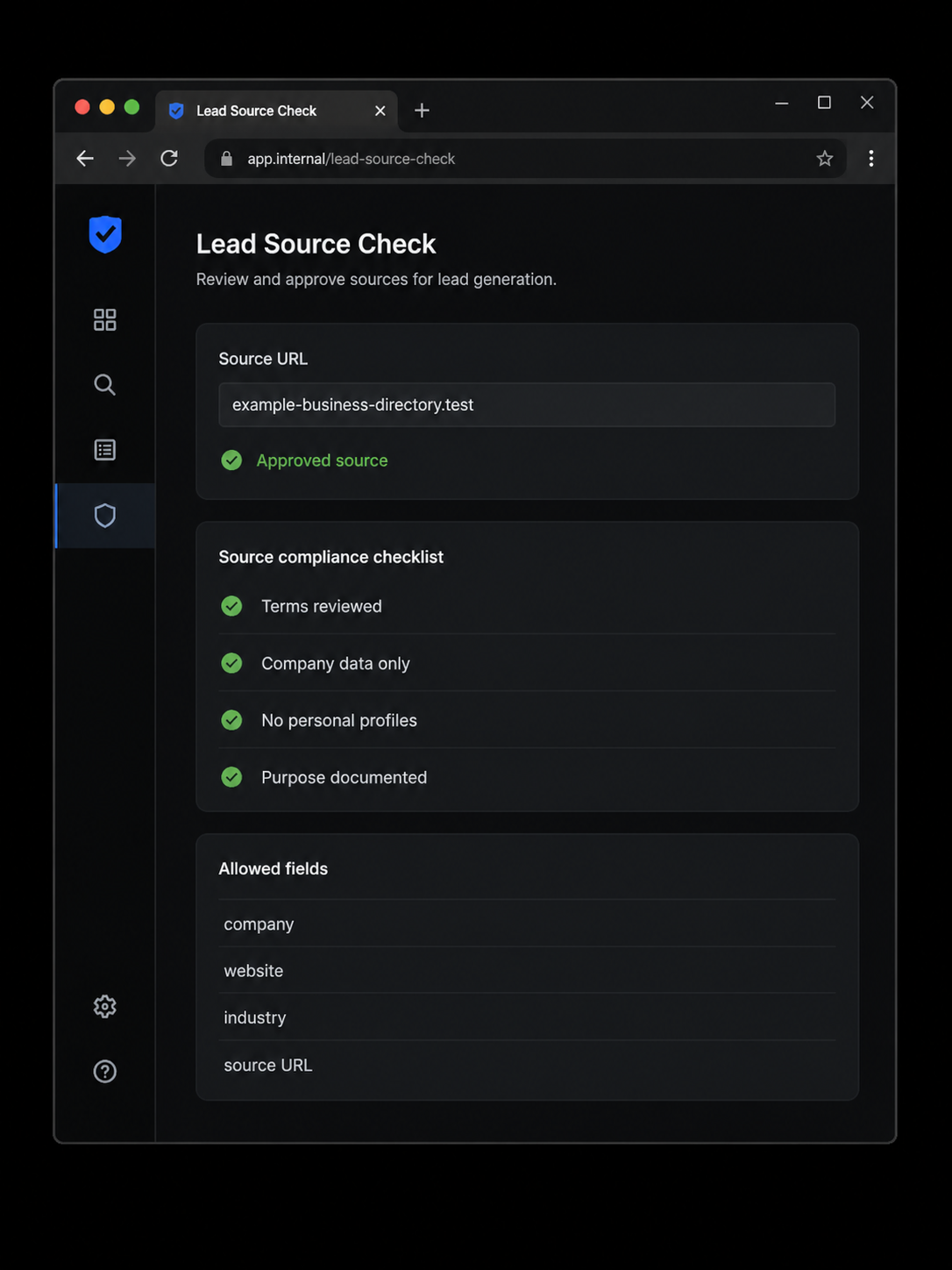
Illustrative source-review interface. It uses a fictional directory and does not represent an actual customer, partner, or lead source.
Start with an ideal customer profile
Before you scrape leads, write a one-page ideal customer profile, often called an ICP. Keep it operational. A sales team should be able to look at one company and decide whether it belongs in the list without guessing.
For example, a B2B software company might target United States-based firms in a specific industry, with a public website, a defined employee range, and an observable reason to consider the product. That is much more useful than asking for “SaaS leads” or “all agencies.”
Your ICP should answer these questions:
- Which company types are in scope?
- Which countries, regions, or languages matter?
- Which public business signals indicate a likely fit?
- Which fields are essential for a first review?
- Which data is out of scope because it is personal, sensitive, unnecessary, or not permitted?
For many B2B workflows, a first-pass record only needs a company name, website, industry, broad location, source URL, collection date, and a short qualification note. Add a personal email address, phone number, or social profile only when you have a documented reason and an appropriate legal and platform basis to do so.
Choose lead sources you are allowed to use
Web scraping leads is not simply a technical task. Each source has its own terms, access rules, licensing conditions, and data-protection implications. A page being visible in a browser does not by itself mean that automated collection, reuse, or outreach is allowed.
Use a source review before any recurring job. Record the source URL, the relevant terms or license, the approved fields, the request frequency, the owner of the workflow, and the business purpose. If a site requires login access, presents a CAPTCHA, or blocks your request, stop and review permission instead of trying to work around the control.
| Source type | Useful company-level fields | Review before collecting |
|---|---|---|
| Your own website, CRM, or partner export | Account name, product interest, firmographic notes | Contractual access, retention, and data-sharing scope |
| A licensed business directory or dataset | Company, website, category, public location, source ID | License rights, permitted volume, and resale restrictions |
| A public company website | Published company description, services, office locations | Site terms, robots guidance, and collection method |
| An approved lead generation API | Structured company records and source metadata | API terms, field availability, request limits, and pricing |
Build the collection plan around company information first. This reduces privacy risk and gives sales a clean basis for account research. It also makes it easier to explain why a record entered the system later.
How to scrape leads with a repeatable workflow
The following sequence works whether you use a no-code collector, an internal parser, or a lead generation API. The technical tool changes, but the record-quality checks should stay the same.
1. Write the data contract
Define the required output before collecting anything. A lean schema might include:
| Field | Purpose |
|---|---|
company_name |
Primary company identifier |
website |
Lets a reviewer confirm the business |
industry |
Matches the record to the ICP |
country_or_region |
Supports territory assignment and market research |
source_url or source_id |
Preserves provenance |
captured_at |
Shows when the information was observed |
qualification_note |
Explains why the company may fit |
review_status |
Keeps unreviewed records out of active outreach |
Avoid vague fields such as lead_score unless the team also writes down how the score is calculated. A short note like “has a public pricing page for multi-location teams” can be more useful to a salesperson than an unexplained number.
2. Collect a small sample first
Run a small, permitted sample before planning volume. Check whether the source actually supplies the fields in your contract, whether the data is current enough for the use case, and whether you can preserve the source link for each record. A sample of 20 reviewed companies will teach you more than thousands of rows with no traceability.
Follow the source’s terms and documented request limits. If the source offers a supported export or API, prefer that route over parsing a presentation layer. If the data is missing, ask the data owner for a documented feed instead of looking for hidden endpoints or private APIs.
3. Normalize company records
Company names arrive in many forms. “Northstar Labs Inc.” and “Northstar Labs” may be the same account. Normalize obvious suffixes, lowercase domains for matching, and keep the original source values beside the normalized values. Do not overwrite the source record when your team makes an inference.
Domain matching is usually more reliable than a company-name match. Keep the domain, source URL, and capture time together so an operator can understand where the record came from.
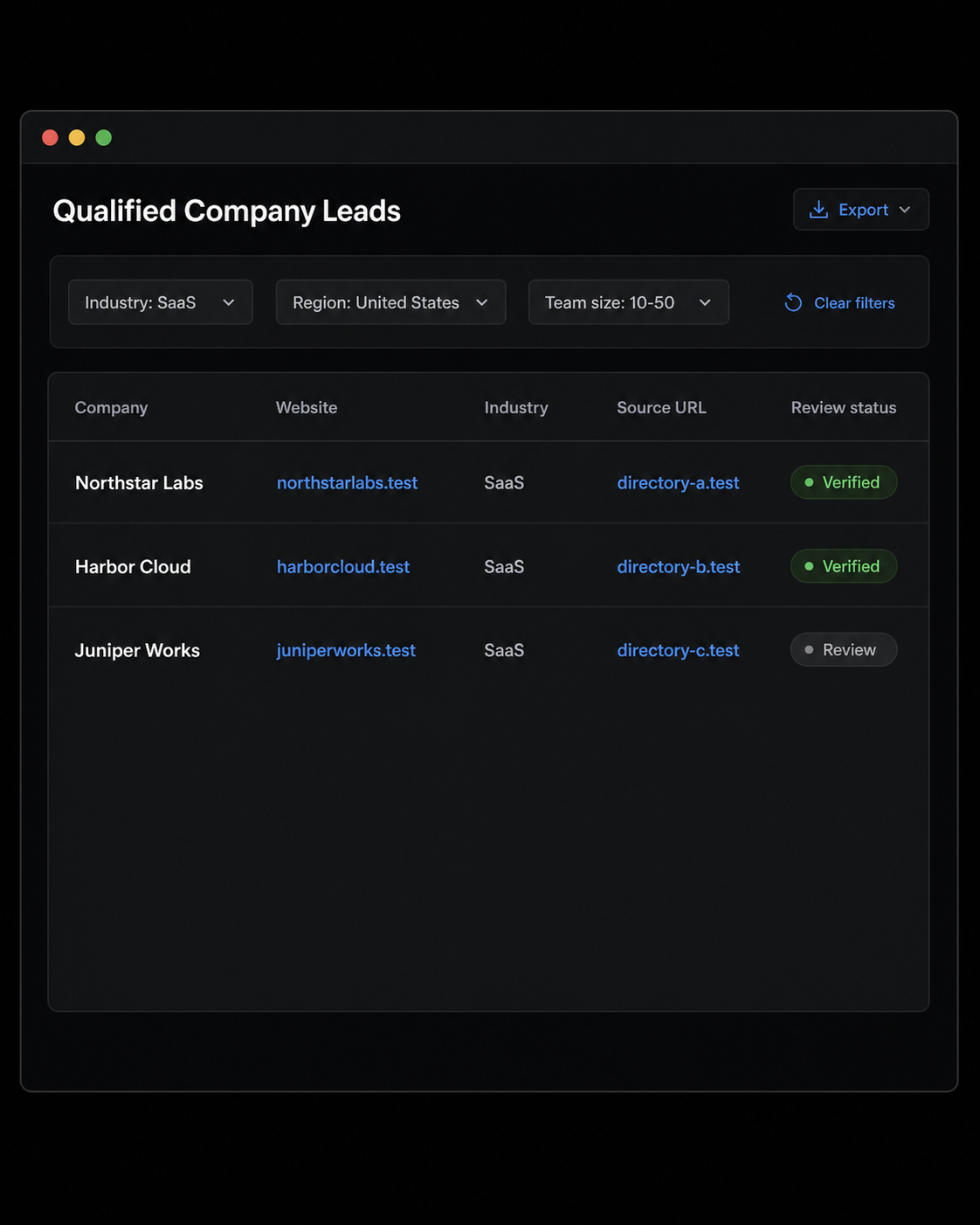
Illustrative lead-qualification dashboard. Company names and .test domains are fictional, and the image contains no personal contact data.
4. Deduplicate and qualify before CRM import
Deduplicate on a stable identifier such as the company website or a licensed source ID. Then give someone responsibility for the final qualification check. They should confirm that the company still matches the ICP, that the source is documented, and that the record does not duplicate an existing account.
Do not let a scraper create new CRM records without a review status. A simple lifecycle such as new, review, qualified, and rejected is enough to prevent unverified records from being handed to sales.
5. Separate research from outreach
Collection is only the research stage. Outreach adds a separate layer of legal, brand, and deliverability responsibility. In the United States, the FTC says the CAN-SPAM Act applies to commercial email, including B2B email, and requires accurate routing information, a way to opt out, and prompt handling of opt-out requests.
For EU personal data, review the European Commission’s EU data-protection framework. For UK electronic marketing, review the ICO’s PECR guidance. Check the rules, consent requirements, and platform policies that apply to your target market and channel before contacting anyone. This guide is operational guidance, not legal advice.
When a lead generation API is the better choice
A lead generation API can be preferable when you need predictable fields, source metadata, request limits, and a documented commercial relationship with the data provider. It is not automatically the best answer, but it can reduce the maintenance involved in parsing changing web pages.
Ask these questions when evaluating a lead generation API:
- Does the API document its permitted use cases and data source?
- Can it return the company-level fields in your data contract?
- Does it expose a stable source ID, timestamp, or freshness signal?
- How are updates, deletions, corrections, and opt-outs handled?
- Can you use the data in your CRM and in the countries where your team operates?
An API response still needs deduplication, quality checks, and a review status. It is a collection method, not a substitute for your sales operations process.
Best lead scraping tools: choose the right category
There is no universal winner among the best lead scraping tools because the right tool depends on the source and the permission model. Compare categories against the job you actually need to do.
| Tool category | Best fit | Main tradeoff |
|---|---|---|
| No-code extractor | A small, approved collection from a stable public page | Can become fragile when layouts change |
| Custom parser | Your own site, a partner export, or a source with documented permission | Requires engineering maintenance and testing |
| Licensed dataset or lead generation API | Recurring company research with defined fields | Cost and licensing boundaries need review |
| CRM enrichment workflow | Matching records you already have to approved firmographic data | Does not fix a weak ICP or missing source provenance |
| Proxy connection layer | Authorized regional research or approved public-data collection | It does not grant access rights or replace source approval |
For an authorized source that requires regional observation, a web scraping proxy can be part of the collection architecture. Rola IP provides proxy infrastructure for data-collection workflows. Keep the proxy configuration separate from the source-approval record so operators do not mistake a successful connection for permission to collect data.
Use proxies responsibly in lead research
If an approved data source displays regional company information, use the same region in your collection plan, validation notes, and proxy settings. This helps a reviewer reproduce why a record appeared in a particular market view.
A residential proxy may be relevant for an authorized workflow that needs a regional public-data view. For recurring approved research across markets, proxies for market research can help maintain a consistent connection setup. Neither option should be used to evade a site’s access rules, rate limits, or account restrictions.
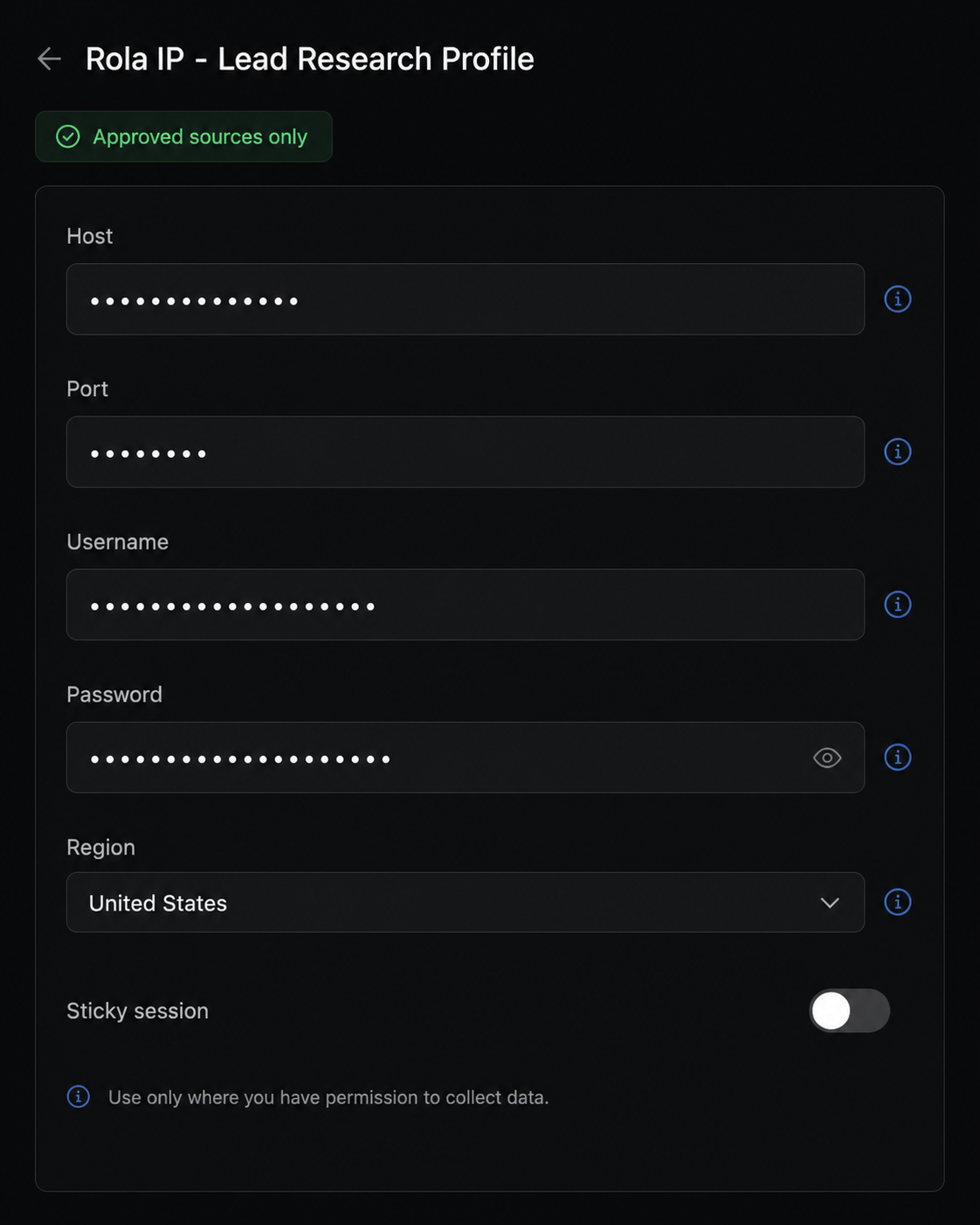
Illustrative Rola IP configuration mockup, not an actual product screen. All connection values are intentionally redacted.
When you are ready to configure Rola IP for a permitted source, use the English proxy quick start to confirm the current host, port, username, and password format. Test against an endpoint you control before attaching the configuration to a production data job. Never place live credentials in a spreadsheet, code repository, or screenshot.
Measure list quality, not just list size
A lead list that sales trusts is more valuable than a larger list with unclear sources. Track a few operational measures:
- Percentage of records with a valid company domain
- Percentage of records that match the documented ICP
- Duplicate rate before CRM import
- Percentage of records with a retained source URL or source ID
- Acceptance rate after sales review
- Opt-outs, corrections, or source-removal requests
Review these measures by source. A source may produce plenty of records but still be a poor fit if most companies fail qualification or if its license prevents the intended CRM use.
Common problems in lead generation web scraping
| Problem | Likely cause | Better response |
|---|---|---|
| The list has companies but no clear fit | The ICP is too broad or the schema lacks qualification fields | Tighten the ICP and require a qualification note |
| The same company appears several times | Names vary across sources | Deduplicate with domain and preserve the original source values |
| The source returns incomplete pages | The page is built for a browser view, not a supported data feed | Use the source’s export or API, or request an approved format |
| A request is blocked or challenged | Access rules, rate limits, or authentication controls are active | Stop and review source permission. Do not escalate automation |
| Sales rejects the imported records | The data team did not include the context sales needs | Add source, reason for fit, and review status before import |
| Outreach generates complaints or opt-outs | Collection and marketing compliance were treated as the same step | Separate the workflows and apply channel-specific rules |