
Web Scraping News: A Python Guide With Regional Verification

Sep 7, 2026 · Guides · 17 min read
TL;DR
A reliable web scraping news workflow should first discover articles through an official API, RSS, or a News Sitemap, then extract JSON-LD, the canonical URL, author, publish time, update time, and body text from an authorized detail page. Before storing data, you still need to validate fields, normalize URLs, identify duplicates and updated versions, and continuously monitor parsing quality.
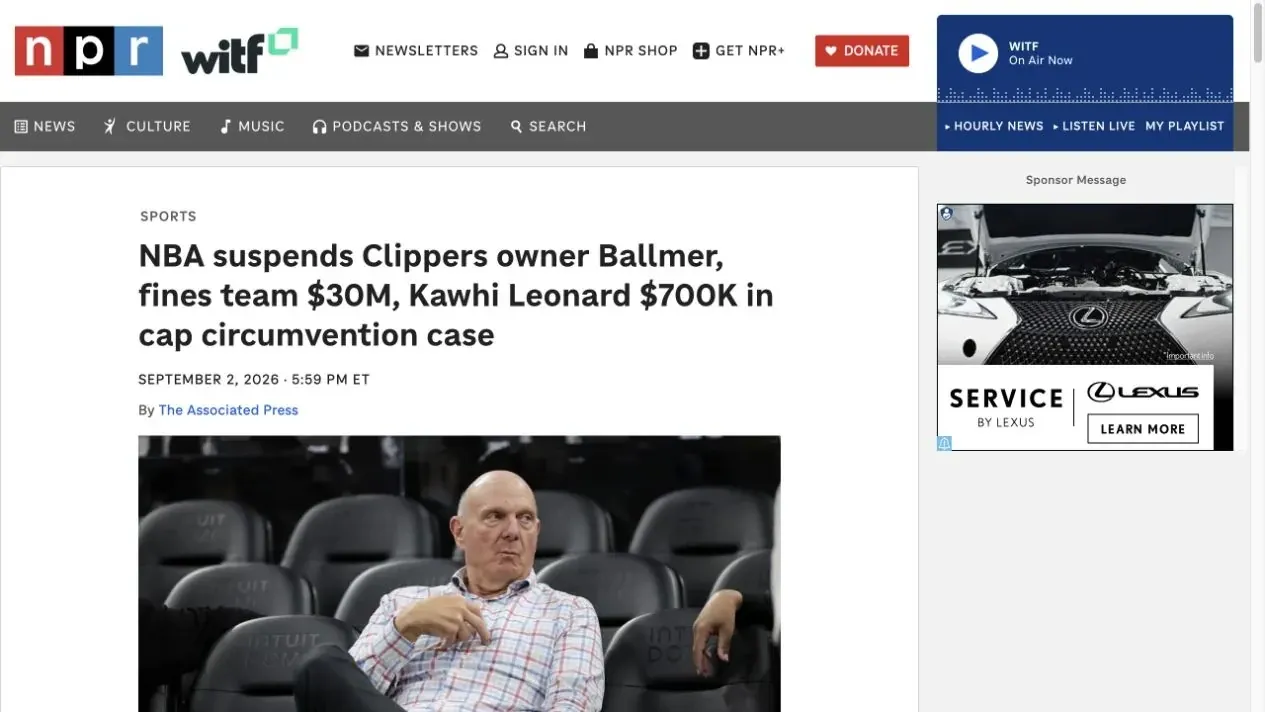
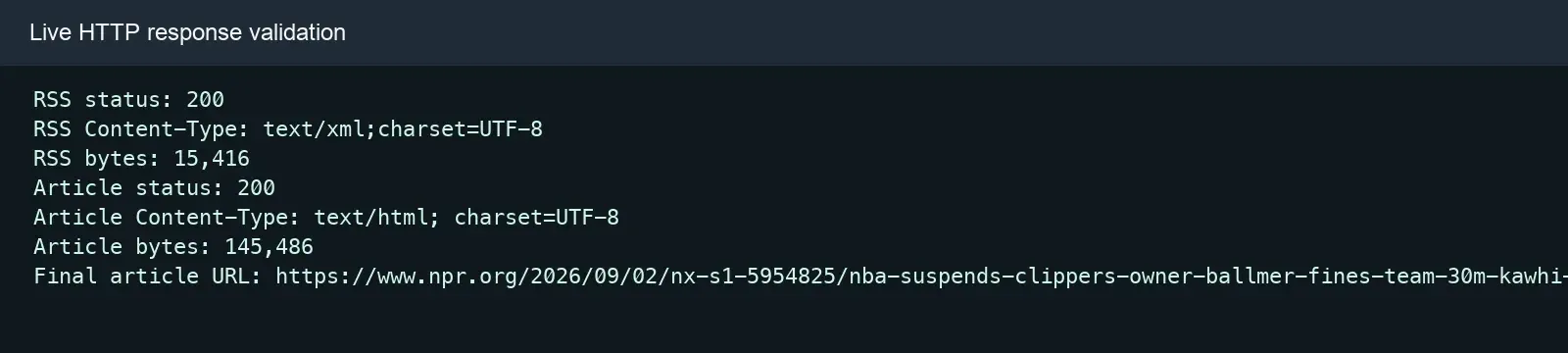
This tutorial uses the NPR News RSS feed and one fixed NPR English article page to walk through the complete process. The number of RSS entries, article availability, and body word count will change as the source content changes, so the terminal screenshots in this article should be understood as the result of one example run — a production project should rerun the commands and complete reproducible regression tests using a fixed fixture.
If an authorized news-monitoring task needs to compare country editions, language redirects, or CDN responses, Rola IP can be added as an optional network variable. Most RSS discovery and static HTML parsing can be done with a direct connection; a proxy isn’t a required tool, and it doesn’t grant a license to copy content. Before integrating it, check the current protocol, authentication, region, session, and acceptable-use requirements in Rola IP’s English documentation.
What Is Web Scraping News, and What Data Can You Extract?
Web scraping news is the process of converting an authorized news source into structured data. A complete workflow usually includes article discovery, page fetching, field parsing, normalization, deduplication, incremental updates, and delivery.
Common fields include:
- Headline, summary, and body text.
- Author, publishing organization, and source URL.
datePublished,dateModified, and collection time.- Canonical URL, section, keywords, and main image.
- Language, region, content fingerprint, and parser version.
Bright Data’s news scraping guide introduces the basic collection workflow for news URLs, body text, and metadata; OpenIndex’s news aggregation overview further explains source organization, updates, and delivery in an aggregation system. Being technically able to access a page doesn’t mean the full text can be stored long-term or republished — a project still needs to check terms, copyright, licensing, and privacy boundaries.
What’s the Difference Between Scraping a News Page and News Aggregation?
Page scraping solves “how do I get one article”; news aggregation must also continuously discover new content, merge duplicate reports, track updates, and organize multiple sources.
| Capability | Single-Article Scraper | News Aggregation Pipeline |
|---|---|---|
| Fetch one article | Required | Required |
| Discover new URLs | Optional | Scheduled via API, RSS, or Sitemap |
| Field normalization | Basic mapping | A unified schema across sources |
| Identify reprints | Rarely handled | Canonical URL, fingerprinting, and similarity clustering |
| Track updates | Optional | Version history and update-time watermarks |
| Data delivery | JSON or CSV | Search, alerts, an API, or a dataset |
A one-off script only needs to handle a single page; a production system also needs to decide when to revisit an article, whether the body has been updated, whether multiple sites have reprinted the same story, and how corrections or retractions get synchronized.
Which Collection Method Should You Choose for News Data?
The priority order is usually an official API or RSS first, then static HTML; use Playwright only when a required field genuinely depends on JavaScript.
| Method | Best Fit | Advantages | Limitations |
|---|---|---|---|
| Official API | Authorized structured data | Stable schema, clear boundaries | Coverage or cost may be limited |
| RSS / News Sitemap | Article discovery | Low load, easy to schedule | Usually doesn’t include the full body |
| Requests + BeautifulSoup | Static detail pages | Lightweight, easy to test | Requires a source-specific parser |
| Playwright | JavaScript-rendered fields | Can read the rendered DOM | Higher CPU and maintenance cost |
When Should You Use Rola IP for Regional News Verification?
When an authorized news-monitoring task needs to confirm the page version, language redirect, content ordering, CDN caching, or access quality seen in different countries or regions, you can add Rola IP into your regular collection workflow; if you’re just reading the same RSS feed or the same static article body, a proxy usually isn’t necessary.
The goal of regional news verification isn’t simply “switching IPs” — it’s building a repeatable controlled experiment: access the same URL, in the same time window, with the same parser, through both a direct connection and a designated regional exit, then compare the final URL, response headers, page version, and structured fields. Only this way can you tell whether a content difference actually comes from a regional policy, language negotiation, a CDN node, or the parser itself.
Which News Business Scenarios Need Regional Verification?
| Business Scenario | Question to Answer | Evidence to Compare | Suitable Team |
|---|---|---|---|
| Regional homepage and section ordering | Do headlines, sections, and recommendation order differ across markets? | Headline set, position, section URL, fetch time | International media monitoring, brand PR |
| Language and regional redirects | Does the same entry point redirect to a local-language or country edition? | Final URL, redirect chain, Content-Language, hreflang | Localization and SEO teams |
| CDN and cache verification | Does a region still return an old draft, old headline, or old image? | Age, ETag, Last-Modified, content hash | Editorial platforms, data engineering, and SRE |
| Region-restricted sections | Is a local channel or feature only shown in a specific market? | Navigation, section list, article visibility, status code | News aggregation and market-research teams |
| Consent page and regional notice QA | Do different regions show different privacy notices or access messages? | Page title, notice copy, DOM markers, screenshots | Compliance, product, and QA teams |
| Data-quality troubleshooting | Is a missing field caused by a site redesign, or a different regional template? | HTML template fingerprint, JSON-LD type, field-completeness rate | Crawler maintenance and data-quality teams |
For example, global brand monitoring can’t just confirm a story “exists.” A team may also need to verify whether the report made it onto the Poland or UK regional homepage, whether the headline is localized, whether the publish time displays in the local time zone, and whether the canonical URL still points to the same story. Here, Rola IP provides a controlled regional network variable — parsing, deduplication, and content authorization remain the collection system’s responsibility.
How Do You Decide Whether You Actually Need a Proxy?
Make a minimal judgment before integrating, to avoid adding a proxy to every request:
- Try a direct connection first. If the RSS feed, article body, and structured fields are consistent across all tasks, keep using a direct connection.
- Define the regional hypothesis clearly. Rewrite “the page won’t load” into a verifiable question, such as “does the France exit redirect to the French-language section” or “does the Japan node return a different CDN cache version.”
- Fix every other variable. Use the same URL, request headers, time window, parser version, and field contract, and change only the network exit region.
- Set a pass criterion. At minimum, compare the final URL, status code, language, headline, publish time, canonical URL, body hash, and field-completeness rate.
- Enable it only for samples that genuinely need regional verification. Keep discovery tasks and ordinary body collection lightweight, and limit proxy requests to region-sensitive pages or sampled QA.
If a task involves a login, a paywall, a CAPTCHA, an HTTP 403, or access the source has explicitly prohibited, Rola IP can’t substitute for authorization, and shouldn’t be used to bypass restrictions. Before testing, review the English web scraping proxy use-case page, and check the current host, port, scheme, authentication, region, and session parameters in the Python proxy integration and proxy parameters documentation.
Step 1: Read the Rola Proxy URL From an Environment Variable
ROLA_PROXY_URL is an environment variable name this tutorial defines for its own use — it doesn’t represent a fixed Rola endpoint format. Put the complete proxy URL your dashboard currently provides into the environment variable, and avoid writing real credentials into source code, screenshots, fixtures, or logs.
# Replace the example with the current URL from your Rola IP dashboard.
export ROLA_PROXY_URL='http://USERNAME:PASSWORD@HOST:PORT'
import os
import requests

rola_proxy_url = os.environ["ROLA_PROXY_URL"]


def create_region_session(proxy_url: str | None = None) -> requests.Session:
    session = requests.Session()
    session.headers.update({
        "User-Agent": "AuthorizedNewsQA/1.0 ([email protected])",
    })
    if proxy_url:
        session.proxies.update({"http": proxy_url, "https": proxy_url})
    return session


direct_session = create_region_session()
proxy_session = create_region_session(rola_proxy_url)
Step 2: Verify the Exit First, Then Verify Regional Attributes
Confirm the request genuinely went through the expected exit before comparing news pages, to avoid mistaking an authentication or routing error for a regional content difference. The code below only observes the exit address, status, and latency; country, region, ASN, and time zone should be verified separately through an authorized geolocation data source.
from datetime import datetime, timezone
import time

IP_CHECK_URL = "https://httpbin.org/ip"  # Use an approved endpoint.


def observe_exit(session: requests.Session, label: str) -> dict:
    started = time.perf_counter()
    response = session.get(IP_CHECK_URL, timeout=(10, 30))
    response.raise_for_status()
    return {
        "route": label,
        "observed_at": datetime.now(timezone.utc).isoformat(),
        "status": response.status_code,
        "elapsed_ms": round((time.perf_counter() - started) * 1000),
        "origin": response.json().get("origin"),
    }


print(observe_exit(direct_session, "direct"))
print(observe_exit(proxy_session, "rola"))
Check the observed exit value against the target region item by item, but don’t interpret the proxy exit’s location as the real reader’s precise physical location. If the exit doesn’t match expectations, check authentication, regional parameters, and session configuration first — don’t proceed to content comparison.
Step 3: Compare the Direct and Rola Regional Responses
from hashlib import sha256
from bs4 import BeautifulSoup

AUTHORIZED_NEWS_URL = "https://example.com/authorized-news-page"


def response_fingerprint(session: requests.Session, label: str) -> dict:
    started = time.perf_counter()
    response = session.get(AUTHORIZED_NEWS_URL, timeout=(10, 30))
    response.raise_for_status()
    soup = BeautifulSoup(response.text, "html.parser")
    canonical = soup.select_one('link[rel="canonical"]')
    title = soup.title.get_text(" ", strip=True) if soup.title else None
    visible_text = soup.get_text(" ", strip=True)
    return {
        "route": label,
        "status": response.status_code,
        "redirect_chain": [item.url for item in response.history] + [response.url],
        "final_url": response.url,
        "content_type": response.headers.get("Content-Type"),
        "content_language": response.headers.get("Content-Language"),
        "etag": response.headers.get("ETag"),
        "last_modified": response.headers.get("Last-Modified"),
        "title": title,
        "canonical_url": canonical.get("href") if canonical else None,
        "text_sha256": sha256(visible_text.encode("utf-8")).hexdigest(),
        "elapsed_ms": round((time.perf_counter() - started) * 1000),
        "bytes": len(response.content),
    }


print(response_fingerprint(direct_session, "direct"))
print(response_fingerprint(proxy_session, "rola"))
Don’t just compare HTTP 200. Also log the redirect chain, final URL, page title, language, canonical URL, JSON-LD type, publish time, body hash, and field-completeness rate. It’s recommended to first run a small number of fixed samples per region while keeping a direct-connection control close in time; only expand the task gradually once regional matching, data quality, and error distribution all meet expectations.
How Do You Choose a Session Strategy for Different Tasks?
- One-off regional check: when each sample only needs a single request, use an ordinary regional exit and log the result immediately after completion.
- Multi-page user-journey QA: when the homepage, section page, and article page need to keep the same regional context, configure a sticky session according to the current Rola documentation, and set an explicit lifecycle for the session.
- Periodic monitoring: build a separate task queue per country, and compare a fixed set of URLs within the same time window, to avoid mistaking publish-time differences for regional differences.
- Troubleshooting: keep both direct-connection and proxy samples; if only one region is anomalous, check DNS, CDN, the template, and source policy before increasing request volume.
In Which Situations Should You Not Use Rola IP?
If a task is just reading a public RSS feed, parsing the same static detail page, fixing a CSS selector, or verifying a local fixture, adding a proxy won’t improve field quality. When you encounter 401, 403, 429, a login, a paywall, or a CAPTCHA, stop and check permissions, rate, and site terms — rotating exits can’t turn an unauthorized action into compliant collection.
Hands-On Goal: Which Fields Will You Extract From NPR?
This example first discovers articles from the NPR RSS feed, then builds one complete record from a fixed detail page, including:
- The RSS title, URL, and raw publish time.
- The article headline and description.
- One or more authors.
datePublishedanddateModified.- Canonical URL and source URL.
- Cleaned body text and word count.
- JSON and CSV output.
Step 1: Set Up the Python Environment
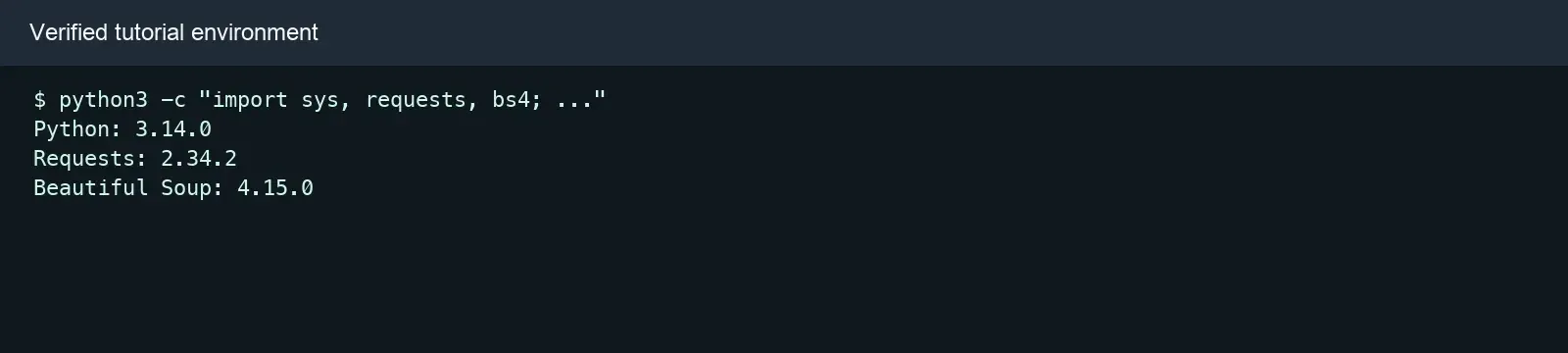
This tutorial uses Python 3.10 or later, Requests, and Beautiful Soup 4, and handles RSS XML, JSON, and CSV with the standard library.
python3 -m venv .venv
source .venv/bin/activate
# Windows PowerShell: .venv\Scripts\Activate.ps1
python -m pip install --upgrade pip
python -m pip install requests beautifulsoup4
Recommended project structure:
news-scraper/
├── scrape_npr_news.py
├── test_scrape_npr_news.py
├── output/
│   ├── npr-article.json
│   └── npr-article.csv
└── fixtures/
Step 2: Create a Session With a Timeout and Limited Retries
The request layer should set a recognizable User-Agent, connect and read timeouts, and only apply limited retries to 429s and temporary 5xx errors on idempotent GET requests.
import requests
from requests.adapters import HTTPAdapter
from urllib3.util.retry import Retry


def build_session() -> requests.Session:
    retry = Retry(
        total=3,
        backoff_factor=0.5,
        status_forcelist=(429, 500, 502, 503, 504),
        allowed_methods=frozenset({"GET"}),
        respect_retry_after_header=True,
    )
    session = requests.Session()
    session.headers.update({
        "User-Agent": "AuthorizedNewsResearchDemo/1.0 (+educational example)"
    })
    adapter = HTTPAdapter(max_retries=retry)
    session.mount("http://", adapter)
    session.mount("https://", adapter)
    return session
timeout=(10, 30) means waiting up to 10 seconds for the connection phase and up to 30 seconds for the server-read phase. The Requests timeout documentation explicitly notes that Requests doesn’t set a timeout automatically by default.
Beyond the status code, you should also validate Content-Type:
def fetch(session: requests.Session, url: str, expected_type: str):
    response = session.get(url, timeout=(10, 30))
    response.raise_for_status()
    content_type = response.headers.get("Content-Type", "").lower()
    if expected_type not in content_type:
        raise RuntimeError(
            f"Expected {expected_type}, received {content_type or 'unknown'}"
        )
    return response
This avoids handing a login page, a challenge page, a JSON error, or a binary response to the wrong parser. An HTTP 200 only means the request completed — it doesn’t prove the target field actually exists.
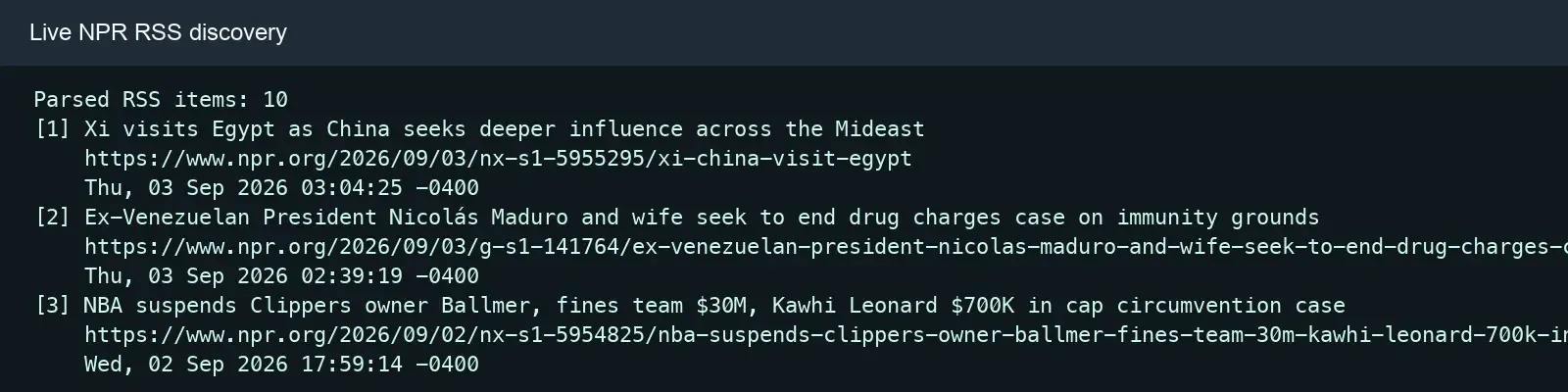
Step 3: Discover News URLs From the NPR RSS Feed
The RSS discovery function should extract the title, link, and raw publish time, and reject any entry missing a title or link.
import xml.etree.ElementTree as ET

RSS_URL = "https://feeds.npr.org/1001/rss.xml"


def discover_rss(xml_bytes: bytes) -> list[dict[str, str]]:
    root = ET.fromstring(xml_bytes)
    items = []
    for node in root.findall("./channel/item"):
        title = (node.findtext("title") or "").strip()
        link = (node.findtext("link") or "").strip()
        published = (node.findtext("pubDate") or "").strip()
        if title and link:
            items.append({
                "title": title,
                "url": link,
                "published_raw": published,
            })
    if not items:
        raise RuntimeError("No RSS items found")
    return items
RSS suits discovery tasks, but doesn’t necessarily contain the complete body. The scheduling layer can use the feed time, while the storage layer should still preserve the detail page’s datePublished, dateModified, and the RSS raw time, to make it easier to track any discrepancy.
Step 4: Locate the NewsArticle in JSON-LD
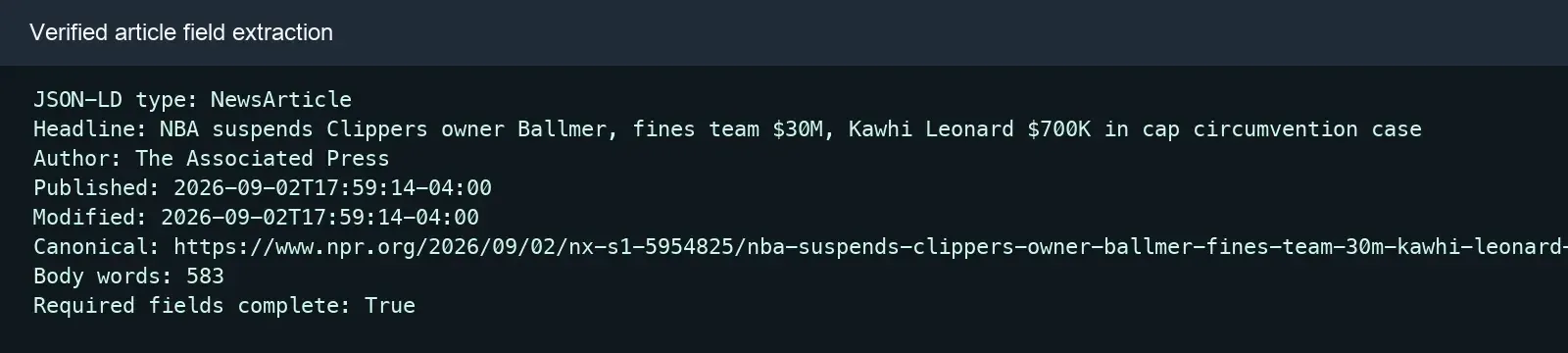
A news page may contain multiple JSON-LD scripts, an array, or @graph — you can’t assume the first script is the target article.
import json
from typing import Any
from bs4 import BeautifulSoup


def iter_json_nodes(value: Any):
    if isinstance(value, dict):
        yield value
        for child in value.values():
            yield from iter_json_nodes(child)
    elif isinstance(value, list):
        for child in value:
            yield from iter_json_nodes(child)


def find_news_article(soup: BeautifulSoup) -> dict[str, Any]:
    for script in soup.select('script[type="application/ld+json"]'):
        raw = script.string or script.get_text()
        if not raw.strip():
            continue
        try:
            payload = json.loads(raw)
        except (json.JSONDecodeError, TypeError):
            continue
        for node in iter_json_nodes(payload):
            types = node.get("@type", [])
            if isinstance(types, str):
                types = [types]
            if "NewsArticle" in types or "Article" in types:
                return node
    raise RuntimeError("No NewsArticle or Article JSON-LD found")
You can check the field definitions against Schema.org NewsArticle. JSON-LD is usually more stable than a visual CSS class name, but you should still cross-validate the headline, canonical URL, and visible body text for consistency.
Step 5: Parse the Author, Dates, Canonical URL, and Body
The parser should support both a single author and multiple authors, use urljoin() to handle a relative canonical address, and set a minimum quality threshold for the body.
from urllib.parse import urljoin


def author_names(value: Any) -> list[str]:
    values = value if isinstance(value, list) else [value]
    names = []
    for author in values:
        if isinstance(author, dict) and author.get("name"):
            names.append(str(author["name"]).strip())
        elif isinstance(author, str) and author.strip():
            names.append(author.strip())
    return names


def parse_article(html: str, page_url: str) -> dict[str, Any]:
    soup = BeautifulSoup(html, "html.parser")
    article = find_news_article(soup)
    canonical = soup.select_one('link[rel="canonical"]')
    paragraphs = soup.select("article .storytext p") or soup.select("article p")
    body = "\n".join(
        text for node in paragraphs
        if (text := node.get_text(" ", strip=True))
    )
    if len(body) < 200:
        raise RuntimeError("Article body is unexpectedly short")

    return {
        "headline": str(article.get("headline", "")).strip(),
        "authors": author_names(article.get("author")),
        "date_published": article.get("datePublished"),
        "date_modified": article.get("dateModified"),
        "canonical_url": urljoin(page_url, canonical.get("href", ""))
        if canonical else page_url,
        "description": str(article.get("description", "")).strip(),
        "body_text": body,
        "word_count": len(body.split()),
        "source_url": page_url,
    }
The example page used .storytext as its body container at the time of writing. Other sites should maintain their own adapters — don’t stack a large number of “universal fallbacks,” or you can easily end up mixing recommendation modules, disclaimers, and navigation text into the body.
Step 6: Run the Complete News Scraper
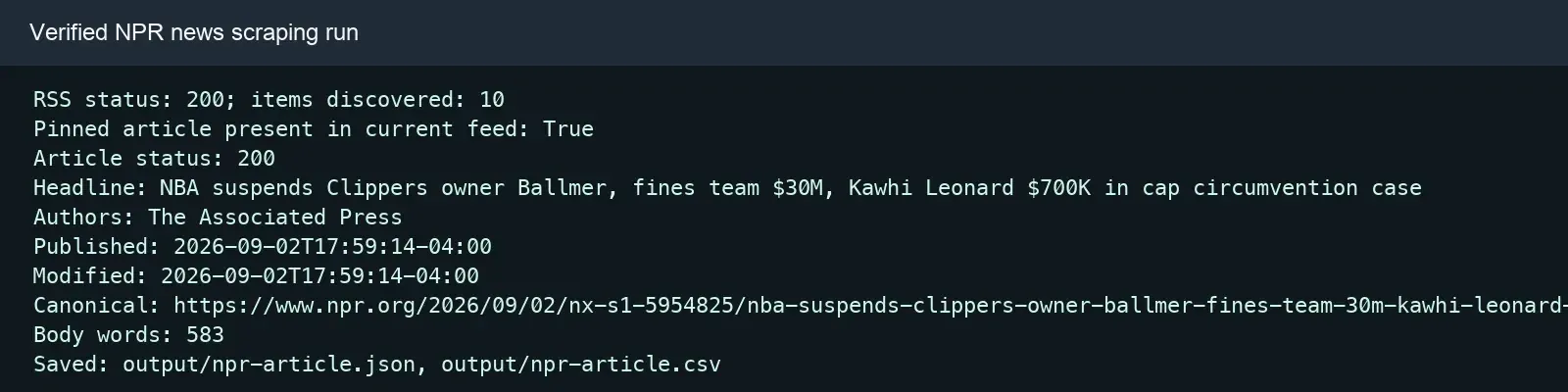
The main program first reads the RSS feed, then requests the fixed detail page, parses the record, and prints the key validation fields.
RSS_URL = "https://feeds.npr.org/1001/rss.xml"
ARTICLE_URL = (
    "https://www.npr.org/2026/09/02/nx-s1-5954825/"
    "nba-suspends-clippers-owner-ballmer-fines-team-30m-"
    "kawhi-leonard-700k-in-cap-circumvention-case"
)

session = build_session()
feed_response = fetch(session, RSS_URL, "xml")
feed_items = discover_rss(feed_response.content)
matching = next((item for item in feed_items if item["url"] == ARTICLE_URL), None)

article_response = fetch(session, ARTICLE_URL, "text/html")
record = parse_article(article_response.text, article_response.url)

print(f"RSS status: {feed_response.status_code}; items: {len(feed_items)}")
print(f"Pinned article in current feed: {matching is not None}")
print(f"Article status: {article_response.status_code}")
print(f"Headline: {record['headline']}")
print(f"Authors: {', '.join(record['authors']) or 'Not supplied'}")
print(f"Published: {record['date_published']}")
print(f"Modified: {record['date_modified']}")
print(f"Canonical: {record['canonical_url']}")
print(f"Body words: {record['word_count']}")
Step 7: Save JSON and CSV
JSON suits storing arrays and long body text; CSV suits tabular review; both should use UTF-8, and explicitly handle the author list.
import csv
from pathlib import Path

OUTPUT_DIR = Path(__file__).parent / "output"
OUTPUT_DIR.mkdir(parents=True, exist_ok=True)

(OUTPUT_DIR / "npr-article.json").write_text(
    json.dumps(record, ensure_ascii=False, indent=2),
    encoding="utf-8",
)

csv_record = {**record, "authors": "; ".join(record["authors"])}
with (OUTPUT_DIR / "npr-article.csv").open(
    "w", newline="", encoding="utf-8-sig"
) as handle:
    writer = csv.DictWriter(handle, fieldnames=csv_record.keys())
    writer.writeheader()
    writer.writerow(csv_record)
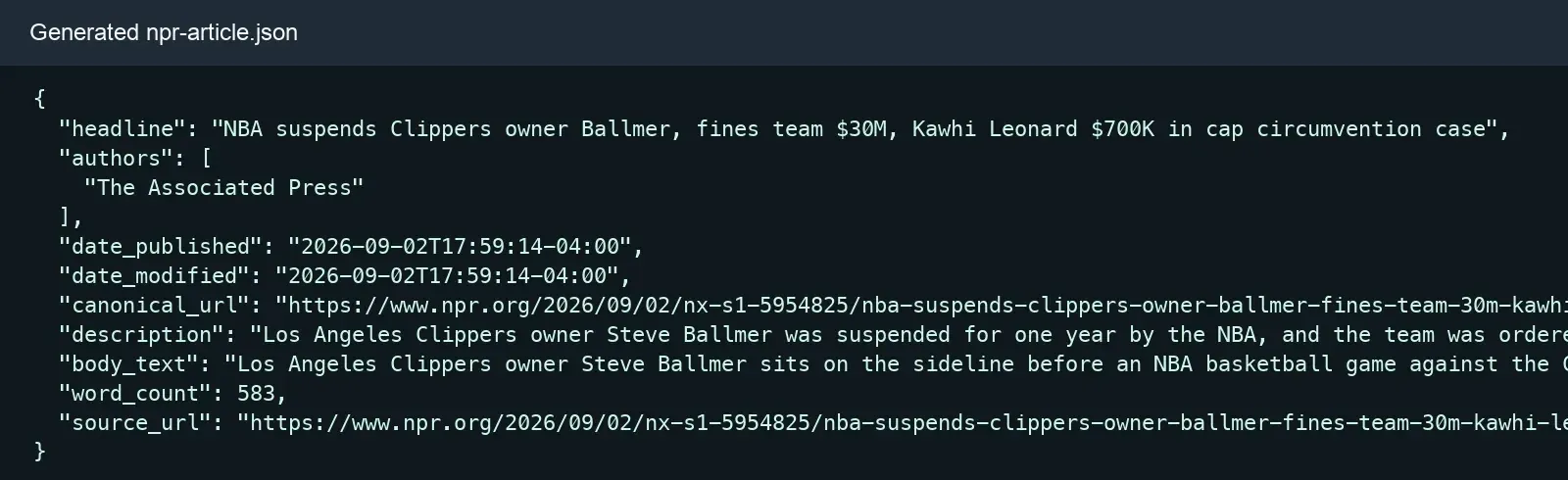
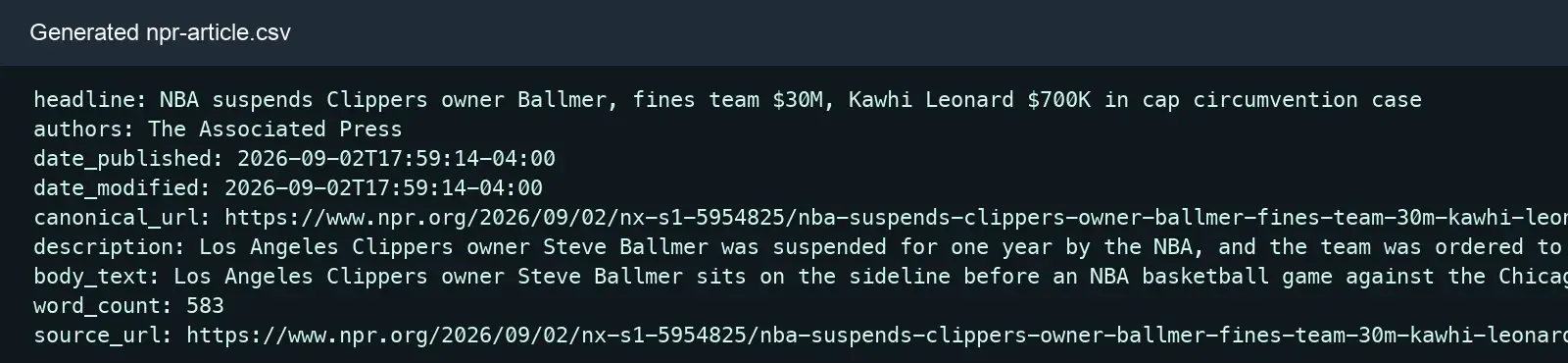
For long-term operation, it’s not recommended to cram the entire long body into one CSV. A more sensible design stores article metadata, article versions, and source coverage separately, and builds an index on the canonical URL, source article ID, and content fingerprint.
How Do You Scale to Multiple News Sites?
Share the fetching, normalization, and storage layers, while maintaining a tested parsing adapter for each news source.
SOURCE_CONFIG = {
    "source-a": {
        "body": "article .storytext p",
        "fallback": "article p",
    },
    "source-b": {
        "body": "[data-role='article-body'] p",
        "fallback": "main article p",
    },
}
Recommended workflow:
- Discover URLs via an API, RSS, or Sitemap.
- Set a separate rate and concurrency budget per domain.
- Prioritize parsing JSON-LD and canonical metadata.
- Then use a source-specific selector to extract the body.
- Stop and alert on that source when a required field is missing.
- Save a sanitized HTML fixture, and run regression tests after fixing the parser.
How Do You Handle Reprints, Duplicates, and Updated Articles?
Compare the canonical URL and source article ID first, then combine normalized headlines, a publish-time window, and a body fingerprint to judge duplicates or updates.
- URL normalization: remove
utm_*and fragments, but keep query parameters that affect the content. - Exact duplicates: compute SHA-256 over the cleaned body text.
- Approximate reprints: compare headlines, SimHash, or MinHash within a time window calibrated against manually labeled samples.
- Content updates: create a new version when the URL is unchanged but
dateModifiedor the content fingerprint changes. - Source relationships: don’t directly delete reprint records — preserve the primary source and coverage sources.
An overly loose rule can mistakenly merge different original reports of the same event; an overly strict rule can cause duplicate entries because of tracking parameters. Similarity thresholds should be calibrated using manually labeled samples.
How Do You Test a News Parser?
Regression tests should cover, at minimum, required RSS fields, the author structure, JSON-LD location, the canonical URL, and the body quality threshold.
import json
import unittest


class NewsScraperTests(unittest.TestCase):
    def test_author_shapes(self):
        self.assertEqual(author_names({"name": "A"}), ["A"])
        self.assertEqual(
            author_names([{"name": "A"}, {"name": "B"}]),
            ["A", "B"],
        )

    def test_rss_requires_title_and_link(self):
        xml = b"""<rss><channel><item><title>A</title>
<link>https://example.test/a</link></item></channel></rss>"""
        self.assertEqual(discover_rss(xml)[0]["title"], "A")

    def test_article_fixture(self):
        payload = json.dumps({
            "@context": "https://schema.org",
            "@type": "NewsArticle",
            "headline": "Fixture headline",
            "author": {"@type": "Person", "name": "A"},
        })
        body = " ".join(["fixture"] * 60)
        html = f"""<html><head>
<link rel='canonical' href='/story'>
<script type='application/ld+json'>{payload}</script>
</head><body><article><p>{body}</p></article></body></html>"""
        record = parse_article(html, "https://example.test/source")
        self.assertEqual(record["headline"], "Fixture headline")
        self.assertEqual(record["authors"], ["A"])
        self.assertEqual(record["canonical_url"], "https://example.test/story")


if __name__ == "__main__":
    unittest.main()
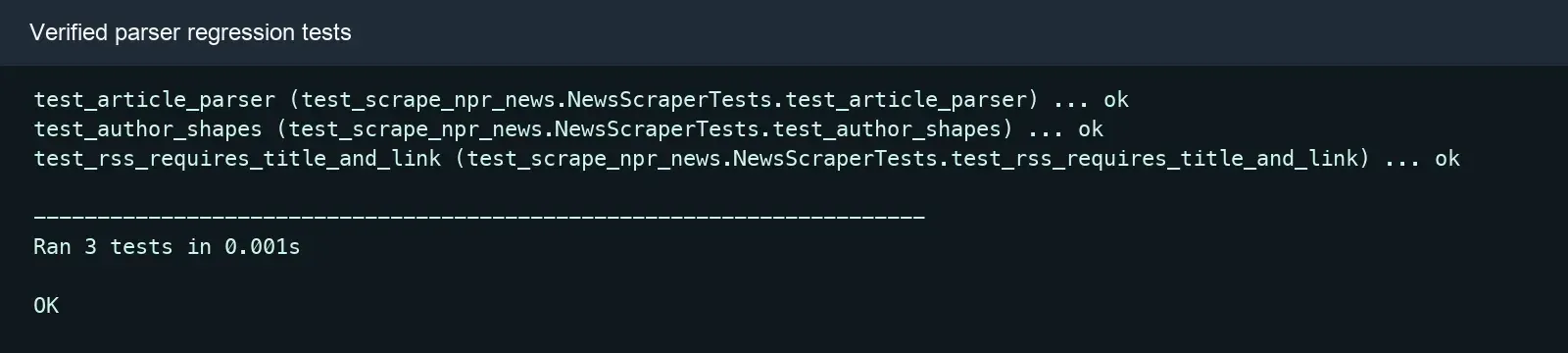
Live requests suit smoke tests, while a fixed fixture suits parser regression tests. Don’t let a unit test hit a real news site on every run, or feed updates and network fluctuation will produce unpredictable failures.
When Do You Actually Need Playwright?
You only need Playwright when the target body or pagination isn’t in the initial HTML, the RSS feed, or an authorized JSON response.
from playwright.sync_api import sync_playwright


def render_article(url: str) -> str:
    with sync_playwright() as playwright:
        browser = playwright.chromium.launch(headless=True)
        try:
            page = browser.new_page()
            page.goto(url, wait_until="domcontentloaded", timeout=60_000)
            page.locator("article").wait_for(state="visible", timeout=20_000)
            return page.content()
        finally:
            browser.close()
The Playwright Python documentation explains locators and waiting mechanisms. News pages often have ads, live-blog widgets, and analytics connections, so don’t default to waiting for networkidle; waiting for an explicit article container is usually more controllable.
How Do You Handle 403, 429, Timeouts, and Error Pages?
A 403, a 429, a network timeout, and an empty field are different problems and must be handled separately.
| Signal | Common Meaning | Recommended Action |
|---|---|---|
| Timeout or connection error | A temporary network failure | Back off with limited retries |
| HTTP 429 | Triggered a source’s rate limit | Respect Retry-After and lower load |
| HTTP 401/403 | A permission or access boundary | Stop and check authorization |
| HTTP 200 but empty fields | A challenge page, a redesign, or a wrong selector | Validate the title, URL, and fixture |
| Wrong publish time | A time zone or field mix-up | Preserve the original value and normalize to UTC |
| Duplicate records | Tracking URLs or a reprint | Normalize, fingerprint, and cluster |
Request logs should record, at minimum, the source, final URL, status code, Content-Type, elapsed time, parser version, and field-completeness rate — but must never log passwords, cookies, tokens, or proxy credentials.
Compliance Boundaries for News Scraping
Being publicly accessible doesn’t mean the complete news body can be copied, saved, or republished. News facts, an article’s specific expression, database rights, and personal data may all be governed by different rules.
- Follow site terms, data licenses, and the request rate a source specifies.
- Refer to the RFC 9309 Robots Exclusion Protocol, but don’t treat robots.txt as copyright or privacy permission.
- By default, save the headline, necessary metadata, a short summary, and a link to the original.
- Only store or republish the full text long-term when you have authorization.
- Build a process for corrections, retractions, deletions, retention periods, and source opt-outs.
- Apply additional governance review for sensitive events and personal data.
Conclusion
A reliable web scraping news system should start from an authorized source, a field contract, and low-load discovery — not from chasing request volume. Prioritize an API or RSS, use Requests and Beautiful Soup for static pages, and use Playwright only when a required field depends on JavaScript; after collection, unify the canonical URL and timestamps, compute a content fingerprint, and preserve version and source relationships.
For authorized regional news verification, you can refer to Rola IP’s web scraping proxy, Python proxy integration, and proxy parameters documentation. Compare a small number of direct-connection and proxy responses first, and only expand gradually once you’ve confirmed the target site’s terms, data permissions, request limits, exit region, and field-completeness rate.