
How to Scrape Google Flights: API vs Browser Workflow

Aug 26, 2026 · Guides · 9 min read
If you are searching for how to scrape Google Flights, the practical answer is: start by deciding whether you really need to maintain a browser scraper. Google Flights is a live travel-search interface, not a simple static page, and automated collection should stay within the current terms, robots.txt or other machine-readable directives, and your authorized use case.
For many teams, a third-party Google Flights scraper API or maintained package is easier to operate than selector-heavy browser automation. If you do build your own workflow, treat it as a controlled data collection pipeline with stop conditions, freshness checks, and no claim of target success unless you have saved runtime artifacts.
Can You Scrape Google Flights? The Short Answer
Yes, you can build a workflow for scraping Google Flights data, but it is fragile and should be bounded. The safe mental model is not “find a secret endpoint and run it forever.” It is “define the flight data you are allowed to collect, choose the least brittle collection path, validate every price observation, and stop when the site presents a CAPTCHA, login wall, block, or policy conflict.”
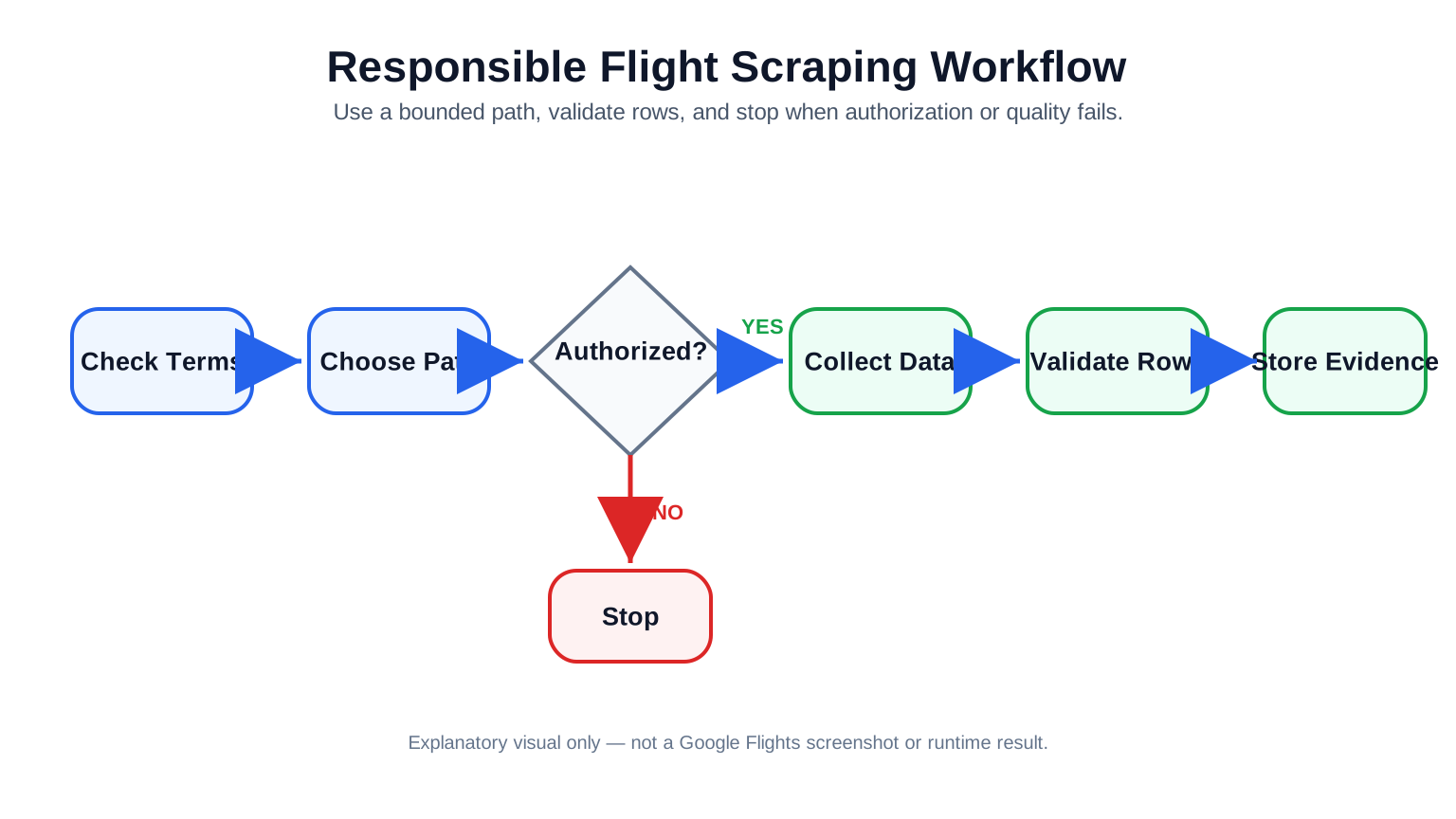
A bounded workflow starts with permission and ends with evidence or stop conditions.
For a small experiment, browser automation can help you inspect rendered results and design a data model. For production-style collection, a third-party Google Flights scraper API may reduce selector maintenance, but it does not remove your responsibility to check that the provider’s terms, pricing, data fields, freshness, and allowed use fit your project. Open-source packages can be useful too, especially for prototypes, but they inherit maintenance risk when Google changes visible UI behavior or the package’s documented parsing path.
The rest of this guide separates method design from proof. Code examples are syntax-oriented patterns, not a claim that this run extracted live Google Flights prices. That distinction matters for engineering and publishing: a syntax-checked script can help a reader understand the workflow, but only a saved runtime artifact can support a target-result claim.
Why Google Flights Is Harder Than a Static Web Page
Static-page scraping is only straightforward when the HTML response already contains the content you are allowed to collect. Google Flights is different: the visible flight cards, filters, prices, and route details are part of a dynamic travel-search UI. A plain requests.get() plus BeautifulSoup workflow may return shell HTML, scripts, or incomplete state rather than the prices a user sees in a browser.
| Approach | What it can do | Main risk | Best use |
|---|---|---|---|
| Static HTML parsing | Fast fetch and parse when content is present in HTML | Often misses rendered flight results | Not a reliable default for Google Flights |
| Browser automation | Renders JavaScript and lets you observe visible UI state | Selector drift, blocks, slower runs | Controlled tests and exploratory workflows |
| Third-party scraper API | Returns structured data through a vendor interface | Provider terms, cost, field coverage, freshness | Teams that want less selector maintenance |
The important detail is price freshness. A fare observation is not just “JFK to LAX costs $321.” It needs route, date, passenger assumptions, currency, locale, timestamp, and collection method. Without those fields, your flight scraper can silently mix stale prices with fresh ones. For SEO dashboards, proxies for price monitoring, and travel-market research, that is usually worse than having no data, because the downstream user may trust a row that was never fully validated.
Define the Flight Pricing Data Model Before You Scrape
Before writing code, define the minimum record your pipeline needs. This keeps web scraping proxy workflows from turning into a folder of screenshots, partial strings, and untraceable price changes.
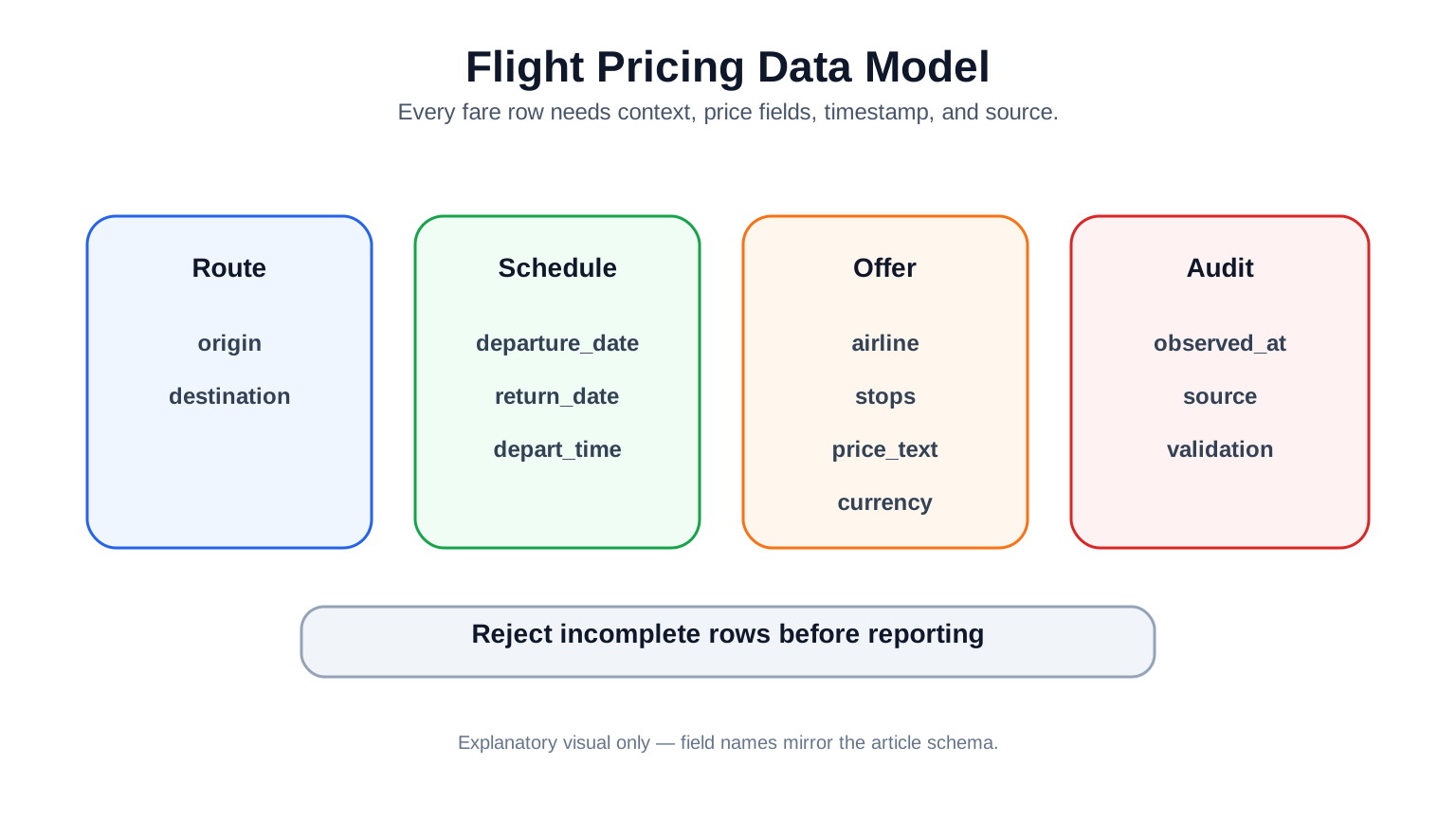
Auditable price rows need route, schedule, offer, and source fields.
| Field | Why it matters | Example |
|---|---|---|
origin / destination |
Identifies the route | JFK / LAX |
departure_date / return_date |
Prices are date-specific | 2026-09-15 |
airline |
Helps dedupe and compare offers | Example Air |
depart_time / arrive_time |
Distinguishes similar fares | 09:00 / 12:30 |
stops |
Changes user value and price | Nonstop |
price_text / currency |
Captures displayed fare and unit | $321 / USD |
observed_at |
Makes freshness auditable | UTC timestamp |
source |
Shows browser/API/package path | browser_workflow_pattern |
This schema also gives your QA process something concrete to check. If a row has no currency, no timestamp, or a mismatched route, it should not flow into reporting as a reliable fare. A good scraper should reject incomplete rows early, store the reason, and make the failed state visible to editors, analysts, or downstream applications.
Path 1: Scrape Google Flights With Browser Automation
Browser automation is the most direct way to explore a dynamic interface, but it is also the easiest path to overclaim. Use it for authorized, low-rate collection and controlled tests. Do not treat a syntax-valid script as proof that Google Flights accepted the workflow.
The sample below is a safe browser-workflow pattern: open a page, check stop signals, wait for rendered state, extract visible row text through auditable placeholder selectors, validate required fields, and fail closed. In this workflow run, the code was checked with Python py_compile; it was not run against Google Flights, and no target result is claimed.
"""
Python 3.10+ browser workflow pattern.
Validation in this workflow: syntax_pass only.
Runtime: not_run. Google Flights target result: not_run.

Prerequisites for a real authorized test:
    python -m pip install playwright
    python -m playwright install chromium

Replace placeholder selectors only after authorized runtime inspection.
"""

from __future__ import annotations

import asyncio
from dataclasses import dataclass, asdict
from datetime import datetime, timezone
from typing import Iterable


@dataclass
class FlightPriceRecord:
    origin: str
    destination: str
    departure_date: str
    return_date: str | None
    airline: str | None
    depart_time: str | None
    arrive_time: str | None
    stops: str | None
    price_text: str | None
    currency: str | None
    observed_at: str
    source: str


def normalize_price_records(
    raw_rows: Iterable[dict],
    origin: str,
    destination: str,
    departure_date: str,
    return_date: str | None = None,
) -> list[dict]:
    observed_at = datetime.now(timezone.utc).isoformat(timespec="seconds")
    records: list[dict] = []
    for row in raw_rows:
        records.append(asdict(FlightPriceRecord(
            origin=origin,
            destination=destination,
            departure_date=departure_date,
            return_date=return_date,
            airline=row.get("airline"),
            depart_time=row.get("depart_time"),
            arrive_time=row.get("arrive_time"),
            stops=row.get("stops"),
            price_text=row.get("price"),
            currency=row.get("currency"),
            observed_at=observed_at,
            source="browser_workflow_pattern",
        )))
    return records


def should_stop_collection(event: dict) -> bool:
    stop_signals = {
        "captcha", "login_wall", "robots_disallow", "terms_conflict",
        "http_403", "http_429", "empty_required_fields",
    }
    return str(event.get("type", "")).lower() in stop_signals


def raise_if_stop_signal(event: dict) -> None:
    if should_stop_collection(event):
        event_type = str(event.get("type", "unknown"))
        raise RuntimeError(f"Stop collection: {event_type}")


def validate_required_fields(records: list[dict]) -> None:
    required_fields = {
        "origin", "destination", "departure_date", "airline",
        "depart_time", "arrive_time", "stops", "price_text",
        "currency", "observed_at", "source",
    }
    missing = [
        field
        for row in records
        for field in required_fields
        if not row.get(field)
    ]
    if missing:
        raise_if_stop_signal({"type": "empty_required_fields"})


async def collect_visible_flight_rows(page, search_url: str) -> list[dict]:
    """Illustrative Playwright-style flow; selectors are placeholders."""
    response = await page.goto(search_url, wait_until="domcontentloaded")
    if response and response.status in {403, 429}:
        raise_if_stop_signal({"type": f"http_{response.status}"})

    captcha_banner = page.get_by_text("CAPTCHA")
    if await captcha_banner.count():
        raise_if_stop_signal({"type": "captcha"})

    login_wall = page.get_by_text("Sign in to continue")
    if await login_wall.count():
        raise_if_stop_signal({"type": "login_wall"})

    await page.wait_for_load_state("networkidle")
    await page.wait_for_selector("[data-flight-card]", timeout=15000)
    raw_rows = await page.locator("[data-flight-card]").evaluate_all(
        """cards => cards.map(card => ({
            airline: card.querySelector('[data-airline]')?.textContent?.trim(),
            depart_time: card.querySelector('[data-depart-time]')?.textContent?.trim(),
            arrive_time: card.querySelector('[data-arrive-time]')?.textContent?.trim(),
            stops: card.querySelector('[data-stops]')?.textContent?.trim(),
            price: card.querySelector('[data-price]')?.textContent?.trim(),
            currency: card.querySelector('[data-currency]')?.textContent?.trim()
        }))"""
    )
    records = normalize_price_records(raw_rows, "JFK", "LAX", "2026-09-15")
    validate_required_fields(records)
    return records


async def run_browser_workflow(search_url: str) -> list[dict]:
    from playwright.async_api import async_playwright

    async with async_playwright() as playwright:
        browser = await playwright.chromium.launch(headless=True)
        page = await browser.new_page()
        try:
            return await collect_visible_flight_rows(page, search_url)
        finally:
            await browser.close()


if __name__ == "__main__":
    # Syntax-check only in this article workflow:
    # python -m py_compile google_flights_browser_pattern.py
    # Runtime use requires an authorized search URL and saved artifacts.
    asyncio.run(run_browser_workflow("https://example.com/authorized-flight-search"))
A real browser workflow still needs selector validation at runtime and saved artifacts before you publish target-result claims. If the page changes, the code should fail closed rather than producing empty or mismatched price rows.
If an authorized browser test needs a defined proxy layer, review Rola IP’s proxy code integration documentation and confirm the authentication method in the current product documentation before configuring the workflow.
Path 2: Use a Google Flights Scraper API or Maintained Package
A Google Flights scraper API can be a better choice when you need structured results but do not want to maintain selectors, browser sessions, retries, and parsing logic. A documented third-party API such as SerpApi describes request parameters and JSON outputs for Google Flights-style searches. That documentation can support claims about the provider’s own product behavior, not about an official Google public scraping API.
Maintained packages and open-source projects sit between browser automation and hosted APIs. They can speed up prototyping, but they still need maintenance checks: recent commits, open issues, supported parameters, data freshness, rate limits, and whether the library’s method fits your compliance requirements.
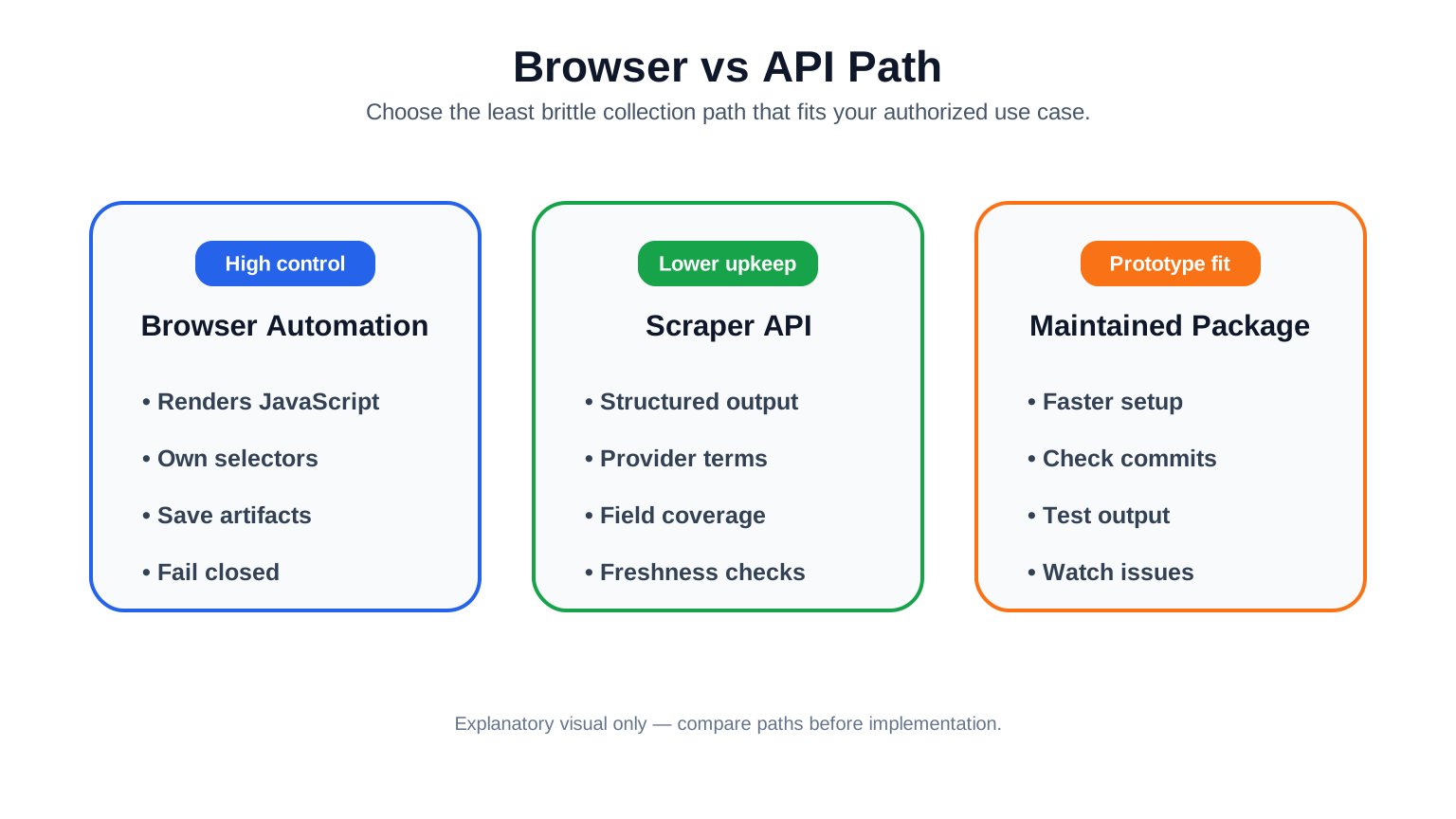
Choose between control, lower upkeep, and prototype speed.
Option |
Maintenance load |
Control |
Data shape |
Main check before use |
|---|---|---|---|---|
Browser scraper |
High |
High |
You define it |
Runtime artifacts and stop conditions |
Third-party scraper API |
Provider-managed, but still variable |
Medium |
Provider-defined |
Terms, cost, fields, freshness |
Maintained package |
Medium |
Medium |
Package-defined |
Activity, issues, failure handling |
For most teams, the decision is not ideological. Use browser automation when you need to inspect behavior or validate a narrow workflow. Use an API when the provider’s terms and output fit your job. Use a package when you accept its maintenance surface and can test its output independently. Keep procurement and engineering separate: buying an API can reduce maintenance, but it does not prove that every field is fresh, complete, or suitable for your use case.
Proxy, Location, and Session Strategy for Flight Data Collection
Proxy infrastructure does not make scraping legal, certain to work, or immune to blocks. It only changes the network and session design of an authorized collection workflow. For flight data, the practical questions are usually location consistency, freshness, and session continuity.

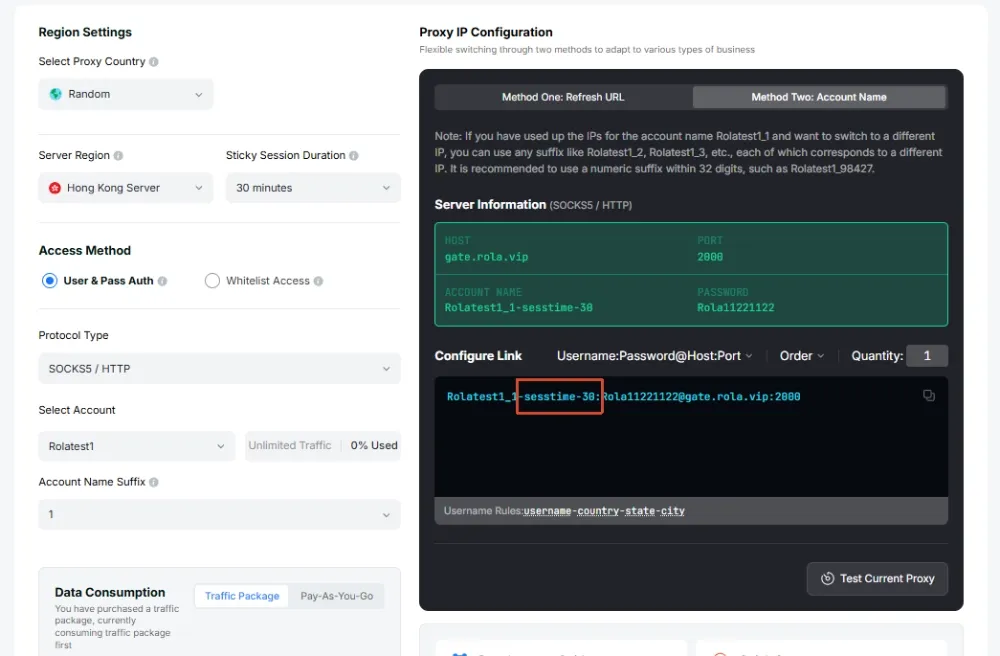
Rola settings show region and session controls.
Dimension |
Choice |
Use case |
Tradeoff |
Stop condition |
|---|---|---|---|---|
Network type |
Datacenter proxy |
Low-risk API checks where that network type is allowed |
Not a real-user residential context |
Stop on any block or inconsistent result |
Network type |
Residential proxy |
Location-sensitive collection where residential routing is appropriate |
Residential option, but still not proof of access |
Stop on CAPTCHA or policy conflict |
Session behavior |
Sticky session |
Multi-step workflow needing one stable exit |
More continuity, less per-request freshness |
Stop if the session becomes challenged |
Session behavior |
New IP per request |
Stateless freshness checks |
Can break workflows that need continuity |
Stop if results become noisy or blocked |
The best test is controlled: run the same authorized job with equal sample sizes, same route/date set, same delay policy, and the same data-quality checks. Count empty results, blocked responses, CAPTCHA events, and valid records. Do not turn a single anecdote into a universal proxy rule.
For authorized workflows that need location consistency, document the chosen country, city, rotation, and session settings in the job record. Review the current proxy parameters documentation before configuring those values.
Troubleshooting Empty Results, Blocks, and Bad Price Data
Google Flights scraping failures become easier to handle when you classify them before retrying. This guide uses a small troubleshooting set: content was not rendered, a selector changed, a price was missing, the locale/currency shifted, or the workflow hit a stop condition.
| Symptom | Likely cause | Verify | Fix |
|---|---|---|---|
| Empty HTML or no flight cards | Static fetch did not render the UI | Compare raw HTML with browser view | Use browser/API path or stop if not authorized |
| No price value | Selector drift or lazy-loaded price | Save screenshot/log and check element state | Update parser only after evidence |
| Wrong currency | Locale or region mismatch | Record locale, currency, route, timestamp | Normalize currency fields, do not mix rows |
| CAPTCHA or HTTP block | Stop condition reached | Record event type and time | Stop the job; use an allowed API path only if terms permit |
| Duplicate flights | Poor dedupe key | Compare route/date/time/airline/stops | Build a deterministic record key |
The safest recovery pattern is: record the failure, classify it, and decide whether the job should retry, switch to an API, or stop. Never hide failed rows inside a “successful” dataset.
When troubleshooting proxy configuration, review the current proxy account management documentation and record the authentication method, account scope, and traffic limit used by the authorized job.
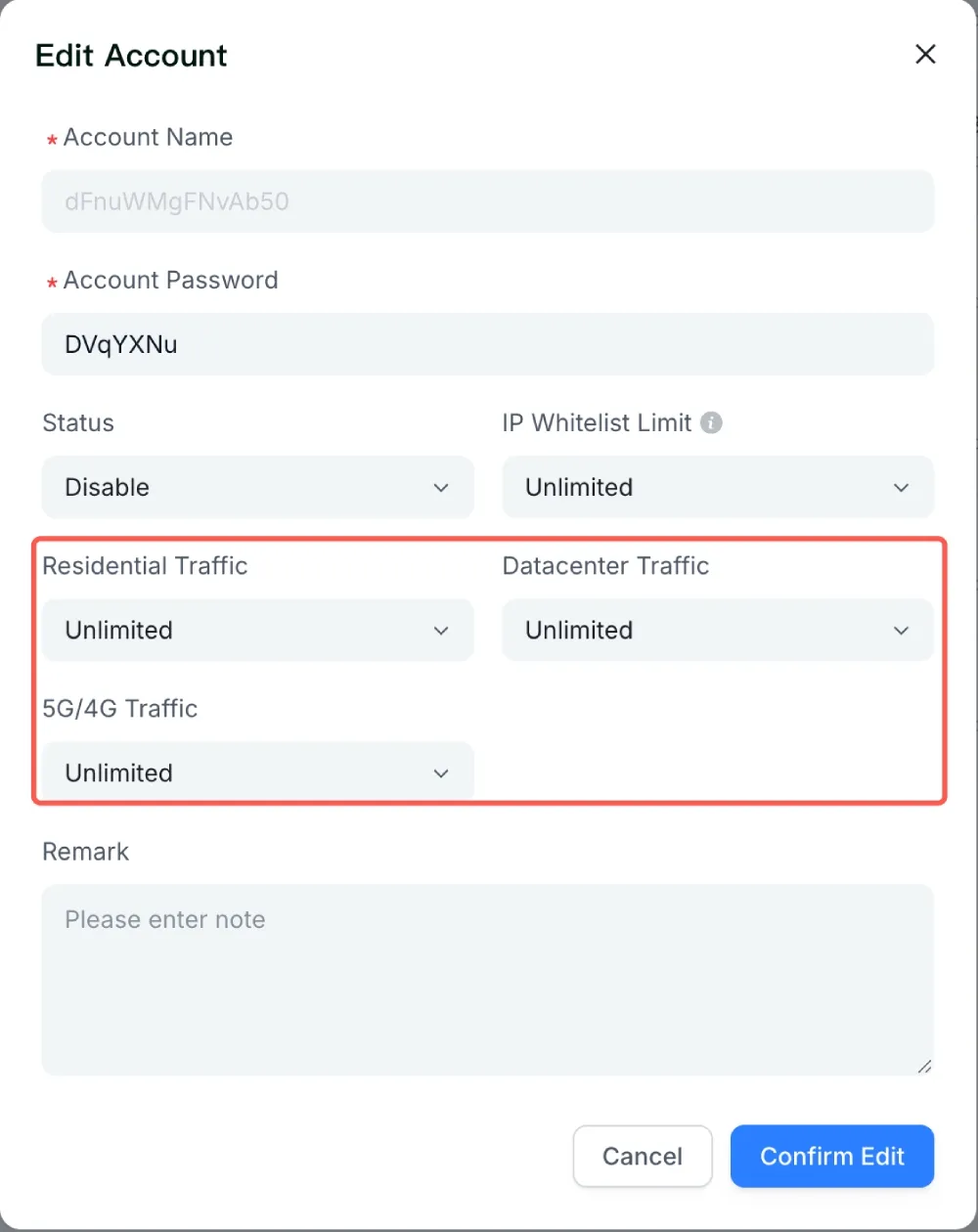
Account controls help separate credentials, limits, and access policy.
Conclusion
The strongest workflow is not “scrape first and repair later.” Start with the data model, check the compliance boundary, then choose the collection path: browser automation for controlled tests, a Google Flights scraper API when provider terms and fields fit, or a maintained package when you can verify it independently. Keep proxy and session choices tied to authorized collection needs such as location consistency and continuity, not to promises of bypassing blocks. Most importantly, label your evidence honestly: syntax-checked code is not a live target result, and a failed collection run should stop rather than become bad pricing data.
For a next infrastructure step, review Rola IP’s proxy code integration and proxy account management documentation against your authorized workflow requirements.