
Node.js Web Scraping with Cheerio, Puppeteer and Proxies

Sep 11, 2026 · Guides · 17 min read
Node.js isn’t just a JavaScript runtime that “can send requests.” Within the same project, it can handle page downloads, DOM parsing, browser rendering, file output, scheduled tasks, and API services, which makes it especially suited to development teams already working in a JavaScript stack. That said, picking the wrong tool causes two typical problems: using Puppeteer on a static page wastes memory, while using Cheerio on a dynamic page can return an empty array.
This article walks through a reproducible hands-on exercise across two public practice sites: extracting product name, price, stock, and links from Books to Scrape, then extracting quotes, authors, and tags from the JavaScript-rendered Quotes to Scrape. All examples only access authorized public pages; when applying this to a real project, follow the target site’s terms, robots.txt, applicable law, and a reasonable request rate.
TL;DR
- Static HTML: prioritize Node.js native fetch with Cheerio — fast and low resource use.
- JavaScript-rendered pages: use Puppeteer, and wait for the target element to appear before extracting.
- Multi-page tasks: limit concurrency, apply exponential backoff for 429s and 5xxs, and deduplicate by normalized URL.
- Data quality: don’t just check HTTP 200 — also check required fields, record count, and duplication rate.
- Network layer: when an authorized task involves multi-region public-data verification or a large volume of URLs, you can configure rotating or sticky proxy sessions through Rola IP.
- This article’s code was run in a Node.js 24.19.0 environment; the Rola IP code uses environment variables, avoiding writing credentials into source files.
What Is Node.js Web Scraping?
Node.js web scraping is the process of automatically requesting web pages, parsing the response, and converting target fields into JSON, CSV, or database records within a server-side JavaScript runtime.
A complete collection pipeline usually has five layers: a URL queue decides which pages to visit; an HTTP client or browser fetches the content; a parser locates the elements; a validation layer judges whether the result is complete; and a storage layer writes to a file or database. Just writing one fetch() call and printing the HTML doesn’t yet count as a maintainable scraper.
Node.js also isn’t the same execution environment as JavaScript in a browser. Front-end scripts are constrained by the same-origin policy, tab lifecycle, and local-file access restrictions; Node.js runs on a server or local machine, and can write files, build task queues, connect to a database, and manage proxy credentials through environment variables. The official Node.js fetch documentation explains its global API; complex retries, connection pooling, or proxy scheduling still need to be added at the application layer.
From a search-intent perspective, “scraping with Node.js” emphasizes using Node.js as the server-side runtime, while “web scraping with JavaScript” is a broader phrase that could mean a Node.js script or front-end code in a browser console. This article discusses the former: a schedulable, result-saving scraping task executed by Node.js on a local machine or server.
Why Use Node.js for Web Scraping?
When a team is already using JavaScript, the target site involves dynamic interaction, or the collection results need to flow directly into a Node.js service, using Node.js for scraping usually reduces the cost of switching tech stacks.
Node.js’s asynchronous I/O suits waiting on multiple network responses at once, but “asynchronous” doesn’t mean unlimited concurrency. A few dozen static requests may be light, while a few dozen Chromium pages can quickly consume memory. So the first step in performance tuning isn’t maxing out concurrency — it’s confirming whether the task genuinely needs a browser.
For a team with an existing JavaScript backend, scraping with Node.js can also reuse TypeScript types, npm dependencies, test frameworks, and deployment pipelines; this is also the main advantage of web scraping with JavaScript for full-stack teams — not how many milliseconds faster one parsing library benchmarks in a single test.
Common applications include public product price and stock monitoring, news or job aggregation, search-result and localized-page verification, organizing public real-estate listings, research data collection, and content migration for an authorized site. For teams already using Express, NestJS, or Serverless Functions, scraping with Node.js can directly reuse existing logging, queues, monitoring, and deployment systems.
The Node.js Web Scraping Workflow
A stable Node.js scraping project should be designed in the order “confirm permissions → identify the rendering method → choose the tool → extract fields → validate data → control access → save results.”
- Check the target site’s terms, robots.txt, public API, and access permissions.
- Compare View Source and the Elements panel in the browser to determine whether the data comes from the initial HTML, embedded JSON, or a subsequent XHR/fetch request.
- Choose fetch + Cheerio for static pages; choose Puppeteer when JavaScript execution or interaction is needed.
- Define a selector, required-field rule, and type conversion for every field.
- Validate at small scale with one page first, then add pagination, retries, concurrency, and proxies.
- Save the source URL, collection time, HTTP status, and parsing result, to make page changes easier to troubleshoot.
How Do You Choose a JS Web Scraping Library?
The key to choosing a JavaScript scraping library isn’t popularity — it’s whether the page needs a real browser, the task scale, and the network behavior you need to control.
Tool |
Main Responsibility |
Executes Page JavaScript |
Best Fit |
Main Limitation |
|---|---|---|---|---|
Native fetch |
HTTP requests |
No |
APIs, HTML downloads, lightweight tasks |
Doesn’t parse the DOM, no built-in retries |
Axios / Got |
HTTP client |
No |
Interceptors, retries, or existing projects |
Still needs a parser paired with it |
Cheerio |
HTML parsing |
No |
Static HTML, listing pages, tables |
Can’t see the rendered DOM |
jsdom |
DOM emulation |
Limited |
Needing DOM APIs without a full browser |
Still differs from real browser behavior |
Puppeteer |
Chrome/Chromium automation |
Yes |
SPAs, clicks, scrolling, screenshots, dynamic loading |
Larger install size and memory footprint |
Playwright |
Multi-browser automation |
Yes |
Cross-browser flows across Chromium, Firefox, WebKit |
Higher running cost than pure HTTP |
Crawlee |
Scraping framework and queue |
Depends on the adapter |
Routing, queuing, persistence, and scaled tasks |
Higher learning and configuration cost |
For static pages, Axios proxy configuration in Node.js can manage authenticated HTTP and HTTPS connections, SOCKS5 routing, and proxy rotation before the response HTML is passed to a parser such as Cheerio.
When Should You Use Fetch and Cheerio?
If the fields you need already exist in the HTML the server returns, fetch + Cheerio is the most direct combination. Cheerio’s official Getting Started documentation states that it parses HTML/XML and provides a jQuery-like selector API, but it doesn’t render the page or execute JavaScript the way a browser does.
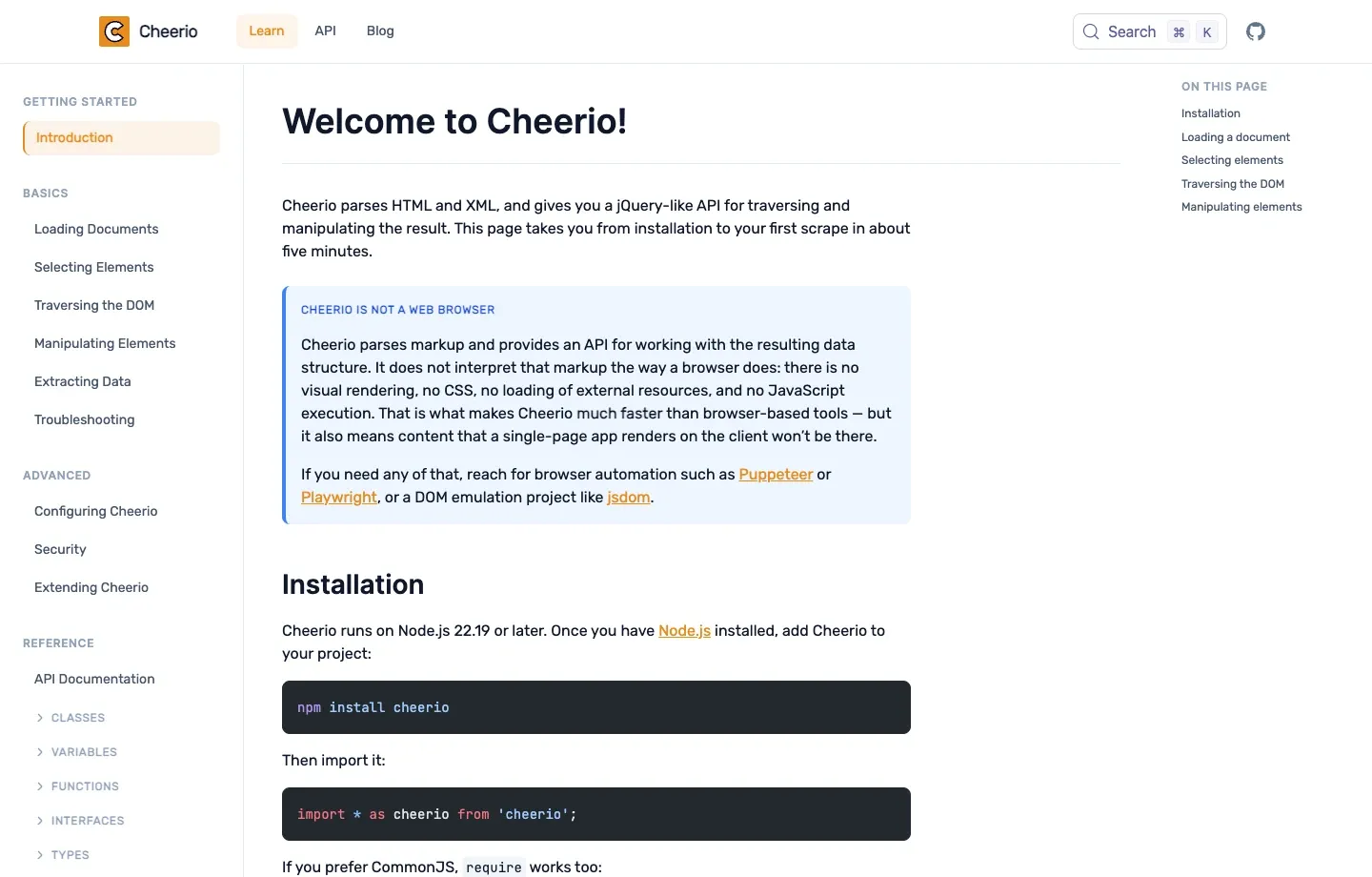
Figure 1: Cheerio’s official English documentation; it’s suited to parsing existing HTML — not executing page scripts.
When Should You Use Puppeteer Web Scraping?
When the target text only appears after the browser executes JavaScript, or the flow must click a button, scroll, log into an authorized account, or wait for an asynchronous request, Puppeteer is a better fit. The official Puppeteer getting started documentation shows the standard flow of launching a browser, opening a page, locating elements, and reading content.
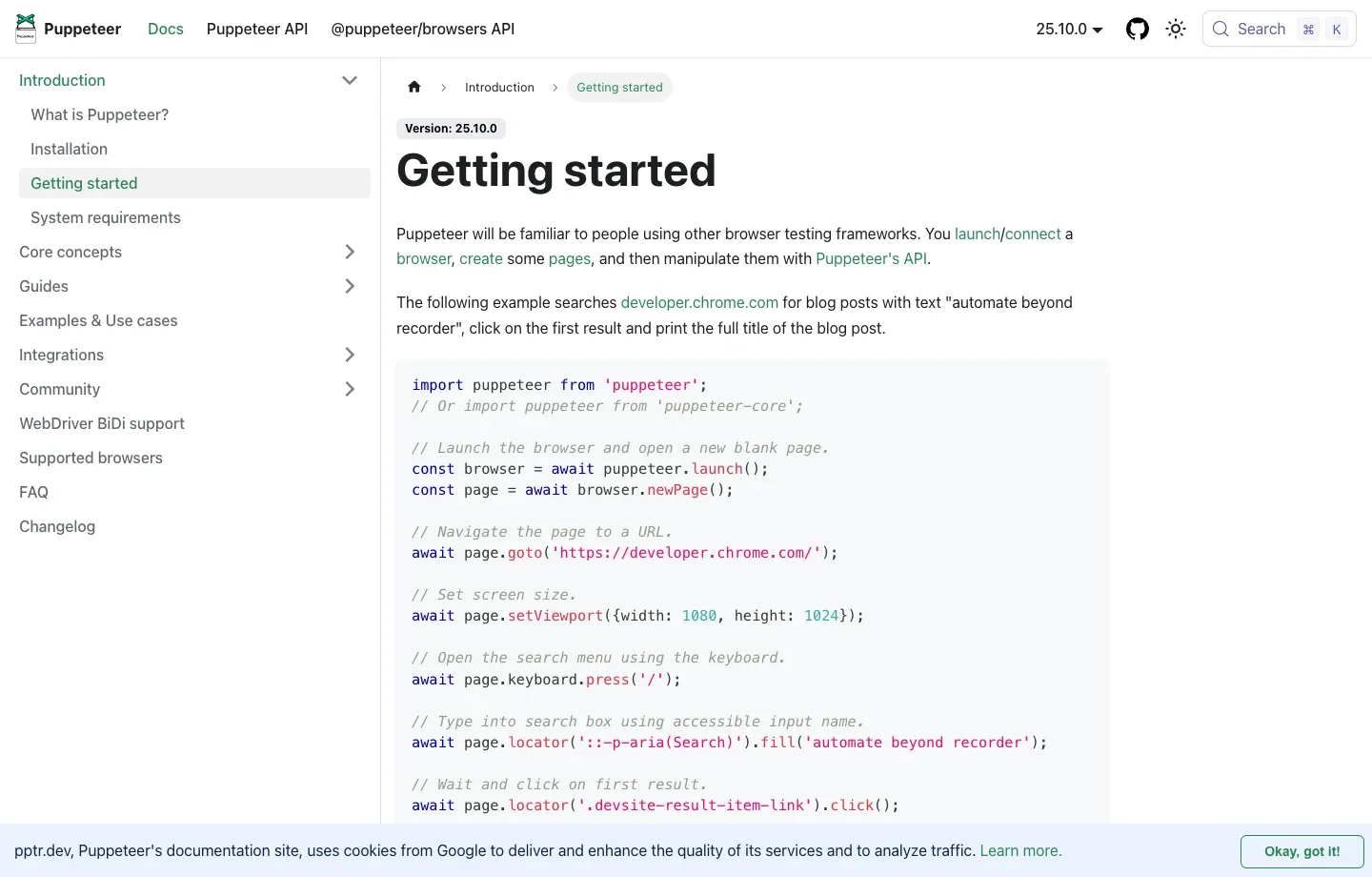
Figure 2: Browser-launch and page-interaction examples in Puppeteer’s official English documentation.
Can Cheerio and Puppeteer Be Used Together?
Yes. A common hybrid architecture is: use Puppeteer to complete login, scrolling, or rendering first, then call page.content() to get the final HTML, and finally hand it to Cheerio for bulk parsing. This preserves browser capability while keeping complex selectors and field cleanup simple. But if Puppeteer’s $$eval() can already produce structured data directly, there’s no need to load Cheerio on top of it.
Node.js Web Scraping Hands-On Environment and Target Fields
The hands-on exercise below runs against one static product listing page and one JavaScript-rendered page, covering the full process from installation and selector confirmation through JSON/CSV output.
| Item | Verified Configuration |
|---|---|
| Operating system | macOS |
| Node.js | 24.19.0 |
| Cheerio | 1.1.2 |
| Puppeteer | 24.19.0 |
| p-limit | 7.2.0 |
| Static target | https://books.toscrape.com/catalogue/page-1.html |
| Dynamic target | https://quotes.toscrape.com/js/ |
| Output | JSON and UTF-8 CSV |
Step 1: Create the Project and Install Dependencies
mkdir node-scraping-demo
cd node-scraping-demo
npm init -y
npm install [email protected] [email protected] [email protected] \
  [email protected] [email protected]
Add "type": "module" to package.json, and the subsequent code can use ESM imports. Puppeteer usually downloads a compatible browser during installation; if your install policy skips the download, follow its installation documentation to install the browser, or point PUPPETEER_EXECUTABLE_PATH to an available Chrome/Chromium.
Step 2: Confirm the Page and the Fields to Extract
Each article.product_pod on the sample product page corresponds to one book. The program extracts:
title: thetitleattribute ofh3 a.price: the.price_colortext.availability: the.availabilitytext, with whitespace collapsed.url: the relative link converted to an absolute URL.
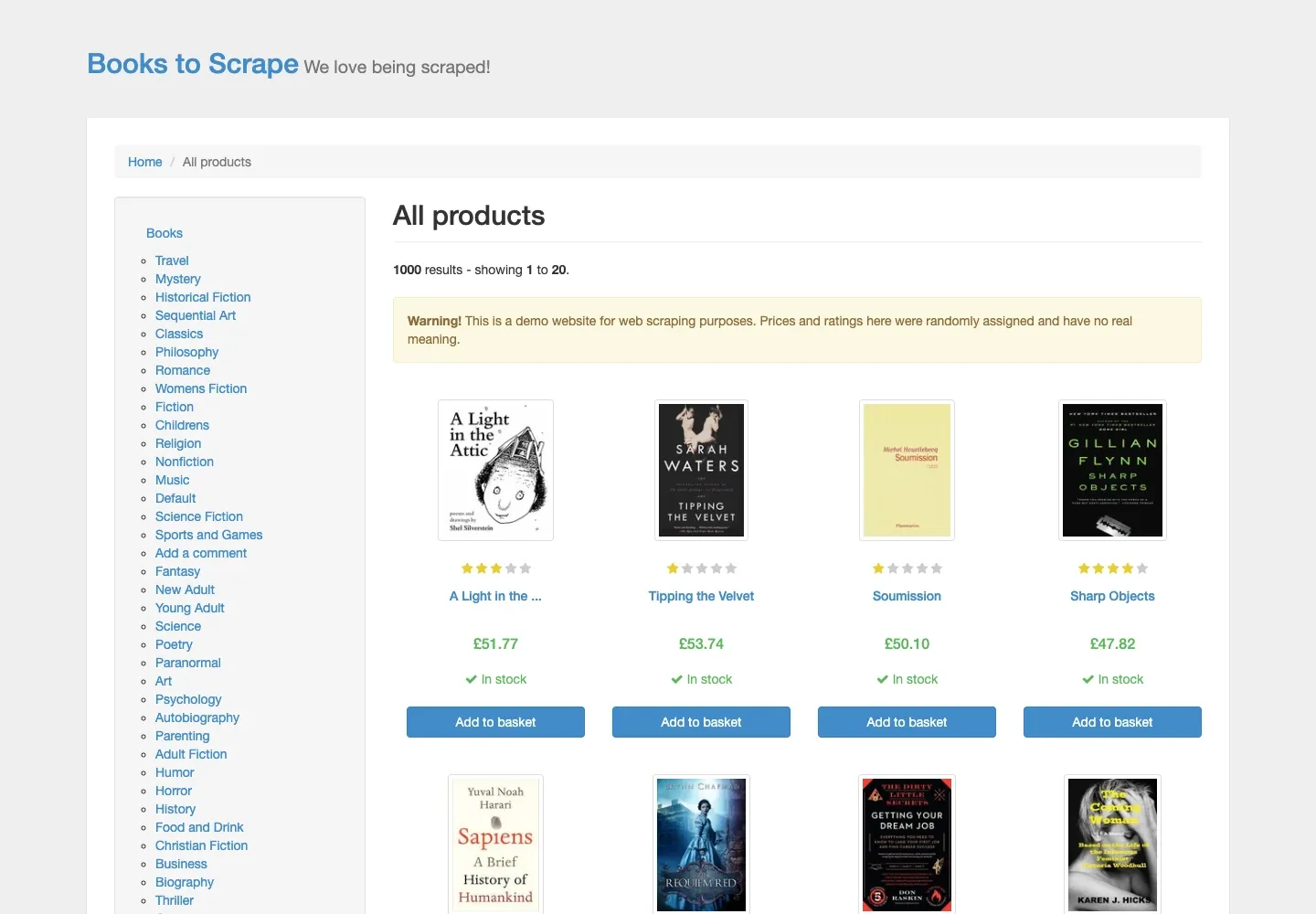
Figure 3: The English product practice page used in this hands-on exercise, showing the book title, price, and stock status.
Scraping a Static Product Page with Fetch and Cheerio
For a page where the server directly returns product cards, native fetch handles downloading the HTML, and Cheerio handles iterating the cards and outputting structured objects.
Create code/static-cheerio.mjs:
import * as cheerio from 'cheerio';
import { writeFile } from 'node:fs/promises';

const targetUrl = 'https://books.toscrape.com/catalogue/page-1.html';

const response = await fetch(targetUrl, {
  headers: {
    'user-agent': 'NodeScrapingTutorial/1.0 (+https://rola-ip.co/)',
    accept: 'text/html,application/xhtml+xml',
  },
  signal: AbortSignal.timeout(20_000),
});

if (!response.ok) {
  throw new Error(`HTTP ${response.status} ${response.statusText}`);
}

const html = await response.text();
const $ = cheerio.load(html);
const products = [];

$('article.product_pod').each((_, element) => {
  const card = $(element);
  const link = card.find('h3 a');
  const relativeUrl = link.attr('href');

  products.push({
    title: link.attr('title')?.trim() ?? '',
    price: card.find('.price_color').text().trim(),
    availability: card.find('.availability').text().replace(/\s+/g, ' ').trim(),
    url: relativeUrl ? new URL(relativeUrl, targetUrl).href : '',
  });
});

await writeFile('output/books-page-1.json', JSON.stringify(products, null, 2), 'utf8');
console.log(`HTTP status: ${response.status}`);
console.log(`Products extracted: ${products.length}`);
console.table(products.slice(0, 3));
Run it:
mkdir -p output
node code/static-cheerio.mjs
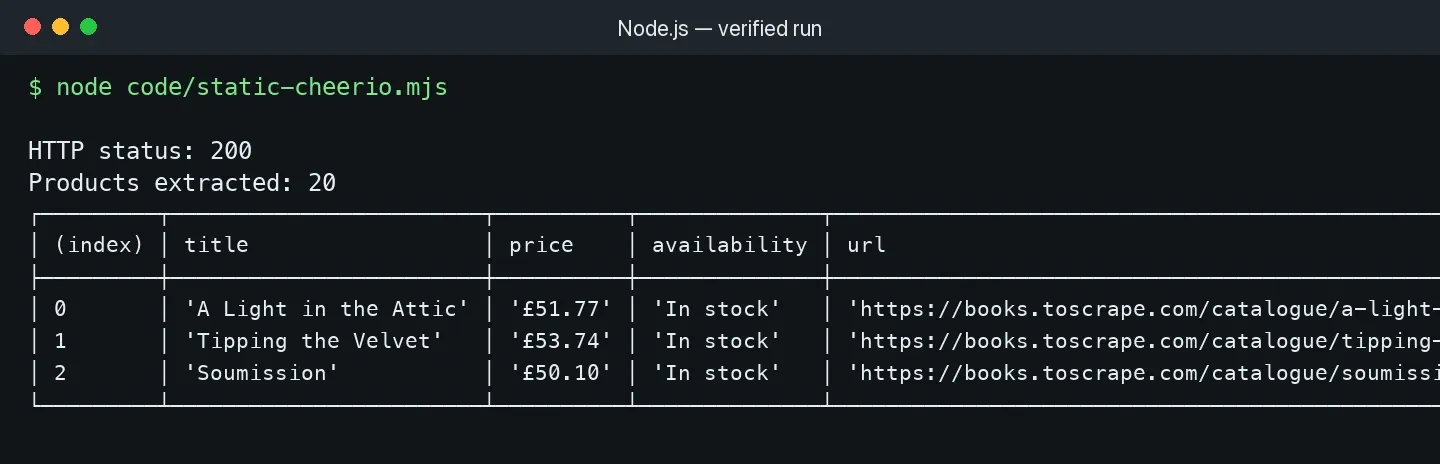
Figure 4: The real run result of the static script — HTTP 200, with 20 product records extracted from the first page.
Why Is This Code More Reliable?
It checks response.ok first, avoiding treating a 403 or 500 error page as a product page; AbortSignal.timeout() prevents a request from hanging indefinitely; new URL(relativeUrl, targetUrl) correctly handles relative links; and ?? '' gives a missing attribute a detectable empty value instead of triggering a type error further downstream.
Production environments should add further field validation. For example, price can keep the raw string while also parsing out a numeric value and currency; if products.length === 0 or the null rate for required fields suddenly rises, that page should be flagged as a parsing failure — not saved as a seemingly successful empty file.
Scraping Pagination and Exporting CSV with Node.js
Pagination scraping can’t just put page numbers into a loop — it also needs to limit concurrency, retry temporary errors, normalize URLs, and deduplicate before writing the file.
The complete example below requests the first three pages concurrently, running at most two tasks at a time, retrying 429s and 5xxs up to three times, and writing 60 unique products to CSV:
import * as cheerio from 'cheerio';
import pLimit from 'p-limit';
import { writeFile } from 'node:fs/promises';

const pageUrls = Array.from(
  { length: 3 },
  (_, index) => `https://books.toscrape.com/catalogue/page-${index + 1}.html`,
);
const limit = pLimit(2);

async function fetchWithRetry(url, attempts = 3) {
  let lastError;
  for (let attempt = 1; attempt <= attempts; attempt += 1) {
    try {
      const response = await fetch(url, {
        headers: { 'user-agent': 'NodeScrapingTutorial/1.0 (+https://rola-ip.co/)' },
        signal: AbortSignal.timeout(20_000),
      });
      if (response.status === 429 || response.status >= 500) {
        throw new Error(`Retryable HTTP ${response.status}`);
      }
      if (!response.ok) throw new Error(`HTTP ${response.status}`);
      return await response.text();
    } catch (error) {
      lastError = error;
      if (attempt < attempts) {
        await new Promise((resolve) => setTimeout(resolve, 500 * 2 ** (attempt - 1)));
      }
    }
  }
  throw lastError;
}

async function scrapePage(url) {
  const html = await fetchWithRetry(url);
  const $ = cheerio.load(html);
  return $('article.product_pod').map((_, element) => {
    const card = $(element);
    const link = card.find('h3 a');
    return {
      title: link.attr('title')?.trim() ?? '',
      price: card.find('.price_color').text().trim(),
      url: new URL(link.attr('href') ?? '', url).href,
    };
  }).get();
}

const nested = await Promise.all(pageUrls.map((url) => limit(() => scrapePage(url))));
const unique = [...new Map(nested.flat().map((item) => [item.url, item])).values()];
const escapeCsv = (value) => `"${String(value).replaceAll('"', '""')}"`;
const csv = [
  ['title', 'price', 'url'].join(','),
  ...unique.map((item) => [item.title, item.price, item.url].map(escapeCsv).join(',')),
].join('\n');

await writeFile('output/books-pages-1-3.csv', csv, 'utf8');
console.log(`Pages requested: ${pageUrls.length}`);
console.log(`Unique products saved: ${unique.length}`);

Figure 5: The real run result of the pagination program — 60 deduplicated records saved across three pages.
How Do You Choose Between Page Numbers, a Next Link, and Infinite Scroll?
- Fixed page numbers: when the URL contains
page=2or/page-2.html, generate a clear page-number queue with a maximum page count set. - A Next link: read the next-page URL from the current page, keep a visited set, and stop when a URL has already been visited or there’s no Next.
- Infinite scroll: first check for a public XHR/JSON endpoint; only use Puppeteer to scroll when there’s no suitable endpoint, and judge completion by “the record count has stopped growing” rather than a fixed wait time.
- Cursor-based pagination: save the cursor returned by the server, and stop when the cursor is empty or repeats.
Whichever form you use, you must set a stop condition. A crawler with no maximum page count, maximum record count, or duplicate-URL detection can run indefinitely across calendar pages, filter parameters, or circular links.
Scraping JavaScript-Rendered Pages with Puppeteer
When the initial HTML doesn’t contain the target element, Puppeteer should wait for a verifiable DOM state — not blindly sleep for a fixed number of seconds.
How Do You Determine Whether a Page Needs a Browser?
First run a fetch and search for the target text; then compare View Source and Elements in the browser. If the target element is missing from the source but present in Elements, that shows JavaScript created it after loading. You can also check XHR/fetch in the Network panel: if the data comes from a stable, permitted JSON endpoint, requesting that endpoint directly is usually lighter than running a browser.
Complete Puppeteer Example
import puppeteer from 'puppeteer';
import { mkdir, writeFile } from 'node:fs/promises';

const launchOptions = { headless: true };
if (process.env.PUPPETEER_EXECUTABLE_PATH) {
  launchOptions.executablePath = process.env.PUPPETEER_EXECUTABLE_PATH;
}

const browser = await puppeteer.launch(launchOptions);
try {
  await mkdir('output', { recursive: true });
  const page = await browser.newPage();
  await page.setViewport({ width: 1440, height: 1000, deviceScaleFactor: 1 });
  await page.goto('https://quotes.toscrape.com/js/', {
    waitUntil: 'domcontentloaded',
    timeout: 30_000,
  });
  await page.waitForSelector('.quote .text', { timeout: 15_000 });

  const quotes = await page.$$eval('.quote', (cards) =>
    cards.map((card) => ({
      text: card.querySelector('.text')?.textContent?.trim() ?? '',
      author: card.querySelector('.author')?.textContent?.trim() ?? '',
      tags: [...card.querySelectorAll('.tag')].map((tag) => tag.textContent?.trim() ?? ''),
    })),
  );

  await page.screenshot({
    path: 'output/dynamic-page.png',
    fullPage: true,
  });
  await writeFile('output/dynamic-quotes.json', JSON.stringify(quotes, null, 2), 'utf8');
  console.log(`Dynamic quotes extracted: ${quotes.length}`);
  console.log(quotes.slice(0, 2));
} finally {
  await browser.close();
}
try/finally guarantees the browser still closes if parsing or file-writing fails; waitForSelector() waits for the element the business actually needs, while domcontentloaded only handles basic navigation. For pages that keep requesting ads, analytics scripts, or long-lived connections, networkidle may never fire, so it can’t be treated as a universal completion signal for every site.
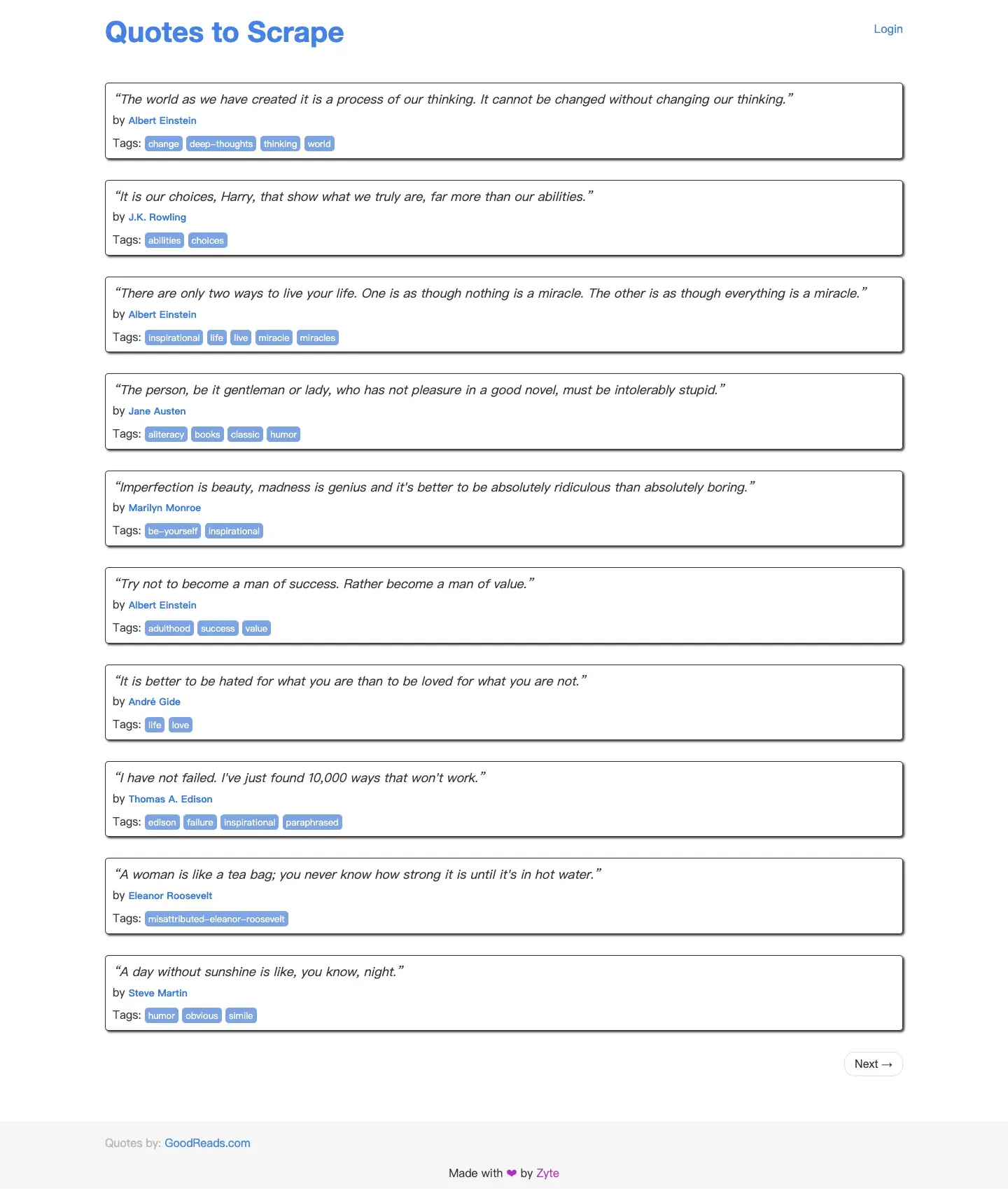
Figure 6: The real English page after Puppeteer executed JavaScript, showing all 10 quotes.
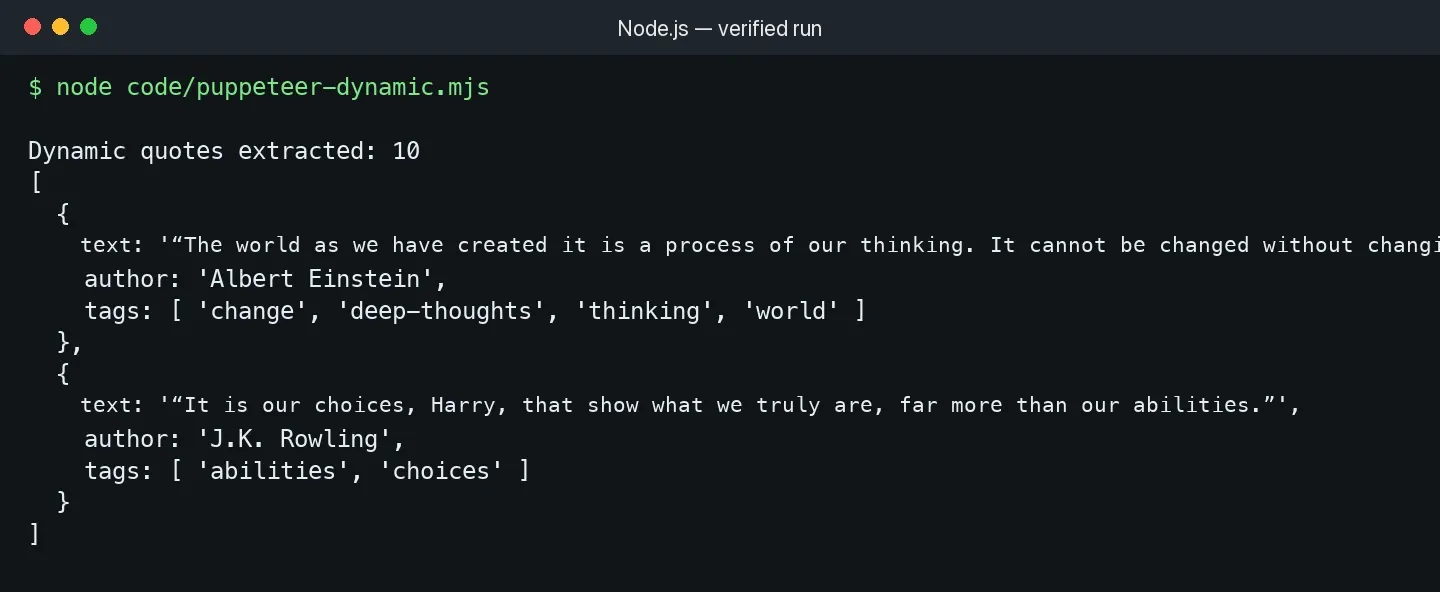
Figure 7: The real run result of the dynamic-page script — text, author, and tags all extracted successfully.
Common Stability Improvements for Puppeteer Scraping
- Reuse a single Browser, creating and closing a Page or BrowserContext within each task, to avoid restarting Chromium for every URL.
- Use a target selector, response, or function as the wait condition — don’t treat
setTimeout(5000)as proof that rendering has finished. - Before intercepting unneeded images, fonts, or media, confirm the page logic doesn’t depend on them.
- Set a navigation timeout for every Page, and close it in
finallyto prevent tab leaks. - Limit browser concurrency for pagination tasks; HTTP scraping and browser scraping shouldn’t share the same concurrency ceiling.
How Do You Use Rola IP in Node.js Web Scraping?
For authorized cross-region public-data collection or URL verification, Rola IP’s web-scraping offering documents ISP and residential exits, automatic rotation, and sticky sessions. Select the network type and session behavior supported by the specific product in your account before connecting Node.js HTTP requests or Puppeteer.
A proxy can change the network exit and, where supported, region or session behavior; it does not replace JavaScript rendering, CSS selectors, access permission, or data cleanup. First confirm the no-proxy version can correctly extract one page, then add the proxy; otherwise connection issues and parsing issues get mixed together.

Figure 8: Rola IP’s English web scraping use-case page, showing the proxy network and regional coverage capability.
Choosing a Proxy Type for Different Tasks
| Task | Recommended Network | Session Approach | Reason |
|---|---|---|---|
| A large volume of public listing pages | Dynamic residential or dynamic datacenter | Rotate per request | Spreads out continuous requests, suited to stateless pages |
| Multi-step browsing in the same region | Residential or ISP | Sticky session | Multiple requests keep the same exit |
| A stable whitelist and long-term connection | ISP / static residential | Static | A stable exit, easy to authorize and correlate with logs |
| Mobile network page verification | Mobile proxy | Sticky or rotating | Observes public content under a mobile carrier network |
Rola IP’s web scraping proxy use-case page is a starting point for understanding scraping applications. Its residential proxy page documents rotating residential coverage, while the proxy quick start explains how to create a connection. Configure country, region, city, and session parameters only where the selected product supports them; the proxy parameters documentation notes that state and city targeting applies to Rotating Residential, while Rotating Datacenter and Mobile IP use country-level targeting.
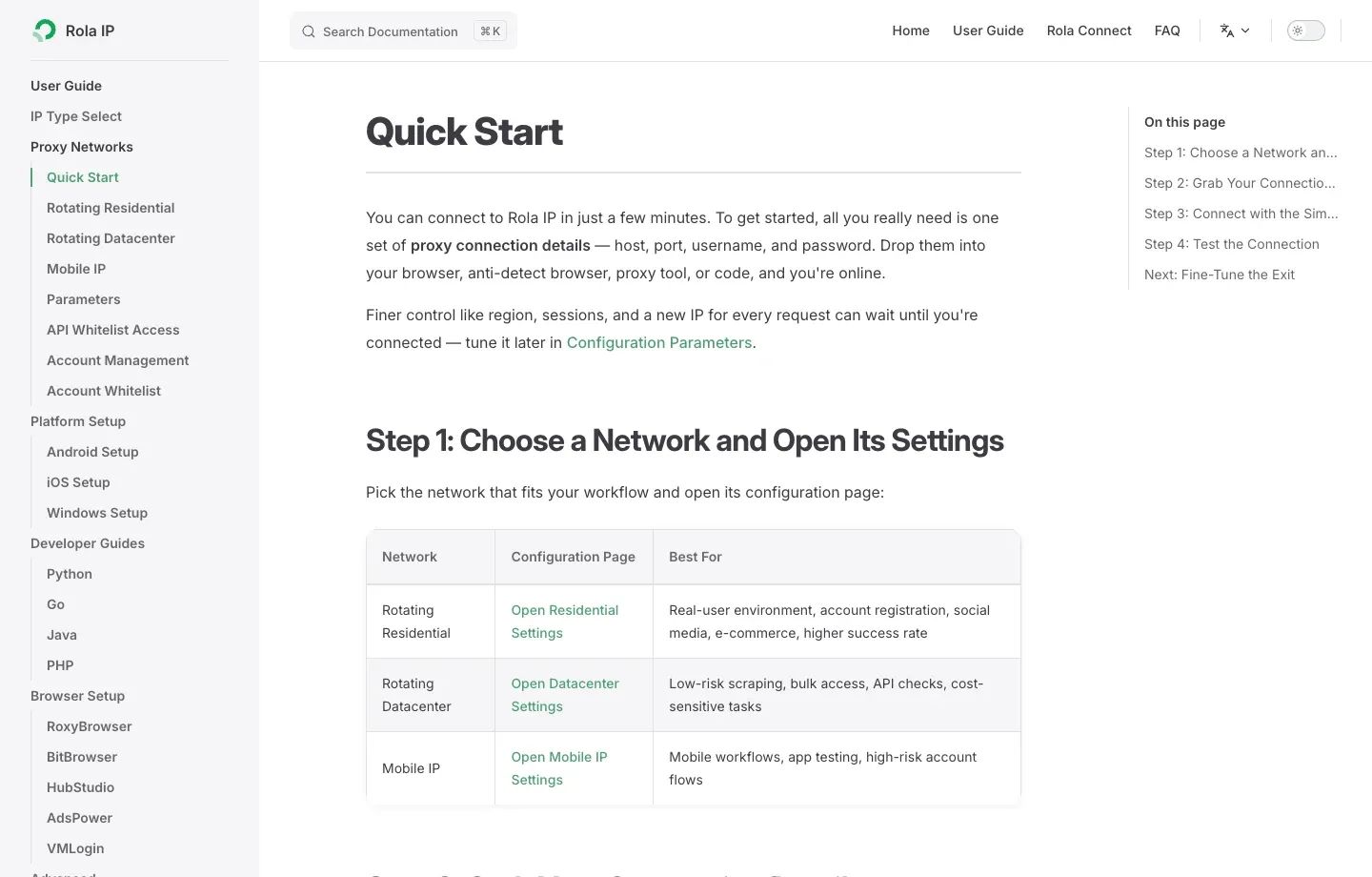
Figure 9: The network-selection and connection-creation flow in Rola IP’s English Quick Start documentation.

Figure 10: Rola IP’s English dynamic residential proxy page — suited to tasks needing a rotating or sticky residential exit.
Configuring Fetch and Cheerio with the Undici ProxyAgent
Node.js’s native fetch accepts an Undici dispatcher. The example below reads Rola IP’s HTTP/HTTPS gateway parameters through environment variables — don’t hardcode the username and password into a Git repository.
import * as cheerio from 'cheerio';
import { ProxyAgent } from 'undici';

const required = ['ROLA_PROXY_HOST', 'ROLA_PROXY_PORT', 'ROLA_PROXY_USERNAME', 'ROLA_PROXY_PASSWORD'];
for (const name of required) {
  if (!process.env[name]) throw new Error(`Missing environment variable: ${name}`);
}

const proxyUrl = new URL('http://proxy.invalid');
proxyUrl.hostname = process.env.ROLA_PROXY_HOST;
proxyUrl.port = process.env.ROLA_PROXY_PORT;
proxyUrl.username = process.env.ROLA_PROXY_USERNAME;
proxyUrl.password = process.env.ROLA_PROXY_PASSWORD;

const dispatcher = new ProxyAgent(proxyUrl.href);
try {
  const response = await fetch('https://books.toscrape.com/', {
    dispatcher,
    signal: AbortSignal.timeout(30_000),
  });
  if (!response.ok) throw new Error(`HTTP ${response.status}`);

  const $ = cheerio.load(await response.text());
  console.log(`Products found through proxy: ${$('article.product_pod').length}`);
} finally {
  await dispatcher.close();
}
On macOS/Linux, you can set one-time environment variables like this; replace the values with the real parameters generated in the dashboard:
export ROLA_PROXY_HOST='your-gateway-host'
export ROLA_PROXY_PORT='your-port'
export ROLA_PROXY_USERNAME='your-username'
export ROLA_PROXY_PASSWORD='your-password'
node code/rola-fetch-cheerio.mjs
PowerShell uses a form like $env:ROLA_PROXY_HOST='...'. Connection fields and the authentication method should follow what the Rola IP dashboard generates; for country, region, or session settings, refer to the English proxy parameters documentation.
Using an Authenticated Rola IP Proxy in Puppeteer
Chromium’s --proxy-server parameter isn’t suited to embedding a username and password directly. proxy-chain can establish a temporary, unauthenticated local proxy that then forwards requests to the authenticated upstream proxy:
import puppeteer from 'puppeteer';
import proxyChain from 'proxy-chain';

const proxyUrl = new URL('http://proxy.invalid');
proxyUrl.hostname = process.env.ROLA_PROXY_HOST;
proxyUrl.port = process.env.ROLA_PROXY_PORT;
proxyUrl.username = process.env.ROLA_PROXY_USERNAME;
proxyUrl.password = process.env.ROLA_PROXY_PASSWORD;

const localProxyUrl = await proxyChain.anonymizeProxy(proxyUrl.href);
let browser;

try {
  browser = await puppeteer.launch({
    headless: true,
    args: [`--proxy-server=${localProxyUrl}`],
  });
  const page = await browser.newPage();
  await page.goto('https://httpbin.org/ip', {
    waitUntil: 'domcontentloaded',
    timeout: 30_000,
  });
  console.log(await page.$eval('body', (body) => body.innerText));
} finally {
  if (browser) await browser.close();
  await proxyChain.closeAnonymizedProxy(localProxyUrl, true);
}
Verify the exit with an IP-check endpoint first, then visit the business page. If the task needs the same identity across multiple steps, reuse the same sticky session across requests; if the IP rotates on every request, cookies, region, and network identity will become inconsistent. When a connection fails, use the English proxy checker to distinguish between a credential, network, or target-site problem.
Once the no-proxy parser works, you can create a Rola IP connection and test it with one authorized request before scaling up. Use the web scraping proxy page for task guidance, then review the proxy parameters that match your required country and session behavior.
How Do You Scale Node.js Web Scraping Without Sacrificing Stability?
Scaling up is about controlled concurrency, observable retries, and result quality — not letting the number of Promises grow without limit.
Set Layered Concurrency Limits
The same program can set different limits for different resources: static HTTP request concurrency can be relatively higher; Puppeteer page concurrency should be more conservative based on CPU and memory; the same domain should also have its own rate limit. Promise.all() only waits — it doesn’t automatically limit how many requests are sent at once, so pair it with p-limit, a queue, or Crawlee.
Only Retry Errors That Might Recover
Network interruptions, 429s, and some 5xxs can be retried with backoff while respecting Retry-After; 400, 401, 403, and a consistently empty parsing result usually need you to check the URL, permissions, credentials, or selector — resending the same request repeatedly only adds load. Every retry should log the URL, status code, attempt count, proxy session, and elapsed time.
Measure Valid Records, Not Request Success Rate
HTTP 200 only proves the server returned a response. More important metrics include: required-field completeness rate, unique record count, parse-failure rate, traffic per valid record, P95 latency, and retry count. If a page returns a CAPTCHA, a login page, or a regional notice, the status code may still be 200, so the validation layer must check the page structure and expected fields.
Make Selectors More Resistant to Change
Prioritize stable semantic attributes, structured data, or predictable containers, and avoid relying on long chains of nth-child. Save minimal HTML fixtures for your parser and write tests; when a field’s null rate is abnormal, save a small number of response samples and screenshots, to make it easier to judge whether it’s a site redesign, a network block, or regional content differences.
Common Node.js Web Scraping Errors and Troubleshooting
Troubleshoot in order from the network response to rendering state, then to selectors and data validation — don’t immediately switch proxies the moment you see an empty array.
| Symptom | Common Cause | Check First | Recommended Fix |
|---|---|---|---|
| fetch failed | DNS, TLS, timeout, or proxy connection | error.cause, timeout, and proxy availability |
Extend a reasonable timeout, verify the gateway and network |
| HTTP 407 | Proxy authentication failed | Username, password, port, and URL encoding | Regenerate credentials — don’t concatenate special characters directly |
| HTTP 403 | Permission, terms, or risk-control restriction | Response body, authorization, request headers | Stop repeated requests, confirm access rights and the correct interface |
| HTTP 429 | Requests too fast | Retry-After and domain rate limit | Lower concurrency, back off, reduce duplicate URLs |
| Cheerio returns 0 records | Data isn’t in the initial HTML, or the selector changed | View Source, HTML sample | Find a public data endpoint or use Puppeteer |
| Puppeteer timeout | Wrong wait condition, a long-lived page connection | The target selector and the Network panel | Wait for the business element — don’t blindly use networkidle |
| CSV columns misaligned | Text contains commas, quotes, or line breaks | The raw field | Escape correctly, or use a mature CSV library |
| Memory keeps rising | Browser/Page not closed | Active page count and heap memory | Close pages in try/finally, limit concurrency |
Compliance, Security, and Data Governance
Web scraping should be limited to data and uses you’re authorized to access, with rate control, sensitive-information protection, and a deletion policy built into the program.
- Prioritize a site’s own public API, export feature, or data authorization.
- Read the terms of service and robots.txt; robots.txt is a crawling-preference signal — not equivalent to legal permission.
- Don’t collect unnecessary personal data, private content behind a login, or access-controlled data.
- Set a clear URL scope, maximum page count, rate, and kill switch for the task.
- Don’t save proxy passwords, cookies, tokens, or personal information in logs, screenshots, or a code repository.
- Set access permissions, a retention period, and a deletion process for raw HTML and result files.
Conclusion
The most important thing for reliable node js web scraping is matching your fetching method to the page’s rendering mechanism: fetch and Cheerio for static pages, Puppeteer for dynamic pages, and adding queuing, rate limiting, retries, deduplication, proxy sessions, and quality validation as you scale to multiple pages and regions.
This article’s static, pagination, and dynamic examples verified 20 products, 60 deduplicated products, and 10 dynamic records, respectively. A real project should first reproduce success on a single page, then integrate the network layer following the Rola IP proxy code integration guide, and continuously monitor status codes, field-completeness rate, duplication rate, and resource consumption. The result is a data pipeline that can be explained, verified, and maintained — not just a script that “ran once.”