
Shopee Scraper: Access Checks and Historical Data Processing

Oct 9, 2026 · Guides · 9 min read
Sellers often begin with Shopee analytics tools when they need to understand category trends, advertising, and sales. A custom data workflow becomes useful when those reports do not include product IDs, regional prices, or verifiable source URLs. That introduces new challenges: content differs among country sites, and search pages load dynamically in the frontend.
This guide explains how to choose between tools, diagnose access limits, build a Python workflow, evaluate Rola IP’s regional network options, and review Shopee robots.txt rules.
Key Takeaways
- HTTP 200 alone does not prove that usable product data was returned.
- The export script reads a pinned historical GitHub sample, not live Shopee listings.
- Preserve product IDs, currency, source URLs, and dataset version together.
Why Build a Shopee Scraper Instead of Relying Only on Analytics Tools?
Existing analytics tools are good at answering standard questions: Which categories are growing? Which products sell well? How is advertising spend changing? Seller Center reports avoid development costs, while third-party Shopee analytics tools can provide multi-store views.
A custom workflow is more appropriate when a team must preserve product IDs and original URLs, compare prices by a defined dimension, or trace every row to its source. Rola IP fits this workflow at the regional verification step: it can provide a selected network location for an authorized check, while the script still decides whether the response contains usable data.
Regional Pricing and Product Catalog Verification
The same product may have different currencies, promotions, and sellers on the Singapore, Philippines, and Indonesia sites. A custom table should preserve at least the site domain, product ID, title, currency, price, and collection time. Otherwise, averaging SGD and IDR values is meaningless. If a team needs to track specific SKUs while an existing tool provides only aggregated trend lines, custom fields can save real manual effort.
Two Common Shopee Scraping Traps: Regional Limits and Initial HTML
Trap 1: Regional Sites Do Not Share One Identical Product Catalog
Shopee operates regional sites such as shopee.sg and shopee.ph. Visible content and price units depend on the site and account state. Choose one region before discussing pagination, prices, or seller locations. Changing only the IP address does not prove that a specific product will appear in a region. Record the site URL together with the product IDs actually displayed.
Trap 2: HTTP 200 May Still Return No Product Links in Initial HTML
The supplied diagnostic illustration shows HTTP 200 and zero links matching the checker’s pattern. The supplied image has no original run record. A separate check on October 9, 2026 returned HTTP 200 and zero matching links. A zero count alone does not identify the cause. Report “no matching links” and stop; do not treat the HTTP status as a successful product extraction or increase concurrency.
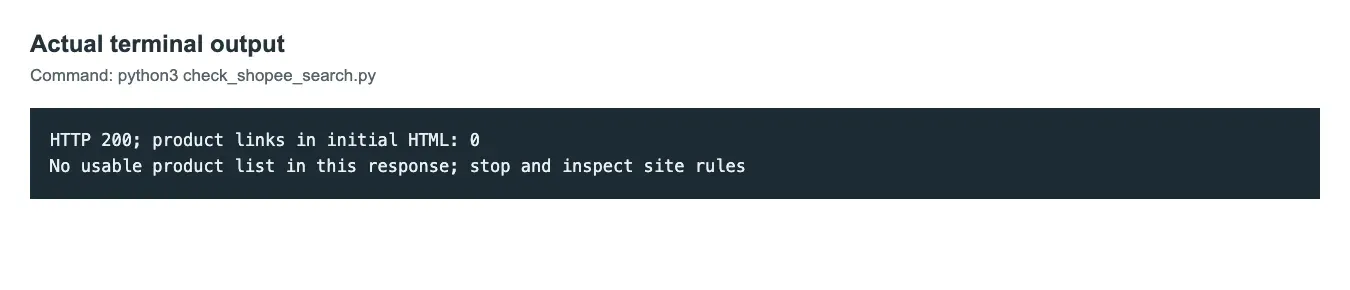
Image 1. Supplied output shows HTTP 200 and zero links matching the checker’s pattern.
Python Tutorial: Build a Basic Shopee Data Workflow
Step 1: Install Dependencies and Check Initial HTML
Use Python 3. Save the first code block as check_shopee_search.py. Install its dependencies with python -m pip install requests beautifulsoup4. The code below was run on October 9, 2026 on Windows with Python 3.12.10, requests 2.34.2, and beautifulsoup4 4.15.0. A single direct request used the 20-second timeout and returned HTTP 200 with zero matching links; the script exited with status 1. The request has a timeout and no automatic retries. On HTTP 429, stop and review Retry-After and site rules before any permitted retry.
The basic check requests the search page only once and counts links containing Shopee’s product identifier pattern. The code includes a User-Agent, Accept-Language, and an optional ROLA_PROXY_URL interface so the request environment is explicit. It does not attempt to solve verification challenges. If the current network returns no links, the program stops immediately.
"""Check initial HTML once; stop when it has no matching product links."""

import os

import requests
from bs4 import BeautifulSoup


URL = "https://shopee.sg/search?keyword=wireless%20mouse"


def main():
    proxy = os.environ.get("ROLA_PROXY_URL")
    proxies = {"http": proxy, "https": proxy} if proxy else None
    try:
        response = requests.get(URL, proxies=proxies, timeout=20, headers={
            "User-Agent": "Mozilla/5.0 (compatible; page-check/1.0)",
            "Accept-Language": "en-SG,en;q=0.9",
        })
    except requests.RequestException as error:
        print(f"Request failed ({type(error).__name__}); inspect configuration without logging credentials")
        raise SystemExit(1)
    soup = BeautifulSoup(response.text, "html.parser")
    links = [a["href"] for a in soup.select("a[href]") if "-i." in a["href"]]
    print(f"HTTP {response.status_code}; product links in initial HTML: {len(links)}")
    if response.status_code != 200 or not links:
        print("No usable product list in this response; stop and inspect site rules")
        raise SystemExit(1)


if __name__ == "__main__":
    main()
Run python check_shopee_search.py. A matching link in initial HTML does not confirm valid product data. A non-200 response or no matching links ends the check with a nonzero exit status.
Step 2: Validate Product Fields and Price Rules First
When the page is unavailable, you can still validate the field-processing pipeline. A public Shopee product sample at a fixed commit provides titles, currencies, final prices, product IDs, and original URLs. The commit is a dataset version, not a product listing date. Source prices may use scientific notation, such as 2.959000000000000e+01; the script uses Decimal to normalize that value to 29.59.
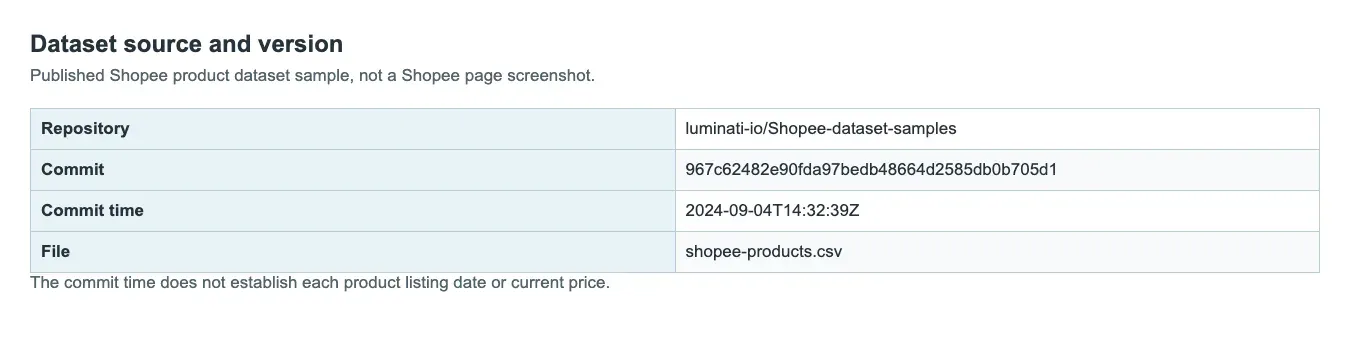
Image 2. Supplied source-information graphic.
Step 3: Export a Traceable Product Table
The program exports five rows with the columns title, price_sgd, product_id, product_url, and source_commit. The real Shopee URLs come from the original dataset, and the CSV preserves the full addresses. These are historical sample prices. If you need to make a pricing decision today, verify the values again using the current page or a licensed data source.
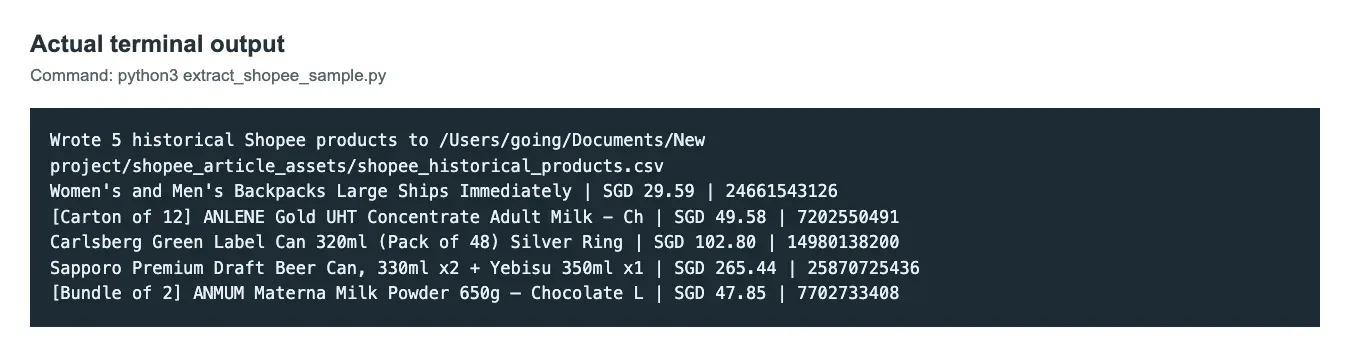
Image 3. Supplied output illustration.
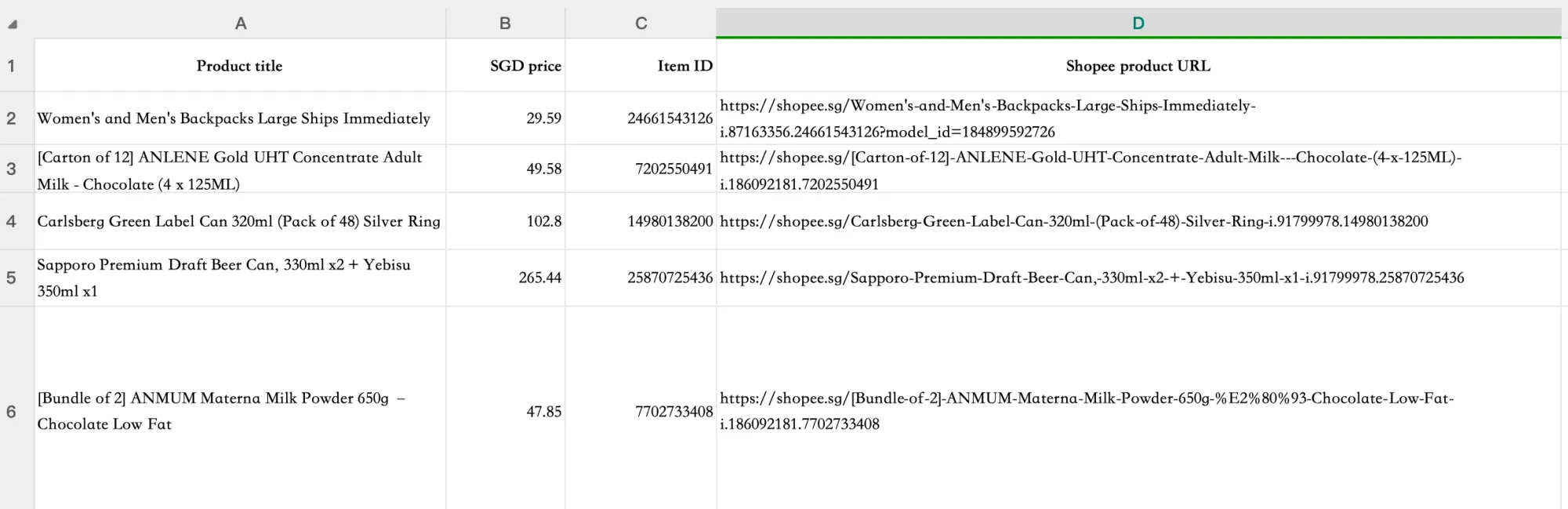
Image 4. Supplied historical table preview; the CSV example also includes source_commit.
| Product (shortened title) | SGD sample price | Product ID |
|---|---|---|
| Women’s and Men’s Backpacks | 29.59 | 24661543126 |
| ANLENE Gold UHT Adult Milk | 49.58 | 7202550491 |
| Carlsberg Green Label Can | 102.80 | 14980138200 |
| Sapporo Premium Draft Beer bundle | 265.44 | 25870725436 |
| ANMUM Materna Milk Powder | 47.85 | 7702733408 |
Step 4: Run the Historical Dataset Export
Save the following code as extract_shopee_sample.py, install requests if needed, then run python extract_shopee_sample.py. It reads the fixed public CSV and writes a local CSV; it does not use a Shopee API. The code below was run on October 9, 2026 on Windows with Python 3.12.10 and requests 2.34.2. It produced five rows with the IDs and SGD prices in the table. The source dataset does not establish when each product was listed or priced.
"""Read a fixed public Shopee dataset sample and export five SG products.

This reads GitHub, not Shopee. The records are historical, not live prices.
"""

import csv
import io
from decimal import Decimal, InvalidOperation
from pathlib import Path
from urllib.parse import urlparse

import requests


COMMIT = "967c62482e90fda97bedb48664d2585db0b705d1"
DATA_URL = ("https://raw.githubusercontent.com/luminati-io/"
            f"Shopee-dataset-samples/{COMMIT}/shopee-products.csv")
SELECTED_IDS = {"24661543126", "7202550491", "14980138200",
                "25870725436", "7702733408"}
FIELDS = ("title", "price_sgd", "product_id", "product_url", "source_commit")


def normalize_price(raw):
    try:
        value = Decimal(str(raw))
        if not value.is_finite() or value < 0:
            return ""
        return str(value.quantize(Decimal('0.01')))
    except (InvalidOperation, ValueError):
        return ""


def load_csv(session):
    response = session.get(DATA_URL, timeout=30)
    response.raise_for_status()
    text = response.content.decode("utf-8-sig")
    return csv.DictReader(io.StringIO(text))


def extract(session):
    output = []
    for record in load_csv(session):
        url = record.get("url", "")
        parsed = urlparse(url)
        if record.get("id") not in SELECTED_IDS:
            continue
        if parsed.scheme != "https" or parsed.hostname != "shopee.sg":
            continue
        if record.get("currency") != "SGD" or "-i." not in parsed.path:
            continue
        output.append({
            "title": record.get("title", ""),
            "price_sgd": normalize_price(record.get("final_price", "")),
            "product_id": record["id"],
            "product_url": url,
            "source_commit": COMMIT,
        })
    if (len(output) != 5 or len({row["product_id"] for row in output}) != 5
            or any(not row["price_sgd"] or not row["title"] for row in output)):
        raise RuntimeError("Expected five complete historical SG products")
    return output


def main():
    output_file = Path(__file__).parent / "shopee_historical_products.csv"
    with requests.Session() as session:
        session.headers["User-Agent"] = "Historical product dataset reader/1.0"
        rows = extract(session)
    with output_file.open("w", encoding="utf-8-sig", newline="") as file:
        writer = csv.DictWriter(file, fieldnames=FIELDS)
        writer.writeheader()
        writer.writerows(rows)
    print(f"Wrote {len(rows)} historical Shopee products to {output_file}")
    for row in rows:
        print(row["title"][:58], "| SGD", row["price_sgd"], "|", row["product_id"])


if __name__ == "__main__":
    try:
        main()
    except (requests.RequestException, ValueError, KeyError, RuntimeError, OSError) as error:
        print(f'Export failed ({type(error).__name__}); no successful export is confirmed')
        raise SystemExit(1)
Where Rola IP Fits in a Shopee Data Workflow
Rola IP is most useful when the business question is regional: for example, whether a permitted request to the Singapore site returns the same product ID, currency, or promotion context as another market. Use one selected region per test and record the site, product ID, response status, and collection time. A proxy does not change Shopee’s rules, render missing JavaScript, or guarantee that a 403/verification response will disappear. If the target page is unavailable, stop and diagnose the response before increasing request volume.
| Workflow need | Rola IP role | What the result can prove |
|---|---|---|
| Compare Singapore with another market | Country or city targeting, if available | Whether the two test routes returned different observable responses |
| Keep one permitted session consistent | Sticky session, after confirming configuration | Whether the assigned route remains consistent during the test |
| Process historical data | No proxy required | Field parsing and price normalization only |
Set the account gateway in ROLA_PROXY_URL; do not place credentials in source code or logs. The checker reports the response and stops on an empty result, so Rola IP remains part of a traceable test design rather than an unmeasured promise.
The Shopee solution page describes a workflow organized around region, store, and product ID. That maps directly to the fields retained in this guide’s table.
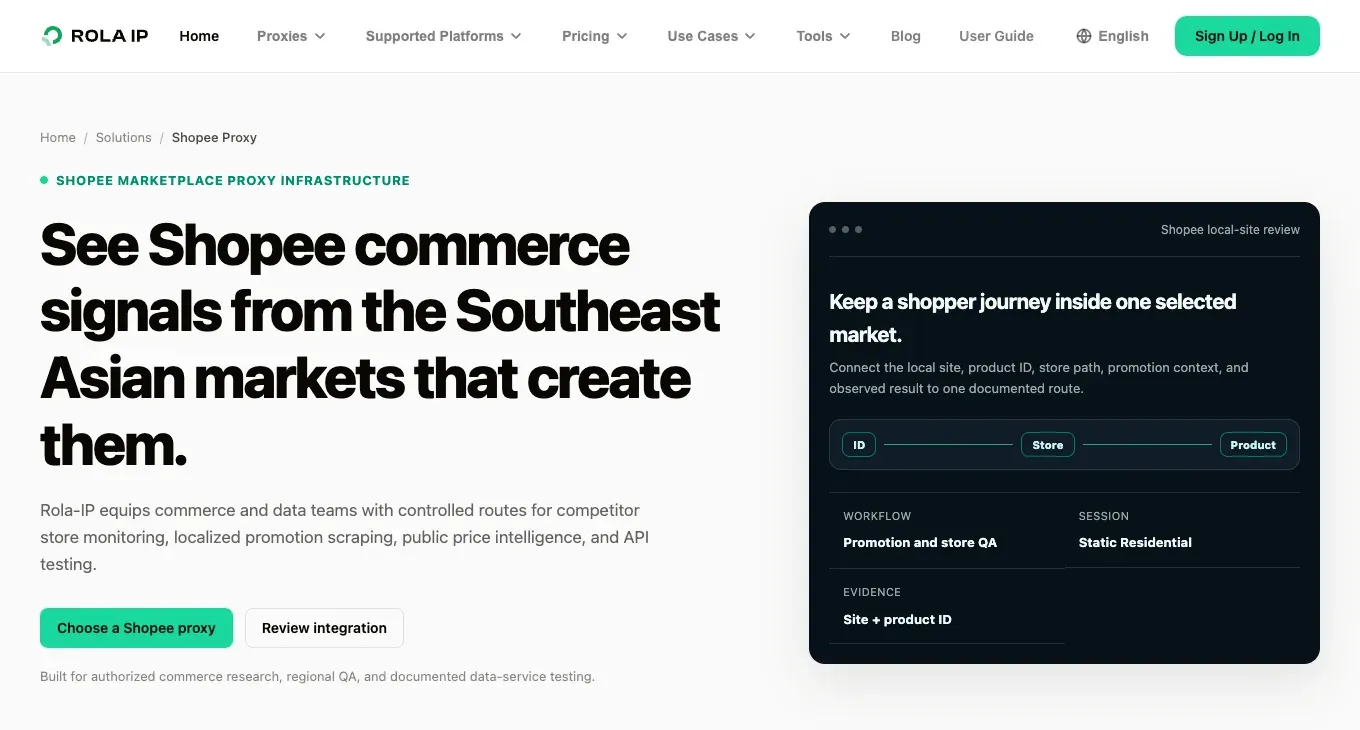
Image 5. Rola IP’s Shopee solution page, illustrating regional verification and product ID tracking.
Rotating residential proxies provide access to 80M+ residential IPs across 190+ countries and regions, with per-request rotation, sticky sessions, and 24/7 technical support. Choose the session mode and location that match your Shopee verification task, then confirm the gateway and authentication parameters in the Python integration documentation. This guide explains how to structure an authorized regional test.
For Shopee-specific selection details, see the Shopee proxy guide.
Shopee Robots.txt Scraping Policy and Account Safety
The Shopee Singapore robots.txt file was checked on October 9, 2026. Its User-Agent: * group lists Crawl-delay: 1 and disallows /cart/, /checkout/, /user/, /order/, and other paths. The separate Googlebot/Bingbot group has different rules; match your user agent and exact path against the full applicable group. Rules may differ among regional sites, and a robots file is not the same as authorization to use data. When reviewing a Shopee robots.txt scraping policy, record the target domain, exact path, and review date, then confirm the platform terms.
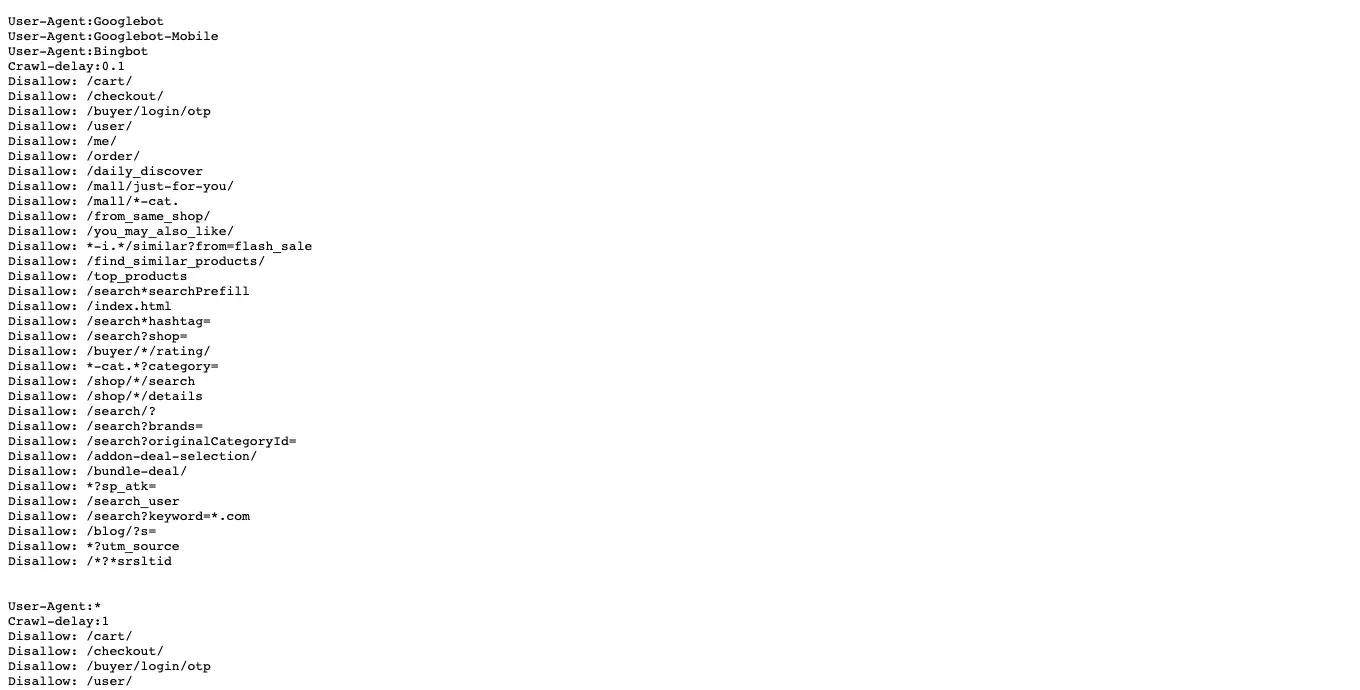
Image 6. Supplied Shopee Singapore robots.txt excerpt.
Account and privacy safety are equally important. Do not write login cookies, SMS verification codes, orders, or personal information to scraper logs. Stop requesting when you encounter a 403, 429, or verification page, then review the rules and request frequency. For an analytics system, a small amount of traceable public data is more valuable than a large volume of results that cannot be explained.
Does This Example Scrape Live Shopee Products?
No. The export script reads a historical GitHub CSV and selects five Singapore records. The checker inspects initial HTML only; it does not render JavaScript or collect a live catalog. The source repository did not expose a LICENSE file at the pinned commit, so reuse and redistribution rights need separate confirmation; review platform terms as well.
Choose a Traceable Data Workflow
A sensible Shopee data workflow follows this order: define the business question and required fields, check whether the permitted source returns usable records, and then choose the collection and network tools. The historical export was rerun against the fixed dataset, and a separate search-page check returned HTTP 200 with zero matching links. Neither step demonstrates live Shopee collection. Rola IP can support authorized cross-region verification, but it cannot replace platform permission or guarantee that a 403 response will be bypassed.