
Proxies for Ad Verification: 2026 Guide to Choosing and Using

Sep 2, 2026 · Use Cases · 16 min read
TL;DR
Proxies for ad verification let advertisers view real ad delivery results from different countries, cities, and network environments. They help confirm whether ads appear in the correct locations, whether creatives and currencies match the intended market, whether affiliate redirects work correctly, and whether landing pages show cloaking or abnormal redirects. For routine multi-location checks, residential proxies are usually the first choice; for repeated regression checks, use ISP/static residential proxies; for mobile ads and carrier targeting, use mobile proxies.
- First, use Google Ads’ Ad Preview and Diagnosis Tool to check your own ads without generating unnecessary impressions.
- Then use proxies to independently verify location, language, currency, landing pages, and affiliate redirects; do not click your own ads.
- Keep the same session throughout a single verification task, and rotate between tasks. Otherwise, redirect chains, cookies, and final pages can be difficult to reproduce.
- Compare providers by geolocation accuracy, usable-session rate, exit consistency, and cost per valid piece of evidence—not just by advertised IP pool size.
What Are Proxies for Ad Verification?
An ad verification proxy is a proxy service that lets you select a location and network type. It enables advertisers to open search results, publisher pages, or landing pages as if they were local users, then check whether ad creatives, language, currency, offers, redirects, and final pages match the media plan.
For Google Ads, the official Ad Preview and Diagnosis Tool is suitable for checking ad status, keywords, and serving eligibility. A proxy for Google Ads is better suited to verifying an independent local perspective, landing-page redirects, and actual ad delivery on third-party pages. The most efficient workflow is to confirm campaign configuration with the official tool first, then use a proxy to verify what users actually see.
Why Can’t a Single Office IP Handle Ad Verification?
Ad delivery is not determined by the URL alone. Results may also depend on IP location, device, language, time zone, cookies, audience, auction timing, and publisher-page context. An office exit IP represents only one network location and may also be affected by corporate NAT, VPNs, or shared egress infrastructure.
| Variable | Possible Difference | Verification Method |
|---|---|---|
| IP location / ASN | Different country, city, or carrier targeting | Use an exit in the required region and independently verify the exit location |
| Device and screen | Different desktop, mobile, or app creatives | Fix the viewport, User-Agent, and device configuration |
| Language and time zone | Different copy, dates, currencies, or promotion timing | Record Accept-Language, time zone, and local time |
| Cookies / session | Different frequency caps, remarketing, or redirect results | Keep the session within a task; use a clean context between tasks |
| Delivery time | Budget, bidding, and scheduling can change results | Sample multiple times within the agreed window and record timestamps |
What Can Proxies for Ad Verification Help Verify?
Ad verification proxies are best used to answer the question, “What did the user actually see?” This includes placement, creative version, localized copy, pricing currency, redirects, and landing pages—not speculation about a platform’s internal auction algorithm.
- Geo-misdelivery: Is the ad appearing in an unauthorized country, city, or market?
- Creative and localization: Do the headline, image, language, currency, and disclaimer match the regional version?
- Landing pages and redirects: Are the final URL, affiliate parameters, cross-domain redirects, and regional redirects correct?
- Brand safety: Is the ad appearing on pages or domains that violate brand policy?
- Cloaking risk: Do different locations, devices, or sessions receive significantly different creatives or pages?
- Mobile ads: How do creatives, deep links, and pages behave on specific carriers or mobile networks?
- Competitor monitoring: Record publicly visible creative and landing-page changes without interacting with the ads.
Quick Comparison: Ad Verification Proxy Types
Proxy Type |
Best For |
Advantages |
Main Limitations |
Recommended Session Strategy |
|---|---|---|---|---|
Rotating residential |
Country/city sampling, ads on public web pages |
Consumer-network perspective and broad coverage |
Bandwidth cost and exit variability must be measured |
One session per task; rotate between tasks |
ISP / static residential |
Regression verification, long redirect chains, continuous monitoring |
Stable exits and easier reproducibility |
Geographic coverage depends on inventory |
Keep stable sessions by region |
Mobile |
Carrier targeting, mobile web, or app scenarios |
Closer to real mobile-network conditions |
Usually more expensive |
Maintain sessions by device and carrier |
Datacenter |
Connectivity and basic page health checks |
Fast and cost-controlled |
Not equivalent to a real consumer network |
Short tasks; rotate by batch |
What Makes a Good Ad Verification Proxy?
Good ad verification proxies should combine accurate geolocation, stable sessions, clean exits, flexible rotation, and clear team management. For ad verification, the number of IPs is not the most important metric. What matters more is whether the same regional ad experience can be reproduced reliably.
1. Geolocation Must Be Independently Verifiable
City-level ad verification requires the exit IP to actually be located in the target city or an acceptable delivery area. After connecting to the proxy, first check the real country, city, and ASN/ISP. If the exit resolves to a nearby city, record it separately so you do not mistake a page from the wrong region for a correct delivery result.
2. Session Stability Matters More Than Blind Rotation
A complete ad check usually passes through a publisher page, ad placement, redirects, and a landing page. If the IP changes on every request, cookies, frequency caps, and page state may also change. A better strategy is to maintain a sticky session throughout one verification task and rotate the exit only after the task is complete.
3. Compare Cost per Valid Evidence Item, Not List Price
Proxy pricing should be evaluated together with successful verification outcomes. A low-cost service can become more expensive overall if its locations are inaccurate, sessions frequently fail, or many retries are required. During a trial, record the number of successfully completed checks, bandwidth usage, latency, retries, and manual review time to understand the true cost.
4. Protocols, Authentication, and Team Management Must Fit Your System
HTTP/HTTPS works well with browsers, Playwright, and common scripts. SOCKS5 is useful for clients that need more general-purpose forwarding. Multi-user teams should also evaluate username/password authentication, IP allowlisting, sub-accounts, traffic quotas, session parameters, and usage records.
How Should You Safely Verify Google Ads?
Google Ads verification should start with the official Ad Preview and Diagnosis Tool. Low-frequency, no-click proxy checks can then supplement it with independent regional experience and landing-page evidence. Google’s guidance explains that the preview tool avoids creating unnecessary impressions when you check your own ads.
- Open the Ad Preview and Diagnosis Tool in Google Ads, then select the location, language, device, and audience context.
- Record whether the ad is eligible to serve, the keyword diagnosis, and the status returned by the tool.
- If you need an independent regional check, create a proxy session for the corresponding country or city.
- Load only approved test pages or public pages. Save the creative text, landing-page URL, and screenshots; do not click your own ads.
- Compare the official diagnostic result with the external observation. If they differ, check scheduling, budget, audience, cookies, regional exit, and page context.
Recommended Option: Use Rola IP as the Network Exit for Ad Verification
Rola IP is a unified option worth evaluating for ad verification. Its official site lists rotating residential, static residential/ISP, mobile, and datacenter products, allowing teams to choose a network type for each advertising scenario. Rotating residential proxies can support country and city sampling; static residential proxies can support repeatable regression checks; mobile proxies can support carrier or mobile-ad scenarios; and datacenter proxies can support basic page-health checks. Confirm current inventory and features for the target market before purchase.
The Rola IP setup path is relatively straightforward: select a product and location in the Rola IP proxy catalog, generate connection details with the available country, city, and session parameters, and connect a browser or script through the protocols shown for that product. The site documents residential, static residential, mobile, and datacenter options; verify authentication, allowlisting, sub-account, and quota features in the current dashboard before relying on them in production.
Figure 1: Rola IP
Rola IP Ad Verification Setup Steps
- Define the test matrix: List the target country/city, desktop or mobile device, language, time zone, test URL, expected creative, and allowed time window.
- Choose the proxy type: Use rotating residential proxies for broad sampling, ISP/static residential proxies for repeated checks in the same region, and mobile proxies for carrier-specific scenarios.
- Create credentials or an allowlist: Use a separate sub-account or test credentials in the dashboard, set a quota, and avoid mixing the verification workload with production crawlers.
- Generate proxy parameters: Select the region and session duration. Use a fixed session ID for one verification task, then change the session ID for the next task.
- Verify the exit first: Visit an approved IP-checking service and record the actual country, city, and ASN. If they do not match the target, do not proceed to ad verification.
- Run a no-click check: Open the test page and record the ad placement, creative, final URL, redirect chain, loading status, and screenshot without clicking the ad.
- Archive and compare: Associate the proxy exit and page evidence with a task ID, then generate reports by region, time, and failure reason.
Runnable Evidence Collection Example
The Python example below does only three things: verifies the proxy exit, requests a test page approved by your team, and saves response metadata. Before running it, replace the target URL with a page you own or are explicitly authorized to test.
Step 1: Install the Environment
python3 -m venv .venv
source .venv/bin/activate  # Windows: .venv\Scripts\Activate.ps1
python -m pip install requests[socks]
Step 2: Configure Environment Variables
export ROLA_PROXY_HOST="your-gateway-host"
export ROLA_PROXY_PORT="your-port"
export ROLA_PROXY_USERNAME="your-username-with-region-and-session"
export ROLA_PROXY_PASSWORD="your-password"
export AUTHORIZED_TEST_URL="https://your-domain.example/ad-qa-page"
Step 3: Run the No-Click Verification Script
import json, os, time
from datetime import datetime, timezone
from urllib.parse import quote
import requests

proxy = (
    f"http://{quote(os.environ['ROLA_PROXY_USERNAME'], safe='')}:"
    f"{quote(os.environ['ROLA_PROXY_PASSWORD'], safe='')}@"
    f"{os.environ['ROLA_PROXY_HOST']}:{os.environ['ROLA_PROXY_PORT']}"
)

session = requests.Session()
session.proxies.update({"http": proxy, "https": proxy})
session.headers.update({"User-Agent": "Authorized-Ad-QA/1.0"})

started = time.perf_counter()
ip_resp = session.get("https://api.ipify.org?format=json", timeout=(10, 30))
ip_resp.raise_for_status()
page = session.get(
    os.environ["AUTHORIZED_TEST_URL"],
    timeout=(10, 30),
    allow_redirects=True,
)
page.raise_for_status()

record = {
    "timestamp": datetime.now(timezone.utc).isoformat(),
    "exit_ip": ip_resp.json()["ip"],
    "status": page.status_code,
    "final_url": page.url,
    "redirect_chain": [r.url for r in page.history] + [page.url],
    "latency_ms": round((time.perf_counter() - started) * 1000),
}

print(json.dumps(record, indent=2))
Code notes: quote() prevents special characters in the username or password from breaking the proxy URL. Connection and read operations use separate timeouts. raise_for_status() prevents error pages from being treated as successful evidence. page.history preserves the redirect chain. api.ipify.org returns only the exit IP; if you also need country, city, and ASN data, connect an approved geolocation service and record the data source.
Locally Reproducible Check
To verify field extraction and the JSON structure, the article also ran an offline test against a local fixture. The page contained a creative ID, copy, and a landing-page path, and the script read those fields and produced a standardized evidence record.
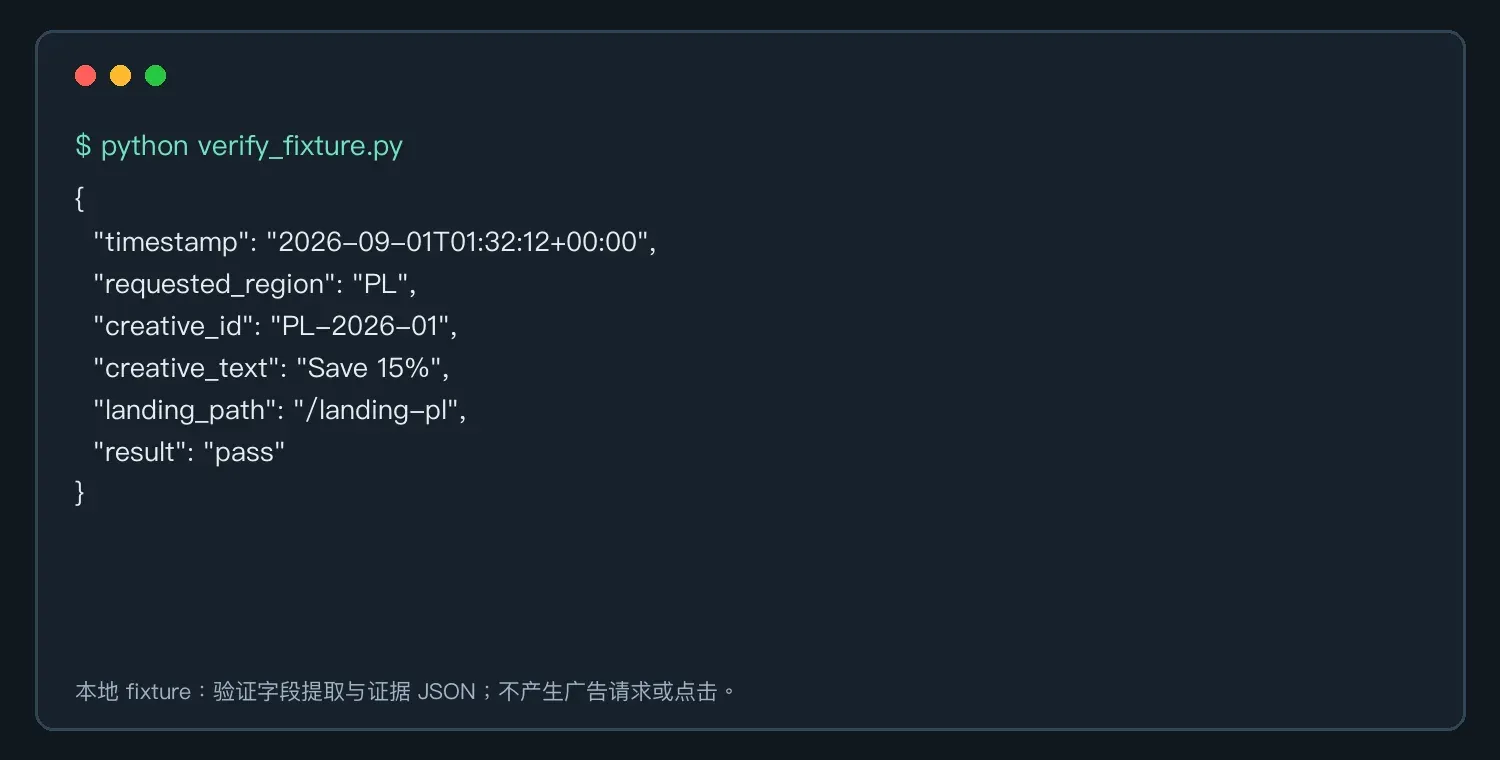
Figure 2: Evidence fields extracted from a locally approved test page
Best Proxies for Ad Verification: Provider Comparison
Overview Table
| Provider | Best-Suited Teams | Key Areas to Evaluate | What to Check Before Buying |
|---|---|---|---|
| Rola IP | Teams that want to combine residential, ISP, mobile, and datacenter exits and value concrete setup steps | Location parameters, sessions, protocols, authentication, and account management | Target-city inventory, session performance, current pricing, and support coverage |
| IPRoyal | Teams that want to choose among residential, ISP, datacenter, and mobile products | Self-service onboarding, geolocation, sessions, and official documentation | Inventory in required countries/cities and trial conditions |
| DataImpulse | Teams that prefer bandwidth-based use of residential/mobile or datacenter proxies | Traffic billing, geo filters, and session control | Live inventory, minimum spend, and traffic validity period |
| AstroProxy | Teams that need residential, mobile, and datacenter proxies with location controls | Region selection, sessions, and dashboard workflow | Target-region availability, traffic rules, and refund conditions |
| Bright Data | Teams that need enterprise-grade proxy networks, management tools, and compliance workflows | Product portfolio, geo accuracy, team features, and support | Contracts, budget, compliance review, and feature boundaries |
| Oxylabs | Teams that need enterprise procurement plus proxy and data-collection products | Residential/mobile/ISP products, documentation, and enterprise support | PoC terms, regional inventory, billing, and contracts |
The providers below are compared across five dimensions: ad verification capabilities, location selection, session options, ease of use, and best-fit team. Pricing and regional inventory can change, so you should still run a trial in your own target markets before purchasing.
Rola IP
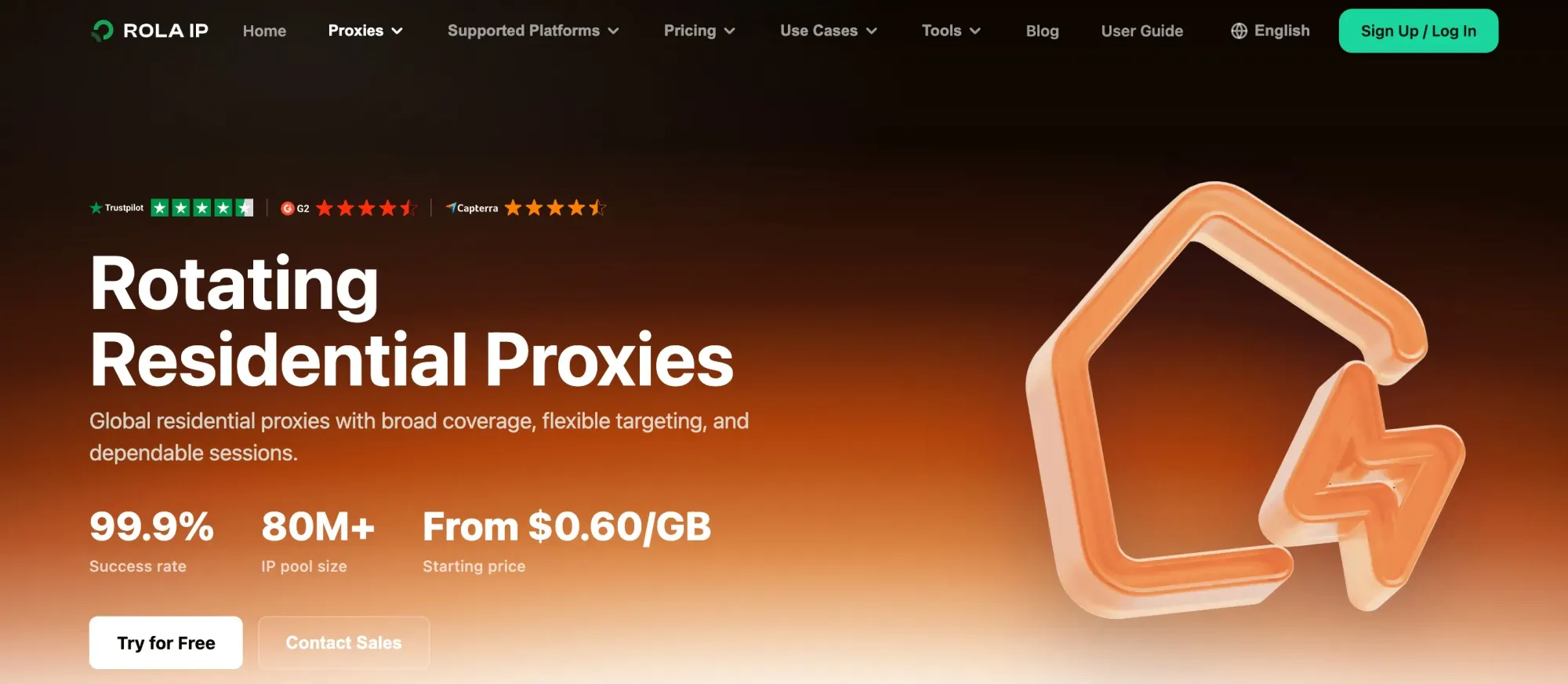
Figure 3: Rola IP rotating residential proxies
Product link: Rola IP official website
Products and capabilities: Rola IP combines rotating residential, static residential/ISP, mobile, and datacenter proxies in one product system. Ad teams can use rotating residential proxies to sample multiple countries and cities, static residential proxies or sticky sessions to reproduce the same redirect chain, mobile proxies to verify carrier targeting and mobile landing pages, and datacenter proxies for low-cost basic connectivity checks.
Ad verification experience: When creating a task, teams can generate connection details by country, city, and session parameters, then connect browsers and scripts over HTTP, HTTPS, or SOCKS5. Username/password authentication works well for cloud tasks, while IP allowlisting suits fixed office exits. Sub-accounts and traffic quotas can separate clients, markets, or projects and reduce credential sharing.
Advantages and limitations: The main advantage is a complete range of network types under a unified configuration workflow, with support for both temporary rotation and stable sessions. It is especially suitable for workflows in which teams control their own browsers, screenshots, and evidence archives. The limitation is that city inventory for any provider changes over time, so a PoC should still be run with the target city, target page, and actual testing window before purchase.
Best for: Brands, agencies, and ad intelligence teams that need to cover search ads, display ads, mobile ads, and landing-page regression checks while centralizing credentials, location parameters, and traffic management.
IPRoyal
Product link: IPRoyal official website
Products and capabilities: IPRoyal offers residential, ISP, datacenter, and mobile proxies. Residential proxies are suitable for sampling ad delivery from multiple regions. ISP proxies are useful for tasks that need a fixed exit to verify pre-login pages, redirect chains, and landing-page regressions. Mobile proxies provide a carrier or mobile-network perspective.
Ad verification experience: The product categories and self-service purchase flow are relatively straightforward, making it practical to buy a small amount of traffic for a proof of concept. Teams can start with residential traffic in key countries and add ISP proxies only for markets that require stable sessions, avoiding the use of higher-cost networks for every page.
Advantages and limitations: The advantages are flexible entry and a broad mix of proxy types, which suits smaller teams with clear budgets. The limitations are that city-level inventory, carrier filtering, sticky-session duration, concurrency, and team permissions need to be confirmed for the specific product. The lowest advertised unit price does not represent the final cost per valid piece of evidence.
Best for: Small and midsize teams that need to launch tests in a few countries quickly, have technical staff who can handle browser configuration or script integration, and want to expand proxy types on demand.
Figure 4: IPRoyal official proxy product page
DataImpulse
Product link: DataImpulse official website
Products and capabilities: DataImpulse offers residential, mobile, and datacenter proxies, allowing teams to tier cost and network type by task. Residential proxies work well for low-frequency multi-region checks on public pages. Mobile proxies are needed only when ad behavior explicitly depends on a mobile carrier or cellular network.
Ad verification experience: It is better suited to teams that already have collection or browser workflows: the proxy provides the regional exit, while screenshots, redirect logs, page diffs, and exception retests are handled by the team’s own tools. With traffic-based billing, the bandwidth consumed by images, videos, and third-party resources should be included in the budget.
Advantages and limitations: The main advantage is that it is easy to build a budget model around traffic and combine residential, mobile, and datacenter networks. The limitation is that teams need to verify target-city availability, ASN/ISP filtering, session duration, traffic validity, and minimum-use requirements before purchasing. Country-level coverage does not automatically mean the target city always has available inventory.
Best for: Teams with an existing automated verification workflow that want to check many regional pages periodically and account for traffic costs separately by market.
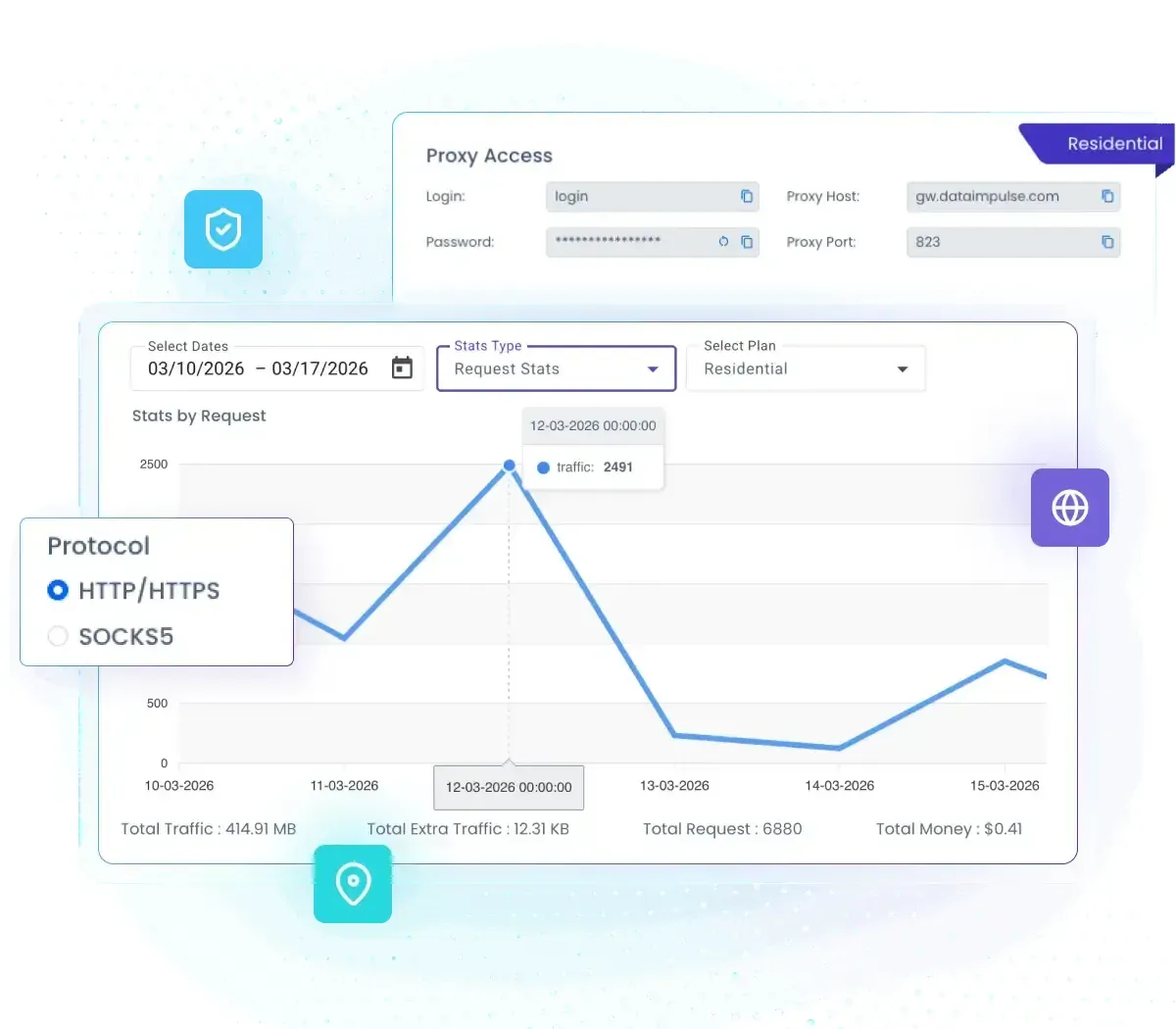
Figure 5: DataImpulse proxy dashboard and traffic statistics
AstroProxy
Product link: AstroProxy official website
Products and capabilities: AstroProxy provides residential, mobile, and datacenter proxies and emphasizes regional selection, ports, and session configuration. In ad verification, the most valuable capability is not changing IPs at high frequency, but establishing a short-term sticky session for one complete task so the same exit is maintained across the publisher page, redirects, and final landing page.
Ad verification experience: Technical teams can generate different connection parameters for country or city tasks, then rotate sessions after each task ends. This setup makes it easier to reproduce geo redirects, currency, language, and page differences, and to determine whether a failure came from the exit, session, or target page.
Advantages and limitations: Geo and session controls are well suited to batch verification scripts. The trade-off is that flexible parameters also require more upfront configuration and testing. During evaluation, record regional match rate, session completion, latency, traffic rules, and dashboard usability separately rather than looking only at the number of supported countries.
Best for: Engineering teams that can maintain proxy parameters, session IDs, and evidence storage themselves and want to run scheduled checks or batch jobs across multiple markets.

Figure 6: AstroProxy official proxy product page
Bright Data
Product link: Bright Data official website
Products and capabilities: Bright Data provides residential, ISP, mobile, and datacenter proxies, along with proxy management, browser, and data-collection tools. This multi-network combination can bring regional sampling, stable regression tests, mobile-carrier verification, and large-scale page checks into one enterprise architecture.
Ad verification experience: For projects spanning brands, agency clients, and markets, the value comes from granular targeting, permission governance, procurement support, and integration with existing data workflows. Teams still need to define the market matrix, session strategy, screenshot fields, and exception-escalation rules in advance; a rich toolset does not automatically produce auditable evidence.
Advantages and limitations: The broad product scope is an advantage for complex geographic and enterprise-governance requirements. The limitation is that configuration, compliance review, and budget are usually heavier, so a small team checking only a few ads may take on unnecessary complexity. Training, integration, and manual operations should also be included in total cost during a trial.
Best for: Enterprises that need formal procurement, granular permissions, collaboration across multiple business units, and large-scale cross-market ad intelligence and brand-safety monitoring.

Figure 7: Bright Data official residential proxy product page
Oxylabs
Product link: Oxylabs official website
Products and capabilities: Oxylabs offers residential, mobile, ISP, and datacenter proxies, along with enterprise-oriented data-collection tools and support services. Its network coverage can separately address regional delivery sampling, stable sessions, mobile-carrier targeting, and high-concurrency basic checks.
Ad verification experience: In large-scale projects, dedicated support, PoC collaboration, contracts, and team-level onboarding often matter more than traffic unit price alone. Teams should include verification scripts, browser environments, evidence formats, exception retries, and data-retention requirements in the solution rather than purchasing only proxy endpoints.
Advantages and limitations: Enterprise support and large-scale task capability are advantages for long-running projects. For smaller verification workloads, however, cost and procurement requirements may be relatively high. City inventory, carrier filters, concurrency, session strategy, and tool fees still need to be confirmed individually.
Best for: Ad intelligence, anti-fraud, brand-safety, or large agency teams that need a stable supplier relationship, technical support, and network capacity at scale.
Figure 8: Oxylabs official residential proxy product page
How Do You Integrate Proxies into an Ad Verification Workflow?
Complete Ad Verification Workflow: From Task Design to Reporting
First, build a list of markets and ad placements: country, city, device, language, search term, publisher page, and expected landing page. Second, assign a proxy type and session ID to each task. Third, open the page and record the creative, placement, final URL, region, and screenshot. Fourth, compare the actual result with the media plan and flag misdelivery, missing ads, incorrect language, wrong currency, and abnormal redirects. Fifth, retest anomalies from the same region and then hand them to the media-buying or affiliate team for follow-up.
How Can You Identify Cloaking and Abnormal Affiliate Redirects?
Cloaking often appears when completely different pages are shown to different regions, devices, or access paths. During verification, use the same URL and time window and change only one variable, such as region or device. Save the full redirect chain, final domain, page title, and screenshot. If proxy exits and ordinary user exits repeatedly receive different pages, hand the case to the brand-safety or affiliate team for review.
How Do You Verify Mobile Ads and Carrier Targeting?
Mobile ad verification involves more than changing the User-Agent. You also need to consider the mobile network, carrier, screen size, language, and deep links. Use mobile proxies when carrier targeting matters. If you only need to verify a responsive page, a residential exit combined with a mobile viewport may be sufficient. Check the ad creative, App Store/Google Play redirects, deep-link fallback behavior, and mobile landing-page load speed.
| Symptom | More Likely Cause | What to Do First |
|---|---|---|
| Requested region does not match the exit | Incorrect geo parameters or insufficient target inventory | Check the parameters and verify the exit with an independent service |
| Results keep changing within the same task | Session not preserved, cookies changed, or delivery time differs | Fix the session, browser context, and time window |
| HTTP 403/429 returned | Frequency, target policy, or request characteristics triggered restrictions | Stop retrying, reduce frequency, and confirm access authorization |
| Ad does not appear | Budget, schedule, auction, audience, or page context | Use Google’s official diagnostic tool first; do not repeatedly refresh |
| Redirect chain cannot be reproduced | IP changed mid-task or device variables are inconsistent | Keep the exit, language, time zone, and device consistent |
| Screenshots do not match the records | No consistent task ID or timestamp | Generate a task_id first, then save all evidence under it |
Compliance and Quality Boundaries
Ad verification should focus on previewing, observing, and checking page quality. Do not click your own ads or manufacture impressions, registrations, or conversions. These actions contaminate advertising data and may be identified by platforms as invalid traffic; see Google’s invalid traffic policy for the platform-level boundary.
- Do not click your own ads or manufacture impressions, clicks, registrations, or conversions.
- Prioritize the platform’s own preview, diagnostic, and reporting tools.
- Access only public pages or explicitly authorized test environments, and comply with site terms, robots guidance, and applicable laws.
- Do not bypass login requirements, CAPTCHAs, access controls, or platform enforcement.
- Redact personal information, tokens, and account identifiers from screenshots and URLs, and define a retention period.
- When purchasing a provider, review IP sourcing, abuse handling, data-processing agreements, and local privacy requirements.
Conclusion
The right way to choose proxies for ad verification is to first define the verification question and evidence standard, then select rotating residential, ISP/static residential, mobile, or datacenter exits, and finally compare cost per valid evidence item through a PoC using your own target regions and pages. Rola IP can be tested as a unified network-exit solution, but any provider should ultimately be evaluated by real geolocation matching, session stability, and compliance processes. For Google Ads, always start with the official diagnostic tool and keep proxy checks low-frequency, no-click, and auditable.