
How to Scrape WooCommerce Products with Python

Oct 10, 2026 · Guides · 14 min read
If you want to extract product names, prices, SKUs, categories, and URLs, you do not need to buy a third-party scraping API first—or assume that every WooCommerce store requires a headless browser. This tutorial uses ScrapeMe, a publicly accessible practice store. We start by retrieving JSON through the public WooCommerce Store API. If a target store does not expose that endpoint, we show how to read public product cards from its shop HTML instead. Both approaches are demonstrated across two pages, with actual CSV exports, screenshots of store pages and product details, and run results.
This guide is for Python developers building a catalog export or price-monitoring workflow. It focuses on choosing a data source, validating product fields, and collecting a bounded sample. Proxies can help you compare WooCommerce product listings and prices from different geographic locations. Later in this guide, we show how to integrate Rola IP into the Python scraper to route requests through a proxy.
Key Takeaways
- Use the public WooCommerce Store API when the store exposes it and your collection is permitted.
- Use HTML mode only for permitted shop pages, and recheck selectors for each theme.
- Convert API prices using
currency_minor_unit; preserve raw prices, currencies, product URLs, and collection timestamps. - This example collects a limited sample, not a complete catalog, and stops on HTTP 403 or 429.
Define the Product Fields Your Scraper Needs
Product data can help you monitor publicly listed prices, changes to SKUs, category structures, and image quality. Store owners can compare it with their own catalogs, identify missing fields, or track similar products. However, a displayed price is not necessarily the final transaction price: exchange rates, promotions, taxes, and inventory update times can affect comparisons. Always retain the product URL, currency, raw price, and collection timestamp instead of keeping a number without context.
Common fields include name, price, currency, sku, categories, product_url, and image_url. The records in this example come from an actual public demo store. It is a practice website, not competitive intelligence about a particular merchant, and its HTML structure should not be assumed to match every WooCommerce theme.
Choose the Right WooCommerce Data Source First
The Store API Is Designed for Public Product Catalogs
WooCommerce’s official Products Store API documentation explains that the endpoint returns public product information suitable for display on the client side; draft and unpublished products are excluded from collection responses.
The usual path is /wp-json/wc/store/v1/products. It is not the same as the administrative REST API at /wc/v3/products, which requires store credentials. When the Store API is accessible, structured JSON is easier to validate than theme-dependent HTML selectors. The response shape and available fields should still be checked for the target store and WooCommerce version.
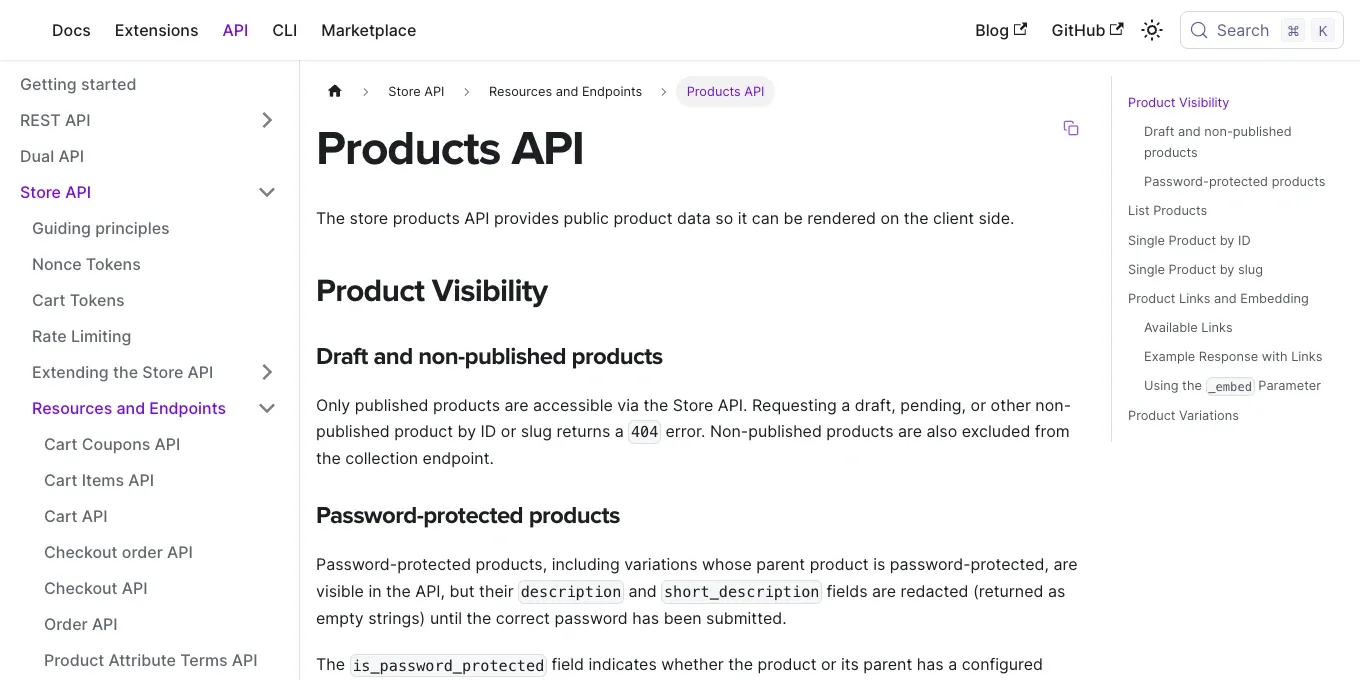
Figure 1. WooCommerce’s official Store API Products documentation describes an endpoint for public product data.
Public Shop HTML Is an Alternative When the API Is Unavailable
Some sites disable the Store API or customize its response fields. In those cases, you may be able to read a public /shop/ page. The demo store’s product cards use li.product, with names in h2.woocommerce-loop-product__title and prices in span.price; its second page is /shop/page/2/. These selectors were checked against this particular demo store and must be rechecked before use with another theme.
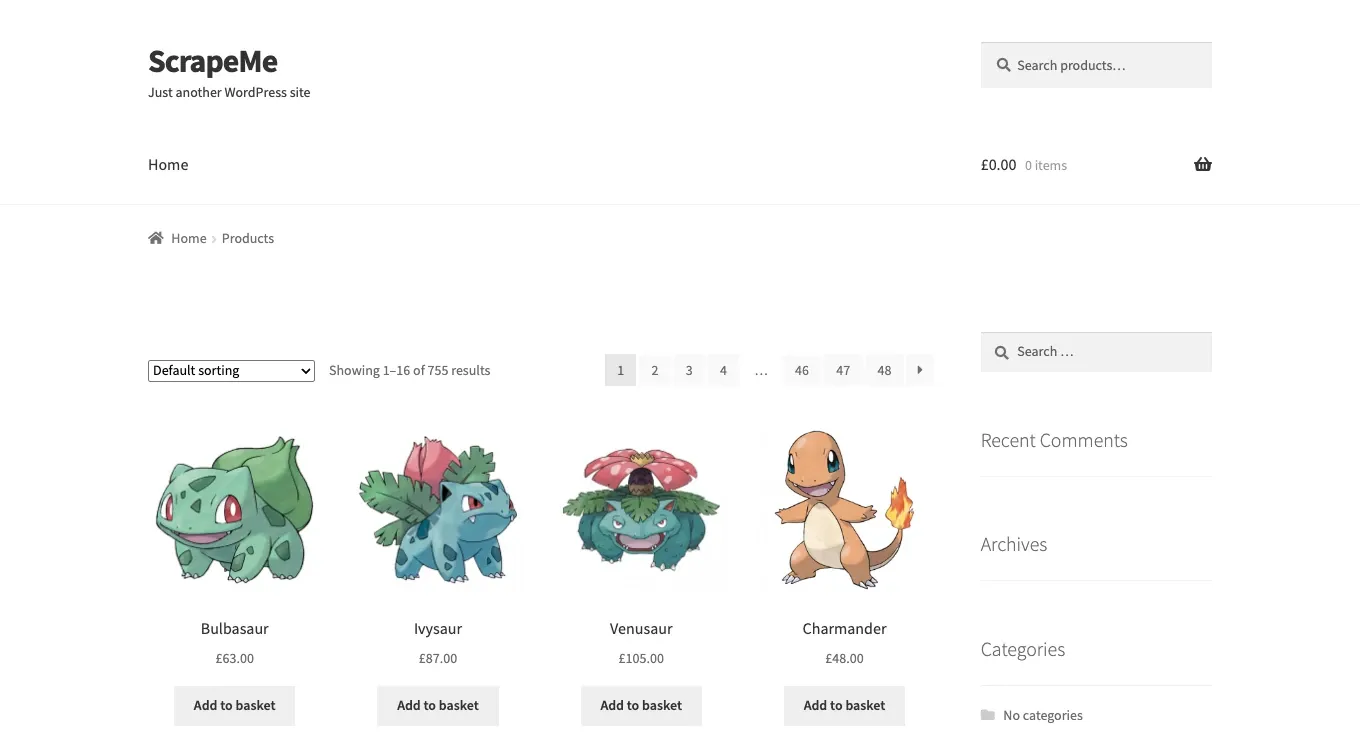
Figure 2. The first ScrapeMe shop page shows the first 16 products and pagination controls.
Before collecting data, review ScrapeMe’s robots.txt and the site’s terms. The script reads product catalog pages only and does not add anything to a cart. A path not being disallowed in robots.txt does not by itself grant permission to collect it. For other stores, check their terms, robots rules, and acceptable request rate before collecting data.
Store API or HTML: Which Source Should You Use?
| Source | Use it when | Main advantages | Main limitations |
|---|---|---|---|
| Store API | The public endpoint is available and collection is permitted | Structured JSON, explicit pagination, product fields and currency metadata | Fields may vary by WooCommerce version or extensions; unpublished products are not returned |
| Shop HTML | The public catalog page is permitted but the Store API is unavailable | Can read fields rendered by the shop theme | Selectors are theme-specific; prices, ranges, currencies and lazy-loaded content require extra validation |
Start with the Store API when it is available. Use HTML only after confirming that the catalog page may be collected and that its current markup exposes the fields you need. Do not switch to HTML as a way to evade a 403, 429, CAPTCHA, or other access restriction.
When Should You Avoid HTML Scraping?
Use this decision sequence before selecting --mode html:
- Is automated collection permitted? If permission is missing or the site’s rules prohibit the task, stop and seek an approved export or access method.
- Does the response show 403, 429, or a challenge? Stop and resolve the restriction. A different parser does not grant access.
- Does the Store API provide the required fields? If so, use API mode and validate its response before adding HTML parsing.
- Does the returned HTML contain the product cards? If only browser-rendered content contains them, the current Requests-based HTML mode will not extract them. Consider an approved API, export, or rendered-page workflow.
- Can prices and currencies be interpreted unambiguously? If not, preserve raw values and resolve the format before using them for comparisons. Do not treat an empty or ambiguous price as zero.
Free Python WooCommerce Product Scraper: Step-by-Step Tutorial
Step 1: Install Dependencies and Choose Your Target Store
Use Python 3.10 or later and install requests and beautifulsoup4. By default, the script targets ScrapeMe. To switch stores, specify an HTTPS origin with --base. Product URLs are then checked against that site’s host, avoiding a common bug where changing BASE causes every product to be filtered out.
Verification scope: The demonstration covers two sequential API pages with three records per page and two sequential HTML pages from the public ScrapeMe practice store. The recorded examples show six API records, 32 HTML records, and six local parser tests. Results are limited to this store and sample configuration; verify the operating system, Python version, and dependency versions when reproducing the run.
python -m pip install requests beautifulsoup4
python woocommerce_scraper_verified.py --base https://scrapeme.live --mode api --pages 2 --per-page 3
The script defaults to two pages, with hard limits of three pages and ten API records per page. --mode api saves to api_products.csv by default; --mode html saves to html_products.csv. Use --output to choose a different filename.
Step 2: Request the Store API and Convert Prices Correctly
The Store API returns prices.price in the currency’s smallest unit. In the sample response, Blacephalon has a raw price of 14900 and currency_minor_unit of 2, so the correct recorded price is GBP 149.00—not 14900. Values from different products must not be mixed together. The script saves raw_price, the converted price, currency, and the collection timestamp for later verification.
minor = int(prices.get("currency_minor_unit", 2))
price = f"{Decimal(str(prices['price'])).scaleb(-minor):.{minor}f}"
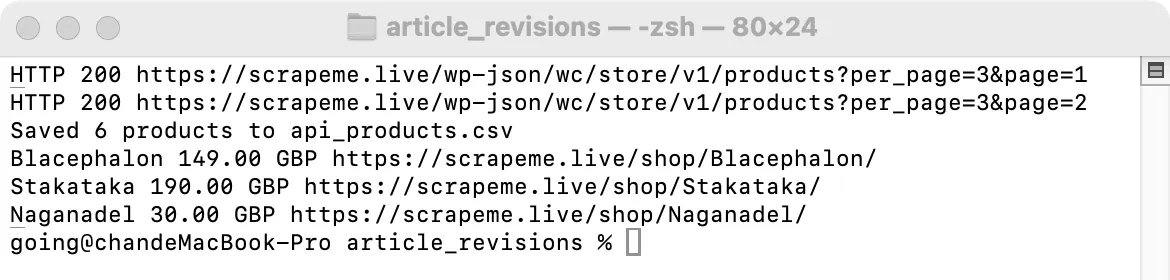
Figure 3. In the recorded demonstration, both API pages returned HTTP 200, six products were exported, and the first price was GBP 149.00.
Step 3: Paginate API Results and Preserve Their Source
The API accepts page and per_page parameters, while the X-WP-TotalPages response header reports the total number of pages. The scraper also respects the --pages task limit. In the two-page example, the returned products included Blacephalon, Stakataka, Naganadel, and three others. Records are deduplicated by product URL and marked with store_api as their source.
for page in range(1, pages + 1):
    response = fetch(session, endpoint, {"per_page": per_page, "page": page})
    products = response.json()
    if not products:
        break
    total = int(response.headers.get("X-WP-TotalPages", page))
    if page >= total:
        break
This is only an excerpt. The complete script below also includes field parsing, HTTP status checks, host validation, and stopping conditions.
Step 4: Parse HTML Product Cards When the API Cannot Be Used
If a target store allows access to its public shop pages but its Store API is unavailable, explicitly select --mode html. In the demo, each card is li.product; the title is in h2.woocommerce-loop-product__title, the price is in span.price, and the SKU comes from the card’s data-product_sku attribute. Category information may not be present in an HTML listing; the script leaves that field blank rather than guessing.
python woocommerce_scraper_verified.py --mode html --pages 2 --output html_products.csv
Price extraction must distinguish three cases. A normal price uses the only bdi element. If both del and ins are present, take the current sale price from ins. If two bdi elements represent a price range, leave price blank and retain the original text in raw_price for manual review. The example parser assumes GBP for £, USD for $, and EUR for €, with a dot decimal separator and optional comma thousands separators.
A dollar symbol alone does not identify the currency, so confirm the currency for each store. Comma decimal formats are left unparsed; adapt html_price for other symbols, locale-specific separators, taxes, or theme-specific markup before using it elsewhere.
sale = price_node.select("ins bdi")
regular = price_node.select("bdi")
if sale:
    candidate = sale[-1].get_text("", strip=True)
elif len(regular) == 1:
    candidate = regular[0].get_text("", strip=True)
else:
    return "", raw, ""
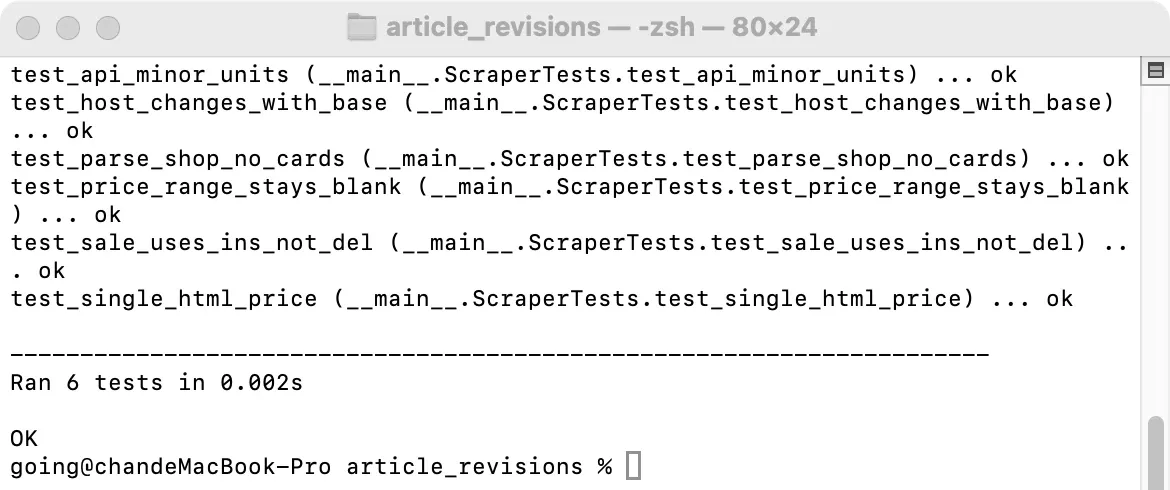
Figure 4. The demonstration includes six local parser tests, covering a £20-to-£10 sale, a blank value for price ranges, a regular single price, and host validation after changing the target store.
Step 5: Follow the Next Page and Verify Product Details
HTML mode finds the next page through a.next.page-numbers and converts the link to an absolute URL with urljoin. If that URL does not belong to the same HTTPS host, the scraper stops immediately. The second demo page displayed products 17–32. Both requests returned HTTP 200, and a total of 32 products were exported.
next_link = soup.select_one("a.next.page-numbers[href]")
next_url = urljoin(page_url, next_link["href"]) if next_link else None
next_url = next_url if next_url and same_host(next_url, host) else None
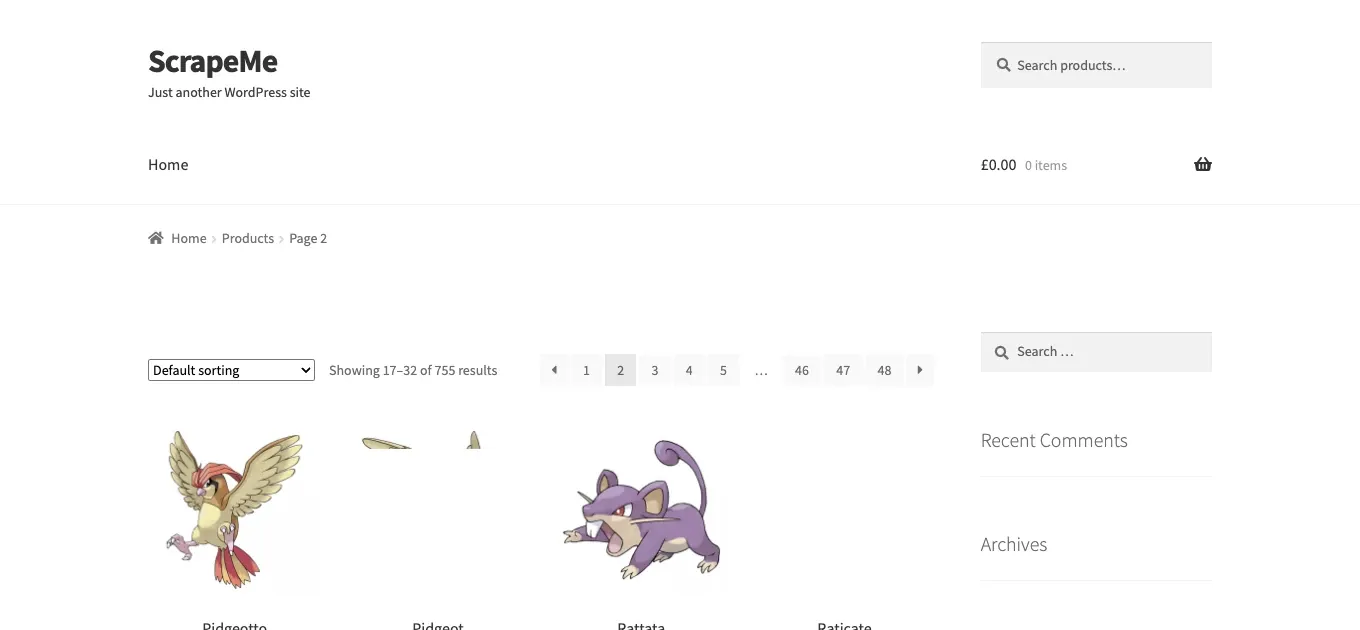
Figure 5. Page two of the ScrapeMe shop shows products 17–32.
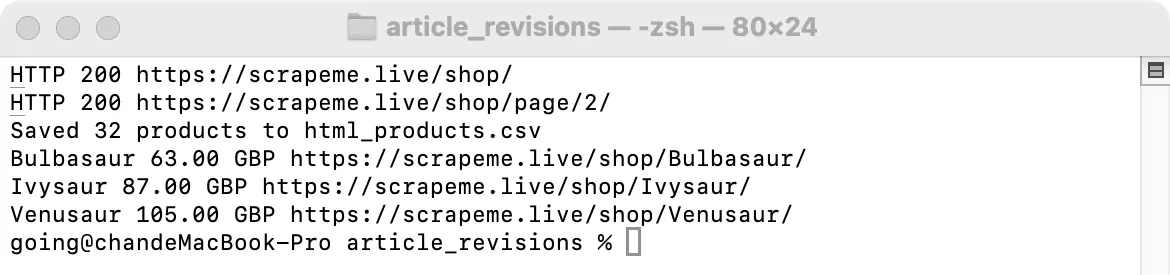
Figure 6. Actual HTML-mode run: two pages were read, 32 records were written to CSV, and Bulbasaur was listed at GBP 63.00.
Checking an individual product page is a low-cost way to catch mismatched fields. In this sample, the Bulbasaur detail page showed £63.00, matching the shop listing. That confirms this one product only; it does not prove that every exported record is correct.
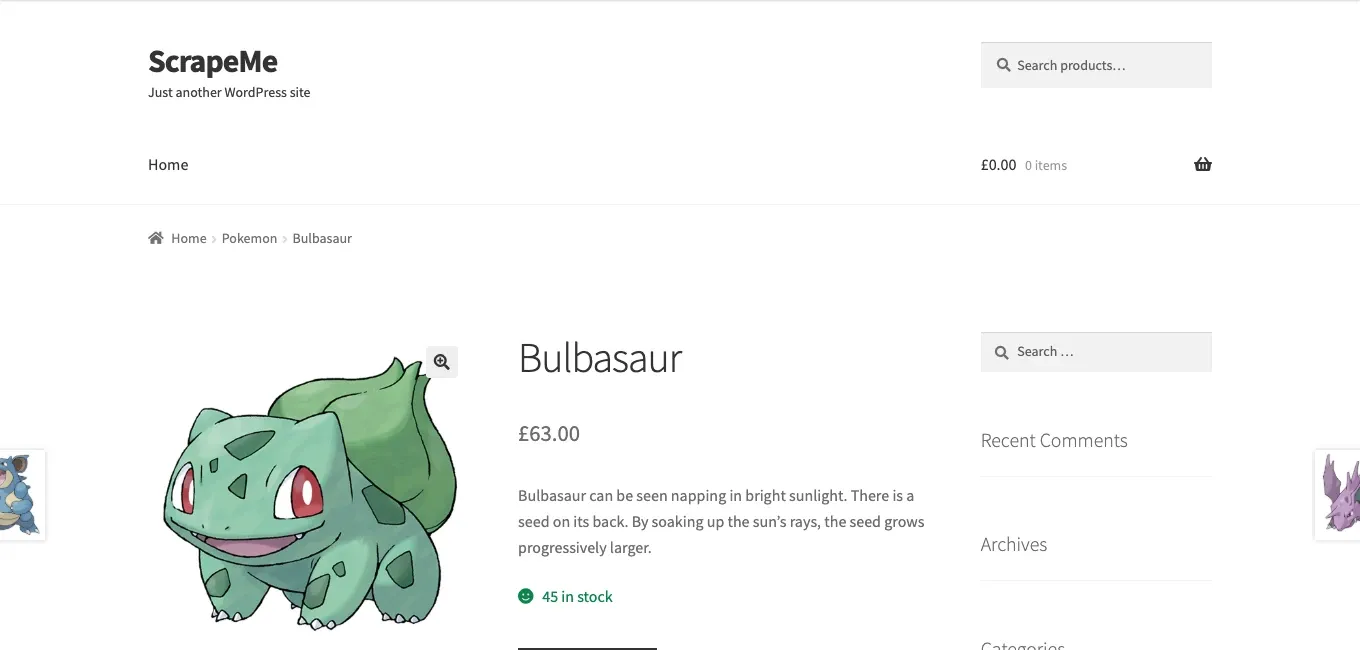
Figure 7. ScrapeMe’s Bulbasaur product page displays the title and a listed price of £63.00.
Step 6: Export CSV and Validate Your Fields
The scraper writes CSV files using UTF-8 with a BOM. Columns include name, price, raw_price, currency, sku, categories, product_url, image_url, source, and collected_at_utc. API results and HTML results use different ordering in this test, so do not match products by row number. Compare the same product using its URL or SKU instead.
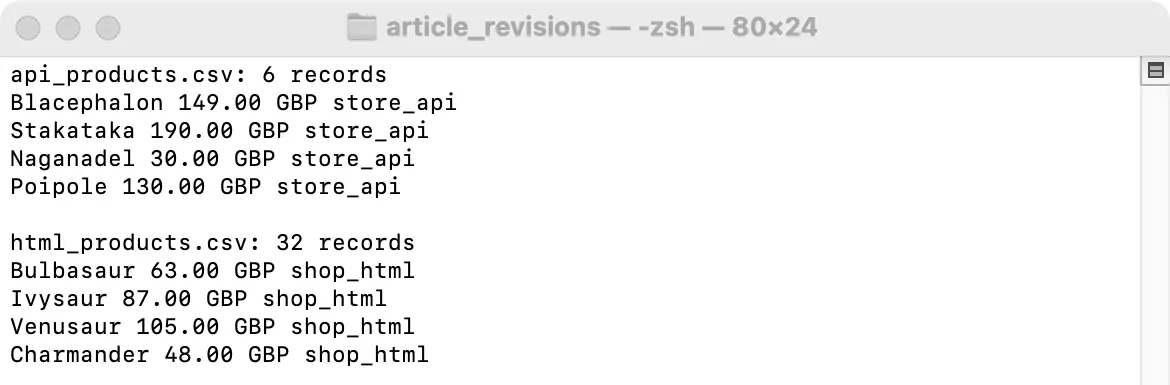
Figure 8. A preview of the first four records read from the actual CSV files: six API records and 32 HTML records in total.
Complete Python WooCommerce Product Scraper Example
The complete example below adds stricter price-format and store-origin checks to the version shown in the run screenshots. Save it as woocommerce_scraper_verified.py. Before running it against another store, confirm permission to access the site, check its Store API response and HTML selectors, and record your Python and dependency versions. This example stops on HTTP 403 or 429 rather than retrying without limits.
"""Collect permitted public WooCommerce products from Store API or shop HTML.

Examples:
  python woocommerce_scraper_verified.py --mode api --pages 2 --per-page 3
  python woocommerce_scraper_verified.py --mode html --pages 2
"""

import argparse
import csv
import os
import re
from datetime import datetime, timezone
from decimal import Decimal
from pathlib import Path
from urllib.parse import urljoin, urlparse

import requests
from bs4 import BeautifulSoup

FIELDS = ("name", "price", "raw_price", "currency", "sku", "categories",
          "product_url", "image_url", "source", "collected_at_utc")
SYMBOLS = {"£": "GBP", "$": "USD", "€": "EUR"}


def same_host(url, host):
    parsed = urlparse(url)
    return parsed.scheme == "https" and parsed.hostname == host


def fetch(session, url, params=None):
    try:
        response = session.get(url, params=params, timeout=20)
    except requests.RequestException as error:
        raise RuntimeError(f"Request failed for {url}: {error}") from error
    print(f"HTTP {response.status_code} {response.url}")
    if response.status_code in (403, 429):
        raise RuntimeError("Access limited; stop and review the site's rules")
    response.raise_for_status()
    return response


def api_price(prices):
    raw = prices.get("price")
    if raw in (None, ""):
        return ""
    minor = int(prices.get("currency_minor_unit", 2))
    return f"{Decimal(str(raw)).scaleb(-minor):.{minor}f}"


def api_rows(session, base, host, pages, per_page, stamp):
    endpoint = base + "/wp-json/wc/store/v1/products"
    rows = []
    for page in range(1, pages + 1):
        response = fetch(session, endpoint, {"per_page": per_page, "page": page})
        products = response.json()
        if not isinstance(products, list):
            raise RuntimeError("Unexpected Store API response")
        if not products:
            break
        for product in products:
            url = product.get("permalink", "")
            if not same_host(url, host):
                continue
            prices = product.get("prices") or {}
            images = product.get("images") or []
            rows.append({
                "name": product.get("name", ""),
                "price": api_price(prices),
                "raw_price": prices.get("price", ""),
                "currency": prices.get("currency_code", ""),
                "sku": product.get("sku", ""),
                "categories": ", ".join(x.get("name", "") for x in product.get("categories", [])),
                "product_url": url,
                "image_url": images[0].get("src", "") if images else "",
                "source": "store_api",
                "collected_at_utc": stamp,
            })
        total = int(response.headers.get("X-WP-TotalPages", page))
        if page >= total:
            break
    return rows


def html_price(price_node):
    if price_node is None:
        return "", "", ""
    raw = price_node.get_text(" ", strip=True)
    sale = price_node.select("ins bdi")
    regular = price_node.select("bdi")
    if sale:
        candidate = sale[-1].get_text("", strip=True)
    elif len(regular) == 1:
        candidate = regular[0].get_text("", strip=True)
    else:
        return "", raw, ""
    symbol = next((x for x in SYMBOLS if x in candidate), "")
    amount = candidate.replace(symbol, "").strip()
    if not re.fullmatch(r"(?:\d+|\d{1,3}(?:,\d{3})+)(?:\.\d{2})?", amount):
        return "", raw, SYMBOLS.get(symbol, "")
    return amount.replace(",", ""), raw, SYMBOLS.get(symbol, "")


def parse_shop(html, page_url, host, stamp):
    soup = BeautifulSoup(html, "html.parser")
    rows = []
    for card in soup.select("li.product"):
        link = card.select_one("a.woocommerce-LoopProduct-link[href]")
        title = card.select_one("h2.woocommerce-loop-product__title")
        if not link or not title:
            continue
        url = urljoin(page_url, link["href"])
        if not same_host(url, host):
            continue
        price, raw, currency = html_price(card.select_one("span.price"))
        image = card.select_one("img[src]")
        cart = card.select_one("a.add_to_cart_button")
        rows.append({
            "name": title.get_text(" ", strip=True),
            "price": price,
            "raw_price": raw,
            "currency": currency,
            "sku": cart.get("data-product_sku", "") if cart else "",
            "categories": "",
            "product_url": url,
            "image_url": urljoin(page_url, image["src"]) if image else "",
            "source": "shop_html",
            "collected_at_utc": stamp,
        })
    next_link = soup.select_one("a.next.page-numbers[href]")
    next_url = urljoin(page_url, next_link["href"]) if next_link else None
    return rows, next_url if next_url and same_host(next_url, host) else None


def html_rows(session, base, host, pages, stamp):
    url, rows, visited = base + "/shop/", [], set()
    for _ in range(pages):
        if not url or url in visited:
            break
        visited.add(url)
        response = fetch(session, url)
        page_rows, url = parse_shop(response.text, response.url, host, stamp)
        if not page_rows:
            raise RuntimeError("No product cards found; inspect the current HTML")
        rows.extend(page_rows)
    return rows


def main():
    parser = argparse.ArgumentParser()
    parser.add_argument("--base", default="https://scrapeme.live")
    parser.add_argument("--mode", choices=("api", "html"), default="api")
    parser.add_argument("--pages", type=int, default=2)
    parser.add_argument("--per-page", type=int, default=3)
    parser.add_argument("--output", type=Path)
    args = parser.parse_args()
    if not 1 <= args.pages <= 3 or not 1 <= args.per_page <= 10:
        parser.error("--pages must be 1..3 and --per-page must be 1..10")
    base = args.base.rstrip("/")
    parsed_base = urlparse(base)
    host = parsed_base.hostname
    if (not host or not same_host(base, host) or parsed_base.path
            or parsed_base.query or parsed_base.fragment
            or parsed_base.username is not None or parsed_base.password is not None):
        parser.error("--base must be an HTTPS store origin")
    output = args.output or Path(f"{args.mode}_products.csv")
    stamp = datetime.now(timezone.utc).isoformat(timespec="seconds")
    with requests.Session() as session:
        session.headers["User-Agent"] = "WooCommerce research example/1.0"
        proxy = os.environ.get("ROLA_PROXY_URL")
        if proxy:
            session.proxies.update({"http": proxy, "https": proxy})
        rows = (api_rows(session, base, host, args.pages, args.per_page, stamp)
                if args.mode == "api" else html_rows(session, base, host, args.pages, stamp))
    unique = {row["product_url"]: row for row in rows}
    with output.open("w", encoding="utf-8-sig", newline="") as file:
        writer = csv.DictWriter(file, fieldnames=FIELDS)
        writer.writeheader()
        writer.writerows(unique.values())
    print(f"Saved {len(unique)} products to {output}")
    for row in list(unique.values())[:3]:
        print(row["name"], row["price"], row["currency"], row["product_url"])


if __name__ == "__main__":
    main()
Common WooCommerce Scraping Errors
Use the response and page structure to identify the failure before changing the scraper:
| Symptom | Likely cause | Verification | Appropriate next step |
|---|---|---|---|
| HTTP 403 | Site policy, WAF rule, or missing permission | Review the site’s terms, robots rules, response body, and request rate | Stop automated requests and obtain permission or use an approved access method |
| HTTP 429 | Rate limit | Check Retry-After and recent request frequency |
Wait as instructed, reduce the rate, and use only a finite retry policy |
| HTTP 503 | Temporary service or origin failure | Compare the response body and retry after a suitable delay | Treat it separately from 403; confirm service health before another permitted request |
| Empty API list or unexpected JSON | Endpoint, pagination, or store configuration differs | Inspect the status, content type, response body, and API URL | Stop and update the parser for the confirmed endpoint |
| Empty HTML result | Theme selectors changed or content is rendered by JavaScript | Save the page HTML and inspect product-card selectors | Confirm permission, then update selectors or use an approved rendered-page workflow |
| Wrong or blank price | Sale markup, price range, currency symbol, or locale differs | Compare raw_price with the product page and currency metadata |
Keep the raw value and adapt the parser; do not guess a numeric price |
If the response indicates an access restriction, changing from API mode to HTML mode does not resolve the permission issue. The HTML fallback is for a permitted public catalog whose markup can be inspected and parsed.
Diagnosing Cloudflare and Wordfence Responses
Wordfence is a common WordPress security plugin, while Cloudflare is a separate CDN and web application firewall (WAF). A site may use either, both, or other systems. The demo store did not trigger these protections in the documented test, so the results should not be described as a “Wordfence bypass.” If you encounter HTTP 403, HTTP 429, a CAPTCHA, or a challenge page, stop automated requests and review the site’s permissions and your request rate. For 5xx errors, distinguish an origin-server failure from a temporary service issue. A proxy or browser automation does not grant permission to access a site.
For stores that permit collection but render content with JavaScript, you can evaluate Playwright. If an endpoint already provides reliable JSON, a browser adds unnecessary complexity. Rola IP’s web scraping use case discusses geographic targeting and proxy integration, but it does not guarantee the removal of CAPTCHAs or blocks. If the error is HTTP 503, see its 503 Service Unavailable troubleshooting guide; do not treat 403 and 503 as the same issue. For HTTP 429, inspect the Retry-After header before planning another request. This example stops instead of retrying automatically; resume only after reviewing the site’s rules and reducing the request rate, with any later retry policy limited to a finite number of attempts.
How to Integrate Rola IP into a Permitted Scraping Project
For an authorized project that compares publicly visible prices across locations, review Rola IP rotating residential proxies and confirm that the available location and session settings meet your requirements. The example’s proxy configuration is optional; use direct requests when your permitted collection task does not require a particular network location.
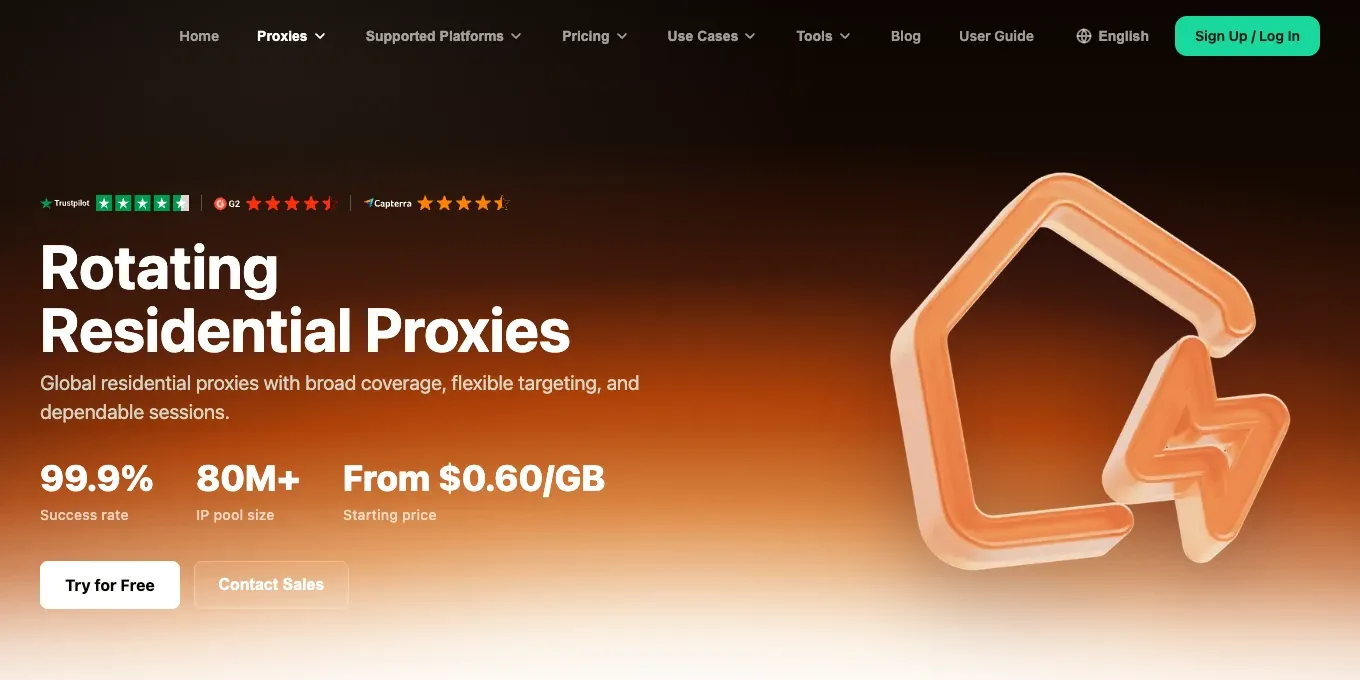
Figure 9. Rola IP’s English rotating residential proxies product page. Current coverage and plans should be confirmed in the official dashboard.
The script supports the ROLA_PROXY_URL environment variable. Once you have a proxy gateway and authentication details from your account dashboard, the Requests session uses that proxy for HTTP and HTTPS requests. The original demonstration was not run with real Rola IP credentials because no Rola IP account was available. For the correct authentication format, consult the Rola IP Python integration documentation. Never put usernames or passwords into published articles, screenshots, or code repositories.
export ROLA_PROXY_URL='http://USERNAME:PASSWORD@HOST:PORT'
python woocommerce_scraper_verified.py --mode api --pages 2 --per-page 3
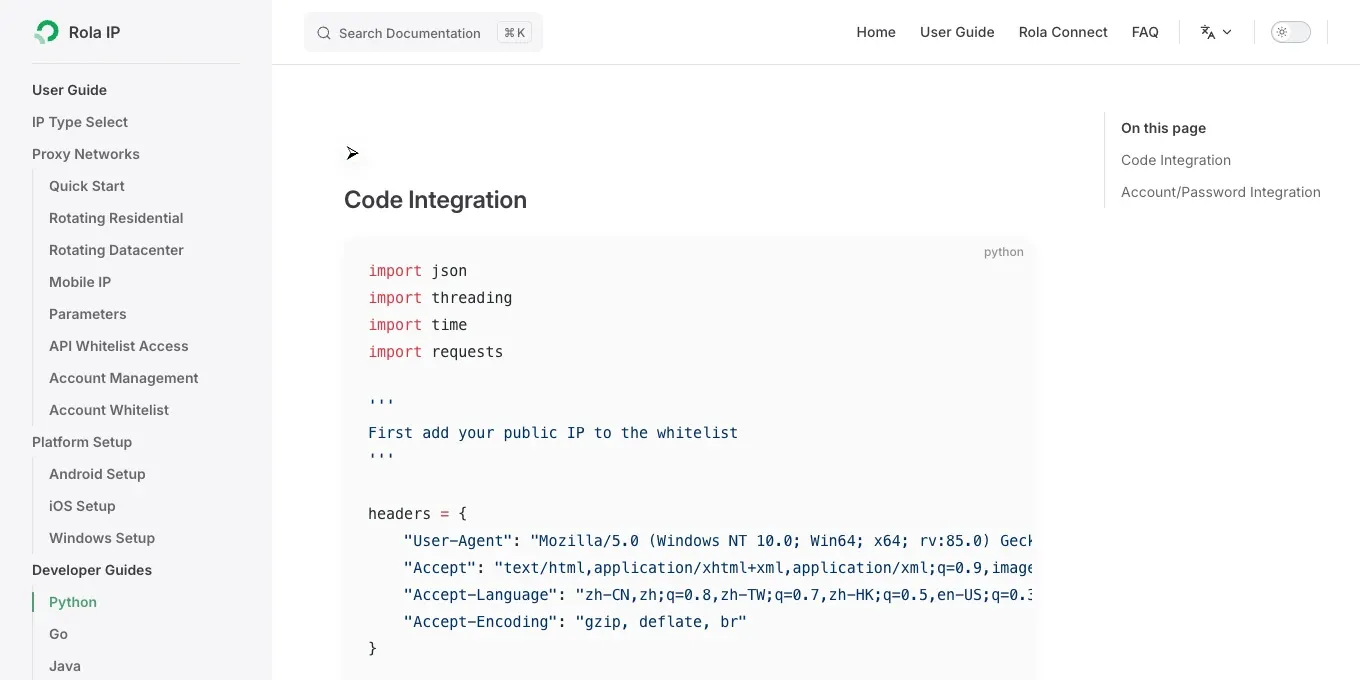
Figure 10. Rola IP’s English Python documentation can be used to confirm proxy protocols, authentication, and configuration parameters.
For long-lived sessions in a fixed region, also compare the fixed-IP features and pricing model of Rola IP static residential proxies. Do not choose between rotating and static proxies merely on claims that rotating proxies are less likely to be blocked or that static proxies are always safe.
Conclusion
To scrape WooCommerce products reliably, the most important steps are not about evading blocks: first choose the appropriate data source, convert currencies correctly, handle pagination consistently, and verify the exported records. The recorded demonstration shows six products exported from two API pages and 32 products from two HTML pages on a public practice shop. Those results are a limited demonstration, not a guarantee for other stores. For designing a broader product-data schema, see Rola IP’s Python product information scraping tutorial. Always review each site’s terms, available endpoints, and current HTML selectors separately.